


WhatsApp Bot vs Telegram Bot: Which is better?
Updated at Nov 21, 2026
10 min to read

WhatsApp bulk messaging helps businesses send order updates, appointment reminders, and promotional offers to customers who have opted in. The official WhatsApp Business API allows businesses to manage these broadcasts using approved message templates and targeted contact lists.
However, sending messages requires more than uploading contacts and scheduling a campaign. Businesses must follow Meta's consent requirements, use the correct templates, monitor messaging limits, and account for charges that vary by message category and recipient country.
This guide explains WhatsApp bulk messaging rules, costs, and business use cases. It also walks you through setting up and managing broadcasts with BotPenguin.
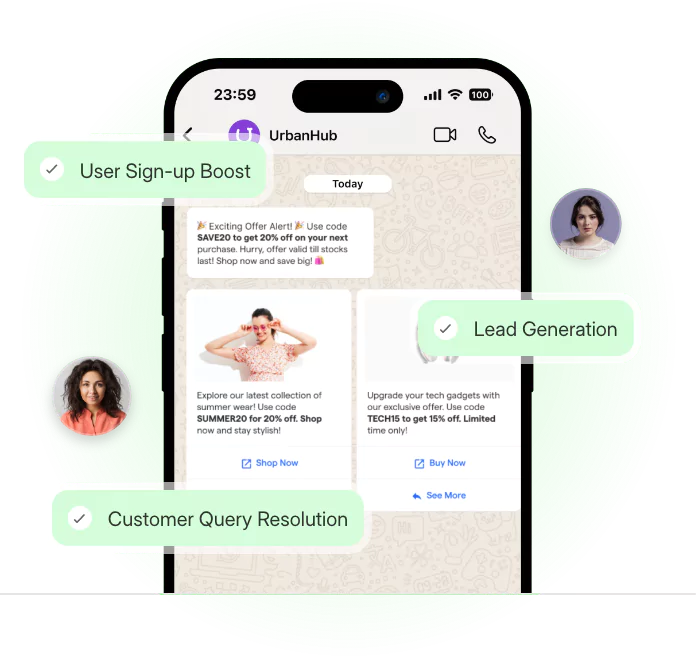
WhatsApp bulk messaging is a way for businesses to send broadcasts to multiple customers who have opted in. Using the official WhatsApp Business API, companies can send approved message templates for promotions, reminders, and updates while managing audience targeting, delivery limits, and customer replies.
WhatsApp bulk messaging allows businesses to send the same campaign or personalized messages to multiple customers who have opted in. Each recipient receives the message in an individual WhatsApp conversation, not a shared group chat.
Businesses use broadcasts for order updates, appointment reminders, promotional offers, and other customer communications. Unlike individual replies, broadcasts let businesses reach selected customer segments through a single campaign.
For business-initiated messaging through the WhatsApp Business API, businesses must obtain customer consent and use approved message templates. The WhatsApp Business App also supports broadcast lists, but its features differ from API-based campaign management.
For a closer comparison of messaging formats, read our guide on WhatsApp broadcast vs group.
Businesses need customer permission, approved templates for business-initiated messages, and adherence to Meta's messaging and quality requirements.
The official WhatsApp Business API supports business broadcasts, but account eligibility and messaging controls determine how campaigns operate.
Businesses must obtain permission before sending WhatsApp messages to customers.
Under Meta's WhatsApp Business Messaging Policy, recipients must have provided their mobile numbers and agreed to receive messages from the business.
Companies can collect consent through website forms, checkout pages, registration flows, or other clearly disclosed signup methods.
For example, a form could state: "I agree to receive order updates and promotional messages from ABC Store on WhatsApp."
Businesses should explain the communication purpose and provide an option to withdraw consent.
Having a customer's phone number does not automatically authorize promotional messaging.
Businesses must use approved message templates to initiate conversations through the WhatsApp Business API.
Meta recognizes three template categories:
Service messages are a separate conversation type, not a fourth template category.
Templates can contain text, personalization variables, and supported interactive elements. Businesses submit them for Meta's approval before using them in broadcasts.
Promotional content must use the appropriate category, even when combined with transactional information.
For further guidance, read WhatsApp templates for bulk messaging.
WhatsApp Business API accounts have messaging limits that determine how many unique customers businesses can initiate conversations with during the applicable period.
These limits are different from message delivery or campaign scheduling controls.
Meta also evaluates account and template quality using signals such as recipient feedback and engagement.
Repeated negative feedback may affect template availability or messaging eligibility.
Businesses should regularly review:
Higher messaging limits depend on Meta's eligibility and quality requirements. Businesses should verify their account's current status before planning larger campaigns.
When a customer messages a business, WhatsApp opens a 24-hour customer service window. Each new customer message resets that window.
Within the window, businesses can send permitted non-template replies and continue the conversation.
Outside it, businesses must use approved message templates to send further messages.
For example, if someone replies to a promotional broadcast with a product question, the business can respond within the active service window.
The window determines which message types are permitted. It does not mean every reply is free, particularly under Meta's pricing rules effective October 1, 2026.
To send WhatsApp bulk messages using BotPenguin, connect your WhatsApp Business API number, create an approved template, and select opted-in contacts. You can then configure, schedule, and monitor broadcasts through the BotPenguin dashboard.
Customer replies can be managed through chatbot automation or live agents.
Follow these seven steps to set up your campaign.
Log in to your BotPenguin account and click Create Bot. Select WhatsApp and choose your business use case.
Complete the WhatsApp onboarding process using your business details and an eligible phone number. Follow the Meta authorization steps to connect your WhatsApp Business account.
Once connected, your WhatsApp bot is ready for template creation and broadcast setup.
Select your WhatsApp bot and open WhatsApp Templates. Go to Your Templates and click Create Template.
Choose the appropriate category: marketing, utility, or authentication. Add your message content and personalization variables, then submit the template for Meta's approval.
You can select the template for a broadcast once it is approved.
For formatting and approval guidance, refer to WhatsApp templates for bulk messaging.
Open Bots, select your WhatsApp bot, and navigate to Broadcasts. Create a broadcast and choose CSV under How to Send.
Download the sample CSV file and enter your contact details, including names, phone numbers, and required custom fields.
Upload the completed file and map its columns to the corresponding BotPenguin attributes. Include only recipients who have consented to your messages.
BotPenguin supports audience selection through CSV files, contact groups, and Google Sheets.
Choose an existing contact group or prepare a targeted list based on the campaign's purpose.
For example, appointment reminders should reach customers with upcoming bookings. Promotional broadcasts should reach customers who have opted in to marketing communication.
Check your selected audience before proceeding.
In Broadcasts, enter your campaign name and select an approved message template.
Choose the delivery method and map any template variables to your contact data. Add fallback values where required.
Under When to Send, select Now for immediate delivery or Later to schedule a date and time.
Review the audience, template, and personalization fields before launching.
After launching your broadcast, review its performance using the reporting options available in your BotPenguin account.
Monitor supported campaign metrics, including message delivery and read status where available.
Compare the results across customer segments to identify delivery problems and improve future campaigns.
Remember that read-status reporting can depend on recipient settings and available WhatsApp data.
When customers respond to your broadcast, BotPenguin can handle supported conversations through configured chatbot flows or AI agents.
Automated responses can answer common questions, while conversations requiring human assistance can be escalated to live agents.
Configure and test these response workflows before launching your campaign. This helps ensure that customer questions receive appropriate attention after the broadcast.

The five main business use cases for WhatsApp bulk messaging are order updates, appointment reminders, promotional offers, back-in-stock alerts, and event notifications. Each requires relevant customer consent and the appropriate message template.
E-commerce businesses can notify customers when orders are confirmed, dispatched, or delivered. Messages may include tracking links and expected delivery dates.
These updates generally qualify as utility messages when they relate to an existing transaction and meet Meta's requirements.
Customers receive timely order information without contacting the support team for routine updates.
Clinics, salons, and service businesses can send booking confirmations, appointment reminders, and rescheduling links.
These messages may qualify as utility messages when they relate to appointments customers have already booked.
Timely reminders help customers prepare for appointments and give them an opportunity to reschedule.
Retailers can send seasonal discounts, product offers, and campaign announcements to customers who have agreed to receive promotional messages.
These broadcasts fall under the marketing template category.
Businesses can target relevant customer segments instead of sending every offer to their entire contact list.
E-commerce stores can notify interested customers when previously unavailable products return to stock.
The applicable template category depends on the message content and Meta's classification rules. Promotional content generally falls under marketing.
These alerts help businesses reconnect with customers who previously expressed interest in a product.
Businesses can announce webinars, workshops, and other events to opted-in audiences.
Event promotions generally use marketing templates. Reminders for existing registrations may qualify as utility messages, depending on their content.
These notifications help attendees remember event details and access joining instructions.
Meta determines the final template classification based on message content and applicable policies.
WhatsApp bulk messaging costs depend on the recipient's country, message category, number of delivered messages, and applicable platform fees.
Meta charges businesses for eligible WhatsApp Business API messages, while providers such as BotPenguin may have separate subscription or usage charges.
The WhatsApp Business App has different pricing and feature rules from API-based broadcasts.
Since July 1, 2025, Meta has used per-message pricing for delivered business message templates rather than the earlier conversation-based model.
Charges depend on the recipient's country and the template category: marketing, utility, or authentication.
Further pricing changes took effect on October 1, 2026:
Meta may provide other qualifying pricing benefits and volume-based rates.
Businesses should consult Meta's official WhatsApp Business Platform pricing documentation before preparing campaign budgets.
BotPenguin's subscription and applicable platform charges should be considered separately from Meta's messaging costs.
Businesses should check the current BotPenguin pricing for available plans, WhatsApp capabilities, and usage allowances.
For example, a business planning a promotional campaign can estimate costs using its expected delivered messages, recipient markets, Meta's marketing rates, and applicable BotPenguin charges.
Actual costs depend on delivery results, account configuration, and current pricing.
Before launching a WhatsApp bulk messaging campaign, businesses should verify customer consent, template approval, messaging eligibility, and opt-out options. These checks help maintain message quality and reduce the risk of account restrictions.
Use this checklist before sending:
WhatsApp may restrict business accounts for unsolicited outreach, policy violations, repeated customer complaints, negative feedback, or misuse of message templates.
Restrictions depend on the nature and severity of violations. Following the rules reduces risk but does not guarantee uninterrupted messaging access.
Businesses should regularly review Meta's WhatsApp Business Messaging Policy and address compliance issues promptly.
WhatsApp bulk messaging gives businesses a structured way to communicate with customers through updates, reminders, and relevant promotional campaigns.
Successful broadcasts depend on customer consent, approved message templates, appropriate audience targeting, and compliance with Meta's messaging requirements.
Businesses should also consider message costs, account quality, and customer response handling before launching campaigns.
With BotPenguin, businesses can configure WhatsApp broadcasts, manage approved templates, schedule campaigns, and handle customer replies through supported automation and live-agent workflows.
Start with a clearly defined audience and message purpose, then use delivery and engagement data to improve future broadcasts.
Yes. Businesses can send WhatsApp bulk messages through approved business messaging methods, provided they follow Meta's policies.
For API broadcasts, businesses must obtain valid customer opt-in and use approved templates for business-initiated messages.
Messaging eligibility, account quality, and applicable privacy regulations also affect how campaigns can operate.
Connect an eligible WhatsApp Business API number through a supported provider such as BotPenguin.
Create an approved message template, import opted-in contacts, select the target audience, and configure the broadcast.
You can then send or schedule the campaign and monitor available delivery metrics.
Customer replies can be handled through supported automated or human-assisted workflows.
Yes. Businesses must obtain valid permission before contacting customers through WhatsApp business messaging.
Customers should know which business will contact them and what types of messages they can expect.
Businesses should maintain consent records and honor requests to stop receiving messages.
Possessing a customer's phone number does not automatically establish permission.
WhatsApp Business API messaging costs depend on the recipient's country, message category, and number of delivered messages.
Meta applies category-based message pricing, including charges for eligible utility and service messages under its October 2026 rules.
Providers such as BotPenguin may charge separate subscription or usage fees. Check current rates before launching campaigns.
A WhatsApp Business App broadcast list is designed for smaller-scale messaging and has contact-saving requirements and limited automation.
An API broadcast supports business messaging through approved templates, customer targeting, scheduling, and platform-level reporting.
Businesses using the API must obtain appropriate opt-in and follow Meta's messaging rules, regardless of campaign size.
3X Your Business
Growth on WhatsApp
See how our chatbot automates replies, qualifies leads & books appointments on autopilot.
Watch Demo NowCheckout our related blogs you will love.
Updated at Nov 21, 2026
10 min to read
Updated at Nov 4, 2026
10 min to read
Updated at Oct 24, 2026
12 min to read
Updated at Oct 16, 2026
8 min to read
Updated at Oct 13, 2026
17 min to read
Table of Contents