


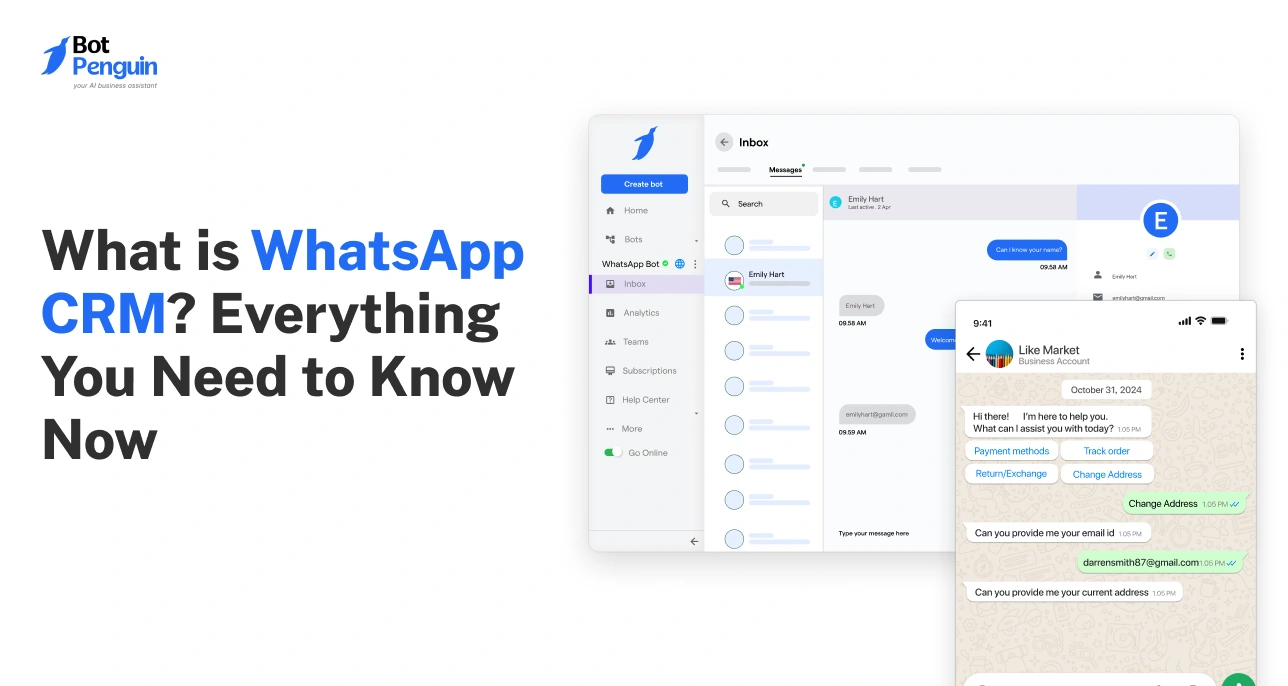
What is WhatsApp CRM? Everything You Need to Know Now
Updated at Oct 7, 2026
12 min to read

Most WhatsApp chatbot CRM projects fail before they even launch. Not because the chatbot doesn't work. Because nobody planned how the data would move.
Teams build a chatbot, connect it to WhatsApp, and stop there. The conversations pile up, but the CRM stays empty. Sales reps still copy names and numbers by hand. Support tickets get missed because nobody logged the chat.
A WhatsApp chatbot CRM integration fixes exactly this gap by connecting your chatbot's conversations directly to your CRM. Every new lead, reply, and status change syncs automatically through an API connection, a native connector, or a webhook.
Your sales and support teams see updated records in real time, with no manual data entry between WhatsApp and the CRM. No missed follow-ups. No manual data entry. Just a chatbot and a CRM that actually talk to each other.
Before planning the integration, it helps to understand what a WhatsApp chatbot is and how it manages customer conversations.
Every WhatsApp CRM integration comes down to one job: moving conversation data from your chat into your CRM without anyone touching it.
There are three ways this happens.
Pushes data straight from your WhatsApp chatbot into your CRM's own system. Most flexible option, but usually needs a developer to set up.
A pre-built link between your chatbot platform and a specific CRM. Pick your CRM from the list, connect it, and the sync starts.
Fires the moment something changes, instead of updating on a delay. A new lead, a reply, a status update all show up instantly.
Here's what that looks like in practice.
This is what WhatsApp CRM automation actually looks like day-to-day. It's not a broad WhatsApp automation tool bolted onto your CRM; it's a direct line between the two, built specifically for how your team already works.
Once it's running, the change shows up in four places.
A lead that lands in your CRM within seconds gets a reply while they're still paying attention. A lead may remain stuck in a chat log until someone manually enters it. It might not receive a follow-up for hours. By then, the customer has often already messaged a competitor.
Manual data entry means typos in phone numbers, missed fields, and duplicate contacts. These duplicates are created because nobody checked whether the lead already existed. Automated sync pulls the same information every time, straight from the conversation, so the record matches what the customer actually typed.
Reps stop copying the same name, number, and message into two different systems. What used to take a few minutes per lead now takes zero, since the CRM updates itself the moment the conversation happens.
Every contact in your CRM reflects exactly what the customer said, not what someone remembered to type after the fact. This matters most when a lead gets handed from one rep to another, since the full context travels with the record instead of living only in someone's memory.
BotPenguin connects to CRMs like Zoho, HubSpot, and Bitrix24 through its integration list, either through a native connector or a direct API, depending on which CRM you use.
Setup takes minutes on the native side. An API-only connection takes longer and usually needs a developer, but it still removes the manual step once it's live.
Most CRMs already come with a built-in chat widget. So why bother connecting WhatsApp at all?
Because that widget only works if someone is already on your website. WhatsApp doesn't have that problem. More than 3 billion people use WhatsApp every day, and millions regularly use it to communicate with businesses ( Source: Resourcera, 2026).
Your customers are almost certainly already using it, whether or not they ever visit your site.
That reach gap is the core difference between the two approaches. A native CRM chat widget can only start a conversation with someone who's actively browsing your website.
A WhatsApp chatbot integration can start one the moment a customer messages you, and it pushes that conversation straight into your CRM without anyone copying it over.
Here's how they stack up feature by feature:
Neither option is a clear winner across the board. If nearly all your leads come through your website, native chat already has you covered. Some customers reach out over WhatsApp before they ever land on your site. The integration captures conversations your CRM would otherwise never see.
Most businesses that get real value from WhatsApp CRM integration are the ones losing leads to that second scenario.
If you want to see what that setup looks like, here's how to build a WhatsApp chatbot with CRM sync built in.
Every business asks the same question before integrating: what actually changes once WhatsApp talks to the CRM? Here are four use cases that show exactly where the time savings come from.
The moment someone messages your business on WhatsApp, the chatbot captures their name, number, and first message.
That data doesn't sit in a chat log. It creates a new contact record in your CRM right away, or updates an existing one if they've messaged before. Nobody exports a chat transcript. Nobody copies a phone number into a spreadsheet and then into the CRM.
Of the four use cases here, this one saves the most manual work. It replaces the single step almost every sales team still does by hand: entering a new lead's details after every conversation.
Conversations go quiet all the time. A customer asks a question, gets partway through, then stops replying.
Without integration, that conversation just sits there until someone happens to notice it. With integration, the chatbot flags the stalled chat and your CRM creates a follow-up task automatically, assigned to a rep, with the context of what the customer already asked. The lead gets a second chance before it goes cold.
As a customer answers questions during the chat, like their budget, their product interest, or their location, that information doesn't stay locked inside the conversation.
It fills in custom fields in your CRM as the chat happens. By the time the conversation ends, the record already has the details a rep would otherwise have to ask for again on a call.
Chatbots can't resolve everything. When a query is too complex, or the customer explicitly asks for a human, the chatbot creates a support ticket on its own instead of leaving the conversation stranded.
The ticket carries the chat history with it, so the agent who picks it up isn't starting from zero. Nothing gets lost between the chat window and the helpdesk.
If your main goal is generating leads with a WhatsApp chatbot, lead capture and auto-sync is the use case to build around first.
BotPenguin supports this kind of sync across its list of connected CRMs, so setup takes minutes, not a developer sprint.
Not every WhatsApp CRM setup works the same way. Before you connect anything, ask your vendor these four questions.
A native connector is prebuilt. Pick your CRM, connect it, and the sync starts within minutes.
An API-only setup works too, but it usually needs a developer to configure it correctly. If your team doesn't have one on hand, this step alone can delay your launch by weeks.
Every CRM stores data a little differently. Ask whether you can map chatbot answers, like budget, location, or product interest, to your CRM's existing custom fields.
If the integration only supports a fixed set of standard fields, you may end up manually adjusting records anyway, which defeats the point of automating in the first place.
Real-time sync, usually built on webhooks, updates your CRM the instant something happens in the chat.
Batch sync updates on a delay, sometimes hours later. That's fine for reporting, but not for a hot lead who needs a reply while they're still paying attention.
You're connecting customer conversation data between two systems, so this isn't optional.
Ask both your chatbot platform and your CRM for their data-handling documentation before you connect anything. BotPenguin publishes its own integration documentation covering exactly this, which is a reasonable benchmark to hold any vendor to, though it's not the only acceptable standard.
WhatsApp CRM integration solves one problem well: it stops your team from re-entering the same conversation data twice. Every lead, reply, and status update moves from WhatsApp into your CRM on its own, whether that happens through an API, a native connector, or a webhook.
The result is simple. Leads get logged the moment they message you. Follow-ups get triggered before they go cold. Your sales and support teams spend less time copying data and more time acting on it.
If you're ready to connect the two, build a WhatsApp chatbot with CRM sync already built in.
The chatbot pushes captured contact and conversation data directly into your CRM. This happens through an API connection or a pre-built native integration, so no manual entry is required once it's set up.
Most major CRMs support WhatsApp chatbot integration through an API or a pre-built connector. Exact availability depends on your specific chatbot platform and CRM combination, so check the integration list before committing to one.
No, not for most popular CRMs. Platforms typically offer no-code connectors for widely used systems. A custom or less common CRM may still need a developer to configure the API connection.
Typically, contact details, conversation history, lead status, and any custom fields captured during the chat, such as budget or product interest.
Yes, when configured correctly. Use encrypted API connections, secure authentication, and trusted platforms. Also verify your chatbot and CRM provider's security, access controls, compliance, and data-handling documentation before integrating.
Turn WhatsApp Conversations Into CRM-Ready Leads
No manual data entry. Every chat syncs to your CRM automatically.
Build Your ChatbotCheckout our related blogs you will love.
Updated at Oct 7, 2026
12 min to read
Updated at Jul 2, 2026
6 min to read
Updated at Jun 3, 2026
9 min to read

Updated at May 7, 2026
11 min to read
Updated at May 1, 2026
10 min to read

Updated at Apr 27, 2026
15 min to read
Table of Contents

