


Automate Your Business with WhatsApp CRM Integrated Chatbots
Updated at Aug 6, 2026
12 min to read
Your customers aren't waiting by their inbox anymore. They're on WhatsApp and they expect you to be there too.
With 2 billion+ active users and open rates near 98%, WhatsApp is the most underleveraged customer channel in business today. Yet most companies are still stuck in email threads and missed calls.
WhatsApp CRM changes that. It combines the familiarity of messaging with the power of automation, sales tracking, and personalized support for teams of one or one hundred.
This guide shows you exactly how to use it.
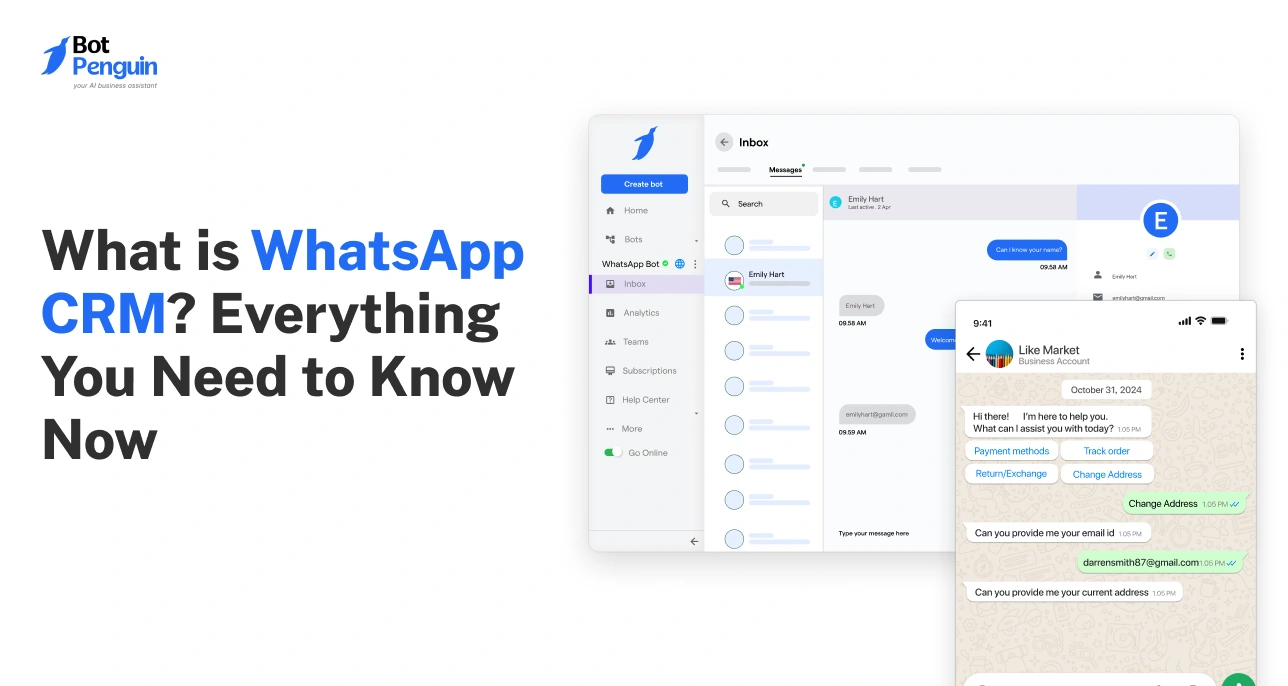
WhatsApp CRM is the integration of WhatsApp's messaging platform with your customer relationship management system.
In plain terms, it means every customer conversation, sales follow-up, and support interaction happens inside WhatsApp while all the data lives in your CRM automatically.
No more toggling between apps. No more lost context. Every chat is logged, searchable, and actionable.
Here is how it works in practice:
A patient messages your clinic to book an appointment. Your CRM pulls up their details instantly, a chatbot confirms the slot, and a reminder goes out the day before. Zero manual effort.
A lead inquires about a property. The agent responds with listings, schedules a viewing, and logs the interaction without leaving the chat thread.
The backbone of this is the WhatsApp Business API, which connects WhatsApp to your CRM and enables:
Tools like BotPenguin make this integration straightforward, even for teams without a technical background.
At its core, WhatsApp CRM removes friction from communication. It makes your business faster, more personal, and more organized without adding complexity.
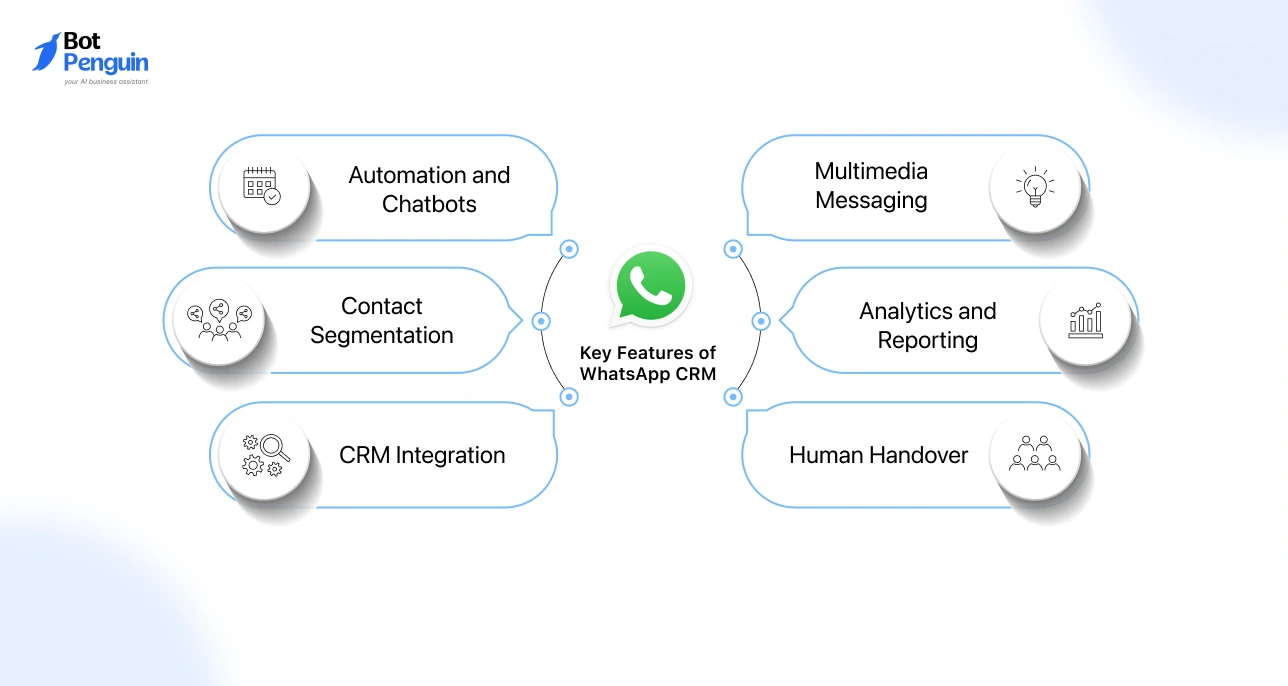
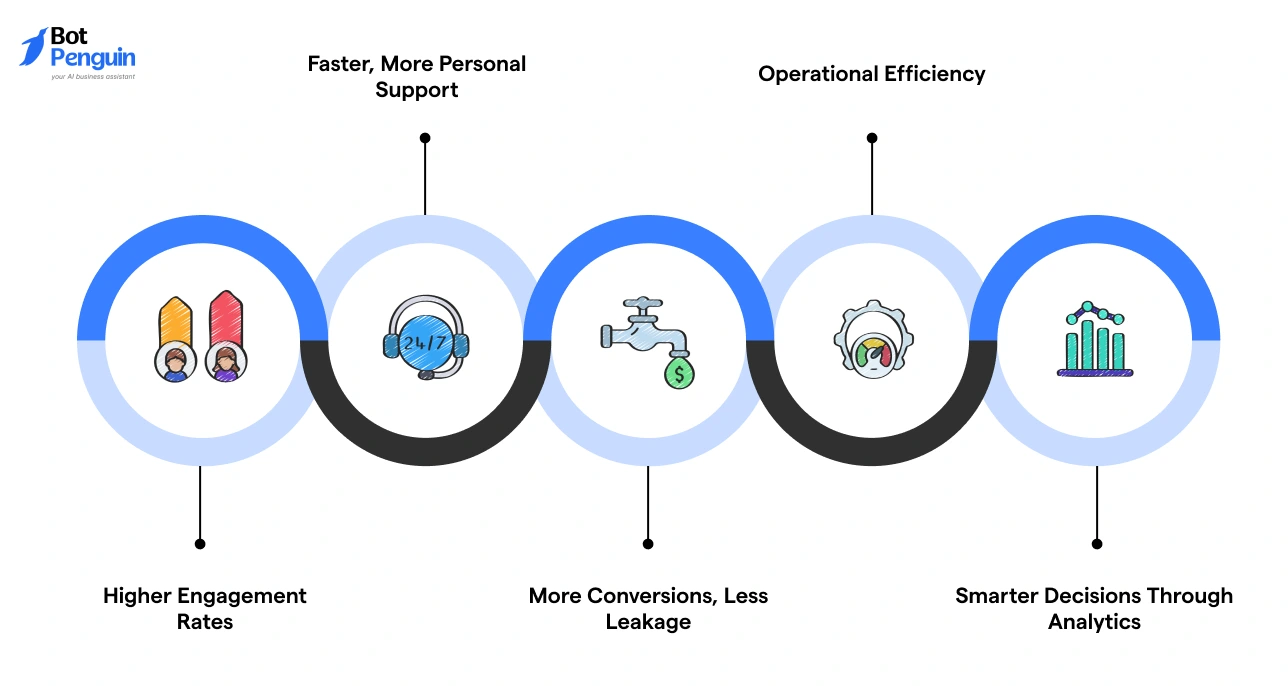
Understanding what WhatsApp CRM can do is one thing. Knowing which features actually move the needle for your business is another. Here are the core capabilities that make it worth adopting.
Handle FAQs, appointment confirmations, order updates, and lead qualification automatically.
Tools like BotPenguin let you build these flows without writing a single line of code, keeping your business responsive around the clock.
Group customers by purchase history, location, or engagement level and send messages that are actually relevant to each segment.
Targeted communication consistently outperforms broadcast blasts.
Every WhatsApp conversation syncs with your customer profiles.
When someone reaches out, your team already has their history, preferences, and past interactions in view before sending a single reply.
Share images, videos, documents, and voice notes directly in chat. A retailer can showcase a new collection. A clinic can send pre-visit instructions.
Support teams can resolve issues faster with visual context.
Track open rates, response times, conversation sentiment, and conversion rates in real time.
These insights help you refine messaging, spot bottlenecks, and make smarter decisions over time.
When a conversation gets too complex for automation, it routes seamlessly to a live agent, complete with full context. Customers never have to repeat themselves.
Together, these features turn WhatsApp from a chat app into a complete customer engagement system.
Most tools promise results. WhatsApp CRM delivers them where it matters most: faster conversations, stronger relationships, and a sales process that doesn't stall.
Here is what businesses consistently gain after making the switch.
WhatsApp messages see open rates of up to 98%, compared to 20-30% for email. When you send a personalized offer, appointment reminder, or follow-up, it actually gets seen.
A local boutique sending birthday discounts or a coaching center sending exam reminders will reach their audience almost every single time.
Customers get instant responses instead of waiting hours for an email reply. Chatbots handle routine queries around the clock, while complex issues get routed to a human agent who already has full context from the CRM.
A healthcare clinic, for example, can confirm appointments, answer insurance questions, and send pre-visit instructions without any manual effort.
Every lead inquiry, follow-up, and sales touchpoint is logged and automated. A real estate agent can respond to property inquiries instantly, share listings, and schedule viewings without a single dropped thread.
Fitness centers capture trial class sign-ups and nurture them automatically until they convert.
All conversations, tickets, and customer data live in one dashboard. No app switching, no scattered notes, no missed messages.
Automation handles repetitive tasks like reminders and order updates, freeing your team for high-value work.
Track open rates, response times, conversion rates, and customer satisfaction in real time.
These insights help you refine messaging, optimize timing, and spot what is working before your next campaign goes out.
Knowing what WhatsApp CRM can do is one thing. Seeing it work in the real world is another. Here are the five most impactful use cases businesses are running right now.
A customer messages about a delayed order. Instead of waiting 24 hours for an email reply, they get an instant response through a CRM-integrated chatbot.
The bot resolves common queries, shares tracking links, and if the issue is complex, routes the chat to a live agent who already has the customer's full history on screen.
E-commerce stores, healthcare clinics, and service businesses use this to slash response times and handle high volumes without growing their support team.
A prospect fills out a form on your website. Within seconds, they get a WhatsApp message acknowledging their inquiry.
A chatbot qualifies them by asking about budget, timeline, or preferences, then passes the hot lead to a sales rep with full context already logged.
Real estate agents use this to share listings and book viewings instantly. Fitness centers use it to convert free trial signups into paying members through automated follow-up sequences.
WhatsApp broadcasts let you send targeted promotions directly to segmented contact lists. A fashion retailer sends a flash sale alert with product images to VIP shoppers only.
A travel agency sends personalized holiday packages to customers who enquired about similar destinations last season.
Because messages land in a personal chat rather than a promotional inbox, open and click rates are significantly higher than email.
A dental clinic sends automated appointment confirmations and a reminder the day before. Patients can confirm or reschedule with a single reply.
A food delivery service sends live tracking updates. A salon lets clients book, reschedule, and receive prep instructions all within one chat thread.
Tools like BotPenguin make it possible to set these workflows up without any coding, syncing every interaction back to the CRM automatically.
A beauty brand messages customers when their loyalty points are close to expiring. A restaurant sends a two-question satisfaction survey right after a meal.
A SaaS company triggers a feedback request after every support interaction.
Because WhatsApp feels conversational rather than formal, response rates on surveys and feedback requests are considerably higher than email equivalents.
Most businesses don't lose customers because of bad products. They lose them because of slow, impersonal, and inconsistent communication. WhatsApp CRM directly fixes that.
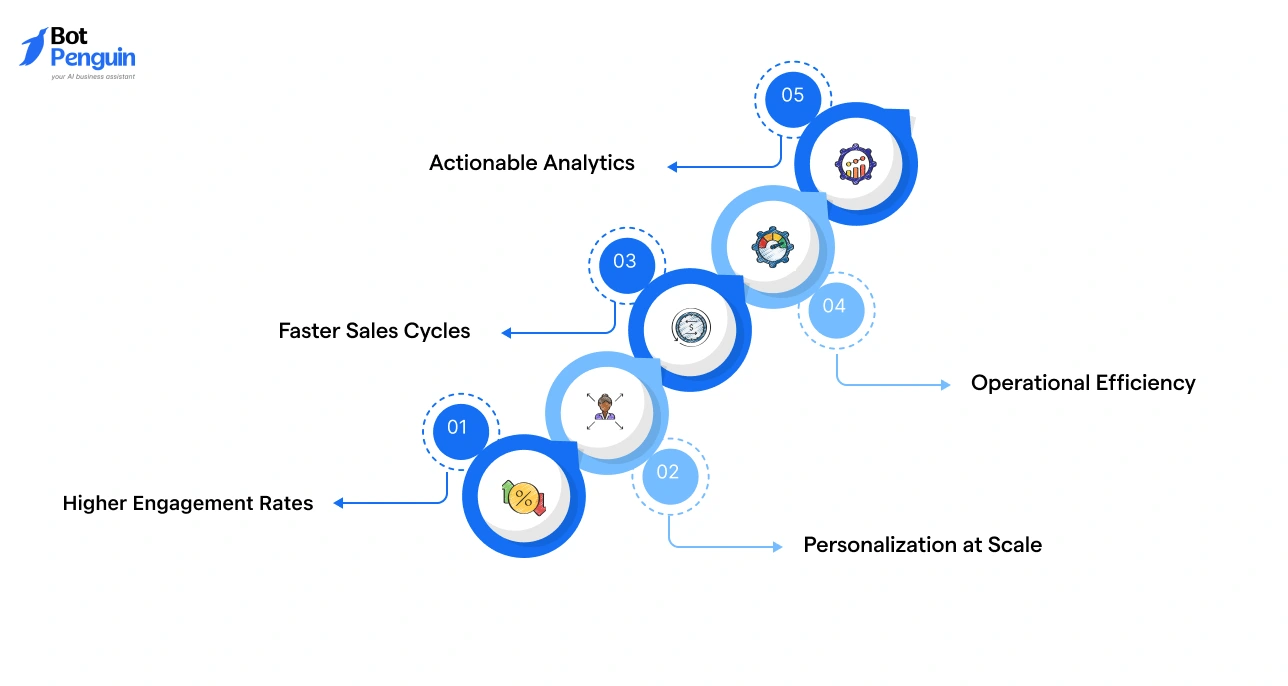
Email open rates average 20-30%. WhatsApp sits close to 98%. When you send a message, it gets seen. When customers reply, it happens in seconds, not days.
That gap in attention is where sales are won or lost.
Every conversation is backed by CRM data, so your team always knows who they're talking to, what they bought, and what they need next.
A returning customer never has to repeat themselves. A new lead gets a response tailored to their inquiry, not a generic template.
WhatsApp removes the friction between interest and conversion. A prospect asks a question, gets an instant answer, receives a product link, and pays, all inside one chat thread.
For service businesses, this means shorter decision windows and fewer drop-offs.
Automated responses handle FAQs, appointment confirmations, and order updates around the clock. Your team focuses on conversations that actually need a human.
For small businesses, this is the difference between scaling and burning out.
Track open rates, response times, campaign performance, and customer satisfaction from one dashboard. Over time, these insights sharpen every message you send and every workflow you run.
The numbers make the case clearly. WhatsApp CRM is not just a communication upgrade. It is a competitive advantage that compounds the more consistently you use it.
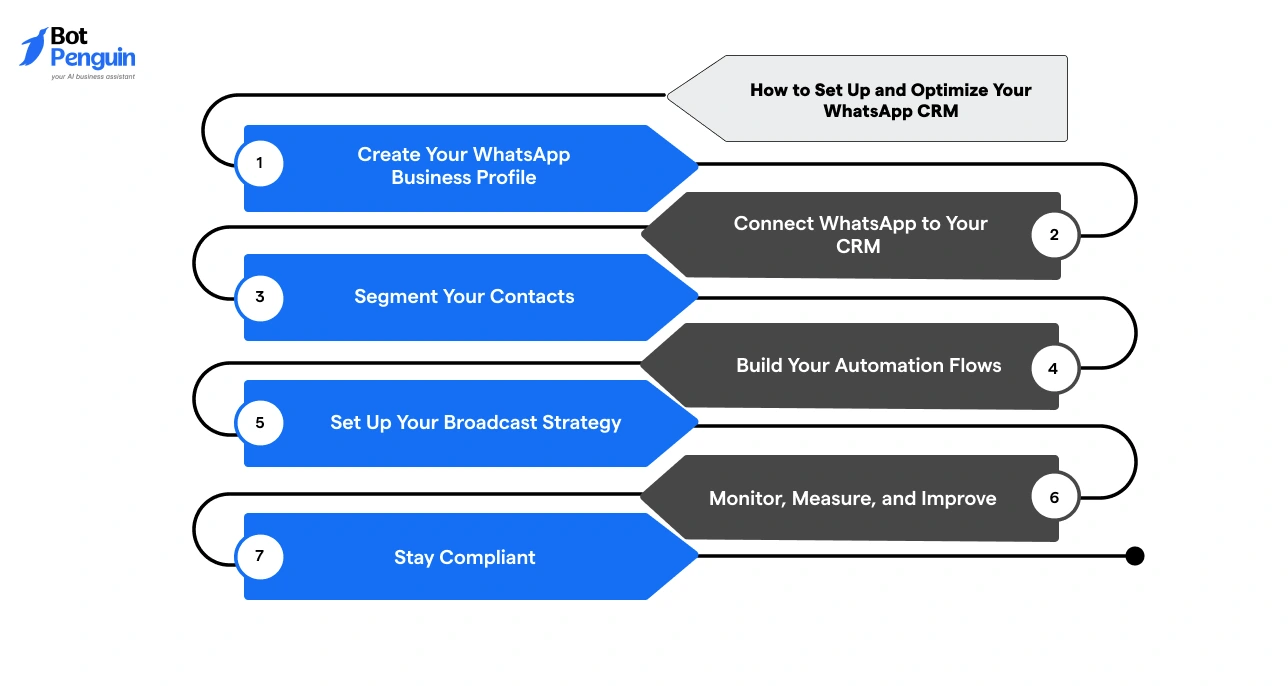
Setting up WhatsApp CRM does not have to be complicated. With a platform like BotPenguin, you can go from zero to fully operational in a few straightforward steps.
Here is how to do it right.
Your profile is the first thing customers see. In BotPenguin, set up your business name, logo, description, working hours, and contact details.
A complete profile builds instant credibility and reduces the "is this legit?" hesitation before a customer messages you.
BotPenguin integrates with WhatsApp Business API and syncs with your existing CRM tools. This means every conversation is automatically linked to a customer profile, complete with purchase history, past interactions, and preferences. No manual data entry, no scattered notes.
Use BotPenguin's labeling system to organize contacts into meaningful groups. New leads, repeat buyers, VIP customers, course enrollees.
The tighter your segments, the more relevant your outreach and the higher your response rates.
This is where BotPenguin earns its place. Set up chatbots to handle FAQs, qualify incoming leads, confirm appointments, and send follow-up reminders.
A dental clinic might automate appointment confirmations. A retailer might trigger order updates the moment a purchase is made. You define the trigger, BotPenguin handles the rest.
With contacts segmented and automations live, use BotPenguin's broadcast feature to send targeted messages to specific groups. Flash sale alerts to frequent buyers.
Course reminders to enrolled students. Keep messages short, specific, and timed for when your audience is most active.
BotPenguin's analytics dashboard tracks open rates, response times, conversation volumes, and customer satisfaction scores.
Review these weekly. Identify what is working, what is being ignored, and where customers are dropping off. Then adjust your flows and messaging accordingly.
Always collect opt-in consent before messaging. Give customers a clear way to opt out. BotPenguin supports end-to-end encryption and helps you stay aligned with data privacy regulations like GDPR. Trust is hard to build and easy to lose, so make compliance a non-negotiable from day one.
Getting started is simpler than most businesses expect. Pick one workflow, automate it, measure the result, and build from there. The compounding effect of small optimizations is where WhatsApp CRM really starts to deliver.
Basic automation gets you in the game. These strategies help you win it.
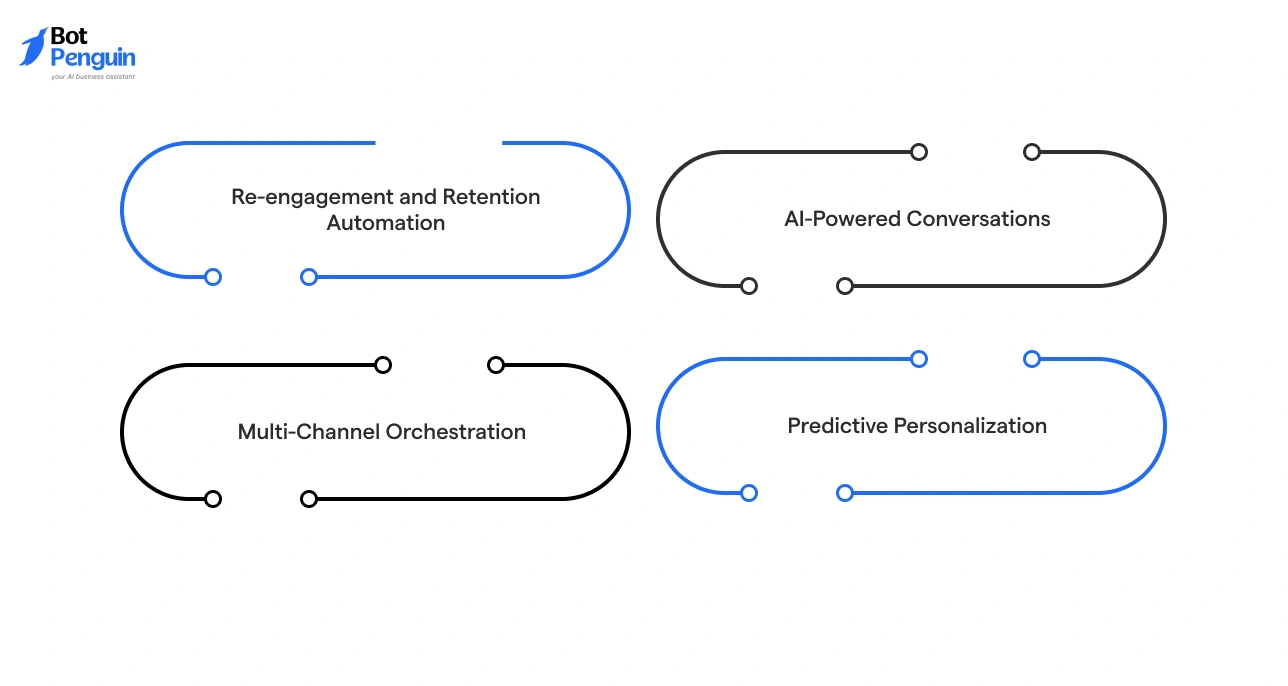
Once your WhatsApp CRM foundation is solid, the next level is about working smarter with the data, behaviors, and signals your customers are already giving you. Here is how to put that to work.
Not every customer who goes quiet is gone. With lifecycle-based triggers, you can automatically reach out to contacts who haven't engaged in 30, 60, or 90 days with a relevant nudge.
A personalized "we noticed you haven't booked in a while" message with a limited offer converts far better than a generic broadcast.
Set up triggers for:
A fitness studio, for example, can automatically send a rejoin offer to members who paused their subscription, without anyone on the team lifting a finger.
Modern WhatsApp CRM tools like BotPenguin now support AI chatbots that understand context, not just keywords. Instead of rigid menus, customers can ask natural questions and get accurate, helpful responses pulled from live CRM data.
This moves your bot from transactional to consultative, handling complex queries while your team focuses on high-value conversations.
Connect your WhatsApp CRM with email, SMS, and social to run coordinated campaigns. Engagement signals from one channel can automatically trigger outreach on another, ensuring no lead falls through the cracks regardless of where they prefer to engage.
Use behavioral data to anticipate needs before customers voice them. Sending a reorder reminder before a product runs out, or a seasonal health tip before a clinic visit window, positions your brand as genuinely helpful rather than reactive.
The businesses pulling ahead in 2025 are not just automating more. They are automating smarter, using real signals to deliver the right message at exactly the right moment.
WhatsApp CRM is already changing how businesses communicate. What comes next will change how they compete.
Here are the shifts worth paying attention to:
Rule-based bots are giving way to context-aware AI. Future chatbots will remember past interactions, understand intent, and handle complex queries without human intervention.
The experience will feel less like a bot and more like a knowledgeable assistant.
WhatsApp CRM will connect more tightly with payment gateways, inventory systems, and e-commerce platforms.
A customer will be able to discover a product, ask questions, pay, and get support without ever leaving the chat.
Beyond tracking open rates, next-gen platforms will flag at-risk customers, forecast buying intent, and trigger automated responses before a problem surfaces.
Reactive support becomes proactive relationship management.
Conversations started on WhatsApp will continue seamlessly on email, web chat, or SMS without losing context or history.
Customers won't have to repeat themselves regardless of where they reach out.
Building automation flows, chatbots, and integrations will require zero technical knowledge.
Platforms like BotPenguin are already moving in this direction, putting advanced capabilities in the hands of small teams and solo operators.
Consent management, data retention policies, and audit trails will become standard, not optional. Businesses that get ahead of compliance now will earn a meaningful trust advantage.
The direction is clear: WhatsApp CRM becomes less of a communication tool and more of a core business operating layer. The businesses that adapt early will not just keep up, they will set the standard.
WhatsApp CRM is not a future investment. It is an available, proven, and accessible strategy that businesses of every size are using right now to close more deals, resolve support faster, and build customer relationships that actually last.
The gap between businesses using it well and those still relying on email and phone calls is growing every month. The good news is that closing that gap does not require a big team or a big budget. It requires a clear starting point.
Start with one workflow. Get results. Then build from there.
Ready to put this into practice?
BotPenguin makes it straightforward to connect WhatsApp with your CRM, automate your workflows, and track every conversation in one place. Whether you are just getting started or scaling an existing setup, the platform is built to grow with you.
WhatsApp CRM is used to manage customer conversations, automate follow-ups, track leads, and run support — all inside WhatsApp, synced to your CRM so no data is lost.
Yes. With a 98% open rate and real-time messaging, WhatsApp outperforms email and phone for customer engagement, making it one of the most effective CRM channels available today.
You connect WhatsApp to your CRM via the WhatsApp Business API. Platforms like BotPenguin handle the connection, syncing every conversation to customer profiles automatically without any coding required.
Yes. Sales teams use WhatsApp to respond to inquiries instantly, share product links, send follow-ups, and close deals all within one chat thread that logs to your CRM.
Costs vary by platform and usage. Most tools charge a monthly platform fee plus Meta's per-conversation API charge. Many platforms offer free trials so you can test before committing.
Yes, when set up correctly. WhatsApp uses end-to-end encryption. Businesses must collect proper opt-ins, offer opt-outs, and store data in GDPR-compliant systems to stay fully protected.
Absolutely. WhatsApp CRM tools are no-code, affordable, and scalable. A solo operator or two-person team can automate responses, manage leads, and run broadcasts just as effectively as large enterprises.
WhatsApp Business is a basic app for micro-businesses with one user. WhatsApp CRM uses the Business API to support multiple agents, full CRM sync, automation, and large-scale broadcasts.
You set triggers — like a new inquiry or a missed follow-up — and the CRM sends automated WhatsApp replies, reminders, or sequences without any manual action from your team.
Real estate, healthcare, e-commerce, education, and fitness businesses are the heaviest users — any industry where fast, personal communication directly impacts conversions and customer retention benefits significantly.
3X Your Business
Growth on WhatsApp
See how our chatbot automates replies, qualifies leads & books appointments on autopilot.
Watch Demo NowCheckout our related blogs you will love.
Updated at Aug 6, 2026
12 min to read
Updated at Jul 2, 2026
6 min to read
Updated at Jun 3, 2026
9 min to read

Updated at May 7, 2026
11 min to read
Updated at May 1, 2026
10 min to read
Updated at Apr 27, 2026
15 min to read
Table of Contents

