


.webp)
How to Add Shop Button on Instagram (A Step-by-Step Guide)
Updated at Oct 26, 2026
12 min to read
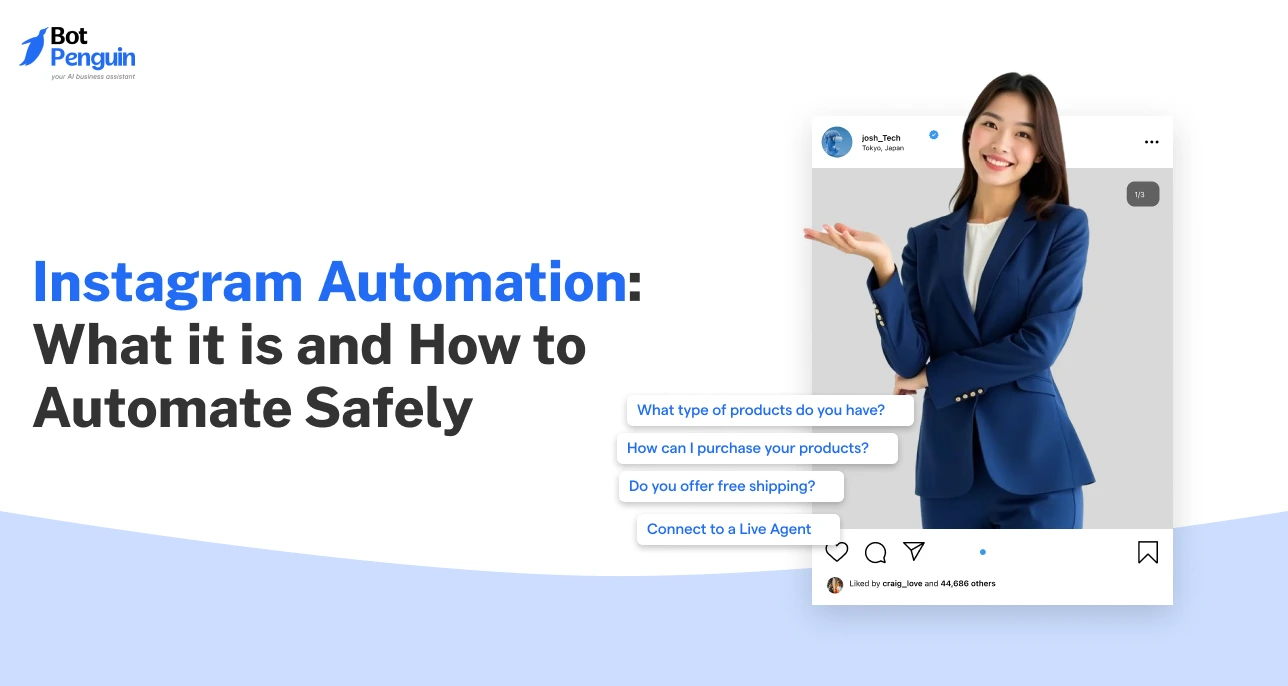
Instagram automation can still feel human. That sounds unexpected, but slow replies often feel less personal than fast, relevant ones.
Every missed DM, unanswered comment, or delayed story reply can cost a potential customer. Manual responses work when message volume is low, but they become difficult to manage as your audience grows.
The right automation responds to repetitive questions, starts meaningful conversations, and routes complex queries to the right person. It does not rely on spam, artificial engagement, or mass messaging.
This guide explains the three core types of Instagram automation, how they work, and how businesses can automate Instagram safely using approved tools.
Switch to an Instagram professional account and link it to a Facebook Page.
Connect a tool that uses Meta's official API.
Start with one trigger: a comment keyword on a post or Reel, or a DM keyword.
Write the reply and the DM, then test every path.
Go live, watch the conversations, and add a human handoff.
Instagram automation uses approved tools to handle repetitive Instagram interactions, including DM replies, comment responses, and lead capture. Businesses can create automated conversation flows triggered by customer actions, reducing manual work while maintaining engagement.
Instagram automation is commonly used to:
The focus is on managing conversations rather than creating artificial engagement. Businesses use automation to reduce manual work, improve response times, and ensure customers receive accurate responses without unnecessary delays.
Instagram automation generally falls into three categories. Each supports a different stage of the customer journey and solves a specific operational challenge.
Automatically responds to incoming messages using keywords, predefined workflows, or AI-powered conversations.
Monitors comments on posts and Reels. It can respond publicly, trigger private conversations, or guide users into a campaign workflow.
Qualifies prospects, collects customer information, answers common questions, and routes conversations to the correct sales or support team. If you want a detailed explanation of chatbot capabilities, read What an Instagram Chatbot is.
Many businesses confuse Instagram automation with engagement bots. These are completely different.
This guide does not cover:
Some of these activities violate Meta policies, while others belong to different search topics outside the scope of this guide.
Looking to schedule posts? That's scheduling, not conversation automation; Meta Business Suite's Planner handles it.
The right solution depends on how many conversations your business manages every day.
Native Instagram features are designed for simple conversation management and include:
These features improve response speed but still require someone to manage each conversation.
As conversation volume increases, businesses often need Instagram automation software that can manage more advanced workflows.
These tools typically provide:
If your business receives only a few messages each day, native features may be enough. As conversations increase, dedicated automation software provides greater control, better routing, and more structured customer journeys.
The safest way to begin is with one clear workflow. Start by identifying the conversations that repeat most often and require consistent answers.
Review recurring direct messages, comments, campaign questions, and support requests.
Look for conversations that:
Choose one starting point:
Starting with one category makes testing easier. It also helps teams identify errors before adding more workflows.
Compare Instagram automation software based on your actual requirements.
Important selection factors include:
You can review current BotPenguin plans here.
Most tools require Meta authentication and permission to access Instagram messaging features.
You need an Instagram professional account linked to a Facebook Page. Most tools then ask you to log in with Facebook and approve messaging permissions.
Create the main parts of the workflow:
Each response should match the action that started the conversation.
Test the workflow before launch.
Check:
Testing helps identify broken paths and unclear responses.
Track how users move through each workflow.
Review:
Use real conversation data to improve questions, routing rules, and reply accuracy.
Direct messages are often the first place where customers ask about products, pricing, appointments, or support.
Manual responses work when message volume is low, but delays become common as conversations increase. DM automation helps businesses respond consistently and ensures important inquiries aren't overlooked.
DM automation starts after a customer sends a message or performs a predefined action such as replying to a Story or using a specific keyword.
A typical workflow follows these steps:
Because the conversation starts with a user-initiated action, responses stay relevant and aligned with normal customer communication.
Most businesses automate direct messages using either rule-based workflows or AI-powered conversations.
Rule-based automation follows predefined logic. It works well for predictable questions such as:
AI-powered automation can understand different ways customers ask the same question. Instead of relying only on keywords, it interprets intent and provides context-aware responses.
Businesses should use AI for natural, varied conversations and rule-based workflows for repetitive requests.
Businesses usually automate conversations after customers perform specific actions.
Common triggers include:
Each trigger should begin a workflow that matches the user's intent rather than sending the same response to everyone.
Automation should not replace human conversations completely.
When customers ask complex questions, request personal assistance, or need account-specific support, move the conversation to a team member. Human handoff keeps automation efficient without sacrificing customer service quality.
Imagine a customer sends the message "pricing."
The workflow might look like this:
Businesses looking for a more detailed implementation can also read Instagram Auto Reply to understand advanced DM automation strategies.
Direct messages are only one part of Instagram conversations. Customers also ask questions in comments, request pricing, join campaigns, and respond to promotional posts. Without automation, you can miss these comments, especially on high-engagement posts.
Comment automation helps businesses acknowledge these interactions quickly and move relevant users into private conversations for detailed discussions.
Comment automation starts when someone comments on an Instagram post or Reel. The automation checks the comment for predefined keywords or conditions and responds based on the workflow you have created.
A typical workflow looks like this:
Because every conversation starts with a user-initiated action, replies stay relevant and less intrusive.
Keyword triggers allow businesses to respond only when users request specific information. This makes the workflow more accurate and prevents unnecessary messages.
Common keywords include:
Imagine a business promoting an upcoming webinar. When someone comments "register," the automation can immediately send a private message with the registration link instead of making the customer wait for a manual response.
Similarly, someone commenting "price" on a product post can receive product information without searching through older comments or waiting for a sales representative.
Choose keywords that clearly match customer intent. Broad or unrelated triggers often create confusing conversations and reduce user engagement.
Many conversations require more information than can fit comfortably in a public comment section. Comment-to-DM automation moves those discussions into private messages while keeping the initial interaction simple.
Businesses commonly use this workflow to:
Private conversations also allow businesses to collect customer details without asking users to post personal information publicly.
If you are comparing different solutions, this guide on the best Instagram Comment Bots provides a detailed comparison of available tools:
Automation should improve conversations, not make them feel robotic.
Follow these practices to maintain a good customer experience:
Well-designed workflows respond naturally because every automated reply is connected to a specific customer action.
Consider a business promoting a live product webinar.
The workflow could look like this:
Starting with one high-intent keyword allows businesses to test the workflow before expanding automation to additional campaigns.
Comment automation begins the conversation. Chatbot-driven lead capture continues it by collecting the information businesses need to qualify prospects and route them efficiently.
Instead of treating every inquiry the same way, Instagram bot automation follows structured conversation paths based on what each customer needs.
The process starts after a customer sends a direct message or enters a conversation from a comment workflow.
The chatbot then follows a structured process:
This approach allows businesses to identify high-intent prospects without manually reviewing every conversation.
Only collect information that helps move the conversation forward.
Depending on the business, a chatbot may request:
Limiting data collection to what is genuinely required improves completion rates and creates a smoother customer experience.
Lead qualification becomes more useful when every answer determines the next step.
A chatbot can qualify customers based on:
Someone requesting a quotation may enter a sales workflow, while an existing customer with a technical issue can be directed immediately to customer support.
This keeps conversations relevant without forcing every customer through the same sequence.
After qualification, conversations should reach the right people without additional manual work.
Modern Instagram automation software can automatically route qualified conversations to:
Routing rules may depend on product interest, urgency, location, language, or customer type. The goal is to shorten response times while ensuring customers reach the correct team.
With BotPenguin, leads reach your CRM through Zapier or Make (King plan); there is no direct Instagram-to-CRM integration.
Lead capture automation works particularly well for businesses that receive:
It also helps answer common questions before transferring complex conversations to a human agent.
If you want to understand chatbot capabilities in greater detail, read here.
Businesses usually achieve better results by starting with one qualification workflow and improving it based on real customer conversations.
Short answer: Yes, when the tool uses Meta's official API and only replies to something the user did first.
One of businesses' biggest concerns is whether automation can affect their Instagram account. The answer depends less on automation itself and more on how it is implemented.
When businesses use approved tools and follow Meta's requirements, automation supports customer communication rather than manipulating engagement.
Instagram automation is generally designed to support legitimate customer conversations.
Safer automation usually:
Always verify current API requirements and communication policies before implementation, because Meta may update them over time.
Certain activities increase the likelihood of account restrictions because they attempt to manipulate engagement or bypass official access methods.
Avoid workflows that rely on:
Businesses experiencing unusual account warnings should also review this guide.
Approved integrations provide more reliable access while following Meta's permission model.
They typically offer:
Using official integrations does not guarantee that an account will never face restrictions. Businesses should still monitor workflows regularly and avoid automation that creates poor customer experiences.
Before launching automation, confirm that your workflow:
Well-designed automation should make conversations easier for customers, not simply reduce manual work.
Yes. You can automate Instagram conversations, including DM replies, comment replies, story-reply flows, and lead capture, using tools connected through Meta's official API. You need a professional account. Avoid automated follows, likes, and unsolicited mass messaging, as these violate Meta's platform rules.
Instagram automation is generally safer when it uses Meta's official APIs and responds to user-initiated interactions. Risks increase with unofficial tools, browser access, scraping, spam, and artificial engagement. Businesses should verify current Meta policies before launching or changing any automation workflow.
Yes, some Instagram automation features are free, while advanced capabilities require paid plans. With BotPenguin, you can start free with comment-to-DM and story-poll DM triggers. Broadcasts start at $29/month (Little), while AI-written comment replies and Zapier/Make integrations are available at $99/month (King).
The three main types are direct message automation, comment automation, and chatbot-driven lead capture. Direct message automation handles incoming messages. Comment automation responds to selected comments. Lead capture workflows ask questions, collect details, and route qualified users.
Account risk increases when automation uses unofficial access, mass messaging, scraping, automatic follows, artificial likes, or repetitive spam messages. Official integrations reduce some risks, but poor workflow design can still lead to warnings, account issues, or negative user feedback.
Instagram offers native features such as saved replies, quick replies, away messages, and basic inbox tools. These options support simple response management but don't offer advanced triggers, lead qualification, conditional paths, CRM routing, or detailed automation reporting.
They can support high message volumes when they include conversation queues, team routing, human handoff, CRM integrations, fallback replies, and performance monitoring. Businesses should also review message limits, response accuracy, failed conversations, and lead completion before increasing automation volume.
Instagram automation works best when it solves a clear business need. It is not one single feature.
The three main categories are direct message replies, comment replies, and chatbot-driven lead capture. Most businesses only need one or two workflows at the start.
Choose based on conversation volume, repeated customer questions, and routing requirements. Tools that use official Meta integrations are generally safer than unofficial methods.
Start with one workflow. Test it with real conversations, then improve it before adding more automation.
Subscribe to Our Newsletter
Get the latest business insights straight into your inbox.
Checkout our related blogs you will love.
Updated at Oct 26, 2026
12 min to read


Updated at Oct 12, 2026
10 min to read

Updated at Oct 8, 2026
9 min to read
Updated at Oct 8, 2026
10 min to read
.webp)
Updated at Oct 8, 2026
11 min to read
Table of Contents


