


Facebook Ads Automation in 2026: Rules, Advantage+ and What Happens After the Click
Updated at Oct 21, 2026
23 min to read

Facebook automation uses tools to handle repetitive tasks on your Page automatically: scheduling posts, replying to Messenger chats and comments, capturing leads, and following up on ads. Done within Meta’s rules, it saves time and speeds up responses while reducing compliance risks. No-code platforms let you set it up without a developer.
Managing your Facebook presence is time-consuming. Between publishing posts, replying to comments, answering Messenger DMs, and tracking ad performance, what used to be a single platform can feel like a full-time job.
And if you’re juggling multiple pages, clients, or product lines? That workload grows.
In June 2026, Meta reported more than one billion active threads with businesses every day across WhatsApp, Messenger, and Instagram. That scale shows how central messaging has become to business communication. (Source: Meta, 2026)
Facebook automation helps you handle repetitive work and respond faster. The key is knowing what to automate and how to stay within Meta’s rules.
In this guide, you’ll learn:
Facebook automation is the process of using software to manage and execute repetitive actions across your Facebook business assets without manually performing each action.
These actions typically include scheduling and publishing posts, sending automated replies through Messenger, managing comments, optimizing ad performance using rules, and syncing lead data to CRM or email systems.
Automation reduces the need for constant manual monitoring while maintaining engagement standards and brand consistency.
It enables businesses to scale communication, reduce response times, and deliver timely interactions to prospects and customers without expanding headcount at the same rate. Tools and workflows must follow Meta’s applicable policies. Using automation software does not remove your responsibility to manage permissions, messaging practices, and customer data appropriately.
Misunderstanding how Facebook automation works often prevents businesses from adopting it. Several long-standing myths create unnecessary hesitation:
These misconceptions often stem from misuse or outdated assumptions. Start with a clearly defined task and keep your team involved when customers need more help.
To understand the impact of automation, it helps to compare it directly with the manual processes many teams still rely on. The table below outlines how each approach handles common Facebook tasks.
Manual workflows can introduce delays, especially during off-hours. Automation helps routine tasks continue when your team is unavailable, while people oversee performance and handle exceptions.
Facebook automation can support content publishing, customer conversations, advertising, and lead management. Focus first on tasks that happen frequently and follow a predictable process.
Content scheduling lets you prepare Page posts in advance instead of logging in every day. You can automate Facebook posts around your content calendar and busy campaign periods.
Using scheduling tools, you can:
Facebook post automation reduces daily publishing work across multiple Pages.
Messenger automation provides immediate replies to inbound messages. It can also guide customers through structured support or lead-capture flows.
For SaaS companies, using a Facebook chatbot for SaaS can help qualify prospects, answer product questions, and guide users toward demos or trials.
Common uses include welcome messages, FAQ responses, lead collection, and appointment assistance. Complex requests can be transferred to a person.
Emplifi’s 2025 survey of 965 U.S. social media users found that Facebook was the most commonly used platform for social customer service, cited by 55% of respondents. The same report found that 32% expected a DM response within one hour. (Source: Emplifi, 2025)
You can automate Facebook messages for routine questions. Our guide to Facebook auto reply explains this function in more detail.
Comment automation can respond to selected comments with predefined public replies or eligible private messages. For example, a keyword comment can trigger a brief acknowledgment and provide the next step through Messenger.
Avoid requesting sensitive information publicly. A comment does not provide permission for unlimited promotional follow-ups. Explore Facebook comment automation for a closer look at these workflows.
Rules-based automation can pause an ad when costs exceed a chosen threshold. It can also adjust budgets when performance meets defined criteria or alert your team when a campaign needs attention.
Review every rule regularly because campaign goals and budgets can change.
Connected workflows can move Facebook lead-form submissions into your CRM or Google Sheets. They can also notify the person responsible for follow-up.
For Facebook marketing automation, this creates a clearer handoff and reduces repetitive data entry.
When someone starts a Messenger conversation from an ad, automation can answer an initial question and collect relevant details. It can then guide the person toward an appointment or human assistance.
Keep follow-ups relevant and within Meta’s messaging permissions. See more Facebook automation use cases.
Facebook automation is generally safe when it works within Meta’s rules. Businesses can automate eligible Page replies, comments, lead capture, and Messenger conversations through Meta’s official tools and APIs.
The risk comes from workflows that imitate people, collect data without permission, or send unwanted messages.
Avoid automation that:
These practices can result in API restrictions or account enforcement.
Businesses can respond during Meta’s standard 24-hour messaging window after a person contacts their Page. Messages outside that window require an eligible exception or approved message type.
A comment or ad click does not provide unlimited permission for promotional follow-ups. Keep messages connected to the original interaction and provide a clear way to stop them.
Review Meta’s current Messenger Platform policy before publishing or changing an automated campaign.
Before connecting any Facebook automation software, check whether it:
Test every workflow before launch. Monitor replies and pause anything producing irrelevant messages. Safe automation still requires human oversight.
The right Facebook automation tools depend on the task you want to simplify. Most tools fall into four categories:
Before choosing a tool, confirm that it uses Meta’s official APIs and supports your intended workflow. Check its permission controls and reporting features. It should also provide human handoff when a conversation needs personal attention.
Choose the simplest Facebook automation software that solves your highest-volume problem. For platform-specific options, see our comparison of the best Facebook chatbot platforms.
You do not need coding skills or a complex workflow to get started. The easiest way to learn how to automate Facebook is to begin with one repetitive task.
Choose the task that currently takes the most time or causes delays. Your first goal could be to:
Make the goal measurable. “Respond to Messenger inquiries within one minute” is more useful than “improve customer service.”
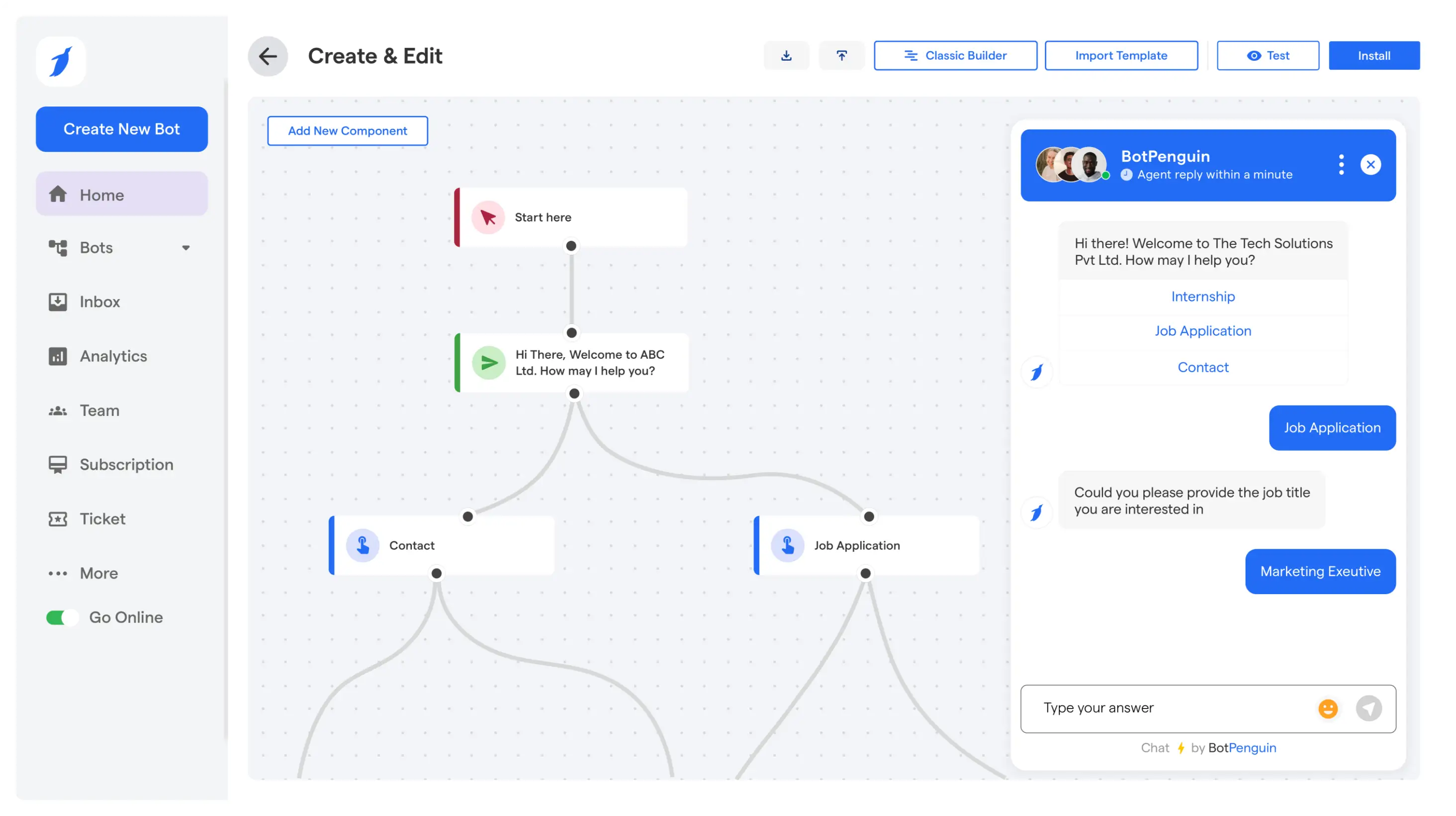
Meta Business Suite can schedule Page posts and manage basic messages. Social media management platforms can plan content across accounts. BotPenguin can create Messenger workflows, collect lead information, and transfer conversations to a human agent.
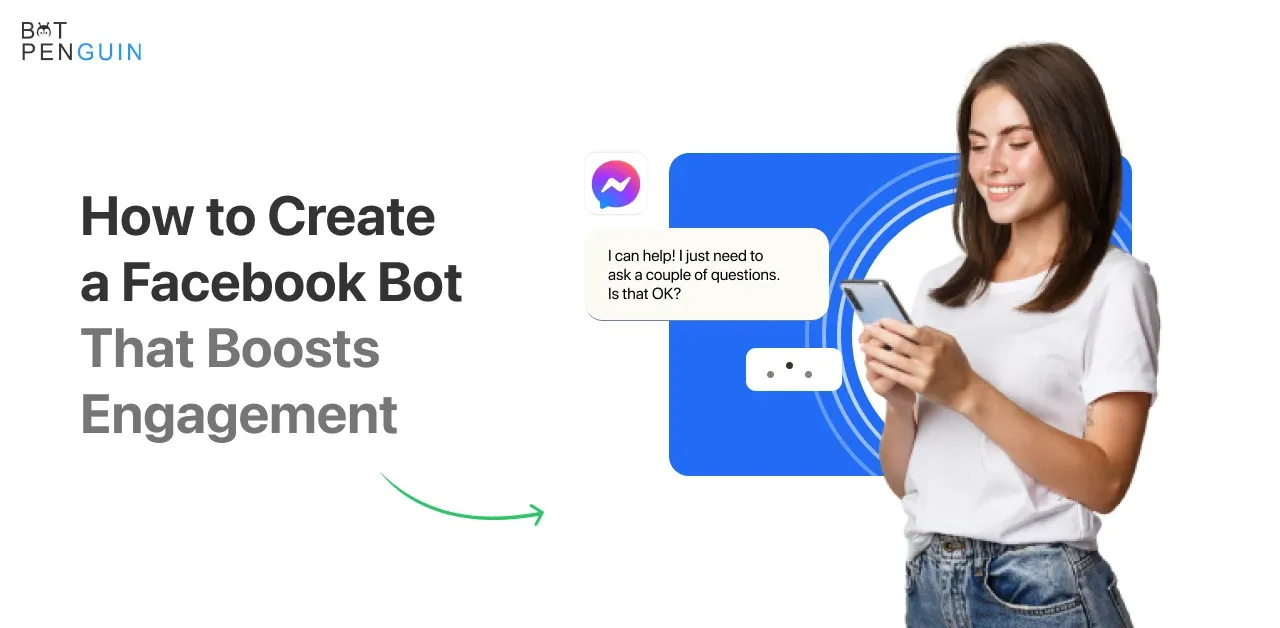
Check the Facebook permissions requested by any tool and confirm that it uses Meta’s approved integrations. For detailed setup instructions, follow this guide on how to create a Facebook bot that boosts engagement.
Every basic automation needs a trigger and an action. For example, an “Interested” comment can trigger a public reply and an eligible private message. The workflow can then ask a qualifying question or offer human support.
Test every response, link, button, and handoff path before making the workflow public.
Track response time, completed conversations, link clicks, and lead submissions. Look for questions the automation cannot answer or steps where people leave.
Update the wording or routing based on what you find. Small adjustments can make Facebook post automation and Messenger workflows more useful.
These examples show where Facebook automation can reduce repetitive work.
A local business can automate Facebook messages about operating hours or appointment requests, then transfer complex questions to a team member.
A promotional post can trigger a private conversation when someone leaves a selected comment. The workflow can collect information with permission and send the lead to the sales team.
Marketing teams can use Facebook post automation to prepare content in advance and maintain a reliable publishing schedule.
Galaxy Toyota connected Facebook with Instagram, WhatsApp, and its website through BotPenguin. The automation collected buyer information and transferred every captured lead to Bitrix CRM.
According to the Galaxy Toyota case study, the company generated more than 800 qualified leads. It achieved 100% automatic transfer of bot-captured leads into Bitrix, with lead delivery taking less than 60 seconds.
These results came from an omnichannel system that included Facebook. They should not be attributed to Facebook alone. The example shows how Facebook conversations can become part of a faster lead-management process while the sales team handles conversations requiring personal attention.
Facebook automation works best when it solves a repetitive problem. Start with one task and test the workflow carefully. Keep a person available when customers need direct support.
BotPenguin lets businesses create no-code Facebook Messenger workflows for responses, lead capture, and human handoffs. As your needs grow, you can connect Facebook with other customer channels and business tools.
Automate Facebook Free with BotPenguin. Explore the Facebook Platform.
Trusted by 80,000+ businesses across 193 countries, BotPenguin is an official Meta Business Partner. BotPenguin is also GDPR, HIPAA, and CCPA compliant, ISO certified, SOC 2 attested, and VAPT‑assessed by a CERT‑In empanelled auditor.
Facebook automation means using software to manage repetitive tasks on your Facebook Page. It can schedule posts, reply to Messenger conversations, respond to comments, and capture leads. It can also follow up with people who interact with your ads. Modern tools may combine rule-based workflows with AI that understands natural language. The goal is to provide timely responses and reduce manual work. A human should remain available when a conversation becomes complex, sensitive, or requires personal judgment. This balance keeps service efficient without making every customer interaction feel automated.
Yes, Facebook automation is allowed when it follows Meta’s rules. Businesses can automate replies, comments, Page scheduling, and lead capture through Meta’s official APIs. Problems arise when tools generate fake engagement or send mass friend requests. Scraping user information can also lead to restrictions. Businesses should respect Meta’s messaging rules and avoid automations that imitate human activity deceptively. Using an official Meta Business Partner provides additional confidence that the platform works through approved integrations. Teams should continue monitoring workflows because Meta’s policies and platform permissions can change.
You can schedule and publish Page posts or respond to incoming Messenger conversations. Businesses can also automate comment replies, welcome messages, lead capture, and appointment requests. Automation can answer frequently asked questions and follow up with people who interact with ads. It can also route a conversation to the appropriate team member when human help is needed. Start with repetitive tasks that happen frequently. FAQ responses and after-hours inquiries are often practical starting points because they create a clear workload for automation to handle.
The best tool depends on what you want to automate. Meta Business Suite can handle basic scheduling and Page management. Social media management platforms are useful for organizing posts across several accounts. For Messenger conversations, comment replies, and lead capture, look for a no-code platform that integrates with Facebook. Useful features include a visual workflow builder and a live-chat inbox. CRM connections and human handoff options also matter. For specific platform recommendations, read our comparison of the best Facebook chatbot platforms.
Start with a no-code automation platform and connect your Facebook Business Page. You can then create workflows through a visual editor without managing the Meta API yourself. Choose a trigger, such as a new Messenger inquiry or a comment on a post. Then decide what the automation should do. It might send a reply, ask a qualifying question, or transfer the conversation to a person. Test every route before publishing. Once the workflow is live, monitor its performance and adjust responses based on real conversations.
Yes. You can automatically respond to comments on your Facebook posts and incoming Messenger conversations. Replies can use predefined messages or AI-generated responses based on the customer’s question. A common approach is to acknowledge a comment publicly before continuing the conversation through Messenger. This helps move personal information away from the public post. Keep an option for human assistance when the request requires more attention. Your follow-up messages must also comply with Meta’s applicable messaging windows and permission requirements. Review these rules before publishing each campaign.
Automate Facebook With BotPenguin
Handle Messenger replies, comments, and lead capture automatically while keeping every Facebook conversation timely, relevant, and easy to manage.
Start Automating FreeCheckout our related blogs you will love.
Updated at Oct 21, 2026
23 min to read
Updated at Oct 13, 2026
11 min to read

Updated at Oct 10, 2026
12 min to read
Updated at Oct 10, 2026
19 min to read
Updated at Oct 9, 2026
8 min to read
Updated at Oct 7, 2026
12 min to read
Table of Contents


