


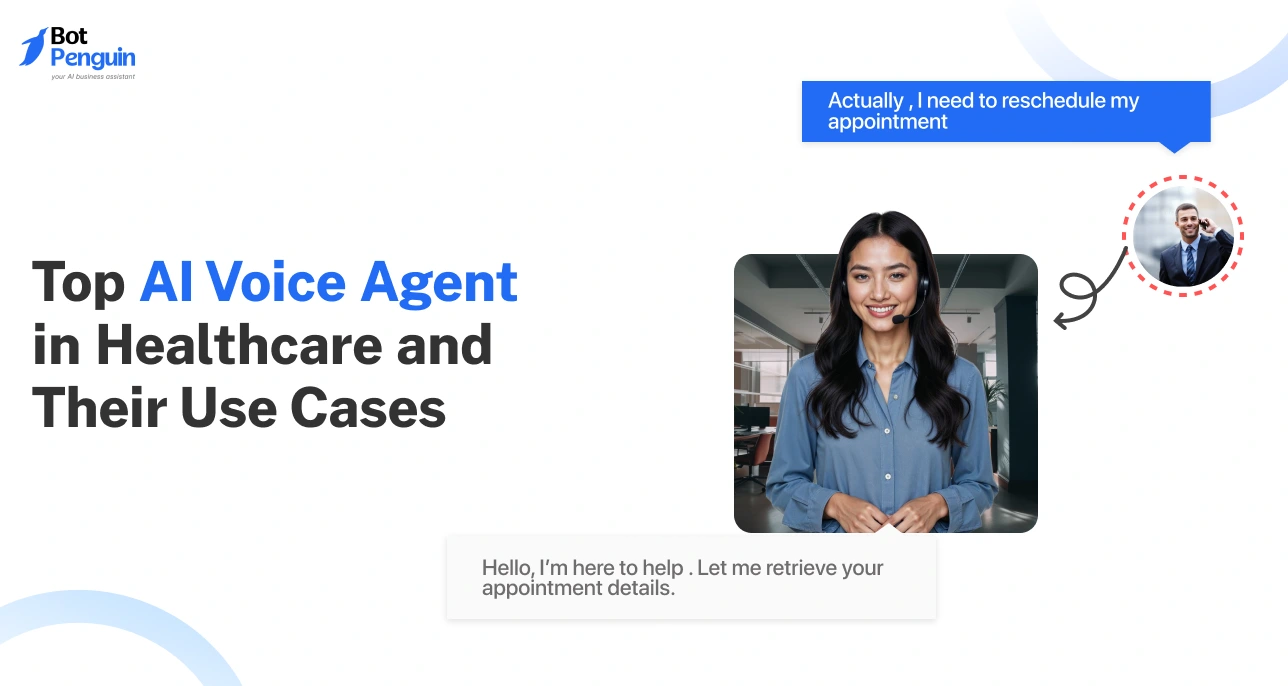
AI Voice Agent for Healthcare: How It Works and Use Cases
Updated at Oct 6, 2026
12 min to read
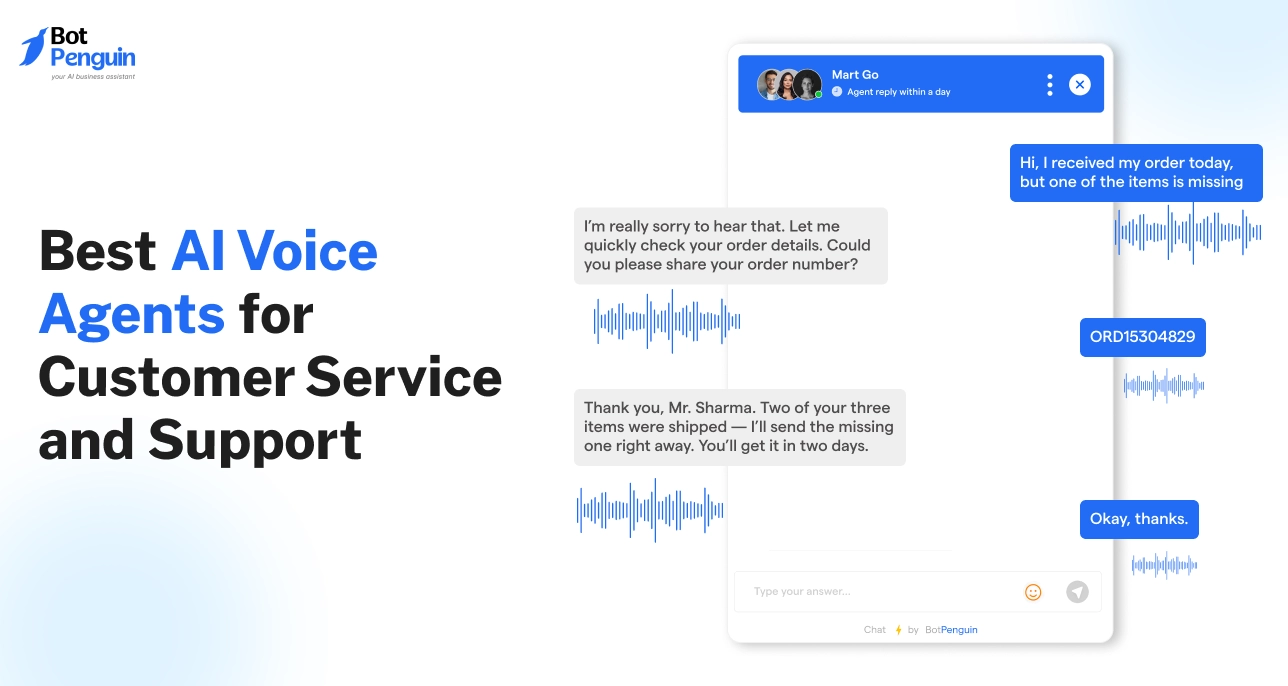
Over half of consumers have already used voice AI for customer service, and 80% of companies plan to adopt it by 2026.
That’s because it works.
Voice AI helps support teams cut wait times by up to 50% while increasing customer satisfaction.
It’s fast, scalable, and available 24/7, making it a powerful tool for modern service operations.
In this guide, we’ll explore the best AI voice agents for customer service in 2026 and how they’re reshaping the way businesses support their customers.
The shift to AI voice agents for customer service isn’t just a trend; it’s a response to real pressure.
.webp)
Support teams are expected to be faster, cheaper, and always available. At the same time, customers expect smooth, no-wait experiences, even during off-hours.
Voice AI hits the sweet spot: it’s immediate, consistent, and scalable.
For businesses trying to keep up without adding more staff, it’s becoming less of a “nice-to-have” and more of a necessity.
Let’s break down why AI voice agents are changing the game.
Imagine a customer calling a bank at 11 p.m. to report a lost card.
No one wants to wait through hold music or call back the next day. This is where AI voice agents for customer support stand out.
They're always on, answering calls in real time, even when human teams are offline.
Today’s customers don’t just prefer instant help; they expect it.
Whether it’s tracking an order, rescheduling a delivery, or resetting a password, AI voice agents offer instant solutions without human delay. That kind of availability builds trust and improves the overall service experience.
Every missed call, long wait, or repeat interaction adds up, not just in customer frustration but also in cost.
Traditional call centers require large teams to handle high volumes, especially during peak hours. AI voice agents step in to carry that load.
Let’s say a telecom provider gets thousands of daily inquiries like “How do I upgrade my plan?” or “What’s my bill amount?” These are easy-to-automate queries.
A voice agent can handle them instantly, reducing the need for additional support hires.
Businesses save money on staffing while still resolving customer issues quickly.
Humans get tired. They miss details. They have off days. AI doesn’t.
One of the biggest advantages of using AI voice agents for customer service is consistency. Whether it's the first call of the day or the hundredth, customers get the same tone, response speed, and accuracy.
A retail brand, for example, can train its voice agent to greet every caller in the same tone, provide the correct return policy, and route complex issues with context.
No scripts forgotten. No mixed messaging.
That level of predictability improves the customer experience, and it helps teams manage performance with fewer variables.
As demand for faster, always-on support grows, AI voice agents are becoming a must-have.
But not all tools are equal. To make the right choice, you need to know…
.webp)
Now that voice AI has proven its impact, the challenge is picking a solution that fits.
Some sound robotic. Others can’t connect with your tools. And many fall short when it comes to scaling across teams or geographies.
The best platforms strike a balance between smart tech and easy setup. They don’t just sound natural; they also work well with your systems and grow with your needs.
Here’s what you should keep an eye on before making a decision.
People rarely speak in perfect sentences. They mumble, pause, or change what they’re saying mid-sentence. That’s why strong Natural Language Understanding (NLU) is non-negotiable.
A good voice agent must catch the intent behind the words, not just the words themselves.
For example, if someone says, “Uh, I think my package is late? I haven’t seen it,” the voice agent should connect that to a delivery status request.
Without solid NLU, these moments turn into dead ends or frustrating loops.
When evaluating a tool, test how well it handles varied accents, tones, and phrasing.
You don’t want to rebuild your entire workflow just to make voice AI work.
The right platform should integrate with your existing tools (your CRM, helpdesk, and ticketing system) with minimal friction.
Say your team uses Zendesk for support tickets and HubSpot for customer data. Your AI voice agent should automatically log interactions and pull in customer history in real time. This way, if a call needs to be handed off to a human, the full context is already there.
No repeated questions. No lost info.
This kind of deep, flexible integration makes AI voice agents for customer service far more effective, and far less of a hassle to manage.
Support doesn’t stop at automation.
You need visibility into what’s working and what’s not.
Look for platforms that offer live dashboards, call summaries, and actionable insights.
For instance, if your voice agent keeps misinterpreting a specific request or sees a spike in call transfers at a certain time of day, you should know about it fast.
Real-time data helps your team spot gaps, update flows, and train the AI quickly without waiting for monthly reports.
This ongoing feedback loop is key to maintaining high quality and improving the customer experience over time.
A one-size-fits-all agent won’t cut it. Every business has unique needs, and those needs change as the business grows.
Choose a platform that offers deep customization and is built to scale.
You might want to tweak the tone of voice, create workflows for specific use cases, or support multiple languages.
A healthcare provider may need HIPAA-compliant flows. A global e-commerce team might need country-specific logic.
A scalable platform should let you build all of this without having to start from scratch.
Tools that grow with you help future-proof your investment, and make it easier to expand support without reworking the foundation.
Choosing the right tool is about more than flashy features. It’s about finding something that works with your team, your tools, and your goals.
Once you’ve nailed that, the next question is where to put it to work. Let’s explore the most effective use cases for AI voice agents in customer support.
.webp)
AI voice agents for customer support aren’t just about answering phones. They’re solving real problems in real-time.
From reducing wait times to freeing up agents, their value becomes clearer when applied to specific business needs. Across industries, these tools are making measurable improvements.
Let’s look at where they drive the biggest impact.
Support teams spend a huge chunk of their time answering repetitive questions, such as “What’s my order status?”, “What are your business hours?”, or “Can I reset my password?”.
These types of queries don’t require human decision-making. Yet they often clog up support queues and frustrate customers who just want quick answers.
That’s where voice AI comes in.
An agent at a retail brand, for example, can easily automate store hour requests and shipping updates. At a clinic, voice agents can confirm appointments or reschedule slots without any manual effort.
By offloading these tasks, human agents can focus on more complex or sensitive issues, leading to faster resolution times across the board.
AI voice agents aren’t just for support; they can help sales, too.
When someone calls to learn about a product or service, a voice agent can step in first.
It can ask qualifying questions such as “What size team are you buying for?” or “What’s your budget range?” to gather the basics.
Once the caller is ready for a deeper conversation, the agent hands it off to sales with all the info pre-filled. This is especially useful in inbound call centers or B2B services, where timing and qualification speed matter.
It’s a low-effort way to speed up pipeline flow, without needing a full team to answer every initial call.
After a support case is closed, most companies send a CSAT survey or follow-up email. But those often get ignored.
Voice AI changes the game here.
Instead of waiting for replies, the voice agent can call the customer, check whether their issue has been resolved, and log feedback instantly. It can even collect Net Promoter Scores or escalate if someone’s still unhappy.
This helps businesses track service quality without needing agents to manually follow up. And the data comes in faster, which means quicker action on trends or recurring issues.
From automating small tasks to qualifying leads and measuring outcomes, the use cases for AI voice agents continue to expand.
Next, we’ll dive into the tools actually delivering results.
With so many tools on the market, it’s easy to get stuck comparing features.
This list cuts through the noise.
We’ve gathered 10 top AI voice agents for customer service, trusted by companies of all sizes. Some are built for complex enterprise needs, while others are lean and startup-friendly.
Each offers unique strengths in automation, integration, or user experience.
If you’re looking to improve support efficiency, reduce costs, or scale fast, one of these will likely fit the bill.
BotPenguin helps businesses automate customer calls and support chats.
It can create voice agents from simple prompts. Businesses can train agents on websites, policies, PDFs, and spreadsheets.
This helps agents answer with accurate business context.
Customers often ask about bookings, payments, delivery, support, and availability. BotPenguin can handle these queries across calls and chat. It also supports WhatsApp and website voice conversations.
BotPenguin is best suited for businesses with frequent customer queries.
It works well for eCommerce, healthcare, real estate, services, and marketplaces. Local businesses can also use it after hours.
For example, customers may ask about appointment slots. Others may ask about pricing, status, or availability. BotPenguin helps answer these questions before customers drop off.
It also supports post-conversation and transaction workflows.
Businesses can confirm bookings, share updates, and recover missed leads. They can also collect feedback after customer interactions.
The standout feature is its connected voice automation setup.
Voice agents can work across calls, WhatsApp, and website chats. Teams can view transcripts in a unified inbox.
BotPenguin also tracks calls, conversions, drop-offs, and satisfaction.
This helps businesses improve the accuracy of support over time. Past transcripts can also be used to retrain agents for better answers.
For businesses, this reduces repetitive support work. It also helps teams serve more customers during peak demand.
For agencies looking to resell voice AI agents under their own brand, BotPenguin provides white-label delivery. It includes branded setup, client management, partner-led pricing, and a complete reseller ecosystem.

.webp)
Cognigy.AI is known for its enterprise-grade capabilities and deep focus on both voice and chat automation.
It offers a strong foundation for businesses that want to build and scale advanced support flows without compromising on customer experience. This platform supports complex workflows and connects easily with existing tools.
It’s ideal for support teams that need more than just a basic bot. It’s built for serious volume, custom logic, and end-to-end automation.
Cognigy.AI is best suited for large teams or enterprises handling a high volume of calls daily.
It works especially well in sectors such as banking, insurance, healthcare, and travel, where workflows are complex and expectations are high. If your agents are drowning in tickets or you need to serve customers in multiple languages, this platform can help you scale smoothly.
The standout here is its visual flow builder.
You don’t need to write a single line of code. Just drag, drop, and connect steps to create conversations. This empowers non-technical teams to build and adjust flows in real time, without waiting on developers.
Cognigy.AI strikes the right balance of power, flexibility, and usability, making it a strong pick for companies serious about AI voice agents for customer support.
Retell AI stands out for its focus on delivering truly human-like voice interactions.
Unlike many scripted solutions, this platform creates natural conversations that flow without awkward pauses or delays. It’s built to feel like you're talking to a real person, not a robot.
This makes it a great fit for teams that value conversation quality as much as efficiency.
Whether it’s a product inquiry or a billing issue, Retell AI ensures the customer doesn’t feel like they’re stuck talking to a machine.
It’s especially strong in environments where fluid, unscripted dialogue is common, like healthcare, fintech, or eCommerce.
Retell AI works best for support teams that need back-and-forth conversation, rather than linear flows.
For example, in a medical booking scenario, the user might change their mind midway or ask follow-up questions. Retell AI handles that naturally.
It also helps in situations where the caller might interrupt or need clarification, because it listens and adapts instantly.
This makes it especially valuable for teams that want voice agents to sound more empathetic and less robotic.
Its biggest strength is instant handling of interruptions.
Most AI voice tools get thrown off when users interrupt. Retell AI doesn’t.
It listens continuously and can adjust course without breaking the flow. That’s what makes conversations feel real. Users can speak freely, change directions, or jump in, just like they would with a human.
In short, Retell AI brings emotional intelligence and smooth timing to AI voice agents for customer service, helping brands create experiences that feel genuinely helpful.
Voxmo AI is built for scale, especially if your business serves customers across different countries or languages.
What makes it stand out is its ability not only to speak multiple languages but also to adapt tone, speech rate, and personality to match the caller's context.
This flexibility is key for businesses that operate globally.
Whether you're handling tech support in Europe or order tracking in Southeast Asia, Voxmo AI can switch styles and languages with ease, no separate setup needed.
It’s also designed for easy deployment, making it a smart option for mid-sized teams that want powerful features without a steep learning curve.
.webp)
Voxmo AI is ideal for businesses that support international audiences or operate in multilingual environments.
Let’s say you run a travel support hotline for customers across five continents. Instead of building separate flows for each region, Voxmo AI can dynamically switch languages and tone on the fly.
It’s great for BPOs, global eCommerce brands, or hospitality companies that manage cross-border queries every day.
What really sets Voxmo AI apart is its adaptive speech that responds to sentiment.
If a caller sounds frustrated or stressed, the voice agent can adjust its tone to speak more calmly or slowly, just like a skilled human rep would. This small detail goes a long way in building trust and defusing tense situations.
For companies seeking AI voice agents for customer service that truly understand and adjust to human emotion and culture, Voxmo AI is a strong contender.
JustCall’s AI voice agent for customer service is built for teams that want results fast.
It's a plug-and-play voice solution designed to automate tier-1 support and streamline sales calls, without requiring heavy technical setup. If your support team is overloaded with routine queries, JustCall’s AI can step in and handle them smoothly.
The platform offers pre-trained voice agents that speak naturally, route calls intelligently, and even detect sentiment in real time.
Whether it’s a customer asking about a refund policy or a lead trying to schedule a demo, the voice agent jumps in to help.
JustCall is perfect for support teams and inbound sales reps.
If you're a mid-sized business looking to reduce call queues and free up agents for high-touch tasks, this tool delivers.
For example, a SaaS company might use it to answer pricing questions, set up demos, and triage technical issues without involving a live agent unless needed.
Its biggest strength is the out-of-the-box training for sales and support tasks.
Unlike platforms that require days of setup, JustCall AI comes ready to go.
It's trained on actual support and sales scenarios, so it knows how to respond right from the start. That makes it ideal for companies wanting quick automation wins with minimal effort, while still keeping the human feel customers expect.
PolyAI stands out by focusing on voice experiences that feel natural, warm, and fully on-brand. Unlike many platforms built for utility first, PolyAI is designed to sound human, not robotic, while accurately handling real customer needs.
It’s especially popular in industries where tone matters just as much as task completion.
Think hotel reservations, retail service desks, or upscale support lines. The goal isn’t just to get the job done; it’s to make the experience feel personal and premium.
For businesses that want voice AI to reflect their brand personality, PolyAI delivers a strong blend of tech and tone.
.webp)
PolyAI is a strong fit for customer-facing teams that prioritize brand feel and conversation quality.
For example, a luxury hotel chain might use it to handle guest inquiries, confirm reservations, or share restaurant hours without losing the brand’s signature warmth.
Retailers could use it to greet callers, help with store lookup, or handle post-purchase follow-ups in a way that feels friendly and on-brand.
It’s built for more than task automation; it’s built for great conversations.
PolyAI’s voice cloning is what sets it apart.
You can create a voice agent that doesn’t just work well; it actually sounds like your brand. Whether that’s a calm concierge tone, a cheerful store greeter, or a trusted service rep, the agent adapts accordingly.
If you're searching for AI voice agents for customer support that don’t sacrifice personality for performance, PolyAI is one of the most human-sounding tools on the market.
Synthflow AI is a no-code platform designed to build and deploy voice agents fast.
It’s built for teams that need automation but don’t have the time or resources for long dev cycles. You don’t need engineers or voice AI experts.
With just a few clicks, you can launch a fully functioning AI voice agent for customer service that handles real conversations on the phone.
It’s not just fast. Synthflow AI is also practical.
The platform includes prebuilt templates for tasks like appointment scheduling, delivery updates, and follow-ups. Just customize, connect your CRM, and go live.
Synthflow is ideal for small businesses, startups, or lean support teams.
If your team’s getting too many calls to keep up and you don’t want to build a contact center from scratch, this tool fills the gap.
A local medical clinic, for example, can create a voice agent to book appointments and answer common questions. A logistics startup can build a delivery status line that runs 24/7.
The voice agents are lifelike, reactive, and trained to handle the back-and-forth of real customer conversations.
Its AI-trained response builder stands out.
You can feed it past emails, chats, or call transcripts, and Synthflow generates relevant voice flows based on actual interactions. That means the agent sounds more natural and less robotic, from the very first call.
For teams who want smart, ready-to-launch AI voice agents for customer support, Synthflow AI is a fast, effective choice.
Resemble AI focuses on one thing, and it does it exceptionally well: creating emotionally rich, lifelike AI voices.
While many tools focus on automation logic or integrations, Resemble starts with voice quality. It allows teams to build custom AI voice agents for customer service that actually sound human: tone, emotion, and all.
You can create a branded voice that sounds like a real person or even a specific voice actor. Then layer in emotional cues like excitement, frustration, or calm.
This level of nuance helps companies deliver conversations that feel less robotic and more human.
.webp)
Resemble AI is a great match for teams that care about voice identity and tone.
Media companies can create voice agents that stay on-brand. Game developers can build responsive NPCs. And businesses can add a consistent, personalized voice across all support channels.
For instance, a wellness brand could use a calm, reassuring tone in post-sale follow-up calls. Or a luxury hotel chain might use a warm, elegant voice for reservation confirmations.
The standout? Emotion injection.
You don’t just get flat responses. You get voice agents that can sound empathetic, upbeat, or serious depending on the moment. That creates stronger engagement and better overall customer experiences.
If your brand experience relies heavily on how you sound, Resemble AI is worth a serious look for creating high-impact AI voice agents.
Vapi AI is an open, developer-friendly platform for building AI voice agents for customer service that are both fast and production-ready.
It’s built to simplify the complex work of voice AI, offering prebuilt connections to top-tier tools like OpenAI, ElevenLabs, and Zapier.
With Vapi, teams can spin up voice agents that sound natural and respond intelligently, without building an entire infrastructure from scratch.
Whether it’s connecting to CRMs, triggering workflows, or managing multi-turn conversations, Vapi gives you the building blocks to launch quickly and scale with control.
Vapi is perfect for SaaS tools, consultants, or customer platforms looking to add voice automation into their product or operations.
It’s not limited to one use case; whether it’s onboarding new users, automating voice reminders, or handling Tier 1 support, Vapi fits in easily.
Imagine a SaaS company that wants users to reset passwords or check usage stats by phone. Vapi lets them launch this capability fast, without hiring voice engineers.
The platform handles the speech-to-text, logic, and even emotional tone, all under one roof.
Its plug-and-play ecosystem stands out.
You can mix and match top tools (OpenAI for brains, ElevenLabs for voice, Zapier for automation) and deploy in days, not months.
For fast-moving teams who want powerful AI voice agents for customer support without starting from zero, Vapi is a smart, scalable choice.
Voiceflow gives teams a fast, visual way to build and launch AI voice agents for customer service, without needing a developer.
It’s a no-code platform focused on usability, making it simple to map out full conversations, add conditions, and deploy across channels. Instead of scripting code line by line, users drag and drop blocks to define how a voice interaction should proceed.
Whether it's a password reset, appointment reminder, or product walkthrough, you can build it visually and test it instantly. It supports both simple and advanced use cases, from basic FAQs to complex, multi-turn flows with memory and branching logic.
For teams that need more than Voiceflow's no-code design approach, particularly around self-hosted deployment, native telephony, or production-grade orchestration, a guide to Voiceflow alternatives can help clarify what else is available at the enterprise level.
Voiceflow is great for customer experience teams, product owners, or designers who want to shape their own voice bots.
It’s especially useful for companies building MVPs or testing ideas across channels before going fully live. Because it’s so visual, it's easy for non-technical team members to contribute and iterate.
Say a retail brand wants to build a voice agent that handles order tracking, product questions, and in-store pickup details. They can use Voiceflow to map each conversation, reuse parts of the flow, and tweak logic—all without engineering help.
Its most unique feature is the logic-based voice workflow creation with no coding required.
You can add conditions, handle multiple intents, and create reusable flows in minutes.
For teams that want agility and speed without sacrificing quality, Voiceflow brings voice automation within reach.
These ten customer service AI voice agents show just how far the tech has come.
Whether you're a fast-growing startup or a large enterprise, there's a tool here to match your needs. Each platform brings something different—speed, scale, tone, or ease of setup.
But the real value lies in what they unlock for your business.
Once you've shortlisted the right platform, the true value of AI voice agents for customer support becomes visible in how they improve day-to-day operations.
This isn’t just about saving time; it’s about transforming the customer experience while creating space for your human agents to do higher-value work.
From faster response times to smarter data handling, the advantages touch every part of your service ecosystem.
Customers today expect quick resolutions. AI voice agents meet that need instantly.
They answer the call the moment it rings; no hold music, no queuing, and no delays.
For example, when someone calls to check the status of a refund, they receive immediate assistance. That speed not only resolves issues faster but builds a better impression of your brand.
It’s especially powerful during peak hours when human agents are overwhelmed. AI keeps the experience smooth even under high volume.
Not every query requires a human. AI can handle routine questions like “Where’s my order?” or “How do I reset my password?”
By automating these interactions, AI voice agents free your team from repetitive tasks.
This allows human agents to focus on nuanced, emotional, or high-stakes conversations. The result? More engaged staff and improved customer satisfaction.
Plus, agents feel less stressed and more valued when they handle the work that truly needs their expertise.
Support needs don’t follow business hours, and neither should your service.
AI voice agents work 24/7. Whether it’s a customer calling late at night or someone in a different time zone, they’ll be answered right away.
No shift planning. No missed calls.
This is critical for global companies, eCommerce stores, or any business with high after-hours demand. It means your customers always feel heard, no matter when they reach out.
Every interaction is captured, logged, and analyzed.
Voice agents don’t just talk; they listen and learn. They can detect patterns, recurring complaints, and emerging issues across calls.
For instance, if multiple users repeatedly ask the same confusing question, your team is notified.
This ongoing feedback loop gives you actionable insights that improve not just support quality, but also product and UX decisions over time.
From cutting down wait times to unlocking deep customer insights, the benefits of AI voice agents for customer support speak for themselves.
Up next, we’ll explore how to successfully implement AI voice agents, without overwhelming your team or disrupting existing workflows.
Choosing an AI voice agent is just the first step. The real success lies in how you roll it out.
A rushed or poorly planned implementation can result in frustrated users and missed opportunities. On the other hand, a measured approach, one that’s grounded in real data and feedback, can help you unlock the full potential of voice AI from day one.
Especially for first-time users, starting smart matters more than starting fast.
Don’t try to automate your entire support operation on day one.
Begin with a single, high-volume, low-complexity use case, such as order status updates or appointment confirmations. This gives your team a clear scope for testing and measurement.
For example, if 60% of your calls are about account balance inquiries, that’s a great place to start.
You’ll gather fast feedback, see immediate ROI, and build internal confidence in the technology before expanding further.
AI voice agents work best when trained on the actual language your customers use.
Feed the system with past call recordings, transcripts, and support chat logs. This improves its natural language understanding (NLU) and ensures it reacts contextually, not just correctly.
For instance, if users tend to say “I can’t log in” instead of “password reset,” your AI should learn to connect the dots.
The more real data it sees, the more naturally it can handle customer queries.
Even the best voice agents need fine-tuning.
Track key metrics like call deflection rate, average handling time, and fallback rate.
Use live dashboards to spot gaps in coverage or flow. Did customers hang up mid-call? Were they redirected too quickly? These signals help you improve.
Think of it as an ongoing cycle: deploy, monitor, optimize. And remember, as your business evolves, so should your AI.
Successful AI voice agent implementation isn’t a single event; it’s a phased journey.
Starting small, learning from real-world inputs, and refining constantly ensures you avoid early friction and deliver real value fast.
Up next, we’ll take a closer look at some of the hurdles teams often encounter with voice AI agents and how thoughtful strategies can help navigate them smoothly.
.webp)
Even the best AI voice agents aren’t immune to friction.
But the most common issues aren’t deal-breakers; they’re just signals that your setup needs tuning. Tackling them early leads to smoother rollouts and stronger results.
Here are a few areas where teams often stumble, and how to get ahead of them.
One of the most frequently cited frustrations in voice-based customer support automation is the system just not getting it.
Users may speak with accents, use slang, or phrase things in unpredictable ways.
To improve comprehension, feed your voice agent real conversations during training, not just perfect transcripts. Fine-tune its natural language understanding (NLU) based on actual usage patterns. And don’t launch blind: test the system in real-world scenarios before scaling.
This ensures the agent isn’t just “technically correct” but actually useful in live settings.
A smart voice agent loses its value if it can’t talk to your systems.
Whether it’s your CRM, order management tool, or help desk software, disconnected tools frustrate users and agents alike.
The fix? Choose platforms with open APIs or out-of-the-box integrations that work with your current setup.
For example, if your sales team runs on HubSpot or Zendesk, look for voice tools that sync directly. This avoids duplicate work and gives agents full context when a call escalates.
Even if the tech works flawlessly, some users may still hesitate when they realize they’re talking to a machine. The key is to make the interaction feel as human as possible.
Use lifelike, branded voice models and build in moments of empathy.
Let the agent pause naturally, respond conversationally, and, most importantly, offer a quick route to a human when needed.
Transparency builds trust, and trust increases adoption.
Every new technology comes with growing pains, but they’re far from unmanageable.
Addressing these challenges early helps you unlock the full potential of AI voice agents, without alienating your team or your customers.
Customer expectations have changed, and so has the way support is delivered.
From answering routine questions to providing 24/7 assistance, AI voice agents for customer service have moved from novelty to necessity.
This blog has walked through their benefits, use cases, leading platforms, and implementation strategies, proving they’re more than just a tech trend.
When done right, voice automation reduces costs, boosts agent productivity, and improves CX without sacrificing empathy.
Besides, if you serve business clients, a white-label AI voice agent program can help you turn voice automation into a recurring service.
Advanced platforms now support emotion detection and sentiment-based responses. Some tools even adjust tone dynamically or escalate to a human agent when emotional cues indicate distress or urgency.
Yes, many tools integrate with CRMs to access caller history. This allows them to greet users by name, recall past issues, and tailor conversations accordingly.
IVR menus are static and rule-based. AI voice agents use natural language understanding (NLU) to interpret intent, hold dynamic conversations, and respond more naturally.
Top providers offer built-in compliance features, including encryption, data anonymization, and audit trails, making them suitable for regulated industries such as healthcare and finance.
Yes. Some tools allow seamless handoffs during the same interaction. AI voice agents handle the basics, then pass to a human without losing context.
Expect insights like call volume trends, resolution rates, customer sentiment, and topic clustering, giving you a detailed picture of support quality and opportunities.
Subscribe to Our Newsletter
Get the latest business insights straight into your inbox.
Checkout our related blogs you will love.
Updated at Oct 6, 2026
12 min to read
Updated at Jun 5, 2026
11 min to read
Updated at Jun 2, 2026
14 min to read
Updated at Sep 25, 2026
14 min to read
.webp)
Updated at Sep 24, 2026
10 min to read

Updated at Sep 21, 2026
17 min to read
Table of Contents

