Top 10 AI Voice Chat Bot Platforms for Businesses in 2026
AI Voice Chat Bot Pricing in 2026: How Much Should You Expect to Pay
Common Mistakes When Choosing an AI Voice Chat Bot
How to Implement an AI Voice Chat Bot Without Any Tech Skills
Conclusion
Frequently Asked Questions (FAQs)
Share
Voice is becoming the fastest-growing channel for customer communication, and businesses are preparing for it in 2026. AI voice chat bots now handle real conversations with higher accuracy, natural tone, and smarter automation than traditional systems.
For businesses and partners planning to scale this capability, white-label AI voice agents offer a faster way to launch branded voice automation without building from scratch.
Companies use them to reduce workload, qualify leads, resolve queries, and support customers around the clock.
This guide highlights the top AI voice chat bot platforms for 2026 with clear features, pricing insights, and comparisons to help business leaders choose the right tool with confidence.
What is an AI Voice Chat Bot
AI voice systems are becoming central to customer communication in 2026, so understanding the technology is important before comparing platforms.
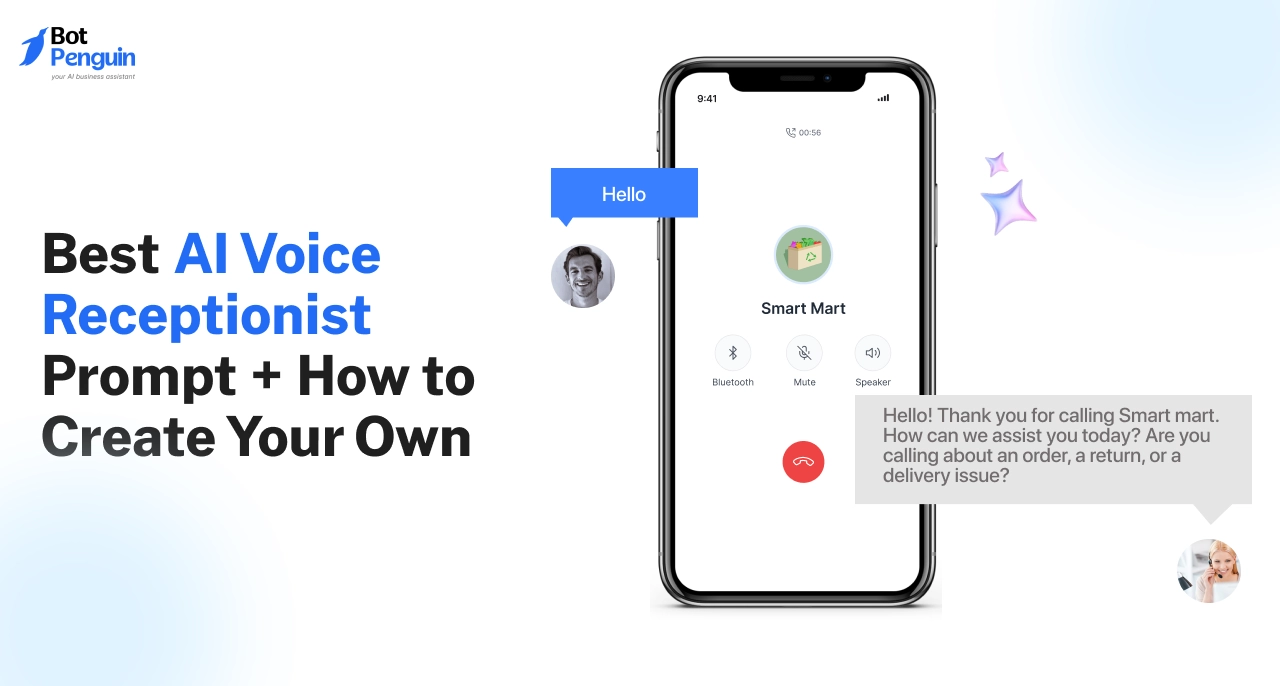
An AI voice chat bot is a system that listens to spoken queries, identifies intent, and replies with natural voice output. It handles calls or voice interactions automatically and supports tasks like support queries, lead qualification, and order updates.
It works through four steps. It converts speech to text. It interprets intent. It triggers the correct workflow. It replies with generated speech. This enables continuous handling of routine questions without manual effort.
The difference from regular chat bots is simple. Text bots rely on typed input, while a conversational AI voice bot manages real conversations and completes actions through CRM sync, workflow execution, and context understanding.
The 2026 generation improves accuracy, speeds up response time, and produces clearer reasoning. This makes voice automation reliable for teams that want fast resolution and consistent service.
This foundation prepares for the next section, which compares AI voice systems with human agents to help determine where each option delivers the best results.
Benefits of Using AI Voice Chat Bots in 2026
With the core mechanism understood, the next step is to identify the operational benefits. Companies in 2026 adopt voice automation to reduce manual handling, increase accuracy, and maintain consistent performance during high query volume.
These improvements directly support customer experience teams, sales teams, and service operations that depend on fast and reliable communication.
AI voice automation offers measurable gains across speed, cost, quality, and workload distribution. The following benefits show where a conversational AI voice bot can create immediate value.
Instant Responses
AI voice systems reply in real time, which removes queues and delays.
This helps businesses manage peak hours, handle multiple calls at once, and deliver faster resolutions across support and sales workflows.
Tasks like account checks, order status updates, booking confirmations, and FAQs no longer require agent time, which reduces staffing and overtime costs.
Higher CSAT
Customers receive consistent and accurate information every time.
This improves satisfaction scores because the experience does not depend on agent availability, shift schedules, or team load.
Multilingual Automation
A single system can handle voice queries in multiple languages without additional training.
This is useful for companies serving customers across regions and reduces dependency on multilingual human teams.
Lead Qualification
An AI voice chat bot can ask discovery questions, capture intent, verify interest, and transfer only relevant prospects to sales teams.
This improves conversion efficiency and saves time for human representatives.
Unified Omnichannel Support
Voice actions connect with chat, CRM, and ticketing systems. When a customer calls for an update, the system can pull information and update records without manual steps.
This ensures continuity across channels.
Lower Agent Workload
Teams focus on complex cases while the system manages repetitive queries. This reduces burnout and increases productivity in customer-facing roles.
These advantages explain why AI voice technology is gaining adoption across industries. The next section compares AI voice systems with human agents to help identify where each approach performs better in real operations.
How AI Voice Chat Bots Work in 2026
After reviewing the benefits, it is useful to understand how the system executes tasks in real scenarios. Modern platforms follow a structured workflow that converts spoken input into accurate actions.
This process allows teams to automate high-volume conversations and maintain consistent performance even during peak demand. Knowing how each stage functions helps evaluate which AI voice chat bot offers the most reliability.
Speech Recognition: The system converts spoken words into text. For example, a customer asks for an order update, and the platform converts the audio into clean text that can be processed instantly.
Intent Classification: The system identifies the caller's request. It distinguishes between a refund request and a delivery status request and selects the appropriate action path.
Real-time Reasoning: The model evaluates context and selects the correct response. In routine cases, it identifies the best action based on previous data and available information.
Workflow Execution: The bot interacts with CRM, telephony tools, or internal systems. If the caller asks for an appointment confirmation, the system checks the schedule and retrieves the result.
Natural Voice Response: The system generates a clear and natural-sounding reply. This creates a direct conversation without long waits or pauses.
Logging Events into CRM: All outcomes are saved automatically. When a customer receives an update, the record is logged for agents to review later without any manual entry.
This structured flow explains how a conversational AI voice bot manages routine actions reliably. The next section identifies the top platforms for 2026 and compares what each solution offers in real business environments.
Top 10 AI Voice Chat Bot Platforms for Businesses in 2026
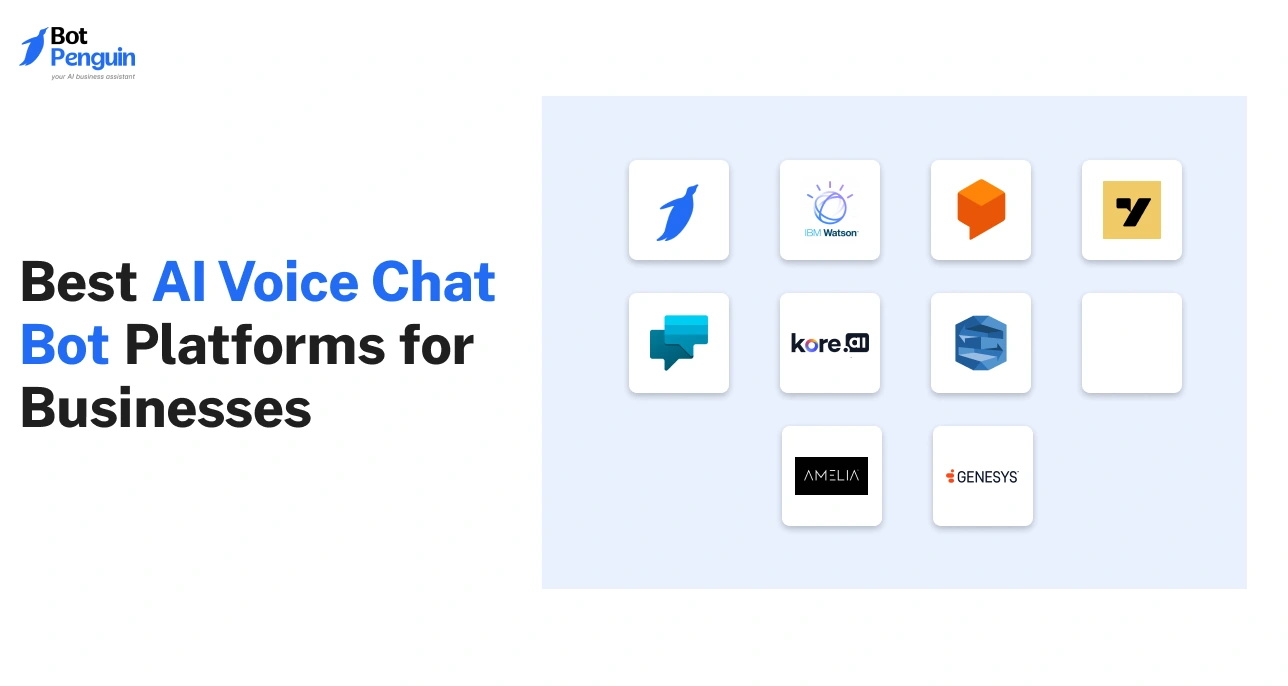
As AI-powered voice automation becomes essential for customer engagement, businesses in 2026 need reliable platforms that deliver natural conversations, seamless integrations, and scalable performance. The following AI voice chat bot solutions stand out for their accuracy, features, and real-world business impact.
1. BotPenguin
BotPenguin is a no-code AI chat bot and voice agent platform that automates customer communication across web, messaging, and telephony channels.
It supports advanced AI models, including GPT-4 and custom LLMs, enabling businesses to build intelligent conversational agents without technical expertise.
The platform serves more than fifty thousand customers across one hundred ninety-three countries.
It was launched in 2016 and operates from India with a United States presence. BotPenguin positions itself as an affordable and feature-rich automation platform for small and mid-sized businesses in 2026
Key Features
Voice AI and outbound calling: BotPenguin includes a voice agent that conducts natural conversations using speech recognition and text-to-speech. The system can make outbound calls for lead qualification, reminders, or support tasks. It handles real-time queries, collects caller information, and routes complex cases to human agents. Integrations with providers such as Twilio extend calling and IVR capabilities.
Omnichannel deployment: Bots can be deployed across websites, WhatsApp, Instagram, Facebook Messenger, Telegram, and Microsoft Teams. A unified inbox allows human agents to take over conversations when needed. This supports consistent communication across text and voice.
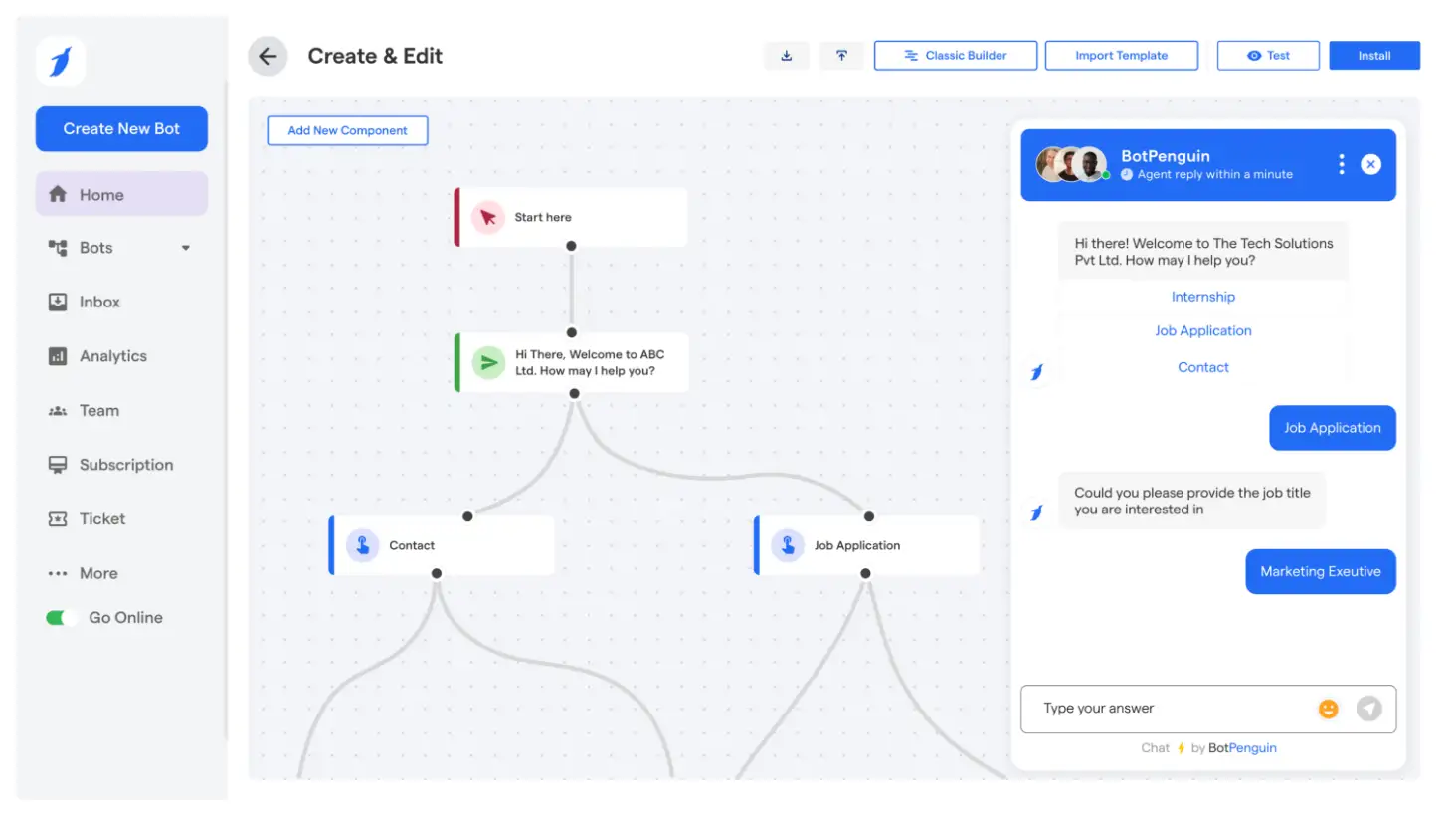
No code bot builder with generative AI: The drag-and-drop builder supports flow creation without coding. BotPenguin uses GPT 4 and other LLMs to generate answers and manage conversations. Businesses can connect their own documents and knowledge bases using retrieval augmented generation for accurate company-specific replies. AI persona settings define tone and response style.
Multilingual support: Bots operate in multiple languages, including English, Spanish, Arabic, French, and Chinese. This supports global customer interactions across text and voice channels.
Live chat and hybrid support: The system allows a smooth shift from automated bot replies to human support. Teams can use the unified inbox to answer queries manually when complex cases arise.
Broadcast and marketing automation: Users can send WhatsApp or Messenger broadcasts, automate follow-ups, and run drip campaigns. Appointment booking flows and lead capture features support sales teams.
Analytics and reporting: The dashboard tracks conversations, conversions, resolution rate, channel performance, and user activity. These insights help refine workflows and measure ROI.
Integrations with more than eighty tools: BotPenguin connects with CRM platforms such as Salesforce, HubSpot, Zoho, and Pipedrive. It also integrates with Google Workspace, Shopify, WooCommerce, email marketing tools, and telephony systems. These connections allow bots to update records, fetch customer data, create leads, and trigger workflows.
Mobile applications: iOS and Android apps allow users to monitor chats, check metrics, and manage bots remotely.
White label and reseller program: Agencies can rebrand the entire platform and offer chat botand voice agent services under their own brand. This expands its use among service providers and consultants.
Competitive positioning: BotPenguin targets users seeking advanced AI automation without engineering resources. It competes with large platforms by offering multi-channel deployment, voice features, and generative AI in a no-code environment with accessible pricing.
Pros
Easy no-code setup: Users can build bots quickly with templates and drag-and-drop tools. Non-technical teams can manage flows, AI content, and integrations without developer involvement.
Omnichannel and multilingual reach: A single bot works across many channels. Combined with multilingual AI, businesses can engage global audiences without creating separate bots.
All-in-one feature set: BotPenguin includes live chat, broadcasts, analytics, CRM sync, lead capture, and more in one system. Users do not need multiple tools for automation and support.
Responsive customer support: Users consistently mention fast responses and helpful assistance through chat and email. The team frequently updates features based on customer needs.
Affordable pricing: The free plan allows unlimited chatbots. Paid plans are competitively priced, making the platform cost-effective for small and mid-sized businesses.
Advanced AI capabilities: GPT 4 integration, custom LLM support, and RAG-based training provide strong AI performance. Small teams can create intelligent bots without complex infrastructure.
White label availability: Agencies benefit from rebranding options and partner programs, enabling them to offer chat botservices to their clients.
Cons
Features still evolving: Some components are marked as coming soon or in active development. Multi-agent features continue to improve.
Occasional bugs: Users report intermittent issues, such as unclear integration errors. While support resolves problems quickly, stability varies across features.
Learning curve for advanced functions: Advanced scenarios sometimes require direct assistance because self-service guides are still expanding.
Common Use Cases
Customer support and FAQ automation: Bots answer questions, resolve common issues, and reduce response time. Voice agents can greet callers, answer routine inquiries, or route calls during peak hours.
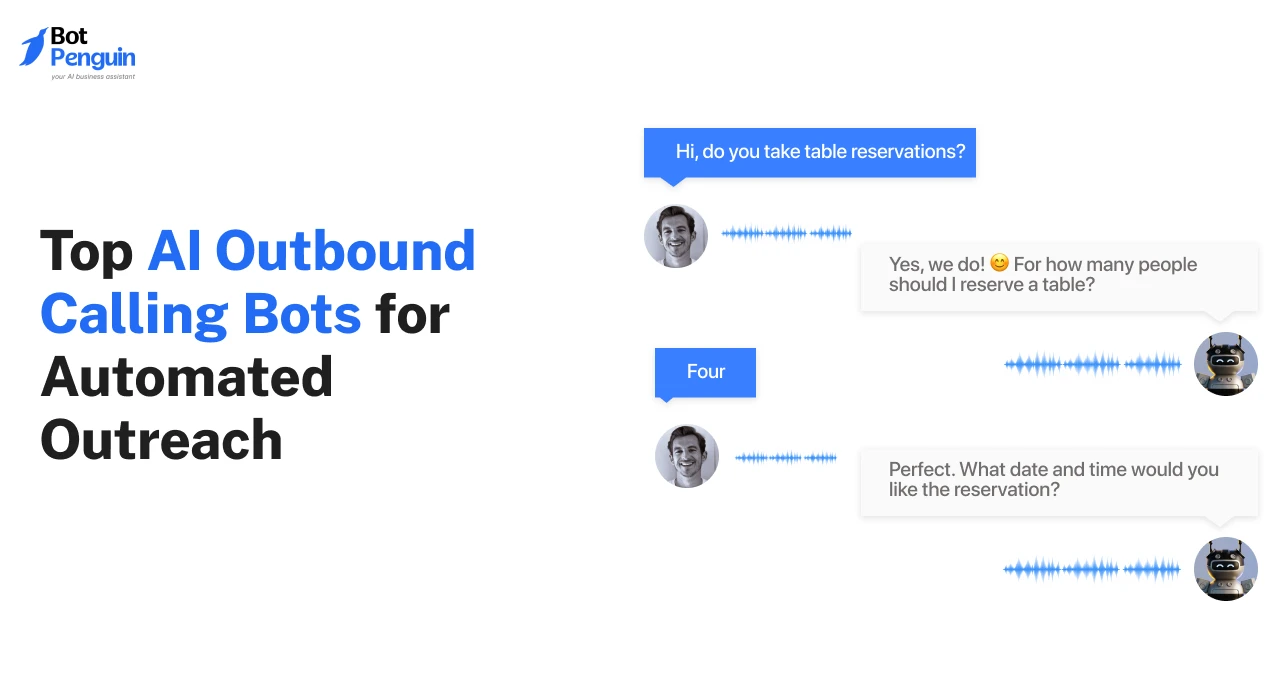
Lead generation and sales engagement: Bots qualify leads, ask discovery questions, collect contact details, and support prospects across social channels. Voice agents can perform cold calls and pre-qualification.
Appointment scheduling: Healthcare clinics, salons, and service businesses use BotPenguin to handle bookings. Integrations with calendars allow instant appointment confirmation.
Ecommerce support: Bots assist with product queries, recommendations, order tracking, and cart recovery. Integrations with Shopify or WooCommerce enable real-time order updates.
Marketing automation: Teams send broadcast messages, run promotions, and engage followers across WhatsApp and Messenger. Bots respond to comments and keywords for inbound engagement.
Industry-specific automation: Real estate, education, travel, hospitality, consulting, and healthcare use prebuilt flows for inquiries, onboarding, and lead collection.
Voice AI workflows: Businesses use voice agents for outbound sales calls, reminders, renewals, and after-hours phone support.
Country of Origin
United States office in Chicago.
User Reviews
BotPenguin averages ratings between 4.2 and 4.8 across platforms such as G2, Capterra, and Trustpilot. Users praise ease of use, AI quality, and affordability.
Criticisms mention occasional bugs, incomplete features, and documentation gaps. The support team is frequently highlighted for responsiveness.
Automate Customer Calls with AI Voice Chat Bots
2. Google Dialogflow
Google Dialogflow is Google Cloud’s conversational AI platform built for voice and chat interactions. It stems from API dot ai and now serves as the backbone of Google Cloud CCAI.
It supports enterprises building scalable AI voice chat bot systems powered by Google’s natural language models and speech technologies. Google operates globally with headquarters in Mountain View, California.
Key Features
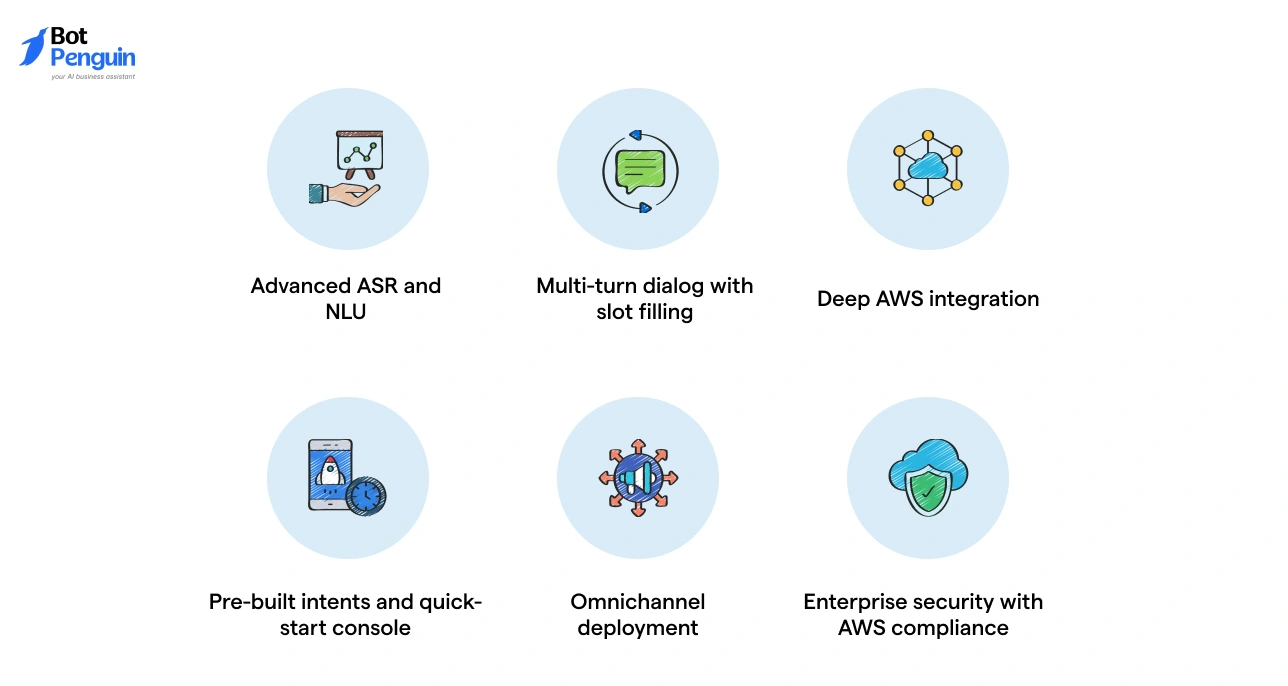
Advanced NLU and intent recognition: Highly accurate understanding of user queries across multiple languages.
Multi-turn dialog management: Handles context, memory, slot filling, and branching flows for complex conversations.
Native speech to text and text to speech: Google's grade speech recognition and TTS enhance voice automation.
Visual flow builder: Beginner-friendly interface for designing conversations without heavy coding.
Broad integrations: Seamlessly connects to Google Assistant, Google Cloud APIs, telephony, and messaging channels.
Multi-language capability: Ideal for global deployments requiring local language support.
Pros
Easy to learn and deploy: Small teams can build functional bots quickly with minimal coding.
Strong NLU: High accuracy in intent recognition, praised across G2 and SelectHub.
Seamless Google ecosystem compatibility: Smooth APIs for websites, apps, and voice assistants.
Microsoft ecosystem compatibility: Native support for Teams, Dynamics 365, Office 365, and Power Platform.
Enterprise identity and access: Azure AD and multi-level authentication support.
Generative AI enhancements: GPT-powered suggestions for dialog creation and content.
Pros
Ideal for Microsoft-centric organizations: Easy connectivity to CRM, Teams, and internal tools.
Enterprise-level deployment: Strong governance, security, and compliance.
Fast deployment for non-technical users: Power Virtual Agents makes the initial build simple.
Nuance adds strong voice capabilities: Recognized for accuracy across complex phone environments.
Cons
Best performance requires Microsoft ecosystem use: Integrations outside Azure may need custom APIs.
Licensing complexity: PVA licensing and enterprise tiers can be costly.
Historically weaker NLU: Earlier versions had simpler NLU compared to advanced competitors, though they are improving.
Common Use Cases
IT support bots in Microsoft Teams
Healthcare patient automation with Nuance
Banking IVR flows
HR knowledge assistants
Customer service virtual agents
Country of Origin
United States
User Reviews
PVA scores around 4.4 out of 5. Users appreciate ease of setup and ecosystem alignment.
Some advanced users note limitations in deep customization and complexity in Azure-based architecture.
5. IBM Watson Assistant
IBM Watson Assistant is part of IBM’s long-standing AI portfolio, now enhanced through the watsonx generative AI ecosystem. Known for its enterprise-grade security, Watson is widely used in regulated industries.
Key Features
Strong contextual dialog: Watson handles clarifications and digressions while maintaining context.
Knowledge search skills: Integrates with Watson Discovery for retrieving answers from documents.
Voice integration: Supports STT and TTS for natural phone-based interactions.
On-premises deployment: Critical for banking, telecom, and healthcare.
Generative AI augmentation: Watsonx foundation models elevate open-ended responses.
Advanced analytics: Tracks containment, sentiment, and flow performance.
Pros
Best in class security and compliance: Often chosen for the strictest environments.
Flexible deployment: Cloud, hybrid, or on-premises.
High-quality contextual AI: Strong at understanding intent even with ambiguity.
Integration ready: Connects with enterprise systems and complex legacy infrastructures.
Cons
Complex implementation: Usually requires skilled teams or IBM partners.
High cost: Designed for medium and large enterprises.
Historically rigid: Older versions struggled with an open conversational style until generative AI upgrades.
Common Use Cases
Banking customer service bots
Telecom troubleshooting flows
Healthcare patient assistants
Internal HR and IT automation
Secure knowledge retrieval assistants
Country of Origin
United States
User Reviews
Average rating is 4.3 out of 5. Users value stability, compliance, and long dialog abilities. Setup complexity and cost are the most frequent concerns.
6. Kore.ai XO Platform
Kore.ai is a leading enterprise conversational AI platform known for omnichannel orchestration, advanced NLU, and flexibility in deployment models.
It is widely used by large enterprises and recognized in multiple analyst reports.
Key Features
Multi-engine NLU: Combines machine learning and linguistic approaches for high accuracy.
No code plus low code builder: Visual dialogs for voice and chat creation.
Voice IVR automation: Integrates with telephony systems for end-to-end automation.
Pre-built industry assistants: Banking, healthcare, HR, IT helpdesk, retail.
GALE generative AI layer: Enhances answers and dynamic dialog flexibility.
75 plus system connectors: Integration ready for CRMs, ERPs, and ITSM tools.
On-premises and cloud deployments: Suitable for regulated industries.
Pros
Extremely strong NLU: Often scores higher than many competitors in accuracy.
Real omnichannel orchestration: Voice and chat operate from one unified brain.
Enterprise-grade governance: Security, role-based access, and version control.
Deep integrations support complex workflows: Ideal for multi-system processes.
Cons
Steep learning curve for new teams: Rich feature set requires time to master.
Higher pricing for enterprise features: Typically suited for medium to large enterprises.
Documentation depth can vary: Advanced scenarios may require support involvement.
Common Use Cases
Banking self-service voice IVR
Healthcare appointment and patient flows
Telecom customer support
Retail order tracking
Internal enterprise assistants for IT and HR
Country of Origin
United States
User Reviews
Kore.ai generally scores between 4.6 and 4.7 out of 5. Customers praise omnichannel depth and NLU. Complexity and cost are common cautions.
7. Yellow.ai
Yellow.ai is an enterprise-grade conversational automation platform that combines LLMs with traditional NLP to deliver voice and chat automation across more than 135 languages.
The company operates globally with R&D in India and headquarters in the United States. It is known for its multilingual capability and strong deployment speed.
Key Features
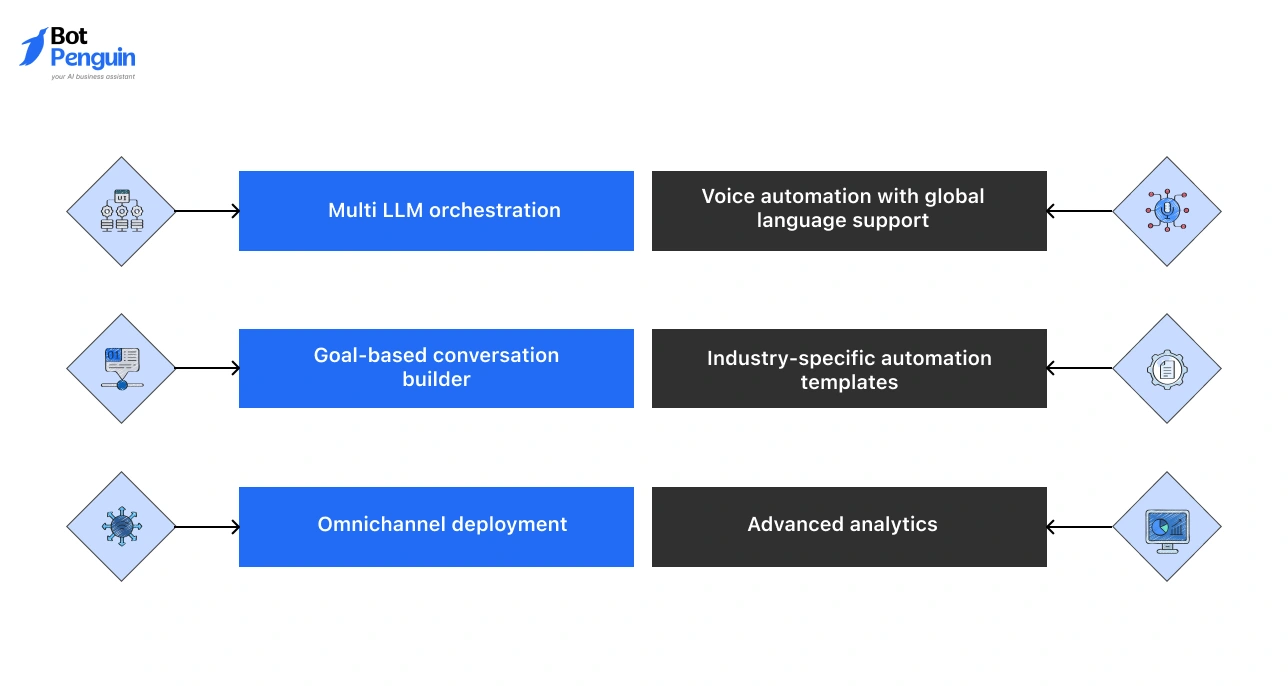
Multi LLM orchestration: Uses multiple large language models to optimize responses for speed and accuracy.
Voice automation with global language support: Covers 135 plus languages, including regional accents and dialects.
Goal-based conversation builder: Let's teams create journeys by defining objectives rather than scripting each step.
Industry-specific automation templates: Prebuilt bots for ecommerce, banking, insurance, logistics, retail, and healthcare.
Omnichannel deployment: Works across voice, chat, WhatsApp, web, mobile apps, and social channels.
Wide integration coverage across CRMs and industry tools
Cons
High cost for full suite features
Occasional support delays depending on the region
Generative AI requires careful guardrails to avoid unexpected replies
Common Use Cases
Customer service automation for global brands
Ecommerce order support and refunds
Sales qualification calls
Logistics shipment queries
Healthcare appointment and patient communication
Insurance claim bots
Country of Origin
United States and India
User Reviews
Yellow.ai scores 4.5 out of 5 on G2. Users praise its natural responses and language flexibility. Common concerns include pricing tiers and support consistency.
8. Cognigy.AI
Cognigy.AI is a leading voice automation platform used widely in contact centers. It became part of NICE in 2023, expanding its reach in enterprise CX.
Cognigy focuses on high-volume voice automation, strong orchestration, and fast agent handoff.
Key Features
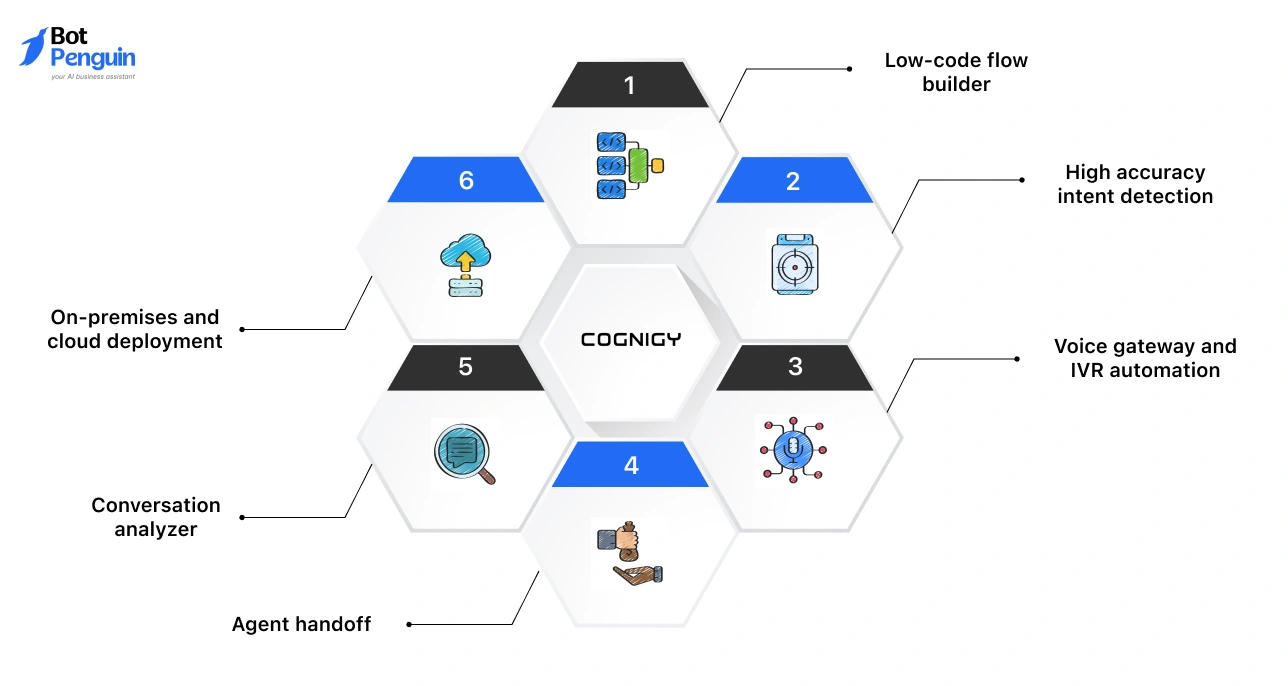
Low-code flow builder: Visual builder designed for enterprise contact center teams.
High accuracy intent detection: Supports multilingual and domain-specific language models.
Voice gateway and IVR automation: Built for end-to-end phone-based customer service automation.
Agent handoff: Transfers calls to human agents with context preservation.
Conversation analyzer: Identifies frequent failures, drop-offs, and improvement areas.
On-premises and cloud deployment: Meets compliance requirements in regulated markets.
Pros
Excellent voice IVR automation capabilities
Strong analytics and real-time monitoring
Easy agent transfer with conversation context
Highly scalable for large contact centers
Support rated very highly
Cons
Enterprise pricing
Complex scenarios require experienced users
Documentation depth varies across modules
Common Use Cases
Telecom service support
Banking and financial services self-service flows
Airline and travel voice assistants
Government citizen service lines
Insurance policy and claims automation
Retail order and delivery inquiries
Country of Origin
Germany and the United States
User Reviews
Cognigy scores 4.7 out of 5 on G2. Users emphasize usability, strong support, and high-quality integrations. Cost and learning curve appear in most critical reviews.
9. Amelia
Amelia is an enterprise conversational AI platform focused on natural, human-like dialog and multi-step process automation.
It is widely used in IT service management, HR, banking, and telecom, where complex workflows require context retention.
Key Features
Context and memory: Understands long conversations and retains context across queries.
Sentiment tracking: Detects emotion and adjusts reply tone where appropriate.
Conversational process automation: Able to complete multi-step tasks such as password resets or claim filings.
Multi-channel capability: Works across voice, chat, email, and virtual interfaces.
Knowledge integration: Connects with enterprise knowledge bases and document stores.
Workforce integration: Designed for ITSM and HR use cases.
Pros
High-quality human-like conversations
Effective for IT and HR automation
Strong enterprise integration
Good at deep process handling
Cons
High licensing cost
Complex implementations
Mixed reviews on consistency in some deployments
Common Use Cases
IT helpdesk automation
HR employee query handling
Telecom support
Banking and finance workflows
Travel and hospitality concierge automation
Country of Origin
United States
User Reviews
Amelia scores 4.2 out of 5. Users value realism in voice interactions and depth of process automation. Concerns include vendor dependence and setup time.
10. Genesys Voice Bots
Genesys Voice Bots are part of Genesys Cloud CX. The platform combines conversational AI with built in call routing, contact center tools, and analytics.
It is widely used in enterprise contact centers where integration with agents is essential.
Key Features
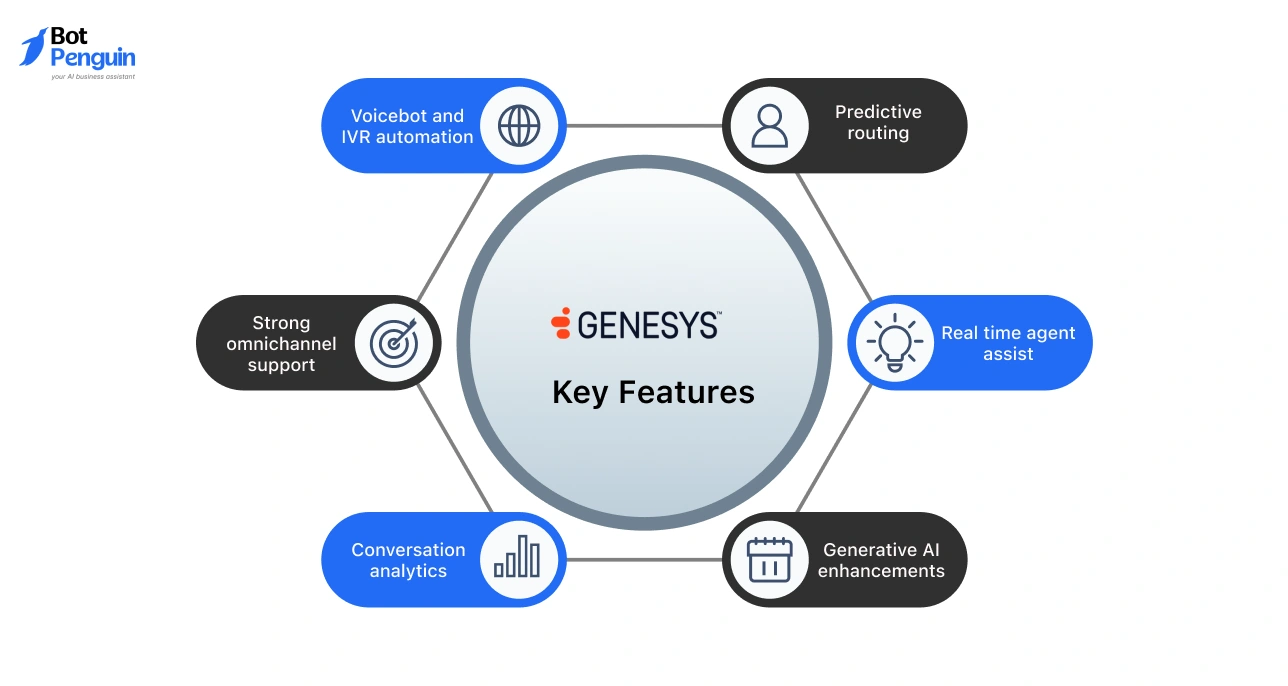
Voicebot and IVR automation: Handles self service tasks with natural language understanding.
Predictive routing: Routes calls based on intent, value, and agent skills.
Strong omnichannel support: Voice, chat, email, SMS, and social channels in one system.
Real time agent assist: Provides suggested responses and knowledge articles.
Conversation analytics: Tracks patterns, intents, performance, and service gaps.
Generative AI enhancements: Creates summaries and improves dialog customization.
Pros
Unified contact center platform
Strong agent handoff
Excellent routing capability
Powerful analytics for large teams
Stable performance during peak hours
Cons
Setup can be complex
Pricing increases with AI features
Requires trained admin teams
Common Use Cases
Retail and ecommerce hotlines
Airline service calls
Banking IVR
Telecom troubleshooting
Public sector service centers
Country of Origin
United States
User Reviews
Genesys Cloud CX scores 4.3 out of 5. Users value stability, routing, and analytics. Complexity and pricing are noted concerns.
11. PolyAI
PolyAI specializes in fully automated enterprise voice agents designed for natural, open-ended, human-like conversations.
It focuses on phone-based customer service for large brands in hospitality, retail, and banking.
Key Features
Ultra natural voice output: Market-leading natural speech that sounds close to human representatives.
High containment rate: Manages queries without agent involvement.
Strong ASR and NLU: Handles noisy backgrounds, accents, and complex phrasing.
Rapid deployment: Templates for common support tasks and high-volume use cases.
Compliance ready: Supports enterprise security and data standards.
Limited control for businesses wanting full self-service configuration
Enterprise pricing
Customization often requires vendor involvement
Common Use Cases
Hotel and restaurant booking calls
Banking customer assistance
Retail support and store information
Telecom call handling
Quick service restaurant ordering
Country of Origin
United Kingdom
User Reviews
PolyAI scores 4.6 out of 5. Praised for natural voice and containment rates. Some users mention limited platform control and reliance on PolyAI for modifications.
The top voice AI platforms of 2026 offer strong options for businesses across support, sales, and contact center automation.
Enterprise tools focus on scale, while no-code platforms simplify adoption. Each solution delivers value based on accuracy, integrations, and operational needs, helping teams choose the best fit for their goals.
AI Voice Chat Bot Pricing in 2026: How Much Should You Expect to Pay
Once the workflow is clear, the next priority is budgeting. Companies adopting an AI voice chat in 2026 compare cost ranges early because pricing changes significantly based on usage, automation depth, and integrations.
A clear understanding of these factors helps teams create accurate financial plans and avoid underestimating operational requirements.
Voice AI platforms cost between 40 dollars and 700 dollars per month in 2026. The exact amount depends on how many calls the system handles and what level of automation the business needs.
Low-tier pricing
Ranges from 40 dollars to 100 dollars per month. Suitable for basic call handling and essential workflows.
These plans fit small teams that process simple tasks like status checks, appointment reminders, and basic support queries.
Mid-tier Pricing
Ranges from 120 dollars to 350 dollars per month. These plans support higher call volume, CRM sync, structured workflows, and multilingual responses.
Companies with daily inbound calls or sales qualification tasks usually operate in this range.
Enterprise Pricing
Starts at 400 dollars and can exceed 700 dollars per month for high-volume operations.
These plans include compliance support, dedicated uptime standards, larger minute packs, and broader integration coverage across telephony, CRM, and internal systems.
Factors Affecting Cost
The primary cost driver is monthly voice minutes. Higher call volume increases usage quickly.
Additional factors include the number of workflows, integration requirements, reasoning capability, and whether the business needs custom training or industry-specific automation.
Mini Cost Calculator Logic
Estimate call minutes per day. Multiply by thirty. Compare the result with the minute allowances available in each plan. For example, a team consuming 3500 minutes monthly should evaluate mid-tier or enterprise plans to prevent overage costs.
This pricing overview helps narrow platform choices based on operational needs. The next section covers common mistakes companies make when selecting an AI voice solution, which helps avoid budget and performance issues during adoption.
Common Mistakes When Choosing an AI Voice Chat Bot
After reviewing pricing, the next step is selecting a system that fits operational needs. Many companies experience performance issues because they overlook essential technical factors during evaluation.
A careful selection process ensures that a conversational AI voice bot delivers consistent results in real environments. The following points highlight mistakes that often impact adoption quality and long-term performance.
Choosing Tools with Outdated Voice Engines
Older engines produce robotic audio and lower recognition accuracy. This slows down conversations and affects customer experience.
Always test voice clarity and speed before selecting a platform.
Ignoring CRM Integration
A voice bot without CRM sync cannot update records or access customer information. This limits automation.
Systems must support CRM actions because most support and sales workflows depend on accurate data retrieval.
Focusing Only on Price
Low pricing often removes essential features like workflows, reasoning models, or minute capacity.
Prioritizing cost over capability can lead to higher expenses later when usage increases. Match pricing with expected call volume.
Skipping Telephony Compatibility
If the system cannot connect with the existing phone setup, teams face delays and added integration work.
Always confirm support for your telephony provider and call routing requirements.
Not Testing Accuracy
Recognition accuracy determines resolution speed. A short demo call is not enough. Test various accents, background noise levels, and real queries to understand practical performance.
Buying a Chat That Requires Developers
Tools that depend on technical configurations slow down deployments. Choose platforms that offer no-code controls so teams can manage workflows, updates, and improvements independently.
These mistakes create performance gaps that are difficult to correct later. The next section explains how to implement an AI voice chat bot without technical skills and create a reliable setup from the start.
How to Implement an AI Voice Chat Bot Without Any Tech Skills
Avoiding the common mistakes mentioned earlier becomes easier when the setup process is simple. Most companies prefer platforms that reduce dependency on developers and allow teams to configure automation on their own.
BotPenguin supports this requirement by providing a no-code environment that helps businesses launch a fully functional AI voice chat bot in a short time. The steps below outline a practical approach.
Define One Use Case
Start with a single objective. Examples include order updates, appointment confirmations, or lead qualification.
This creates a clear workflow and prevents unnecessary complexity during the initial rollout.
Choose a Template
BotPenguin offers ready templates for support, sales, service updates, and inquiry handling.
Templates provide the structure needed to manage standard questions and reduce manual setup time.
Connect CRM and Telephony
Platforms should sync with customer data and phone systems.
BotPenguin connects with major CRMs and supports direct telephony integration so the bot can pull information and update records automatically.
Add Custom Instructions
Instructions guide how the bot responds and what actions it completes.
For example, when a customer asks for a billing update, the system retrieves recent invoices from the CRM and generates a clear response.
Test with Ten Real Queries
Use actual customer questions instead of sample prompts. Test different accents and service scenarios. This verifies accuracy and identifies any gaps before going live.
Deploy with Fallback Settings
Fallback rules determine what happens if the system cannot identify intent. BotPenguin allows routing the call to a human agent or collecting user details for follow-up, which ensures continuity in service.
Track Analytics and Refine
Monitor completion rate, call duration, and drop-offs. Use the data to adjust instructions and workflows. Continuous refinement improves accuracy and reduces manual intervention.
These steps help teams deploy automation without technical effort. With setup complete, the next section will summarise the key insights and guide readers toward choosing the right platform for long-term use.
Boost Efficiency with AI Voice Chat
Conclusion
AI voice automation has moved into mainstream use in 2026, with businesses relying on voice systems to manage support, qualification, and service tasks at scale.
The technology delivers faster responses, lower operational effort, and consistent performance across varying call volumes. These advantages make adoption a practical step for teams that want efficiency and predictable results.
If your goal is to implement a reliable and easy-to-manage solution, BotPenguin offers a no-code AI voice chat bot with natural speech, CRM sync, and automation templates ready for real use cases.
What Industries Gain the Fastest Results from an AI Voice Chat Bot in 2026
Industries with high call volume see the fastest results. Examples include healthcare, logistics, real estate, finance, and eCommerce.
These sectors benefit from quicker resolution, improved routing, and consistent performance during operational peaks.
How Long Does It Take to Train a New Voice Workflow?
Training time depends on complexity. Most routine workflows, such as order checks or appointment queries, work immediately with templates.
Advanced logic requires additional instructions, but can still be configured in a short time without technical skills.
Can an AI Voice System Manage Concurrent Calls Without Limits?
Most platforms handle multiple calls at once because processing happens in the cloud. Performance depends on the provider’s capacity and plan limits.
Companies should confirm concurrency allowances before choosing a platform for high-volume operations.
How Do Voice Bots Handle Sensitive Account Information?
Secure systems, permission-based data access, encrypted communication, and restricted workflows.
This ensures the bot retrieves only the information required for the query. Compliance depends on the provider, so verification is important for regulated industries.
Can Voice Bots Support Outbound Calling for Reminders or Follow-ups Ups
Many platforms support automated outbound calls for reminders, renewal alerts, appointment confirmations, and basic follow-ups.
Outbound tasks depend on telephony integration and local regulations, which must be reviewed before activation.
How Does BotPenguin Support Updates After Deployment?
BotPenguin allows teams to adjust workflows, edit instructions, and monitor analytics in real time. Changes do not require technical involvement, which helps businesses refine performance and maintain consistent service across growing call volumes.
Subscribe to Our Newsletter
Get the latest business insights straight into your inbox.


.webp)


.webp)