


.webp)
How to Add Shop Button on Instagram (A Step-by-Step Guide)
Updated at Oct 26, 2026
12 min to read

Instagram has evolved far beyond a photo-sharing app. It’s a platform where individuals, creators, and businesses connect, grow, and engage with their audience. But to make the most of it, choosing the right IG account type is essential.
Each option comes with unique features that shape how you interact, promote, and build your presence.
Whether you’re looking to expand a brand, establish yourself as a content creator, or keep things personal, understanding the different types of Instagram accounts will help you make the right choice.
This guide breaks down each account type, what it offers, and how to pick the best one for your goals without any confusion.
There are two main types of accounts on Instagram
Each serves a different purpose. Choosing the right one depends on how you plan to use Instagram, whether for personal connections, content creation, or business growth.
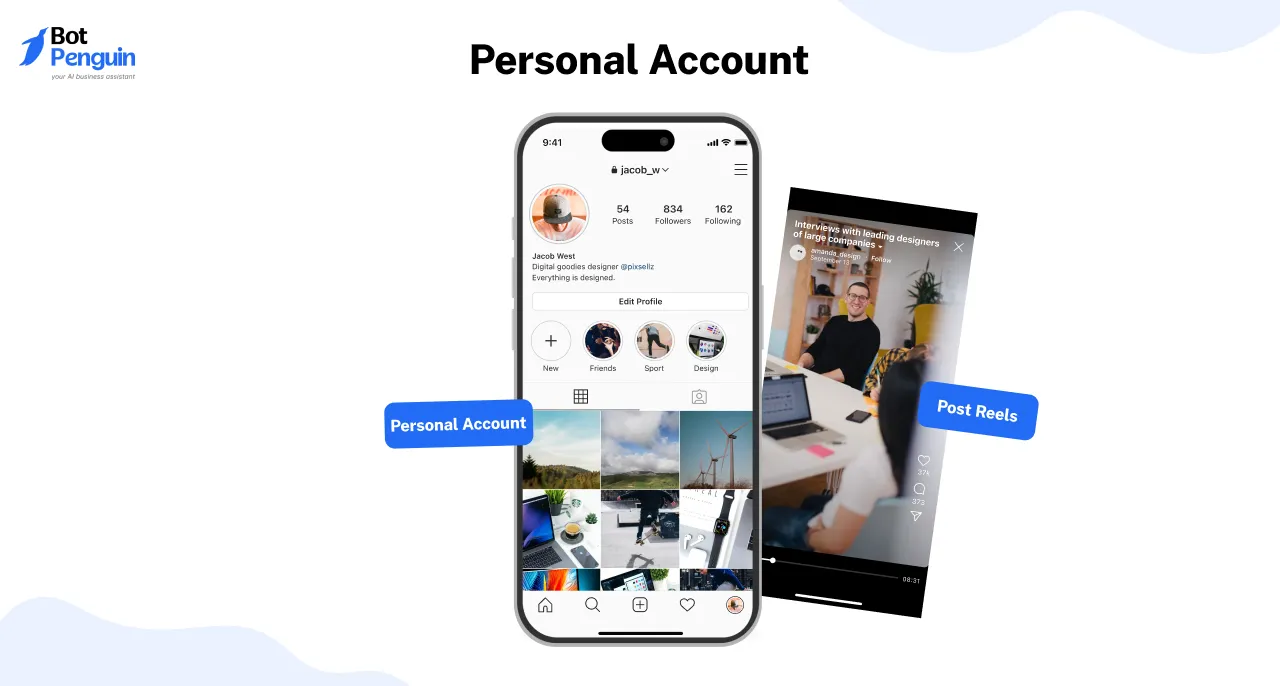
A Personal account is perfect for everyday users who want to share posts, stories, and reels without advanced tools. It comes with two privacy options:
While Personal accounts are simple and easy to use, they don’t offer analytics, ad tools, or professional insights.
A Professional account is designed for creators and businesses looking to grow their presence. It’s further divided into:
Each type of account on Instagram comes with unique features that impact engagement, visibility, and monetization.
In the next sections, we’ll break them down further to help you decide which one suits your goals.
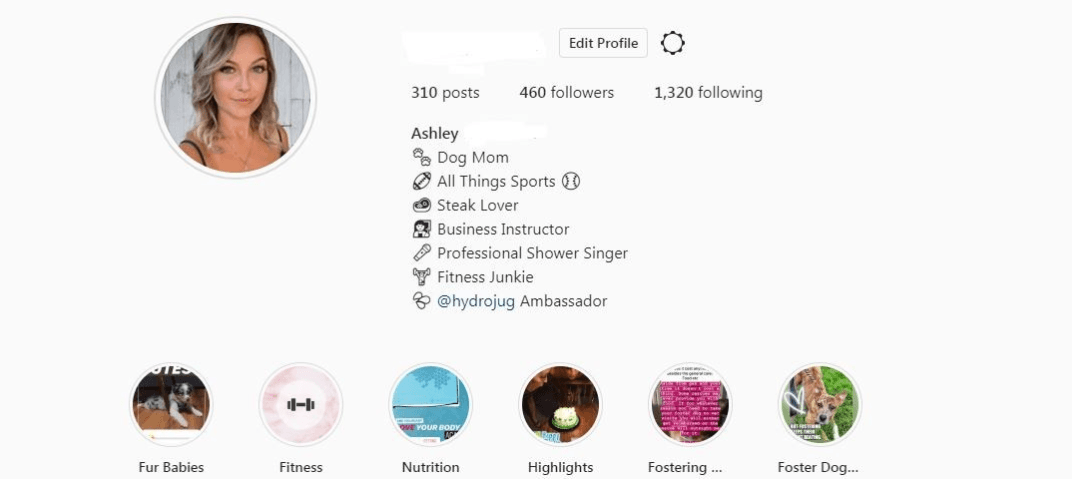
Instagram’s Personal account is the standard profile type for individuals who want to share content, connect with friends, and explore the platform without business or creator tools.
It offers complete control over privacy settings, allowing users to choose between a Private or Public account.
Your choice determines who can see your content, interact with your posts, and engage with your profile.
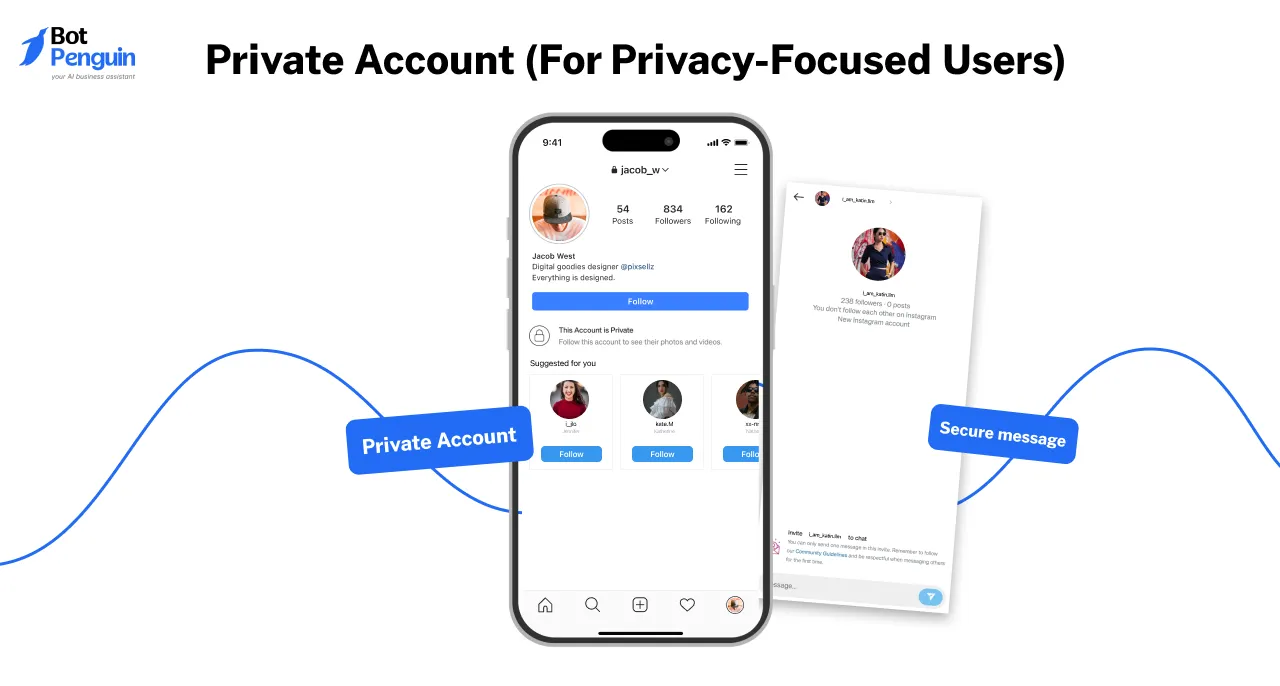
A Private account keeps your Instagram activity hidden from non-followers. Only people you approve can see your posts, stories, and reels.
This means no random likes, comments, or messages from strangers only a secure space for you and your close circle.
✅Total control over visibility, your content stays within your approved audience.
✅Protection from spam and unwanted interactions, reducing random engagement.
✅A safe and personal space to share moments with close friends and family.
✅Prevents strangers from interacting, keeping your profile more secure.
✅Genuine engagement only, since followers are manually approved.
A Public account makes your content visible to everyone on Instagram. Your posts appear in Explore, search results, and hashtag feeds, giving you more reach, engagement, and potential for follower growth.
If you want to be seen, discovered, and connected with more people, this is the way to go.
✅ Massive visibility and engagement—reach a global audience.
✅ Faster follower growth, especially with trending content and hashtags.
✅ More networking opportunities to connect with new people.
✅ Content can go viral since it’s widely accessible.
✅ Great for influencers, creators, and bloggers looking to build an audience.
Each type of account on Instagram serves a different purpose. In the next section, we’ll explore Professional accounts, which are designed for creators and businesses looking for advanced tools and audience insights.
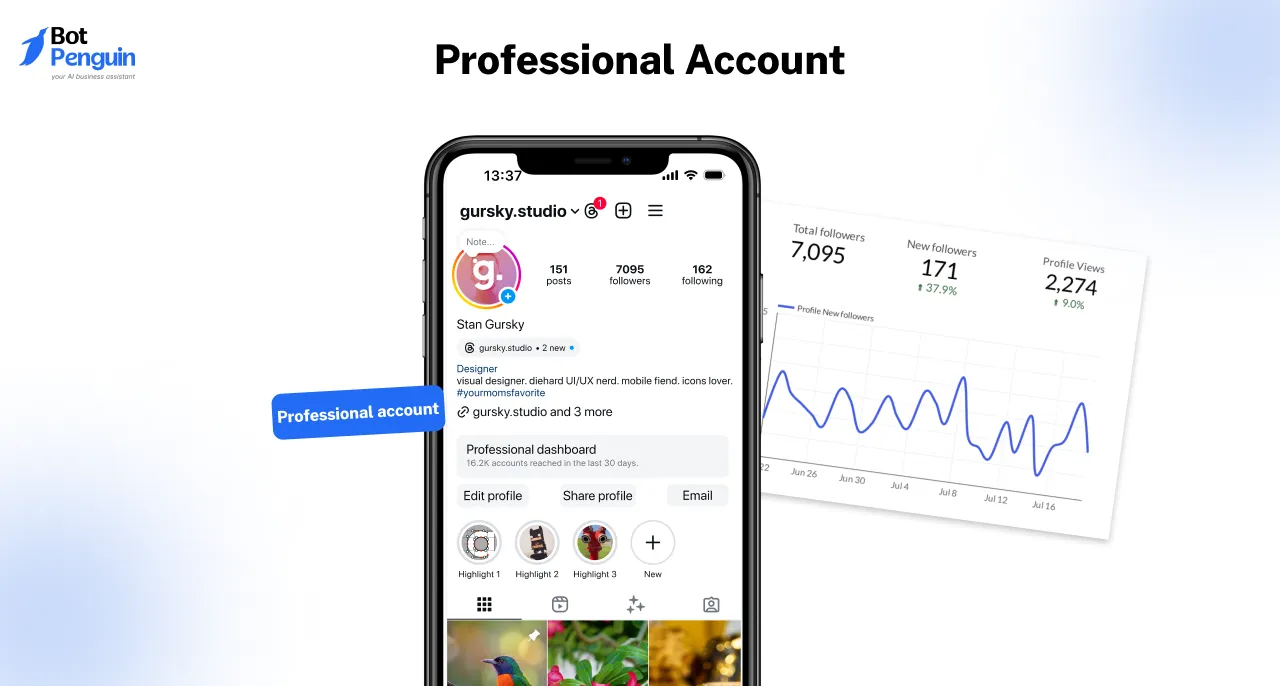
A Professional account on Instagram is designed for users who need more than just social sharing.
Whether you're an influencer, content creator, or business owner, this account type provides powerful tools to track engagement, reach new audiences, and optimize content strategy.
Professional accounts offer analytics, promotional features, and advanced messaging tools to help users grow and monetize their presence.
Instagram offers two types of Professional accounts: Creator and Business.
Each serves a different purpose, catering to individuals and organizations looking to scale their impact.
A Creator account is tailored for influencers, artists, and public figures who want deeper insights into their audience, content performance, and monetization options.
This account bridges the gap between personal and business use, offering tools that help individuals engage followers, collaborate with brands, and grow their online presence.
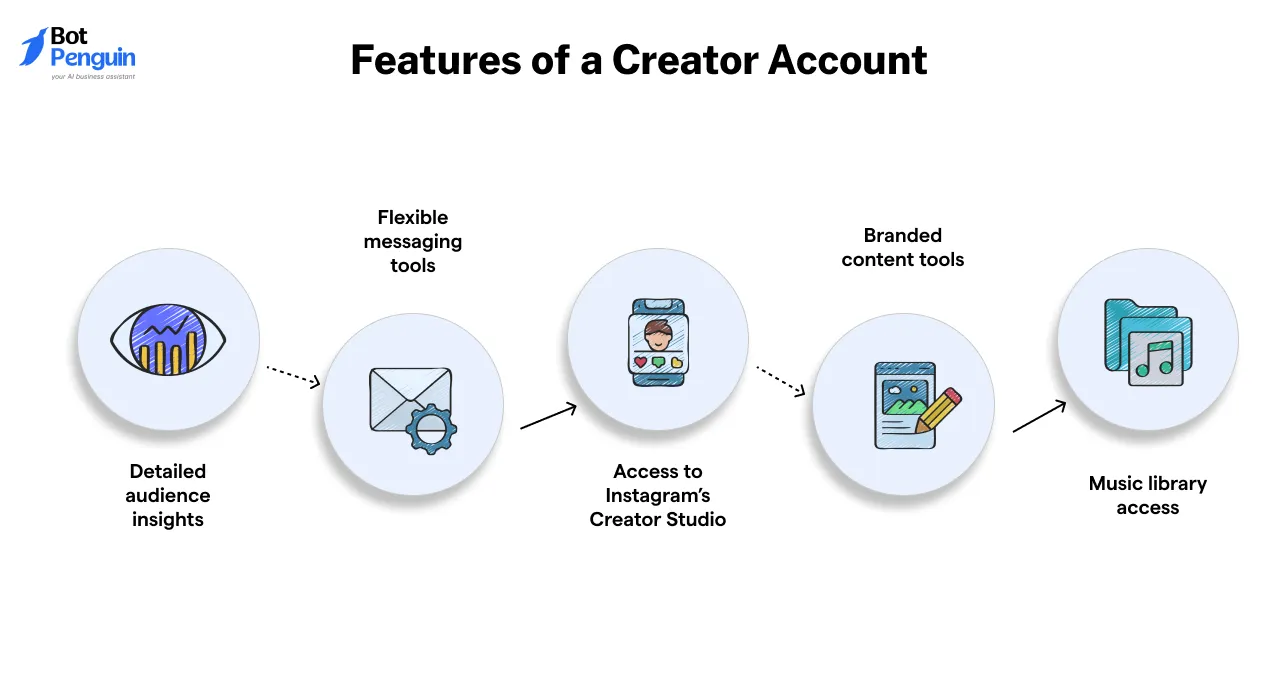

✅ Stronger audience connections – Understand what content works best and optimize strategy.
✅ Better brand partnerships – Seamless integration with sponsored posts and branded content.
✅ More control over DMs – Organize incoming messages efficiently.
✅ Increased engagement tracking – Gain insights into how and when followers interact.
✅ Monetization opportunities – Eligible for Instagram's revenue-sharing programs.
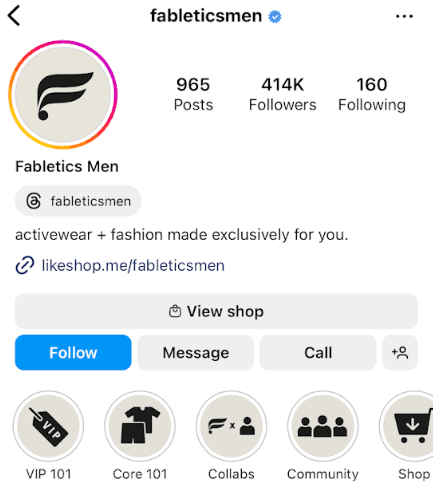
A Business account is designed for brands, entrepreneurs, and online stores that want to market their products, advertise, and reach customers efficiently.
It unlocks a suite of tools for advertising, customer engagement, and sales tracking, making it the go-to option for companies looking to scale their business on Instagram.
✅ Stronger brand visibility – Boost posts and reach a larger audience.
✅ Better customer interaction – Direct messaging and quick replies improve communication.
✅ Seamless shopping experience – Shoppable posts drive product discovery.
✅ More credibility and professionalism – Displays your brand’s legitimacy.
✅ Advanced ad targeting – Helps businesses connect with the right customers.
Both types of accounts on Instagram offer advanced features to help users grow, monetize, and engage their audience effectively.
Suggested Reading:
The Ultimate Guide to Selling on Instagram Without a Website
Choosing the right IG account type can make or break your Instagram experience. Whether you're here for privacy, content creation, or business growth, each account type serves a unique purpose.
To help you decide, let’s break down the core differences between Private, Public, Creator, and Business accounts in a way that’s easy to understand.
| Feature | Private Account 🔒 | Public Account 🌍 | Creator Account 🎥 | Business Account 🏢 |
Privacy & Visibility | Content is only visible to approved followers | Content is visible to everyone, appears in Explore & hashtags | Public by default but allows DM filtering & interaction controls | Public with maximum discoverability, ideal for branding |
Engagement & Messaging | Only approved followers can engage | Open to all users, anyone can like, comment, and share | DM categories (Primary & General), better engagement tracking | Quick replies & automated messaging for customer interactions |
Growth & Reach | Limited as new followers need approval | Higher reach through Explore & shares | Audience insights help refine content strategy | Ad tools & targeting help businesses expand reach |
Insights & Analytics | No insights available | Limited post engagement data | Detailed audience insights, monetization options | Advanced insights, ad campaigns, and Instagram Shopping |
Monetization Features | Not available | Not available | Brand partnerships, IG badges, affiliate links | Shoppable posts, ads, and professional marketing tools |
Best For | Users who value privacy & control | Users looking for open engagement & organic growth | Influencers, vloggers, public figures | Brands, businesses, and online stores looking for marketing tools |
Each type of account on Instagram has its strengths, and the right one depends on your goals and how you want to use the platform. In the next section, we’ll guide you on how to switch between account types and optimize your Instagram strategy.
Your Instagram needs change over time, and luckily, switching between different types of Instagram accounts is quick and easy.
Whether you want more privacy, better engagement tools, or business insights, here’s how to make the switch without any hassle.
Want to keep things private or go fully public for more engagement? Here’s how:
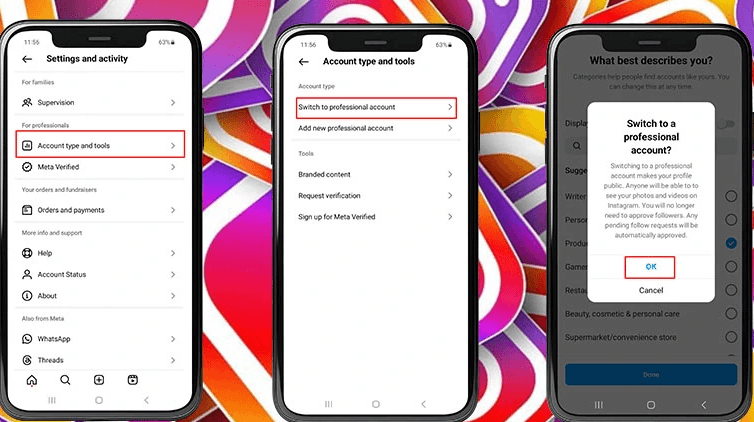
Want to unlock insights, ads, and better engagement tools? Switching to a Professional account (Creator or Business) is the way to go.
You can easily move between Creator and Business accounts.
✅ You can switch between Creator and Business accounts anytime with no need to go back to Personal first.
✅ Switching to Personal removes professional tools, but your content stays intact.
✅ Business accounts don’t get access to Instagram’s full music library, something to keep in mind for reels
Want more details? Check out Instagram’s official help pages:
📌 Switching Instagram account types
📌 Managing privacy settings
With these simple steps, you can adjust your Instagram account type in minutes and keep your profile optimized for your goals! 🚀
Switching between different types of Instagram accounts is a simple process, but making the wrong move can lead to lost features, disrupted engagement, and even stopped promotions. Here are the most critical mistakes to avoid when making the switch.
Each IG account type comes with different functionalities, and some features are permanently removed when switching.
💡 Before switching, check which features will be removed or added so you don’t lose tools you depend on.
When you switch to a Personal account, you completely lose all past analytics (Instagram Insights), including:
⚠️ Once lost, this data is unrecoverable.
💡 If you rely on Insights for performance tracking, take screenshots or export data before switching.
If you switch from Business to Creator or Personal, all active Instagram ads and promotions will stop immediately. Instagram does not pause or resume them if you switch back later.
💡 If you’re running paid campaigns, complete or pause them before switching to avoid wasted ad spend.
Instagram’s algorithm tracks engagement, interactions, and post performance based on account type. Frequent switching can reset engagement tracking and impact reach.
🚫 Switching too often (multiple times within weeks) can:
💡 Pick an account type that fits your long-term needs instead of switching back and forth frequently.
Business and Creator accounts allow:
✔️ Contact buttons (Call, Email, Directions)
✔️ Category labels (e.g., Public Figure, Artist, Entrepreneur)
✔️ Action buttons (Book Now, Reserve, Shop Now)
⚠️Switching to a Personal account removes all these features. If you switch back, they won’t automatically restore, you’ll have to manually re-enter them.
💡Before switching, save a copy of your contact details and business information.
The Instagram music library changes based on account type:
⚠️ If you switch from Creator to Business, you may lose access to trending sounds you’ve used before.
💡If music is a key part of your Instagram strategy, consider staying on a Creator account instead of switching to Business.
Before switching IG account types, make sure you:
✅ Know which features you’ll lose or gain
✅ Save important data (Insights, ads, contact details)
✅ Complete ongoing promotions before switching
✅ Pick an account type that fits your long-term goals
By avoiding these mistakes, you can switch accounts smoothly without losing essential tools or disrupting your Instagram growth.
No matter which IG account type you choose, managing engagement, customer interactions, and content scheduling can be time-consuming. That’s where BotPenguin comes in!
BotPenguin’s AI-powered chatbot helps businesses and influencers automate DMs, respond to customers instantly, and streamline Instagram interactions.
✅ Instant replies to FAQs and comments
✅ Lead generation and customer support automation
✅ Seamless Instagram integration for better engagement
Ready to take your Instagram game to the next level? Try BotPenguin today and simplify your Instagram communication!
Suggested Reading:
15 Instagram Tools to Drive 3x More Instagram Engagement
No, Instagram allows only one IG account type per profile, but you can create multiple accounts and assign different types to each.
Yes, Public accounts have maximum reach, while Private accounts restrict content to approved followers. Business and Creator accounts benefit from insights and promotional tools for higher engagement.
Yes, Personal accounts don’t have analytics, Business accounts have limited music access, and Creator accounts can’t run Instagram Shopping. Choose based on the tools you need.
Yes, switching IG account types does not affect followers, but changing to a Private account hides content from non-followers. Business features like Shopping may also get disabled.
BotPenguin’s AI chatbot automates customer replies, lead generation, and DMs for Business accounts, ensuring faster engagement and improved response times perfect for scaling brands on Instagram.
Subscribe to Our Newsletter
Get the latest business insights straight into your inbox.
Checkout our related blogs you will love.
Updated at Oct 26, 2026
12 min to read

Updated at Oct 13, 2026
7 min to read

Updated at Oct 12, 2026
10 min to read

Updated at Oct 8, 2026
9 min to read
Updated at Oct 8, 2026
10 min to read
Table of Contents


