



Shopify Customer Service Chatbot: How It Improves Support
Updated at Oct 16, 2026
15 min to read

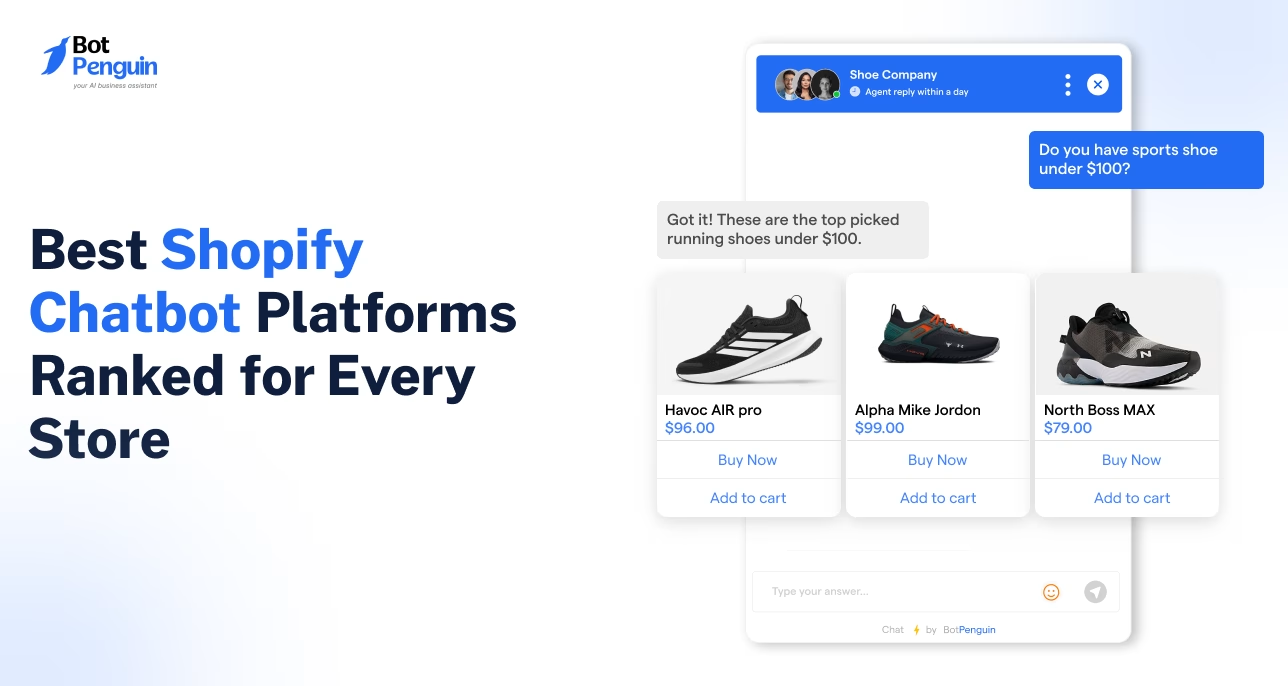
The best Shopify chatbot depends on your store’s support volume, sales channels, and automation needs. BotPenguin suits omnichannel stores, Tidio supports smaller teams, Gorgias handles high ticket volumes, Intercom Fin serves larger operations, and Re:amaze works well for multi-brand support across several customer service channels.
Thinking of making your Shopify store more interactive?
A chatbot is a great place to start. But not every Shopify chatbot delivers the same experience. Some focus on customer support. Others help shoppers find products, recover abandoned carts, or answer questions using AI.
The right choice depends on what your store needs most. With so many tools available, comparing them can quickly become overwhelming.
This guide ranks the best Shopify chatbot options, compares their features, pricing, and ideal use cases, and helps you find the best AI chatbot for Shopify without the guesswork.
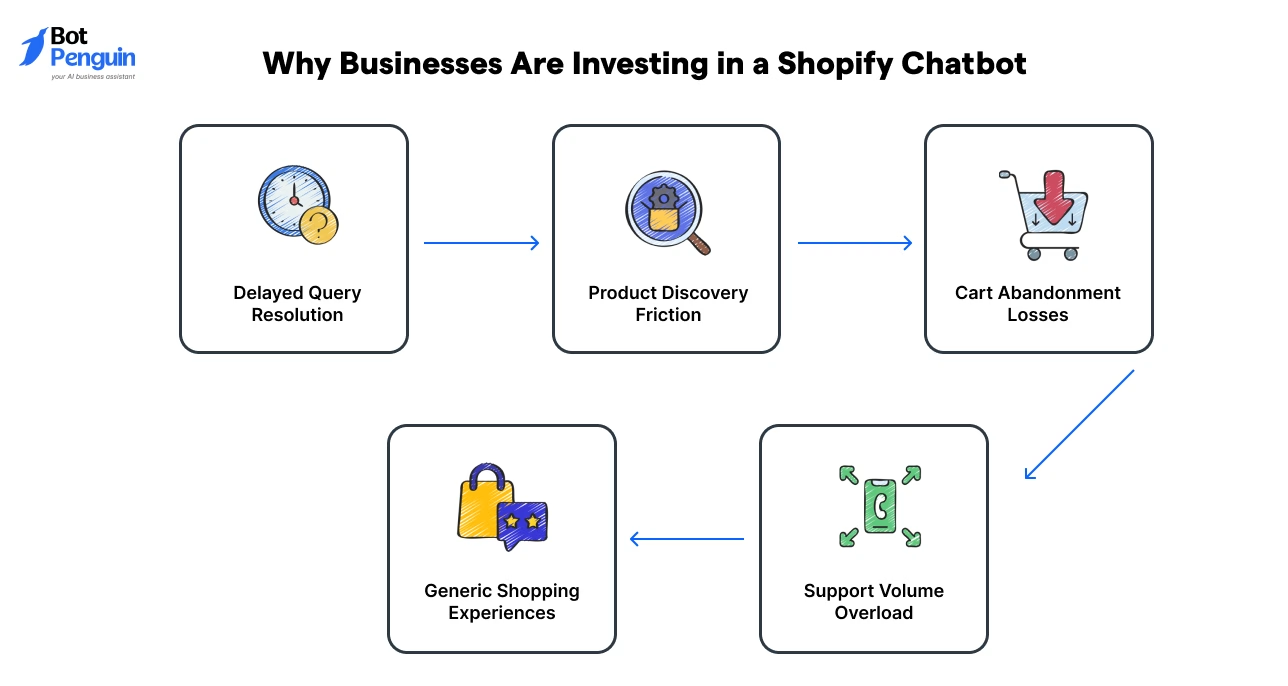
Before we explore the best Shopify chatbots on the market, it's important to understand why so many stores are choosing to invest in Shopify chatbots in the first place.
Taken together, these pain points highlight why Shopify chatbots have become an essential part of running and growing a modern e-commerce store.
Before comparing platforms, review the broader pros and cons of Shopify chatbots to understand the tradeoffs.
The best chatbot for Shopify isn't always the one with the most features. We compared each platform based on usability, AI capabilities, integrations, pricing, and how well it handles real ecommerce use cases.
Here's what went into our final ranking:
We assessed how accurately each chatbot understands customer questions, follows context, and delivers useful product or support answers.
We reviewed how each platform handles common product and support questions using official feature information.
We checked whether the chatbot can access product catalogs, order details, inventory data, and customer information without complicated workarounds.
We compared support across website chat, WhatsApp, Instagram, Facebook, and other channels Shopify customers commonly use.
72.4% of consumers say they're more likely to buy from brands offering messaging, per Meta's State of Business Messaging report. (Kantar, commissioned by Meta, 2026)
Chatbots confined to a single channel simply miss too much of the buying journey.
We reviewed pricing transparency, plan limits, hidden costs, and whether the platform remains affordable as conversations increase.
Many Shopify chatbot platforms look budget-friendly at low conversation volumes, then quietly increase costs once a store crosses a few thousand chats a month.
We prioritized platforms with clear pricing tiers over ones with vague "contact sales" scaling.
We considered installation time, no-code tools, dashboard usability, automation controls, and access to human support when needed.
These criteria helped us rank each Shopify chatbot platform by practical value, not popularity alone.
This quick comparison of best Shopify chatbot platforms highlights how each platform differs in pricing, entry-level value, and ideal use case.
*Disclaimer: Pricing and plan details reflect information available as of October 2026 and may change; check each platform's official pricing page for the most current figures.
The rankings show that the right choice depends less on popularity and more on your support model, channel mix, and growth stage.
Next, we examine each Shopify chatbot platform in detail, including its core features, pricing, strengths, and practical limitations.
Shopify chatbots vary widely in pricing models, AI depth, and channel coverage. Here's how five leading platforms stack up on what actually matters:
BotPenguin handles product discovery, order updates, cart recovery, returns, and routine support for Shopify stores. Its AI shopping assistant recommends products and answers common purchase questions as shoppers browse.
Merchants manage website, WhatsApp, Instagram, and Facebook conversations from one inbox. As an official Meta Tech Provider, BotPenguin also supports approved WhatsApp Business API onboarding.
BotPenguin is GDPR, HIPAA, and CCPA compliant, ISO certified, SOC 2 attested, and VAPT-assessed by a CERT-In empanelled auditor.
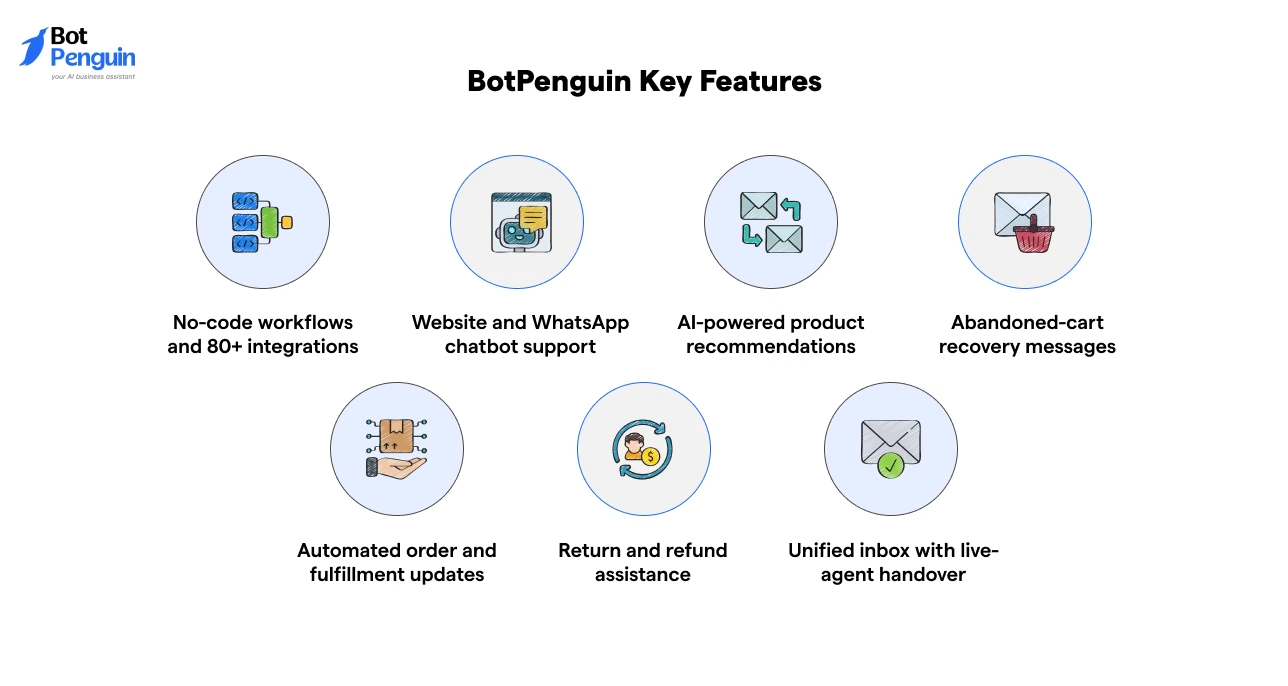
Pricing: BotPenguin offers a free plan with 1,000 messages, while paid plans start at $29 per month. A 7-day free trial is available on paid plans.
Shopify integration: works with BotPenguin's WhatsApp and website chatbots, from the Little plan ($29/month); not included on the Free plan.
Best for: Shopify stores running sales and support across website chat and WhatsApp
Tidio combines live chat, ticketing, chatbot flows, and its Lyro AI agent in one helpdesk.
Shopify merchants can answer product questions, recommend items, track conversations, and transfer complex requests to human agents. Its biggest strength is the balance between automation and live support.
However, Shopify stores must track separate usage limits for agent conversations, Lyro AI conversations, and automated Flows as traffic grows.
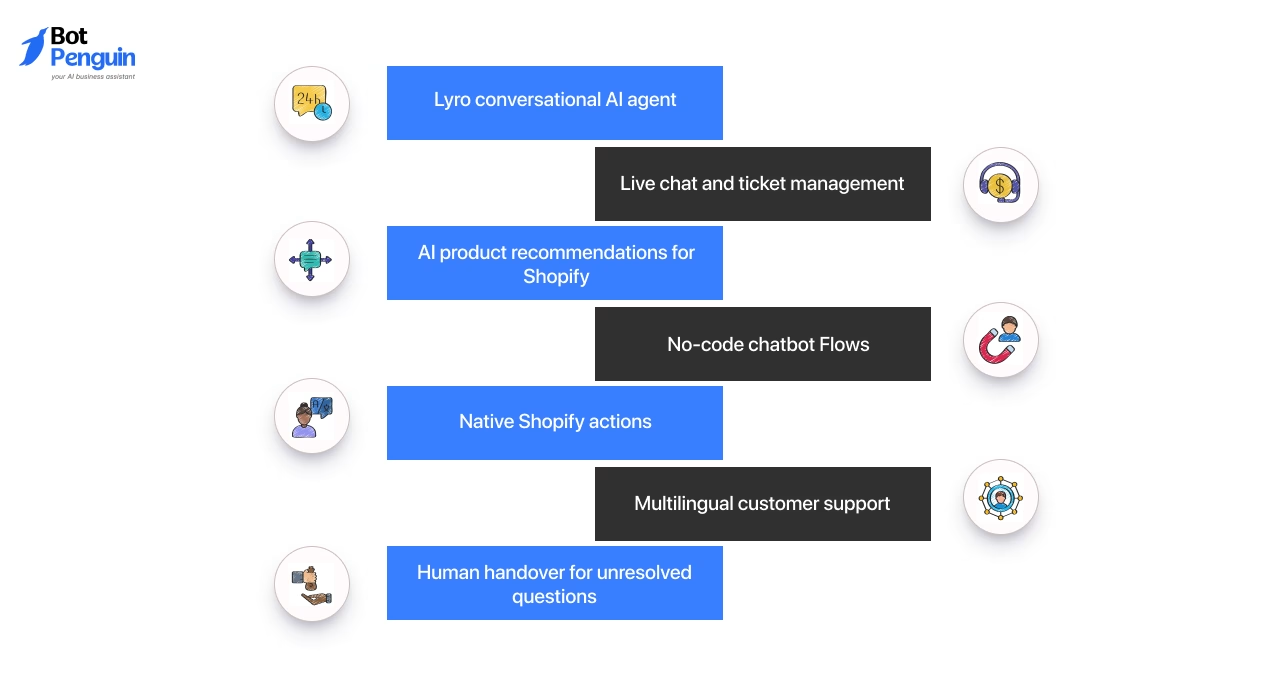
Pricing: Starter begins at $24.17 monthly when billed annually, while Growth starts at $49.17 monthly. A 7-day free trial is available.
Best for: Shopify stores wanting AI automation alongside an active live-support team.
Gorgias combines an ecommerce helpdesk with an AI agent built around Shopify data. Teams can view customer profiles, order history, products, and shipping details beside each support conversation.
Support agents can refund, cancel, create, or duplicate Shopify orders without switching tabs.
Its ticket-based pricing works well for larger teams, though costs increase with support and AI-resolved conversation volumes.
Pricing: Gorgias starts at $10 monthly for 50 tickets. Basic costs $60 for 300 tickets, while Pro costs $360 for 2,000 tickets. Overage fees apply, and AI Agent is available on every plan with charges based on resolved conversations.
Best for: Growing Shopify brands managing high support volumes across multiple channels.
Intercom Fin for Ecommerce connects directly with Shopify catalog and customer data.
It answers product questions, recommends suitable items, compares options, and guides shoppers towards checkout.
Fin also handles order-related support and transfers unresolved conversations to human agents. Its advanced capabilities suit larger teams, but seat charges and outcome-based billing can become expensive at scale.
Pricing: Intercom starts at $29 per seat monthly. Fin starts at $0.99 per outcome, with a free trial available.
Best for: Larger Shopify stores seeking advanced AI support and guided product discovery.
Re:amaze combines email, live chat, social media, SMS, voice, FAQs, and AI support in one inbox. Its Shopify integration lets teams access orders, issue refunds, cancel orders, and create draft orders during conversations.
Its strength lies in managing support across several channels and stores.
However, per-user pricing and AI resolution charges can increase costs as the support team grows. Basic includes 5 AI resolutions per user each month, with additional resolutions charged at $0.85 each.
Pricing: Re:amaze starts at $29 per team member monthly. Pro costs $49, while Plus costs $69 per team member monthly.
Best for: Shopify teams managing customer support across several stores and communication channels
The right Shopify chatbot thus depends on your channels, conversation volume, and growth pace. Compare pricing structures closely, since flat fees and per-resolution charges scale very differently as your store grows.
Need help connecting your chatbot to Shopify? Follow our Shopify chatbot integration guide.
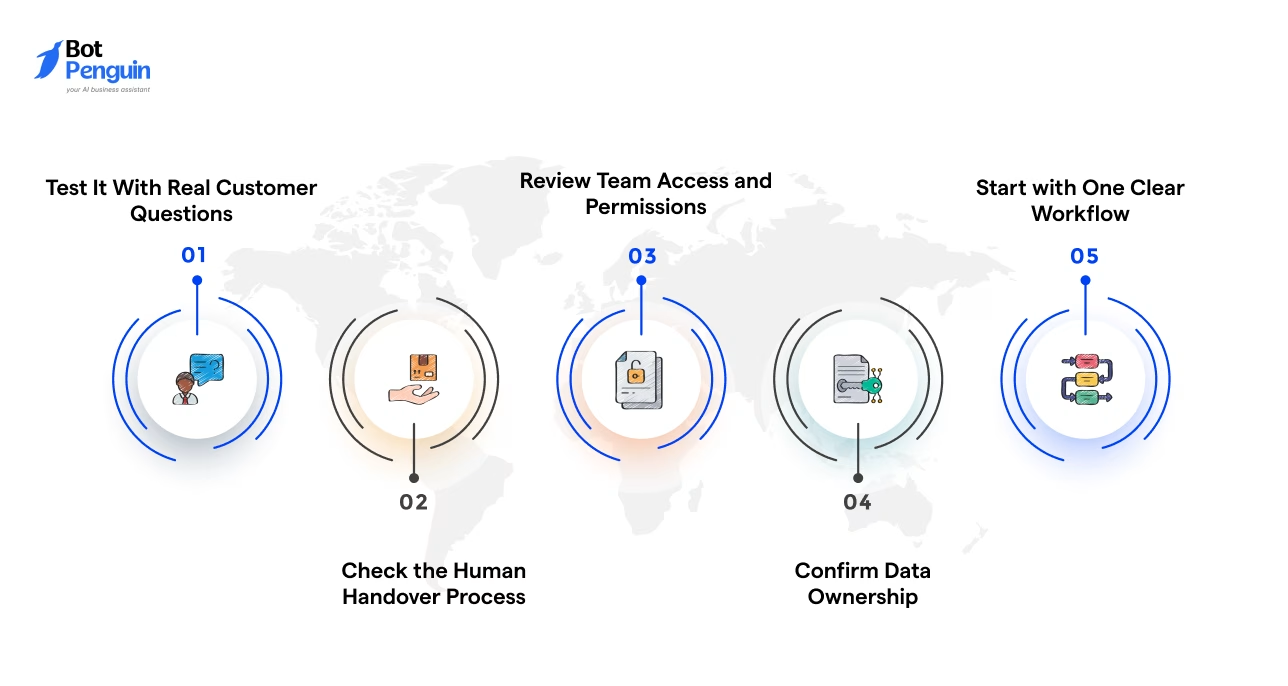
The best tool on paper can still be the wrong fit. Before you shortlist, check five things: where your customers message you, how the bot answers, how pricing grows, how much setup your team can own and which Shopify data it can use.
Pull up your Shopify analytics, support inbox and social message volume before comparing platforms. That data, not a vendor's channel list, should decide what you need.
| Criteria | AI-powered chatbot | Rule-based chatbot |
|---|---|---|
| How it works | Understands intent and natural language | Follows set rules, keywords and decision trees |
| Question handling | Handles varied, conversational questions | Handles only expected questions |
| Product recommendations | Suggests products from the shopper's needs and context | Recommends only through fixed paths |
| Maintenance | Fewer manual flow additions for new questions | Needs manual updates for every new scenario |
| Best for | Growing stores with varied questions | Small stores with predictable FAQs |
Many stores combine both: AI for open questions and fixed flows for structured tasks such as order tracking, refunds or cancellations. Either way, answers are only as good as your product and policy data.
A low starting price doesn't always mean a lower long-term cost. Find out which activity drives your bill:
| Setup factor | No-code chatbot | Developer-assisted chatbot |
|---|---|---|
| Shopify connection | App install or guided setup | Custom apps, middleware or direct API work |
| Launch speed | Days for standard sales and support flows | Weeks when custom logic is involved |
| Later changes | Marketing or support can edit flows | Often needs a developer |
Many stores launch no-code, learn what customers actually ask, then add developer help for deeper integrations. A simple bot someone actively owns will beat a powerful one nobody updates.
Once you've picked a tool, follow our guide to connect your chatbot to Shopify.
Most Shopify chatbot comparisons stop at features. But the real question is simpler: what problem does each capability actually solve for your store, day to day?
Here's what these tools do once they're live, beyond the checklist:
Chatbots compare products, answer specific questions, and point buyers toward suitable options.
This matters most on stores with large catalogs, where shoppers often abandon search rather than scroll through dozens of similar listings.
They handle common queries about delivery, stock, returns, and store policies before an agent steps in.
This frees your team to focus on complaints and edge cases that actually need a human's judgment.
Chatbots follow up with hesitant shoppers, answer last-minute doubts, and bring them back to checkout.
Even a small recovery rate here can meaningfully offset the cost of the platform itself.
They share order updates, collect return details, and prevent avoidable support tickets.
Fewer “where's my order” messages also means faster response times on the queries that genuinely need attention.
Need the basics before comparing tools? Read what a Shopify chatbot actually does first.
Many modern platforms offer these capabilities in one place. For example, BotPenguin combines AI shopping assistance, Shopify integration, and multichannel messaging, making it easier to deliver a consistent customer experience across every touchpoint.
Choosing the best Shopify chatbot comes down to fit, not hype. Start with the tasks your store handles most, then compare tools on pricing, channels, AI quality, and team needs.
BotPenguin suits stores that want Shopify-connected automation on website chat and WhatsApp, with Instagram and Facebook conversations handled in the same inbox. Tidio works well for smaller support teams. Gorgias, Intercom Fin, and Re:amaze serve stores with heavier support demands or more complex workflows.
Test each option with real customer questions before committing. Check how it handles handover, order data, and rising chat volume. The right choice should make buying easier and support simpler, without adding more work.
There is no single winner for every store. BotPenguin suits omnichannel automation, Tidio fits smaller support teams, Gorgias handles heavier ticket volumes, Intercom Fin serves enterprise support, and Re:amaze works well for multi-brand operations. Choose based on channels, workload, and budget.
A small Shopify store usually needs simple setup, clear pricing, live chat, and enough automation for common questions. Tidio is a practical choice for smaller teams, while BotPenguin may suit stores planning to add WhatsApp, social messaging, or broader ecommerce automation.
Shopify chatbot pricing varies by billing model. Some tools charge per month, while others charge per agent, ticket, or resolved AI conversation. Compare the full cost at your expected volume, including overage fees, AI usage, extra seats, and required add-ons before choosing.
A free Shopify chatbot can cover basic website chat, FAQs, and low conversation volumes. It may become limiting when you need product recommendations, order actions, WhatsApp support, advanced reporting, or higher message limits. Check what remains free after setup and testing.
Shopify Inbox is free and now includes an AI agent for product and policy questions. Third-party platforms may offer broader channel support, deeper helpdesk features, multi-brand management, or more advanced workflows. Choose Inbox for simplicity and another tool for wider operational needs.
Some Shopify chatbots connect with WhatsApp, Instagram, Facebook, email, SMS, or voice, while others focus mainly on website chat. Confirm whether each channel is native, requires another provider, or costs extra. Channel coverage matters when customers contact your store in different places.
A Shopify chatbot can answer routine questions and complete selected order or product tasks, but it should not replace human agents entirely. Complex complaints, unusual refunds, sensitive cases, and high-value sales often need judgment. Choose a tool with clear, context-preserving human handover.
Build Smarter Shopping Experiences With BotPenguin
Answer customer questions, recommend products, recover abandoned carts, and manage Shopify, WhatsApp, and social conversations from one AI-powered platform.
Try BotPenguin for Your Shopify StoreCheckout our related blogs you will love.
Updated at Oct 16, 2026
15 min to read

Updated at Oct 15, 2026
15 min to read
Updated at Oct 14, 2026
7 min to read
Updated at Oct 13, 2026
11 min to read
Updated at Oct 13, 2026
8 min to read
Updated at Oct 13, 2026
8 min to read
Table of Contents



