


How to Add a WhatsApp Link to Your Instagram Profile
Updated at Oct 8, 2026
14 min to read

Ever thought a simple switch on your messaging app could unlock endless opportunities for your business? Imagine transforming every chat into a chance to build trust, share your brand’s story, and connect deeper with customers.
By converting WhatsApp to WhatsApp Business, you gain a business account on WhatsApp that facilitates your responses, organizes conversations effortlessly, and delivers a polished, customer-first experience.
A WhatsApp business account is a unique tool for companies to interact with customers quickly.
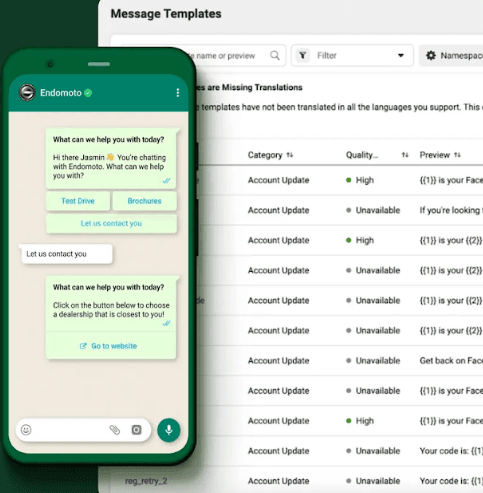
It comes with features like greeting messages, quick replies, and chat labels to keep conversations organized. With this account, you can showcase your brand and products using built-in catalogs.
Choosing between a personal account and a business account on WhatsApp is crucial for modern communication.
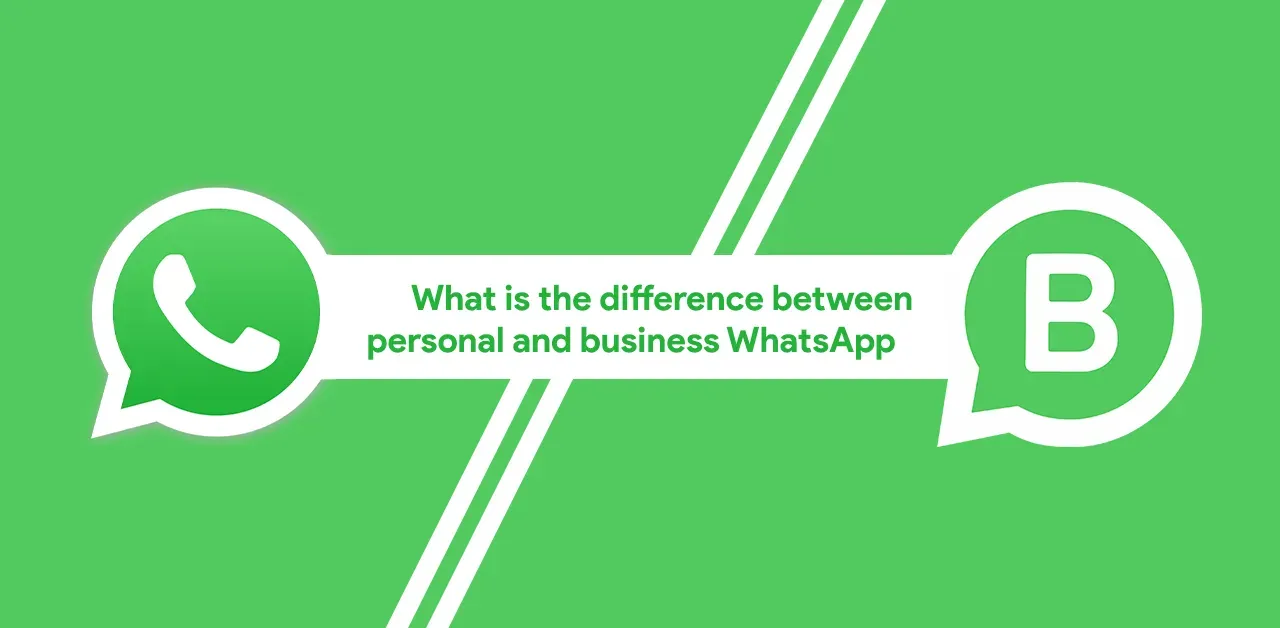
This side-by-side comparison outlines key features like automated messaging, organized chats, and detailed business profiles. Converting WhatsApp to WhatsApp Business empowers you to streamline operations, build trust, and boost customer engagement.
Feature | WhatsApp Personal Account | WhatsApp Business Account |
| Purpose | 💬 Casual chats with friends and family. | 🏢 Designed for professional, customer-focused communication. |
| Profile Setup | 👤 Basic profile with a personal photo and status updates. | 🏷️ Customizable profile featuring a business name, logo, description, address, email, and website. |
| Messaging Features | 💭 No automated responses or quick replies. | ⚡ Automated greetings, quick replies, and away messages streamline communication. |
| Organization Tools | 🔒 Lacks advanced features to manage conversations. | 📂 Chat labeling and categorization for efficient customer follow-ups. |
| Product Showcase | ❌ Not built for displaying products or services. | 🛍️ Integrated product catalog to showcase up to 500 items with images, descriptions, and pricing. |
| Analytics & Insights | 📊 No metrics provided for performance tracking. | 📈 Detailed messaging statistics help optimize response strategies and measure engagement. |
| Verification | ❌ No option for account verification. | ✅ Optional verified badge enhances trust and establishes authenticity. |
This clear comparison shows how switching to a business account on WhatsApp can upgrade your customer interactions and overall communication strategy.
Switching to a business account on WhatsApp transforms your messaging into a professional tool that drives growth. Here’s why converting WhatsApp to WhatsApp Business makes a difference:
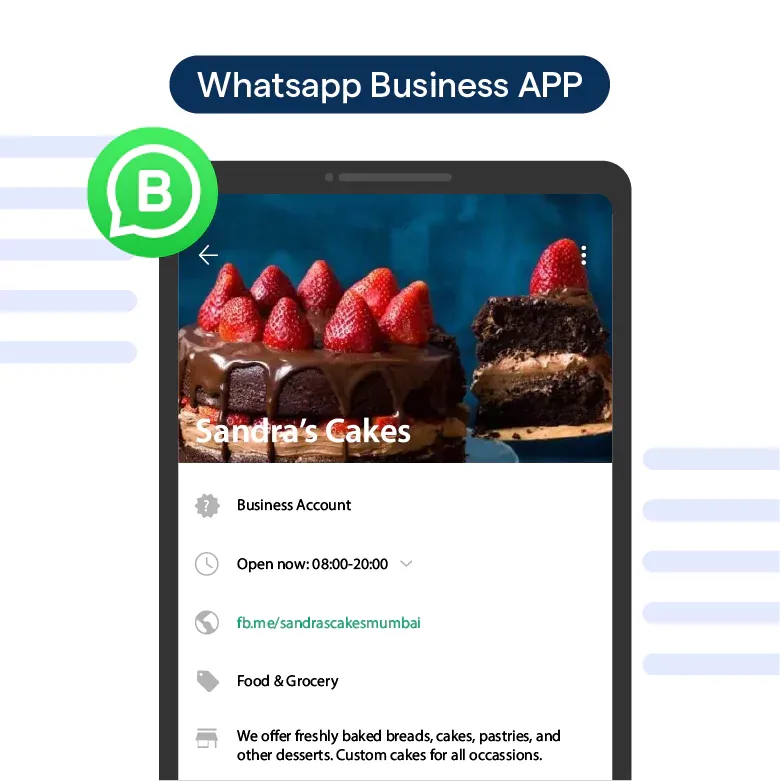
A WhatsApp Business account lets you display your brand name, logo, website, and working hours. Customers immediately recognize they’re chatting with a business and not an individual.
Example: A boutique sets up its WhatsApp Business profile with a logo and store hours. Now, every new customer sees a professional, branded presence instead of a random phone number.
Every business gets repetitive queries, pricing, product availability, store hours. With quick replies and automated greetings, answering these becomes effortless. Customers get instant responses, and you save time.
Example: A restaurant sets up an automated menu response. Customers who message “Menu” instantly receive the latest menu with prices no manual replies needed.
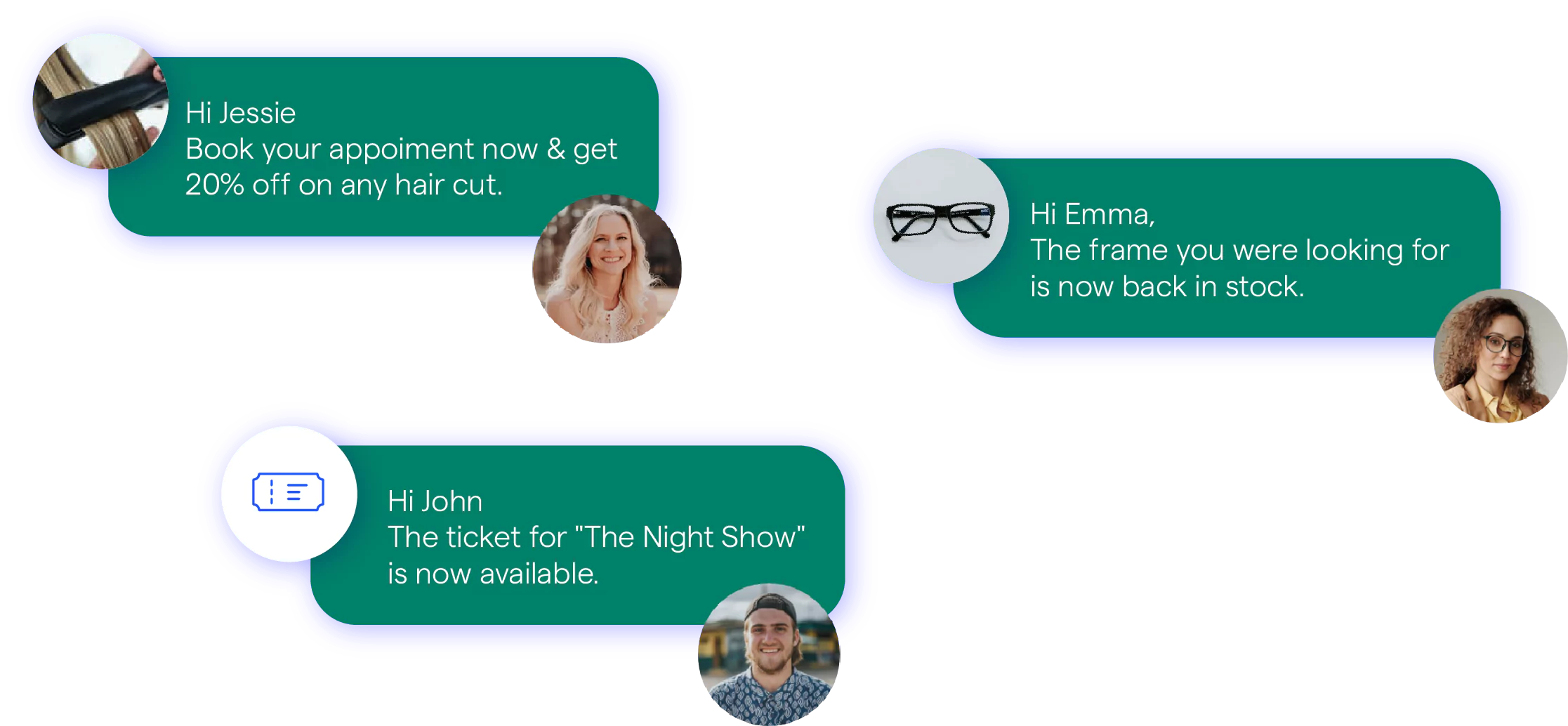
Customer inquiries can easily get lost in a sea of chats. WhatsApp Business labels help sort them into categories like “New Orders,” “Pending Payment,” and “Support”, making follow-ups easy.
Example: A home bakery assigns colors to chats: red for urgent orders, blue for follow-ups, and green for completed ones. No more confusion over who needs a response.
Instead of sending product images and descriptions one by one, WhatsApp Business lets you create a built-in catalog. Customers browse products, see prices, and place orders without leaving the chat.
Example: A gadget store adds its best-selling accessories to a WhatsApp catalog. Now, customers can browse options, select a product, and order in seconds.
A personal WhatsApp account gives you zero data on customer engagement. WhatsApp Business tracks message open rates, response times, and interactions, helping you adjust your strategy for better results.
Example: A coaching center notices that most students engage between 7–9 PM. They start sending promotions during this window, boosting conversions.
By switching to WhatsApp Business, you’ll gain powerful tools that help your business communicate more effectively, stay organized, and build stronger relationships with customers.
Elevate your customer communications by transforming your WhatsApp Messenger into a dedicated business account.
This guide breaks down each step in the conversion process, enabling you to utilize advanced features that boost credibility and streamline interactions.
✅ Update your WhatsApp Messenger if needed, then download the WhatsApp Business application from your device’s App Store or Play Store.
✅ Launch the WhatsApp Business app, read the Terms of Service, and tap "Agree and Continue."
✅ The app detects your current number. If it's not correct, select "Use a different number" and follow the verification process.
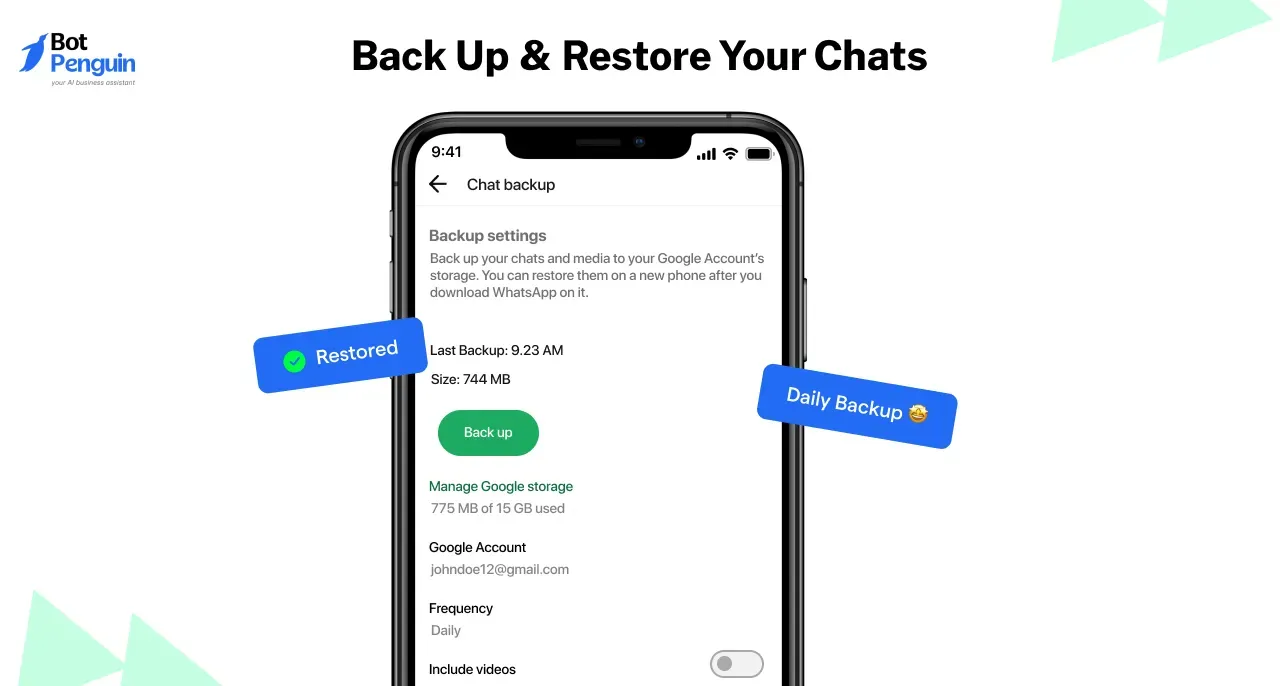
✅ If you've been using regular WhatsApp for business conversations, don't risk losing important chats.
✅ Tap "Continue > Allow" to let the app access your chat history and media. Save contacts separately to avoid data loss.
✅ Enter the 6-digit code sent by WhatsApp to verify your business phone number.
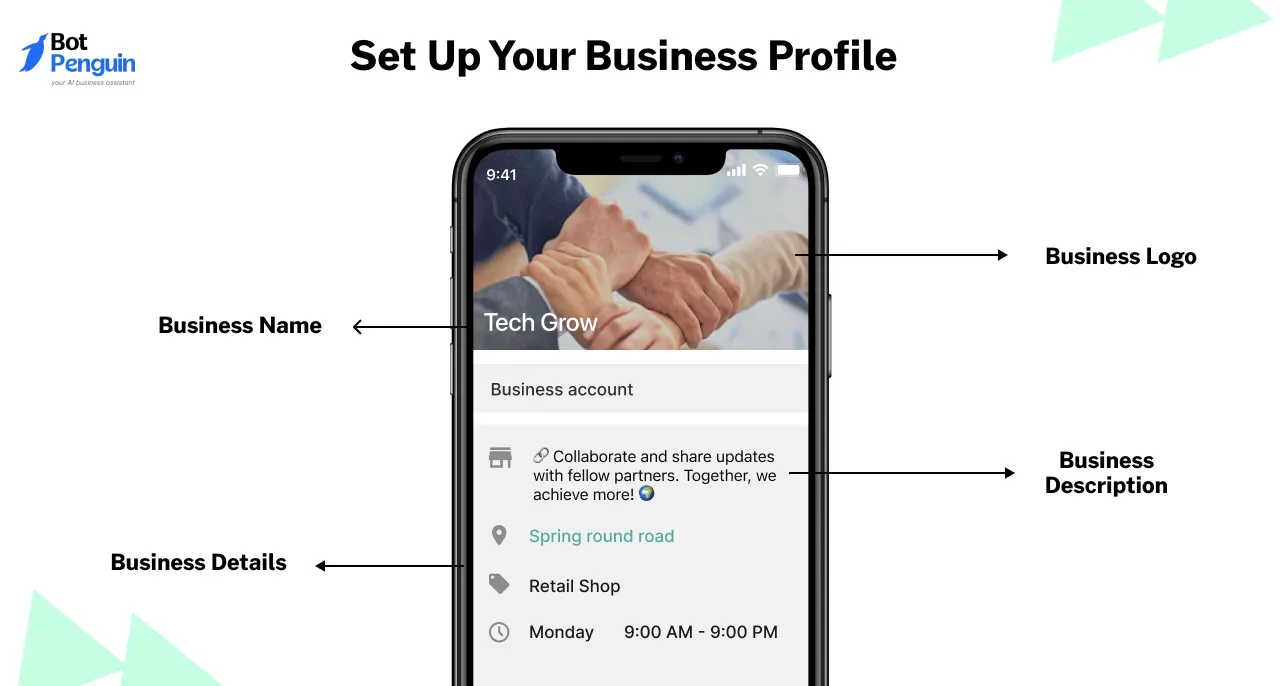
✅ Enter your business name, choose a category, upload your logo, and add essential details. Tap "Next" to complete the setup.
You've successfully transitioned to a WhatsApp Business account. Now, enjoy faster responses, better organization, and a professional profile that builds trust.
Embrace these enhanced tools to drive growth and deliver a seamless customer experience.
WhatsApp Business account includes some tools. Each of these is designed to increase your efficiency and help you connect better with customers. Let's understand each tool better
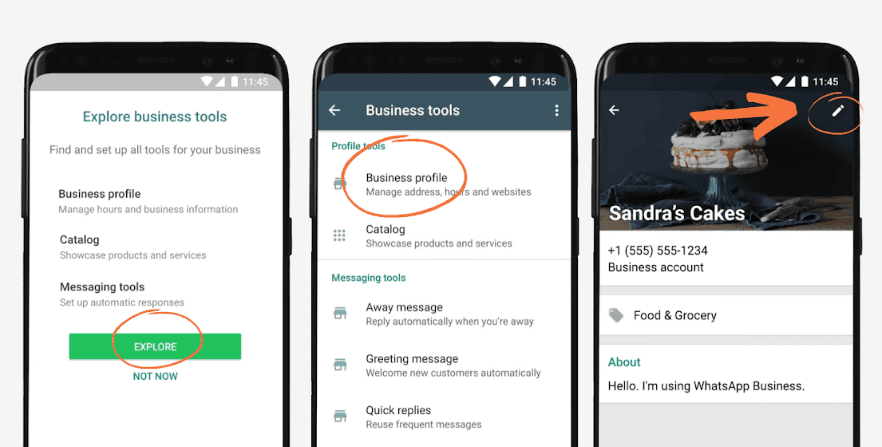
Your business profile acts as your digital storefront. It includes your business name, logo, description, contact details, and website, ensuring customers recognize and trust your brand from the first message.
Keep your business name under 25 characters and your description within 150 characters for instant clarity.
A local bakery called Sweet Delights switches to WhatsApp Business. With their logo, a short tagline (“Freshly Baked, Every Day 🍰”), and business hours listed, customers instantly recognize and trust them.
Suggested Reading:
35 WhatsApp Business Description Examples with Templates
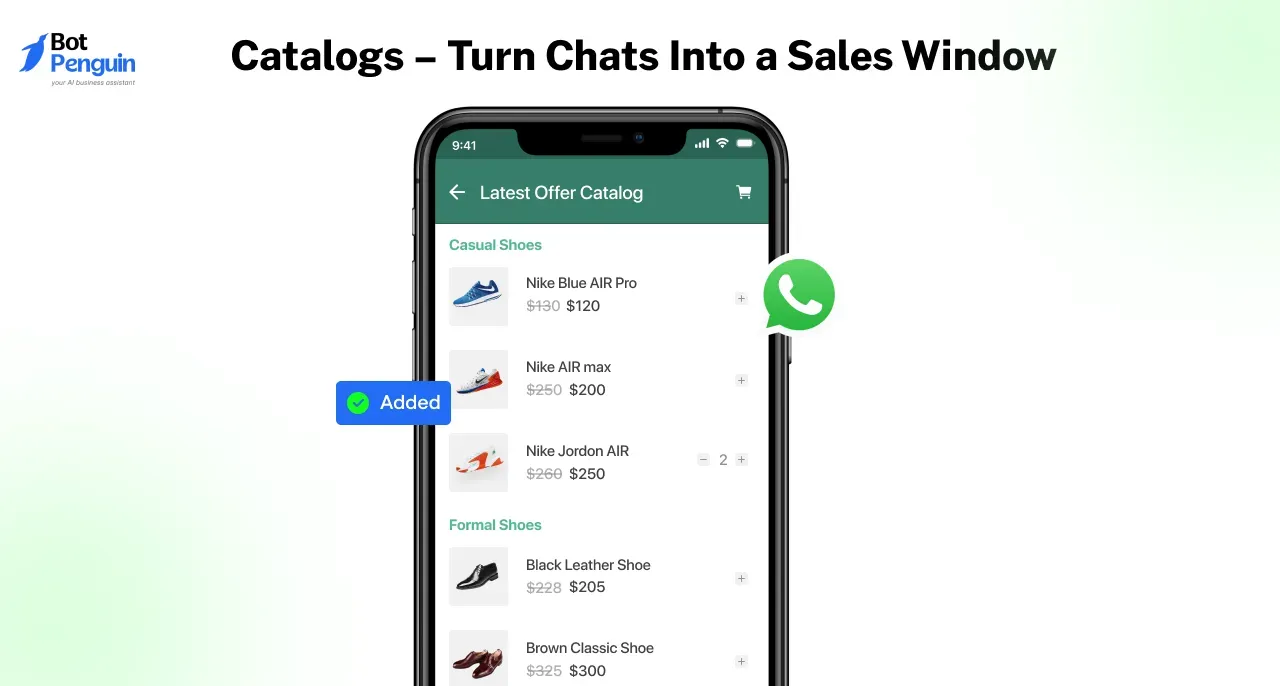
Instead of sending individual images, a WhatsApp Business Catalog lets you display up to 500 products with images, descriptions, and prices right inside the chat.
Use high-resolution images (800x800 pixels) and keep descriptions under 100 words for better engagement.
An electronics store adds a catalog featuring the latest wireless earbuds, smartwatches, and chargers with clear pricing. Customers scroll, select, and place orders effortlessly, boosting sales without extra follow-ups.
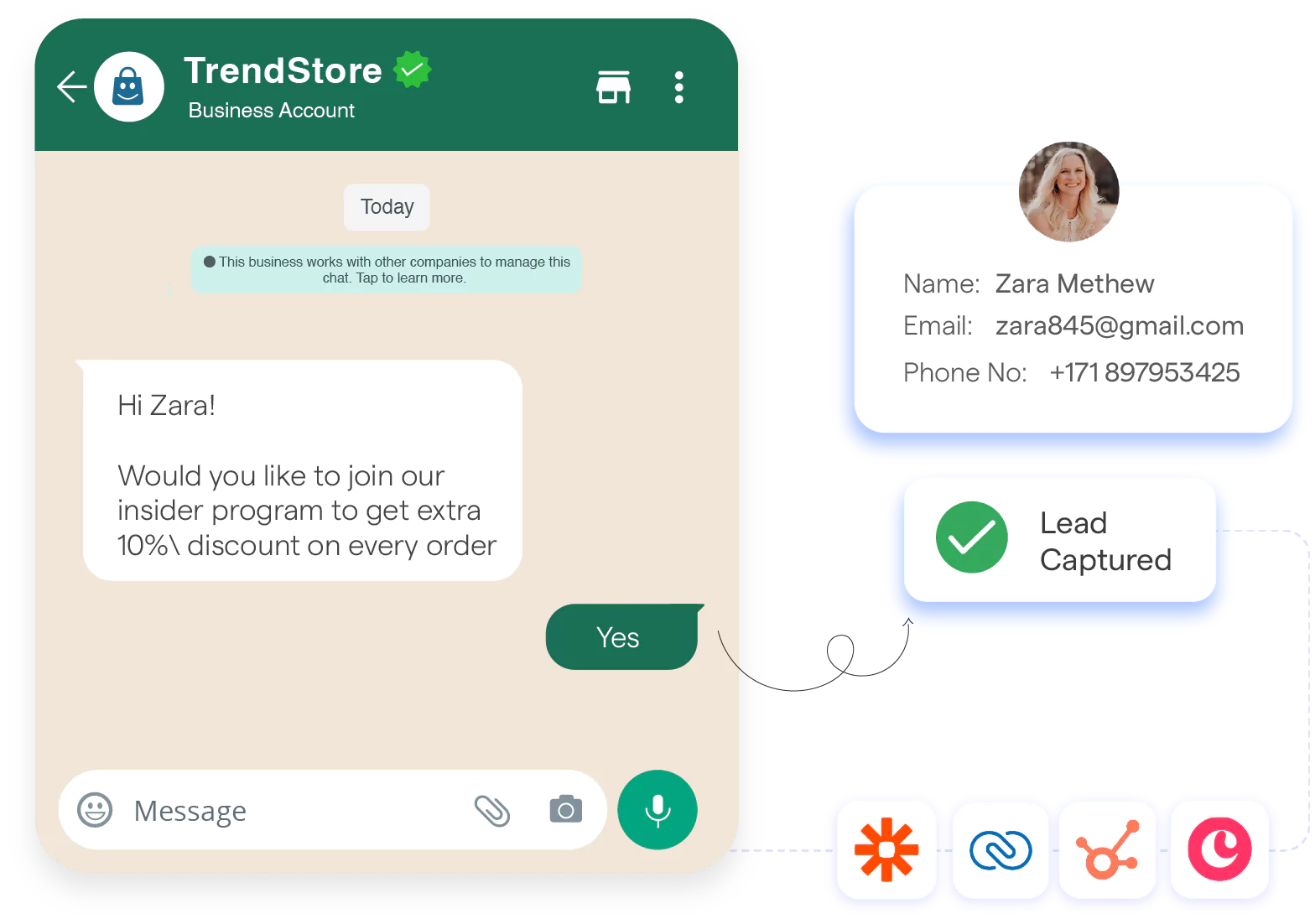
WhatsApp Business allows you to set automated greetings, quick replies, and away messages, ensuring customers always feel attended to even when you're offline.
Keep messages under 160 characters to maintain a personal, to-the-point feel.
A home cleaning service sets up an automated greeting:
"Hi! Thanks for reaching out to SparkClean 🧼✨. How can we assist you today?"
Customers feel acknowledged instantly, and the business gets fewer abandoned inquiries.
Sorting through customer messages manually? Labels allow you to categorize chats under “New Order,” “Pending Payment,” or “VIP Clients,” helping you prioritize and follow up efficiently.
Keep labels 1-3 words long and color-code them for quick identification.
A fashion boutique adds labels like:
✔️ New Order – Orders that need confirmation
✔️ Payment Pending – Customers who haven’t paid yet
✔️ VIP Clients – Repeat customers who deserve special offers
This way, they never miss a sale or a follow-up opportunity.
WhatsApp Business gives you insights into sent, delivered, and read messages, helping you analyze and improve engagement.
Check your stats weekly and aim for a 90%+ response rate to keep engagement high.
A restaurant offering home delivery notices that customers interact most between 6–9 PM. They schedule special deals during this window, boosting conversions significantly.
WhatsApp Business provides scannable QR codes that direct customers straight to your chat no need to save numbers manually.
Ensure QR codes are at 300 DPI and placed on receipts, packaging, or social media for better visibility.
A café prints its WhatsApp QR code on every coffee cup sleeve. Customers scan it to check daily specials or pre-order. The result? More orders, less wait time.
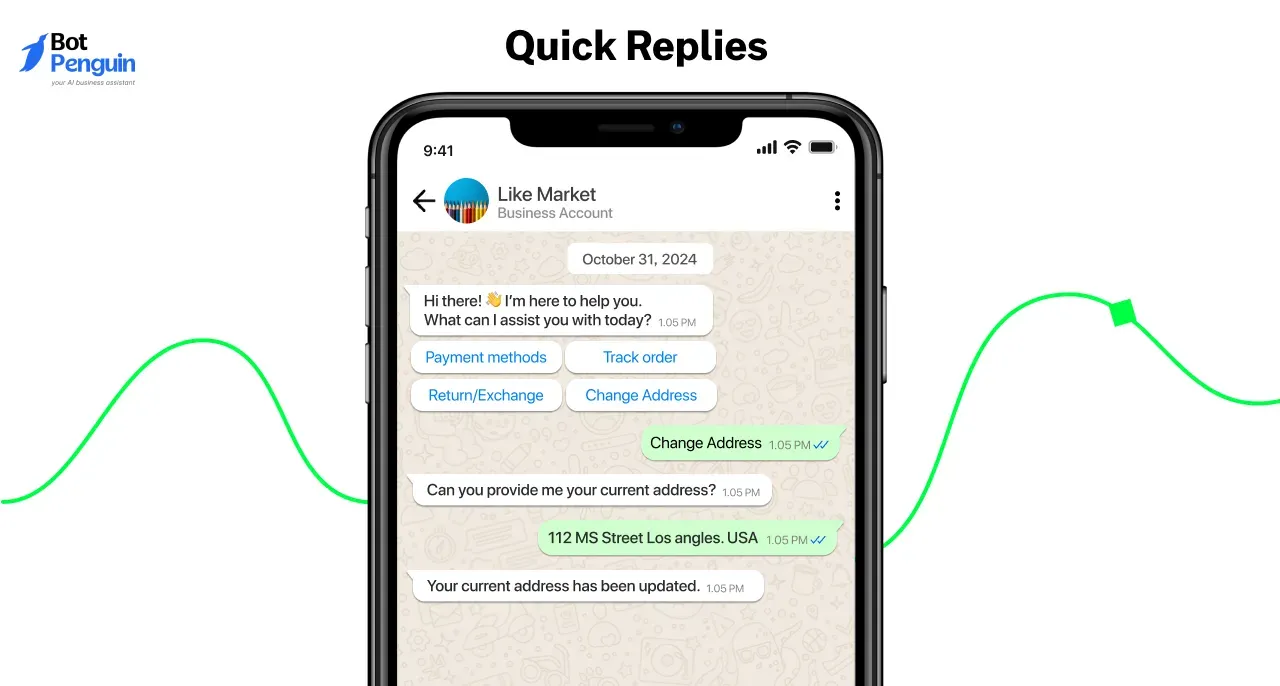
Instead of typing the same answers repeatedly, Quick Replies allow you to set pre-written responses for common questions.
Keep each Quick Reply under 100 characters and update them as new FAQs arise.
A travel agency gets frequent inquiries about package pricing. Instead of manually replying, they set up:
✈️ Quick Reply: "For our latest tour packages and pricing, visit [link] 🌍"
Customers get instant answers, reducing wait times and increasing conversions.
Each of these tools is your secret weapon for turning everyday chats into opportunities for growth. Embrace these tools, follow the best practices, and watch your WhatsApp Business experience transform your customer connections.
As businesses grow, they need reliable, scalable, and efficient communication tools. But WhatsApp Business App falls short, which leads to delays, missed opportunities, and frustrated
Limitations like delayed responses, lack of automation, and limited scalability start slowing things down, and many more that impact real businesses and why they need a better alternative.
WhatsApp Business App allows only a few linked devices, restricting customer support teams from working together efficiently.
⚠️ Problem: Slow responses, missed inquiries, and customer frustration.
💬 Scenario: A fashion boutique sees a surge in customer messages during a weekend sale. Since only two employees can access WhatsApp, inquiries pile up, leading to delayed responses and lost sales.
👉 Why it matters: Businesses need multi-agent access to ensure every customer gets timely assistance.
Basic auto-replies and away messages are not enough when handling high message volumes.
⚠️ Problem: Teams spend hours answering repetitive queries, wasting time on manual responses.
💬 Scenario: A popular salon manually confirms appointments and sends reminders daily. An automation system could handle this effortlessly, which could reduce no-shows and save hours of work.
👉 Why it matters: Businesses need smart automation to respond instantly and scale customer engagement without increasing workload.
WhatsApp Business restricts message broadcasts, especially to contacts who haven’t saved your number thereby limiting marketing reach.
⚠️ Problem: Businesses struggle to reach potential customers, affecting revenue opportunities.
💬 Scenario: A fitness studio wants to notify past clients about a special membership offer but can’t send messages to those who haven’t saved their number. This results in low engagement and missed conversions.
👉 Why it matters: Businesses need a compliant, scalable way to reach their audience without restrictions.
WhatsApp Business doesn’t sync with CRMs, payment gateways, or order tracking systems, leading to manual data entry and inefficiencies.
⚠️ Problem: Businesses struggle to manage customer interactions, orders, and payments in one place.
💬 Scenario: A growing e-commerce store has no way to track customer orders via WhatsApp. Customers frequently ask for updates, but the team manually checks records, causing delays and errors.
👉 Why it matters: Businesses need seamless integration with CRMs and payment systems for a smooth buying experience.
Suggested Reading:
How to Create WhatsApp Link on Instagram & Add it in Bio
Since only a few devices can be linked, businesses can’t distribute customer chats effectively.
⚠️ Problem: Workload isn’t evenly distributed, slowing down responses.
💬 Scenario: A healthcare clinic receives appointment requests via WhatsApp, but only one receptionist has access. As a result, patients experience delays, and scheduling becomes inefficient.
👉 Why it matters: Businesses need multi-agent chat handling to provide fast, organized, and responsive support.
WhatsApp Business has strict policies on promotional messaging, and exceeding limits can lead to temporary or permanent restrictions.
⚠️ Problem: Accounts risk being flagged or restricted for high message volumes.
💬 Scenario: A home décor brand plans a flash sale campaign but gets limited by WhatsApp’s daily messaging cap, reducing its sales potential.
👉 Why it matters: Businesses need a compliant, scalable messaging solution to run promotions without risking restrictions.
WhatsApp Business App is not built for growing businesses. As customer expectations rise, these limitations create operational bottlenecks, impact engagement, and restrict growth.
To scale efficiently, businesses need a flexible, automated, and scalable solution, one that offers multi-agent access, smart automation, and seamless integrations. Which comes in the form of BotPenguin WhatsApp API.
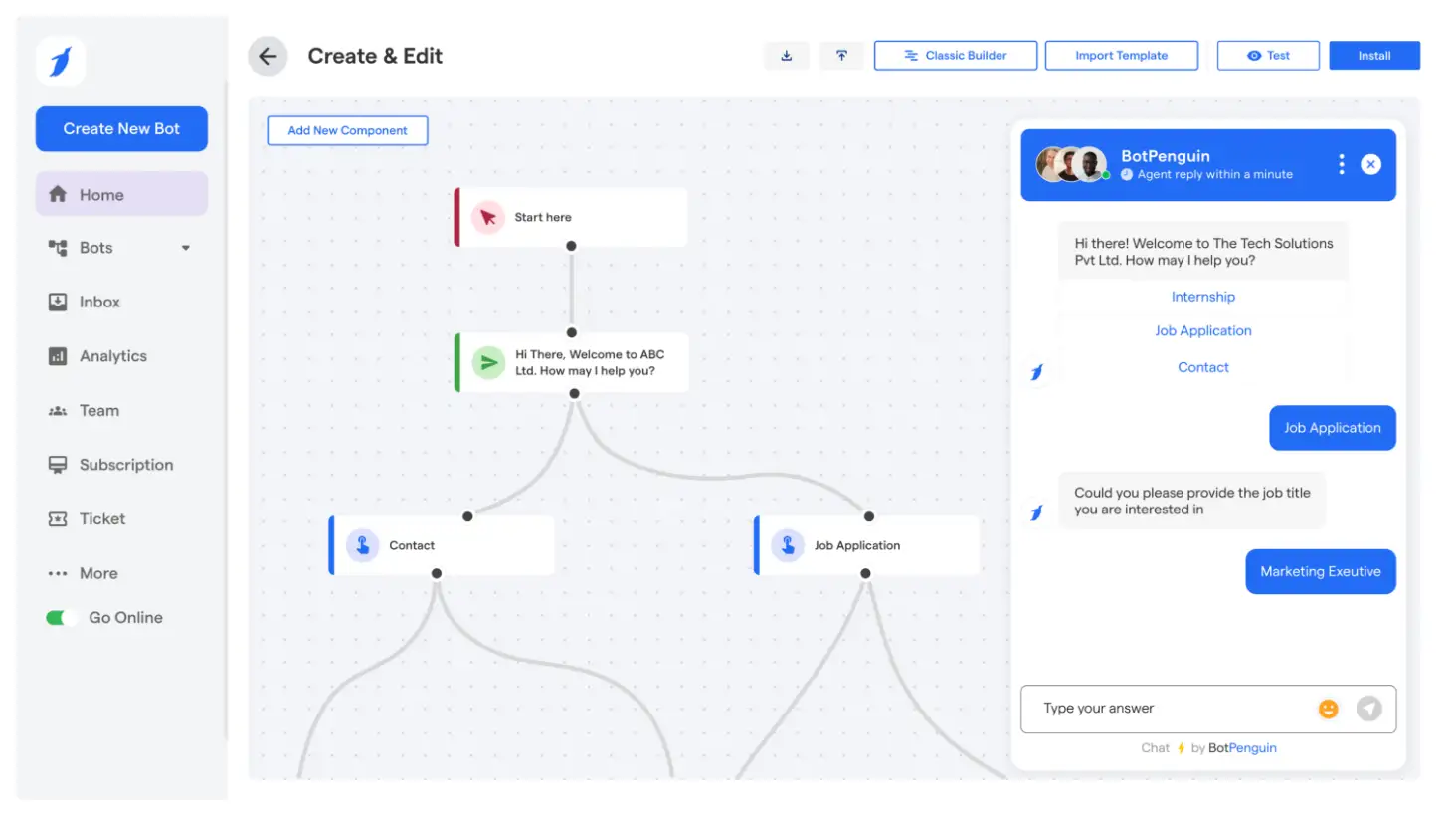
BotPenguin’s WhatsApp API is an automation-driven solution built for seamless customer communication. It comes with a set of features that helps you escalate effortlessly, like
✅ Multi-Agent Access – No more juggling devices! Assign multiple agents to a single WhatsApp number, ensuring faster responses and no missed messages.
✅ AI Chatbots for 24/7 Support – Customers don’t like waiting, and with AI-powered automation, they won’t have to. Handle inquiries, process orders, and respond instantly—even when your team is offline.
✅ Scalable Customer Outreach – WhatsApp Business App limits broadcasts to saved contacts. BotPenguin removes that restriction, allowing businesses to engage their audience effectively.
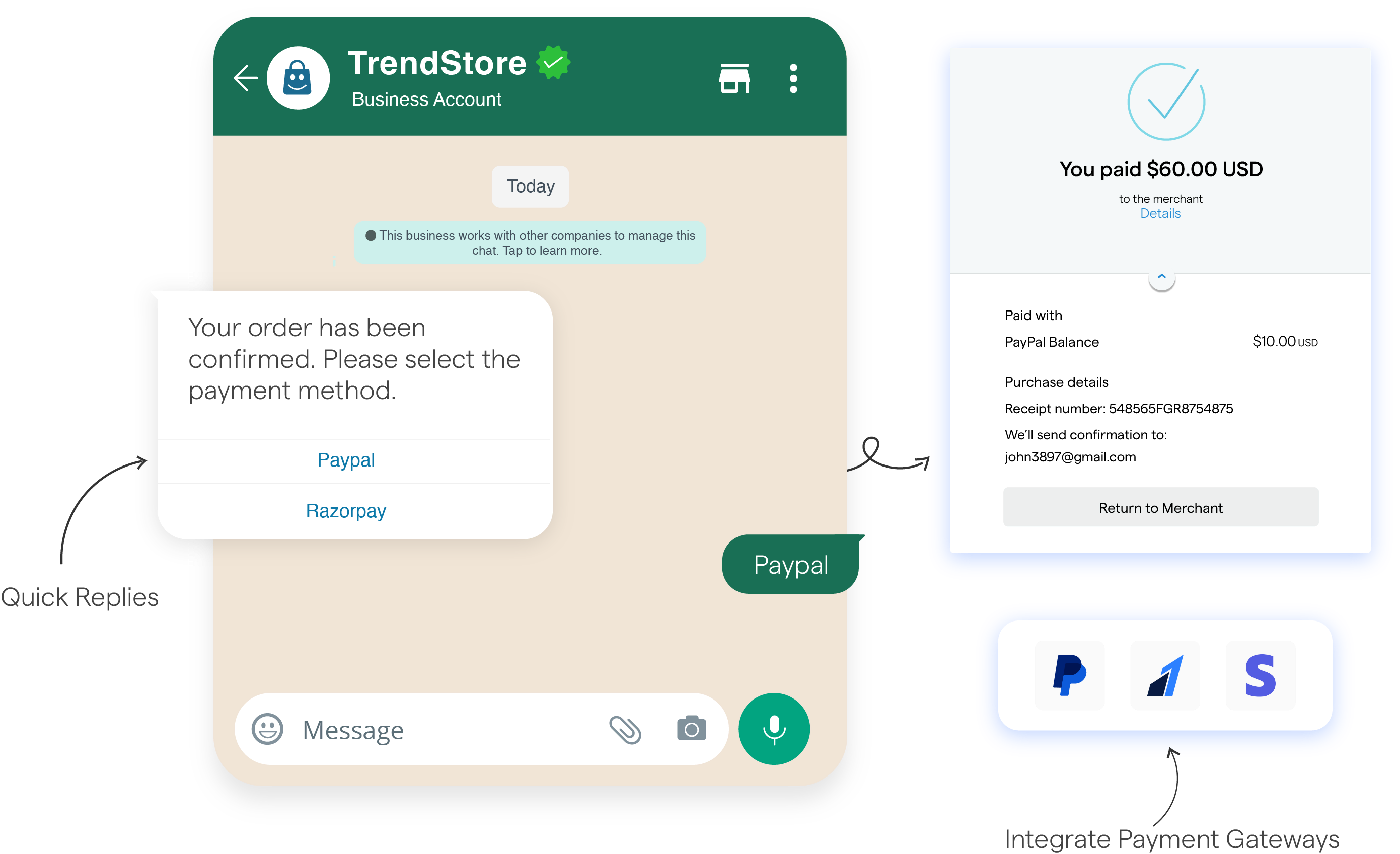
✅ Seamless CRM & Payment Integrations – No more manual tracking! Sync WhatsApp with CRMs, payment gateways, and order management tools to track leads, automate sales, and streamline operations.
✅ Blue Tick Verification Support – Increase approval chances and build customer trust with WhatsApp’s verified business profile.
✅ Real-Time Analytics & Performance Tracking – Optimize your messaging strategy with insights into message delivery, response rates, and customer engagement.
✅ Automated Workflows & Smart Routing – Reduce manual work with customized workflows that instantly direct queries to the right agents.
BotPenguin eliminates WhatsApp’s restrictions and helps businesses grow effortlessly because it understands that every missed message is a missed opportunity. It ensures that every conversation is optimized for engagement and efficiency. Thereby resulting in unparallerled growth.
So why wait, start your WhatsApp Business transformation today with BotPenguin.
Yes, you can convert your personal WhatsApp account to a business account by downloading the WhatsApp Business app and following the setup instructions.
Simply download the WhatsApp Business app, verify your number, and complete the setup. This transitions your account to a business account seamlessly.
Download the WhatsApp Business app, back up your chats if needed, and follow the on-screen prompts to switch your account from the default WhatsApp to WhatsApp Business.
A business account on WhatsApp offers advanced features like product catalogs, quick replies, and automated messages, making communication more professional and efficient.
You can back up your chats in the original WhatsApp app and then restore them during the WhatsApp Business setup process.
To switch from personal to business WhatsApp with a new number, install WhatsApp Business, verify the new number, and transfer your account data from personal to business settings.
3X Your Business
Growth on WhatsApp
See how our chatbot automates replies, qualifies leads & books appointments on autopilot.
Watch Demo NowCheckout our related blogs you will love.
Updated at Oct 8, 2026
14 min to read
Updated at Oct 6, 2026
13 min to read
Updated at Sep 26, 2026
10 min to read
Updated at Sep 25, 2026
16 min to read

Updated at Sep 25, 2026
15 min to read

Updated at Sep 25, 2026
6 min to read
Table of Contents

