How to Create a Facebook Chatbot (No-Code): A Step-by-Step Guide for 2026
Updated at Oct 13, 2026
11 min to read
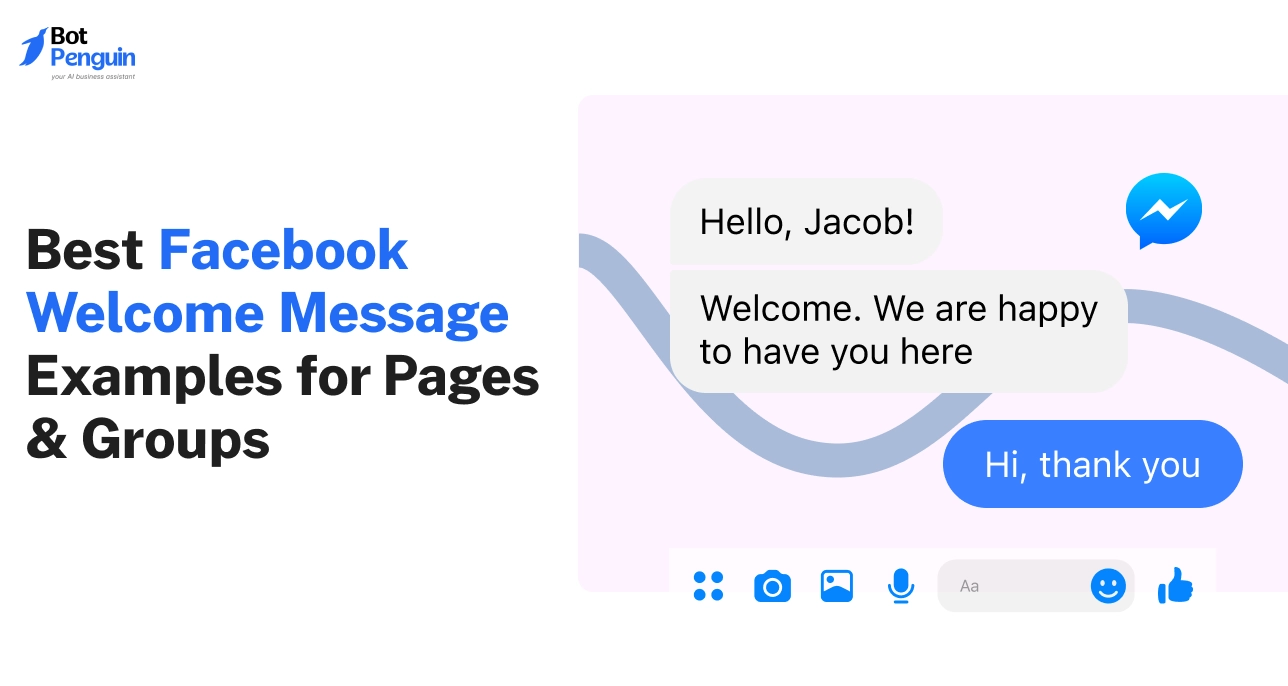
A Facebook welcome message is the greeting people see when they open a chat with your Page in Messenger, or a note you post to welcome new group members. Keep it short, introduce your business, and suggest one next step. Explore 65 Facebook welcome message and Messenger greeting examples you can copy.
Most Facebook pages lose a new visitor in under five seconds. That’s all it takes for someone to decide whether to stay, scroll, or leave.
The difference often comes down to a single message, the first one they see. A warm, well-written welcome instantly builds trust and shows there is a real human behind the screen. Whether it is a Facebook Page, Group, or Messenger, your greeting shapes how people feel about your brand.
This guide shares 65 Facebook welcome messages and Messenger greeting examples for Pages, Groups, and business conversations.
A good welcome message is more than a greeting. It sets the tone for every interaction that follows. On Facebook, it helps your brand or community make a clear and friendly first impression.
Whether someone joins your group, visits your page, or messages your business, the first message they see shapes how they engage with you.
A Facebook welcome message is a short, prewritten greeting that appears automatically when users interact with your page, group, or Messenger.
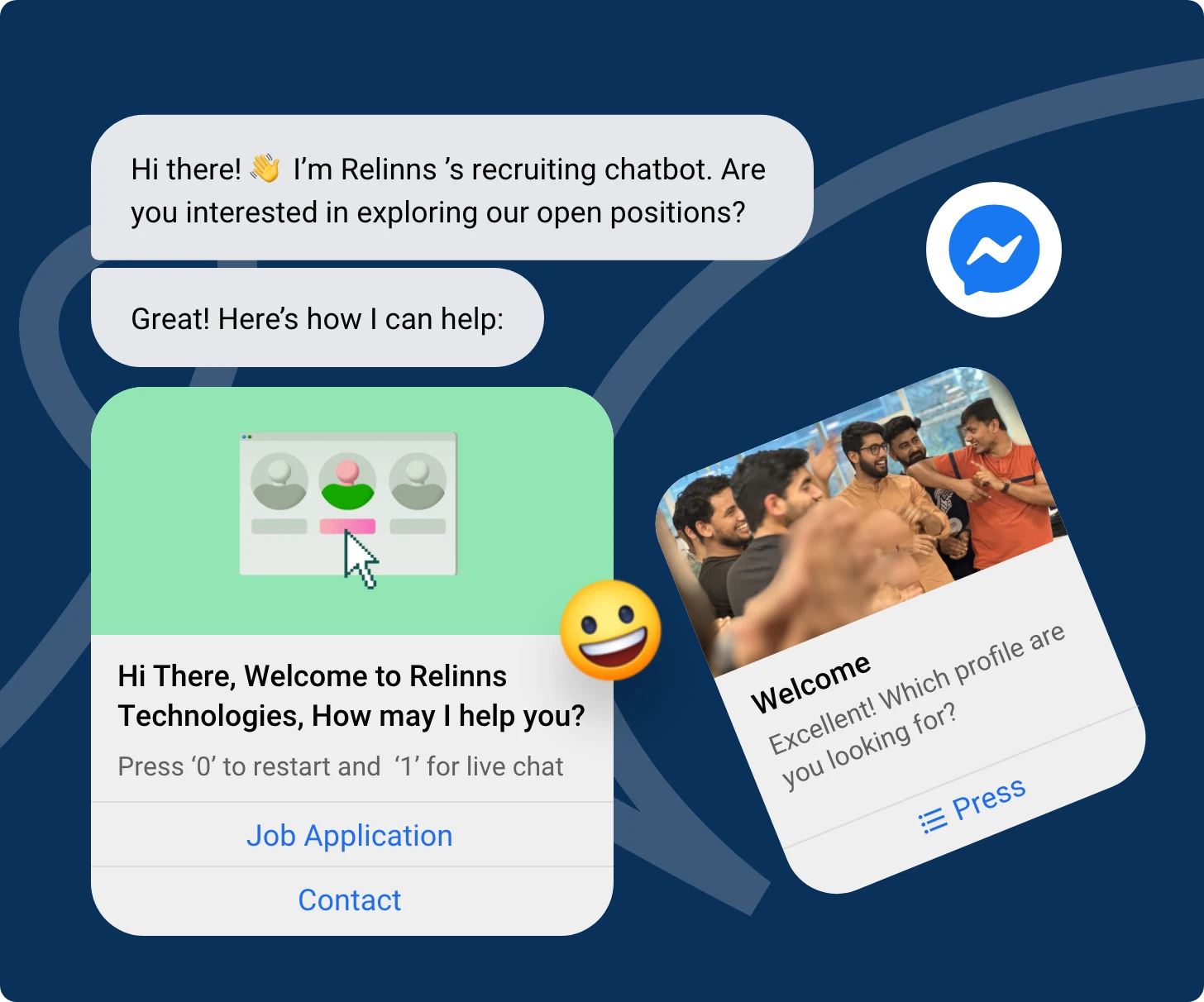
It introduces your business or community and guides users toward the next step, such as exploring content, joining discussions, or asking questions.
When someone visits your business page for the first time, a short greeting can appear in the chat box. It can offer a quick introduction, a contact option, or a thank-you note.
Example: “Hi there! Thanks for stopping by our page. We are here to help you with any questions.”
Group admins can greet new members automatically or manually. This helps set the community tone and reminds members of the rules or pinned posts.
Example: “Welcome to our group. We are glad you are here. Please read the group guidelines in the pinned post before participating.”
When someone sends your page a message, this greeting appears instantly before any manual response. It reassures users that you received their message and tells them what to do next.
Example: “Thanks for reaching out. Tell us how we can help you today or type ‘menu’ to explore services.”
Each message type serves a different purpose but shares one goal: creating clarity and a friendly first interaction. Now that you know what a Facebook welcome message is, it is time to understand why it matters and how it improves engagement across your page or group.
A clear and thoughtful welcome message does more than greet visitors. It becomes the first point of interaction between your brand and your audience.
Once you set your Facebook welcome message, it can greet users instantly, set expectations, and show your brand personality. Whether you manage a business page, a community group, or customer chats, this short message helps you build connection and consistency.
A Facebook welcome message is more than automation. It supports real engagement by structuring your first impression.
Businesses that use personalized greetings often notice stronger responses and more meaningful interactions. It gives your team an advantage by starting conversations the right way without delay.
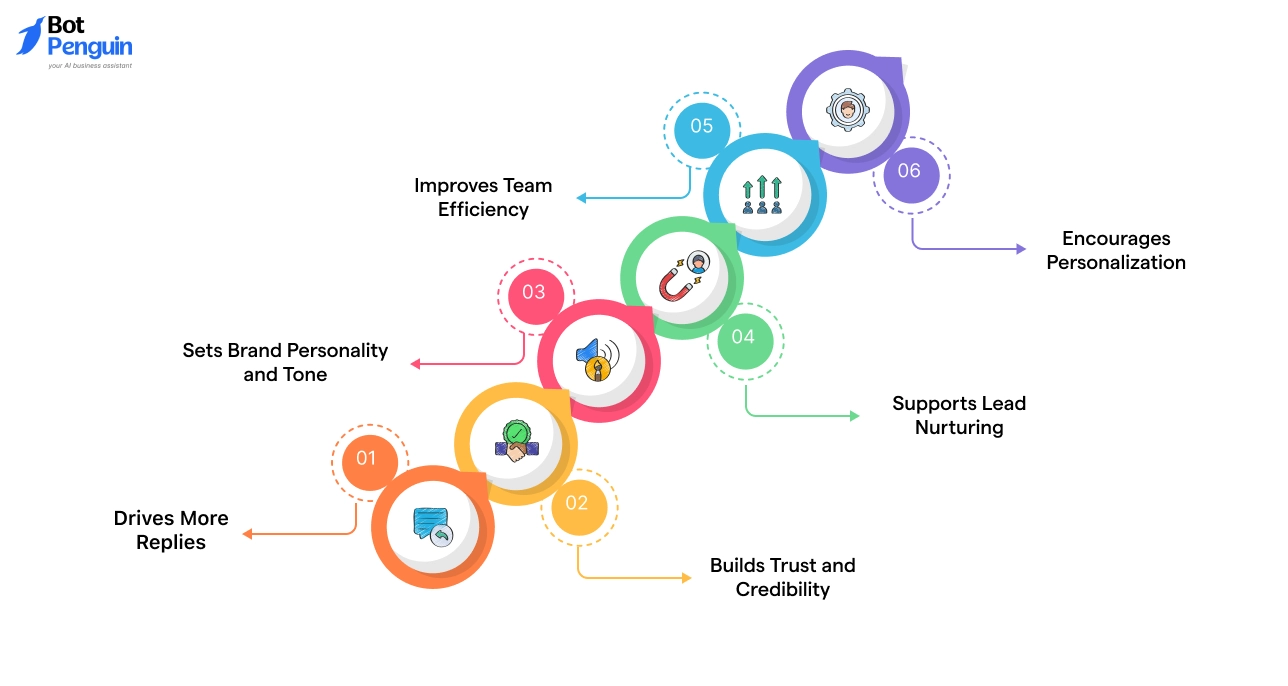
Here are the key benefits of having a well-crafted welcome message:
An instant greeting shows users that your page or group is active and responsive.
When visitors receive a message thanking them for connecting or asking a simple question, they are more likely to respond. This early engagement helps the algorithm recognize your page as interactive, improving overall visibility and reach.
A fast and polite greeting signals professionalism. Whether it appears in your group or as a welcome message in Facebook Messenger, your response shows users your brand is approachable and organized.
This consistency reduces hesitation and helps convert first-time visitors into long-term followers or customers.
The language you use in a welcome message defines your brand voice. A warm, friendly tone suits lifestyle brands, while a concise, direct message fits service-based businesses.
Over time, these small interactions shape how users perceive your brand identity across Facebook.
An automated Facebook Messenger welcome message can include interactive elements like quick reply buttons or links to service menus.
This directs users to explore products, book appointments, or connect with a live agent. It works as an entry point in your marketing funnel without needing manual input from your team.
Welcome messages handle the first step of communication automatically. This reduces repetitive responses to frequently asked questions and lets staff focus on qualified leads.
Businesses using automation report faster resolution times and higher customer satisfaction scores.
A greeting that uses the user’s name or acknowledges their interest feels more genuine than a generic line.
Personalized messages tend to achieve higher response rates because users feel directly addressed. Small adjustments like referencing recent posts or shared interests can increase engagement even more.
A well-written welcome message builds the foundation for better interaction, stronger loyalty, and smoother customer communication.
With these benefits in mind, the next section shares real Facebook welcome message examples you can copy and adapt for your page, group, or chat.
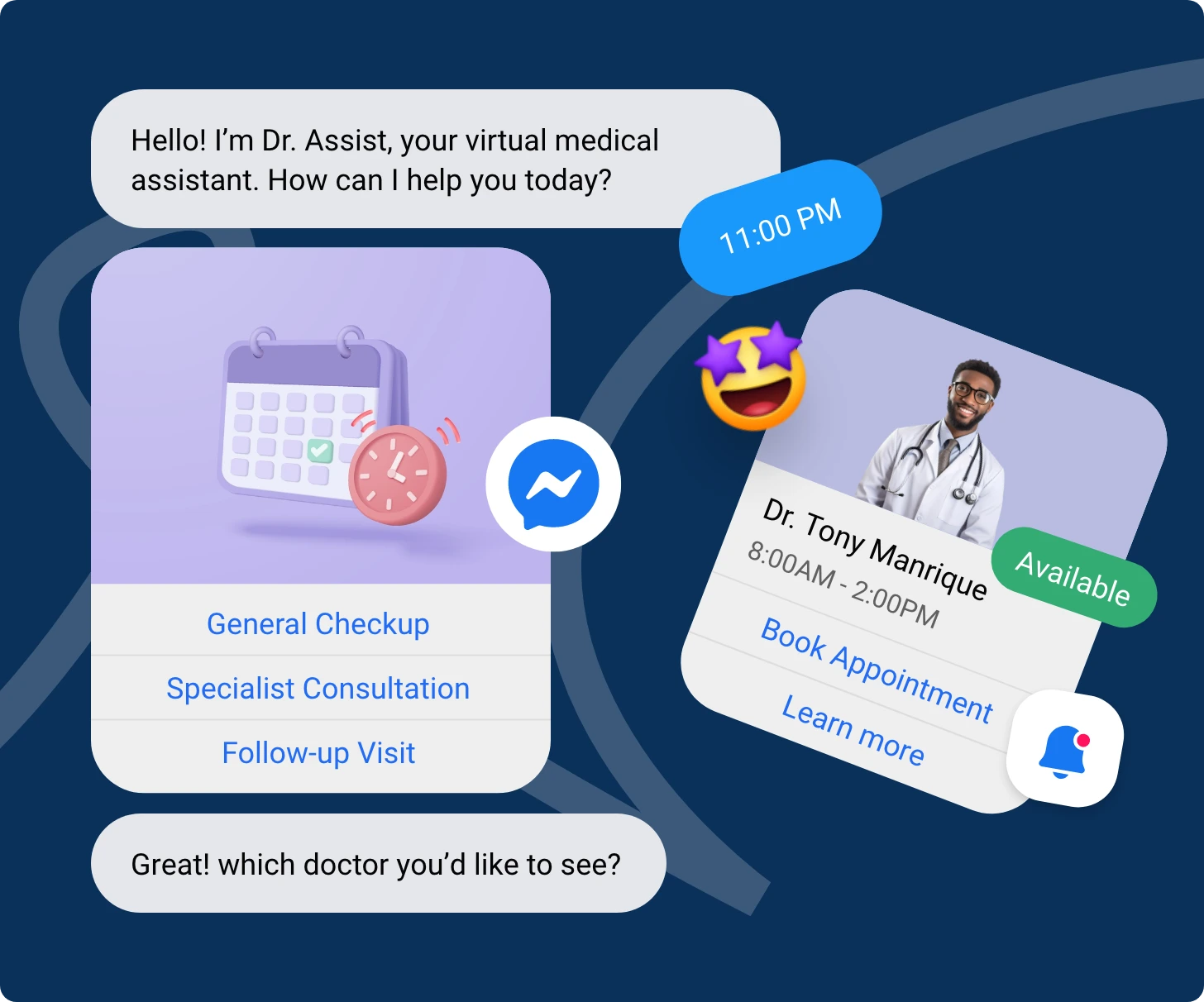
A welcome message should instantly acknowledge visitors and guide them to their next action. Whether they're joining a group, messaging a page, or browsing a business profile, it plays a key role in shaping the user experience.
A thoughtful and well-timed message makes people feel acknowledged and more likely to engage.
Below are Facebook welcome message examples for different use cases. Each category is designed to help you communicate clearly with your audience and encourage them to take meaningful action.
A Facebook page welcome message helps brands engage visitors instantly when they open your page or message you.
These greetings can inform, guide, or prompt an action such as browsing products or contacting support. Below are categorized examples designed for different communication goals.
These messages offer a polite welcome and make users feel valued. Ideal for all types of Facebook business pages.
Examples:
1. “Hi there! Thanks for visiting our page. How can we help you today?”
2. “Hello and welcome. We are happy to have you here.”
3. “Thanks for stopping by. Feel free to explore our posts or send us your questions.”
Use Case: Perfect for first-time visitors. Keeps tone friendly while encouraging interaction.
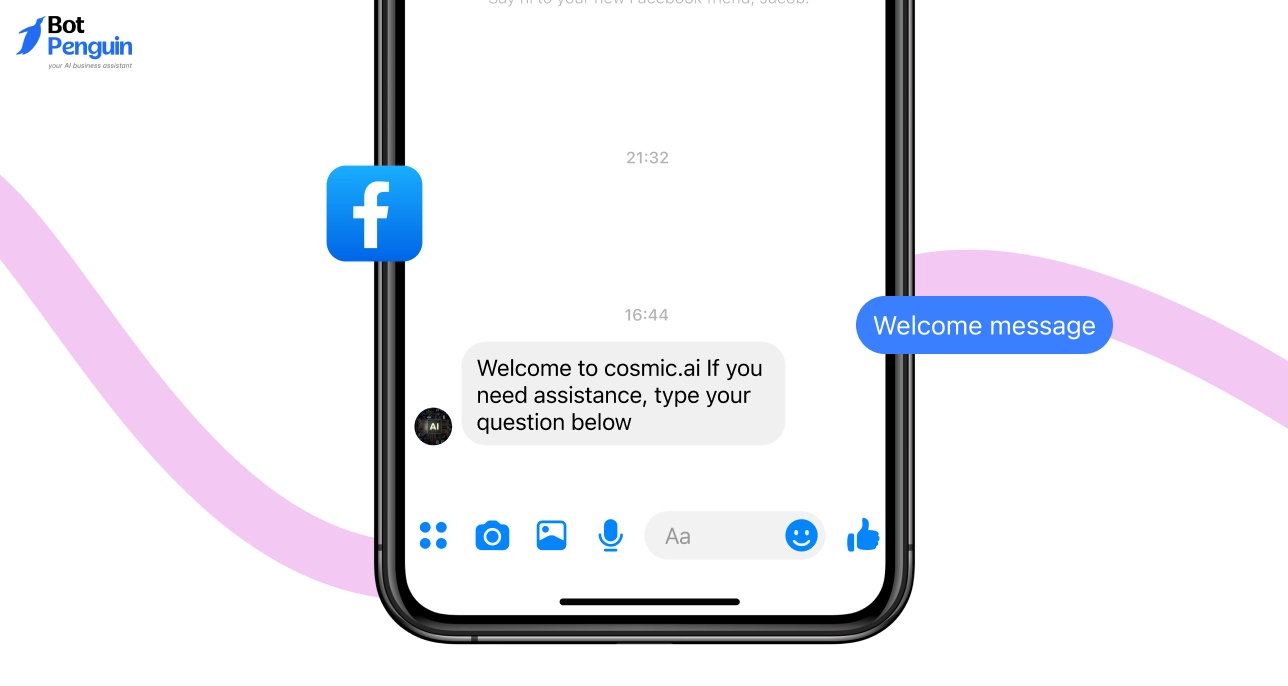
These messages assure visitors that help is available. They work best for service-based businesses or customer care pages.
Examples:
4. “Glad to see you here. Our team is ready to assist with your queries anytime.”
5. “Welcome to [Brand Name]. If you need assistance, type your question below.”
6. “Thanks for contacting us. A support member will respond shortly.”
Use Case: Helps manage expectations on response time and directs users to support resources.
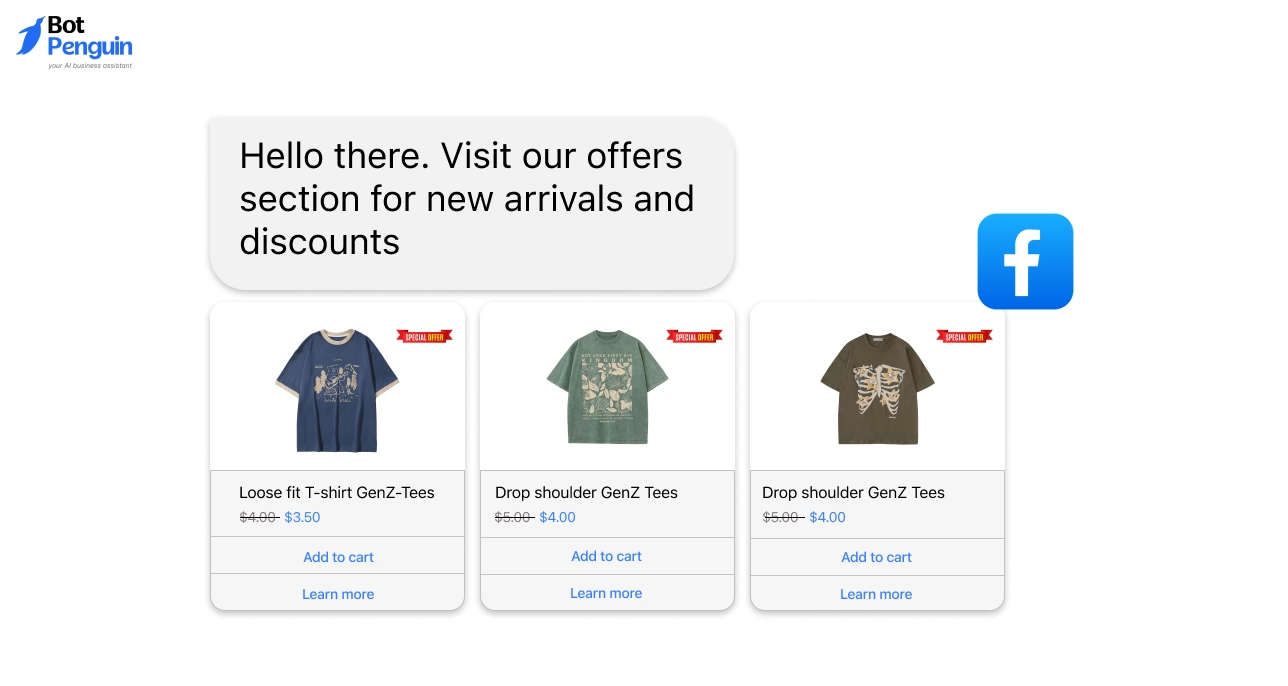
Ideal for businesses that want to highlight deals or new launches right from the greeting.
Examples:
7. “Thanks for visiting. Check out our latest offers and save more on your next order.”
8. “Welcome to [Brand Name]. Tap ‘Shop Now’ to explore our exclusive collection.”
9. “Hello there. Visit our offers section for new arrivals and discounts.”
Use Case: Encourages conversion and drives immediate user action from the first message.
These introduce your business and guide users on what your page offers.
Examples:
10. “Welcome to [Brand Name]. We specialize in [Product or Service]. How can we assist you today?”
11. “Hi there. Explore our services section to learn how we can support your needs.”
12. “Glad you are here. We help customers find reliable [solutions or products].”
Use Case: Best for businesses or professionals establishing credibility and clarity for new users.
Used when your support team is unavailable. These messages ensure users still feel attended to.
Examples:
13. “Hello. Our team is currently offline but will reply to your message soon.”
14. “Thanks for reaching out. We are away right now but will respond during business hours.”
15. “Hi. We have received your message and will get back to you the next working day.”
Use Case: Helps maintain engagement outside business hours and improves user trust by acknowledging messages promptly.
Tip: Choose a Facebook page welcome message sample that aligns with your brand tone and communication style. Keep it concise and action-driven. Add your name or brand sign-off to personalize it further before automating it through Facebook settings.
These message types give your page flexibility to handle multiple visitor intents—whether they want information, offers, or support. Next, we will explore how Facebook group welcome messages can help build engagement and community among members.
A Facebook group welcome message is an essential tool for admins to greet new members and guide them toward participation. It helps maintain a positive community culture by setting the right expectations early.
When written clearly, it encourages interaction, reduces confusion, and strengthens member engagement.
Below are Facebook group welcome message examples divided by purpose to help you find the right tone for your group type.
These messages offer a warm greeting and invite new members to explore the group.
Examples:
16. “Welcome to our group. We are happy to have you here.”
17. “Glad to see you in our community. Take a moment to look around and say hello.”
18. “Welcome aboard. We are excited to have you join our growing network.”
Use Case: Works well for most groups where the goal is to create an inclusive and friendly first impression.
Used to help members understand the group’s purpose and guidelines. This prevents confusion and maintains order.
Examples:
19. “Welcome to our group. Please check the pinned post for group rules before posting.”
20. “Happy to have you join. Review our community guidelines to ensure a smooth experience for everyone.”
21. “You are now part of our group. Be respectful and follow the rules listed in the description.”
Use Case: Ideal for professional, educational, or brand communities that require structured participation.
These messages encourage members to interact, share experiences, or introduce themselves.
Examples:
22. “Glad you are here. Introduce yourself in the comments so members can connect.”
23. “Welcome. Share one thing about yourself to start the conversation.”
24. “Happy to see you here. Join discussions and share your insights to add value to the group.”
Use Case: Increases activity and helps members feel seen and included.
Designed for groups that provide learning materials, resources, or networking opportunities.
Examples:
25. “Welcome to our learning community. Check our resources section to get started.”
26. “We are glad you joined. Visit the pinned post for training materials and updates.”
27. “Happy to have you on board. Explore guides and tools shared in the files section.”
Use Case: Effective for educational, coaching, or professional interest groups where members join to learn or grow.
For groups that represent a brand, product, or service, these greetings connect the brand with its members.
Examples:
28. “Welcome to [Brand Name] Community. Share your feedback and learn from other users.”
29. “Hi there. Thanks for joining our customer group. You can post your questions or share experiences here.”
30. “Welcome to our official community. Stay updated with news, features, and offers.”
Use Case: Helps companies nurture loyal communities and collect direct feedback from real users.
Tip: When crafting a Facebook group welcome message, keep the tone polite, informative, and inclusive. Add links to essential posts such as rules, announcements, or resource libraries to make navigation easy for new members.
An effective welcome message ensures every new member feels informed and valued from their first visit.
It lays the foundation for meaningful participation, the goal of every thriving Facebook group. Next, we will focus on Facebook Messenger welcome messages, which help businesses manage one-on-one communication efficiently.
A Facebook Messenger welcome message is often the first automated response users see when they reach out to your page.
It sets the right tone, confirms receipt, and provides clear next steps. Whether your business handles sales, appointments, or customer service, a well-written greeting can improve responsiveness and overall experience.
Below are Facebook Messenger welcome message examples grouped by purpose so you can choose the one that fits your audience and goals.
These are best for initial interactions where the goal is to make visitors feel acknowledged and supported.
Examples:
31. “Hi there. Thank you for contacting us. How can we assist you today?”
32. “Welcome to [Brand Name]. We are glad you reached out.”
33. “Hello and thanks for messaging us. What brings you here today?”
Use Case: Ideal for businesses that want to maintain a professional yet approachable tone with every new chat.
Used to assure users that their query is being attended to and to set a clear expectation for response time.
Examples:
34. “Thanks for your message. Our support team will review it and get back to you shortly.”
35. “We have received your inquiry. Please hold on while we connect you with the right person.”
36. “Appreciate your message. Our team typically replies within 10 to 15 minutes.”
Use Case: Perfect for service-based brands or product companies where immediate responses may not always be possible.
These greetings capture interest and guide users toward actions like requesting a quote or learning more about your services.
Examples:
37. “Hi and welcome to [Brand Name]. Would you like to know more about our pricing or book a demo?”
38. “Thanks for reaching out. Tell us what you are looking for, and we will share the best options.”
39. “Glad you contacted us. Tap below to get a quick product recommendation.”
Use Case: Works best for businesses focusing on conversion, such as consultants, agencies, and eCommerce stores.
For businesses like salons, clinics, or services that rely on appointments, these greetings encourage quick booking.
Examples:
40. “Welcome to [Brand Name]. Would you like to schedule an appointment with our team?”
41. “Hi. You can book a service directly here. Choose your preferred date and time.”
42. “Thanks for connecting. Tap the link below to confirm your booking instantly.”
Use Case: Helps automate scheduling while improving convenience for customers.
When your team is offline, these messages acknowledge the user and promise a prompt follow-up.
Examples:
43. “Hello. We are currently unavailable but will reply to your message during business hours.”
44. “Thank you for contacting us. Our team will reach out once we are back online.”
45. “Hi there. Your message has been received, and someone from our support team will respond tomorrow.”
Use Case: Maintains communication standards even outside working hours, showing reliability and commitment.
Tip: Your welcome message Facebook Messenger greeting examples should reflect your brand’s tone—professional, friendly, or conversational.
Keep messages brief, action-oriented, and updated with relevant links or response buttons. Testing different variations can also help you find what resonates most with your audience.
With structured, purposeful Messenger greetings, businesses can create smoother interactions and build stronger connections.
In the next section, we will look at welcome message templates specifically designed for Facebook business pages to convert interest into meaningful action.
A welcome message for a Facebook business page gives visitors a professional yet friendly first impression. It introduces your brand, outlines how you can help, and encourages users to take the next step.
For eCommerce stores, service providers, and coaching businesses, these messages guide potential customers toward inquiry or purchase while maintaining a personalized tone.
Below are categorized Facebook page welcome message examples tailored to different business communication needs.
Designed for online stores to greet shoppers, showcase offers, or direct them toward products.
Examples:
46. “Welcome to [Brand Name]. Browse our latest products or message us for recommendations.”
47. “Hi there. Thank you for visiting our store. Tap ‘Shop Now’ to explore what’s new.”
48. “Glad you are here. Check our featured items and enjoy exclusive online discounts.”
49. “Hello. Looking for something specific? Our team can help you find the right product quickly.”
50. “Welcome to our online shop. We are here to make your shopping experience easy and enjoyable.”
Use Case: Ideal for eCommerce businesses aiming to increase conversions by offering immediate assistance and navigation help.
For businesses that rely on bookings or client inquiries, these messages set a professional tone and invite action.
Examples:
51. “Welcome to [Brand Name]. We offer [service type]. How can we help you today?”
52. “Hi. Thank you for connecting. Would you like to schedule a consultation?”
53. “Glad to see you here. Our team is available to assist with your service requests.”
54. “Welcome. You can learn more about our services or book an appointment directly through Messenger.”
55. “Hello. We appreciate your visit. Tell us your requirement, and we will respond shortly.”
Use Case: Suitable for industries like real estate, fitness, healthcare, and marketing agencies that want to drive inquiries directly from chat.
These messages help coaches, trainers, and consultants establish trust while promoting discovery calls or sessions.
Examples:
56. “Welcome to [Coach/Brand Name]. Ready to start your growth journey? Book your free session today.”
57. “Hi there. Thank you for visiting. We offer personalized coaching programs. Would you like more details?”
58. “Glad to have you here. Explore our latest workshops and training sessions in the link below.”
59. “Welcome. Tell us your goal, and we will help you find the best program to fit your needs.”
60. “Hello. We are excited to connect. You can ask questions or schedule a discovery call here.”
Use Case: Ideal for professionals who want to convert page visitors into booked clients through quick, confident interactions.
Created for brick-and-mortar stores or local service providers to welcome nearby customers and encourage visits.
Examples:
61. “Welcome to [Business Name]. We are open [hours]. Drop by or message us for directions.”
62. “Hi. Thanks for visiting our page. Check today’s offers before you stop in.”
63. “Glad to connect with you. Visit our store at [location] or message us for details.”
64. “Hello and welcome. We are excited to serve our local customers with the best deals today.”
65. “Thank you for visiting. Contact us anytime for pricing or availability updates.”
Use Case: Perfect for restaurants, salons, or local service businesses that want to increase walk-ins through chat engagement.
Tip: When setting a welcome message for a Facebook business page, keep it short, professional, and actionable. Add your business hours, service link, or contact button to guide visitors effectively. Update the message regularly to reflect new offers, events, or campaigns.
A consistent, thoughtful business welcome message not only simplifies communication but also improves conversion rates. Once you have selected the right message for your business type, the next step is learning how to add or edit it directly in Facebook’s settings.
Once you have chosen the right message for your page or group, the next step is setting it up correctly. A welcome message that appears at the right time can make your page look active and professional.
Meta makes setup easy with built-in tools in Meta Business Suite. You can create, test, and update your message in a few minutes without needing any coding skills.
Below are clear instructions for adding a welcome message to a Facebook page and updating it later when your brand tone or goals change.
Follow these steps to create your first welcome message:
Example Navigation: Settings → Messaging → Add Greeting → Save
Test your greeting by sending a message to your own page. This ensures formatting and tone appear exactly as intended.
You can update your message anytime to reflect new offers, campaigns, or tone changes. Follow these steps to modify an existing greeting:
When updating a Facebook page welcome message, keep your edits aligned with your brand tone and purpose. Refresh the message regularly during campaigns or seasonal events to keep engagement high.
Both new and updated greetings help you maintain consistent communication with your audience. Following these steps ensures your page always gives a prompt, polished, and relevant first impression.
The next section covers personalization tips that make your Facebook welcome message sound natural and aligned with your brand.
Once you set up your greeting, personalization is what makes it stand out. A well-crafted Facebook welcome message should feel direct, genuine, and aligned with your brand’s tone.
Personalization goes beyond using a name; it involves understanding who your audience is and how they interact with your page. Whether you manage a business, community, or customer service page, the goal is to make each message feel written specifically for that user.
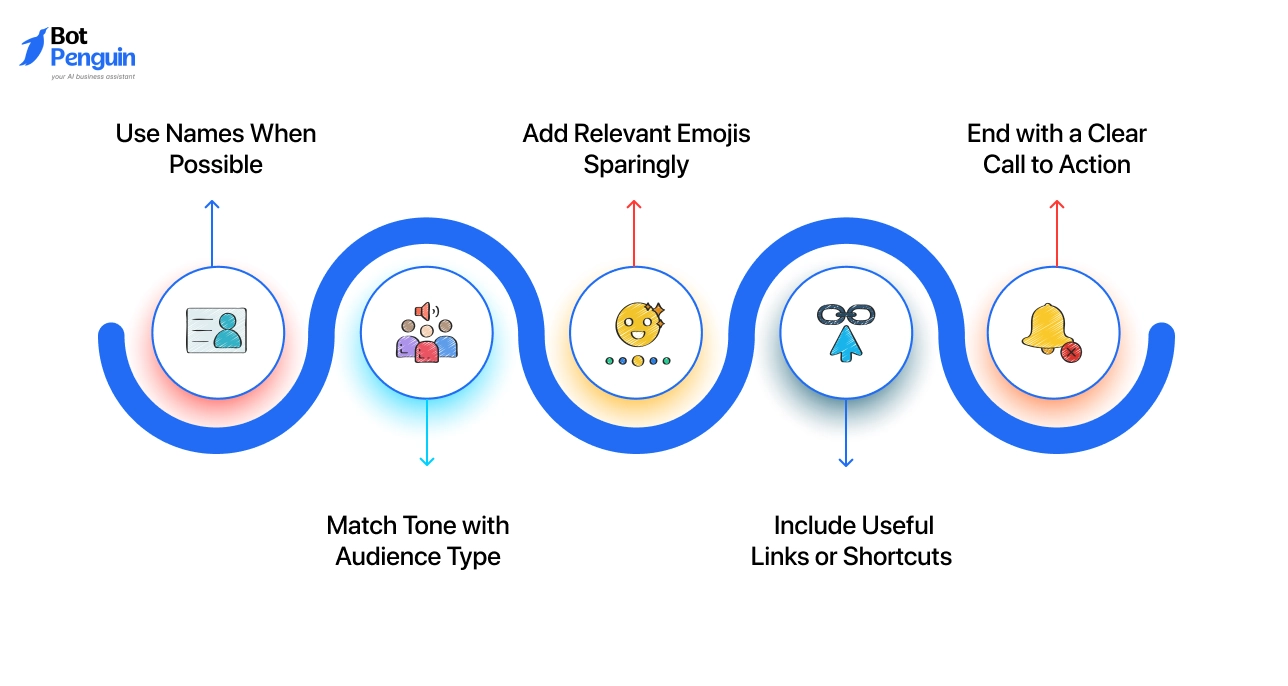
A personalized Facebook page welcome message improves engagement and creates a better user experience. Here are five actionable ways to personalize your welcome message effectively.
If your messaging setup allows, address the user by their first name. For example, “Hi [Name], welcome to our page.” It instantly feels personal and helps users connect with your brand faster.
Avoid overusing names, but use them naturally when the message feels conversational.
The tone should match your audience. A professional tone works best for consulting or service pages, while a warm, casual tone fits lifestyle or community pages.
For instance, “Hey there! Great to have you here” works well for informal pages, while “Welcome to [Brand Name]. We are glad to assist you today” suits business-focused profiles.
Emojis can make your greeting more human when used thoughtfully. A smile or handshake emoji can add warmth, but should not replace clear text.
For example, “Welcome to our page 😊. How can we help today?” adds friendliness without losing clarity.
Help users take quick action by adding a link to your services, catalog, or contact form.
A direct call like “View our latest collection here” or “Book a consultation now” saves time and improves engagement. Keep the link relevant to their likely intent rather than listing multiple options.
Every greeting should encourage the next step. Use actionable words like “Explore,” “Ask,” or “Book.”
For example, “Welcome! Explore our latest offers below” gives your greeting direction and purpose. Calls to action guide users smoothly from a greeting into interaction.
Personalizing your Facebook greetings builds trust and keeps your communication consistent. Simple adjustments like tone, name usage, and clear calls to action can significantly improve engagement.
In the next section, we will cover how to automate your welcome messages using tools that maintain this level of personalization at scale.
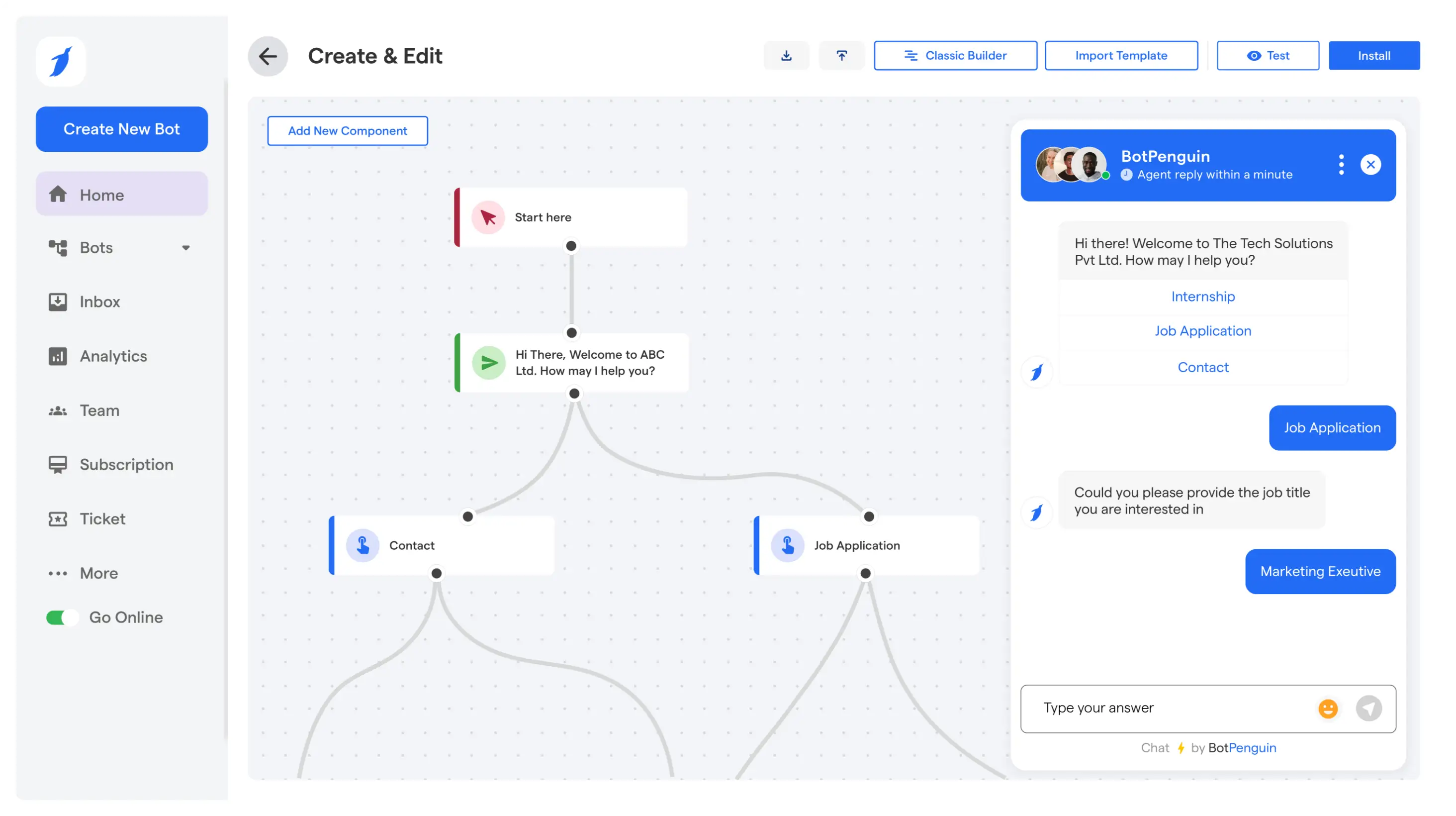
Writing and setting up a greeting is only part of the process. Managing replies at scale can be difficult, especially when messages arrive outside business hours. Many pages receive hundreds of chats each day, and responding manually takes time and effort.
That is where automation becomes essential. An automated Facebook Messenger welcome message can greet users instantly, collect information, and maintain consistent engagement without human involvement.
BotPenguin offers a practical solution to automate greetings and responses with an AI chatbot for Facebook. It lets your business send personalized greetings and manage customer communication automatically while keeping a human-like tone.
The platform is built for all business types, offering a no-code setup that makes automation accessible even to non-technical users.
With BotPenguin, your team can automate welcome messages that appear instantly when someone interacts with your Facebook Page or Messenger chat.
The chatbot can personalize responses, capture leads, and route messages to human agents when needed. This keeps engagement going even when your team is offline.
Companies across eCommerce, real estate, healthcare, and consulting rely on BotPenguin to handle their daily Facebook communication.
It eliminates manual monitoring and ensures every visitor receives an instant, well-crafted response. This consistent experience improves response times and brand reliability while reducing staff workload.
Automation ensures every message reaches users at the right time with the right response. In the next section, we will conclude the guide by summarizing how welcome messages boost engagement and why acting today can help you stay ahead in customer communication.
A well-written welcome message builds trust and improves engagement from the first interaction. Whether used on your page, group, or chat, it helps visitors feel acknowledged and guided. The Facebook welcome message examples above can help you make a clear, effective first impression.
For business owners, automating these greetings saves time and ensures every visitor gets a quick response. A personalized welcome message for a Facebook business page can convert simple visits into lasting connections.
Start today. Automate your greetings with BotPenguin and make every interaction count. Try BotPenguin Now
Yes, you can use a single Facebook page welcome message sample across different pages, but it is better to tailor each message slightly. Add specific details such as location or contact numbers to make the greeting more relevant for local audiences.
A welcome message on Facebook encourages immediate interaction. When users receive an instant greeting, they are more likely to reply or explore your content, which increases engagement rates and keeps conversations active.
Yes, automation tools like BotPenguin let you schedule or personalize welcome messages to trigger instantly when someone messages you or visits your page. This keeps engagement going 24/7 without manual input.
The tone should match your brand personality. Professional pages can use a polite, direct tone, while lifestyle or community brands can use a more conversational voice.
The goal is to sound authentic while guiding users toward a clear action.
Yes, you can test multiple Facebook group welcome message examples by rotating or updating your greetings over time.
Track engagement metrics such as replies or post participation to identify which tone or message structure works best for your audience.
BotPenguin allows you to automate your Facebook Messenger welcome message without coding. It sends instant, personalized greetings to new visitors, captures leads, and manages replies 24/7.
The platform integrates with popular CRM and marketing tools, ensuring every message aligns with your customer journey while saving your team time.
A Messenger greeting is introductory text people see before sending their first message to your Facebook Page. To configure Messenger messaging automation, open Meta Business Suite, select Inbox, then Automations. Choose the appropriate Messenger greeting or response setting and save your changes.
Automate Your Facebook Welcome Messages with BotPenguin
Greet every visitor instantly with AI-powered messages that boost engagement, qualify leads, and start conversations the moment they reach your page.
Explore Now!Checkout our related blogs you will love.
Updated at Oct 13, 2026
11 min to read
Updated at Oct 10, 2026
23 min to read
Updated at Oct 10, 2026
12 min to read
Updated at Oct 9, 2026
8 min to read
Updated at Oct 7, 2026
12 min to read
Updated at Oct 1, 2026
7 min to read
Table of Contents