



Telegram Chatbot for Ecommerce: Automate Sales & Support
Updated at Sep 25, 2026
10 min to read
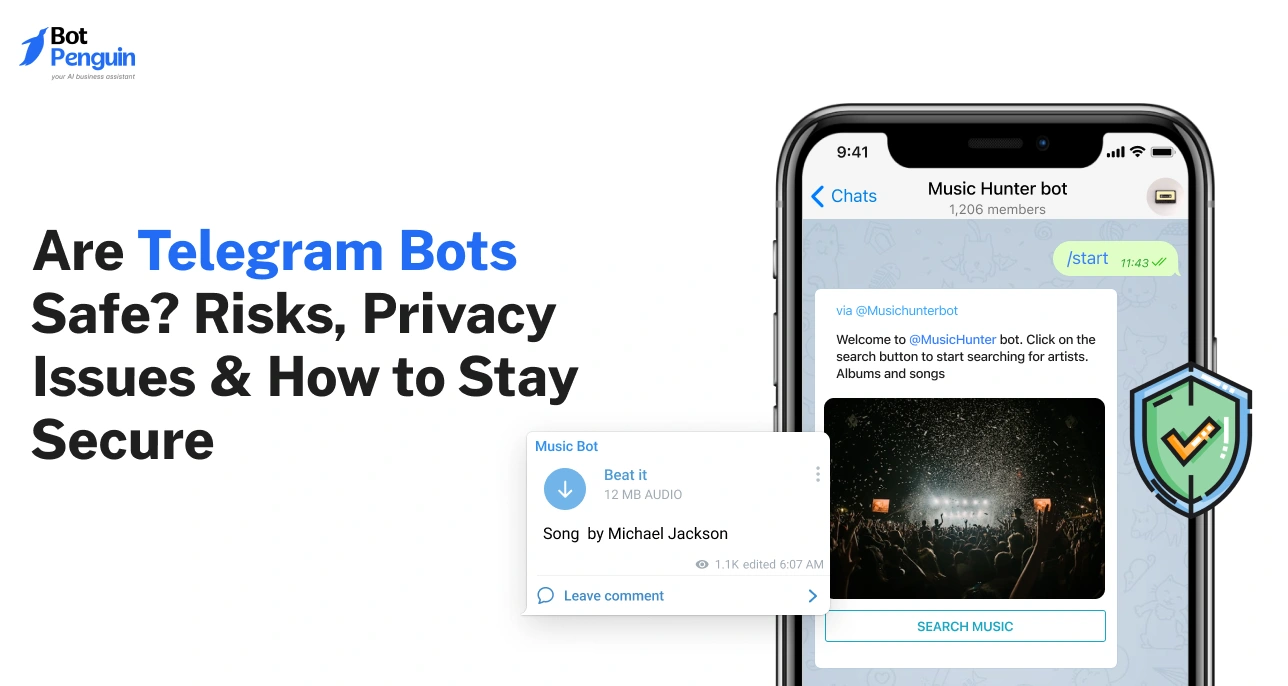
Telegram bots are generally safe when a business you trust runs them, but they are not private. A bot sees your public name, username, profile photo, and every message you send it. Bot chats are not end-to-end encrypted, so the bot's owner can read them. Never give a bot your password, login code, or bank details.
Telegram bots answer questions, book appointments, send alerts, and manage groups. They make everyday tasks easier, but are Telegram bots safe?
The answer depends on who operates them and what you share.
Most bots are developed by third parties, not Telegram. They cannot automatically access your other chats or phone number. However, bot owners can read messages you send directly to their bots.
Fake bots may steal login codes, collect sensitive information, or distribute malware.
This guide explains what bots can access, how to identify scams, and whether sharing your phone number is safe. You'll also learn practical safety measures.
A Telegram chatbot is an automated program that performs tasks within the Telegram app. They can answer questions, respond to commands, and provide information.
Most bots are created by third-party developers, not Telegram itself.
Each bot connects to its owner's server, which processes incoming messages and sends responses. This means the owner can access information you share with the bot.
Telegram bots have a "bot" label on their profiles. They cannot start conversations with you independently. You must message them first or add them to a group.
To understand their applications, explore what a Telegram bot is and why businesses use one.
Yes, Telegram bots are generally safe, but not all are trustworthy. Their safety depends on who operates them and what information they request.
Telegram recommends treating bots like strangers in a group chat. Never share passwords, login codes, bank details, or other sensitive information.
Before trusting a bot, check these three things:
Ownership: Can you identify the business or developer?
Data requests: Does it ask only for necessary information?
Permissions: Does it request unnecessary access or group admin rights?
These differences help identify trustworthy bots. However, understanding what a bot can actually see is equally important.
Yes, Telegram bots can read messages you send directly to them. However, they cannot access your other private conversations.
What they see depends on the chat type and their permissions.
A bot receives every message you send it. It can also access your public name, username, and profile photo.
However, it cannot automatically see your phone number or last-seen status.
Telegram bots use privacy mode by default. This limits their access to:
Commands directed at the bot.
Replies to the bot's messages.
Relevant group service messages.
However, bots with privacy mode disabled can access more messages. Bots with administrator privileges can also receive nearly all group messages.
Telegram bot chats are not end-to-end encrypted. That protection applies to Telegram's Secret Chats.
Bot messages are encrypted during transmission. However, Telegram forwards them to the bot owner's server for processing.
The key takeaway: Assume the bot owner can read anything you send.
This makes sharing personal information, especially your phone number, an important safety decision.
Sharing your phone number with a Telegram bot can be safe. However, it depends on who operates the bot and why they need it.
Telegram bots cannot automatically access your phone number. They only receive it when you voluntarily share it.
Some bots display a "Share my phone number" button. Clicking it sends your number to the bot owner.
Share your number only when there is a legitimate reason.
For example, a clinic's appointment bot may need it for booking confirmation. However, a giveaway or free movie bot usually doesn't need it.
Before sharing, ask yourself:
Ownership: Does the bot belong to a trusted business?
Purpose: Does it explain why your number is required?
Alternatives: Can you use the service without sharing it?
Your phone number is different from your Telegram login code.
Never share login codes or two-step verification passwords with any bot. Scammers can use these details to access your account.
If a bot requests them, block and report it immediately.
Such requests are common warning signs of fake or scam bots.
A fake Telegram bot may imitate trusted businesses to steal personal information. Recognizing warning signs can help you avoid a Telegram bot scam.
Watch for these common red flags:
Scammers copy legitimate brand names, logos, and profile pictures. However, their usernames may contain extra letters, numbers, or underscores.
Always access bots through the company's official website.
Legitimate bots never need your Telegram login codes or passwords. Scammers may also request banking credentials or cryptocurrency wallet recovery phrases.
Never share these details, no matter the reason.
Some scam bots impersonate group administrators or security services. They may ask you to connect your wallet, enter verification codes, or run suspicious commands.
Avoid verification steps that demand sensitive information or wallet access.
Unknown bots may send harmful files disguised as documents or applications. Avoid unexpected APK files, executable files, and compressed downloads.
Be cautious of guaranteed profits, surprise prizes, or urgent payment requests. Scammers often create pressure to prevent you from verifying carefully.
Other warning signs include:
Requests for upfront payments to personal wallets.
Missing business details, support contacts, or privacy policies.
Accounts claiming to be bots that message you first.
If anything seems suspicious, stop interacting, block the bot, and report it.
A simple safety checklist can help you verify unfamiliar bots.
Before interacting with any Telegram bot, verify its identity and permissions. These eight checks can help protect your personal information.
Verify the source: Open the bot through an official website or verified account.
Check the username: Make sure the @username matches exactly and hasn't been altered.
Review bot details: Look for a clear description, support contact, or privacy policy.
Protect sensitive information: Never share passwords, login codes, banking details, or wallet recovery phrases.
Question data requests: Understand why the bot needs your phone number, location, or contacts.
Avoid suspicious downloads: Open files only when you recognize the sender and expect them.
Check group permissions: Keep privacy mode enabled and restrict unnecessary administrator privileges.
Secure your account: Enable two-step verification and know how to block suspicious bots.
If any check raises concerns, avoid sharing information until you verify the bot.
These precautions protect users, but bot owners must also address security vulnerabilities.
Telegram bot security depends on how developers protect their bots and user data. Common threats include phishing, exposed information, and unauthorized access.
Telegram bots can expose users to several risks:
Data misuse: Bot owners may store, share, or misuse personal information.
Phishing: Malicious bots trick users into sharing passwords or login codes.
Malware: Suspicious bots may distribute harmful files or fake app installers.
Data breaches: Poorly secured servers can expose stored conversations and contact details.
Telegram encrypts messages during transmission. However, bot owners can access messages received by their servers.
Even legitimate bots can become unsafe when their security is compromised.
Common causes include:
Leaked bot tokens: Exposed credentials allow attackers to control a bot.
Social engineering: Scammers manipulate users into revealing sensitive information.
Server breaches: Attackers exploit weaknesses in the owner's infrastructure.
Brand impersonation: Fake bots copy trusted names and profile pictures.
Always open bots through official websites or verified sources.
You can explore our list of popular Telegram bots. However, verify each bot's username before interacting.
Preventing these risks requires effective security measures from bot owners.
Protecting a Telegram bot requires more than securing its conversations. Bot owners must safeguard access credentials, stored data, and user permissions.
Every Telegram bot receives a unique token from BotFather. Anyone with this token can potentially control your bot.
To prevent unauthorized access:
Keep tokens out of public code and shared documents.
Enable two-step verification for accounts managing the bot.
Restrict administrative access to authorized team members.
Replace exposed tokens using BotFather's /token command.
Configure webhook secret tokens to verify incoming requests.
Telegram bot conversations are not end-to-end encrypted. Telegram reserves end-to-end encryption for Secret Chats.
Bot messages travel through Telegram's servers before reaching the owner's server. Bot API requests use HTTPS, which protects data in transit.
However, bot owners can read messages their servers receive.
To improve Telegram bot security, encrypt stored data and restrict access to conversation logs. Delete unnecessary information regularly.
Bot owners should review permissions regularly to prevent unnecessary data exposure.
Group bots use privacy mode by default, limiting which messages they receive. Disabling privacy mode or granting administrator rights expands their access.
Follow these practices:
Keep privacy mode enabled unless broader access is essential.
Grant only the administrator permissions required.
Review authorized users and remove outdated access.
Monitor unusual bot activity and permission changes.
These safeguards strengthen bot protection. However, users must also evaluate how bots collect and handle their information.
Before trusting a Telegram bot, check how it handles your personal information. Focus on what data it collects and how it protects conversations.
Bots may collect messages, contact details, and information you voluntarily share.
Before providing personal information, check:
Data collection: What information does the bot request?
Purpose: Why does it need that information?
Privacy policy: Does it explain how your data is used?
Data retention: How long does the owner store your information?
Avoid bots that request unnecessary details or lack clear privacy policies.
Telegram bot messages are encrypted in transit, but not end-to-end. Bot owners can read and store messages received by their servers.
Therefore, Telegram bot privacy depends on how owners handle your information.
Look for privacy policies explaining:
How long conversations are stored.
Whether information is shared with third-party services.
How users can request data deletion.
This matters especially when AI services process your messages.
Evaluating these practices is important, but regular safety measures provide additional protection.
Simple security practices help protect Telegram users and bot operators. Users should enable two-step verification, while developers should secure their bot infrastructure.
Outdated software can expose bots and users to security vulnerabilities.
To reduce these risks:
Update the Telegram app to receive security fixes.
Keep bot code, libraries, and server software up to date.
Enable two-step verification for accounts managing bots.
Test updates before deploying them to production.
Regular updates reduce exposure to known vulnerabilities.
Every stored message, phone number, or file creates potential security risks.
Bot owners should:
Collect only information necessary for the bot's purpose.
Set retention periods and regularly delete outdated chat records.
Limit access to stored conversations and personal details.
Review third-party services that receive customer information.
Explain data collection practices in a clear privacy policy.
These measures reduce security risks, while regular audits help identify remaining vulnerabilities.
Security audits help identify vulnerabilities before attackers exploit them. They assess bot infrastructure, data handling, and access controls.
Regular audits also reveal weaknesses that routine updates might miss.
Independent security professionals can spot risks internal teams may overlook.
A professional audit should examine:
Bot tokens: Check for exposed credentials and unauthorized access.
Server security: Identify vulnerabilities in hosting environments and bot code.
Data protection: Review encryption, storage, and retention practices.
Access permissions: Verify that administrators have only the privileges they need.
An outside review can uncover problems your own team might miss.
Security audits help businesses protect customer information and maintain trust.
They provide several benefits:
Early detection: Identify vulnerabilities before they cause security incidents.
Independent validation: Provide evidence that security controls have been tested.
Risk reduction: Help teams prioritize and fix identified weaknesses.
Customer confidence: Demonstrate a commitment to protecting user information.
However, audits cannot guarantee complete protection. Businesses also need a clear plan for responding to security breaches.
Even well-maintained Telegram bots can be breached. A quick response helps limit damage and protect affected users.
Follow these three steps to contain the breach and prevent further damage.
Clear communication helps businesses maintain trust after a security incident.
Explain what happened, which information was affected, and what actions followed. Provide a support contact for users who need assistance.
Share relevant updates as the investigation progresses. Avoid claiming the bot is completely secure without supporting evidence.
A responsible response also demonstrates why businesses must prioritize security when building Telegram bots.
Businesses must protect customer information while providing reliable automated support. A trustworthy Telegram bot starts with transparent data practices and secure connections.
Ask customers only for details needed to complete their requests.
Explain what information you collect and why. Include a clear privacy notice in the bot's description or welcome message.
Some customer requests require personal assistance rather than automated replies.
BotPenguin supports human handoff on Telegram. This lets team members take over conversations when needed.
BotPenguin supports Telegram connections through BotFather tokens or phone login.
Protect these credentials and restrict access to authorized team members.
BotPenguin is GDPR, HIPAA, and CCPA compliant, ISO certified, SOC 2 attested, and VAPT-assessed by a CERT-In empanelled auditor.
Businesses can explore BotPenguin's Telegram chatbot for AI-powered conversations and human support.
With transparent practices and appropriate safeguards, businesses can build more trustworthy customer experiences.
So, are Telegram bots safe? Generally, yes, when you verify their owners and understand their limitations.
Telegram bots cannot automatically access your other chats or phone number. However, bot owners can read messages you send directly to them.
The key is to stay cautious. Verify bot identities, avoid suspicious downloads, and never share login codes or passwords. Follow the safety checklist before trusting unfamiliar bots.
Ultimately, staying safe means knowing what information you share and who receives it.
For businesses, earning that trust requires secure connections, transparency, and responsible data handling. If you're planning to build a Telegram chatbot, try for free with BotPenguin.
Telegram bots may expose users to phishing, scams, malware, and data misuse. Fake bots can impersonate trusted brands and request sensitive information. Some may distribute harmful files or collect personal details. Always verify a bot's identity and avoid sharing passwords, login codes, or financial information.
Telegram bots cannot directly access your account or read unrelated conversations. However, scammers can steal accounts by requesting login codes or two-step verification passwords. Never share these credentials with any bot. Enable two-step verification and review active sessions if you suspect unauthorized access.
Not completely. Bots can access messages you send them and certain public profile details. They cannot automatically read your other private chats. However, bot conversations are not end-to-end encrypted. Bot owners can read and store your messages, making privacy policies important.
No. Telegram reserves end-to-end encryption for Secret Chats. Bot conversations use encryption during transmission, but messages reach the owner's server for processing. This allows bot operators to access conversation content. Avoid sending sensitive information unless you trust the operator.
Yes, the official @BotFather is Telegram's bot management tool. Developers use it to create bots and manage access tokens. Keep these tokens private and replace compromised ones using /token. Always verify the username to avoid impersonation accounts.
Yes, as long as you review its permissions. Group bots use privacy mode by default, limiting message access. However, administrator privileges or disabled privacy mode can expose more conversations. Grant only necessary permissions and avoid adding unfamiliar bots to sensitive groups.
Open-source bots let developers inspect the code for vulnerabilities. However, public code does not guarantee security. Check maintenance activity, security updates, and hosting practices. Remember, whoever operates the bot's server may still access messages sent to it.
BotPenguin is GDPR, HIPAA, and CCPA compliant, ISO certified, SOC 2 attested, and VAPT-assessed by a CERT-In empanelled auditor. Businesses can connect Telegram using BotFather tokens or phone login. Human handoff supports sensitive conversations, while businesses control what information their bots collect.
Build Safer Telegram Bots
Create Telegram chatbots with BotPenguin. Automate customer conversations, enable human handoff, and build trust through responsible data handling.
Start Building FreeCheckout our related blogs you will love.
Updated at Sep 25, 2026
10 min to read
Updated at Jun 27, 2026
9 min to read
Updated at Jun 2, 2026
11 min to read

Updated at Jun 2, 2026
12 min to read
Updated at May 19, 2026
8 min to read
Updated at May 19, 2026
10 min to read
Table of Contents

