


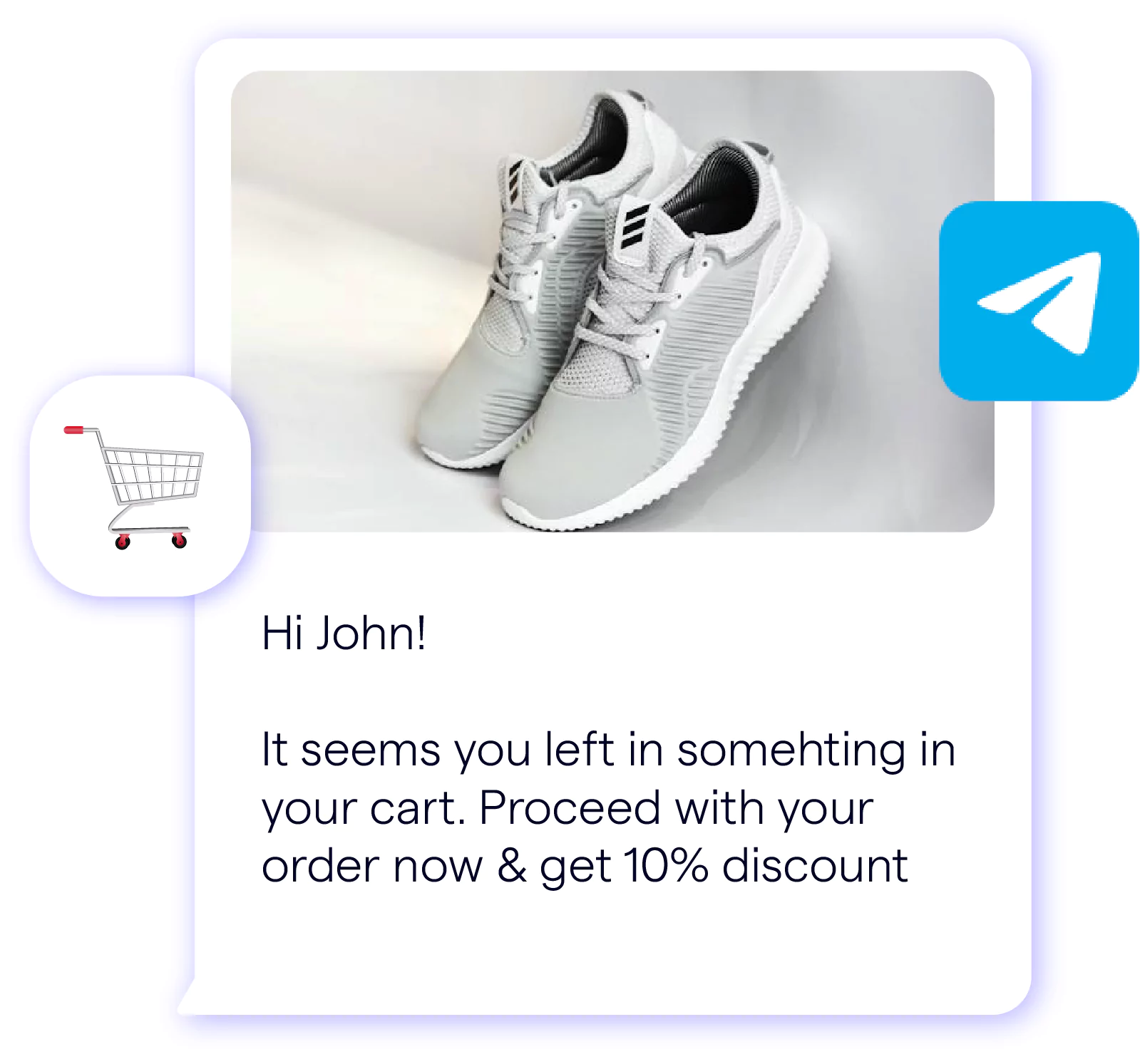

Telegram Chatbot Examples: Real Screenshots & Templates To Use
Updated at Nov 2, 2026
6 min to read
Updated On Aug 11, 2026
8 min to read
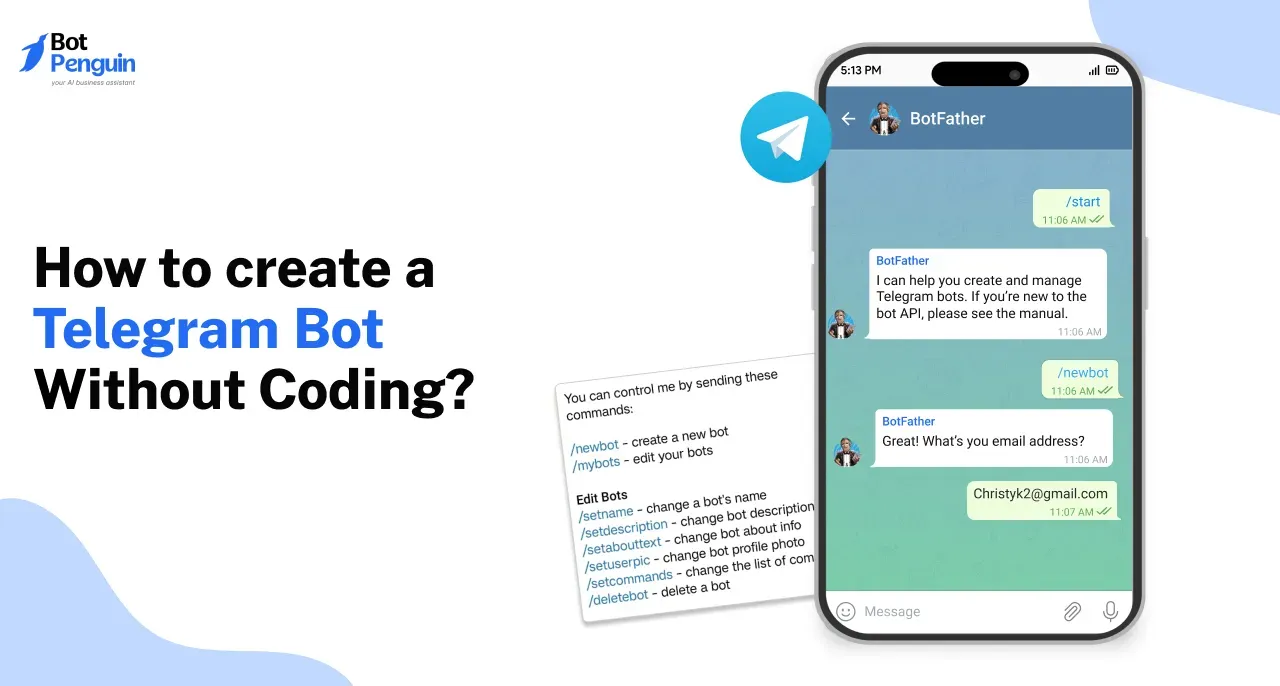
You can create a Telegram bot without coding in four steps: register it with BotFather, connect it to a no-code builder, build your conversation flow, and publish. The whole process takes about 20 minutes.
Most people think you need a developer to build a bot. You don't.
If you searched for “how to make telegram bot” without coding, this guide walks you through the complete process. If you're still deciding what a bot can actually do for your business first, our guide on what is a Telegram chatbot is a good starting point.
The process runs on two tools. BotFather registers your bot, and a free no-code builder, essentially a Telegram bot creator, handles everything else.
No server. No technical background. No waiting on a developer's schedule.
In about 20 minutes, you can go from a blank Telegram account to a live, working bot.
This guide walks through each step, from registration to publishing, so you can build yours today.
Create your free Telegram bot now →
Before opening BotFather, gather these three things. Having them ready keeps the setup fast and mistake free.
Whatever the goal, the process stays the same.
With these three pieces in place, the actual registration takes just a few minutes. That process starts with a single Telegram contact called BotFather.
Every Telegram bot starts the same way, with a single conversation. This is the only manual step in the entire process, and it takes less than five minutes to finish.
Open Telegram and search for BotFather, Telegram's official tool for creating and managing bots. Look for the account with a blue checkmark to confirm it is genuine.
Start a chat with BotFather and send the command:
/newbot
BotFather will guide you through two quick questions:
Once both are set, BotFather generates an API token. This token is a long string of numbers and letters that acts as your bot's identity and password. Copy it and store it somewhere safe.
This token is the one technical setup piece that even a no-code build requires. Without it, no builder, including a Telegram automation bot platform, can connect to your registered bot. You will paste this token directly into your builder in the next step, so keep the BotFather chat open until you have copied it successfully.
At this point, your bot exists on Telegram's servers but has no behavior of its own. It cannot respond to messages or run any flow yet. That changes in the next step, where you connect this registered bot to a no-code builder and give it an actual conversation to run.
Registering a bot with BotFather is only half the job to create telegram chatbot. The token by itself does nothing until it is connected to a platform that can actually run conversations for you.
This single action links your registered bot to BotPenguin's visual flow builder. From here, every part of the build happens through a drag-and-drop interface. You will not write a line of code at any point in this process.
If you want to create Telegram chatbot flows without coding, this builder handles the conversation logic visually.
Building a bot directly against Telegram's raw Bot API means:
A no-code builder removes all three requirements. There is no server to maintain, no webhook configuration, and no manual API calls to write or debug.
For a small-business owner or marketer, this eliminates the need for a developer. You can finish the project yourself.
You can wrap it up in an afternoon.
Many teams use this same setup to run a Telegram chatbot for ecommerce. It handles order updates and product questions without any backend work.
If you are unsure whether BotPenguin is the right fit for your use case, it helps to compare Telegram bot builder platforms before committing to one. Different builders vary in flow complexity, integrations, and pricing, so it is worth checking before you invest time building out flows.
Once your token is connected and verified, BotPenguin shows a blank canvas ready for your first flow. Your bot now has an identity and a home. What it still lacks is behavior, the actual messages and logic that make it useful. That is what you build next.
A blank canvas is where most bots go wrong. Without a clear structure, conversations dead end or confuse the user within the first two messages.
Your flow is the sequence of messages and decisions your bot follows once someone starts chatting. BotPenguin's flow builder lets you map this out visually, step by step, before anything goes live.
The welcome message is the first thing every user sees, so it needs to set expectations immediately.
Keep it short. State what the bot can help with and give the user a reason to keep going.
Right after the welcome message, give users a menu of choices instead of asking them to type a request.
List the main paths your bot supports, such as tracking an order, asking a product question, or reaching support. Each option should lead to its own branch in the flow, so the conversation adjusts based on what the user picks rather than following one fixed script.
Inside every branch, break information into small, specific messages rather than one long reply.
For an order tracking path, this might mean one message asking for the order number, followed by a second message confirming status. Keep each message focused on a single idea. This makes the conversation easier to follow and easier to edit later if something needs to change.
If your flow needs information from the user, such as an email, phone number, or order ID, add a dedicated question step for it.
BotPenguin lets you save this data directly or send it to another tool automatically, so it does not sit unused inside the chat. This step matters most for lead capture or support flows, where the information collected needs to reach your team or CRM.
You do not need to build every path on day one.
Start with the flows that matter most, publish, and add more branches as you learn what users actually ask. A flow built this way stays accurate to real usage instead of guessing at every possible question upfront.
With the welcome message, menu, per path replies, and data collection in place, your bot has a working structure. The next step is confirming all of it actually works before it goes live.
A flow that looks right on paper can still confuse a real user. Testing before launch catches these gaps in minutes, not after complaints start coming in.
BotPenguin gives you a preview window that mirrors the real Telegram chat interface. Use it to click through your bot exactly as a customer would, message by message.
What to check during testing:
Fix these issues directly in the flow builder. There is no separate testing environment to manage, so changes apply immediately, and you can re-test right away.
Once the preview runs clean, publishing takes one click. Your bot goes live immediately and starts responding to real users on Telegram.
This is also the point where a Telegram automation bot starts paying off. Every conversation from here runs on its own, without you manually replying to each message.
A published bot that sounds robotic loses users fast. Getting your flow live is only half the work. How it talks matters just as much as what it says.
Users respond better to a bot that sounds human, not a bot reciting policy text.
Write short, friendly sentences. Avoid formal phrases like "please be advised" or "your request has been received." Instead, write the way you would text a colleague: clear, warm, and to the point.
Typing takes effort. Every extra step a user has to type increases the chance they drop off before finishing.
Wherever possible, replace open-text fields with quick-reply buttons. If you are asking a user to choose among order tracking, product questions, or support, three buttons work better than a message that asks them to "type your request." This single change also reduces the errors a bot must handle, since users cannot enter ambiguous input.
Long blocks of text are hard to read inside a chat window, especially on mobile.
Split information into two or three shorter messages instead of one long paragraph. A bot that sends one clear idea at a time feels more natural and keeps users engaged through the full conversation. This matters even more for a Telegram chatbot for ecommerce, where users are scanning quickly between product options and checkout steps.
No bot, however well built, can answer every question.
Add a clear path to reach a human at any point in the flow. This can be a dedicated button or a fallback response triggered when the bot does not understand the input. Users are far more forgiving of a bot's limits when there is an obvious way out.
Publishing your bot is not the finish line. A live bot still needs attention as real users start interacting with it and your needs grow.
Once traffic starts coming in, you will likely want more control over how your bot responds and looks. Our guide on how to customize your Telegram chatbot covers the full range of options, from response tweaks to branding changes.
As your bot proves useful, you may want it doing more, handling higher volumes or running across groups and channels rather than one on one chats. Our guide on how to deploy your Telegram bot walks through exactly how to expand into that stage.
Both guides pick up right where this one ends, so there is no need to rebuild anything from scratch.
If you are searching for how to build a telegram bot in one place, here is the short version: register with BotFather, connect to BotPenguin, build your flow, then test and publish it. Every detail above walks through each of these four steps in full.
Yes. No-code platforms like BotPenguin let you build a fully working Telegram bot using a visual flow builder. Every step, from registration to publishing, happens through a drag-and-drop interface. No programming knowledge is required at any point in the process.
With a no-code platform, a basic Telegram bot with a few automated flows can be built and published in under 30 minutes. This includes registering the bot with BotFather, connecting it to a builder, and testing before going live.
Yes. You need a regular Telegram account first. BotFather, the official tool for registering new bots, only works within the Telegram app. There is no separate website or portal for bot registration.
A Telegram bot creator refers to any tool used to build a bot. This ranges from BotFather, used for manual setup and token generation, to no-code platforms like BotPenguin, used for building the actual conversation flow visually.
Yes. Most no-code platforms let you update flows, add new features, or change responses at any time after your bot is live. Changes take effect immediately, so there is no need to rebuild the bot from scratch.
No, not if you use a no-code platform. The platform handles hosting and uptime on your behalf. Building directly against Telegram's raw Bot API, by contrast, requires setting up and maintaining your own server.
Creating a Telegram bot without coding comes down to four steps: register with BotFather, connect to a no-code builder, build your flow, and publish. The whole process takes about 20 minutes from start to finish.
BotPenguin handles the parts that usually need a developer: the flow builder, hosting, and API connection, so you can focus on what your bot actually says and does. Thousands of businesses already use it to run support, sales, and lead capture bots on Telegram without writing a single line of code.
If you are ready to put this into practice, build your free Telegram bot with BotPenguin today.
Create Your Telegram Bot Without Coding
Build, test, and launch a Telegram chatbot with BotPenguin’s no-code builder in just a few simple steps.
Start Building FreeCheckout our related blogs you will love.
Updated at Nov 2, 2026
6 min to read
Updated at Oct 23, 2026
9 min to read
Updated at Sep 23, 2026
7 min to read
Updated at Jul 28, 2026
10 min to read
Updated at Jul 28, 2026
13 min to read
Table of Contents


