


LLMs for Translation: Benefits, Challenges, and Use Cases
Updated at Sep 25, 2026
15 min to read
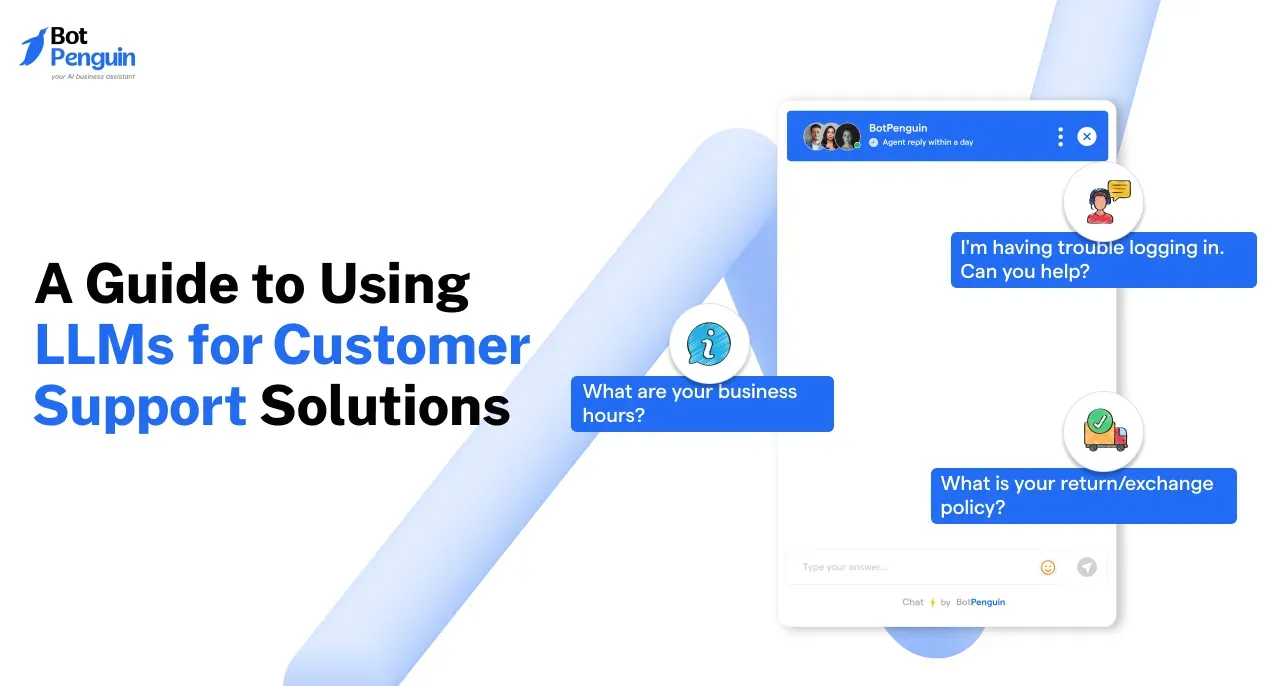
An LLM for customer support uses a large language model to answer customer questions naturally. With retrieval-augmented generation (RAG), it grounds answers in your help content. It can check orders or create tickets through connected tools. Guardrails reduce inaccurate responses, while human handoff handles sensitive issues or uncertainty.
Most teams can demo an LLM for customer support. Reliable deployment is harder.
A bot might invent refund policies or mishandle frustrated customers. Outdated documentation can weaken answers without warning.
This guide explains how large language models in customer service work. You will learn how RAG grounds answers in documents. You will see how connected tools check orders and create tickets.
We cover model selection, guardrails, monitoring, costs, and multilingual responses.
For applications, explore generative AI for customer service. Here, the focus stays on implementation. You will learn how to deploy an LLM for customer service and maintain quality.
A large language model (LLM) understands and generates natural language. In customer support, it helps answer questions and resolve customer requests.
To understand the technology, explore how large language models work.
However, an LLM alone cannot guarantee accurate support responses. A reliable system needs five components:
The model handles language. Connected systems provide information, actions, and control.
Support teams also use LLMs to summarize conversations and categorize tickets. These capabilities depend on how the model retrieves information and interacts with connected systems.
An LLM for customer support processes requests through several connected components. Each component helps deliver accurate, useful, and controlled responses.
A typical workflow follows six steps:
1. Understand the customer's message and conversation history.
2. Retrieve relevant information from the knowledge base.
3. Call connected tools when real-time data is needed.
4. Generate a response using the available information.
5. Check the response against defined rules.
6. Send the answer or transfer the conversation to a human.
Three core capabilities make this workflow possible.
Retrieval-augmented generation (RAG) connects LLMs with your company's existing information.
Instead of relying on training data, the system retrieves relevant documents. The model then uses those documents to generate its answer.
For example, a customer asks about returning a discounted product. The system retrieves the applicable return policy before responding.
RAG for customer support offers three advantages:
However, outdated documentation can still produce incorrect answers. Review your knowledge base before deployment.
RAG retrieves information, but some requests require real-time actions.
For example, checking an order requires access to an order system. Tool calling lets the LLM request information through approved functions.
The process typically works like this:
1. The customer asks about an order's delivery status.
2. The LLM selects the approved order-status function.
3. The connected system retrieves current delivery information.
4. The LLM explains the result to the customer.
This capability supports an AI customer service agent that handles more than FAQs.
Keep tool permissions restricted. Require customer confirmation before sensitive changes and log every action.
Guardrails define what the LLM can say, access, or perform. They help prevent unauthorized actions and unsupported responses.
Common guardrails include:
Human access remains essential.
A Gartner survey found 64% preferred companies avoid AI customer service. Difficulty reaching a human was their leading concern.
Together, RAG, tool calling, and guardrails create a controlled support workflow. These capabilities also distinguish LLM-powered systems from traditional rules-based bots.
Rules-based bots follow predefined flows and keyword matching. They work well for predictable questions but struggle with unexpected requests.
NLU in customer service improves intent recognition. However, traditional systems still rely on predefined responses.
LLM-powered bots understand varied questions and generate contextual answers.
Most businesses benefit from combining both approaches.
Rules-based flows handle predictable tasks like identity verification. LLMs handle complex questions requiring contextual understanding.
A customer service chatbot can combine these capabilities.
However, choosing an LLM requires more than conversational flexibility. Accuracy, response speed, and operating costs also influence model selection.
The right model balances accuracy, speed, reliability, and operating costs. Public benchmarks rarely reflect your actual customer support requirements.
Evaluate models using these seven criteria:
OpenAI's GPT, Anthropic's Claude, and Google's Gemini are common options. Smaller models often handle routine questions at lower costs. Larger models may perform better on complex requests.
For a broader evaluation, explore this comparison of LLM platforms.
Test two or three models against the same real support questions. Compare answer quality, tool accuracy, response times, and resolution costs.
Your deployment requirements also influence model selection.
Closed models generally simplify setup and maintenance. Open-weight models offer flexibility but require technical resources.
Start with measurable support requirements rather than model popularity. Your choice will shape the implementation process, integrations, and ongoing maintenance.
Successful implementation starts with a narrow scope and reliable information. Follow these seven steps to build a controlled support workflow.
Review customer support tickets from the past 90 days. Identify five to ten frequent, low-risk requests.
Start with order tracking, shipping questions, and account access. Avoid complex disputes and sensitive decisions initially.
Explore customer service automation to identify suitable tasks.
Review existing FAQs, policies, and support documentation.
Remove outdated information, resolve contradictions, and fill missing answers. Organize documents so the retrieval system can find relevant content.
Accurate source information improves the quality of generated responses.
Shortlist two or three models based on your requirements.
Test each model using 100–200 real customer questions. Compare answer accuracy, response speed, and tool-calling reliability.
Choose the option that meets your operational and budget requirements.
Set clear rules for how the LLM should respond.
Specify:
These instructions help maintain consistent behavior across customer interactions.
Integrate the LLM with relevant business systems.
Common integrations include CRMs, order databases, booking systems, and help desks.
Start with read-only access to minimize operational risks. Introduce actions gradually, requiring confirmation before sensitive changes.
Run internal testing for one to two weeks.
Ask support agents to test unusual questions and frustrated customers. Include missing information, conflicting policies, and incomplete requests.
Record failures and refine instructions before public deployment.
Start with one support channel or limited traffic.
Monitor conversations daily during the first two weeks. Review incorrect answers, failed actions, and escalation patterns.
Expand only when quality meets your defined targets.
A successful launch establishes the foundation for ongoing improvement. However, even well-tested systems can generate unsupported answers. Preventing those responses requires additional safeguards.
An LLM hallucination occurs when a model generates unsupported information. In customer support, this could mean inventing refund policies or delivery dates.
You cannot eliminate hallucinations entirely. However, you can reduce their frequency and prevent costly mistakes.
Apply these five safeguards:
These safeguards reduce risk, but real incidents show why oversight matters.
Two documented incidents demonstrate the consequences of inaccurate AI support responses.
Air Canada (2024)
Air Canada's chatbot incorrectly explained its bereavement fare policy.
A passenger relied on that information when booking flights.
In Moffatt v. Air Canada, a Canadian tribunal held the airline responsible. It awarded CAD 650.88 in damages, plus interest and fees.
The Air Canada chatbot ruling demonstrated that businesses remain accountable for their chatbot's information.
Cursor (2025)
Cursor's AI support bot invented a nonexistent single-device subscription policy. Customers believed the restriction was genuine, causing confusion and complaints.
Cursor apologized and introduced clearer labeling for AI-generated support responses.
The Cursor AI support incident highlighted how fabricated policies can damage customer trust.
The lesson: Never allow an LLM to invent business policies. Ground policy answers in approved sources and escalate uncertain requests.
Even with these safeguards, support quality can change after deployment. Continuous monitoring helps identify failures before they affect more customers.
A support bot can perform well initially but deteriorate over time. Product updates, changing policies, and new questions affect response quality.
Effective LLM customer support monitoring requires three layers: automated metrics, human review, and repeatable evaluations.
Track performance using metrics that reflect actual customer outcomes.
Avoid relying on containment rate alone. Fewer handoffs do not always mean better resolutions.
Compare containment with repeat contacts, verified resolutions, and customer satisfaction.
Automated metrics cannot identify every quality issue. Human reviewers must regularly inspect actual conversations.
Each week, review random conversations and every low-rated interaction.
Classify responses into four categories:
Maintain an evaluation set of 100–200 real customer questions. Include approved answers, difficult scenarios, and adversarial prompts.
Run these tests before and after every significant system change. Reject updates that reduce performance against your defined quality standards.
Even reliable systems can degrade as business conditions change.
Watch for three types of drift:
Monitor sudden increases in fallback rates and escalations by topic.
Pin model versions when supported. Assign clear ownership for updating policies and knowledge sources.
Consistent monitoring helps maintain accuracy as support requirements evolve. This becomes especially important when serving customers across different languages.
LLMs can understand customer questions and respond in different languages. They can also retrieve information across languages without separate knowledge bases.
For example, a customer asks a refund question in Spanish. The system retrieves an English policy and generates a Spanish response. This makes multilingual support easier to scale across international markets.
Klarna reported supporting over 35 languages across 23 markets through its AI assistant in February 2024.
However, multilingual accuracy requires more than translation.
Before deployment, evaluate four factors:
For broader implementation guidance, explore multilingual customer support.
Start with your highest-volume customer languages. Test real conversations before expanding coverage.
Multilingual capabilities improve accessibility but also affect operating expenses. Token usage, model selection, and support volume determine the overall cost.
The cost of LLM customer service depends on usage, infrastructure, and maintenance. Most businesses need to budget for three components.
Start by calculating average token usage per conversation. Include system instructions, retrieved documents, and generated responses.
Then estimate your total monthly expenses: Monthly model cost = Input token cost + Output token cost
Calculate each using monthly token volume and the provider's rates.
Next, add platform and maintenance expenses. Divide the total by verified customer resolutions.
Cost per resolution = Total monthly support cost ÷ Verified resolutions
To control expenses:
No-code platforms can simplify deployment through bundled subscriptions. Compare BotPenguin's plans and pricing against your expected support volume.
Cost savings matter only when customers receive reliable answers. Verified deployments help demonstrate what these investments can deliver.
Real-world deployments show how LLMs improve support speed and efficiency. However, reported results depend on implementation quality and human oversight.
Here are three examples backed by company reports and research.
In February 2024, Klarna reported significant results from its OpenAI-powered assistant.
According to Klarna's official announcement:
However, Klarna later acknowledged quality concerns.
In 2025, its CEO announced renewed investment in human support. The decision to bring back human agents highlighted the importance of balanced automation.
DoorDash developed AI-powered voice support using Amazon Bedrock and Claude.
An AWS case study reported:
These results demonstrate how LLMs can support high-volume operations.
The Generative AI at Work study examined 5,179 customer support agents.
Its working-paper findings showed:
These findings suggest AI can improve both self-service and agent-assisted support.
The takeaway: Successful deployments combine automation, reliable information, and human oversight. Businesses also need a practical way to bring these capabilities together.
BotPenguin helps businesses deploy AI-powered support without building everything from scratch.
Its no-code platform combines AI agents, chatbots, and human support. Businesses can automate conversations across websites, WhatsApp, Instagram, and other supported channels.
Here's how BotPenguin supports an LLM for customer support:
For teams evaluating deployment options, explore BotPenguin's AI customer service software.
You can also build an AI agent for your website to answer questions using business knowledge.
These capabilities help teams combine automation with human oversight. The right setup depends on support volume, integrations, and quality requirements.
No single model works best for every business. GPT, Claude, Gemini, and open-weight alternatives offer different advantages. Test models against real customer questions. Compare accuracy, tool-calling reliability, response speed, language support, and cost per resolution before selecting one.
LLMs can automate routine questions, summarize conversations, and draft responses. However, they cannot reliably replace human judgment. Complex complaints, sensitive requests, and policy exceptions still need human agents. Effective support combines AI automation with accessible human assistance.
Retrieval-augmented generation retrieves relevant company information before generating answers. RAG for customer support helps ground responses in approved policies and documentation. It reduces unsupported claims, supports source references, and allows businesses to update information without retraining models.
Ground responses in verified documentation and retrieve customer-specific information through connected tools. Restrict sensitive actions and escalate uncertain requests. Regularly review conversations and test responses against approved answers. These safeguards reduce hallucinations but cannot eliminate them entirely.
Effective LLM customer support monitoring tracks resolution rates, escalations, groundedness, customer satisfaction, latency, and costs. Review low-rated conversations weekly. Test the system after model or knowledge changes. Monitor performance by topic to identify emerging problems before they spread.
Yes. LLMs can understand questions and generate responses in multiple languages. They can also retrieve information from documents written in another language. However, businesses should test language accuracy, review sensitive translations, and provide human support when needed.
An LLM for customer support works best within a controlled system. RAG grounds answers in documentation. Connected tools provide accurate customer information. Guardrails and human handoff protect against costly mistakes.
Start with frequent, low-risk questions and a clean knowledge base. Test different models using real conversations. Monitor resolution rates, customer satisfaction, and response accuracy before expanding.
For teams seeking faster deployment, BotPenguin simplifies AI-powered support across multiple channels. Explore its AI customer service software to understand available capabilities.
Build gradually, measure consistently, and keep human oversight central to every customer interaction.
Choose Smarter LLM Customer Support
Deploy AI-powered support with BotPenguin. Ground answers in business knowledge, automate routine queries, and enable seamless handoffs to humans.
Start For FreeCheckout our related blogs you will love.
Updated at Sep 25, 2026
15 min to read

Updated at Sep 25, 2026
13 min to read
Updated at May 26, 2026
14 min to read

Updated at Feb 24, 2026
13 min to read

Updated at Feb 24, 2026
15 min to read
Updated at Feb 18, 2026
14 min to read
Table of Contents
