

What is a Virtual Call Center?
A virtual call center is a contact center where agents aren't located within a, centralized building.
Instead, they work remotely from various locations, be it their homes or co-working spaces, and are connected through cloud-based software.
They provide customer service or technical support via phone, email, or online chat.

This modern setup allows businesses to manage their customer service, sales, and support operations incredibly easily and efficiently. So, in a nutshell, virtual call centers are the superheroes of the customer service world!
Evolution of Call Centers to Virtual Call Centers
Call centers have come a long way since their inception. In the good old days, businesses relied on traditional call centers with rows upon rows of cubicles filled with agents answering calls on clunky landlines.
While this setup had its heyday, it wasn't long before technology and innovation swooped in to save the day.
The advent of the internet, Voice over Internet Protocol (VoIP) technology, and cloud computing revolutionized the call center industry. Suddenly, the need for a physical call center space became obsolete.
As businesses started embracing remote work, virtual call centers emerged as the smarter, more efficient solution. And just like that, the way we communicate with customers changed forever! (Cue the dramatic music.)
How to Set Up a Virtual Call Center?
Steps to Set up a Virtual Call Center are given below:

Step 1
Choosing the Right Technology and Software
The first step in setting up a virtual call center is choosing the right technology and software. Look for a solution that offers a robust set of features, including:
Multi-channel support
Integration with your CRM and other business tools
Security and compliance measures
Scalability and customization options
Remember, the perfect virtual call center software should cater to your specific needs and grow with your business.
Step 2
Hiring and Training Virtual Call Center Agents
A virtual call center is only as good as its agents, so make sure to hire and train top-notch talent. Look for candidates with excellent communication skills, a customer-centric mindset, and the ability to work independently.
Once you've assembled your dream team, provide comprehensive training on your products, services, and virtual call center software. Additionally, offer ongoing coaching and development to keep your agents at the top of their game.
Step 3
Establishing Metrics and Key Performance Indicators
Last but not least, you need to establish metrics and key performance indicators (KPIs) to measure the success of your virtual call center. Some common KPIs include:
First call resolution
Average handle time
Agent productivity
By tracking these metrics, you can identify areas for improvement and make data-driven decisions to optimize your virtual call center operations.
Benefits of Implementing a Virtual Call Center
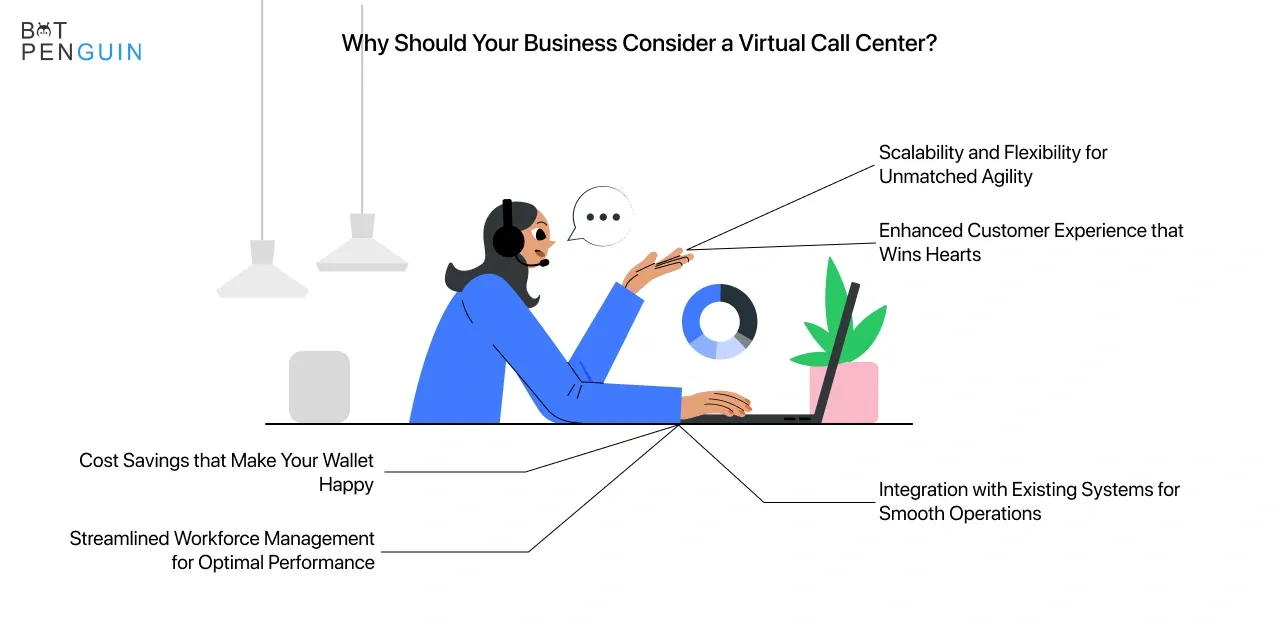
Virtual call centers offer a number of benefits over traditional call centers, including cost savings, flexibility, and scalability.
Flexibility and Scalability
Virtual call centers offer immense flexibility. They allow your agents to work from anywhere, thereby opening up a global talent pool.
The ability to easily scale up or down in response to demand fluctuations is another key benefit.
It's as simple as adding or removing agents from your virtual platform—no need for additional physical infrastructure.
Cost Savings
Operating a virtual call center can result in significant cost savings. You save on overheads such as office space, equipment, and utility bills.
Plus, since agents can work from home, you can potentially reduce salaries and benefits associated with on-site positions.
Enhanced Customer Service
With a virtual call center, you can provide round-the-clock customer service. Since agents can be located in different time zones, it's easier to offer 24/7 support.
This ensures that your customers can always reach out to you, improving their overall experience.
Efficient Call Routing
Virtual call centers leverage advanced technologies for efficient call routing. Calls can be directed to the most suitable agent based on factors like language preference, expertise, or even past interaction history.
This leads to better call resolution and higher customer satisfaction.
Robust Disaster Recovery
In case of an unforeseen event, like a natural disaster or a global pandemic, virtual call centers ensure business continuity. As your team is geographically dispersed, it reduces the risk of operations coming to a standstill.
This resilience is crucial for maintaining customer trust and loyalty.
Easy Access to Advanced Features
Virtual call centers provide easy access to advanced features like real-time analytics, call recording, and automated responses.
These features can drive efficiency, enhance customer service, and provide valuable insights for business growth.
Who can Benefit from a Virtual Call Center?
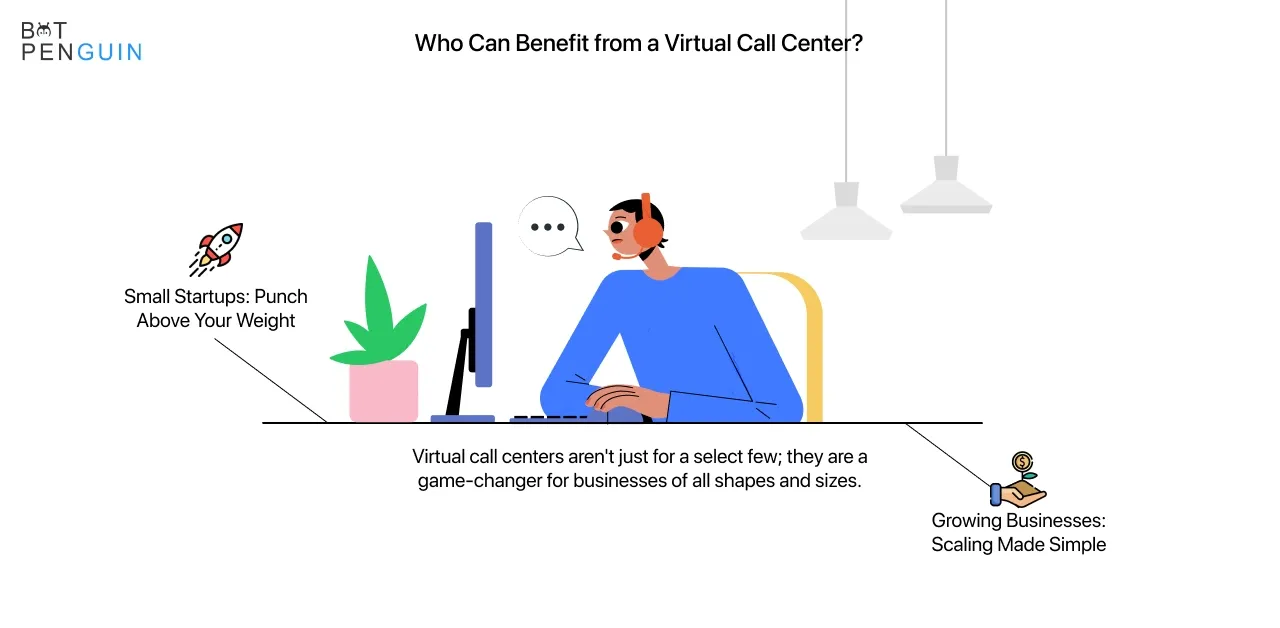
Virtual call centers can benefit businesses of all sizes, from small startups to large enterprises.
Small and Medium-Sized Businesses
For smaller businesses, every penny counts. By cutting down on overhead costs and providing easy scalability, virtual call centers can help SMEs grow without breaking the bank.
Plus, with the ability to tap into a global talent pool, SMEs can offer top-notch customer support that rivals even the biggest players in the game. Who says size matters?
Large Enterprises
The flexibility, scalability, and cost-efficiency of virtual call centers can also be a game-changer for big businesses. Large enterprises can provide round-the-clock customer support in multiple languages with a global network of remote agents.
Moreover, virtual call centers can help streamline operations and improve customer satisfaction. Bigger isn't always better, but it's a win-win in this case!
Non-Profit Organizations and Government Agencies
Non-profit organizations and government agencies can also reap the benefits of this modern setup. Virtual call centers can help these organizations reduce costs, improve efficiency, and expand their outreach, all while ensuring top-notch customer support.
From fundraising efforts to providing vital public services, virtual call centers can be a valuable tool for the greater good.
Suggested Reading:
Call Monitoring Software
When is the Right Time to Implement a Virtual Call Center?
Virtual call centers offer many benefits, but it's important to consider your specific needs before making the switch.
Identifying Business Needs
First and foremost, you need to take a good, hard look at your business needs. Are you struggling to keep up with customer inquiries? Are overhead costs for your traditional call center eating into your profits?
Are you looking for ways to improve your customer support? If you find yourself nodding along to any of these questions, it might be time to consider implementing a virtual call center.
Evaluating Current Call Center Infrastructure
Next up, you need to evaluate your current call center infrastructure. Do you already have some remote agents in place? Are you using cloud-based software or still relying on outdated on-premise solutions?
By assessing what you have in place, you can better understand the changes needed to transition to a virtual call center and make a more informed decision.
Planning for Future Growth and Expansion
Lastly, don't forget to think about the future! Where do you see your business in the next 5, 10, or 15 years?
If you envision growth and expansion, a virtual call center can be a strategic investment that will help you scale your operations more efficiently.
By planning for the future, you can ensure that your organization is well-prepared for whatever challenges lie ahead.
Where can Virtual Call Centers be Implemented?
Virtual Call Centers can be implemented as follows:
Geographical Considerations
One of the most fantastic aspects of virtual call centers is their ability to transcend geographical boundaries.
Whether you're a local business looking to expand your reach or a global enterprise seeking to streamline operations, virtual call centers can be implemented anywhere with a stable internet connection.
Remote and On-site Agents
Virtual call centers offer incredible flexibility when it comes to your workforce. You can have remote agents working from the comfort of their homes, on-site agents in a co-working space, or even a mix of both!
This hybrid approach allows businesses to create a tailored solution that meets their unique needs and ensures top-notch customer support.
Multi-Channel Support
Gone are the days when phone calls were the only way to connect with customers. In today's digital age, businesses need to offer multi-channel support to meet the ever-evolving needs of their customers.
Virtual call centers can be implemented across phone, email, chat, and social media channels, ensuring a seamless and consistent experience for your customers, no matter where they are or how they choose to interact with your business.
What are Common Challenges and Solutions for Virtual Call Centers (VCC)
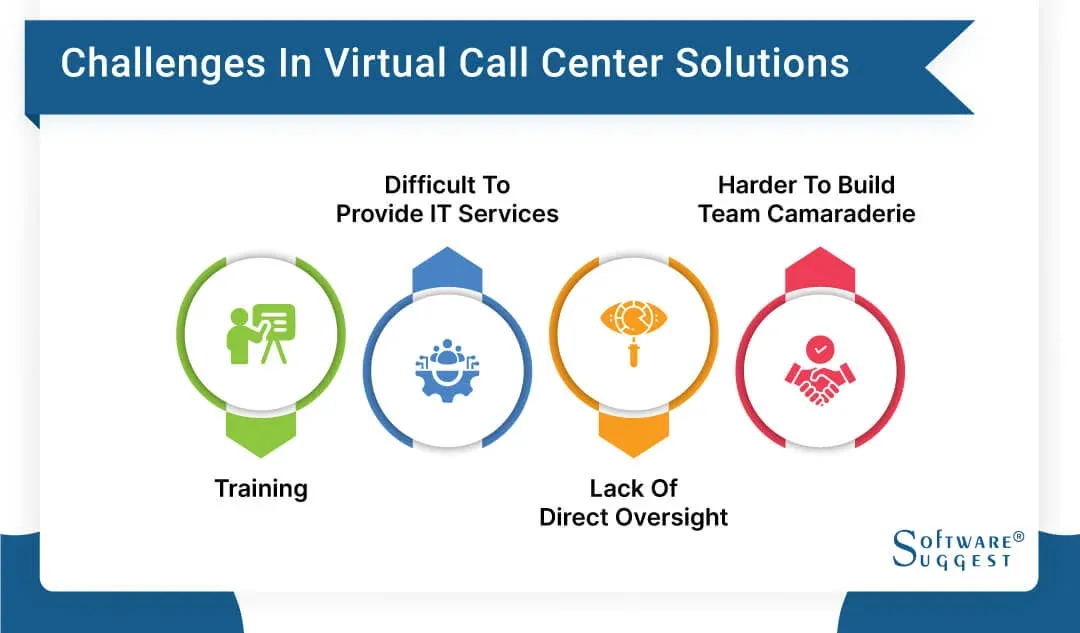
Virtual Call Centers also possess many challenges. Following are the common challenges with possible solutions:
Maintaining Communication
Effective communication is crucial for virtual call centers, but remote work can make it challenging to collaborate and stay connected.
Solution: Use Communication Tools
Utilize various communication tools, such as video conferencing, instant messaging, and project management platforms, to facilitate collaboration and ensure clear communication.
Ensuring Quality and Performance
Monitoring performance and maintaining high-quality customer service can be difficult in a virtual call center environment.
Solution: Implement Performance Tracking
Implement performance tracking systems and regular evaluations to ensure agents meet quality standards and provide ongoing training to address any skill gaps.
Technical Issues and Connectivity
Remote work can introduce technical issues, such as unstable internet connections or software problems, which can disrupt operations.
Solution: Provide Technical Support
Offer robust technical support and resources to help agents troubleshoot and resolve issues quickly, ensuring minimal disruption to call center operations.
Data Security and Privacy
Protecting sensitive customer information is crucial, but remote work can pose additional security risks.
Solution: Implement Security Measures
Implement strict security measures, such as VPNs, secure file-sharing platforms, and employee training on data protection best practices to safeguard customer data.
Building Company Culture
Fostering a strong company culture and maintaining employee engagement can be challenging in a virtual call center.
Solution: Promote Team Building and Engagement
Promote team building and engagement through regular virtual meetings, team-building activities, and recognition programs to create a positive and inclusive work environment.
Managing Scheduling and Availability
Coordinating schedules and ensuring agent availability can be complex in a virtual call center, especially with agents in different time zones.
Solution: Implement Scheduling Tools
Use scheduling tools and clear communication to manage agent availability, ensuring adequate coverage and accommodating employee needs for flexibility and work-life balance.
Best Practices for Virtual Call Center
Best Practices for Virtual Call center are as follows:

Invest in Reliable Technology
Choose reliable, user-friendly, and scalable technology solutions for your virtual call center, including cloud-based telephony, CRM systems, and workforce management tools.
Focus on Agent Training and Support
Provide comprehensive training and ongoing support to remote agents, ensuring they have the necessary skills, knowledge, and tools to deliver exceptional customer service.
Establish Clear Performance Metrics
Define and track performance metrics for your virtual call center, such as customer satisfaction, first-call resolution, and average handle time, to measure success and identify areas for improvement.
Foster a Strong Remote Team Culture
Build a strong remote team culture by maintaining open communication, providing regular feedback, and offering opportunities for collaboration, learning, and career development.
Prioritize Security and Compliance
Implement robust security measures to protect sensitive customer data and ensure compliance with industry regulations, such as data encryption, secure VPN connections, and access controls.
Frequently Asked Questions (FAQs)
What is a virtual call center?
A virtual call center is a customer support center where agents work remotely, using cloud-based technology to handle customer inquiries and provide assistance.
How do virtual call centers work?
Virtual call centers use internet-based communication tools, such as VoIP, chat, and video conferencing, to connect remote agents with customers and manage interactions efficiently.
What are the benefits of a virtual call center?
Virtual call centers offer cost savings, flexibility, access to a wider talent pool, improved agent satisfaction, and the ability to scale up or down quickly.
What technologies are used in virtual call centers?
Common technologies include cloud-based telephony, CRM systems, workforce management tools, and AI-driven customer support solutions, such as chatbots.
How can I set up a virtual call center?
To set up a virtual call center, choose the right technology platform, hire and train remote agents, establish performance metrics, and ensure strong communication and collaboration among team members.
