Stop Losing Leads: WhatsApp Lead Generation Guide (2026)

WhatsApp

Updated On Mar 31, 2026

12 min to read

BotPenguin AI Chatbot maker

Stop Losing Leads_ WhatsApp Lead Generation Guide (2026)
  • WhatsApp is the highest-engagement lead generation channel today, with far better open and response rates than email or SMS.
  • Use Click-to-WhatsApp ads, website widgets, QR codes, and social links to drive high-intent opt-ins.
  • A well-designed chatbot can automatically qualify, tag, and route leads based on intent, volume, and timeline.
  • Drip campaigns and CRM integration ensure no lead is lost and every conversation moves toward conversion.
  • Success depends on proper setup and compliance (opt-ins, templates, frequency rules) to scale safely without getting banned.
  • Platforms like BotPenguin let you launch this entire system, including API access, chatbot, automation, and CRM sync, without coding in one place.
 

WhatsApp has a 98% open rate. Email has 21%. Yet most businesses are still ignoring the one channel where their prospects actually read every single message.

With over 2 billion active users and the WhatsApp Business API now accessible to businesses of every size, WhatsApp has become the most direct and most underused lead generation channel available today.

This guide gives you the complete system. Opt-in strategies, chatbot flows, message templates, drip sequences, and CRM integrations. Everything you need to start generating leads on WhatsApp this week.

You're right. The stats table already contains the open rate and response time numbers, so there is no need to repeat them above the table. Here is the cleaned version:

What is WhatsApp Lead Generation? (And Why It Works Better Than Email)

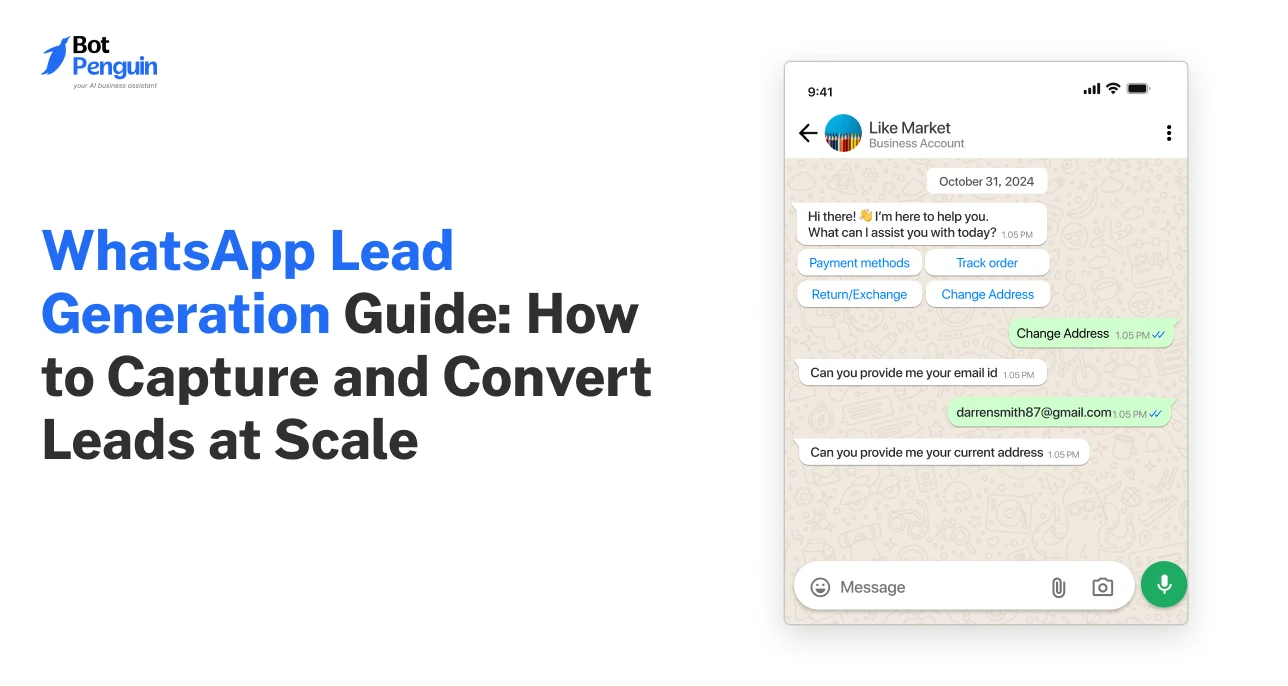
WhatsApp lead generation is the process of attracting, capturing, qualifying, and nurturing potential customers through WhatsApp messaging. 

Instead of driving prospects to a landing form or email sequence, you bring them into a conversation where a chatbot or sales rep qualifies them in real time, tags them by intent, and moves them through your funnel at a pace that feels natural. 

It is lead generation inside the app your prospects already use every single day.

The Stats That Make WhatsApp Impossible to Ignore

2 billion+ monthly active users across 180 countries (Source: Meta, 2024)

45 to 60% click through rate vs 2 to 5% on email (Source: Statista, 2024)

60 to 80% lower cost per lead vs paid ads (Source: Meta Business Case Studies, 2023)

5x more likely to get a response than email for the same offer (Source: HubSpot, 2024)

WhatsApp vs Email vs SMS — Key Numbers at a Glance

Metric

WhatsApp

Email

SMS

Open rate

98%

21%

82%

Average response time

90 seconds

90 minutes

3 minutes

Opt-in friction

Low

Very low

Low

Cost per lead

Very low

Low

Medium

Spam risk

Low

Very high

Medium

Personalisation

Very high

Medium

Low

WhatsApp wins on engagement and personalization. Email wins on volume and ease of list building. SMS sits in between but lacks the conversational depth needed for lead qualification.

Why WhatsApp Works Differently as a Lead Channel

1. It lands in the personal inbox, not the promotions tab

A WhatsApp message sits alongside messages from family and friends, which changes how people receive and respond to it entirely.

2. It is conversational, not broadcast 

Email is one-to-many. WhatsApp is one-to-one. That shift means prospects reply, ask questions, and engage in ways they never would with a marketing email.

3. It is built on consent

Nobody ends up on your WhatsApp list by accident. Every contact actively opted in, which makes every WhatsApp lead warmer than almost any other source from day one.

Which Businesses Should Use WhatsApp for Lead Generation?

B2C businesses that perform the strongest:

  • Real estate: Buyers want instant answers on properties, and WhatsApp makes that conversation immediate.
  • E-commerce: Abandoned cart recovery and product enquiries convert faster over WhatsApp than any other channel.
  • Education and coaching: Prospective students have multiple questions before enrolling, and a chatbot handles them at any hour.
  • Local services: Clinics, salons, and repair businesses benefit from appointment booking and lead capture happening in a single conversation.

B2B businesses that see strong results:

  • SaaS companie: WhatsApp chatbot filters unqualified demo requests before they reach the sales team.
  • Agencies and consultancies: Clients respond to WhatsApp conversations far more readily than they do to contact forms.
  • Financial services and insurance: Trust is built through conversation, and WhatsApp enables that more naturally than email.
  • Recruitment firms: Candidates respond to opportunities on WhatsApp significantly faster than on LinkedIn or email.

Does WhatsApp work for B2B? 

Yes, particularly for high-ticket sales with longer consideration cycles. The key difference is that your qualification flow needs to be sharper because deal values are higher and lead volume is lower.

Setting Up WhatsApp for Lead Generation — What You Need First

Most guides skip straight to strategy without telling you what you actually need in place before any of it works. This section covers exactly that. No theory, no history of the platform. Just what you need to set up, in the right order, before you run your first lead gen campaign.

WhatsApp Business App vs WhatsApp Business API: Which One Do You Need?

There are two completely different WhatsApp products for businesses, and most guides treat them as the same thing. They are not. Choosing the wrong one means hitting a ceiling the moment your lead volume starts to grow.

Feature Comparison: App vs API

Feature

WhatsApp Business App

WhatsApp Business API

Cost

Free

Pay per conversation

Automation capability

None

Full automation

Number of users

1 to 4 devices

Unlimited agents

Chatbot support

No

Yes

CRM integration

No

Yes

Message templates

Basic

Fully customisable

Broadcast limit

256 contacts

Unlimited

If you are generating more than 50 leads a month, you need the API. The app is a starting point, not a lead generation tool.

When to Upgrade From the App to the API

You need to move to the API when any one of these three things becomes true:

1. Your lead volume exceeds what one person can manage manually.

The app has no automation, so every conversation requires a human to respond. Once volume grows, leads fall through the gaps.

2. You need a chatbot to automatically qualify leads automatically.

The app has no chatbot capability. If you want leads sorted, tagged, and routed without manual effort, the API is the only option.

3. You need WhatsApp leads inside your CRM.

The app does not integrate with HubSpot, Salesforce, Zoho, or any other CRM. If your sales pipeline lives in a CRM, the API is non-negotiable.

How to Get WhatsApp Business API Access

There are two routes to getting API access, and which one you choose depends on how much technical setup you want to handle yourself.

Route 1 — Applying Directly Through Meta

This route gives you direct access through Meta's own infrastructure using the WhatsApp Cloud API. It is free to set up, but requires you must handle configuration, hosting, template management, and ongoing compliance entirely on your own.

  1. Go to Meta Business Manager at business.facebook.com and create or log in to your business account.
  2. Navigate to WhatsApp Accounts inside Business Settings and click Add.
  3. Verify your business phone number, making sure it is not registered to a personal account.
  4. Submit your business for Meta verification by uploading your business documents.
  5. Once verified, access the WhatsApp Cloud API through the Meta Developer Portal at developers.facebook.com and begin configuration.

This route works if you have a developer on your team and want full control over your setup. If you do not, Route 2 is the smarter choice.

Route 2 — Using  BotPenguin

BotPenguin is a Meta-approved partner that provides API access through its platform and handles all the technical complexity on your behalf. Instead of managing the API directly, you get a ready-to-use dashboard that brings your chatbot, campaigns, CRM integrations, and lead management together in one place.

Here is what BotPenguin handles for you so you do not have to:

Business verification with Meta, so your account gets approved faster, without back-and-forth.

Submit and approve WhatsApp message templates so your campaigns are ready to go without manual compliance checks.

A no-code chatbot builder that lets you build your entire qualification flow, drip sequence, and lead routing logic visually, in under 30 minutes.

Native CRM integrations with HubSpot, Salesforce, Zoho, Pipedrive, and 80+ integrations, so every qualified lead lands in your pipeline automatically.

A shared team inbox so your sales agents can pick up hot lead conversations the moment the chatbot hands them off, with full conversation history visible.

For most businesses that want to move fast and generate leads at scale without building technical infrastructure, BotPenguin is the fastest path from zero to a fully operational WhatsApp lead-gen funnel. You can get started free at botpenguin.com.

What to Configure Before Your First Lead Gen Campaign

Before you send a single message or launch a single ad, these six things need to be in place.

Business profile completeness 

Fill in every field, including business name, category, description, website, and address. 

Tip: add a clear one-line description of what your business does and who it serves because prospects check your profile before deciding whether to reply.

Greeting message

The automatic message a prospect receives the first time they message you. 

Tip: Make it specific to your offer rather than a generic hello, for example, "Hi, thanks for reaching out to [Business Name]. To help you faster, could you tell us what you are looking for today?"

Away message 

Triggers when someone messages outside business hours. 

Tip: acknowledge the message, provide a response time, and offer a self-serve option, such as your chatbot flow, so the lead does not go cold overnight.

Quick replies

Pre-set responses to your most common incoming questions. 

Tip: Set up at least five covering pricing, availability, product details, turnaround time, and how to get started.

Message template approval 

Any outbound message sent to a contact who has not messaged you in the last 24 hours must use a Meta-approved template. 

Tip: Submit your welcome message, follow-up messages, and drip sequence copy for approval before your campaign goes live because approval takes 24 to 48 hours. BotPenguin handles template submission on your behalf, so this step is automated.

Opt-in confirmation message

The first message every new lead receives after opting in should confirm what they signed up for and what happens next. 

Tip: keep it under 100 words, mention the opt-out option, and end with a single question that kicks off the chatbot qualification flow immediately.

How to Drive People Into Your WhatsApp Funnel (6 Opt-In Strategies)

How to Drive People Into Your WhatsApp Funnel (6 Opt-In Strategies)

Getting people into your funnel is the most underrated part of WhatsApp lead generation. Most businesses spend all their time perfecting their chatbot and drip sequence, and then wonder why no leads are coming in. The entry point is where everything starts. 

Here are the 6 strategies that consistently drive the highest volume and highest quality leads into a WhatsApp funnel.

Strategy 1 — Click-to-WhatsApp Ads (Facebook and Instagram)

Click-to-WhatsApp ads are Facebook and Instagram ads that open a Business App conversation with your business instead of directing the user to a landing page or website. 

They convert at a higher rate than standard lead ads because the prospect is already on their phone, already in a social browsing mindset, and clicking straight into a conversation requires zero form-filling friction. The intent signal is strong from the very first tap.

How to set them up in Meta Ads Manager:

  1. Open Meta Ads Manager and click Create Campaign.
  2. Select Leads as your campaign objective.
  3. At the ad set level, choose WhatsApp as the conversion location.
  4. Connect your WhatsApp Business account to your Meta Business Manager if you have not already done so.
  5. Build your ad creative at the ad level, and set the CTA button to 'Send WhatsApp Message'.
  6. Write a pre-filled opening message that appears in the chat window the moment the prospect taps the button, so the conversation starts immediately without them having to type anything.

Ad Copy Template for Click-to-WhatsApp

The template below is for a home renovation company, but the structure works for any industry. Swap the offer, auBusiness, and deliverable to match your business.

Headline: Get your free home renovation quote in 24 hours

Body copy: Planning a renovation, but not sure where to start with costs? We help homeowners get accurate quotes without the back-and-forth. Tap below and tell us what you have in mind. We will send you a detailed quote within 24 hours.

CTA button: Send WhatsApp Message

Pre-filled message the prospect sees: Hi, I would like a free renovation quote for my project.

The formula behind it:

Headline: Specific offer plus clear timeframe 

Body copy: Call out the pain, state what you do, remove the friction 

Pre-filled message: One sentence that tells you exactly what the lead wants, so your chatbot knows how to respond from the first word

The pre-filled message is the most underused element in click-to-WhatsApp ads. It removes the blank screen problem where a prospect taps through and then has no idea what to type. Give them the words and the conversation starts itself.

Strategy 2 — WhatsApp Link and Chat Widget on Your Website

A wa.me link is a direct link that opens a Business at App conversation with your business when clicked on any device. It is the simplest and most cost-effective way to add to your website today.

How to generate your wa.me link in 2 steps:

1. Go to wa.me and add your full international phone number at the end, for example wa.me/447911123456 for a UK number.

2. Add a pre-filled message by appending ?text= to your message in URL-encoded format, for example, wa.me/447911123456?text=Hi%20I%20would%20like%20to%20know%20more, so the conversation starts the moment they click.

Where to place it on your site, ranked by conversion impact:

The exit-intent pop-up is the highest-converting pop-up because it catches visitors just before they leave and gives them one more reason to engage before they go.

The sticky floating button sits in the bottom corner of every page and stays visible as the user scrolls, creating a persistent low-friction entry point throughout the browsing session.

The below blog post CTAs capture readers at the moment they have just consumed your content and are most primed to take the next step.

The contact page should be the minimum baseline and should always include a WhatsApp option alongside your form and email address.

Where NOT to Put Your WhatsApp Button (and Why)

  • In the footer only: The footer is where CTAs go to be ignored. Almost no lead is generated from a footer link. Fix: move it to the top half of your highest traffic pages.
  • On every page with no targeting: A generic WhatsApp button on your pricing page, your blog, and your about page, all sending the same pre-filled message, creates confusion and low-quality conversations. Fix: customize the pre-filled message for each page context so the conversation is relevant from the first word.
  • With no pre-filled message: A blank WhatsApp chat window places the burden on the prospect to start the conversation, and most of them will not bother. Fix: always include a pre-filled message that tells your chatbot exactly what the person was looking at when they clicked.

Strategy 3 — QR Codes for Offline Lead Capture

A WhatsApp QR code opens a Business App conversation with your business when scanned on any smartphone camera. It is the bridge between your offline presence and your WhatsApp funnel, and it is one of the most underused entry points available to businesses with any kind of physical touchpoint.

Use cases where WhatsApp QR codes work well:

Events and trade shows, product packaging, retail store signage, print advertisements, business cards, and restaurant menus for service upsells.

How to generate one in 2 steps:

  1. Generate your wa.me link with a pre-filled message as described in Strategy 2.
  2. Paste the link into any free QR code generator, such as qr-code-generator.com or canva.com, and download the code in high resolution for print use.

Real-world example: 

A SaaS company exhibiting at a B2B technology trade show placed a WhatsApp QR code on their booth banner with the copy "Scan to get our free competitor analysis template sent to your WhatsApp in 60 seconds." Over two days, they captured 240 opted-in WhatsApp leads without a single paper form or badge scanner. Because every lead had been actively scanned and messaged first, the chatbot qualification completion rate was 78%, significantly higher than their average from paid ads.

Strategy 4 — WhatsApp CTA Inside Email Campaigns

Your email list includes business people who already know your business, ss but may have gone cold because email engagement has dropped. A WhatsApp CTA inside an email campaign is one of the fastest ways to re-engage those contacts on a channel where they are far more likely to respond.

Why it works: 

Cold email subscribers who would never open a fourth follow-up email will often tap a WhatsApp button because it feels like a different and more personal kind of outreach. The channel switch alone resets the engagement dynamic.

Email copy template:

Subject line: A quicker way to get your questions answered

Body: Hi [First Name], we know inboxes get busy. If you have ever had a question about [product or service] and did not get around to asking it, we have opened up a direct WhatsApp line for exactly that. No forms, no waiting, just a real conversation. Tap the button below, and we will respond within the hour.

CTA button: Message us on WhatsApp

First WhatsApp message once they opt in:

"Hi [First Name], thanks for reaching out on WhatsApp. To make sure we give you the most relevant information, can I ask what you are most interested in finding out about [product or service]?"

This opens the qualification flow naturally without the prospect feeling like they have entered an automated sequence.

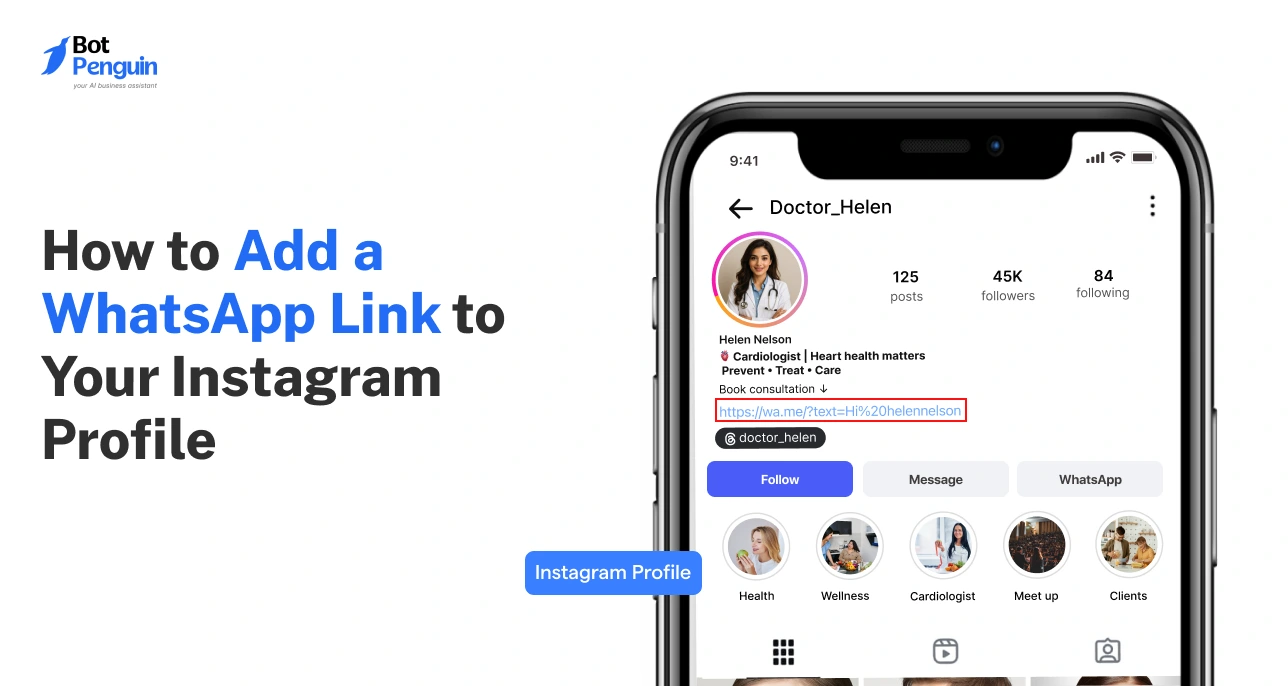
Your social media bio is one of the most clicked pieces of real estate on your profile,e and most businesses waste it with a generic homepage link. Replacing it with a WhatsApp link or a link-in-bio page that includes a WhatsApp option turns passive followers into active leads.

How to set it up on Instagram in 2 steps:

  1. Go to Edit Profile and paste your wa.me link with a pre-filled message into the Website field.
  2. Update your bio copy to include a direct reference to the link, for example, "DM us on WhatsApp for a free consultation" with a downward arrow emoji pointing to the link.

How to set it up on Facebook in 2 steps:

  1. Go to your Facebook Page and click Edit Page Info.
  2. Add your WhatsApp link to the Website field and add a WhatsApp button to your page through the Add a Button option, selecting Contact Us and then WhatsApp as the destination.

What offer to pair with your bio link:

A lead magnet, such as a free guide or template, works best because it gives the follower a clear reason to tap. A free consultation works well for service businesses. A discount code works for e-commerce. The key is that the offer in your bio copy and the pre-filled message in your WhatsApp link match, so the conversation starts with full context.

Example bio copy:

"We help [target audience] achieve [outcome]. Get our free [lead magnet name] on WhatsApp. Tap the link below."

Strategy 6 — WhatsApp CTA Inside SMS and Existing Campaigns

If you already have a list of contacts you have been communicating with via SMS, direct mail, or other channels, you have a warm audience ready to move to WhatsApp. This strategy is about migrating those existing relationships to a higher-engagement channel rather than starting from scratch.

Who to target with this strategy:

Existing customers who have purchased before and would benefit from ongoing WhatsApp support or upsell offers. Cold SMS leads who never converted but gave consent to be contacted. Previous enquiries that went quiet after an initial exchange.

SMS message template to move contacts to WhatsApp:

"Hi [First Name], [Business Name] here. We are now on WhatsApp for faster support and exclusive updates. Message us at [wa.me link] and get [offer, e.g,. a free resource or priority support]. Reply STOP to opt out of SMS."

First WhatsApp message once they move across:

"Hi [First Name], great to connect on WhatsApp. As a thank you for joining, here is [the offer you promised]. Is there anything specific we can help you with today?"

One important compliance note: moving a contact from one channel to another does not transfer their consent. You must get explicit opt-in for WhatsApp separately, ly even if they consented to SMS. Sending unsolicited WhatsApp messages to a contact who only consented to SMS is a violation of Meta's policies and can result in your account being restricted.

Building a WhatsApp Chatbot That Qualifies Leads Automatically

Building a WhatsApp Chatbot That Qualifies Leads Automatically

This is where most businesses either win or lose with WhatsApp lead generation. A well-built chatbot qualifies leads while you sleep, routes hot prospects to your sales team instantly, and puts cold leads into a nurture sequence without anyone lifting a finger. A poorly built one kills your conversion rate before a human ever gets involved.

Here is how to build one that works.

What Your Chatbot Should Ask — and in What Order

The biggest mistake businesses make with their qualification chatbot is asking too many questions or asking them in the wrong order. A WhatsApp conversation is not a form. It needs to feel like a natural exchange, not an interrogation.

The framework to follow is a simplified version of BANT: Budget, Need, Timeline, and Fit. You do not need to ask about all four explicitly. You need to ask the questions that reveal those four things in a way that feels conversational.

The 5 Questions That Qualify a Lead on WhatsApp

Question 1: What brings you here today?

Why is it asked first? It is open and non-threatening. The answer immediately signals intent level. Someone who says "I am looking for a WhatsApp chatbot for my e-commerce store" is a warmer lead than someone who says "just browsing." Hot lead signal: a specific use case or problem stated clearly.

Question 2: How many leads or customers are you currently managing per month?

Why is it asked second: Volume is a proxy for budget and seriousness. A business managing 500 leads a month has a different urgency level and budget range than one managing 20. Hot lead signal: 100 or more per month.

Question 3: Are you currently using any tools to manage your leads or customer conversations?

Why is it asked third? This reveals whether they are already in the market and switching, or brand new to the category. Both are valuable but require different follow-up conversations. Hot lead signal: currently using a competitor tool or managing everything manually and feeling the pain.

Question 4: What is your timeline for getting something set up?

Why is it asked fourth: Timeline separates active buyers from passive researchers. Someone who says "this month" needs to be routed to a human immediately. Someone who says "maybe next quarter" goes into the nurture sequence. Hot lead signal: within the next 2 to 4 weeks.

Question 5: What is the best way for our team to follow up with you — a quick WhatsApp call or a few more details sent here?

Why is it asked last? This is the conversion question. It gives the lead control over the next step, which dramatically increases the chance they follow through. It also tells your sales team exactly how the lead wants to be contacted. Hot lead signal: asks for a call or a demo.

What Happens After the Chatbot Finishes Qualifying

Hot lead (specific need, volume over 100, timeline within 4 weeks, asked for a call): An instant notification is sent to the sales team with the full conversation transcript and lead score. A human agent picks up the conversation within 2 hours.

Warm lead (has a need, lower volume or longer timeline, wants more information first): Automatically enters the 7-day drip sequence covered in the next section. Receives value-focused messages before being presented with a CTA.

Cold lead (vague need, very low volume, no clear timeline): Receives a helpful resource relevant to their stated interest and is tagged for a re-engagement campaign in 90 days.

How to Score and Tag Leads Automatically

Every answer in your chatbot flow should trigger a tag in your CRM or WhatsApp platform. Tags are what make your follow-up intelligent rather than generic.

Here are 5 tags to set up from day one and what each one drives:

Hot-lead triggers an immediate sales team notification and moves the contact into the active pipeline in your CRM.

Price-sensitive flags that the lead mentioned budget concerns, so the sales rep knows to lead with ROI and cost comparison rather than features.

Not-ready places the lead into the long nurture sequence and removes them from any short-term follow-up cadence. A wrong fit disqualifies the lead from sales follow-up and optionally sends them a referral to a more suitable solution, which builds goodwill even with leads you cannot convert.

Re-engage-90-days holds the lead in a dormant state and triggers an automated re-engagement message 90 days later, asking if their situation has changed.

In BotPenguin, these tags sync directly to your connected CRM, so every lead is automatically organised in your pipeline the moment the chatbot conversation ends, with no manual data entry required.

Chatbot Mistakes That Kill Your Conversion Rate

Chatbot Mistakes That Kill Your Conversion Rate

Mistake 1 — Asking Too Many Questions Upfront

Most chatbots ask 8 to 10 questions before giving the lead anything in return. By question 4, most people have dropped off. 

Fix: keep your qualification flow to 5 questions maximum and deliver value, a resource, a next step, or a human handoff, before asking a sixth.

Mistake 2 — Sounding Robotic With No Personalisation

A chatbot that says "Please select option A, B, or C" feels like an IVR phone menu, not a WhatsApp conversation. 

Fix: write your bot messages in a warm, first-person tone and use the lead's first name from the first message. BotPenguin pulls the contact name automatically from the WhatsApp profile,e so personalisation requires no extra setup.

Mistake 3 — No Fallback When the Bot Does Not Understand

Every chatbot will eventually receive a message it cannot interpret. If there is no fallback response,se the conversation goes silent, and the lead assumes nobody is there. 

Fix: set a fallback message such as "I want to make sure I connect you with the right person. Could you rephrase that or choose from the options below?" and trigger a human handoff notification at the same time.

Mistake 4 — No Human Handoff Trigger for Hot Leads

A chatbot that keeps asking questions after a lead has already said they want to speak to someone immediately is one of the most frustrating experiences a prospect can have. 

Fix: Set a hard trigger in your chatbot flow that ends the bot conversation and alerts a human agent the moment a lead indicates they are ready to buy or want a call.

Mistake 5 — Not Testing the Flow Before Going Live

Most chatbot failures happen because the flow was built and launched without being tested from the prospect's perspective. 

Fix: run through the entire conversation yourself on a test number, test every branching path, and have one person outside your team complete the flow cold before it goes live.

WhatsApp Drip Campaigns — How to Follow Up Without Annoying People

Most leads do not convert on the first contact. Research consistently shows that 80% of sales require at least 5 follow-up touches before a prospect makes a decision. The problem is that most businesses either follow up too aggressively and get blocked or give up after one or two messages and lose the lead entirely. 

A WhatsApp drip campaign solves both problems by automating your follow-up in a way that delivers value at every touchpoint rather than just pushing for a sale.

What is a WhatsApp Drip Campaign?

A WhatsApp drip campaign is a pre-written sequence of messages sent automatically over a set number of days to leads who have opted into your WhatsApp funnel. 

Think of it as an email drip sequence but with a 98% open rate and response times measured in minutes rather than days. 

Each message in the sequence has a single job: move the lead one step closer to a conversation with your sales team.

BotPenguin's drip campaign builder lets you build, schedule, and automate this entire sequence visually without writing a single line of code. 

You set the messages, the timing, and the triggers once, and the system runs them for every new lead automatically.

Timing, Frequency, and Spacing Rules That Keep You Off the Ban List

  • Never send more than one message per day to a lead who has not replied: Meta monitors message frequency and accounts that send multiple daily messages to non-responsive contacts are flagged as spam.
  • Always send messages during business hours in the lead's timezone: A WhatsApp message at 11 pm feels intrusive regardless of how good the content is. BotPenguin's drip campaign scheduler lets you set delivery windows so messages only go out between 9 am and 6 pm automatically.
  • Include an opt-out option in every message: The STOP reply mechanism is not just good practice; it is a Meta requirement. Every message in your drip sequence should include a clear and simple way to unsubscribe.
  • If a lead replies at any point, pause the automated sequence immediately: A lead who replies has moved from nurture mode to conversation mode. Continuing to send automated messages while a human is trying to have a conversation is one of the fastest ways to lose a warm lead. BotPenguin pauses drip sequences automatically the moment a lead sends a reply,y so your team can take over without the sequence continuing in the background.
  • After 7 days of no response, move the lead to a 90-day re-engagement tag rather than continuing to message: Leads who do not engage in the first 7 days are not ready now. Continuing to message them damages your account quality score. Tag them for re-engagement and let BotPenguin trigger a fresh sequence automatically when the 90-day window opens.

Integrating WhatsApp Leads With Your CRM

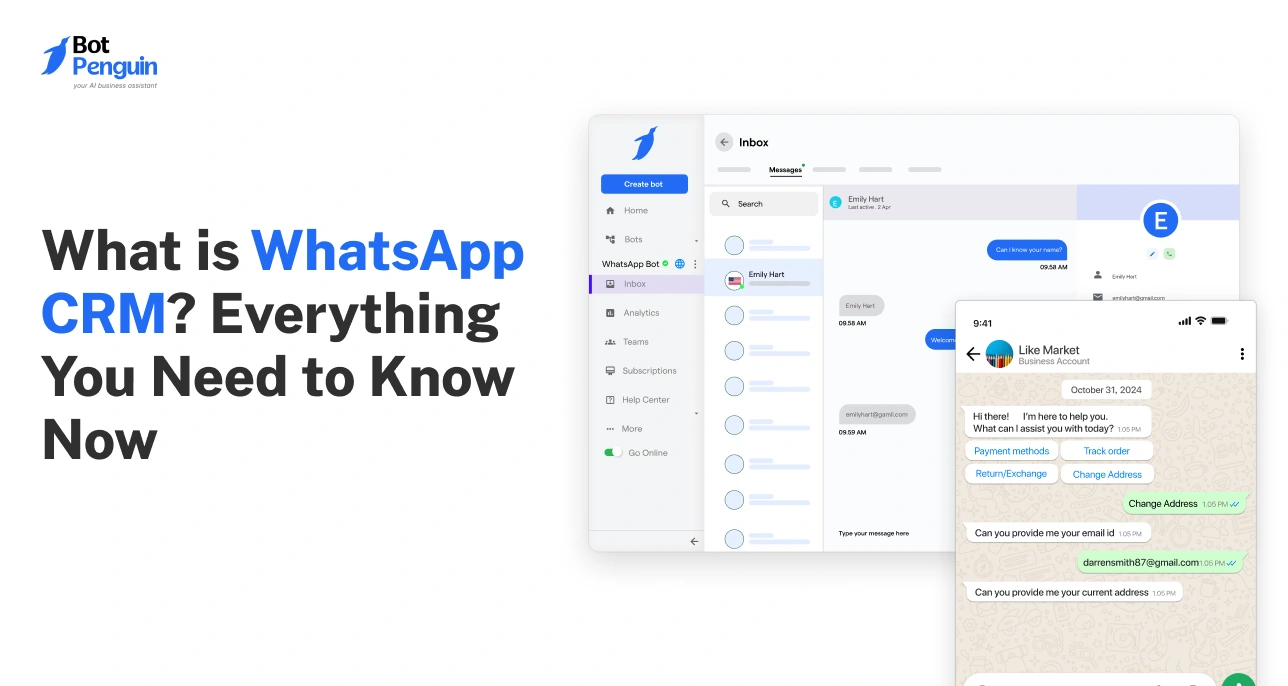
A WhatsApp lead that never makes it into your CRM is a lead your sales team cannot see, cannot prioritise, and cannot close. CRM integration is what transforms WhatsApp from a messaging tool into a fully functioning part of your sales pipeline.

Why CRM Integration is Non-Negotiable

Every conversation your chatbot has contains data your sales team needs: the lead's name, contact details, qualification answers, intent level, and the exact words they used to describe their problem. 

Without CRM integration, that data lives inside WhatsApp and goes nowhere. With integration, it flows automatically into your pipeline the moment the chatbot conversation ends, with every field populated and every lead correctly tagged before a human has said a single word.

BotPenguin's native CRM integrations automatically push all this data. Your sales team opens their CRM in the morning, and every overnight WhatsApp lead is already there, scored, tagged, and ready for action.

What Data to Capture Beyond the Phone Number

What Data to Capture Beyond the Phone Number

Most businesses capture name and phone number and stop there. Here is the full set of data points you should be pulling from every WhatsApp lead conversation and pushing into your CRM:

Full name so your sales team can personalise every outreach from the first message.

Industry and company size so leads can be segmented and routed to the right specialist in your team.

State the problem or use case in the lead's own words, which is the most valuable sales context your team can have before picking up the phone.

Lead score tag so the CRM pipeline reflects qualification level from the moment the lead enters.

Entry point source, so you know which opt-in strategy generated the lead and can double down on what is working.

Opt-in timestamp for compliance records confirming when and how consent was given.

Chatbot completes statuses so that incomplete conversations can be flagged for a human follow-up rather than falling into the same pipeline as fully qualified leads.

Conversation transcript so your sales team has full context and never has to ask a lead to repeat information they already gave the chatbot.

BotPenguin captures and syncs all eight of these data points automatically across every connected CRM so your pipeline is always complete, always current, and always actionable without any manual data entry from your team.

WhatsApp Lead Generation by Industry — Real Funnel Examples

Real Estate

Problem: 400+ monthly enquiries, but agents wasting time on unqualified leads.

Funnel:

  • Click-to-WhatsApp Facebook ad targeting recent property page visitors
  • Chatbot asks 4 questions: property type, budget, location, timeline
  • Hot leads (under 3 months timeline) are routed to the agent instantly
  • Warm leads enter 7-day drip with market reports and mortgage tips

Results: Qualified leads 3x. Unqualified calls down 62%. Cost per lead dropped from $47 to £14.

Key lesson: Timeline is the single most important qualification question in real estate. Build your entire branching logic around that one answer.

E-Commerce

Problem: 74% checkout abandonment. Email recovery sequence converting at just 3%.

Funnel:

  • Exit intent pop-up page, opopupng 10% discount for WhatsApp opt-in
  • Automated message fires within 15 minutes of abandonment,t naming the specific product
  • Reply routed to live agent for real-time objection handling
  • No reply triggers as 3-message sequence over 48 hours with social proof and an expiring discount

Results: Cart recovery rate went from 3% to 24%. Time from lead to purchase dropped from 4 days to 38 minutes.

Key lesson: The 15-minute trigger window is what makes WhatsApp recovery work. I miss that window, and the intent has already cooled.

Education and Coaching

Problem: High enquiry volume, but leads are going cold before the admissions team can follow up.

Funnel:

  • WhatsApp link in Instagram and LinkedIn bio,o offering a free course guide
  • Chatbot delivers a guide instantly, then asks 3 questions: current role, reason for interest, study preference
  • Recommends the most relevant course with a personalised reason why
  • Hot leads connected to an admissions advisor within the hour
  • Others enter a 7-day nurture with testimonials, accreditation details, and payment plan options

Results: Conversion rate from enquiry to enrolment went from 8% to 31%. Decision time dropped from 3 weeks to 6 days.

Key lesson: In education, unanswered questions are the number one reason leads go cold. A chatbot available at any hour eliminates that drop-off entirely.

Supercharge WhatsApp Sales Using BotPenguin

SaaS and B2B

Problem: 60+ demos booked monthly, but only 5% closing. The sales team is overwhelmed with unqualified calls.

Funnel:

  • WhatsApp CTA on pricing page: "Not sure which plan is right? Get a recommendation in 2 minutes."
  • Chatbot runs a 5-question qualification: company size, tech stack, use case, timeline, and budget.
  • Qualified leads get an instant demo booking link with personalised context
  • Unqualified leads directed to a self-serve plan with a helpful explanation

Results: Demo shows rate up from 54% to 81%. Unqualified demos down 70%. Revenue per sales rep up 2.4x in one quarter.

Key lesson: For high-ticket B2B, the chatbot's job is not to sell. It is to protect your sales team's time.

WhatsApp Lead Generation Compliance — What You Must Know

Skipping this section is how accounts get banned. Everything you have built can be shut down overnight if Meta restricts your WhatsApp account. The rules are straightforward. Here is what you need to know.

Is WhatsApp Lead Generation Legal?

Yes, with two conditions. First, every contact must have given explicit opt-in consent to Business WhatsApp messages from your business. Second, your activity must comply with the data protection laws applicable to your market.

GDPR (European Union): Consent must be freely given, specific, informed, and unambiguous. Pre-ticked boxes do not count. You must record when and how consent was given.

CCPA (California): Consumers must be informed of what data is being collected and have the right to opt out at any time.

PDPA (India and Southeast Asia): Similar to GDPR. Explicit consent is required before any marketing communication is sent.

If you are unsure which regulations apply to your audience, the safest approach is to follow GDPR standards across the board. It is the strictest framework, and compliance with it satisfies most other regional requirements by default.

How to Collect Compliant WhatsApp Opt-Ins

A compliant opt-in has four elements. Every entry point in your funnel needs all four.

Clear disclosure of what the person is signing up for. Not just "join our WhatsApp list" but "receive weekly WhatsApp tips on WhatsApp lead generation from [Business Name]."

Explicit confirmation that is actively completed by the user. A pre-ticked checkbox does not count as consent under GDPR.

The opt-out mechanism is stated at the point of opt-in and included in every subsequent message. "Reply STOP at any time to unsubscribe" is the minimum required.

Consent record with a timestamp stored in your CRM showing when the opt-in was given and through which entry point.

What Gets Your WhatsApp Account Banned

Trigger

Why Meta Flags It

How to Avoid It

Unsolicited first messages

Messaging contacts who never opted in

Only message people who initiated contact or explicitly opted in

High block rate

Too many recipients are marking you as spam

Keep messages relevant and valuable, honour opt-outs immediately

No opt-out option

Violates Meta messaging policy

Include the STOP option in every outbound message

Unofficial WhatsApp tools

Violates Meta's terms of service

Only use Meta-approved APIs and BSPs

Unapproved message templates

Bypasses Meta content review

Submit all outbound templates for approval before sending

Ignoring quality ratings

Meta downgrades sending limits for low-quality accounts

Monitor your quality rating in Meta Business Manager weekly

Conclusion

WhatsApp lead generation is not a future opportunity. It is a present one that most of your competitors have not acted on yet.

The system in this guide covers everything you need. Six entry points to drive opted-in leads into your funnel. A chatbot that qualifies and scores them automatically. A 7-day drip sequence that nurtures leads who are not ready to buy today. CRM integration that puts every lead into your pipeline with full context. And a compliance framework that keeps your account protected as you scale.

The businesses seeing the strongest results are not the ones with the biggest budgets. They are the ones who set the system up correctly and let it run.

If you want to build this entire funnel without a developer or a technical team, BotPenguin gives you everything in one place. The WhatsApp API access, the no-code chatbot builder, the drip campaign tools, and the CRM integrations. You can get started free and have your first WhatsApp lead gen funnel live today at botpenguin.com.

Start WhatsApp Funnels with BotPenguin

Frequently Asked Questions (FAQs)

Does WhatsApp lead generation work for B2B?

Yes, particularly for high-ticket products and services with longer sales cycles. WhatsApp is especially effective in B2B when used as a qualification and nurture channel rather than a cold outreach tool. Decision makers respond to WhatsApp conversations significantly faster than email, and the conversational format builds the kind of trust that complex B2B purchases require before a commitment is made.

How much does WhatsApp Business API cost?

The WhatsApp Business API uses a conversation-based pricing model. Meta charges per 24-hour conversation window rather than per message. Rates vary by country and conversation type. User-initiated conversations are generally cheaper than business-initiated ones. Most small to mid-sized businesses running active lead gen campaigns spend between $50 and $300 per month on API conversation costs, depending on volume.

How many leads can a WhatsApp chatbot handle per day?

There is no upper limit on the API side. A properly configured WhatsApp chatbot can handle thousands of simultaneous conversations without any degradation in response time or quality. The practical limit is determined by your CRM capacity and your sales team's ability to follow up on hot leads, not by WhatsApp itself.

Can I automate WhatsApp messages without getting banned?

Yes, as long as you use the official WhatsApp Business API, send only to contacts who have opted in, use Meta-approved message templates for outbound messages, and include an opt-out mechanism in every sequence. Automation itself is not the issue. Unsolicited automation is.

What is a good conversion rate for WhatsApp leads?

Opt-in to qualified lead conversion rates of 25 to 40% are achievable with a well-built chatbot qualification flow. Chatbot completion rates above 70% indicate a well-structured conversation flow. Follow-up response rates of 30 to 50% on drip sequences are considered strong. These benchmarks are significantly higher than equivalent email metrics across all three categories.

How is WhatsApp lead gen different from broadcast lists?

WhatsApp broadcast lists send a one-way message to up to 256 contacts who have your number saved. They have no automation, no qualification capability, no CRM integration, and no chatbot support. WhatsApp lead generation using the Business API is a fully two-way, automated, scalable system with no contact limit. The two are not comparable in terms of capability or results.

Do I need coding skills to set up a WhatsApp chatbot?

No. Platforms like BotPenguin let you build your entire WhatsApp lead gen funnel, including the chatbot flow, drip sequences, and CRM integrations, using a visual no-code builder. The entire setup from API access to first live conversation can be completed in under 30 minutes without writing a single line of code.

How long does it take to see results from WhatsApp lead generation?

Most businesses see meaningful results within the first 2 to 4 weeks of launching their funnel. The first week is typically spent on setup and testing. Week two onwards is when live lead data starts flowing. By week four, you will have enough data to identify which entry point is driving the most volume and which chatbot questions are causing the most drop-off, so you can optimise accordingly.

Keep Reading, Keep Growing

Checkout our related blogs you will love.

Table of Contents

BotPenguin AI Chatbot maker
    BotPenguin AI Chatbot maker
  • What is WhatsApp Lead Generation? (And Why It Works Better Than Email)
  • BotPenguin AI Chatbot maker
  • Setting Up WhatsApp for Lead Generation — What You Need First
  • BotPenguin AI Chatbot maker
  • How to Get WhatsApp Business API Access
  • BotPenguin AI Chatbot maker
  • How to Drive People Into Your WhatsApp Funnel (6 Opt-In Strategies)
  • BotPenguin AI Chatbot maker
  • Building a WhatsApp Chatbot That Qualifies Leads Automatically
  • BotPenguin AI Chatbot maker
  • Chatbot Mistakes That Kill Your Conversion Rate
  • BotPenguin AI Chatbot maker
  • WhatsApp Drip Campaigns — How to Follow Up Without Annoying People
  • Timing, Frequency, and Spacing Rules That Keep You Off the Ban List
  • BotPenguin AI Chatbot maker
  • Integrating WhatsApp Leads With Your CRM
  • BotPenguin AI Chatbot maker
  • WhatsApp Lead Generation by Industry — Real Funnel Examples
  • BotPenguin AI Chatbot maker
  • WhatsApp Lead Generation Compliance — What You Must Know
  • Conclusion
  • BotPenguin AI Chatbot maker
  • Frequently Asked Questions (FAQs)