


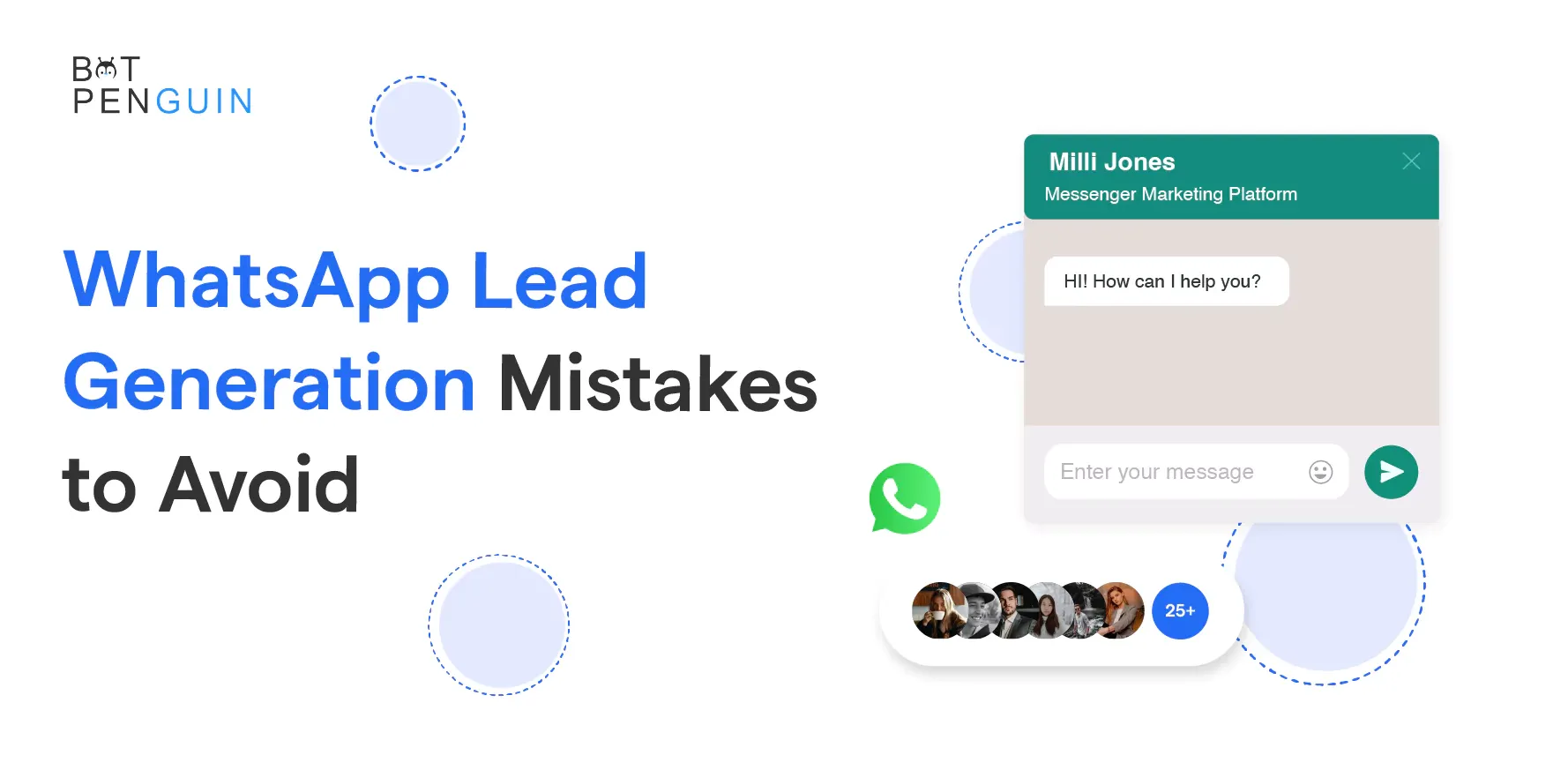
7 WhatsApp Lead Generation Mistakes to Avoid in 2024
Updated at May 19, 2026
10 min to read
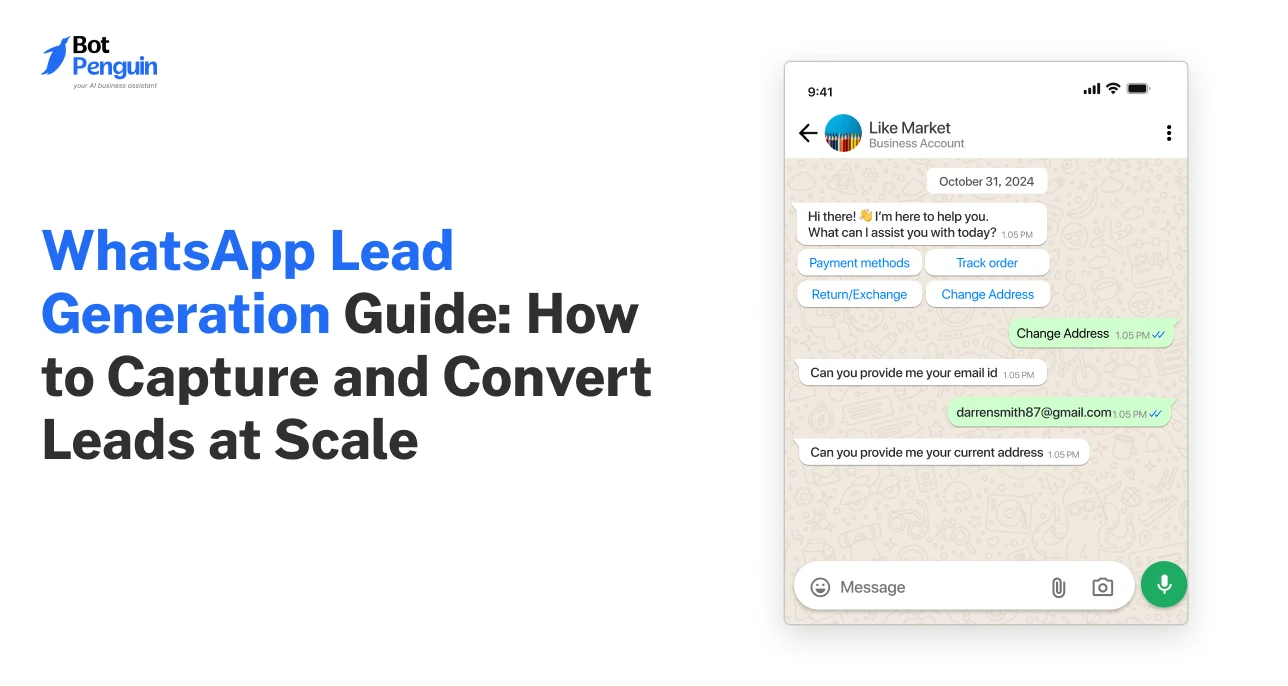
A WhatsApp lead generation chatbot turns messages into sales-ready conversations. It captures details, asks qualifying questions, routes qualified prospects, and syncs relevant information to your CRM. This gives sales teams the context they need to follow up while interest is still active.
A prospect sees your ad, likes what they see, and taps to message you. That is a great start. But then they face a long form or a slow reply. By then, they may forget why they clicked.
WhatsApp lead generation skips that awkward detour. It lets prospects start a real conversation while their interest is fresh. A chatbot can capture details and ask helpful questions. It can send qualified leads to your sales team or CRM.
Think of it as a helpful first responder, not a pushy salesperson. It asks what the prospect needs, points them in the right direction, and knows when to bring in a human.
This makes lead generation easier for prospects and more organized for your team.
Read our WhatsApp chatbot guide for a broader overview of how these conversations work.
Most lead-generation systems create a gap between intent and response. If a prospect has to wait, they may get distracted, compare options, or just move on.
WhatsApp gives prospects a more direct path. They can ask a question, describe their need, or request a quote in one place. Your business can then guide the conversation to the next step.
This makes WhatsApp lead generation especially useful when prospects need answers before they commit. It works for service inquiries, product questions, demo requests, appointments, quotes, and consultation bookings.
A person who starts a WhatsApp conversation has taken a deliberate action. They may have seen an ad, scanned a QR code, visited your website, or received a referral.
Not every conversation will be sales-ready. But you get a chance to understand the person’s intent before it fades.
A chatbot can respond with a short welcome message and offer clear options. For example:
This is much simpler than forcing every visitor through a long contact form. It also lets people explain what they want in their own words.
Forms often collect information without context. A lead may enter a name and email but give little sense of urgency or fit.
A WhatsApp conversation can collect the same information step by step. It can also ask questions that help your team decide what to do next.
For a B2B software company, those questions might include:
For a local service business, the questions may cover location, preferred service, budget, or appointment time.
The goal is not to interrogate every prospect. Ask only what your sales team needs to decide the next step.
Lead volume is not the same as lead quality. A good WhatsApp chatbot flow separates routine questions from conversations that need sales attention.
HubSpot’s 2025 State of Sales survey found that 68% of sales professionals reported improved lead quality year over year. This reinforces the value of giving sales teams better context, rather than simply increasing contact volume.
A chatbot can collect basic details, identify the request type, and send the lead to the right place. Sales representatives can then spend more time on qualified prospects and complex buying questions.
For examples of how businesses use chat automation across real customer journeys, review these case studies.
A lead-generation chatbot does not replace your sales process. It handles the early and repeatable steps.
It starts the conversation and captures key details. It then qualifies the prospect, books the next step, or transfers the lead to a person. The best flows stay short and give prospects a clear reason to continue.
Here is the basic process.
The flow begins when a prospect messages your business. This can happen through a website button, click-to-WhatsApp ad, social profile, QR code, or shared chat link.
The opening message should show you know why they arrived. If they clicked an ad for a product demo, do not start with a generic question.
Use the context you already have.
For example:
Hi, thanks for your interest in a product demo. Are you looking for sales, support, or partnership information?
The chatbot should offer quick replies when possible. These help prospects move forward without typing long responses.
The first goal is to understand why the person contacted you. Do not ask for phone numbers or budgets before they know you can help.
Start with a clear choice:
This protects your sales team from getting unrelated support requests. It also gives the prospect a faster path.
If someone chooses pricing, the chatbot can ask a few commercial questions. If someone chooses support, it can route them to an existing support flow.
WhatsApp lead capture works best when the chatbot asks for only the information needed for the next step.
For a consultation business, this may be:
For a SaaS company, it may be:
Too many questions can make people leave. Too few questions can make the lead useless for sales.
A good rule is simple. Every question should help decide the next response, routing, or follow-up.
Qualification helps you see if a lead is a good fit. It should not feel like a form pretending to be a chat.
Use two to four short questions. Adapt the questions to your actual sales criteria.
A prospect who wants to start this month may need quick attention. Someone who is still researching may need helpful information and a later follow-up.
The chatbot should record both outcomes. “Not ready now” is still valuable if your system can re-engage them later.
Once the chatbot has enough context, it should move the conversation forward. Do not leave qualified prospects with a vague message like “Our team will contact you soon.”
The next step should be specific:
Salesforce’s 2026 State of Sales report found that 94% of sales leaders using agents consider them important for growth. The report surveyed 4,050 sales professionals across 22 countries.
A structured flow works well for predictable requests. It helps capture details, offer choices, and book appointments.
AI can help when prospects ask open-ended questions. It can understand natural language, answer common product questions, and find the right flow.
Use rules for actions that must be consistent. Use AI to understand and guide the conversation.
For example:
You can review BotPenguin’s available chatbot features before deciding which parts of your process require automation.
A good WhatsApp lead generation flow starts with sales alignment. Before building a chatbot, decide what counts as a qualified lead and who owns the next step.
Do not start with a long list of questions. Begin with one high-value journey, like demo requests or quote inquiries. Test it, improve it, and then add more entry points.
Choose one main conversion event for the first flow. This could be a booked meeting, a consultation request, a pricing inquiry, or a store visit.
Be clear about what success looks like.
For example:
This keeps your chatbot focused. It also makes reporting easier down the line.
Use the sources where prospects already show intent. You do not need every entry point at the start.
Start with one or two:
For website traffic, place the WhatsApp button on pages where visitors are likely to have questions. Pricing, service, product, and comparison pages are often strong starting points.
For ads, match the ad promise to the first chatbot message. An ad offering a consultation should open a consultation flow. An ad promoting a discount should open the right offer flow.
The welcome message should help prospects feel they are in the right place. It should also make the first response easy.
For example:
Hi, thanks for contacting us. I can help with pricing, product questions, or a demo. What would you like to do?
Avoid long introductions. Do not ask every question at once. WhatsApp is conversational, so each message should be easy to scan and answer.
Use buttons or quick replies where possible. These make qualification more consistent and help users move faster.
Choose questions that sales representatives already ask on introductory calls. Then remove any that do not affect the next step.
A B2B lead flow could look like this:
1. What are you looking to achieve?
2. Which industry are you in?
3. How large is your team?
4. When would you like to start?
5. Would you like to book a demo?
A local business flow could look like this:
1. Which service do you need?
2. Which location are you in?
3. When would you prefer an appointment?
4. Would you like a team member to contact you?
Keep the questions natural. If a prospect asks a question before answering, respond. Continue the flow only if it still makes sense.
Define what happens for each answer type.
For example:
Routing rules prevent WhatsApp leads from getting lost in an inbox. They also stop sales representatives from getting conversations they should not own.
BotPenguin can help you build WhatsApp workflows, route conversations, and support human takeovers through its WhatsApp chatbot solution.
Do not test only the ideal path. Test incomplete answers, unclear messages, typos, pricing questions, and requests outside your scope.
Check these points before launch:
This is where many flows fail. The chatbot may work perfectly in a clean test. But real prospects do not follow scripts.
Do not judge the flow only by how many conversations it starts. Measure if it creates real business value.
Track:
These metrics show if you need better targeting, clearer questions, improved routing, or faster human follow-up.
A chatbot should not become another disconnected lead source. If your sales team has to copy messages into a spreadsheet, the process will break down.
CRM integration gives your team a usable lead record as soon as the conversation reaches a set point. It can include contact details, qualification answers, source, owner, and a conversation summary.
Your CRM does not need every message. It needs only the information that helps sales take the next step.
Useful fields include:
This gives the sales representative a starting point. They can continue the conversation with context instead of asking the prospect to repeat answers.
Explore BotPenguin’s integrations to see how chatbot data can connect with your CRM and existing business tools.
A CRM sync should trigger an action, not just create a contact. Set ownership rules before launch.
You might assign leads by:
For urgent or high-value inquiries, transfer the chat directly to an available representative. For other leads, create a follow-up task with the correct context.
A clear handoff process matters as much as quick capture. Poorly routed leads often get slow or irrelevant follow-up.
Follow-up is useful only when it is expected and relevant. Ask prospects for clear consent before sending promotional messages.
Meta’s official documentation states that businesses need user opt-in for WhatsApp marketing messages. Marketing messages also use approved templates and are subject to delivery controls.
Use follow-ups for a clear purpose:
Avoid sending generic messages to every captured contact. Segment follow-ups by the prospect’s request, stage, and permission.
Not every lead should remain with a chatbot. Offer a clear human option when someone asks a detailed question, shows buying intent, disputes information, or seems dissatisfied.
The handoff should include:
This helps a representative start with context. It also gives the prospect a smoother experience.
If trust, data handling, or security is a priority for your buyers, share your security information early in the sales process. You can also share customer reviews when prospects need validation before moving ahead.
WhatsApp lead generation works when a chat flow turns active interest into a clear next step. The chatbot captures context, qualifies the request, and routes the conversation without slowing the prospect down. Start with one high-intent use case. Connect it to your CRM. Then measure lead quality, handoffs, and conversions before expanding the flow.
BotPenguin helps businesses build no-code WhatsApp chatbots for lead capture, qualification, routing, and sales follow-up. You can also visit the BotPenguin homepage to see more of its AI chatbot features.
A WhatsApp chatbot starts the conversation, gathers lead details, and asks qualifying questions. It can send the information to your CRM, book a call, transfer the chat, or create a follow-up task for the appropriate sales representative.
Yes, if your provider supports your CRM directly or through a connector. Before launch, confirm that it syncs the fields, ownership rules, conversation context, and follow-up tasks your team needs. This prevents incomplete lead records and avoids manual data entry after conversations.
Yes. Define a few questions around need, location, company size, budget, timeline, or product interest. The chatbot can use those responses to score the lead, assign an owner, or present the right next step. Keep questions limited to details that affect routing.
No. You can capture leads from website buttons, social profiles, QR codes, referrals, and organic content. Click-to-WhatsApp ads can add high-intent conversation volume for a specific campaign. Choose traffic sources based on where your prospects already engage with your business.
A basic no-code flow can often launch within a day once your questions, routing rules, CRM fields, and handoff process are ready. Test it with realistic conversations before driving traffic. This helps you find unclear messages, wrong routes, or missing CRM data early.
Turn Chats Into Leads
Automatically capture, qualify, and route WhatsApp prospects to your sales team with clear questions, CRM context, and timely follow-up.
Capture More LeadsCheckout our related blogs you will love.
Updated at May 19, 2026
10 min to read
Updated at Oct 8, 2026
14 min to read
Updated at Oct 7, 2026
12 min to read
Updated at Oct 6, 2026
13 min to read
Updated at Oct 6, 2026
10 min to read
Updated at Oct 5, 2026
11 min to read
Table of Contents



