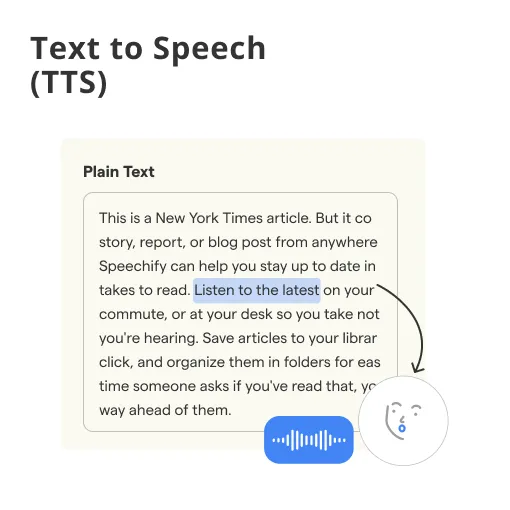


Text-to-Speech Definition
Text-to-speech, or TTS, is technology that converts written text into spoken audio. It lets apps, devices, websites, and AI systems read text aloud using a synthetic voice. People use text-to-speech in screen readers, navigation apps, e-learning, virtual assistants, and AI voice agents.
Text-to-speech helps people hear written information. It also helps businesses add voice output to digital tools. This makes content easier to access.
Examples of Text-to-Speech
Text-to-speech examples appear in everyday products. Most people use them without noticing.
A screen reader can read a website aloud. This helps people with visual impairments. It also improves digital accessibility.
A navigation app can read directions aloud. Drivers hear turns and route updates. They do not need to watch the screen.
An e-learning platform can narrate lesson text. Students can listen while studying. This supports different learning styles.
A news app can read articles aloud. Users can listen while commuting. This turns written content into audio.
An AI voice agent can speak a reply. It reads system-generated text during a call. This creates a spoken customer interaction.
These examples of text-to-speech show one pattern. Written content becomes spoken output. The goal is easier listening and access.
Everyday Uses and Ideas for Text-to-Speech
Text-to-speech ideas usually start with accessibility. But the use cases go beyond that.
Accessibility and Screen Readers
Screen readers use TTS to voice digital content. They help users hear websites and apps. This supports people with limited vision.
Accessibility tools may read buttons and menus. They can also read documents and alerts. This makes digital products easier to navigate.
Content, E-Learning, and Media
Content teams use TTS to voice articles. It can also support newsletters and guides. This gives readers another content format.
Educators use TTS for courses and lessons. Students can hear the study material aloud. This supports listening-based learning.
Media teams use TTS for quick narration. It can help create audio drafts. It can also support short video narration.
Apps, Devices, and Customer Tools
Apps use TTS for alerts and reminders. Smart devices use it for spoken responses. Customer tools use it for voice-based replies.
Businesses can use TTS in service workflows. For example, an app can read order updates. A phone system can speak appointment details.
Learn how AI voice agents use text-to-speech.
How Does Text-to-Speech Work?
Text-to-speech works by converting written text into speech.
First, the system analyzes the text. It checks words, punctuation, and sentence structure. This helps decide how the words should sound.
Next, it selects pronunciation and rhythm. It may adjust pauses and emphasis. This makes the output easier to understand.
Finally, the system generates a synthetic voice. The user hears the final spoken version. Modern tools often make this sound natural.
Quick Overview
For full technical depth, read how speech synthesis works. It explains how AI models generate spoken audio.
Text-to-Speech vs Speech-to-Text
Text-to-speech and speech-to-text are commonly confused. They are opposite processes.
Text-to-speech turns written text into spoken audio. It is an output process. The system speaks the text.
Speech-to-text turns spoken audio into written text. It is an input process. The system listens and transcribes.
A voice app may use both. Speech-to-text captures what someone says. Text-to-speech speaks the system’s reply.
For the input side, read speech recognition/speech-to-text. For identity-based voice analysis, read up on voice recognition.
Text-to-Speech in Voice Agents and Apps
Text-to-speech is important in voice agents and apps. It lets software speak responses naturally.
A voice agent first understands the user. It may then generate a reply. TTS turns that reply into spoken audio.
In customer service, this supports phone-based automation. A voice agent can answer common questions. It can also share order or booking details.
Text-to-speech in voice agents helps complete conversations. It gives the system a spoken-output layer. Without it, the agent could only produce text.
For business applications, read about AI voice agents for customer service.
Agencies offering voice automation can start white-label AI voice agents with BotPenguin.
Frequently Asked Questions (FAQs)
What is text-to-speech?
Text-to-speech (TTS) is technology that reads written text aloud in a spoken voice. It lets devices and apps speak content. It is used in screen readers, navigation, virtual assistants, e-learning, and AI voice agents to make text accessible as audio.
What is an example of text-to-speech?
Common examples include a screen reader voicing a web page and a navigation app reading directions aloud. Others include an e-learning course that narrates lessons or an AI voice agent that delivers its reply during a call.
How does text-to-speech work?
In short, TTS analyses written text, determines how it should sound, and generates spoken audio using a synthetic voice. For the full technical details of how the AI generates the audio, see our Speech Synthesis page.
What is the difference between text-to-speech and speech-to-text?
Text-to-speech turns written text into spoken audio (output). Speech-to-text does the reverse. It turns spoken audio into written text (input). They are opposite processes often used together in voice apps.
What can I use text-to-speech for?
Ideas include accessibility for visually impaired users, voice-over for articles, and narration for videos or courses. You can also build voice features into apps and power spoken replies in AI voice agents.
Is text-to-speech the same as speech synthesis?
They describe the same core idea. “Text-to-speech” is the everyday term for the feature. “Speech synthesis” is the technical term for the process that generates speech.
Start with BotPenguin Voice AI | Launch in 12 Hours
