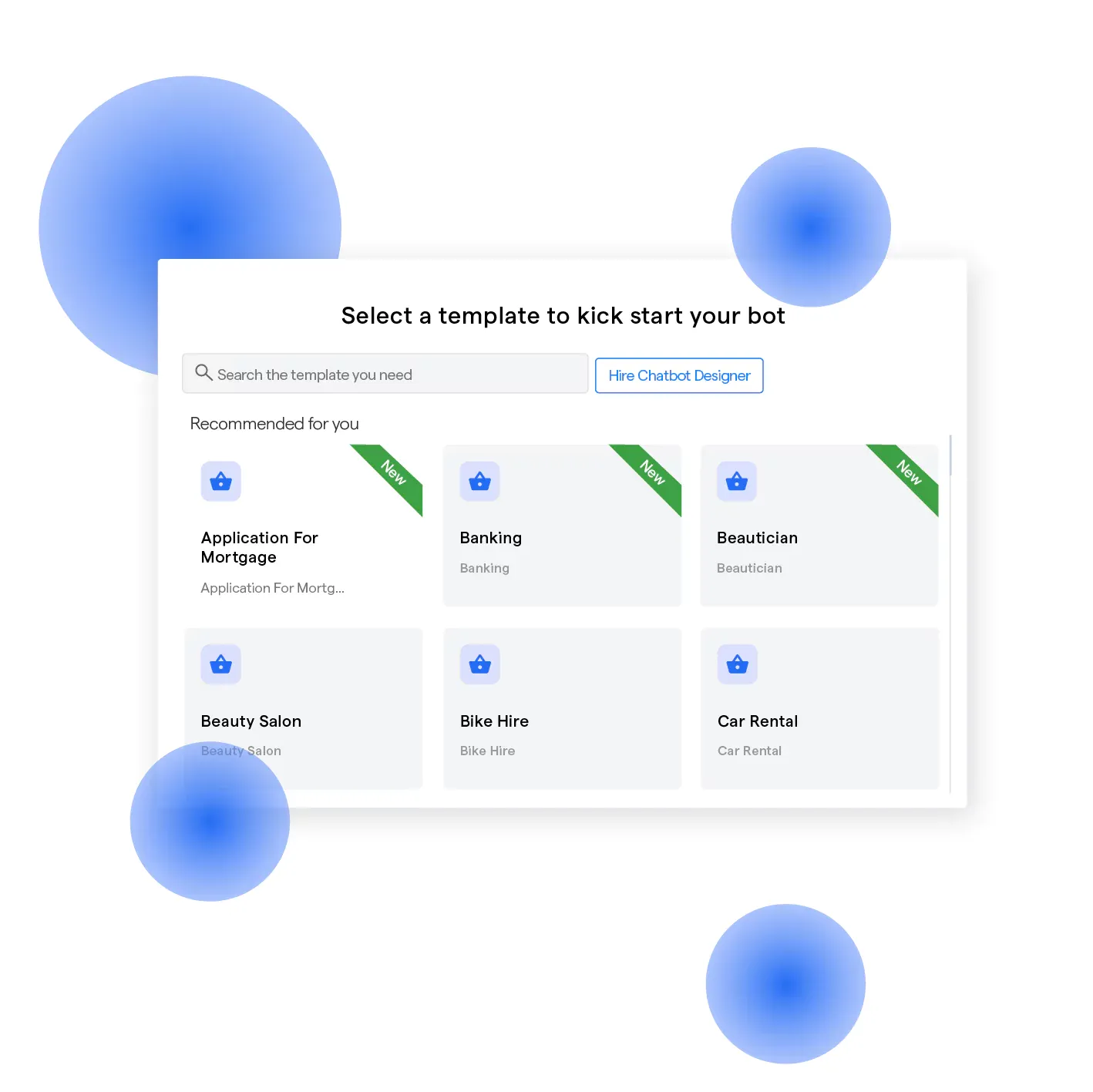


A chatbot template is a prebuilt conversation flow with questions, replies, and branching logic that you can customize and deploy without coding. Templates support common goals like lead capture, customer support, and appointment booking, helping businesses launch chatbots faster without designing every conversation path from scratch.
What is a Chatbot Template?
A chatbot template is a ready-made structure for building a chatbot conversation. It defines the questions, responses, user inputs, and paths the chatbot can follow.
Businesses can customize chatbot templates to match their brand, audience, and goals instead of building every interaction from scratch.
Templates are commonly designed for support, lead generation, appointment booking, sales, and other repeatable conversations.
Types of Chatbot Templates
Different types of chatbot templates are built around different conversation goals.
FAQ templates: Answer common customer questions.
Support templates: Handle routine service requests and escalations.
Lead generation templates: Collect and qualify prospect information.
Sales templates: Guide users toward relevant products or services.
Appointment templates: Manage booking-related conversations.
Informational templates: Deliver structured information based on user needs.
You can also customize a chatbot conversation template for specific industries, audiences, or channels.
What is a Chatbot Flow Template?
A chatbot flow template is a reusable visual map showing how a conversation moves from one step to another.
A typical flow includes: Trigger → Message → User Input → Condition → Branch → Response or Action
A chatbot conversation flow template defines these possible paths before the chatbot goes live. A chatbot flowchart template represents the same logic visually, making branches and decision points easier to understand.
Google's conversation design guidance describes conversational flows as maps of the paths users can take and the logic connecting those paths.
No-code builders simplify this process by letting users edit flow blocks visually. BotPenguin's visual chatflow builder allows teams to create and modify conversation paths without manually coding each branch.
Businesses can also start with ready-made flows instead of building the full structure themselves.
Features of Chatbot Templates
Common chatbot template features include:
Pre-built conversation paths: Ready-made structures for common user journeys.
Customizable messages: Editable questions, replies, and prompts.
Branching logic: Different paths based on user responses.
Fallback responses: Defined replies for unexpected inputs.
Data collection: Fields for capturing relevant user information.
Integrations: Connections with CRMs, calendars, ecommerce tools, and other systems.
These features provide the basic framework while leaving room for customization.
Why Use Chatbot Templates?
Chatbot templates reduce the work involved in designing repeatable conversations.
Instead of mapping every message and branch manually, businesses can begin with an existing structure and adjust it for their requirements.
Templates are particularly useful for:
Answering frequently asked questions
Qualifying leads
Booking appointments
Collecting customer information
Handling order-related requests
They also help teams maintain a more consistent conversation structure across similar chatbot flows.
Looking for ready-to-use templates? Browse free chatbot templates from BotPenguin and customize a flow for your business.
How to Use a Chatbot Template
Using a chatbot template generally involves three steps.
1. Choose a Template
Select a template based on the conversation goal, such as support, lead generation, sales, or appointment booking.
2. Customize the Flow
Edit the questions, responses, conditions, branching paths, and branding to match your business and audience.
3. Test and Deploy
Check each conversation path, connect required integrations, and publish the chatbot to the intended channel.
Use Cases of Chatbot Templates
Chatbot templates can support several common business conversations.
Customer support: Answer recurring questions and route complex requests to human agents.
Lead generation: Collect contact information and qualify prospects through predefined questions.
Sales: Guide prospects toward relevant products, services, or next steps.
Appointment booking: Collect booking details and guide users through scheduling.
Order tracking: Capture order information and provide relevant order updates.
Informational services: Help users find specific information through structured conversation paths.
Chatbot Template vs Custom Chatbot
The main difference between chatbot template and custom chatbot development is whether the conversation starts from an existing structure or is created from scratch.
Templates work well when the required conversation follows a familiar pattern. Custom development is more suitable when workflows require specialized logic, integrations, or business processes.
Best Practices for Designing Conversation Flows
Effective chatbot templates depend on clear conversational flows.
Give each flow one clear objective.
Keep questions and responses concise.
Avoid unnecessary conversation steps.
Create branches only when they affect the next action.
Include fallback responses for unexpected inputs.
Add a clear human handoff where needed.
Test every major path before publishing.
Review real conversations and improve weak points.
A strong template provides the structure, while testing ensures that structure works for actual users.
Frequently Asked Questions (FAQs)
What is a chatbot template?
A chatbot template is a ready-made conversation structure with predefined questions, responses, and branching logic. Businesses customize it for goals such as support, lead generation, sales, or appointment booking instead of designing every conversation path from scratch.
What is a chatbot flow template?
A chatbot flow template is a visual blueprint showing how conversations progress through messages, user inputs, conditions, branches, actions, and fallbacks. It provides reusable dialogue logic that businesses can customize instead of mapping every possible conversation path manually.
What types of chatbot templates are there?
Common types include FAQ, customer support, lead generation, sales, appointment booking, order tracking, and informational templates. Businesses can customize each template's messages, paths, branching logic, integrations, and branding to match their specific conversation needs.
Chatbot template vs custom chatbot: what's the difference?
A chatbot template provides an existing conversation structure that businesses can customize, while a custom chatbot is built from scratch to meet specific requirements. Templates suit common workflows, while custom chatbots offer greater flexibility for specialized logic, integrations, and business processes.
Are chatbot templates free?
Some platforms provide free chatbot templates, while others include them within paid plans. BotPenguin offers free chatbot templates for different industries and use cases that businesses can customize without designing the entire conversation flow from scratch.
How do I use a chatbot template?
Choose a template matching your conversation goal, then customize its messages, questions, branches, and branding. Connect any required integrations, test the main conversation paths, and deploy the chatbot to your preferred channel once the flow works as intended.
Conclusion
So, what is a chatbot template? A reusable conversation structure that gives businesses a starting point for building a chatbot.
Instead of defining every question, response, condition, and branch manually, teams can customize an existing flow around their requirements. Templates work especially well for common processes such as lead capture, customer support, bookings, FAQs, and order inquiries.
A custom chatbot becomes more appropriate when the workflow requires specialized logic, integrations, or processes that an existing structure cannot support.
For common conversation flows, starting with a template keeps setup simpler while still allowing customization.
Browse BotPenguin's chatbot templates to find a ready-made flow for your use case.
