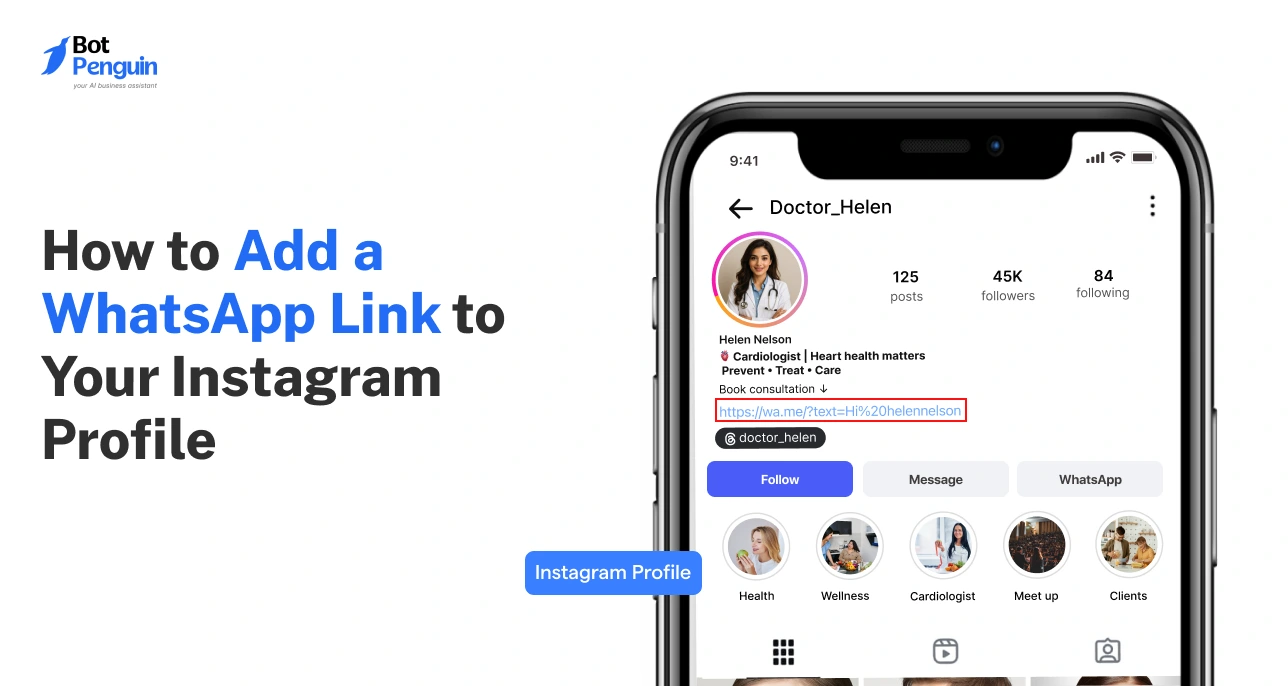
How to Add a WhatsApp Link to Your Instagram Profile
Updated at Oct 8, 2026
14 min to read
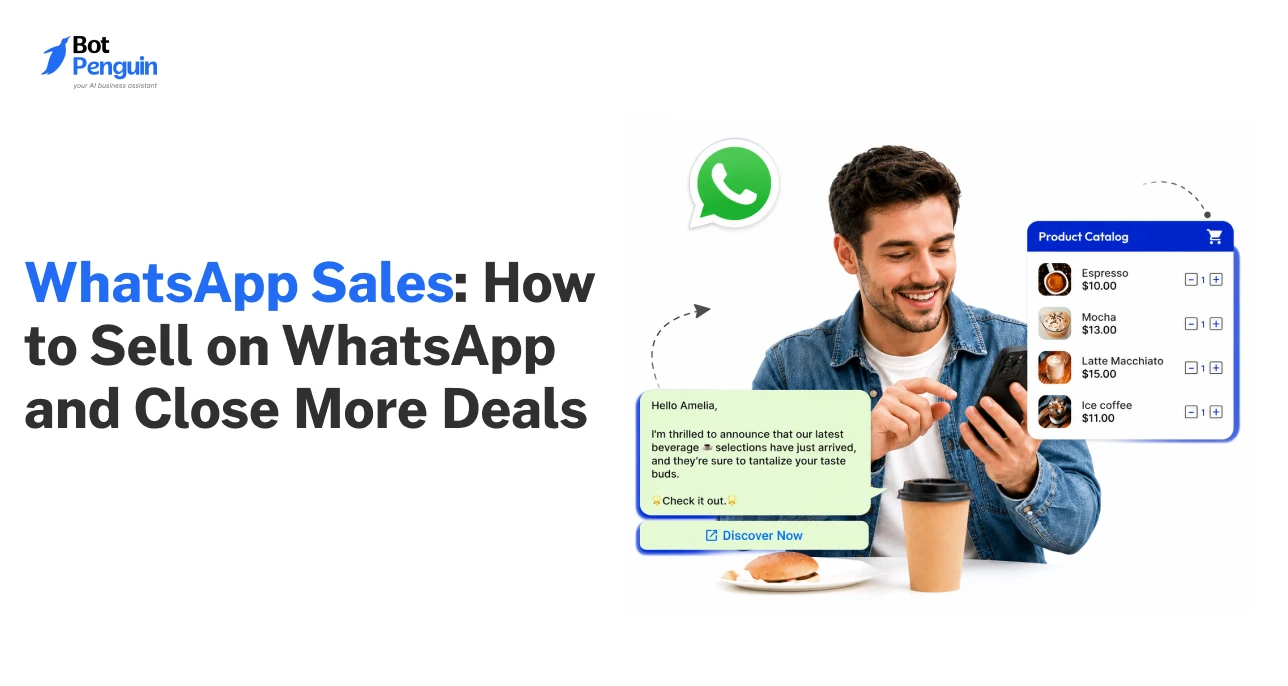
Key Takeaway
WhatsApp sales outperform traditional channels with message open rates of up to 98% and click-through rates near 50%, making it one of the most responsive sales platforms available.
Personalized WhatsApp messages increase engagement for 72% of users, driving faster purchase decisions and boosting revenue by up to 15% compared to generic outreach.
Automation through the WhatsApp Business API allows for scalable lead management, multi-agent collaboration, CRM integration, and campaign analytics, enabling businesses to manage high sales volumes efficiently.
Explicit user opt-in, compliance with message templates, and adherence to the 24-hour messaging window are essential for maintaining high message delivery and avoiding WhatsApp account restrictions.
Customers looking to buy a product expect quick answers, and even small delays can lead to lost sales opportunities.
With WhatsApp now having over 3 billion users, businesses have the opportunity to engage buyers on a platform they already use for daily communication.
Using WhatsApp for sales thus turns conversations into real-time sales interactions where buyers can ask, decide, and act without friction.
Businesses that sell on WhatsApp can capture better-quality leads, share product details, follow up instantly, and close deals faster than traditional channels.
This guide covers everything you need to know about selling on WhatsApp. You’ll learn how to set up, manage, and scale your WhatsApp sales process effectively.
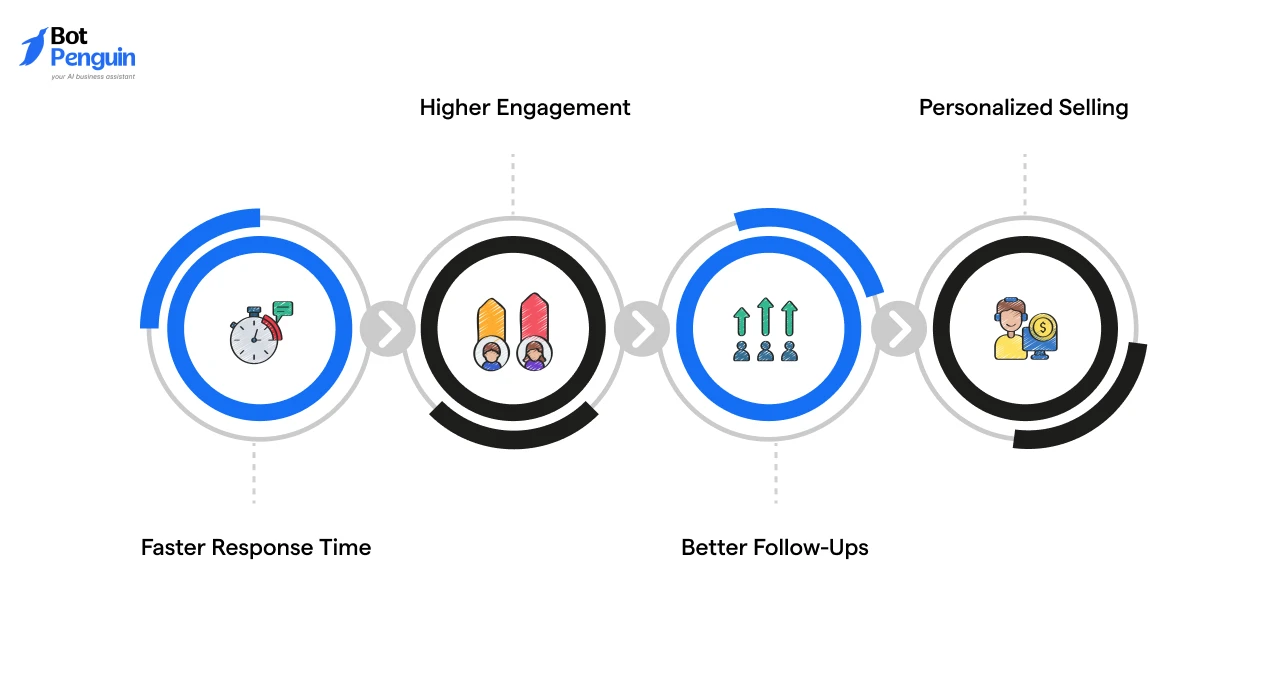
Most businesses today aren’t losing deals because of bad products; they're losing them because their communication is too slow, too generic, or spread across too many disconnected tools.
WhatsApp changes that by putting the entire sales conversation in one thread that customers already check dozens of times a day.
Here’s why businesses are leaning toward WhatsApp for selling their products:
Customers are far more likely to see, engage, and click your messages when you reach them on their preferred channel, and they expect a quick reply when they do.
Around 80% of WhatsApp messages are read within 5 minutes of delivery, which means the gap between a lead reaching out and your team responding is razor-thin.
That speed alone can be the difference between closing a deal and watching a prospect go cold.
WhatsApp consistently delivers significantly higher engagement than traditional email marketing, with open rates reaching nearly 98% and click-through rates approaching 50%, while email campaigns generally average around 20% opens and 4% CTR.
That's not a marginal improvement; it’s a fundamentally different level of attention.
A study reported that nearly 45% of text messages get a reply, making SMS response rates almost eight times higher than email engagement rates.
When customers actually reply, conversations move forward. Deals that stall on email tend to close on WhatsApp.
Follow-ups are where most sales fall apart, not because teams don't try, but because they lose context switching between platforms.
WhatsApp keeps everything in one thread, so every follow-up lands in the same place as the original conversation.
A Meta-backed study reported that businesses using messaging-based communication saw lead generation increase by 58%, largely due to quicker and more reliable follow-up interactions throughout the sales journey.
To understand the business features that support WhatsApp for sales, read our guide on how businesses use WhatsApp to communicate and engage with customers more effectively.
Customers notice when a message was written for them versus copied from a template.
In fact, personalized WhatsApp messages increase engagement for 72% of users, and that translates directly into purchase decisions.
According to McKinsey, personalization generally increases revenue by 10-15%, and on WhatsApp, the effect is amplified because the channel itself feels personal.
Responding to what a customer actually asked, rather than sending a generic product description, accelerates decisions and reduces back-and-forth.
As customer expectations shift toward instant and conversational buying experiences, WhatsApp has become one of the most effective channels for driving faster engagement and higher sales conversion.
Businesses looking to scale these conversations can use no-code chatbot building platforms like BotPenguin to automate lead capture, follow-ups, qualification, and customer engagement directly on WhatsApp.
But what’s the difference between using WhatsApp Business for sales and the WhatsApp Business API? Let’s explore that in the next section.
Choosing the right WhatsApp setup directly affects how efficiently your sales team can manage leads, follow-ups, and conversions.
The WhatsApp Business app works well for handling smaller volumes of customer conversations manually, while the WhatsApp Business API is designed for businesses that need automation, multi-agent sales handling, CRM syncing, and scalable lead management.
Here’s the difference from a sales operations perspective:
Therefore, for structured WhatsApp for sales, the WhatsApp Business API is required when operations involve multiple users, higher message volume, and integrated sales processes.
If you want to understand the features, setup, and functionality of the WhatsApp Business API in detail, explore our complete guide.
Now that the difference is clear, let’s look at the core WhatsApp features that support sales conversations, lead management, and customer engagement.
Selling on WhatsApp becomes more effective when businesses use features designed to improve communication, organize leads, and reduce buying friction.
Here are the top features to consider:
When used together, these WhatsApp Business features help businesses manage conversations more efficiently, improve lead response times, and create a smoother path from inquiry to conversion.
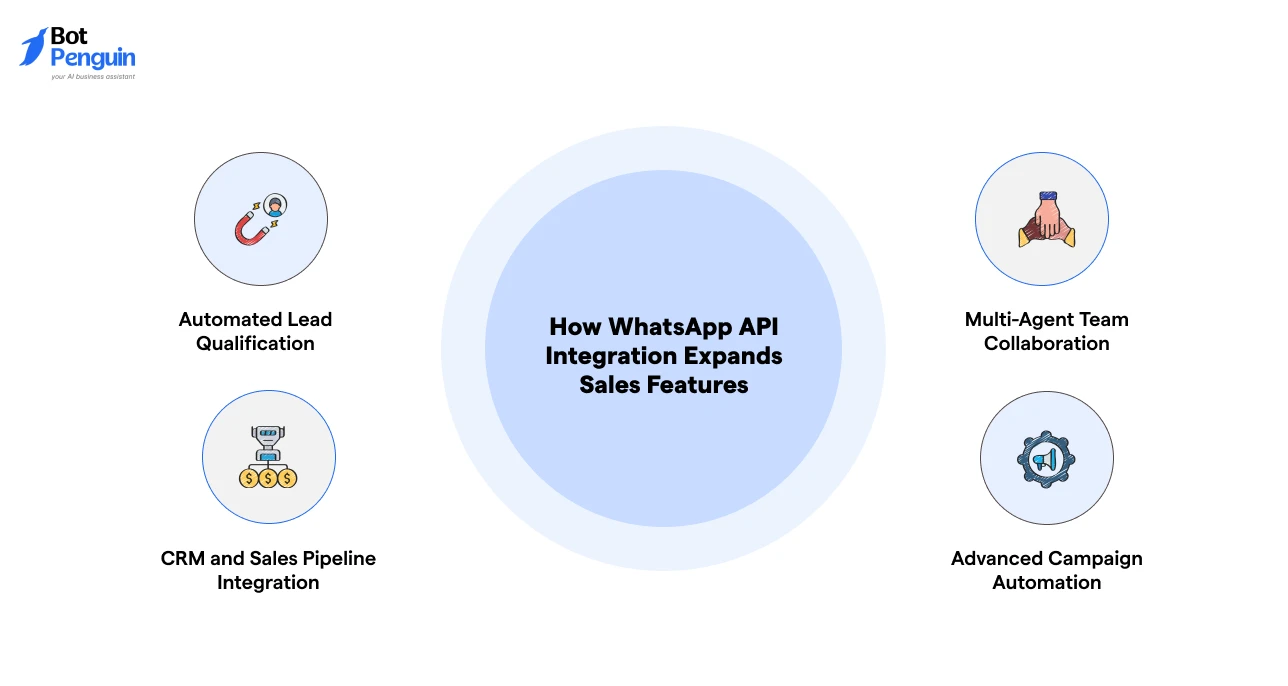
The WhatsApp Business API extends WhatsApp beyond basic messaging by adding automation, integrations, and scalable sales management capabilities for growing businesses.
Here are some additional sales features businesses get with WhatsApp API integration:
This integration helps businesses manage higher conversation volumes, reduce manual effort, and create a more structured WhatsApp sales process.
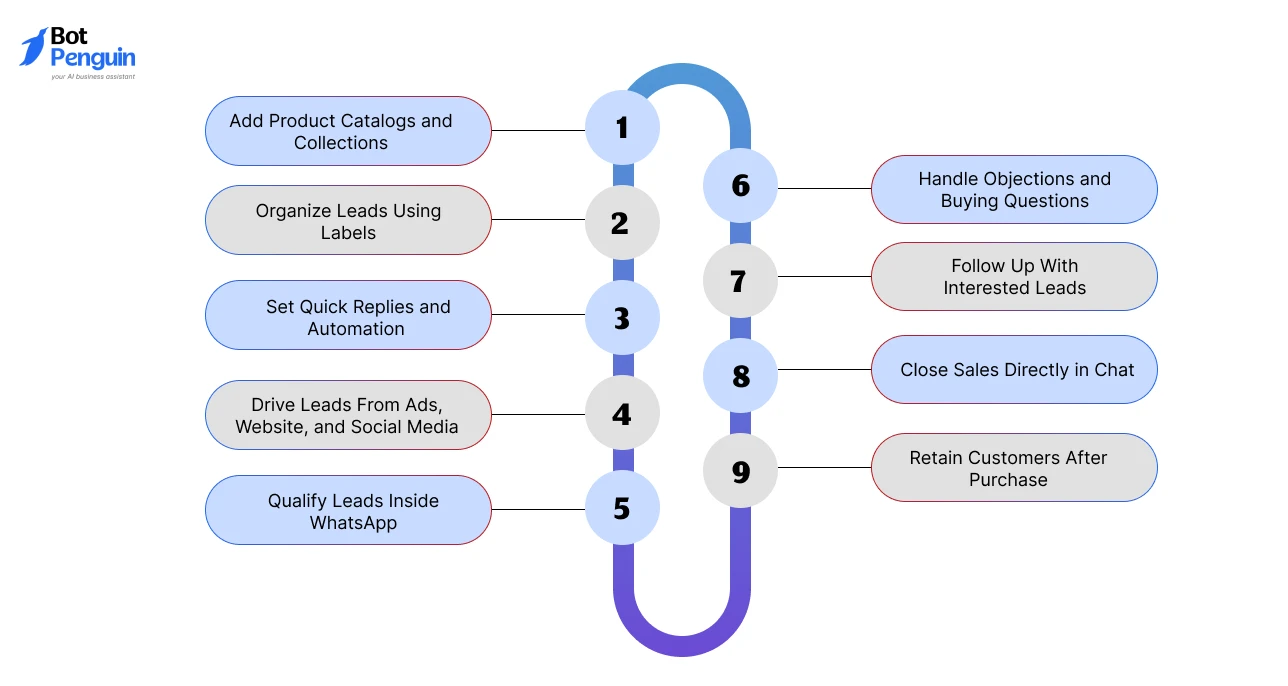
Before starting, businesses should have a WhatsApp Business account or WhatsApp Business API setup in place, depending on their sales volume, team size, and automation needs.
Once configured, the focus shifts from setup to building a structured sales workflow that helps convert conversations into customers.
Here’s a quick overview of the sales process:
Each of these steps has been explained below:
Customers prefer browsing products before making purchase decisions.
Upload products with images, pricing, descriptions, and categories directly into WhatsApp catalogs.
Organize them into collections so buyers can quickly find relevant options without repeated questions.
Sales conversations become difficult to manage without structure.
Use labels such as New Lead, Interested Buyer, Follow-Up Pending, or Payment Completed to track where each customer is in the sales funnel.
Response speed directly impacts conversions.
Use quick replies for repetitive questions related to pricing, availability, demos, or delivery.
Automation and WhatsApp chatbots can also engage leads instantly and manage FAQs at scale.
WhatsApp performs best when integrated with lead generation channels.
Use click-to-WhatsApp ads, website chat buttons, QR codes, and social media CTAs to move potential buyers directly into conversation.
Not every inquiry becomes a customer.
Ask relevant questions about budget, requirements, timeline, or business needs to identify serious buyers and prioritize high-intent conversations.
Most customers need clarification before making a purchase.
Use WhatsApp conversations to answer pricing concerns, explain features, discuss delivery timelines, compare plans, or resolve doubts in real time.
Personalized responses help reduce hesitation and improve conversion rates.
Many buyers require multiple touchpoints before converting.
Follow up on shared quotes, pending demos, abandoned inquiries, or unanswered offers to keep conversations active and maintain momentum.
A simpler buying process increases conversions.
Share payment links, invoices, booking confirmations, or order details directly inside WhatsApp instead of redirecting customers across multiple platforms.
Long-term growth depends on customer retention.
Use WhatsApp for order updates, customer support, feedback requests, upselling, and promotional campaigns to increase repeat purchases and lifetime customer value.
Curious how businesses use WhatsApp for repeat engagement & long-term loyalty? Check out our complete guide on WhatsApp customer retention strategies.
A structured approach to selling on WhatsApp ensures that leads are captured, managed, and converted efficiently across the entire sales funnel.
A structured WhatsApp Sales Funnel helps businesses move users from first interaction to repeat purchase using clear stages.
Each stage focuses on progressing the conversation toward conversion and long-term retention.
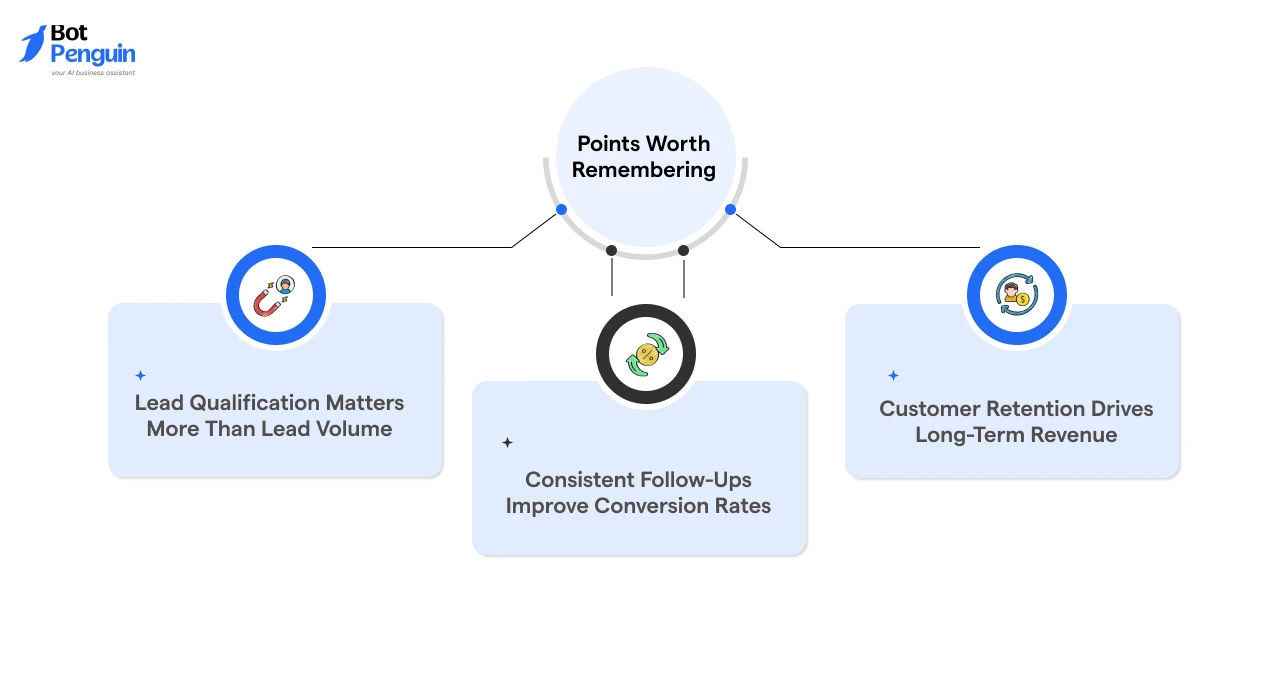
A structured WhatsApp Sales Funnel ensures that every lead is captured, managed, and converted efficiently while maintaining long-term engagement.
Yet, when it comes to selling products or services, WhatsApp becomes especially useful for the B2B sales process. In the next section, we’ll explore how B2B businesses benefit from WhatsApp to close deals faster.
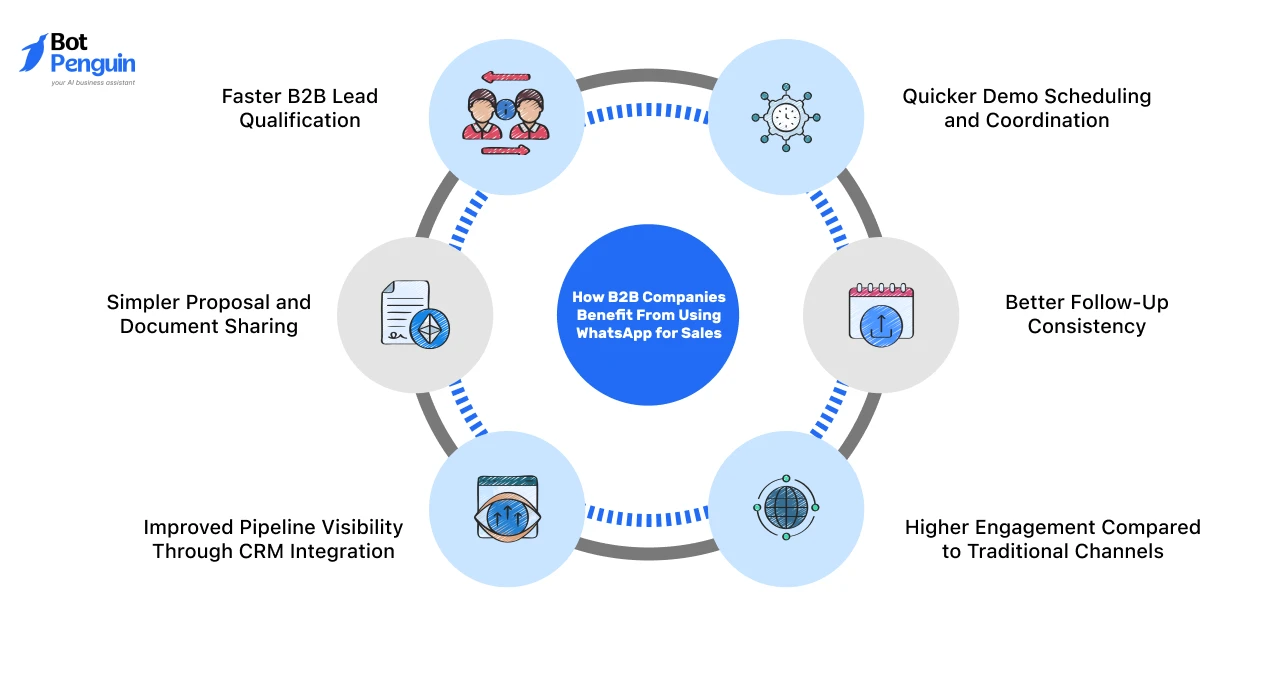
B2B sales cycles are often longer and involve multiple touchpoints before conversion.
WhatsApp helps B2B companies maintain faster communication, reduce follow-up delays, and manage buyer conversations more efficiently across the sales pipeline.
Here’s how the platform supports B2B sales:
B2B teams can qualify leads quicker through direct and structured conversations.
WhatsApp makes it easier to ask about company size, requirements, budget, or buying timelines in real time, helping sales teams identify serious prospects faster.
Scheduling delays often slow down B2B sales pipelines.
WhatsApp simplifies demo booking by allowing teams to share scheduling links, confirm meeting timings, and coordinate discussions without long email threads.
B2B buyers usually require proposals, pricing documents, case studies, or presentations before making decisions.
WhatsApp enables sales teams to share these resources instantly inside the conversation, making communication more centralized and accessible.
Consistent follow-ups are critical in B2B sales, especially during long decision-making cycles.
WhatsApp helps sales teams maintain ongoing communication, answer additional questions, and keep deals moving without prospects going cold.
Managing multiple B2B deals becomes easier when WhatsApp is connected to CRM systems.
Businesses can track conversations, update deal stages, assign leads to sales representatives, and maintain visibility across the entire sales pipeline.
B2B buyers are more likely to respond to instant messaging than long email chains.
WhatsApp creates faster and more conversational interactions, helping businesses improve response rates and accelerate decision-making.
When used strategically, WhatsApp helps B2B companies improve sales communication, shorten response cycles, and manage complex buyer journeys more efficiently.
Most conversions during the WhatsApp sales process depend on sending the right message at the right stage.
These templates are structured across the funnel to improve response clarity and support effective selling on WhatsApp.
Here are the top templates for different use cases:
The goal at this stage is to start the conversation quickly and understand user intent early.
Lead Reply: Hi {{name}}, thanks for reaching out. Please share your requirements so I can suggest the right option.
Qualification messages help identify serious buyers and prioritize high-intent leads.
Quick Qualification: Hi {{name}}, can you confirm your budget range and preference so I can suggest the right fit?
Nurturing messages keep interested leads engaged while helping them evaluate relevant options.
Product Suggestion: Hi {{name}}, based on your requirement, these options are relevant:
{{product}}
{{product}}
Let me know which one you want details for.
Conversion-focused messages reduce buying friction and help move leads toward action faster.
Demo Booking: Hi {{name}}, you can book a demo here: {{link}}. It will cover features, pricing, and setup.
Payment Message: Hi {{name}}, here is the payment link: {{link}}. Please confirm once completed.
Recovery messages help re-engage leads who stopped responding or abandoned the buying process.
Follow-Up: Hi {{name}}, checking if you reviewed the details shared earlier.
Cart Recovery: Hi {{name}}, your selected item is still available. Let me know if you want to complete the order.
Retention messages support repeat engagement, renewals, and upselling opportunities.
Renewal Reminder: Hi {{name}}, your plan is due for renewal. Confirm if you want to continue.
Upsell Message: Hi {{name}}, based on your purchase, you can also consider {{product/service}}.
Industry-specific messaging improves relevance and increases response quality.
Here’s a template that real estate businesses can use:
Hi {{name}}, share your budget and location preference so I can suggest suitable options.
Using funnel-based templates ensures structured communication, reduces response delays, and improves conversion rates in WhatsApp sales workflows.
If you’re looking to scale WhatsApp sales with automation, AI agents, CRM syncing, and streamlined lead workflows, you can explore BotPenguin’s WhatsApp automation platform.
Managing conversations manually limits scalability and consistency.
BotPenguin helps businesses sell on WhatsApp by structuring WhatsApp Sales with automation, AI agents, and CRM integration.
Using BotPenguin, businesses can thus automate repetitive tasks, maintain structured communication, and manage high lead volumes without delays.
Businesses that use WhatsApp for sales effectively rely on structured communication, automation, and compliance to improve conversions.
1. Follow WhatsApp Messaging Rules: Use approved templates and stay within the 24-hour messaging window to maintain delivery rates and avoid restrictions.
2. Use Structured Conversation Flows: Move leads through defined stages like qualification, proposal, and closure to keep conversations organized.
3. Automate First Responses and Follow-Ups: Set instant replies and automated follow-ups to reduce delays and maintain engagement.
4. Track Leads With CRM and Labels: Sync conversations with CRM tools and use labels to monitor lead stages and deal progress.
5. Control Message Frequency: Avoid excessive follow-ups and route conversations to the right agents based on user intent.
6. Monitor Sales Performance Metrics: Track response time, reply rate, conversion rate, and funnel drop-offs to optimize WhatsApp sales workflows.
Following these best practices helps businesses maintain faster response times, improve lead management, and increase conversion efficiency across WhatsApp sales workflows.
While WhatsApp Sales improves communication and conversion, it also involves platform-level constraints and operational challenges.
Addressing these is necessary for consistent performance and scalability.
Sending messages without user intent or consent leads to low engagement and potential blocking.
Collect explicit opt-ins before initiating conversations. Use click-to-WhatsApp ads, website forms, or QR codes to ensure users start the interaction.
Native WhatsApp does not provide detailed performance insights.
Integrate with CRM or analytics tools to track metrics such as response time, conversion rate, and pipeline movement.
This helps measure performance and optimize campaigns.
WhatsApp enforces strict rules on outbound communication.
Follow compliance guidelines, including approved message templates and the 24-hour messaging window.
Avoid sending promotional messages outside allowed conditions to maintain delivery rates.
Handling large volumes of conversations manually becomes inefficient.
Use automation for lead qualification, routing, and follow-ups.
Implement chatbots and workflow-based responses to manage multiple conversations without delays.
Addressing these challenges ensures compliant messaging, better tracking, and scalable execution of WhatsApp sales processes.
Ignoring compliance is one of the fastest ways to lose message delivery and customer trust.
WhatsApp Sales compliance ensures that messages are delivered, read, and not flagged or blocked by users or the platform.
Here’s what you should consider:
Businesses must collect explicit opt-ins before sending messages.
Users should initiate the conversation or agree through forms, website buttons, ads, or QR codes.
Without consent, outbound messaging can lead to restrictions or account penalties.
WhatsApp requires pre-approved templates for outbound notifications, promotions, and follow-ups sent outside the active chat window.
Messages should remain clear, consent-based, and compliant with policies like GDPR.
Businesses can send free-form replies within 24 hours of a user message.
After that, only approved templates can be used until the customer responds again and reopens the session.
Following these rules ensures high delivery rates and avoids message failures.
Maintaining compliance with opt-in, templates, and messaging windows ensures uninterrupted communication and sustainable WhatsApp sales operations.
WhatsApp is no longer just a messaging platform. It functions as a complete WhatsApp Sales channel where lead capture, qualification, follow-ups, and conversions happen in a single flow.
Sales performance depends on three factors: speed, personalization, and consistency.
Faster responses keep users engaged, personalized communication improves relevance, and structured workflows ensure leads move across the funnel without drop-offs.
As volume increases, automation becomes necessary. Managing conversations manually limits scale, while automated workflows, CRM tracking, and routing improve efficiency and deal closure rates.
Platforms like BotPenguin enable businesses to implement this structure with AI agents, automation, and unified conversation management.
Yes. Service businesses can use WhatsApp to discuss requirements, share quotations, schedule consultations, send reminders, and guide prospects through personalized buying conversations.
Yes. High-value sales benefit from direct communication, faster clarification, personalized engagement, and instant document sharing that help buyers make informed decisions confidently.
Businesses should follow up strategically with useful updates or reminders while avoiding excessive messaging that may reduce engagement or appear intrusive to customers.
No. WhatsApp helps manage conversations, but CRM systems remain essential for tracking pipelines, monitoring performance, managing customer data, and organizing sales operations.
Businesses without clear response processes, customer consent systems, or sales workflows may struggle to manage conversations and maintain consistent customer engagement effectively.
Teams should personalize replies, reference customer needs, avoid excessive automation, and maintain conversational messaging instead of relying entirely on scripted responses.
An effective strategy combines quick responses, lead qualification, relevant messaging, timely follow-ups, personalized communication, and structured customer journey management.
3X Your Business
Growth on WhatsApp
See how our chatbot automates replies, qualifies leads & books appointments on autopilot.
Watch Demo NowCheckout our related blogs you will love.
Updated at Oct 8, 2026
14 min to read
Updated at Oct 7, 2026
12 min to read
Updated at Oct 6, 2026
13 min to read
Updated at Oct 6, 2026
10 min to read
Updated at Oct 5, 2026
11 min to read
Updated at Oct 1, 2026
9 min to read
Table of Contents