

How to Add a WhatsApp Link to Your Instagram Profile
Updated at Oct 8, 2026
14 min to read
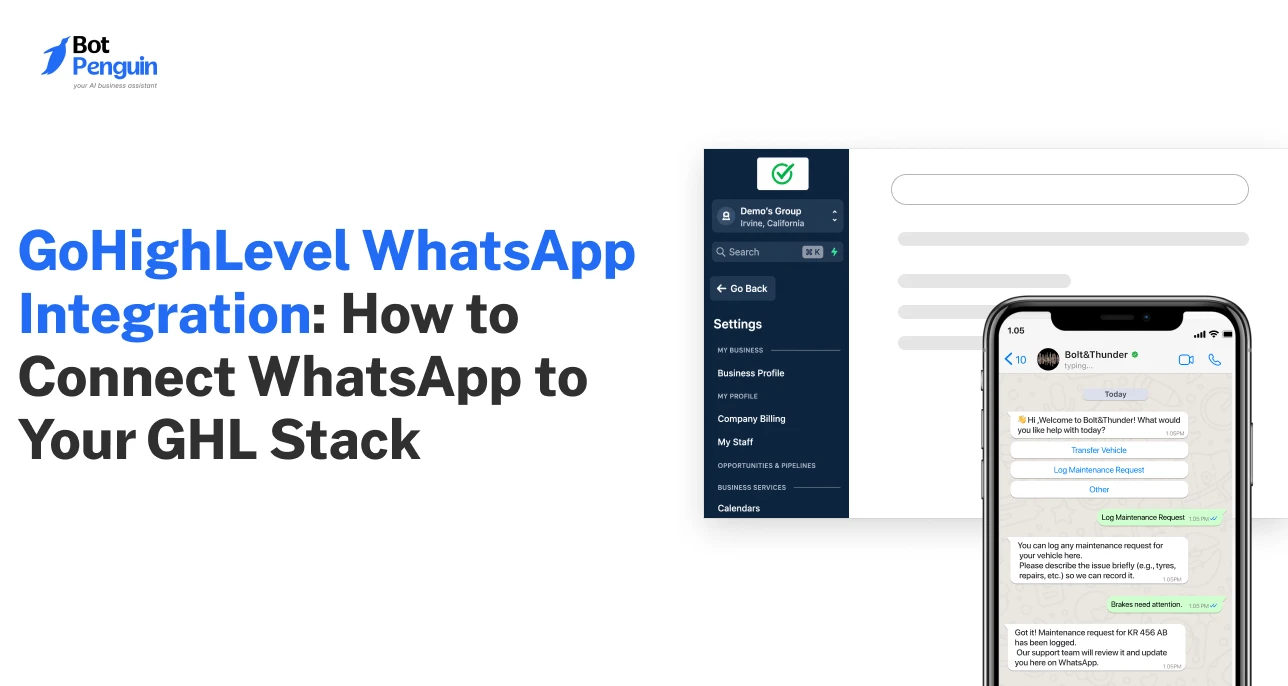
GoHighLevel can manage your CRM, funnels, automations, email, and SMS from one place. The problem? Many customer conversations still happen on WhatsApp.
If you’re using GoHighLevel and trying to bring WhatsApp into the same workflow, the good news is that integration is absolutely possible, once you understand how the system connects on the backend.
This guide breaks down whether you can use WhatsApp with GoHighLevel, how GoHighLevel WhatsApp integration works in 2026, the exact steps to connect it, and what you can do once it’s live. It also explores how to extend GoHighLevel’s native setup with WhatsApp automation and AI to scale conversations.
For everything else that connects to GHL, see the full list of GoHighLevel integrations.
Yes, you can use WhatsApp with GoHighLevel. But it’s not plug-and-play.
The integration runs through the WhatsApp Business API, which connects WhatsApp messaging with your GoHighLevel (GHL) workflows.
Once connected, WhatsApp stops being a separate inbox you manage manually. It becomes another channel inside GHL, alongside email, SMS, and CRM activity.
Official Meta Tech Providers like BotPenguin handle the API access, onboarding, and compliance layer.
In simple terms:
HighLevel currently powers more than 1 million businesses worldwide, and WhatsApp gives them a direct line to customers who increasingly expect to be reached there first.
Native GoHighLevel setups support basic WhatsApp messaging, but for automation, chatbot flows, and AI-powered replies, agencies typically layer a dedicated WhatsApp platform on top.
Official Meta Tech Providers like BotPenguin handle the API access, onboarding, and compliance layer, allowing businesses to focus on automation while agencies can deliver WhatsApp solutions under their own brand through a white-label model.
WhatsApp messaging at scale runs on the WhatsApp Business API. Since the API isn't available directly inside GoHighLevel or from Meta itself, businesses typically access it through official Meta Tech Providers.
The Tech Provider connects your WhatsApp number to GoHighLevel using the API layer. This partner handles setup, compliance, message routing, and system synchronization.
As you can see, GoHighLevel isn’t replacing WhatsApp; it works alongside the API and Tech Provider to create a connected messaging workflow.
WhatsApp GoHighLevel integrations rely on WhatsApp's controlled API system. Businesses cannot connect WhatsApp directly to GoHighLevel without an official Meta Tech Provider that provides access to WhatsApp's messaging infrastructure.
The partner handles API activation, onboarding, compliance requirements, and message routing. Without this layer, WhatsApp cannot function reliably inside CRM workflows at scale.
In simple terms, it is the layer that makes WhatsApp usable inside a business automation system.
When a customer sends a WhatsApp message through a GoHighLevel WhatsApp API integration, the message is first captured by the Tech Provider connected to the WhatsApp Business API.
From there, it is synced into GoHighLevel as a contact and conversation. GoHighLevel then treats that message as part of its CRM system, allowing workflows to respond instantly.
This turns WhatsApp into an active part of your sales pipeline instead of a separate chat tool.
This architecture is what allows WhatsApp to scale beyond manual messaging. Instead of treating it as a standalone chat app, it becomes a structured communication channel inside your CRM.
It enables faster response times, better lead tracking, and automated follow-ups without switching between tools. Over time, this improves both operational efficiency and conversion rates.
Now that you understand how GHL Whatsapp integration works, the next step is setting it up inside your account and configuring workflows based on your business use case.
While the exact process varies slightly between Tech Providers, the overall workflow remains largely the same: get access to the WhatsApp Business API, connect it to GoHighLevel, configure your automations, and test the connection.
Here's the typical process for connecting WhatsApp to GoHighLevel from start to finish:
The first step is getting access to the WhatsApp Business API. Unlike the standard WhatsApp Business app, the API is designed for CRM integrations, automation, broadcasts, and business messaging at scale.
Choose an official Meta Tech Provider that provides WhatsApp Business API access and supports GoHighLevel integration.
By the end of this step, you should have an API-enabled WhatsApp number ready for verification.
Next, verify your phone number and complete the required business verification process.
Depending on your setup, this may involve confirming business details and linking your WhatsApp number to your business account.
Without an existing Meta Business presence, verification can take 2 to 14 days, longer if your business details, use case, or compliance documentation aren’t airtight on the first attempt.
Once approved, your number will be ready to send and receive messages through the WhatsApp Business API.
After verification, connect your WhatsApp setup to your GoHighLevel account. This allows contacts, conversations, and messaging activity to sync between both systems.
You should also review contact mapping and field synchronization to ensure customer data flows correctly into your CRM and workflows.
With the connection in place, you can start building your WhatsApp automation layer.
This may include chatbot flows, AI-powered responses, appointment reminders, broadcasts, lead qualification journeys, and workflow-triggered messages.
While GoHighLevel can handle the CRM and workflow side of the process, many businesses use dedicated automation platforms such as BotPenguin to build conversational flows, AI agents, and advanced WhatsApp experiences.
The goal is to make WhatsApp part of your sales, marketing, and support processes rather than a standalone communication channel.
Before going live, test the integration from start to finish. Send a message to your WhatsApp number and confirm that the contact and conversation appear correctly inside GoHighLevel.
Then trigger a workflow inside GoHighLevel and verify that the WhatsApp message is delivered successfully. A successful two-way sync confirms the integration is working as expected.
Once these steps are complete, you’ll have a fully connected GoHighLevel WhatsApp integration capable of supporting workflow automation and AI-driven engagement.
Connecting WhatsApp to GoHighLevel is usually straightforward, but businesses can run into a few common roadblocks during setup and scaling. Here’s what to consider:
Business verification is often the longest part of the process. Missing business information, incomplete documentation, or account inconsistencies can slow approval timelines.
The Fix: Submit complete, accurate business documentation upfront, or work with a provider who manages the verification process for you.
A phone number can only be connected to one WhatsApp setup at a time. If the number is already tied to another WhatsApp account or API provider, migration may be required before integration.
The Fix: Confirm your number's current WhatsApp status before starting setup, and plan for migration time if it's already in use elsewhere.
Incorrect field mapping or workflow configuration can cause contact data, conversation history, or automation triggers to behave unexpectedly.
The Fix: Testing the integration before launch helps avoid these issues.
Certain outbound WhatsApp messages require approved message templates. If templates don't comply with WhatsApp policies, approval delays can impact campaign timelines.
The Fix: Follow WhatsApp’s template guidelines closely and submit templates early, well ahead of any planned campaign launch.
Many businesses successfully connect to WhatsApp but later discover they need chatbots, AI agents, broadcasts, or more advanced automation.
The Fix: Choose a platform built for automation from the start, so scaling up doesn't mean rebuilding your setup later.
Most of these are friction points, not dealbreakers, and they mostly show up when teams handle setup manually. A dedicated WhatsApp provider takes care of verification, compliance, and template approvals, so the integration works right from day one.
Next, we'll explore what users can actually do once WhatsApp and GoHighLevel are connected.
Once connected, WhatsApp becomes more than a messaging channel inside GoHighLevel. Here are the top use cases that show why agencies and businesses are making this connection a priority:
Use WhatsApp to send promotions, product updates, event invitations, reminders, and announcements to customer segments synced from GoHighLevel.
Because the channel is connected to your CRM, outreach can be more targeted and timely.
Instead of manually responding to every inquiry, you can automate common customer interactions through chatbot workflows.
These flows can answer FAQs, qualify leads, collect information, and route conversations to the appropriate team or department.
AI agents can engage customers in natural conversations, answer questions, collect lead details, and provide support across the customer journey.
This helps businesses maintain responsiveness without increasing workload.
A major benefit of the integration is two-way synchronization between WhatsApp and GoHighLevel.
Contact records, conversation history, and customer interactions stay updated across both systems, giving teams complete context during every interaction.
WhatsApp can become part of your existing automation strategy.
You can automatically send appointment reminders, nurture messages, follow-ups, re-engagement campaigns, and other communications based on workflow triggers inside GoHighLevel.
Together, these capabilities turn WhatsApp from a standalone chat app into a core part of how GoHighLevel users acquire, support, and retain customers.
For those exploring GoHighLevel integrations, BotPenguin's chatbots connect seamlessly with GoHighLevel workflows to automate customer communication and engagement.
Businesses interested in the broader GoHighLevel ecosystem may also want to explore the GoHighLevel affiliate program as a way to generate recurring revenue from referrals.
With BotPenguin’s white-label WhatsApp platform, agencies can also offer WhatsApp automation, chatbots, broadcasts, and AI-powered conversations under their own brand.
While native WhatsApp messaging covers basic communication, the WhatsApp Business API is designed for automation and scale. Here’s how to visualize that difference in practice:
For businesses handling occasional customer conversations, native functionality may be sufficient.
However, those looking to automate engagement, deploy chatbots, run campaigns, or add AI-powered interactions typically rely on the WhatsApp Business API.
Connecting WhatsApp to GoHighLevel solves the integration piece. The next challenge is managing conversations, automation, and customer engagement at scale.
BotPenguin works alongside GoHighLevel to add advanced WhatsApp functionality while keeping contacts, conversations, and workflows connected across both systems.
For a comparison with GoHighLevel’s own Conversation AI and current pricing, see our GoHighLevel AI pricing guide.
For agencies, this can also create an opportunity to offer WhatsApp automation and AI-powered services under their own brand while keeping everything connected to existing GoHighLevel workflows.
If you're exploring that model, see our guide on white-label WhatsApp API offering.
Integrating WhatsApp into GoHighLevel turns it from a separate inbox into a connected part of your CRM and automation workflows.
Through this, you can manage conversations, trigger follow-ups, and automate customer engagement from a single system. The setup typically involves connecting a WhatsApp Business API number through a Tech Provider and syncing it with GoHighLevel.
As your WhatsApp strategy grows, platforms like BotPenguin can add advanced capabilities such as chatbots, AI-powered conversations, broadcasts, and white-label deployment while keeping everything connected to your existing GHL workflows.
The businesses that win on WhatsApp aren't necessarily the ones sending more messages; they're the ones integrating conversations into every stage of the customer journey.
Yes. GoHighLevel can connect to WhatsApp through the WhatsApp Business API. Once integrated, you can sync contacts, manage conversations, trigger workflow-based messages, and automate customer engagement directly from your GHL environment.
To connect WhatsApp to GoHighLevel, you'll need a WhatsApp Business API number, complete business verification, connect the API through a Tech Provider, sync it with GHL, and configure your messaging workflows and automations.
Yes. GoHighLevel supports native WhatsApp messaging. However, businesses that need advanced chatbot flows, AI-powered conversations, broadcasts, or white-label capabilities often add a dedicated WhatsApp automation platform like BotPenguin alongside GHL.
Yes, if you want to automate messaging at scale. The WhatsApp Business API enables workflow automation, broadcasts, chatbots, AI agents, and CRM integrations that aren't available through the standard WhatsApp Business app.
No. While GoHighLevel supports WhatsApp integration, businesses typically need access to the WhatsApp Business API and may incur messaging, provider, or platform costs depending on their setup.
Yes. By connecting a WhatsApp automation platform to GoHighLevel, you can add chatbots that automate FAQs, lead qualification, appointment booking, customer support, and other conversational workflows.
Yes. AI agents can be integrated with WhatsApp and GoHighLevel to answer customer questions, qualify leads, route conversations, and support customer service workflows while keeping contact data synchronized with your CRM.
Once connected, you can send and receive WhatsApp messages, automate follow-ups, run broadcast campaigns, trigger messages from workflows, manage customer conversations, and keep WhatsApp interactions synced with your CRM records.
Yes. Many agencies use GoHighLevel as their CRM and automation hub while adding WhatsApp platforms for chatbots, AI agents, broadcasts, and white-label client services. This allows them to offer more advanced customer engagement solutions.
Turn GoHighLevel Into a WhatsApp Automation Engine
Connect WhatsApp, automate customer conversations, trigger workflows, and scale engagement with chatbots and AI-powered automation.
Explore Now!Checkout our related blogs you will love.
Updated at Oct 8, 2026
14 min to read
Updated at Oct 7, 2026
12 min to read
Updated at Oct 6, 2026
13 min to read
Updated at Oct 6, 2026
10 min to read
Updated at Oct 5, 2026
11 min to read
Updated at Oct 1, 2026
9 min to read
Table of Contents