


How to Add a WhatsApp Link to Your Instagram Profile
Updated at Oct 8, 2026
14 min to read
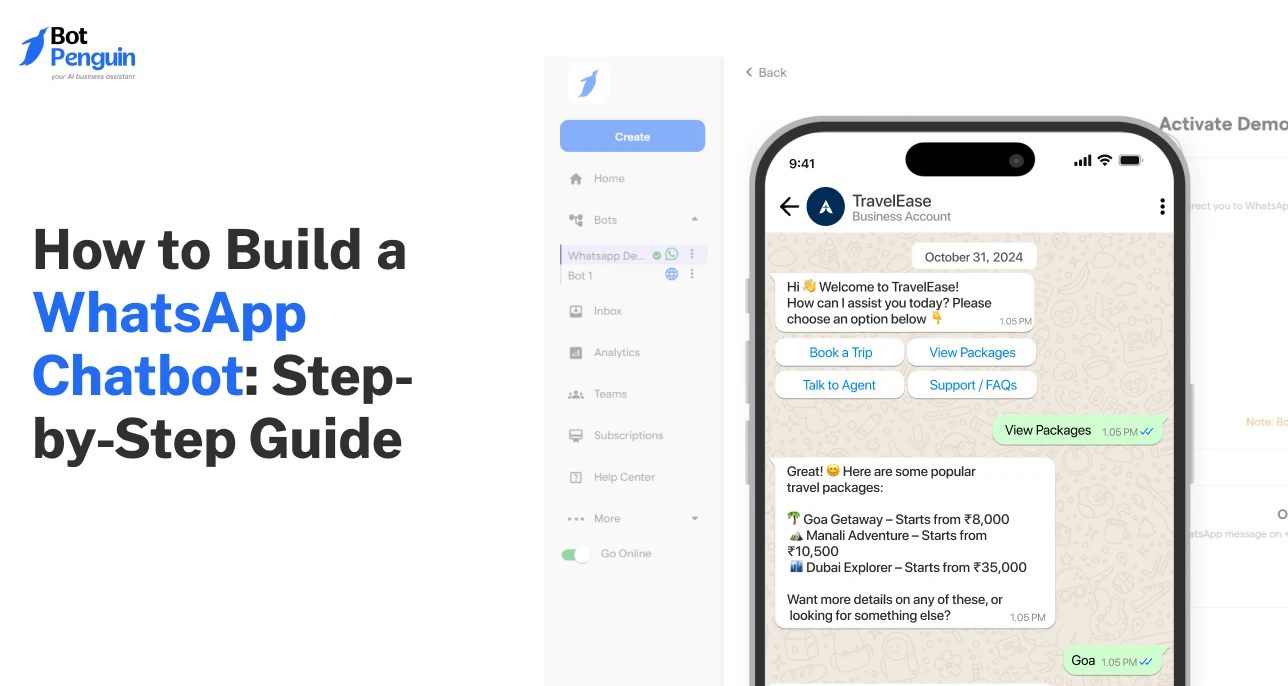
Building a WhatsApp chatbot usually comes down to five steps: choose your build route, connect a business number, map the conversation flow, add AI or integrations, then test before launch. No-code tools can make the process faster for most teams.
You’re already on WhatsApp… But are you using its full potential?
Every unanswered message on your WhatsApp Business account can mean a missed lead, a delayed support ticket, or a customer who quietly moves on.
A WhatsApp chatbot flips that math. It fields the routine questions, grabs customer details, pushes updates, and nudges people to the next step, all while you’re off the clock.
And no, you don't need coding skills to get started.
In this guide, you'll learn how to build a WhatsApp chatbot step-by-step, from picking the right tool to setting up flows that support sales, service, and bookings.
Brands invest in a WhatsApp chatbot because manual, one-by-one messaging simply cannot keep up with how customers behave on the platform today.
75.1% of consumers now expect businesses to message them as casually and personally as friends and family do. (Source: WhatsApp Business, 2026)
Here’s what that gap actually costs a business:
That's exactly the gap a WhatsApp chatbot is built to close, turning one-off replies into always-on, personal conversations at scale.
If you’re curious about putting this into practice, BotPenguin helps brands build WhatsApp chatbots that manage conversations and automate routine queries.
Building your first WhatsApp chatbot gets much easier when you break the process into five simple steps.
That's the whole journey at a glance. Each step gets broken down in detail in the later sections.
Before you touch any chatbot builder, a few basics need to be in place.
Think of these as the foundation. Skip one, and you'll hit a wall halfway through setup.
This number cannot already be active on a personal WhatsApp account. It needs to be reachable by SMS or call for verification.
Many businesses use a new virtual number or a landline. Keep this separate from your personal or sales number.
The API is what lets automated tools "talk" through WhatsApp. It's different from the free WhatsApp Business app most shop owners use.
Access usually comes through an official Meta partner, like BotPenguin. This gives access to automation, broadcasts, and chatbot flows.
A no-code platform like BotPenguin lets you drag and drop conversation flows without writing a single line of code. This is where your actual bot gets built. No-code builders suit non-technical teams.
Developers can instead use APIs directly for custom logic.
Before building anything, decide what problem the bot solves. Is it answering FAQs, booking appointments, or recovering carts?
A vague goal leads to a cluttered, confusing bot. One sharp use case beats five half-built ones.
Gather your most common customer queries in one place. Include product details, pricing, policies, and support answers.
This becomes the bot's knowledge base. The better this content, the smarter your bot sounds from day one.
WhatsApp requires pre-approved templates for messages sent outside a 24-hour window. You also need explicit customer consent to message them first.
Skipping opt-ins can get your number flagged or banned. Build consent collection into your existing channels early.
With these six basics ready, you have what you need to start building your WhatsApp chatbot without unnecessary setup hurdles.
In the next section, we’ll explore the two ways you can build your first WhatsApp chatbot.
There are two main ways to create a WhatsApp chatbot: using a no-code chatbot platform or building one directly with the WhatsApp Business API.
The right approach depends on your technical resources, customization needs, and timeline. The table below breaks down the difference between these approaches:
For most businesses, a no-code platform is the fastest and simplest option. You still get access to the official WhatsApp Business API, but without the complexity of managing infrastructure, integrations, and ongoing maintenance.
Here’s why more businesses are choosing no-code:
Custom development suits teams that need full control over chatbot logic, infrastructure, data handling, and integrations.
It also works well when workflows depend on proprietary systems or highly specific business rules. The trade-off is greater technical responsibility.
Your team manages API setup, hosting, maintenance, testing, and updates, so this route works best when those resources already exist in-house.
The next section puts everything together with a complete five-step walkthrough, from choosing your build route to testing and launch.
After understanding the two build routes, now’s the time to put them into action!
Here's the complete process from choosing your setup to launching a chatbot that actually understands your customers, broken into five clear, actionable steps:
Before anything else, decide your route. A no-code platform gets you live fastest, with a visual builder and no engineering dependency.
Custom development through the Meta Cloud API suits teams that need full control over logic, infrastructure, and long-term customization.
For many businesses, no-code is sufficient for common support, lead generation, and booking workflows. Once selected, here’s what you need to do next:
Link a dedicated number to your WhatsApp Business account so customers can start chatting with your bot.
This number cannot be active on a personal WhatsApp app.
No-code platforms guide you through verification in minutes, while custom builds require manual registration through Meta's API setup. Either way, this number becomes your chatbot's permanent identity.
Related Actionables:
Map out how conversations should unfold, starting with a welcome message and branching into common customer requests.
Think through menus, quick replies, and fallback responses for when the bot doesn't understand.
This flow becomes the bot’s backbone, so keep it simple, logical, and focused on what customers actually ask for most. Here’s what to do next:
Example: A retail brand's bot opens with three quick-reply buttons, “Track Order”, “New Arrivals”, “Talk to Support”, instead of a blank “How can I help?” This cuts response time and keeps customers from typing out full questions.
Layer in AI so replies feel natural instead of robotic, and feed the bot your FAQs, policies, and product details.
AI-powered customer support platforms like QuickReply.ai can further help businesses automate responses and handle routine customer queries on WhatsApp.
Connect tools like your CRM, payment gateway, or booking system so the chatbot can act, not just chat.
This step turns a simple Q&A bot into one that resolves real customer requests end to end.
Meta reports Soil Concept trained its WhatsApp Business AI using product catalogs and documents, later reporting an 80-90% conversion rate. (Source: Meta, 2026)
Run through every conversation path yourself before real customers do.
Check that fallback responses work, templates are approved, and opt-in flows are compliant.
Once everything checks out, launch the bot across your entry points: your website, ads, or QR codes, and monitor early conversations closely for gaps.
Start with what customers need most, test it well, then build outward. A useful WhatsApp chatbot should grow with real conversations.
If you’d rather skip the technical setup, BotPenguin gives you a no-code route to build, test, and launch on WhatsApp.
Your first WhatsApp chatbot does not need to handle every customer journey. Start with one problem that appears often and has a clear outcome.
Choose your first use case based on what your business wants to improve:
The best first chatbot is usually the one solving your most frequent customer request. Once that flow works reliably, add more use cases gradually.
Launching the chatbot is only the starting point. The real gains come from watching how customers use it and improving what happens next.
Review questions the bot could not answer. Use those gaps to decide what knowledge, flows, or responses to add next.
Repeated handoffs around the same topic can reveal weak automation. Improve those journeys instead of simply adding more automated replies.
Pro Tip: Set a fixed frequency for updating your AI’s knowledge base, weekly or biweekly, so recurring handoff topics get resolved before they pile up into a pattern.
Someone arriving from an ad has different intent than someone scanning a support QR code. Tailor the opening flow accordingly.
If one option gets the most clicks, bring it forward. If another gets ignored, remove or reposition it.
Measure what happens after the chat. Track bookings, qualified leads, recovered carts, payments, or resolved support requests.
You can also check BotPenguin case studies for examples of how businesses apply conversational automation.
Review outdated answers, broken flows, unused buttons, failed integrations, and recurring customer confusion.
Small fixes can prevent the bot from becoming stale.
Do not guess every future flow upfront. Build new automation around patterns customers repeatedly create themselves.
By continuously tracking performance, refining conversation flows, and acting on real user data, you turn a simple messaging tool into a lasting engine for support and sales.
Reading steps is one thing. Watching a chatbot actually respond, branch, and guide someone through a real conversation is another.
Try BotPenguin’s WhatsApp chatbot demo to see how replies, prompts, and actions play out in real time.
Use it as a live reference before you start designing your own flow; it's easier to build well once you've seen it work.
Want to build your own WhatsApp chatbot? On BotPenguin, you can create chatbot flows without coding, connect them to WhatsApp, and customize them for your specific use case.
Read BotPenguin customer reviews to see how users describe their experience with the product →
A WhatsApp chatbot can work well technically and still frustrate customers if the experience is poorly designed.
Most problems come from a few avoidable mistakes that affect clarity, compliance, and conversation quality.
Trying to automate every single query leads to customer frustration when complex issues arise.
Always provide an easily accessible fallback option that transfers the conversation to a live support agent when the chatbot encounters an inquiry it cannot confidently resolve.
Sending long blocks of text overwhelms users on mobile screens and causes them to drop off.
Keep your messages concise, break information into short bullet points, and use quick-reply buttons to guide users through the conversation smoothly step by step.
Failing to comply with WhatsApp Terms of Service can lead to account restrictions or template rejections.
Always secure explicit user opt-in before sending promotional messages, and strictly follow Meta's messaging rules and 24-hour support window policies.
You can also review BotPenguin’s security practices when assessing how your chatbot handles business and customer data.
Users often get stuck if a chatbot opens with an empty prompt without options.
Always begin the conversation with a clear greeting that outlines what the bot can do and provides structured menu buttons to direct the user toward quick answers.
Deploying a chatbot without monitoring fallback rates or drop-off points prevents you from identifying broken flows.
Continuously analyze conversation logs and user feedback weekly to update your knowledge base and systematically improve response accuracy.
Avoiding these mistakes keeps the chatbot useful after launch. The goal is not to automate everything, but to create conversations that stay clear, helpful, and easy to improve.
Learning how to build a WhatsApp chatbot does not have to start with a complicated setup. The better approach is to begin with one clear use case and build from there.
Choose the route that fits your team. Set up the number correctly. Keep the conversation flow simple. Add AI and integrations only where they genuinely help.
Most importantly, do not treat launch as the finish line. Watch how people use the bot, spot where conversations break, and keep improving those areas.
A useful WhatsApp chatbot grows from real customer behavior, not guesswork. Start small, learn from actual conversations, and expand when the need becomes clear.
To build a WhatsApp chatbot, choose a no-code builder or Meta Cloud API, connect a business number, design conversation flows, add AI or integrations, test every path, and launch through WhatsApp entry points.
Yes. A no-code builder lets you create WhatsApp bot flows, connect your number, add AI, and test responses without writing code. Custom development is mainly needed when you want deeper control over logic or infrastructure.
Yes. WhatsApp chatbots use the WhatsApp Business Platform, usually through Meta Cloud API or an approved provider. The regular WhatsApp app does not support full chatbot automation on its own.
A basic WhatsApp chatbot can often be set up within a few hours using a no-code builder. Custom API development usually takes longer because setup, integrations, testing, hosting, and maintenance require technical work.
Costs vary by build route, chatbot provider, message volume, AI usage, and integrations. No-code tools may offer free or paid plans, while custom builds also include development, hosting, maintenance, and API-related costs.
Yes. AI can help a WhatsApp chatbot answer open-ended questions, use business knowledge, and handle requests beyond fixed flows. Structured menus still work well for predictable tasks like lead capture, bookings, and support routing.
Start with one frequent customer need that has a clear outcome. Good first use cases include lead qualification, order support, appointment booking, product guidance, onboarding, or feedback collection. Expand after that flow works reliably.
Build Your WhatsApp Chatbot Without Coding
Create AI-powered WhatsApp chatbots for lead generation, customer support, appointment booking, and sales. Connect the WhatsApp Business API, design conversation flows, and launch faster with a no-code builder.
Start FreeCheckout our related blogs you will love.
Updated at Oct 8, 2026
14 min to read
Updated at Oct 7, 2026
12 min to read
Updated at Oct 6, 2026
13 min to read
Updated at Oct 5, 2026
11 min to read
Updated at Oct 1, 2026
9 min to read

Table of Contents



