One Hospital Booking Chatbot Template. Every Department. Every Emergency, Handled.
This free hospital booking chatbot template captures patient enquiries, identifies the requested department, books OPD slots, and routes urgent requests to hospital staff. Built with AI chatbots, agents, and automations for hospitals. Works on WhatsApp, your website, Facebook, and Instagram. No code.
FREE Forever plan. No Credit Card Required.
Live Preview
See the Hospital Booking Chatbot Template Handle a Live Enquiry
AI Chatbot, AI Agent, or Automations: see which BotPenguin product fits your hospital.

Instant Patient Intake & Routing
Captures department, reason for visit, and insurance status in the first 60 seconds of the conversation

Department Matching
Asks the right questions and routes the patient to the correct department or OPD

OPD Scheduler
Books the OPD slot directly through the chat and syncs with hospital systems in real time
This is the actual hospital booking chatbot template. Yours to use free.
 AI CHATBOT
 Everything a Hospital Booking Chatbot Template Needs, Nothing It Doesn't
Use cases, channels, and integrations for AI chatbots, AI agents, and automations at a glance.
Use Cases
Built for every need in your practice


Deploy On
Meet your customers where they are


Integrations
Connect with the tools you love











What Hospitals See After Deploying a Hospital Booking Chatbot Template
Based on outcomes across hospitals using BotPenguin's hospital chatbot example.
- 3xMore Enquiries Routed
- 50%More OPD Slots Booked Online
- 24/7Always On for Every Enquiry
- 2Minutes to Deploy
How a Hospital Booking Chatbot Template Works for Your Hospital
Three steps. AI chatbot, AI agent, or automations. Live in minutes.
- 1
Patient Sends a Hospital Enquiry
Step 1 - 2
Chatbot or AI Agent Routes and Books
Step 2 - 3
Hospital Receives a Routed Patient
Step 3


Why It Works
Built for How Patients Actually Behave
Not a generic hospital booking chatbot template. A workflow built around the conversations every patient enquiry starts with.

Your Patients Don't Wait Until 9am
Patients may try to book appointments at 10 pm, even when your help desk opens at 9 am. This hospital booking chatbot template responds 24/7, collects the reason for the visit, and offers available appointment slots. Patients can start booking without waiting for your front desk to open.

Not Every Enquiry Needs a Phone Call
Your front desk spends hours every week confirming OPD slots and checking bed availability by phone. The AI chatbot or agent handles routine bookings directly on WhatsApp. Only urgent or complex cases reach your staff.

Your Patients Are on WhatsApp. Meet Them There.
Your patients are on WhatsApp. Your booking form is on a website. Our OPD booking chatbot script connects WhatsApp directly to your hospital management system. A patient messages you, picks a slot, and receives a confirmation. No friction.
Templates for similar businesses
All free. All ready to deploy in minutes.
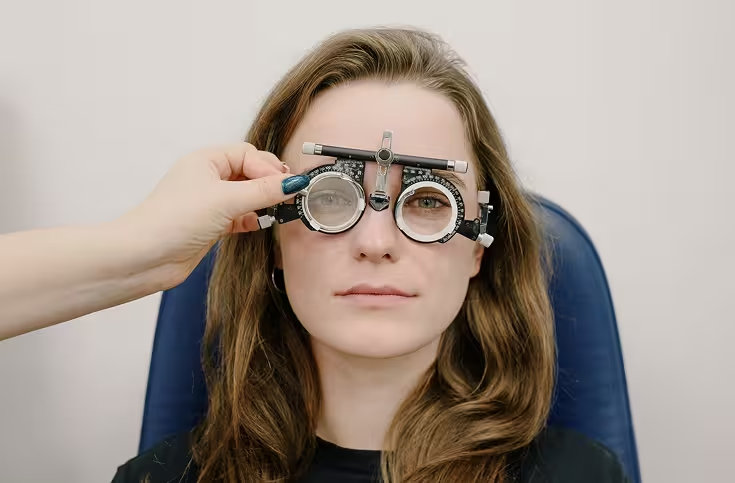
Eye Care
Book eye tests, handle prescription renewals, and answer insurance queries without manual effort. Free eye care chatbot template. No code. Live in minutes.

Dentist Clinic
Book appointments, qualify patients, and follow up on every enquiry. Free dentist chatbot template. No code. Live in minutes.

Doctor Appointment
Book GP and specialist appointments, collect patient details, and send reminders automatically. Free doctor appointment chatbot template. No code.
Frequently Asked Questions: Hospital Booking Chatbot Template
Everything you need before setting it up.
How does a hospital booking chatbot template handle patient intake?

Does this hospital chatbot example work on WhatsApp for OPD bookings?
Can a hospital chatbot book OPD slots directly in chat?
What happens when a patient describes an emergency to the chatbot?
Do I need a developer to set up this free hospital booking chatbot template?
Is this hospital booking chatbot template really free? What does it cost to scale?
Is this the same as BotPenguin's hospital AI chatbot solution?
Does this chatbot give medical advice or assess symptoms?
Every Minute a Patient Waits, You Risk Losing Them. Deploy Your Hospital Booking Chatbot Today
No credit card. No code. No IT team. Set up your free hospital booking chatbot template and start handling patient inquiries and appointment bookings before the next call comes in.