WhatsApp for Business Guide: Automate Customer Communication
Updated at Sep 26, 2026
11 min to read
Planning to set up the WhatsApp API but unsure how to actually get it running?
That’s where most businesses get stuck. Not at understanding what it is, but at figuring out the setup process itself.
The steps, requirements, and dependencies are not always straightforward, especially when you are doing it for the first time.
This WhatsApp Business API setup guide is built to remove that uncertainty and give you a clear starting point, so you can move ahead without second-guessing the process.
You need WhatsApp API when your current setup starts feeling stretched. And if you’re here, you’ve likely already seen the signs.
This is just a quick check before we get into the setup.
Common readiness indicators:
If this sounds familiar, you already know the need is there.
If you want a deeper breakdown of use cases and capabilities, you can explore our detailed guide on the WhatsApp API for businesses.
The next step is understanding how you want to set it up, since the approach you choose will define the effort, speed, and flexibility going forward.
You can set up WhatsApp API in two ways: directly via Meta Cloud API or through a Business Solutions Provider (BSP).
The right choice depends on how much control you need and how much effort you can invest.
Here’s how to think about it:
If you have developers and want full control, direct integration is the way to go. But if you want to go live quickly without building everything from scratch, a provider is a better option.
The difference is not just technical. It affects how fast you launch, how you scale, and how much you maintain.
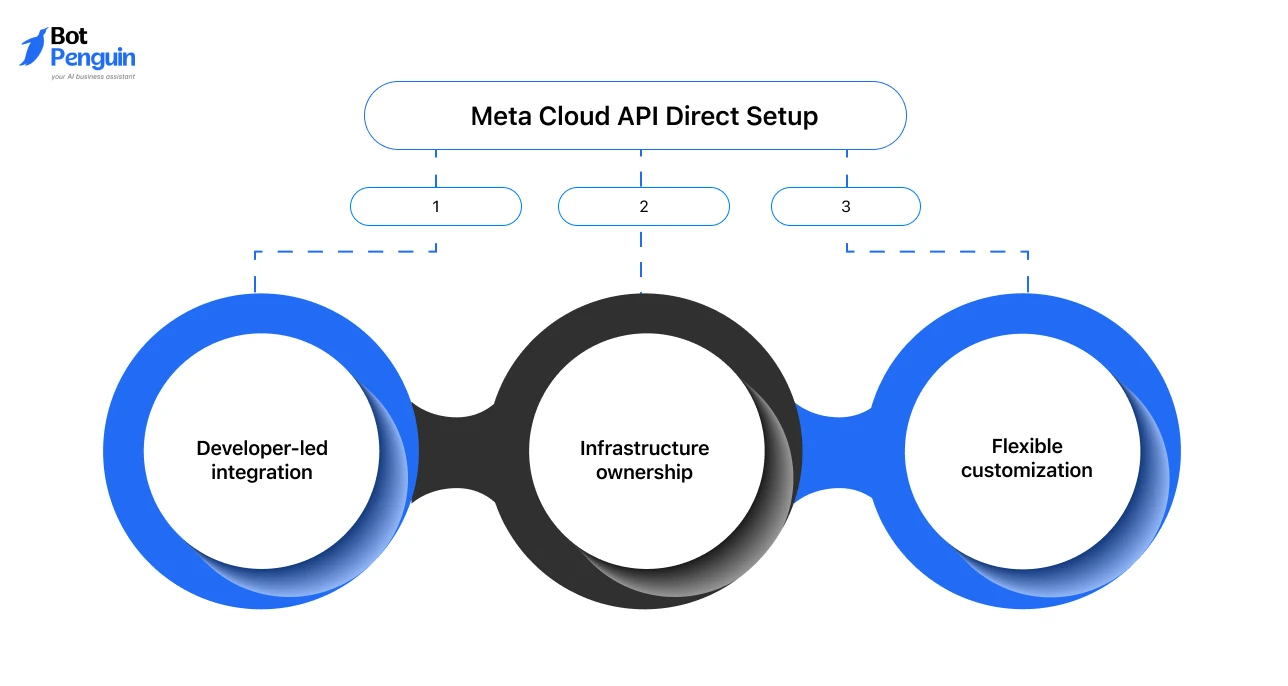
Meta Cloud API setup gives you full control over how WhatsApp works in your system.
You connect directly with Meta’s infrastructure. This means you manage how messages flow, how data is handled, and how integrations are built.
What this approach involves:
This works best when:
The trade-off is effort. Setup takes longer and requires ongoing technical involvement.
BSP setup is the simplest way to get started with WhatsApp API. Instead of building everything, you use a platform that already handles the backend, integrations, and messaging layer.
What this approach involves:
This works best when:
The trade-off is flexibility. You rely on the platform’s capabilities instead of building everything yourself.
BotPenguin offers a guided setup layer on top of the WhatsApp API. As an official Meta partner, it enables onboarding, automation, and messaging workflows without handling the API complexity directly.
Start setting up your WhatsApp API with BotPenguin and go live faster without technical complexity.
The setup path you choose will define how your WhatsApp integration evolves. Next, you’ll need to prepare the basics required before starting the setup process.
You need a few mandatory prerequisites in place before starting the setup of WhatsApp Business API.
These apply whether you choose direct integration or a provider. Missing any of these will delay your onboarding.
The table below lists what you need ready.
Think of this as your onboarding checklist. With these basics in place, you can now proceed to the actual WhatsApp API setup.
The next section breaks down the setup process for both Cloud API and BSP approaches.
The setup process depends on the method you choose. Here is a side-by-side view of both approaches, so you know exactly what each path involves before diving into the steps.
Now, follow the detailed steps provided below for your chosen approach.
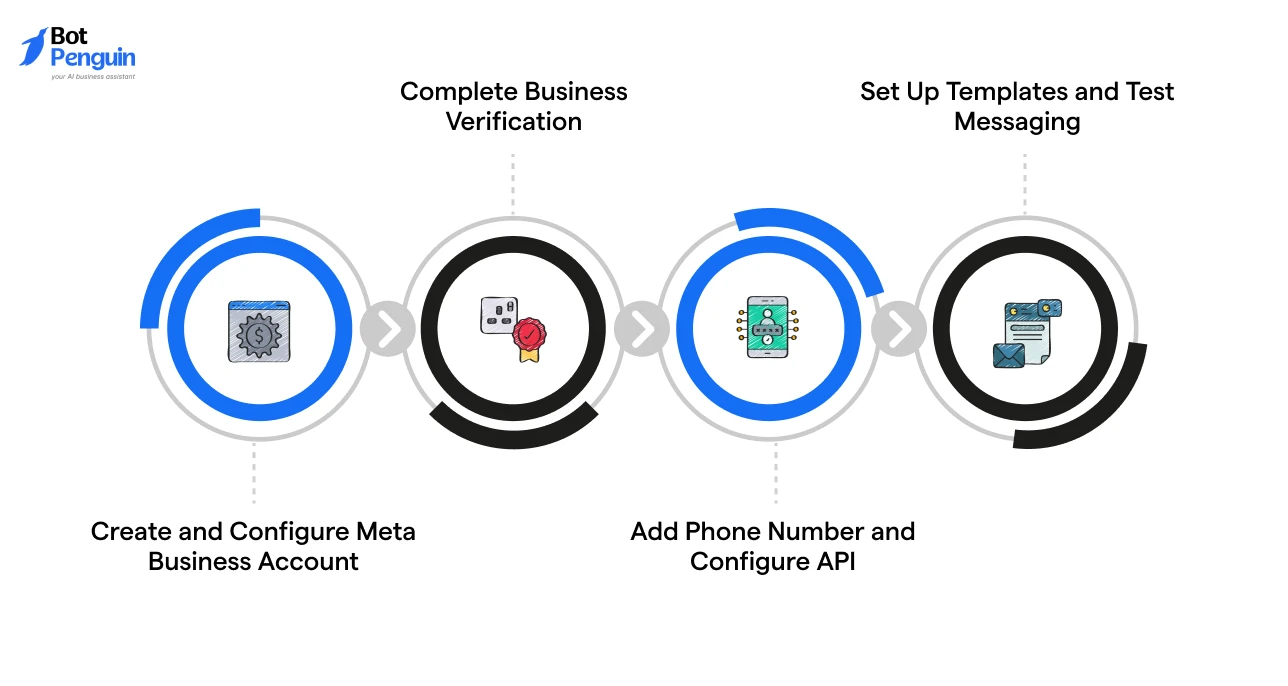
Meta Cloud API setup involves manually configuring your messaging infrastructure. This flow assumes you are handling integration on your own.
1. Create and Configure Meta Business Account
Set up Meta Business Manager and add your business details. Make sure your business name matches official documents, and you have access to your domain and business email.
This account will be used to manage your WhatsApp API access and configurations.
2. Complete Business Verification
Submit your business documents through Meta. Approval is required before you can enable full messaging capabilities.
Ensure your documents are clear, consistent, and aligned with your website details. Any mismatch can delay approval.
Verification timelines can also vary, so plan buffer time here.
3. Add Phone Number and Configure API
Link your phone number to the WhatsApp API. The number should not be actively used on WhatsApp and must be able to receive an OTP.
After linking, configure API endpoints, webhooks, and your backend to handle conversations. This is where most integration complexity lies.
4. Set Up Templates and Test Messaging
Create message templates for outbound communication. Templates are mandatory for initiating conversations, so approvals matter.
Submit them for approval, then test message flows in a sandbox environment. Validate delivery, formatting, and response handling before going live.
BSP setup follows a guided process where most technical steps are handled for you. You interact through a platform instead of configuring APIs manually.
1. Create Account with a BSP Platform
Sign up on a BSP platform and access the onboarding dashboard. Most platforms guide you step by step and already have the necessary infrastructure in place.
This removes the need to build anything from scratch.
2. Connect Business Details and Verify
Enter your business details and submit verification documents. The platform simplifies the process by handling the submission flow and syncing it with Meta.
You still need accurate details, but the process is simplified.
3. Link Phone Number and Enable Messaging
Add your phone number and verify it. The platform takes care of API connections, webhook setup, and messaging enablement in the background.
You only need to complete the verification steps.
4. Configure Automation and Go Live
Set up message templates, automation, and workflows directly from the dashboard.
Most BSPs provide visual builders and pre-built templates. You can also configure replies, triggers, and messaging flows without writing code and go live faster.
If you want a similar setup experience, platforms like BotPenguin offer a simplified way to get started.
As an official Meta partner, it provides a guided onboarding flow, built-in automation tools, and WhatsApp integration without requiring manual API configuration.
But even when the steps are clear, the API setup can still run into blockers. So, let’s cover the most common issues and how to handle them efficiently next.
The most common WhatsApp API setup challenges come from verification, templates, and integration complexity. Even when the steps are clear, these are the areas where most businesses slow down.
Knowing them early helps you avoid unnecessary delays.
Verification delays usually happen due to inconsistent or incomplete business details.
To avoid delays, ensure your legal details, domain, and business identity are consistent across all platforms. Also, check for WhatsApp Business Account review and API errors if approval or API access is still blocked.
Template rejections happen when messages don’t follow WhatsApp policy guidelines.
To improve approval rates, keep templates clear, structured, and aligned with a specific use case.
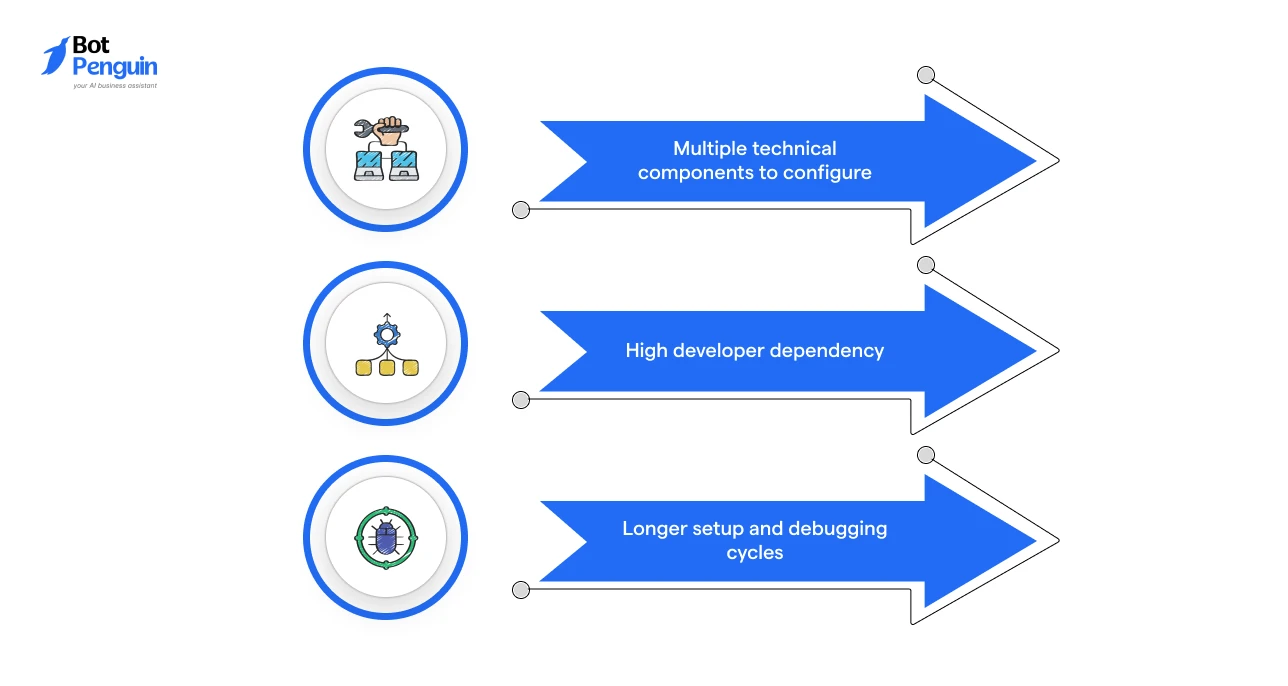
Integration complexity is highest when setting up directly through the Meta Cloud API.
Because of this, many businesses choose a BSP platform to simplify the process. These platforms handle infrastructure, API connections, and setup workflows, reducing both time and technical effort.
Once these challenges are clear, the final stage is to decide which setup approach best aligns with how you want to run these workflows.
The right way to connect your business to the WhatsApp API depends on how you want to operate after implementation.
Both approaches discussed previously work. The difference lies in effort, control, and speed of scaling.
Use this decision framework:
This makes the decision straightforward based on your team, resources, and priorities. And once this is clear, moving forward with your WhatsApp Business API setup becomes much easier.
WhatsApp Business API setup is not just a technical step. It is a shift in how your business handles communication.
You’ve learnt when you need it, how to set it up, and the two ways to approach it. You also saw the common challenges and how to avoid them. Along with the key use cases that make the setup worth it.
Now, the real decision comes down to how you want to implement it. Choose a path that fits your team, speed, and long-term plans.
Platforms like BotPenguin can also support this journey, depending on how you want to approach the setup.
The easiest way is through a platform (BSP or TSP) that handles setup and integration. Direct Cloud API requires technical configuration and takes longer to implement.
Choose based on your resources. Use Cloud API if your priority is control and customization. Use a platform if you want a faster setup with minimal technical effort.
Templates are rejected for unclear intent, promotional language, or policy violations. Keeping messages simple and use-case specific improves approval chances.
Ensure your business details, documents, and website information match. Most delays happen due to inconsistencies during verification.
Yes, you can switch approaches later. However, it may involve migration effort depending on how your initial setup and integrations were configured.
You can automate support replies, campaign messaging, and transactional updates. These workflows depend on proper setup and integration from the start.
Yes, tools like BotPenguin simplify onboarding, automation, and integration, allowing you to set up and start using WhatsApp Business API without dealing with the API complexity directly.
Setup WhatsApp Business API
Set up WhatsApp Business API faster and start automating customer conversations from day one with official Meta partner, BotPenguin.
Start SetupCheckout our related blogs you will love.
Updated at Sep 26, 2026
11 min to read
Updated at Oct 8, 2026
14 min to read
Updated at Oct 7, 2026
12 min to read
Updated at Oct 6, 2026
13 min to read
Updated at Oct 6, 2026
10 min to read
Updated at Oct 1, 2026
9 min to read
Table of Contents