



What Is Zendesk and How Does It Work? A 2026 Guide
Updated at Oct 24, 2026
12 min to read
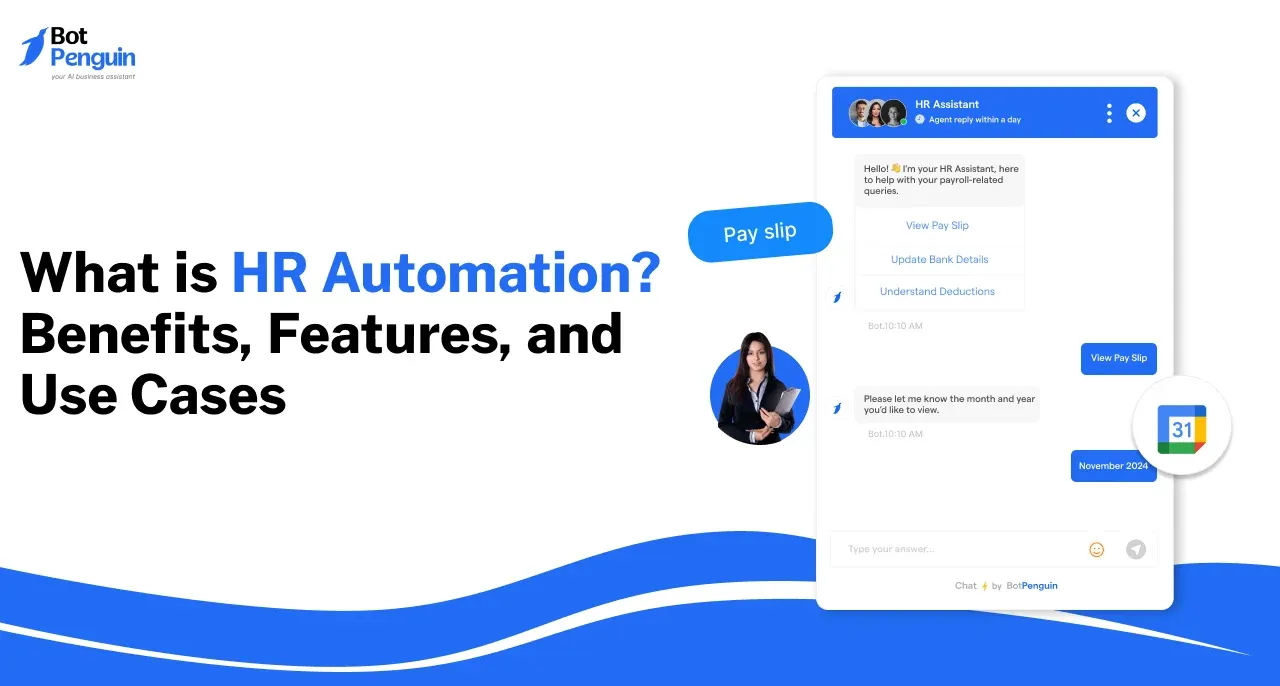
HR automation uses software, workflows, and AI to automate repetitive HR processes, including recruitment, onboarding, payroll, leave management, compliance, and employee support. Automation in HR reduces manual work, improves consistency and accuracy, and gives HR teams more time for strategic and people-focused responsibilities.
HR teams manage recurring processes across recruitment, onboarding, payroll, leave, performance, compliance, and employee support.
When these tasks depend on spreadsheets, repeated data entry, and manual follow-ups, routine work can consume time that could be spent on employees and strategy.
HR automation uses software and workflows to handle suitable repetitive steps more consistently.
This guide explains how HR automation works, its key features and use cases, common implementation challenges, and what to consider when choosing an HR automation platform.
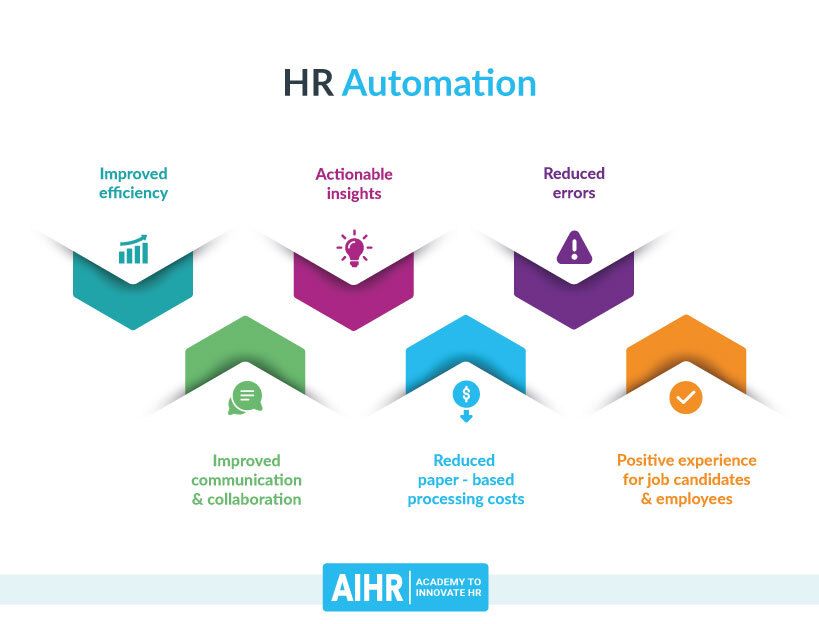
HR automation uses technology to complete or coordinate repetitive HR tasks with limited manual intervention. Depending on the process, it can automate data entry, notifications, approvals, calculations, document handling, employee self-service, and workflow routing.
Common applications include recruitment, onboarding, payroll, leave management, performance processes, compliance tasks, employee records, and support.
The goal is to make recurring HR work more consistent and efficient while keeping people involved in decisions that require judgment, empathy, or accountability.
HR automation uses workflows, software integrations, predefined rules, and AI-enabled tools to move tasks and information through HR processes.
A workflow usually begins with a trigger, such as a candidate application, leave request, new hire, payroll cycle, or scheduled performance review. The system then performs configured actions or routes the task to the appropriate person.
For example:
Not every HR process should be fully automated. Tasks involving sensitive employee matters, exceptions, judgment, or important people decisions should retain appropriate human oversight.
HR automation can support employee data management, recruitment, onboarding, payroll, employee self-service, and other recurring processes. The most useful features depend on which HR tasks an organization needs to simplify.
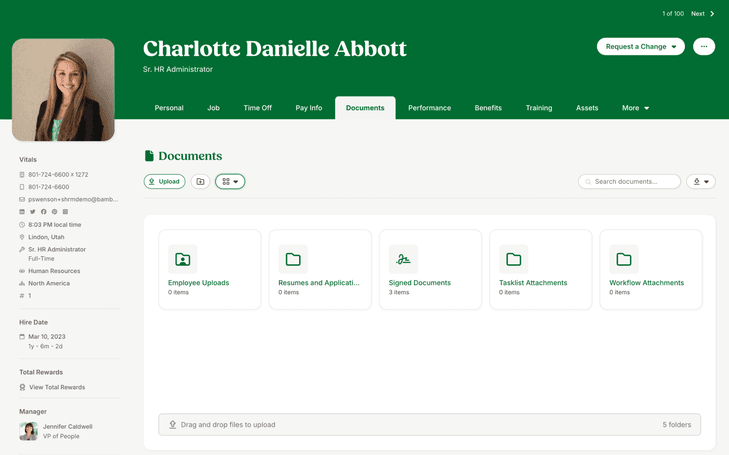
One of the fundamental benefits of HR automation is centralized employee information.
With a unified platform, HR teams can store, update, and access employee data quickly and accurately. This eliminates data duplication, reduces human error, and keeps critical records up to date.
A system like BambooHR gives HR professionals instant access to all necessary employee records, supporting better decision-making and boosting operational efficiency.
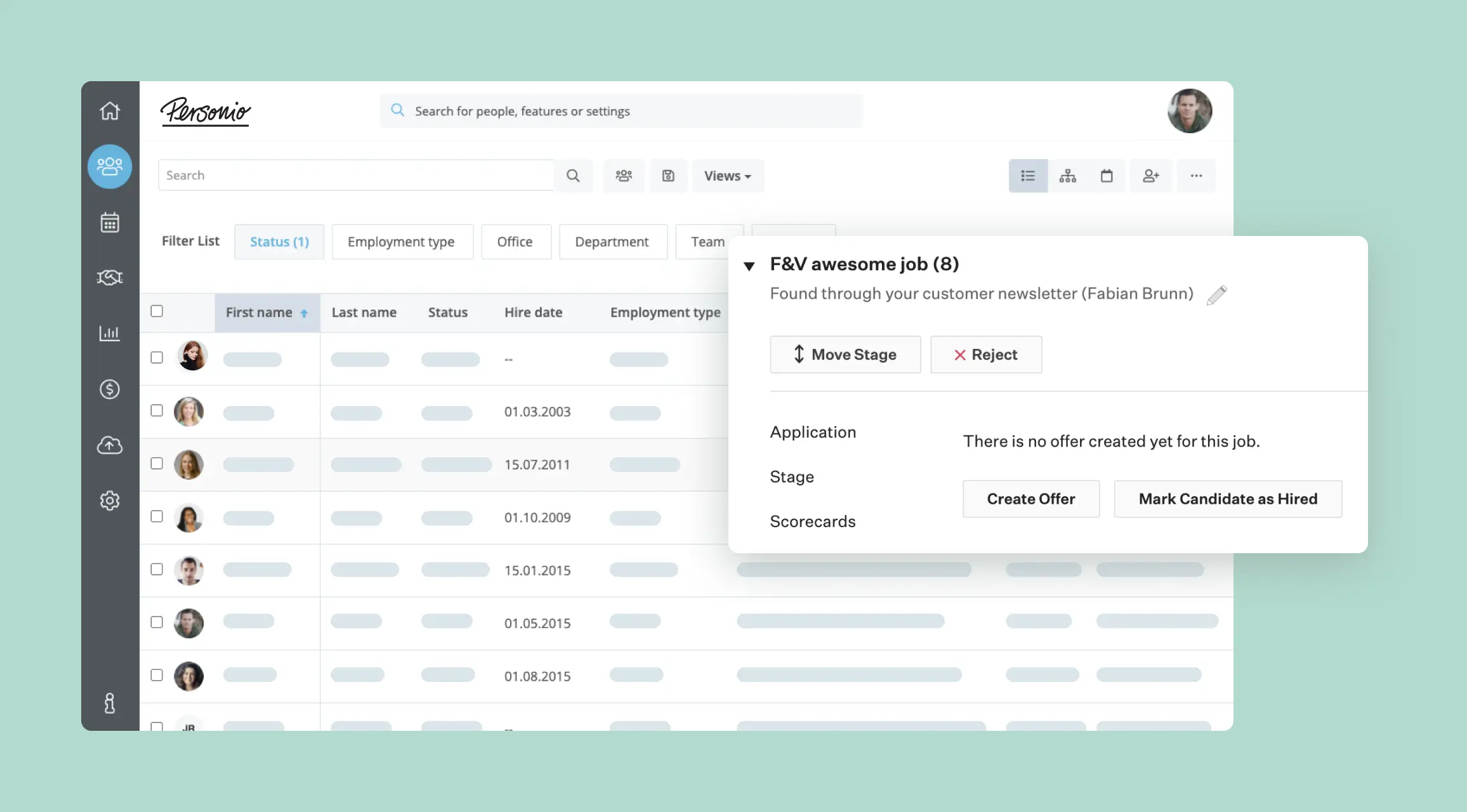
Recruitment automation can streamline job postings, application tracking, candidate communication, and interview scheduling. Applicant tracking systems can also help recruiters organize applications and move suitable candidates through defined hiring stages.
Applicant tracking systems help recruiters filter and organize applications, letting teams spend less time on repetitive administrative work.
Tools like Greenhouse and Lever automate candidate screening, rank resumes, and even schedule interviews—dramatically reducing time to hire.
AI-assisted screening tools can review applications against predefined skills, qualifications, and job requirements, helping recruiters process larger candidate pools more efficiently.
These systems can support more consistent initial screening, but human oversight remains important. Automated screening can reflect limitations in its data, rules, or evaluation criteria, so hiring teams should regularly review how it assesses candidates.
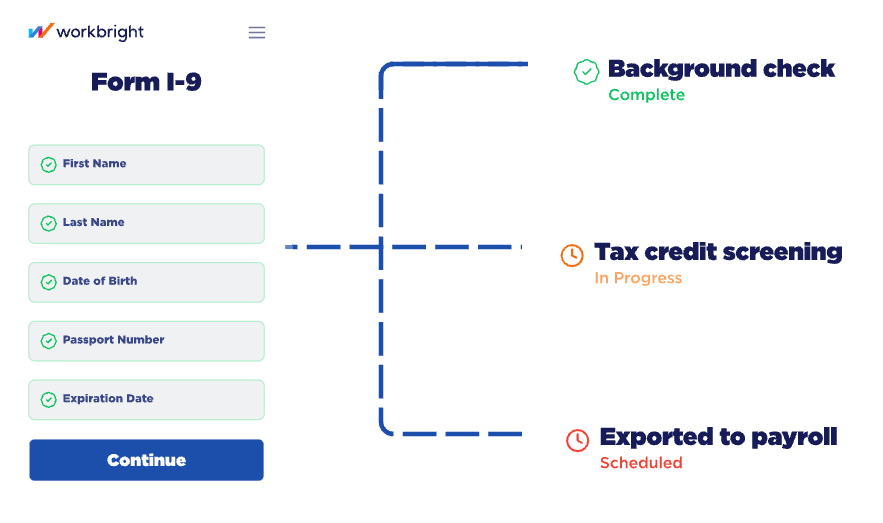
Onboarding is another area where automation can reduce repetitive administrative work. Bringing new employees on board typically involves many steps, from document submission to training schedules.
Automated HR systems can manage this entire workflow by sending automated reminders for document submission, setting up training schedules, and even introducing new hires to their teams.
Tools like WorkBright and BambooHR let new employees complete all required forms and documents electronically, ensuring a smooth, efficient onboarding process.

Payroll management is one of the most critical HR tasks and one of the most error-prone when done manually. HR automation significantly reduces the risks associated with payroll by automating calculations, tax deductions, and pay disbursement.
Payroll platforms can integrate with attendance tracking systems to support accurate payroll processing. For instance, Gusto and ADP provide automated payroll services that calculate wages, deductions, and benefits accurately, eliminating manual data entry and ensuring compliance with tax regulations.
Suggested Reading:
Transforming HR Management with Generative AI Tools
Employee self-service portals are another common HR automation application. These portals let employees access payslips, update personal information, request leave, and view company policies without HR intervention.
By letting employees manage their information, businesses reduce HR departments' administrative workload and improve employee satisfaction.
Tools like Zenefits and ADP Workforce Now allow employees to complete routine HR tasks independently, making HR operations more efficient.
HR automation can support recurring processes throughout the employee lifecycle. Common use cases include recruitment, onboarding, payroll, employee management, learning and development, reporting, remote workforce support, and offboarding.
The right level of automation depends on the process. Routine steps can often be automated, while decisions requiring judgment, empathy, or exceptions should remain human-led.
Automation can reduce repetitive work across recruitment and onboarding. This allows HR teams to spend more time evaluating candidates and supporting new employees.
Recruitment workflows can help manage job applications, candidate communication, interview scheduling, document collection, and recurring follow-ups.
Recruitment platforms can help HR teams organize applications and screen candidates against defined criteria.
Automated screening can improve consistency and speed, but hiring decisions should retain appropriate human review. Teams should also regularly review the criteria used to evaluate candidates.
Onboarding workflows can automate document requests, reminders, task assignments, training notifications, and other recurring steps.
This helps HR teams create a more consistent process while giving new employees clearer guidance on what they need to complete.
Automated payroll workflows can reduce manual data entry across recurring payroll tasks.
Payroll systems can use employee, attendance, and compensation data to support calculations for wages, deductions, taxes, and scheduled payments.
Automation can also help maintain consistent workflows for payroll approvals, record updates, and recurring reporting. HR and finance teams should still review exceptions and unusual cases before final processing.
Automation can reduce repetitive work involved in maintaining employee records and managing recurring HR processes.
It can support leave requests, performance workflows, employee information updates, reminders, and other routine administrative tasks.
Automated leave management systems let employees submit requests digitally and route them through configured approval workflows.
Employees may also be able to check leave balances, request status, and applicable policies without repeatedly contacting HR.
Performance management tools can help managers track goals, review progress, and manage recurring evaluation workflows.
Automated reminders can also help employees and managers complete scheduled reviews, feedback cycles, and development discussions on time.
Automation can help HR teams coordinate recurring training and development activities.
Workflows can assign learning modules, send reminders, track completion, and notify employees about required or upcoming training.
HR teams and managers can use dashboards to monitor training completion, identify gaps, and follow up with employees who need additional support.
For a closer look at structuring recurring HR processes, see how to create an effective HR workflow with examples.
Distributed teams can create additional coordination challenges across locations, schedules, and time zones.
Automated workflows can support remote onboarding, recurring check-ins, policy communication, document collection, reminders, and employee requests.
Centralized processes also help HR teams provide more consistent support when employees don't work from the same location.
HR systems can bring workforce information into dashboards and recurring reports.
Teams can use this information to monitor metrics related to recruitment, attendance, employee records, performance, training, and other HR processes.
Automated reporting reduces repeated manual compilation, but HR teams should still review the underlying data before using it for important workforce decisions.
Employee offboarding includes several recurring tasks that need to happen consistently.
Automation can help coordinate documentation, access-removal requests, equipment return, exit surveys, final approvals, and other departure-related steps.
A structured workflow can help HR, IT, managers, and other teams complete their responsibilities while maintaining appropriate human involvement during the employee's departure.
The right HR automation platform depends on the processes you need to improve, the systems you already use, and the level of automation your team requires.
If you are comparing platforms, see our guide to the best HR automation software for a closer look at current options.
Start by identifying the HR processes creating the most repetitive work or delays.
You may need support for recruitment, onboarding, payroll, employee records, leave management, performance, reporting, or employee self-service.
Make sure the platform supports the specific HR workflows and outcomes your organization wants to improve. Don't choose features just because they are available.
Consider the total cost of implementing and maintaining the platform, not only its initial price.
Your evaluation should account for required features, integrations, user access, implementation support, and any additional tools needed to complete your workflows.
If employee support is part of your automation strategy, explore how HR chatbots can handle recurring employee conversations and requests.
The requirements of a small HR team can differ significantly from those of a large or distributed organization.
Consider whether the platform can support your current employee base while accommodating additional users, locations, workflows, and HR processes as the organization grows.
Consider how much technical support your team will need to configure, integrate, and maintain the platform.
A no-code or low-code system may suit teams that want greater control without relying heavily on developers. More complex organizations may require deeper integrations, APIs, or technical implementation support.
Choose a platform your team can realistically manage after the initial setup.
Manual HR processes can create delays, inconsistent workflows, repetitive administration, and difficulties scaling routine work.
Moving toward automation also requires organizations to manage change carefully and decide where human involvement remains necessary.
Teams accustomed to existing processes may hesitate to adopt new systems.
Clear communication, practical training, and phased implementation can help employees understand how new workflows affect their responsibilities.
Repetitive administrative tasks may suit automation, but not every HR interaction should be automated.
Sensitive employee matters and decisions involving judgment, empathy, exceptions, or significant consequences should retain appropriate human involvement.
Automated HR workflows may process sensitive employee information.
Organizations need appropriate access controls, secure integrations, data governance, and clear rules governing how employee data is collected, used, stored, and accessed.
HR technology continues to evolve, particularly around AI, analytics, employee self-service, and connected workflows.
Teams should review their systems and processes regularly, rather than treating automation as a one-time implementation.
Explore current HR automation trends to see how these approaches are changing. For practical guidance on implementing these systems effectively, review these HR automation best practices.
HR automation can reduce repetitive administrative work across recruitment, onboarding, payroll, leave management, performance, employee support, reporting, and other recurring HR processes.
Its effectiveness depends on choosing the right tasks to automate, connecting systems correctly, protecting employee data, and keeping people involved when decisions require judgment, empathy, or exceptions.
Before selecting a platform, consider your workflows, integrations, budget, scalability, security requirements, and your team's technical capabilities.
Used thoughtfully, automation in HR can make routine work more consistent while giving HR professionals more time to focus on employee experience, workforce planning, and strategic priorities.
HR automation refers to using technology to streamline repetitive HR tasks, such as recruitment, payroll, and performance management, improving efficiency and allowing HR teams to focus on strategic initiatives.
The key benefits of HR automation include increased productivity, fewer errors, simplified administrative tasks, better decision-making through data analytics, and improved employee satisfaction through self-service options.
An effective HR automation tool should include centralized employee data management, automated payroll, recruitment workflows, performance tracking, compliance monitoring, and self-service portals, all of which improve efficiency and streamline HR processes.
HR automation improves the employee experience by enabling faster onboarding, accurate and timely payroll, self-service options for routine tasks, and personalized training programs, all of which boost satisfaction and reduce delays.
Common use cases for HR automation include automated recruitment, onboarding, payroll management, leave tracking, performance monitoring, and compliance.
These processes reduce repetitive tasks, improve accuracy, and increase efficiency.
When selecting an HR automation platform, consider your specific HR needs, budget, company size, and technical expertise. Make sure the platform aligns with your organization’s goals and offers scalable, user-friendly solutions.
Subscribe to Our Newsletter
Get the latest business insights straight into your inbox.
Checkout our related blogs you will love.
Updated at Oct 24, 2026
12 min to read
Updated at Oct 23, 2026
10 min to read
Updated at Oct 16, 2026
8 min to read
Updated at Oct 15, 2026
7 min to read

Updated at Oct 13, 2026
17 min to read

Updated at Oct 12, 2026
15 min to read
Table of Contents

