

Automating the hiring process starts by identifying repetitive tasks, selecting the right tools, connecting hiring systems, training recruiters, and measuring performance. Common automation opportunities include candidate sourcing, screening, interview scheduling, communication, and onboarding, while interviews, sensitive evaluations, and final hiring decisions should remain human-led.
Introduction
Hiring teams are managing heavier applicant volumes while still handling screening, scheduling, communication, and follow-ups manually.
Learning how to automate hiring process workflows can reduce this coordination without removing recruiter judgment. This practical approach builds on the broader concept of recruitment automation, which applies technology across repetitive hiring activities.
Greenhouse’s 2026 benchmark report found that annual applications per recruiter rose 412%, from 146 in 2022 to 746 in 2025.
The goal is not to automate every hiring decision. Instead, teams should identify repetitive bottlenecks, choose tools for specific tasks, connect them with existing systems, and review results regularly.
This guide explains how to automate each stage step by step while keeping recruiters involved where human judgment matters most.
How Do You Automate the Hiring Process?
To understand how to automate hiring workflows, start with repetitive tasks that take up recruiter time and follow predictable steps.
The goal is not to automate everything. Focus on areas where technology can reduce manual coordination while recruiters retain control over evaluation, communication, and hiring decisions.
Step 1: Identify Areas for Automation
Map your existing hiring process from job promotion through onboarding. Look for recurring tasks, delays, duplicate data entry, and stages that require constant follow-up.
These are usually the strongest places to begin.
Recruitment Marketing
Recruiters often spend time publishing the same vacancy across job boards, social channels, and other recruitment platforms.
Automating job distribution and scheduled recruitment posts can reduce this repetitive work. Recruiters should still control the messaging, targeting, and positioning of each vacancy.
Candidate Sourcing
Automation can make sourcing more manageable when recruiters need to search large talent pools.
Search tools can organize profiles, apply predefined criteria, and surface potentially relevant candidates. The recruiter still decides whether someone genuinely fits the role before starting outreach.
Candidate Screening
Screening becomes particularly time-consuming when a role attracts hundreds of applicants.
Automation can help with tasks such as:
- Resume parsing
- Candidate data extraction
- Basic eligibility checks
- Pre-screening questions
These workflows can narrow the initial applicant pool, but candidate progression should not depend solely on automated filters.
Candidate Assessments
For roles with measurable technical or role-specific skills, structured assessments can simplify early evaluation.
Coding challenges, skills tests, and screening questionnaires can be delivered and scored automatically. Recruiters can then use those results alongside resumes, interviews, and other candidate information rather than treating one score as the final decision.
Interview Scheduling
Interview scheduling is one of the simplest hiring activities to automate.
Candidates can select from available time slots, while automated reminders and rescheduling workflows reduce back-and-forth communication. Recruiters remain responsible for preparing interviews and evaluating candidates once the meeting begins.
Candidate Communication
Candidates frequently ask similar questions about roles, interviews, application requirements, and next steps.
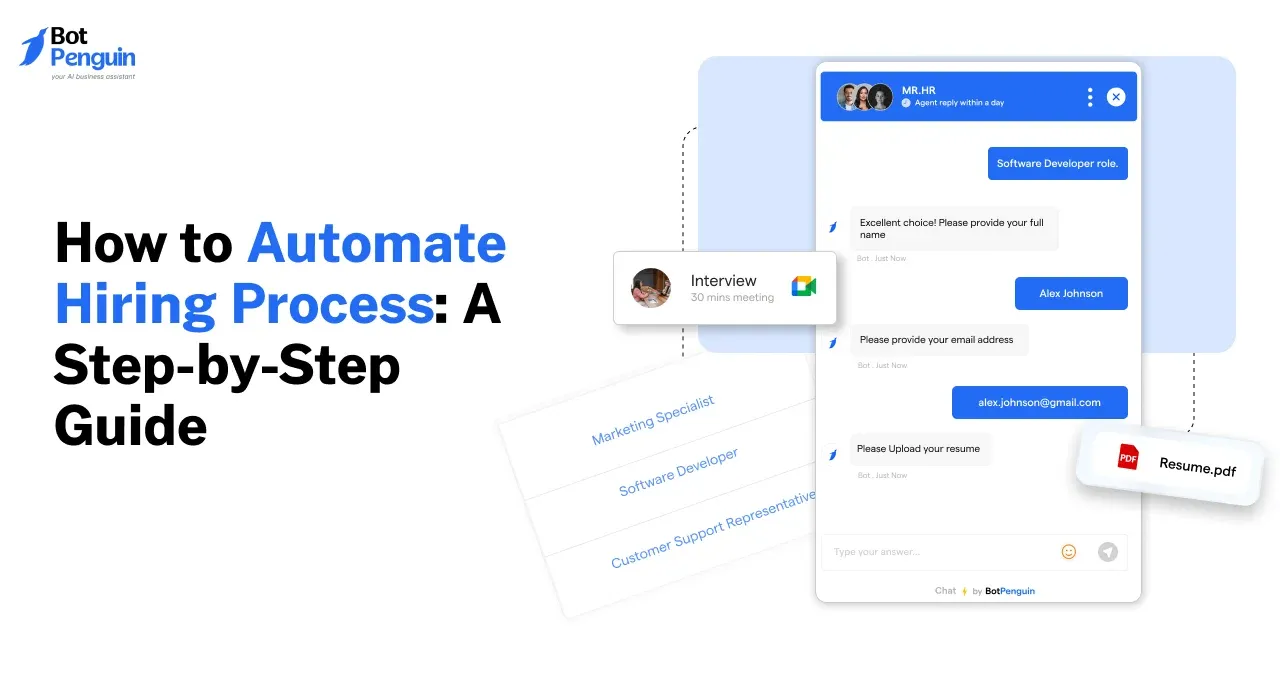
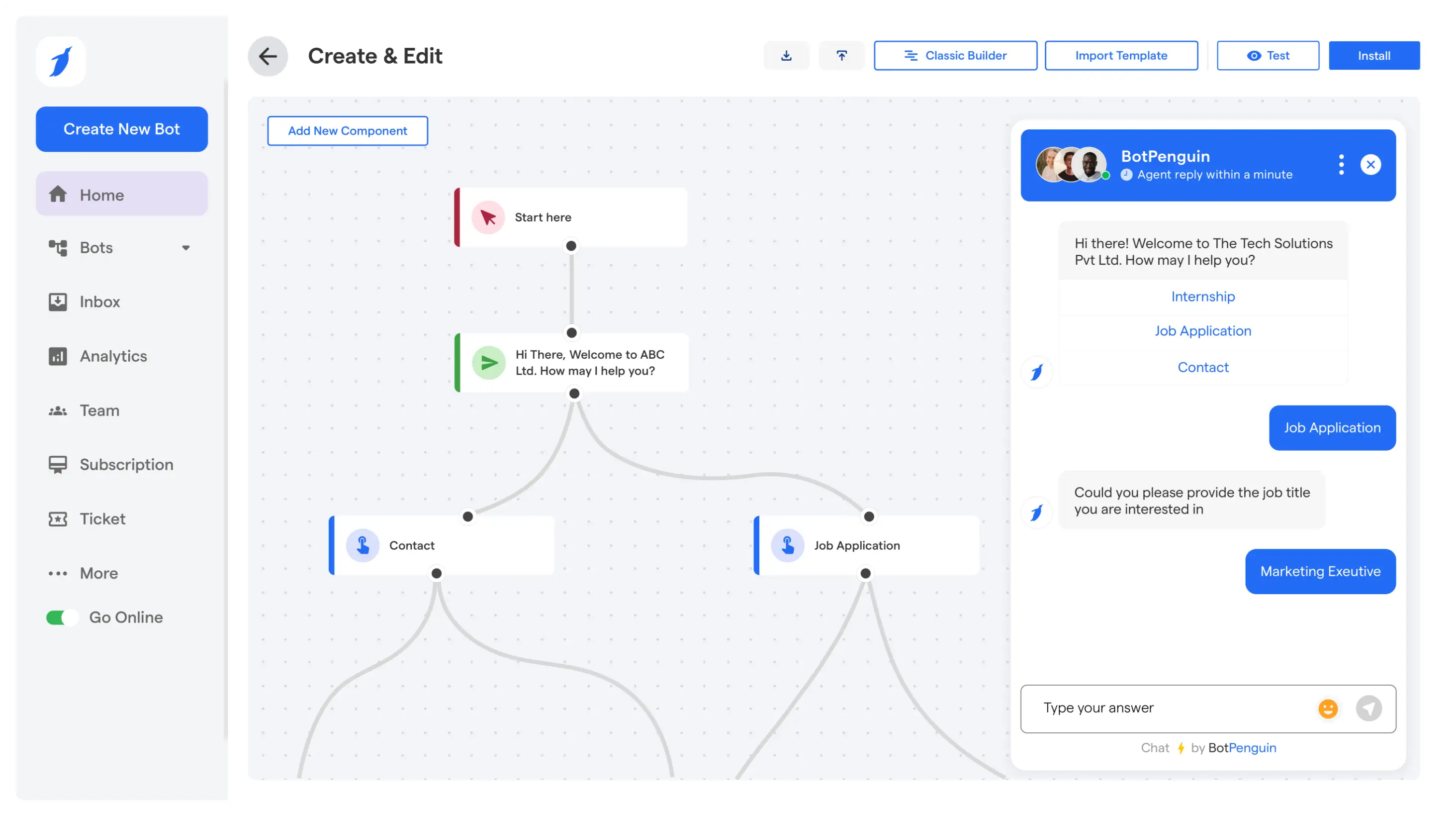
A recruitment chatbot can handle routine questions, collect candidate information, send relevant updates, and transfer conversations to recruiters when necessary.
More sensitive discussions, such as detailed feedback, compensation, or individual hiring concerns, should remain human-led.
New-Hire Onboarding
Automation can continue after a candidate accepts an offer.
Common onboarding tasks include:
- Collecting required documents
- Sending reminders
- Assigning onboarding tasks
- Gathering employee information
- Notifying relevant internal teams
These workflows reduce administrative work, but personal communication should remain part of the new hire’s transition into the organization.
Once you identify where automation will provide the most value, the next step is choosing the right tools to support those workflows.
Step 2: Choose the Right Tools
Once you know which hiring tasks need automation, choose tools based on those specific workflows.
Avoid adding software simply because it offers more features. The right setup should fit your hiring volume, existing systems, recruiter workflows, and candidate experience.
A practical way to narrow your options is to match each hiring need with the appropriate tool category.
Start With Your Applicant Tracking System
For many teams, the ATS becomes the central system connecting candidate records, hiring stages, recruiter activity, and other recruitment tools.
Before adding new software, check what your current ATS can already automate. Using existing functionality may be simpler than introducing another disconnected platform.
Add Specialized Tools Where Gaps Remain
Your ATS may not handle every workflow equally well. Specialized tools can fill gaps in areas such as assessments, sourcing, interview scheduling, or onboarding.
Before selecting one, check:
- Whether it integrates with your existing hiring systems
- Which tasks it actually automates
- How easily recruiters can override or adjust workflows
- Whether candidate data moves between systems correctly
- What reporting is available to measure performance
This helps prevent fragmented workflows where recruiters still need to copy information manually between tools.
Use Conversational Tools for Candidate Communication
Candidate communication is another area where specialized automation can help.
A recruitment chatbot can handle routine questions, collect candidate information, and direct conversations to recruiters when human involvement is needed.
If you plan to build a more customized conversational workflow, this guide explains how to build a recruitment chatbot around specific hiring requirements. Teams comparing conversational hiring platforms can also review our guide on the best recruitment chatbots based on their workflow and candidate communication needs.
Evaluate Integration Before Features
A tool with dozens of automation features may still create more work if it does not connect with the rest of your hiring stack.
Prioritize tools that can exchange data reliably with your ATS, calendars, assessment systems, communication channels, and onboarding software.
Once you select the right tools, the next step is connecting them into practical hiring workflows rather than running each system separately.
Step 3: Implement Automation Strategies
Once you've selected your tools, turn them into connected workflows with clear triggers, actions, and handoff points.
Start with a few repetitive processes rather than automating the entire hiring journey at once. This makes it easier to test what works and correct issues before expanding automation.
For a broader look at where automation can improve hiring workflows, explore these recruitment process automation strategies.
Automate Repetitive Coordination
Begin with tasks that follow predictable rules and require little recruiter judgment.
Good starting points include:
- Interview reminders and scheduling updates
- Candidate information collection
- Routine application updates
- Internal recruiter notifications
- Onboarding task reminders
These workflows reduce manual follow-up while keeping recruiters involved when a candidate needs context, feedback, or individual attention.
Use AI Where It Adds Context
AI can support recruiters by organizing candidate information, interpreting routine queries, and helping manage large volumes of hiring data.
For candidate-facing workflows, BotPenguin can automate common questions, collect relevant details, and route conversations to recruiters when necessary.
Teams exploring broader AI-led workflows can also review how AI agents for recruiting support connected recruitment tasks.
AI outputs should assist hiring decisions rather than replace recruiter judgment.
Connect Your Hiring Systems
Automation becomes more useful when information moves between systems without repeated manual entry.
For example, a connected workflow might:
1. Capture an application in the ATS.
2. Trigger a screening or assessment step.
3. Send qualified candidates a scheduling option.
4. Update the candidate record after each stage.
5. Notify the recruiter when human review is required.
Define these connections carefully so candidate data stays consistent across the hiring process.
Set Clear Human Handoff Points
Every automated workflow should specify when a recruiter takes over.
Human involvement is especially important for:
- Complex candidate questions
- Interview evaluation
- Detailed feedback
- Compensation discussions
- Exceptions to standard workflows
- Final hiring decisions
The objective is not maximum automation. It is a hiring process where routine tasks move automatically, and recruiters step in when judgment, context, or human interaction matters.
Suggested Reading:
Top 10 Benefits of Using an HR Chatbot in Your Organization
Step 4: Train Your Team
Automation only works when recruiters understand the workflows behind it. Training should cover more than basic tool functionality.
Your team needs to know what happens automatically, where candidate information moves, and when humans need to step in.
Understand the Hiring Workflow
Start by showing recruiters how each automated step connects with the wider hiring process.
They should understand:
- Which tasks run automatically
- What triggers each workflow
- Where candidate information is stored
- Which notifications require action
- When recruiters should take over
This makes it easier to spot errors and prevent candidates from getting stuck between automated stages.
Set Clear Rules for Human Oversight
Recruiters should know when automation can continue and when human judgment becomes necessary.
For example, automated workflows may handle reminders, scheduling, and routine questions. Recruiters should step in for complex candidate concerns, interview evaluations, compensation discussions, exceptions, and final hiring decisions.
Clear handoff rules prevent automation from extending into decisions that require context.
Cover Data and AI Responsibilities
Candidate information can move across several connected systems, so training should include basic data-handling practices.
Teams should understand access permissions, appropriate data collection, secure information handling, and how automated screening criteria are applied.
AI-assisted outputs should also be reviewed rather than accepted automatically, especially when they influence candidate progression.
Keep Training Ongoing
Hiring workflows change as roles, tools, and processes evolve.
Encourage recruiters to report confusing steps, repeated manual work, failed handoffs, or unnecessary automation. These observations can reveal where workflows need adjustment before performance metrics show a larger problem.
Once the team understands how the system should operate, the next step is measuring whether the automated hiring process is actually improving performance.
Step 5: Measure and Optimize
Once automation is running, measure whether it's improving the hiring process.
Track a small set of meaningful metrics, review where candidates slow down or drop out, and adjust workflows based on the data.
Track the Right Hiring KPIs
Use Key Performance Indicators (KPIs) that reflect both hiring speed and process quality.
Useful metrics include:
- Time-to-hire: How quickly candidates move from application to accepted offer.
- Time-to-fill: How long it takes to close an open position.
- Candidate drop-off: Where applicants leave the hiring process before completion.
- Offer acceptance rate: How often selected candidates accept offers.
- Source effectiveness: Which channels generate candidates who progress through the pipeline.
- Candidate feedback: How applicants rate communication, scheduling, and overall experience.
These metrics help determine whether automation removes friction or simply moves it elsewhere.
Identify Workflow Bottlenecks
Look at how long candidates remain in each hiring stage.
If interview scheduling takes several days, the scheduling workflow may need attention. If candidates repeatedly leave during screening, review the number of questions, assessment length, communication gaps, or waiting times.
The goal is to identify the specific stage creating friction, not add more automation across the entire process.
Refine Workflows Based on Results
Use performance data to adjust triggers, reminders, handoffs, and approval steps.
For example, you may need to:
- Shorten unnecessary screening stages
- Change reminder timing
- Remove duplicate data collection
- Improve recruiter handoff rules
- Simplify candidate communication
- Adjust workflows for different roles or hiring volumes
Review these workflows regularly as hiring needs change.
Measuring results completes the initial automation cycle, but the process should continue evolving as recruiters identify new bottlenecks and opportunities for improvement.
Conclusion
Learning how to automate hiring process workflows starts with identifying repetitive tasks, choosing tools that fit existing systems, and connecting each stage carefully.
Automation can reduce manual work across sourcing, screening, scheduling, communication, and onboarding, while recruiters remain responsible for decisions requiring context and judgment.
BotPenguin can support candidate communication by handling routine questions, collecting information, and routing conversations to recruiters when needed.
The strongest approach is to start small, train your team, track meaningful KPIs, and refine workflows based on results. This creates a hiring process that is more organized, responsive, and easier to manage.
Ready to streamline candidate conversations? Start building with BotPenguin today.
Frequently Asked Questions (FAQs)
What is automated hiring?
Automated hiring uses software, workflows, and AI tools to handle repetitive recruitment tasks such as screening, scheduling, communication, data entry, and onboarding. It supports recruiters by reducing manual coordination while keeping human judgment involved in candidate evaluation and final decisions.
How can automated hiring improve recruitment?
Automated hiring can reduce repetitive work, improve workflow consistency, and speed up routine coordination across screening, scheduling, communication, and onboarding. Recruiters gain more time for interviews, candidate evaluation, relationship-building, and other tasks that require context, experience, and careful human judgment.
What tools are used in automated hiring?
Common tools include applicant tracking systems, sourcing platforms, assessment software, scheduling tools, recruitment chatbots, and onboarding platforms. Each supports a different stage of hiring, so teams should choose tools based on workflow gaps, integrations, hiring volume, and specific recruiter needs.
What are the benefits of automated hiring?
The main benefits include less manual coordination, faster routine processes, more consistent workflows, better visibility into hiring stages, and easier performance tracking. Automation also allows recruiters to spend more time on candidate conversations, interviews, evaluations, and final hiring decisions.
How do I get started with automated hiring?
Start by mapping your current hiring workflow and identifying repetitive tasks, delays, and manual handoffs. Then choose suitable tools, connect them with existing systems, train recruiters, define human oversight points, and track performance before expanding automation to additional hiring stages.
Can automated hiring help with diversity and inclusion?
Automation can support more structured hiring processes, but it does not automatically remove bias or improve diversity. Teams should review screening criteria, monitor outcomes, test automated workflows, protect candidate data, and keep human oversight in place for sensitive hiring decisions.