



The Complete Guide to Ecommerce Chatbots for Online Stores
Updated at Oct 13, 2026
11 min to read
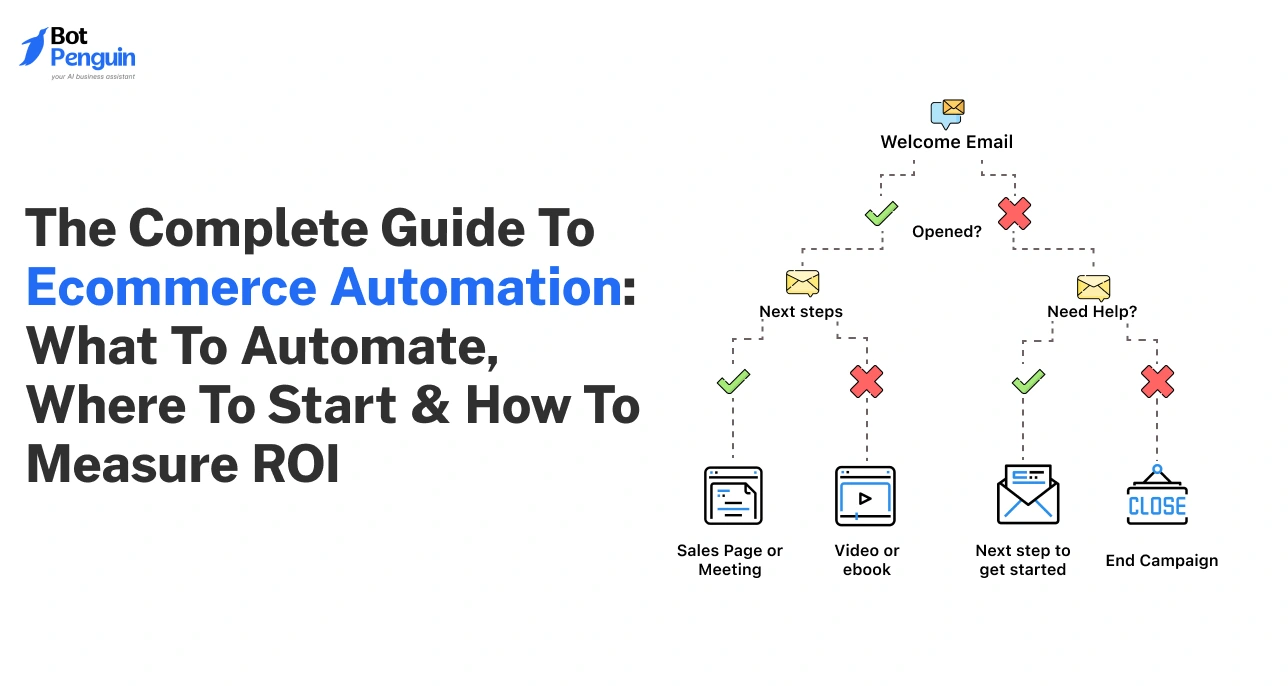
75% of ecommerce brands already use automation (McKinsey). The rest are struggling to keep up.
As your store grows, manual processes begin to break down. Inventory errors lead to overselling. Slow responses frustrate customers. Repetitive tasks burn out your team. What works at 50 orders fails at 500.
This is where ecommerce automation becomes essential.
Ecommerce automation streamlines operations, reduces errors, and enables instant responses without increasing team size. Instead of reacting to problems, your systems proactively handle them.
In this guide, you will learn what ecommerce automation is, what to automate first, which tools to choose, and how to measure ROI.
If you want to scale without operational chaos, this is where you start.
Ecommerce automation is the use of software to run routine tasks across your store through predefined workflows. Instead of manual effort, systems execute actions automatically based on events or triggers.
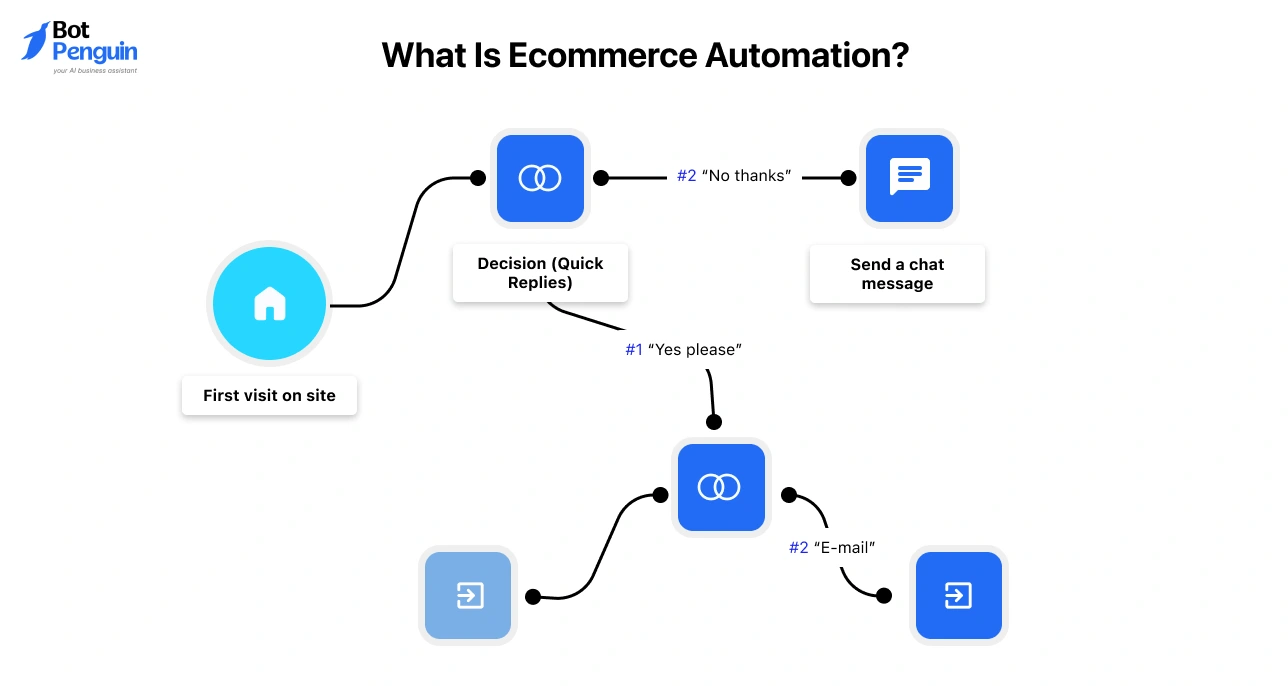
For example, when a customer places an order, the system verifies payment, updates inventory, generates a shipping label, and sends a confirmation message instantly.
At its core, automation in ecommerce replaces manual execution with system-driven workflows that ensure consistency and accuracy.
It is commonly used for order processing, customer communication, marketing workflows, and inventory updates.
At a practical level, ecommerce automation works on a simple logic: when something happens, your system responds automatically.
Every workflow includes three elements:
For example, when a customer abandons their cart (trigger) and 24 hours pass (condition), the system sends a follow-up email (action).
This structure allows you to automate large volumes of routine tasks efficiently.
Ecommerce platforms and automation tools serve different roles in your business. One helps you run your store, while the other helps you scale it.
Automation tools connect your store to systems such as email platforms, shipping tools, CRMs, and support channels. This enables coordinated actions based on customer activity.
In simple terms, platforms help you run a store. Automation helps you scale it.
Ecommerce automation matters because it helps you scale operations, reduce costs, and meet customer expectations without increasing team size.
As your business grows, manual processes slow down fulfillment, delay responses, and increase the risk of costly errors. According to Salesforce, high-performing teams are 1.9x more likely to use automation tools to scale efficiently.
The difference between manual and automated operations becomes clear at scale:
Manual operations consume both time and revenue.
Support teams spend a large portion of their day answering repetitive queries. According to IBM, businesses can reduce customer support costs by up to 30% with automation.
At the same time, operational errors carry real financial impact. Inventory mismatches and overselling often result in refunds, lost orders, and customer dissatisfaction.
Automation reduces these inefficiencies by handling tasks such as:
This allows your team to focus on revenue-generating work instead of routine execution.
Customer expectations are now shaped by instant experiences.
According to Zendesk, 72% of customers expect immediate service, while most ecommerce teams still operate with delayed responses.
Automation bridges this gap by enabling:
Faster responses directly improve customer satisfaction and reduce drop-offs during critical moments.
Automation creates a measurable advantage in speed and efficiency.
According to Shopify, businesses that adopt automation tools report improved operational efficiency and faster order handling, especially during high-demand periods.
Automated businesses are better positioned to:
In contrast, businesses that rely on manual workflows struggle to keep pace with demand and customer expectations.
In practical terms, automation in ecommerce is no longer just about efficiency. It is a key driver of sustainable growth and long-term competitiveness.
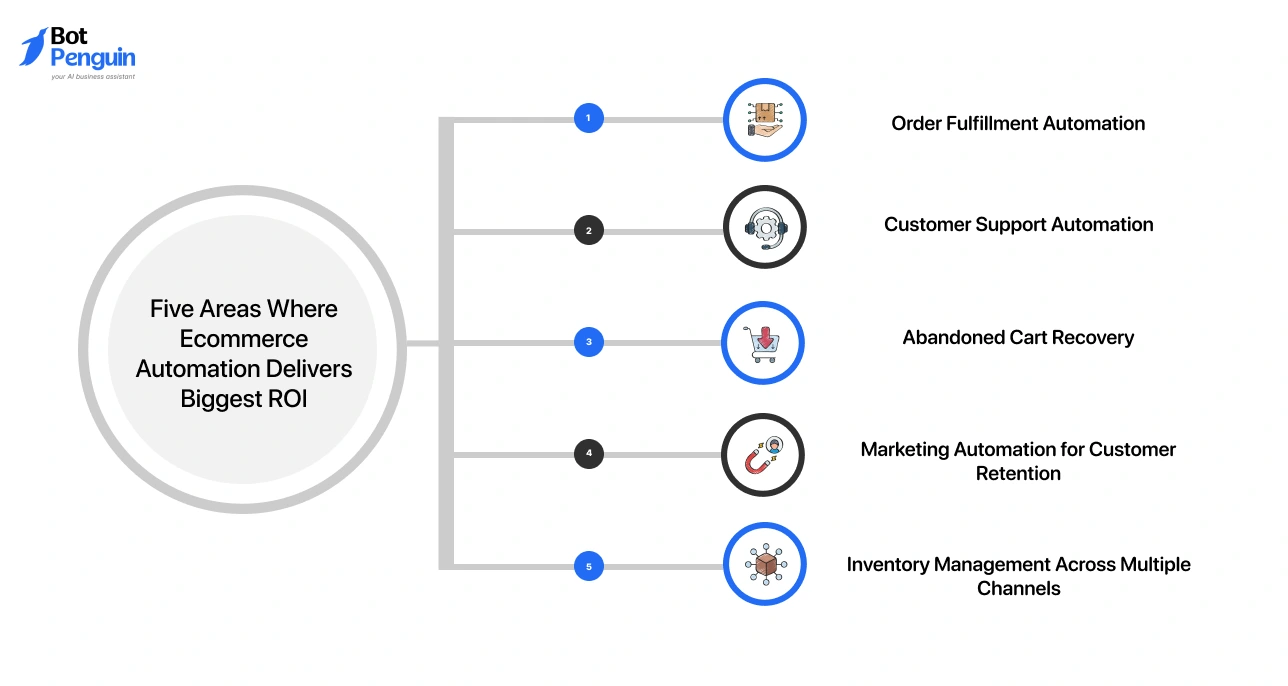
The five areas where ecommerce automation delivers the biggest ROI are order fulfillment, customer support, abandoned cart recovery, marketing automation, and inventory management.
These areas generate the highest returns because they involve frequent tasks, direct revenue impact, and high error risk. Automating them improves speed, accuracy, and conversion without increasing operational costs.
Order fulfillment is one of the most time-sensitive and error-prone processes.
Without automation, teams manually process orders, update inventory, and generate shipping details. This slows down entire operation process and increases the risk of mistakes.
With automation, the entire workflow runs instantly:
This reduces processing time from hours to minutes.
According to Shopify, automated fulfillment workflows significantly reduce order-handling time and improve accuracy during peak demand.
At scale, even small time savings compound. For example, saving minutes per order can translate into 100+ hours saved per month at moderate volumes.
Customer support is one of the highest-volume operational areas.
Most queries are repetitive:
AI-powered chatbots can handle these instantly across channels such as your website, WhatsApp, Facebook, and email.
According to IBM, AI chatbots can resolve up to 80% of routine customer queries without human involvement.
This reduces response time from hours to seconds, allowing your team to focus on complex issues.
Cart abandonment is one of the biggest revenue leaks in ecommerce.
According to the Baymard Institute, the average cart abandonment rate is around 70% across industries. Automation helps recover a portion of this lost revenue through timed follow-ups.
A typical recovery sequence includes:
Even modest recovery rates generate measurable revenue gains, especially for high-traffic stores.
Acquiring customers is expensive. Retaining them is where profit grows.
Automation enables personalized post-purchase journeys that drive repeat purchases. A typical sequence may include:
According to Omnisend, automated emails generate up to 30% of ecommerce email revenue, despite being a small portion of total sends.
Personalization based on purchase history further improves engagement and conversion rates.
This makes marketing automation one of the highest ROI channels in ecommerce.
Inventory errors directly impact revenue and customer trust.
Manual inventory tracking across multiple platforms increases the risk of overselling products, stockouts, and delayed order fulfillment.
Automation ensures real-time inventory synchronization across channels such as Shopify, Amazon, and marketplaces. Key capabilities include:
According to Statista, inventory distortion (out-of-stock and overstock) costs retailers billions of dollars annually, underscoring the scale of the problem.
By maintaining accurate inventory across channels, automation prevents lost sales and reduces costly fulfillment issues.
Not every workflow needs automation immediately. The goal is to start with areas that deliver quick impact and reduce operational friction.
You can identify what to automate using this simple diagnostic quiz and a scoring framework.
Use the following questions to evaluate your current workflows. Answer Yes or No:
This helps you quickly identify bottlenecks without overthinking.
Once you identify candidate workflows, prioritize them using this matrix:
Focus first on workflows with high frequency and high impact. These deliver faster ROI.
The best ecommerce automation tools are selected based on your workflow needs, not as a single all-in-one platform. Most businesses combine tools across different functions to build a scalable automation system.
A quick overview of key tool categories:
Each category solves a different problem. These tools are designed to work together, not replace one another.
👉 To explore detailed comparisons, pricing, and feature breakdowns, refer to our best ecommerce automation tools article.
Instead of comparing features blindly, focus on your needs:
This simplifies decision-making and avoids tool overload.
Tool pricing alone does not reflect the real investment.
In most cases, your total cost includes the monthly subscription, setup or developer effort, training and onboarding, and ongoing integration costs. For example, a tool priced at $300 per month can easily exceed $6,000 in first-year costs once setup and integrations are included.
Most growing ecommerce businesses spend between $500 and $1,500 per month across multiple tools, depending on their scale and complexity.
You can implement ecommerce automation in weeks by following a phased approach: planning, setup, testing, and rollout. This structured process reduces risk, prevents errors, and ensures your automation delivers measurable results.
Rushing implementation often leads to failures. A phased rollout keeps your systems stable and your team aligned.
Start by understanding your current workflows. Audit your processes to identify bottlenecks:
Use the diagnostic framework from the previous section to shortlist your top 2 to 3 automation opportunities. Define clear success metrics before you begin.
For example, reduce order processing time from 15 minutes to 3 minutes or improve response time from 4 hours to under 1 minute.
Choosing one high-impact workflow first increases your chances of success.
Select the right tools based on your workflow needs.
Evaluate 2 to 3 tools using your decision framework. Avoid choosing tools based only on features.
Prepare your data before automation. Clean up duplicates, fix inconsistencies, and standardize formats. Automation depends on accurate data.
Always configure automation in a test environment, not on your live store.
Testing is where most automation failures are prevented.
Run your automation alongside your manual process. This parallel setup allows you to compare results and catch errors early. Focus on:
Train your team during this phase. They should know how to monitor workflows, intervene when needed, and handle escalations.
Run parallel testing for at least 1 to 2 weeks before moving forward.
Once testing is stable, move to full rollout.
Switch off manual processes and let automation handle the workflow. Monitor performance closely during the first week.
Track results against your baseline metrics. This helps you measure real impact and ROI.
After stabilization, identify the next workflow to automate. Avoid automating everything at once. A phased approach ensures better control and long-term success.
Most automation failures stem from poor planning, not from bad tools.
Avoid these common mistakes:
Following a structured approach helps you avoid costly errors and ensures your automation delivers consistent results.
Ecommerce automation fails when businesses try to scale support without the right systems in place. However, with the right implementation, automation can quickly turn into a growth driver.
A real example of this comes from OckyPocky, an edtech platform that struggled with scaling customer interactions as demand increased.
As OckyPocky grew, handling user queries manually became difficult. Their team faced:
Without automation, scaling support required hiring more agents, which increased operational costs.
This created a bottleneck. Customer experience began to suffer as response times slowed and support demand grew.
Instead of scaling manually, OckyPocky implemented an automated support system using BotPenguin. The system was designed to:
With automation in place, the results were significant.
OckyPocky resolved 91% of customer queries within 24 hours using automated workflows. At the same time, they reduced the need to hire large support teams while improving response efficiency.
Automation success depends on how you implement it, not just whether you use it.
OckyPocky’s shift shows that:
Automation is not just about reducing workload. It is about building systems that scale with demand.
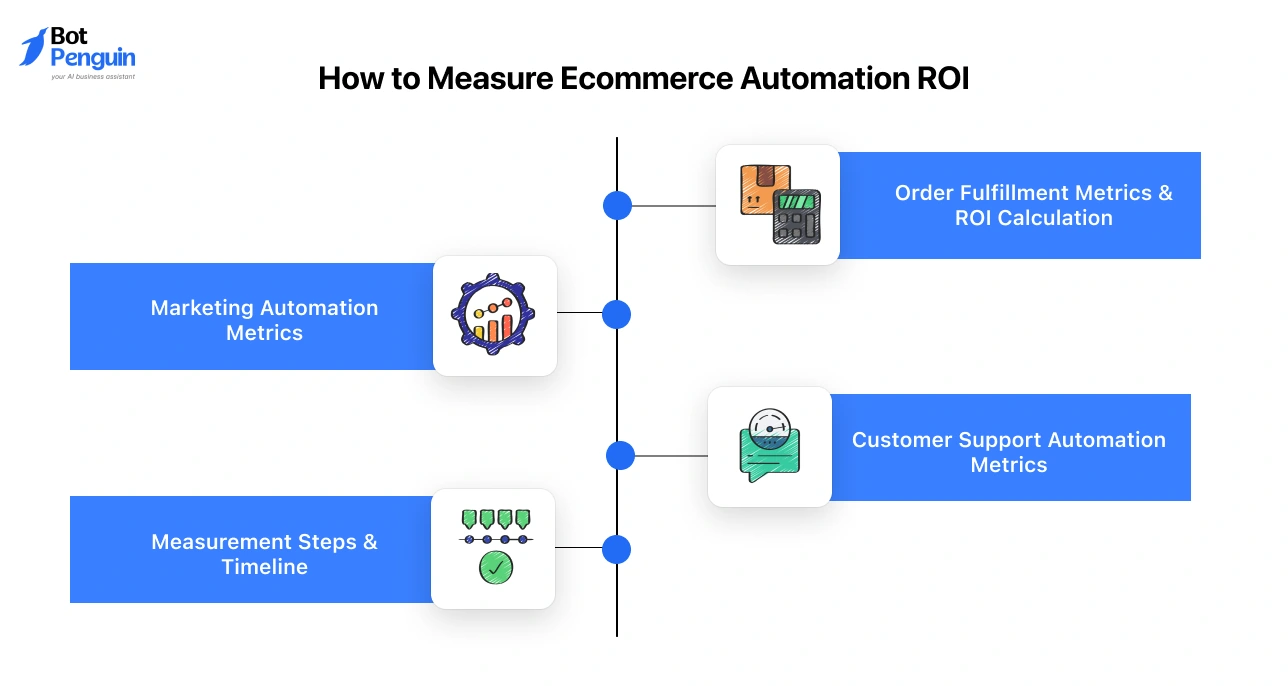
You can measure ecommerce automation ROI by tracking time saved, cost reduction, and revenue gained against your tool investment. The most important metrics come from fulfillment efficiency, support performance, and marketing conversions.
Instead of guessing impact, you should quantify it using before-and-after benchmarks.
Start by measuring how long it takes to process an order manually. A typical baseline may look like 15 minutes per order with 5% error rate.
After automation, targets often improve to:
Now calculate time savings: 500 orders per month × 12 minutes saved = 100 hours saved monthly
If operational cost is $25/hour: 100 hours × $25 = $2,500 saved per month
With a tool cost of $200/month, the ROI becomes significantly positive within the first month.
Support automation delivers ROI by reducing speed and volume. Track these key metrics:
If your team saves 100 hours per month: 100 hours × $25 = $2,500 saved monthly
With a chatbot tool costing around $300/month, the cost-to-value ratio is highly favorable.
According to Salesforce, automation significantly improves service efficiency and response times across support teams.
Marketing automation directly increases revenue, not just efficiency. Track these improvements:
Example calculation: 150 recovered carts × $50 average order value = $7,500 additional revenue
With a tool costing around $199/month, even small improvements generate strong returns.
Follow a structured approach to track ROI accurately:
Use this formula: ROI = (Revenue gained – Tool cost) ÷ Tool cost × 100
For best results:
Quick-win automations deliver results in 2–3 weeks, while complex systems may take 8–12 weeks.
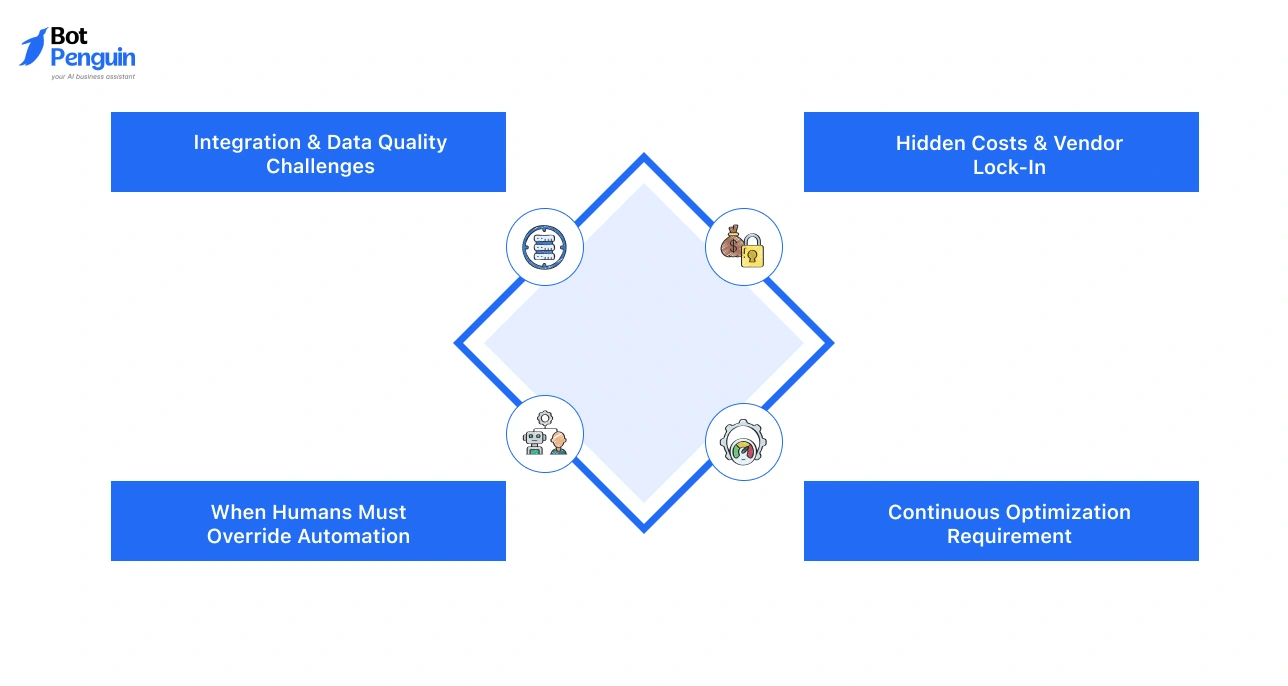
Ecommerce automation cannot fully replace human judgment, fix poor data, or eliminate operational complexity. It improves efficiency, but it is not a complete substitute for human oversight and strategic control.
Understanding these limitations helps you implement automation more effectively and avoid costly mistakes.
Automation depends heavily on how well your systems and data are structured.
If your tools do not integrate properly, workflows can break or fail silently. Legacy systems, custom plugins, or missing APIs often create integration gaps.
Poor data quality creates even bigger issues:
Automation amplifies your existing processes. If the input is flawed, the output will be too.
Automation works best for repetitive, predictable tasks, not for complex or emotional situations.
In most cases, automation can handle 60–80% of routine queries, but the remaining cases require human judgment. Examples where human intervention is essential:
Relying entirely on automation can create a disconnected experience. Clear escalation paths and human handoffs are critical.
Automation tools often appear affordable at first, but carry additional costs. A typical setup may include:
Switching platforms later can also be difficult. Data, workflows, and processes often become tightly coupled with the tool you choose.
Evaluating long-term costs upfront helps prevent unexpected expenses.
Automation is not a one-time setup. It requires ongoing monitoring and refinement.
Customer behavior, product demand, and campaign performance change over time. Workflows that perform well today may need adjustments later.
To maintain performance, you need to:
The most effective approach combines automation for efficiency with human oversight for quality.
Ecommerce automation is no longer optional. It is the foundation for scaling modern online businesses. Customers expect instant responses, seamless experiences, and 24/7 availability. Manual processes cannot consistently meet these expectations.
The real question is not whether you should automate, but how soon you start.
Automation frees your team from repetitive work, allowing them to focus on growth, creativity, and customer relationships. The best way to begin is with a simple plan.
In the next 90 days, diagnose your workflows, implement one high-impact automation, and scale gradually.
If you want to see how omnichannel automation works for ecommerce businesses, you can explore our platform, BotPenguin, to understand real-world use cases and implementation.
Start this week. Identify one quick win and move forward.
Yes, even small stores benefit from automation. Basic workflows like order confirmations, cart recovery, or customer replies can save time and improve consistency. Tools like BotPenguin offer no-code automation, making it easy to start without heavy investment while still improving efficiency and customer experience.
Yes, many modern tools are designed for non-technical users. No-code platforms allow you to create workflows using simple interfaces. For example, tools like BotPenguin enable businesses to set up AI Agent and AI chatbot automation and workflows without coding.
If an automation workflow fails, most platforms provide alerts, logs, or dashboards to identify issues quickly. You should assign an owner to monitor workflows and maintain a fallback process. Reliable tools also support manual overrides, ensuring your operations continue without major disruption during failures.
In most cases, yes. Ecommerce automation involves functions such as support, marketing, and fulfillment. While platforms like BotPenguin handle marketing and customer communication across channels, you may still need additional tools, depending on your business requirements and scale.
Automation workflows should be reviewed regularly. Customer behavior, seasonal trends, and product changes can affect performance. Updating workflows ensures relevance and accuracy. Regular monitoring and small adjustments help maintain efficiency and improve results over time without requiring a complete system overhaul.
Ecommerce automation is safe when you use secure and compliant platforms. Always choose tools that follow data protection standards and offer secure integrations. Ensure proper access controls and data handling practices are in place to protect customer information and maintain trust.
Yes, automation is designed to handle high volumes efficiently. During peak periods, it helps manage large numbers of orders and queries without delays. Tools like BotPenguin enable businesses to respond instantly across channels, ensuring a consistent customer experience even during traffic spikes.
Subscribe to Our Newsletter
Get the latest business insights straight into your inbox.
Checkout our related blogs you will love.
Updated at Oct 13, 2026
11 min to read

Updated at Oct 10, 2026
26 min to read
Updated at Jun 22, 2026
7 min to read
Updated at May 21, 2026
12 min to read
Updated at May 20, 2026
8 min to read
Updated at May 7, 2026
9 min to read
Table of Contents


