


Website Chatbot: What It Is, How It Works, and If You Need One
Updated at Oct 6, 2026
12 min to read
Many businesses assume that an effective website chatbot requires a large budget. That’s not always the case.
In reality, website chatbot pricing varies widely based on factors such as features, AI capabilities, automation level, and the scale you need.
While some businesses can get started for free, others invest in advanced AI solutions that deliver measurable ROI.
This guide explains how much a website chatbot costs, what influences pricing, the hidden expenses to watch for, and how to estimate your actual monthly investment before choosing a platform.
Website chatbot pricing refers to the cost of purchasing, deploying, and maintaining a chatbot on your website. The total cost depends on numerous factors like:
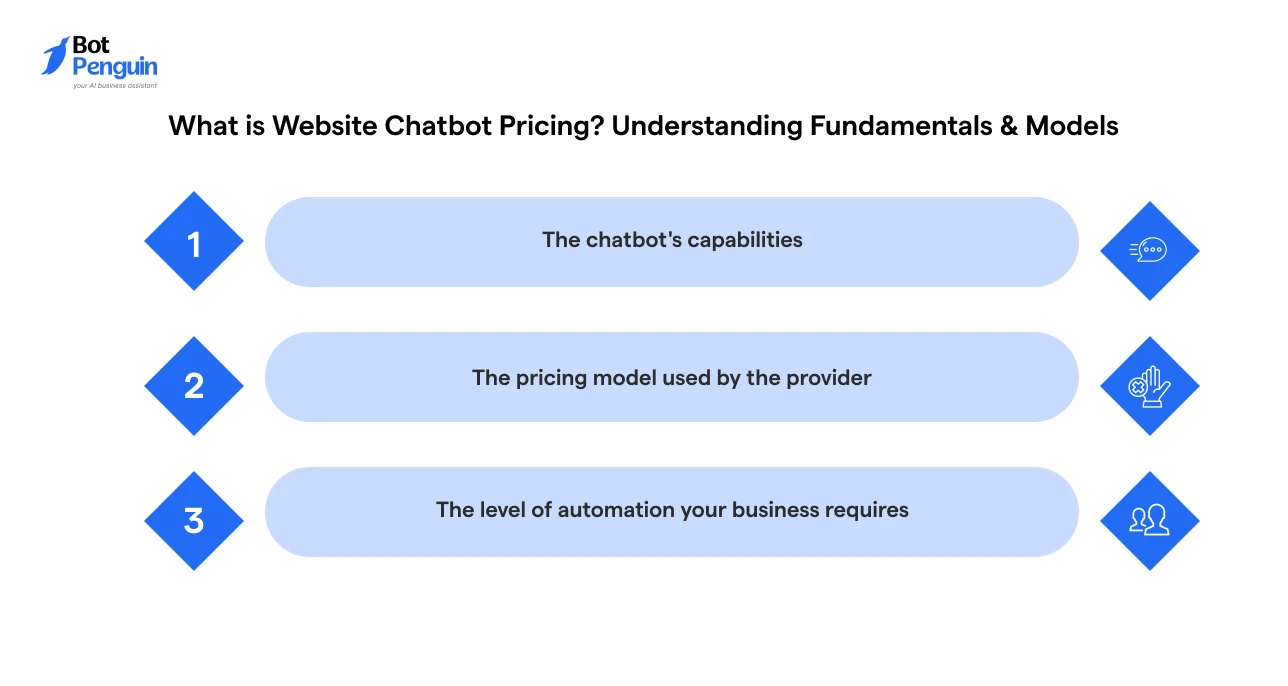
Understanding what influences pricing will help you compare solutions more confidently and choose a chatbot that fits both your business goals and budget.
If you're new to the concept, read our guide on what a website chatbot is to understand how it works before comparing pricing plans.
Gartner’s own research pegs conversational AI integration costs at $1,000 to $1,500 per agent, a number worth factoring into your total budget alongside setup, configuration, and onboarding.
But before diving into the numbers, let's look at the various pricing models that providers use to structure their plans, subscriptions, and add-on costs.
Website chatbot providers use different pricing models, so the same chatbot can be billed in very different ways.
The table below highlights the ways in which you could be charged for a website chatbot:
Remember: The pricing model determines how you're billed, while the chatbot's features and capabilities determine how much you're likely to pay.
Evaluating both together will help you select a solution that fits your budget and business requirements.
Looking for transparent pricing? BotPenguin offers flexible plans, from a free tier to advanced AI-powered options, so you can choose a pricing model that matches your business needs and budget.
Website chatbot providers typically base their pricing on usage, features, and the level of functionality your business requires.
Understanding these factors will help you estimate your monthly investment, compare website chatbot platforms more effectively, and avoid paying for capabilities you don't need.
Many providers offer plans based on usage tiers, meaning higher conversation volumes often require a more expensive subscription or incur additional usage charges.
If your website experiences seasonal traffic spikes, it's also important to understand how overages are billed.
Pro Tip: Track your average monthly conversations for three months before choosing a plan, so you avoid overage charges.
Rule-based chatbots that follow predefined conversation flows are generally more affordable.
On the other hand, AI-powered chatbots can understand user intent, generate responses, automate workflows, qualify leads, and provide personalized interactions.
Advanced AI features typically come with higher subscription costs but can also deliver greater operational efficiency and customer engagement.
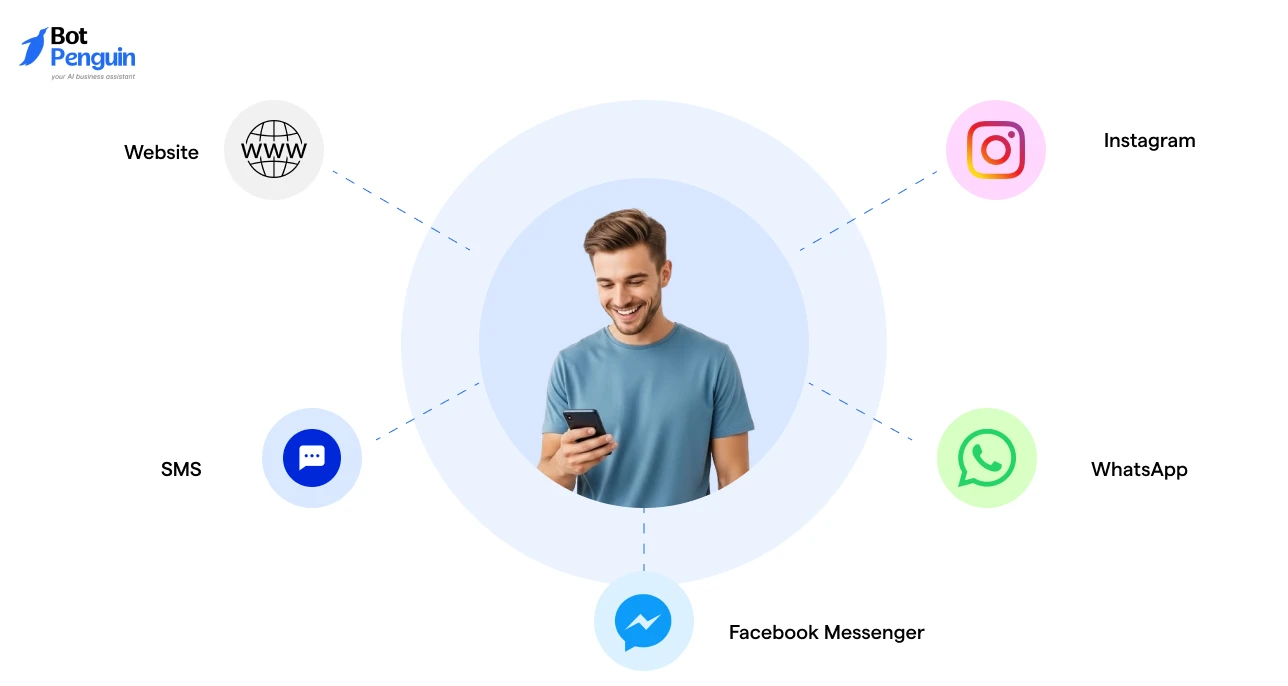
Supporting customers across multiple channels, such as your website, WhatsApp, Instagram, SMS, or Facebook Messenger, can increase chatbot costs.
While website chat is often included in standard plans, additional messaging channels are commonly available only on higher-tier subscriptions or as paid add-ons.
Gartner projects that by 2028, 30% of Fortune 500 companies will consolidate customer service into a single AI-enabled channel rather than maintaining separate systems for chat, voice, and messaging.
Connecting your chatbot with business tools such as CRM platforms, calendars, payment gateways, help desks, marketing software, or analytics tools can also influence pricing.
Basic integrations may be included in standard plans, while advanced, custom, or API-based integrations are often reserved for premium or enterprise tiers.
Some chatbot providers charge based on the number of users who need access to the platform, while others include only a limited number of seats in each plan.
In addition, the level of customer support can affect pricing.
Entry-level plans typically offer standard documentation or email support, whereas business and enterprise plans may include priority support, onboarding assistance, and service-level agreements (SLAs).
Features such as custom chatbot design, white-labeling, role-based access controls, single sign-on (SSO), compliance support, and detailed analytics are commonly available only on higher-tier or enterprise plans.
While these capabilities require a larger investment, they provide greater flexibility, scalability, and governance for growing organizations.
No-code website chatbot builders typically offer subscription-based pricing with built-in templates, integrations, and maintenance, making them a cost-effective option for most businesses.
Custom-developed chatbots, on the other hand, require design, development, testing, and ongoing maintenance, resulting in a much higher upfront investment and longer deployment timelines.
These factors explain why website chatbot prices vary.
Because no-code website chatbot builders offer the easiest and most affordable way to deploy a chatbot, the next section focuses on their typical pricing tiers and what businesses can expect to pay.
No-code chatbot builders are the fastest way to get a website chatbot live, and most providers price them in clear, predictable tiers.
The right tier for you depends less on brand name and more on your conversation volume, channel needs, and how much AI capability you actually use.
Here's how website chatbot pricing typically breaks down across no-code plan tiers.
*The pricing ranges above are based on publicly available plans from leading no-code website chatbot providers as of July 2026. Pricing, features, AI usage limits, and included integrations may change over time. Always verify the latest details on the provider's official pricing page before making a purchase.
If a no-code plan doesn't fit your workflows or you need full ownership over the chatbot's logic and data, custom development is the next step.
Costs here scale with complexity rather than a flat monthly fee, so it helps to see the range across build types before you scope your project.
*Prices are tentative estimates and may vary based on developer rates, project scope, AI model usage, integration complexity, and ongoing maintenance needs. Always request a detailed quote based on your specific requirements.
Custom builds can be useful when your website needs very specific workflows. But they also need ongoing maintenance, including hosting, AI usage, API calls, retraining, bug fixes, and developer support.
Whether you choose a no-code chatbot platform or invest in a custom-built solution, the advertised price isn't always the final cost. Here are some additional expenses to consider before making your decision.
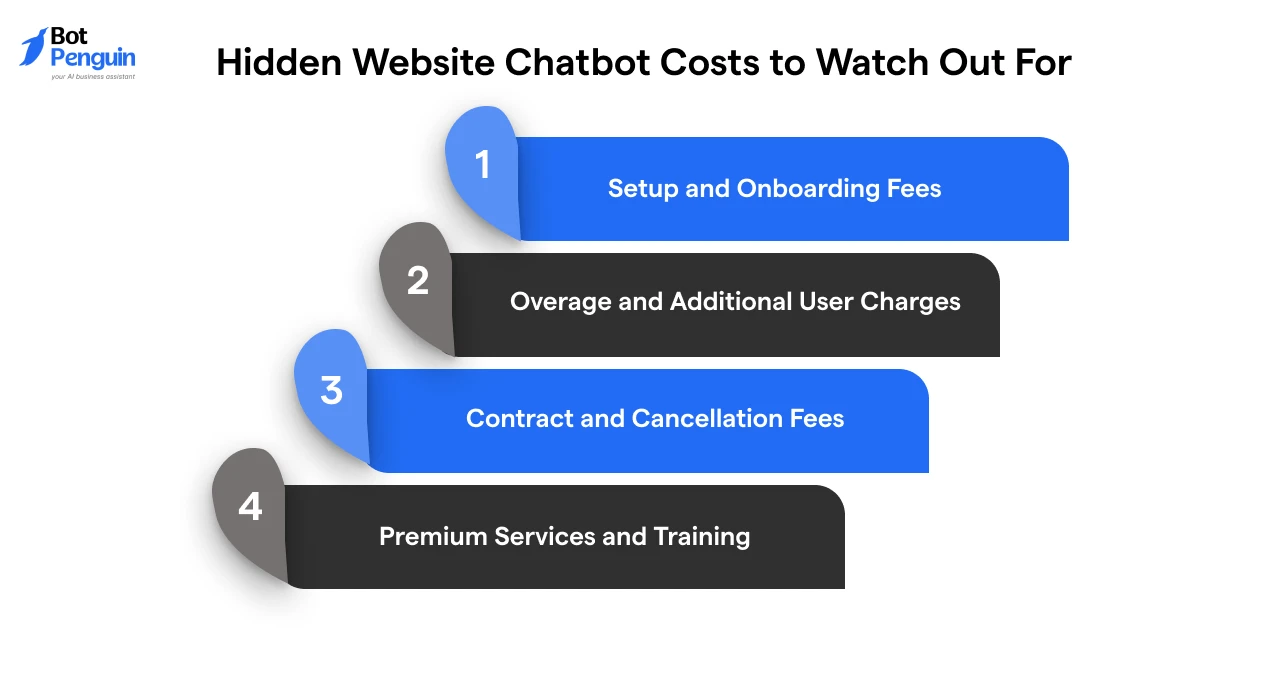
Depending on the provider and your business requirements, additional charges can appear as your usage grows or you enable advanced features.
Understanding these hidden costs upfront will help you budget more accurately and avoid unexpected expenses.
Many no-code website chatbot builders include self-service onboarding at no extra cost, but some business and enterprise plans charge separately for implementation, training, or migration services.
These one-time fees can increase your initial investment.
Tip: Ask whether onboarding is included or billed separately before signing a contract.
Exceeding your monthly conversation limit or adding more team members than your plan includes can increase your bill.
Depending on the provider, overages may be charged per conversation, while additional users often require extra paid seats.
Tip: Review conversation caps and included user seats before choosing a plan.
Some enterprise chatbot providers require annual contracts or charge fees for early cancellation, additional implementation work, or plan changes.
These costs aren’t always highlighted on pricing pages but can significantly affect your overall investment.
Tip: Review the contract terms, billing cycle, and cancellation policy before committing to a long-term plan.
While most no-code platforms are easy to set up, some providers charge extra for dedicated onboarding, custom chatbot design, employee training, consulting, or managed services.
These optional services can increase your first-year costs.
Tip: Decide whether you need professional services or can configure the chatbot using built-in templates and documentation.
Looking beyond the advertised monthly price ensures you choose a website chatbot that fits both your budget and long-term business needs.
A free website chatbot can work well for basic use cases. But paid plans become useful when the chatbot starts affecting leads, support workload, or customer experience.
Use the comparison below to determine whether a free plan meets your needs or if it's time to invest in a paid solution:
A free website chatbot is a great way to test automation and handle basic conversations.
However, if your chatbot supports lead generation, bookings, customer support, or sales, upgrading to a paid plan provides the features, scalability, and control needed for long-term growth.
Rather than switching platforms as your business grows, consider a solution like BotPenguin, which offers both free and paid plans so you can start small and upgrade only when your requirements expand.
Already decided on a platform? Follow our guide on how to set up a website chatbot to get your chatbot live in just a few simple steps.
The best website chatbot isn't necessarily the most expensive one.
To estimate what you'll actually pay, consider your expected usage, required features, and any additional charges beyond the base plan.
Note: The example below is for illustration only. Actual costs vary by provider, pricing model, and business requirements.
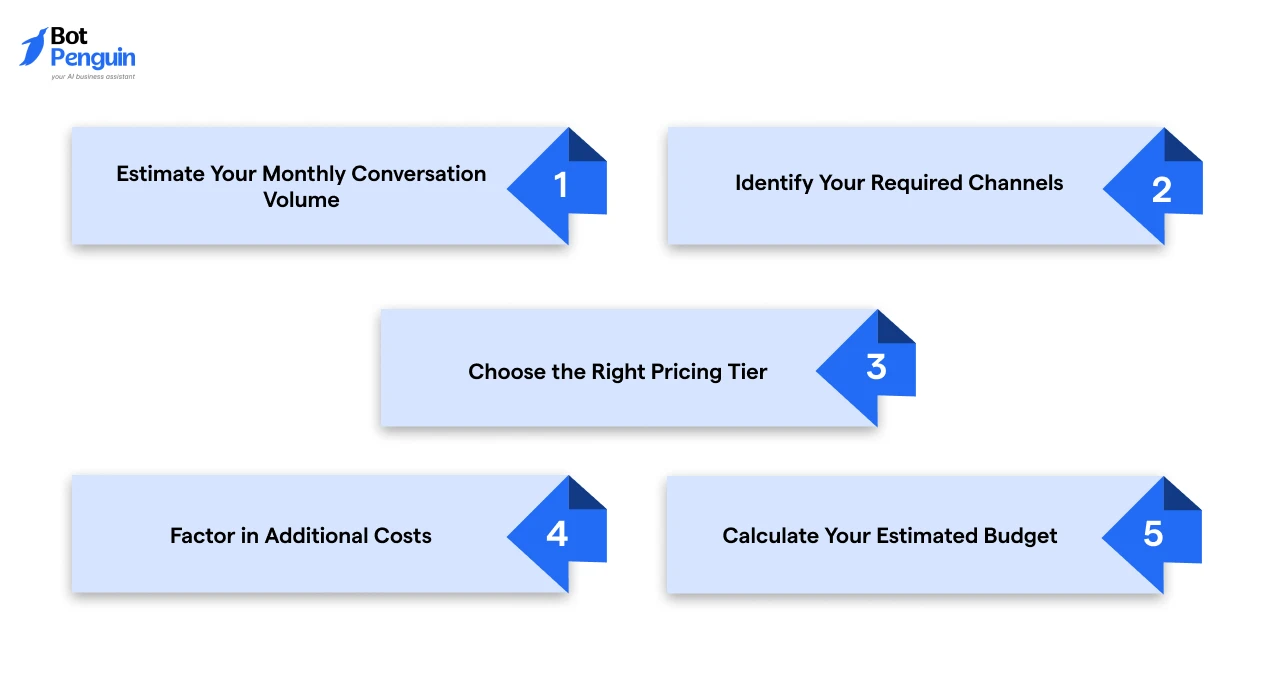
Estimate how many chatbot conversations your website receives each month.
Higher conversation volumes usually require higher-tier plans or usage-based pricing.
Determine whether you only need a website chatbot or also require channels like WhatsApp, Instagram, or Facebook Messenger.
Multi-channel support is often limited to paid plans.
Match your conversation volume, AI requirements, integrations, and channels to a pricing tier that fits your business needs.
Include potential overage charges, extra user seats, premium integrations, onboarding fees, or AI usage beyond the plan limits.
A business with 600 monthly conversations, website + WhatsApp support, CRM integration, and three team members will likely need a mid-tier plan rather than an entry-level one.
Likewise, a business handling 3,000+ monthly conversations across four channels with advanced AI and dedicated support will typically need an enterprise-tier plan, not a mid-tier one.
Budget for the chatbot you need today while leaving room to scale as your business grows.
Getting this estimate right upfront means you're not caught off guard by a plan upgrade three months in, and it gives you a realistic number to bring into vendor conversations.
Before choosing a website chatbot, look beyond the monthly price.
Compare pricing models, included features, conversation limits, integrations, and any hidden costs that could affect your budget over time.
For most businesses, a no-code website chatbot offers the fastest and most affordable way to automate conversations without a large upfront investment.
Start with a plan that fits your current needs and upgrade only as your business grows.
If you're comparing providers, BotPenguin offers both free and paid plans, making it easy to test chatbot automation today and scale when you're ready for more advanced AI capabilities.
Website chatbot pricing ranges from free for basic plans to $150+ per month for advanced no-code platforms. Custom-built chatbots typically cost $500 to $50,000+, depending on features, AI capabilities, integrations, and development complexity.
Yes. Many website chatbot providers offer free plans with limited conversations, basic automation, and a single website widget. Free plans are ideal for testing chatbot functionality before upgrading to advanced AI and multi-channel features.
The most affordable option is a no-code website chatbot with a free or entry-level plan. These platforms let you automate FAQs, capture leads, and deploy a chatbot without coding or high upfront costs.
Both pricing models are common. Some providers charge based on monthly conversation volume, while others charge per user or support agent. Many platforms also offer flat monthly plans with predefined usage limits.
Beyond the monthly subscription, you may pay for onboarding, conversation overages, additional user seats, premium integrations, AI usage, or enterprise support. Always review the full pricing structure before choosing a plan.
Yes. No-code website chatbot builders typically use affordable monthly subscriptions, while custom-built chatbots require significant upfront development costs, ongoing maintenance, hosting, and technical support.
Consider upgrading when your chatbot handles higher conversation volumes, supports lead generation, requires AI-powered responses, or needs integrations with CRM, booking, or customer support tools.
Conversation volume, AI capabilities, communication channels, integrations, customization, support level, and pricing model all influence website chatbot costs. Advanced features and higher usage generally lead to higher monthly pricing.
A paid website chatbot is worth the investment if it helps capture more leads, automate customer support, reduce manual work, or improve customer experience. The long-term ROI often outweighs the subscription cost.
Estimate your monthly conversation volume, required channels, AI needs, integrations, and team size. Compare these requirements with the provider's pricing tiers to choose a plan that fits your budget and growth goals.
Launch an AI Website Chatbot Without Overspending
Start free, automate customer conversations, and scale with flexible pricing that grows alongside your business.
Get Started NowCheckout our related blogs you will love.
Updated at Oct 6, 2026
12 min to read
Updated at Oct 5, 2026
8 min to read

Updated at Jul 29, 2026
13 min to read
Updated at Jul 14, 2026
8 min to read
Updated at Oct 22, 2026
9 min to read
![Featured image for Essential Chatbot Statistics [2024]](https://cdn.botpenguin.com/assets/website/Essential_Chatbot_Statistics_for_2020_3d47c9f934.webp)
Updated at Oct 12, 2026
11 min to read
Table of Contents


