


7 Best Instagram Chatbots in 2026: Features, Free Plans, and Pricing
Updated at Nov 5, 2026
11 min to read

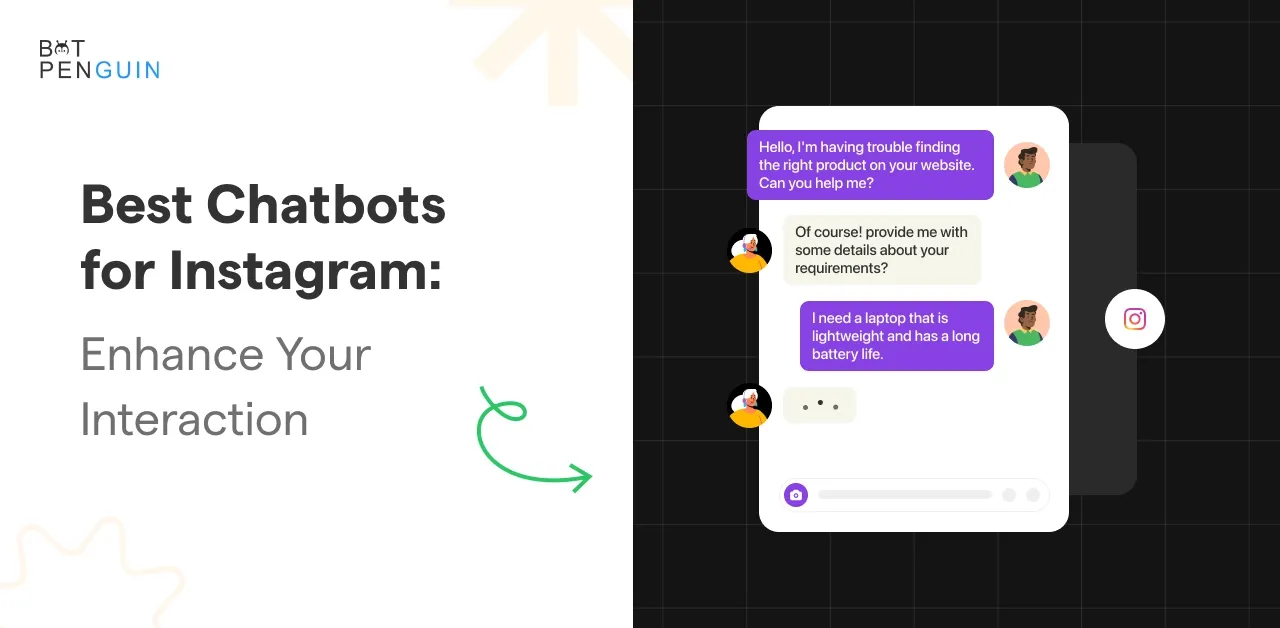
An Instagram chatbot for ecommerce answers shopper questions in DMs, turns product comments into private conversations, and guides people to the right product link.
Instagram is where shoppers start asking. For live store data such as order tracking and abandoned-cart reminders, most stores pair it with a WhatsApp or website chatbot connected to their store.
Ecommerce stores on Instagram handle a different type of customer support. Shoppers often need specific answers before they feel ready to buy.
The most common questions include:
These questions repeat throughout the day. During promotions or product launches, the volume can increase quickly.
Manual replies create delays when buyers are closest to making a purchase. A slow response can interrupt the buying process and reduce confidence.
Fast and accurate replies help shoppers move to the next step without waiting.
Instagram DMs are now part of the customer journey. Shoppers use them before and after a purchase.
An Instagram chatbot can manage these repeated workflows through clear response paths.
Read our guide on what is an Instagram chatbot to understand how the technology works across the full customer journey.
Start by identifying the repeated customer request that creates the most delays in your store.
Most Instagram shoppers ask the same things before they buy: sizes, colors, price, shipping time, and returns. A chatbot can answer these questions instantly, helping shoppers get the information they need without waiting for your team.
Start with the ten questions your team answers most often. Add the answers as chatbot flows, or train an AI chatbot on your product pages and policies.
Comments like "price?" or "link please" indicate purchase intent. Instead of manually responding to every comment, use Instagram comment-to-DM automation to continue the conversation privately.
Once shoppers find a product they like, guide them to the relevant product page to complete their purchase.
By answering product questions, turning comments into DMs, and sharing relevant product links, Instagram chatbots help shoppers move closer to purchase without requiring a live store integration.
"Where is my order?" is one of the most common questions online stores receive through Instagram DMs. A chatbot can collect order details and direct customers to the right support channel, preventing repetitive inquiries from overwhelming your team.
An Instagram chatbot can gather essential order information before transferring the conversation to your support team.
This allows support agents to address order inquiries without repeatedly asking customers for the same information.
With BotPenguin's Shopify integration, businesses can automate order-related communication through WhatsApp and website chatbots.
These notifications can be triggered by Shopify store events and sent to customers who have opted in. Shopify integration is currently supported on WhatsApp and website chatbots, while Instagram support remains on BotPenguin's roadmap.
By collecting order details on Instagram and providing automated updates through WhatsApp, ecommerce businesses can reduce repetitive support inquiries and give customers a clearer way to check their orders.
Product discovery often starts with a simple question.
A shopper may want a dress for work, shoes within a budget, or skincare for a specific concern.
An Instagram chatbot can guide shoppers through product choices using predefined questions and product information. It helps customers narrow their options before sharing the relevant product link.
Broad product lists can make selection difficult.
The chatbot can ask short questions to understand what the customer needs.
The answers help the Instagram chatbot reduce irrelevant options.
It can then suggest matching products from the options configured in the chatbot.
Sending shoppers to multiple website pages too early can interrupt product discovery.
The chatbot can first show useful options inside DMs.
A typical workflow looks like this:
This approach reduces unnecessary navigation and makes product discovery faster.
The website is still used for checkout, but the shopper reaches it with a clear product choice.
Start with one high-interest collection and build a guided browsing flow around common customer questions.
Some Instagram shoppers ask about a product, request a link, and then stop responding. A timely follow-up can bring them back into the conversation, answer remaining questions, and encourage them to complete their purchase.
Instagram allows businesses to respond to customer messages within a 24-hour messaging window. Businesses can use this opportunity to address unanswered questions and guide interested shoppers toward a purchase.
Follow-up messages should remain relevant to the shopper's inquiry and respect Meta's messaging restrictions.
Recovering abandoned carts requires access to store data, including the products customers leave behind. BotPenguin supports this through its Shopify integration with WhatsApp chatbots.
By using Instagram for timely shopper follow-ups and WhatsApp for Shopify-connected cart reminders, ecommerce businesses can reconnect with interested customers without making unsupported claims about Instagram store integration.
BotPenguin helps ecommerce businesses manage shopper conversations across Instagram, WhatsApp, and their websites. However, each channel supports different ecommerce capabilities.
Businesses can connect Instagram conversations with their existing ecommerce workflows without expecting every channel to perform the same functions.
BotPenguin's Shopify integration is available on the Little plan ($29/month), King plan ($99/month), and eligible WhatsApp-only plans. Paid plans include a seven-day free trial without a credit card.
For businesses looking to combine these channels, BotPenguin's ecommerce chatbot provides a way to manage customer conversations throughout the shopping journey.
An Instagram chatbot can answer product, pricing, and shipping questions through DMs. It can also turn product comments into private conversations, suggest products based on configured information, and share purchase links. For order inquiries, it collects customer details and hands conversations to the support team.
Only when connected to live store data. BotPenguin's Instagram chatbot currently answers questions using configured product information rather than checking real-time Shopify inventory. It can share product page links so shoppers can verify availability, while Shopify product browsing is supported through WhatsApp and website chatbots.
BotPenguin's Instagram chatbot can collect an order number and customer details before transferring the inquiry to the support team. It cannot retrieve live Shopify order status through Instagram. For automated order tracking and notifications, businesses can use BotPenguin's Shopify-connected WhatsApp chatbot.
Not currently. BotPenguin's Shopify integration supports WhatsApp and website chatbots, while Instagram integration remains on the roadmap. Businesses can use Instagram to answer product questions and generate interest, then direct customers to Shopify-connected WhatsApp or website chatbots for order updates and abandoned-cart reminders.
BotPenguin's Instagram chatbot does not currently support Shopify-connected abandoned-cart recovery. It can send helpful follow-ups within Meta's permitted messaging window. Actual abandoned-cart reminders are available through the Shopify-connected WhatsApp chatbot, which can notify customers who have opted in when they leave items in their carts.
Yes. BotPenguin's Free plan includes comment-to-DM automation and story-poll-vote DM triggers without AI. AI-written comment replies are available on the King plan. Shopify integration starts on the Little plan, while paid plans offer a seven-day free trial without requiring a credit card.
You need a professional Instagram account, either Business or Creator, linked to a Facebook Page. BotPenguin connects through Meta's official API and is a Meta Business Partner. Once connected, businesses can configure automated replies, comment-to-DM interactions, and other supported Instagram workflows without coding.
An Instagram chatbot for ecommerce helps businesses answer product questions, engage interested shoppers, and turn comments into conversations without overwhelming their support teams.
Start with common product inquiries, automate comment-to-DM replies, and guide shoppers toward the right purchase links. For Shopify-connected order tracking, notifications, and abandoned-cart reminders, use WhatsApp or website chatbots.
The most effective approach is to give each channel a clear role. Start with one workflow, track how shoppers respond, and improve the experience before expanding your automation.
Subscribe to Our Newsletter
Get the latest business insights straight into your inbox.
Checkout our related blogs you will love.
Updated at Nov 5, 2026
11 min to read
.webp)
Updated at Nov 3, 2026
12 min to read
Updated at Oct 13, 2026
7 min to read

Updated at Oct 12, 2026
10 min to read

Updated at Oct 8, 2026
9 min to read
Updated at Oct 8, 2026
10 min to read
Table of Contents



