


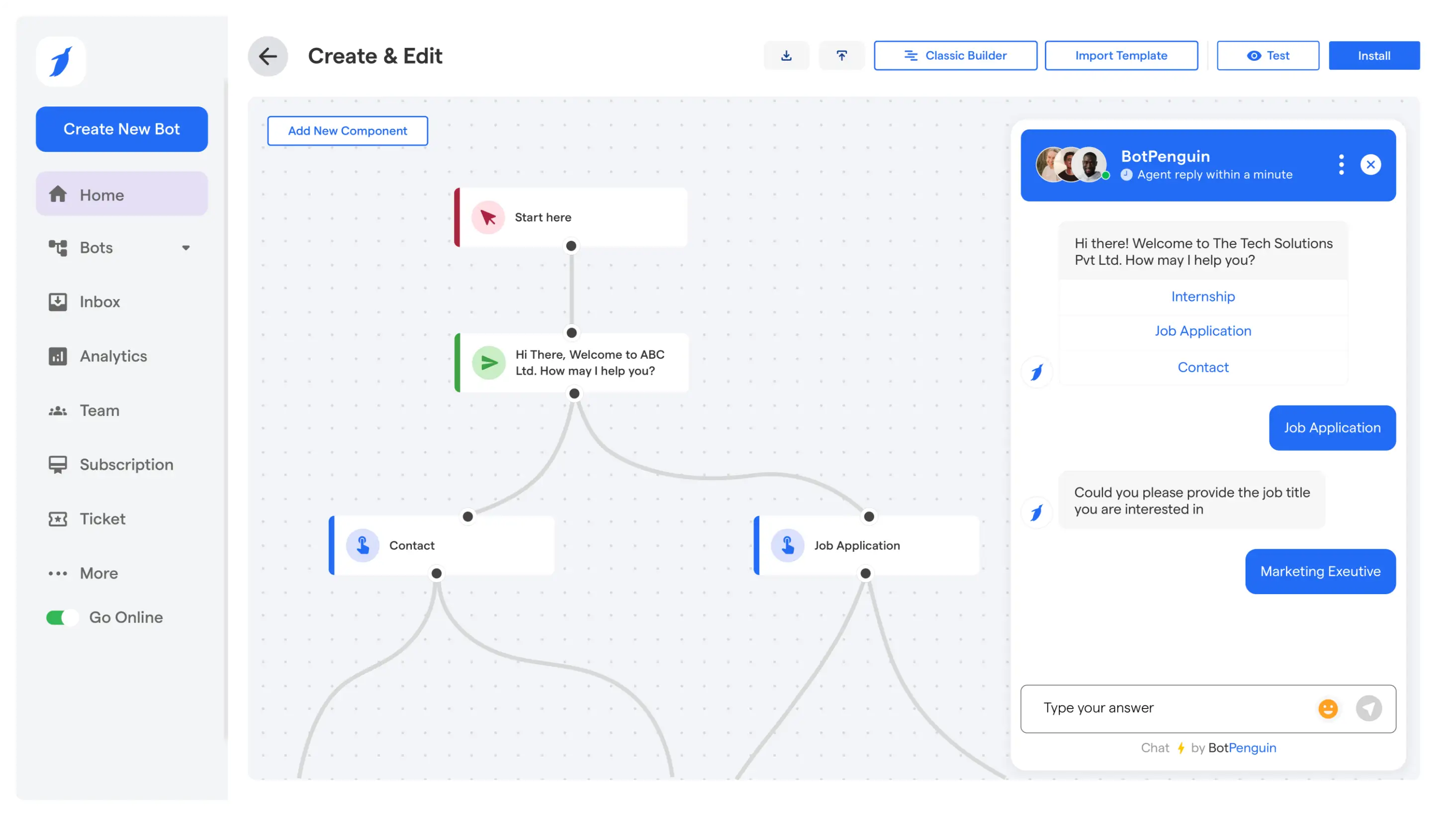

How to Create a Facebook Chatbot (No-Code): A Step-by-Step Guide for 2026
Updated at Oct 13, 2026
11 min to read

Facebook Group automation reduces repetitive admin work. It simplifies the management of membership requests, recurring questions, and planned content. The scope of automation is smaller than what you get with Facebook Page or Messenger. Admins still handle judgment calls, sensitive chats, and anything Meta does not allow through approved access.
Running a busy Facebook Group is almost like managing a small town. Members ask the same questions. Posts need approval, replies, and sometimes a rescue when comments go off track.
Facebook Group automation handles routine tasks. People still make the moderation decisions. You can use it to regulate approval workflows, common questions, and planned posts. What you can automate depends on your tools and permissions. Remember, Group automation works differently from Page or Messenger automation.
For wider workflows across Facebook, read our Facebook Automation Pillar. This guide focuses only on the Group side. It explains what automation can handle and what still requires a person.
This approach uses approved tools and workflows to handle repetitive tasks. The goal is not to replace your community manager.
Admins perform tasks such as reviewing membership requests, posting updates, or answering the same onboarding questions.
What differs is the scope. Pages and Messenger each have their own automation options, such as comment replies and private chats. Groups work differently. Automation depends on Meta’s rules, your Group settings, and the tool you use.
Do not assume every Page workflow will work in a Group. Pages are for public engagement and Messenger chats. Moderation, privacy, and context matter most in Groups.
It is most useful when your work has three qualities:
Membership screening is a good example. You may define a rule around required questions, agreement to Group rules, or a specific onboarding condition. Requests that meet your conditions can move through a defined workflow. Requests that are unclear, incomplete, or sensitive should go to an admin.
The same thinking applies to common questions. A prepared response can help when new members routinely ask where to find an event date or community rule. If a member asks for personal advice, reports harassment, or challenges a rule, a human should step in.
Facebook encourages admins to maintain responsibility towards their communities. Review Meta’s Community Standards before building workflows around member content. Your automation should uphold those standards.
Suitable tasks are routine, follow clear rules, and are easy to check. Start with one workflow. Improve it after seeing member reactions.
Membership requests can consume a surprising amount of time in active Groups. Each request may need a quick check of screening answers, Group rules, and basic eligibility.
An automation workflow structures that process. You can set the questions members need to answer before joining. You can also create conditions that flag incomplete applications or requests that need manual review.
For example, a professional community may ask applicants about their role, location, and reason for joining. A course community may ask whether someone has enrolled. A local Group may require members to agree to specific conduct rules.
It sorts simple requests from those that need a closer look.
Use these principles when setting up membership workflows:
A good workflow uses automation as the first filter. And leaves the final call with the community manager.
If your Group needs regular updates, a content queue helps you avoid last-minute posts. Prepare welcome messages, event reminders, weekly prompts, resource lists, or discussion topics in advance.
To automate Facebook Group posts, start with a simple content calendar. Decide what to post each week and why. Prepare the text, images, and links. Choose who should see each post.
It gives your team time to check language, links, and moderation before posts go live.
Useful content categories include:
Scheduling does not mean posting without review. Always check queued posts before they go live. Pause anything that no longer fits your Group, current events, or business goals.
Always review sensitive announcements before posting. This helps automate Facebook Group posts without publishing outdated information.
An automation tool for groups on Facebook can help you answer repeat questions. Think about what new members ask in their first week.
“Where can I find the resource library?”
“When is the next session?”
“What are the posting rules?”
“How do I contact the team?”
First, list the questions your moderators answer most. Then, write short, helpful replies for each one. Continue by linking members to a pinned post, Group guide, resource page, or contact info as needed.
Your Group should feel like a real community, not a vending machine.
Use automated guidance only where it fits:
For example, a new member asking for the Group’s posting rules may receive a link to the rules. A member asking why their post was removed needs a human response. The first is routine. The second needs context and care.
Keep your replies short. Members should not have to read a manual just to find one link.
New members often join with little context. They may not know the rules, resources, or how to participate in your Group.
A simple onboarding flow can reduce repeat questions. It can point members to the rules, a welcome post, a key resource, or an upcoming event. It should also explain how to ask for help.
This gives new members a consistent first experience, especially when many people join at once.
Build a basic onboarding checklist:
1. Confirm the Group purpose in plain language.
2. Link to the rules and pinned resources.
3. Explain what members can post.
4. Tell members where to ask routine questions.
5. Give them one simple reason to participate.
Keep onboarding helpful, not sales-focused. People joined your Group for a reason. Help them find value right away.
Facebook Groups, Pages, and Messenger each support different types of engagement. Treating them the same leads to confusion.
A Group workflow focuses on shared community activity. Page automation often focuses on public comments and content. Messenger automation focuses on private conversations, lead capture, and support flows.
They can work together. Don't copy one workflow to another without checking whether it fits.
For example, a Page post can invite someone into a Messenger flow. A Group post can direct members to a pinned guide. A Messenger workflow can answer a private product question. Each action serves a different setting.
If your goal is public comment responses, read our guide to Facebook Comment Automation. Keep that work separate from Group moderation.
A clear split in responsibilities makes your setup easier to manage. It also lowers the risk of using the wrong automation for a member interaction.
Group automation has limits, and those matter. A good setup does not promise full control over every Group interaction.
The first limit is judgment. Automation cannot decide if a borderline post is harmful, off-topic, or just misunderstood. These calls need context, tone, member history, and your community rules.
A post may look harmless on its own. It can still cause problems because of earlier comments. That is why human moderation is essential.
The second limit is access. Meta controls what tools can do through its products, permissions, and policies. These can change. A workflow that works today may not work tomorrow.
Before publishing or relying on a workflow, verify the exact action with the approved provider and Meta’s current requirements. Review the Meta Platform Terms before connecting a third-party tool.
The third limit is member trust. People notice when replies feel generic or off-topic. Automation only helps when it actually answers the question.
Avoid these common mistakes:
A simple rule: automate repeatable admin work, not community judgment.
Humans should handle moderation, disputes, safety, and sensitive chats. Automation can cut down routine work, but it cannot understand your Group’s culture.
Review how you handle member information. If you collect data outside Facebook, explain its purpose clearly. Ensure your process meets your privacy obligations. Meta’s Privacy Policy explains how Meta handles information.
Pick a setup based on the task you want to reduce. Do not start with a long feature list. Start with the work your team repeats every week.
Ask these questions before choosing an automation tool for groups on Facebook:
BotPenguin supports Facebook automation for business workflows, including structured conversations and lead handling. Confirm the exact Group-level workflow before launch, because Group access can differ from Page and Messenger capabilities.
Review BotPenguin case studies and customer reviews. If you are comparing providers, this Chatfuel alternative adds context.
Start small. A clear onboarding process or content queue is easier to test than a complex setup. Once your team sees fewer repetitive tasks, add another workflow with confidence.
Automation works well when members barely notice it. They should find your Group easier to join, understand, and participate in.
Your automation should follow your Group rules. It should not become the rules.
Write down what makes a membership request valid. List which questions get a prepared reply. Note when an admin should step in. This gives moderators a clear process.
A reply like “Please check the Group” does not help anyone. Link members to the exact guide, post, or resource they need.
Use plain language. Keep the next step obvious.
Member needs change. Your resources change. Group rules change too.
Review approval rules, saved replies, and scheduled posts every month. Remove anything outdated or confusing.
Members join Groups to connect. Do not use automation to stop real conversation.
Use automation for the predictable parts. Let moderators focus on moments where a thoughtful reply matters.
Avoid scripts that act like humans or scrape Group activity. These can risk your account and compliance.
Use tools that work through approved Meta methods. Keep track of who manages workflows and who can pause them.
Defined workflows reduce repetitive admin work. They support membership-request handling, common-question guidance, and planned content. They do not replace a moderator’s responsibility for judgment, safety, disputes, or sensitive member interactions online. Human admins still review exceptions and sensitive cases directly.
A workflow may support rule-based membership handling when the Group setup and approved access allow it. Use screening questions and clear eligibility conditions. Keep human review for unclear responses, exceptions, or decisions requiring context beyond a single rule or automated check.
Automation can support prepared guidance for repetitive questions when the available tool and Group permissions allow it. Use it for stable answers, such as rules or resource locations. Let a human respond directly to personal, sensitive, or context-heavy questions online.
You can plan and queue Group content in advance through available scheduling options or approved tools. Always review scheduled posts before publication. Content may become irrelevant or inappropriate when community events, policies, member concerns, or priorities change without warning or context.
No. Facebook Groups, Pages, and Messenger serve different purposes and offer different automation options. Group automation focuses on community administration. Page automation often covers public engagement. Messenger automation handles private conversations, structured replies, and lead-focused workflows within each Facebook surface.
No. Automate only repetitive tasks with clear rules. Human moderators should handle post-quality decisions, member disputes, harassment reports, policy enforcement, and sensitive conversations. A Group needs consistent judgment, not just fast responses. Automation should support their work, not replace it.
Facebook Group automation can remove repetitive approvals, common questions, and planned posts from your team’s daily list. This gives your team more time for thoughtful moderation and real member engagement.
The key is to keep your scope realistic. Build workflows for predictable tasks. Keep people involved when context, safety, or trust matter. Check what Group actions are available before you launch. Start with one workflow that solves a real admin problem.
Automate Your Facebook Group
Reduce repetitive admin work with BotPenguin while keeping sensitive moderation decisions firmly in your community manager’s hands every day.
Start For FreeCheckout our related blogs you will love.
Updated at Oct 13, 2026
11 min to read
Updated at Oct 10, 2026
23 min to read

Updated at Oct 10, 2026
12 min to read
Updated at Oct 10, 2026
19 min to read
Updated at Oct 9, 2026
8 min to read
Updated at Oct 7, 2026
12 min to read
Table of Contents



