



Facebook Auto Reply: How to Set Up Messenger and Comment Replies in 2026
Updated at Jul 28, 2026
7 min to read
Updated On Oct 13, 2026
7 min to read
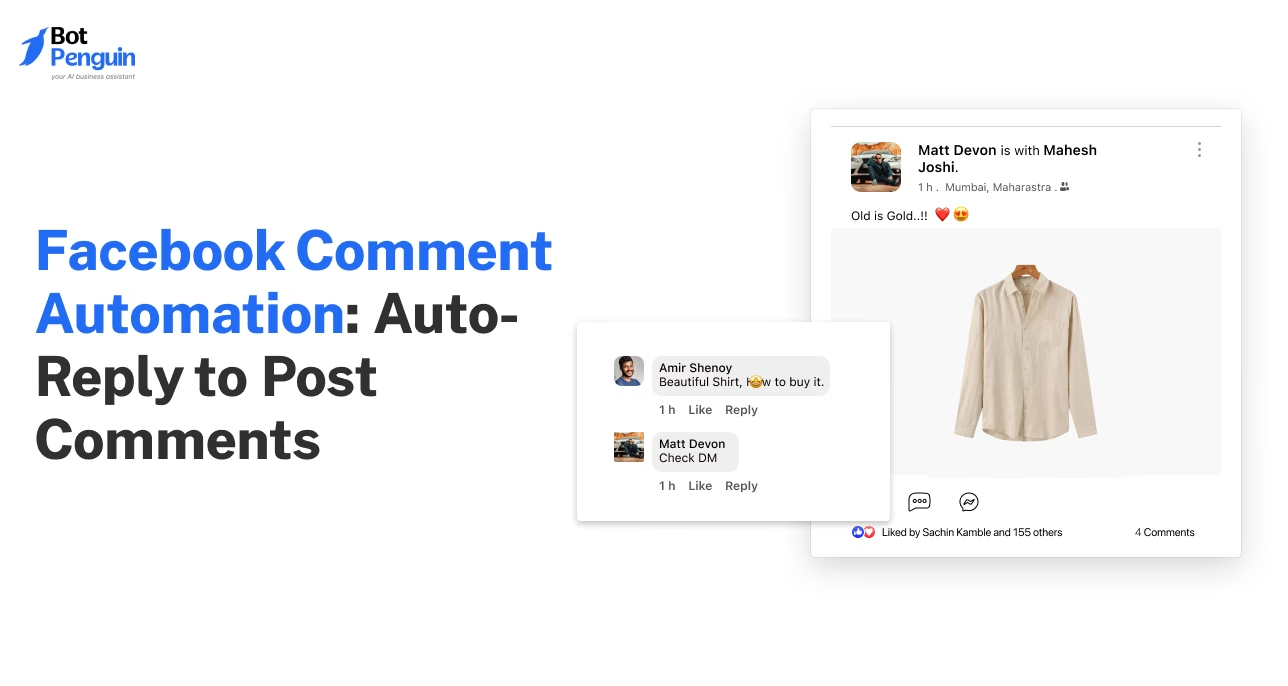
Your best leads are hiding in your comments section, buried under questions your team hasn't gotten to yet.
Every Facebook post invites buyer intent: someone asks about pricing, someone else wants delivery details, and one is a reply away from becoming a customer.
Most businesses only reach a fraction of these comments before the lead moves elsewhere.
Facebook comment automation closes that gap, replying to comments in real time and moving interested users straight into private messages.
This guide covers how Facebook comment automation works, when to use it, how to set it up, and how to write replies that feel genuinely helpful.
Facebook comments are often the first place customers ask questions or show buying intent.
But replying manually to every comment isn't practical as engagement grows.
Facebook comment automation helps businesses respond immediately, capture more leads, and manage high-volume conversations.
Meta reported that click-to-message ad revenue in the US grew more than 50% year-over-year, driven by businesses moving conversations from posts into direct chats - a sign of just how much value lies in that shift.
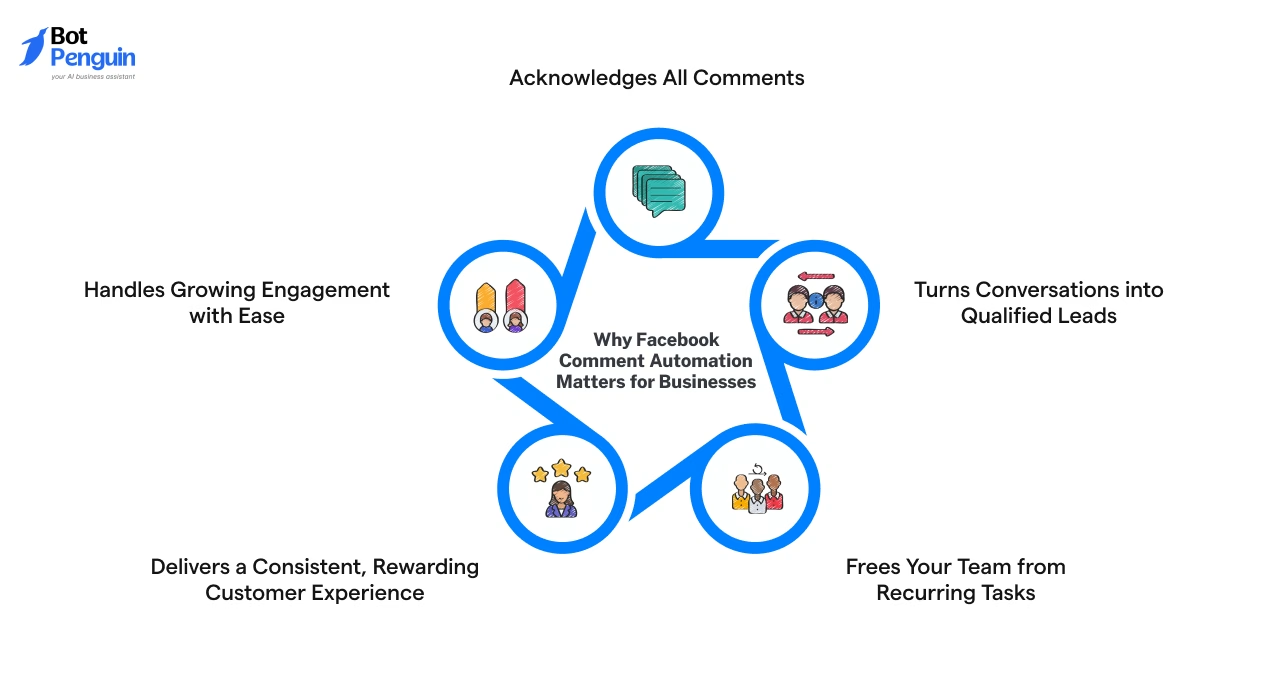
Here’s why Facebook comment automation has become crucial for businesses today:
Importantly, instead of letting interested prospects slip away, you can turn every comment into the beginning of a sales or support conversation with a Facebook comment auto-reply.
With tools like BotPenguin, businesses can automate Facebook comment replies while continuing sales and support conversations in Messenger from a single workflow.
Facebook comment automation and Messenger DM automation often work together, but they solve different problems.
While Facebook comment automation shows up where people already are (in your comments), the other takes the conversation private once things get specific.
Here's how to know which one to use, and when:
The best results come from using both together, in sequence rather than in isolation.
When someone comments "Price?" on your post, comment automation acknowledges the request publicly and sends them into Messenger.
Messenger automation then shares pricing, answers follow-up questions, and captures the lead, keeping sensitive details out of public comments.
Facebook comment automation relies on a Facebook comment bot to detect comments, trigger replies, and start Messenger conversations based on the rules you set.
New to Facebook chatbots? Learn how to build a Facebook Messenger bot and connect it with your comment automation.
Depending on your goal, it can post a public reply, start a private Messenger chat, or do both.
A reliable Facebook comment auto-reply setup should not only respond quickly but also follow Meta’s messaging and privacy requirements.
Explore our Facebook automation guide for more workflows, or learn how to set up Facebook Messenger auto replies for private conversations.
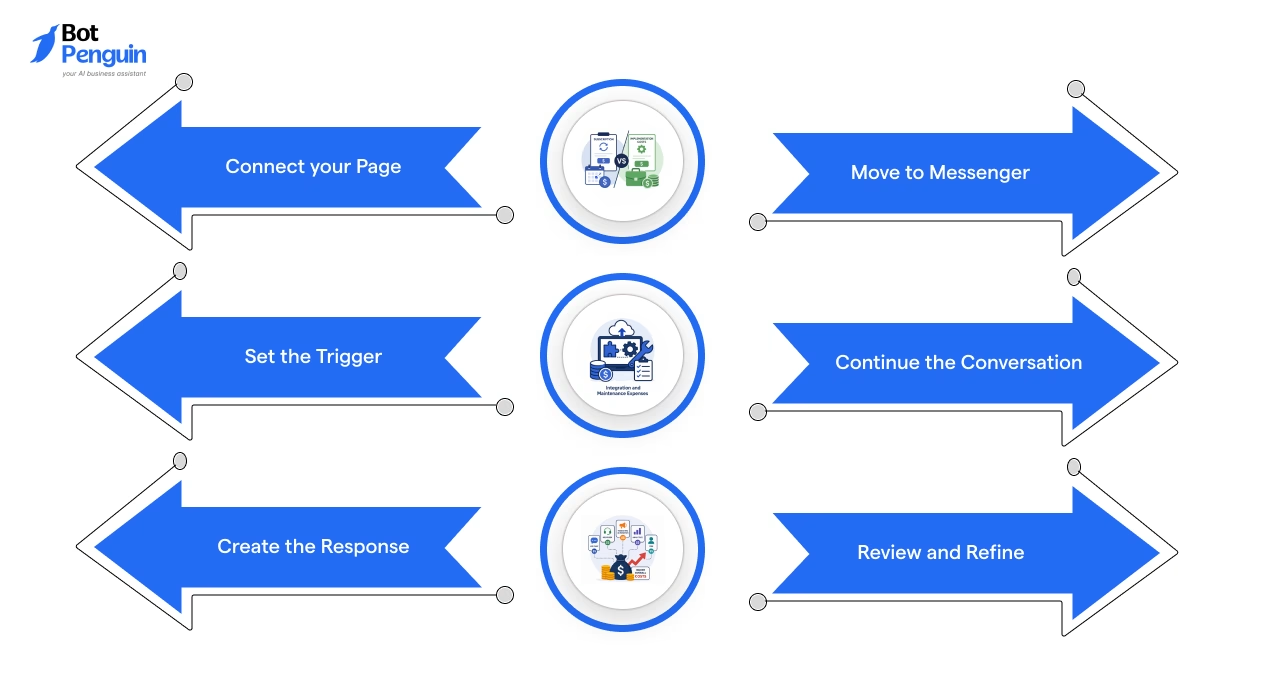
BotPenguin helps businesses automate Facebook comment replies and continue customer conversations in Messenger. Follow these five steps to configure your workflow.
Log in to BotPenguin and connect the Facebook Page you manage. Authorize the requested Meta permissions to enable comment automation.
Select the post or advertisement whose comments you want to automate. Confirm that you have access to manage its comments.
Choose specific keywords, such as “price” or “demo,” or configure a trigger for any comment. Match each trigger to the response you want customers to receive.
Write a public reply that acknowledges the comment. Then configure a private Messenger reply to share additional information or guide the customer toward the next action.
Connect the private reply to your Messenger conversation flow. Answer follow-up questions, collect lead details, or transfer the conversation to your support team.
Plan availability: AI comment replies that generate relevant responses to individual comments are available on BotPenguin's Little and King plans.
Facebook comment automation should support genuine user interactions without crossing Meta’s limits on promotional messaging, transparency, and customer consent.
Under Meta's private-reply rules, a Facebook Page can generally send one private Messenger reply to an eligible comment within seven days of its creation. Further standard Messenger replies depend on the customer responding and the applicable messaging window. Businesses should follow Meta's current Private Replies documentation when configuring these workflows.
Do not send unsolicited promotional messages beyond the permitted customer interaction window.
Clearly indicate when a response is automated where required.
Provide an easy way for customers to reach a human agent.
Avoid broad keyword triggers that may respond to unrelated or spam comments.
Review Meta’s Messenger Platform policies regularly, as business messaging requirements can change.
Together, these steps help you build a Facebook comment automation workflow that responds quickly without compromising relevance, user trust, or Meta compliance.
Facebook comment automation also works with eligible ad comments, including ads that do not appear on your Page's feed. Configure public replies and private Messenger responses for questions like “Price?” or “Link?” to capture buying interest from paid campaigns. This helps businesses manage ad engagement without manually checking every comment.
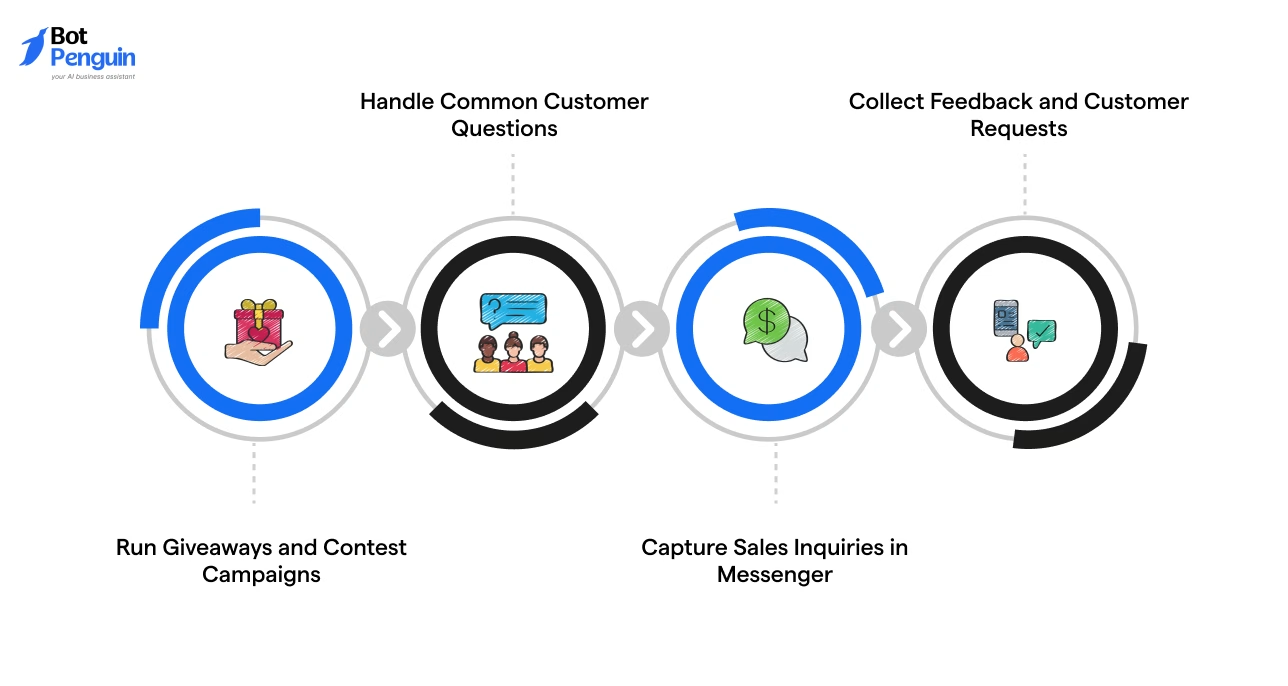
Businesses use comment automation on Facebook to manage engagement, answer common questions, and guide interested people toward the next step.
Grand View Research values the global social commerce market at over $1.4 trillion, with expectations for it to expand more than tenfold by 2033, underlining how quickly platform conversations are turning into direct sales.
Here’s a breakdown of its most common uses:
Many brands ask people to comment with a keyword or tag a friend to enter a giveaway.
Comment automation acknowledges every entry and can send participants a private Messenger message with contest rules, winner announcements, or additional campaign details.
This keeps participation organized while encouraging more engagement.
Customers often leave questions about product availability, shipping timelines, return policies, or business hours in the comments.
Instead of replying individually, businesses can provide consistent answers, helping customers get the information they need without delays.
Comments like “Tell me more”, “I’m interested”, or “Can I get the details?” often indicate genuine buying intent.
Comment automation can trigger a Messenger conversation where businesses share product information, qualify leads, schedule demos, or connect customers with the sales team.
Businesses also use comment automation to gather feedback after product launches, events, or announcements.
Customers can comment with suggestions, feature requests, or support concerns, while automation acknowledges the comment and directs them to the right channel for further assistance.
The best use cases all have one thing in common: they turn passive engagement into purposeful conversations that drive better customer experiences and business outcomes.
Facebook comment bots help businesses respond to genuine customer interactions, while spam bots generate unwanted or artificial engagement. Understanding the difference helps businesses automate conversations responsibly.
Bottom line: Use Facebook comment automation to respond to genuine customer inquiries, not to manufacture engagement.
Configure relevant triggers and use Facebook Page moderation filters to control spam.
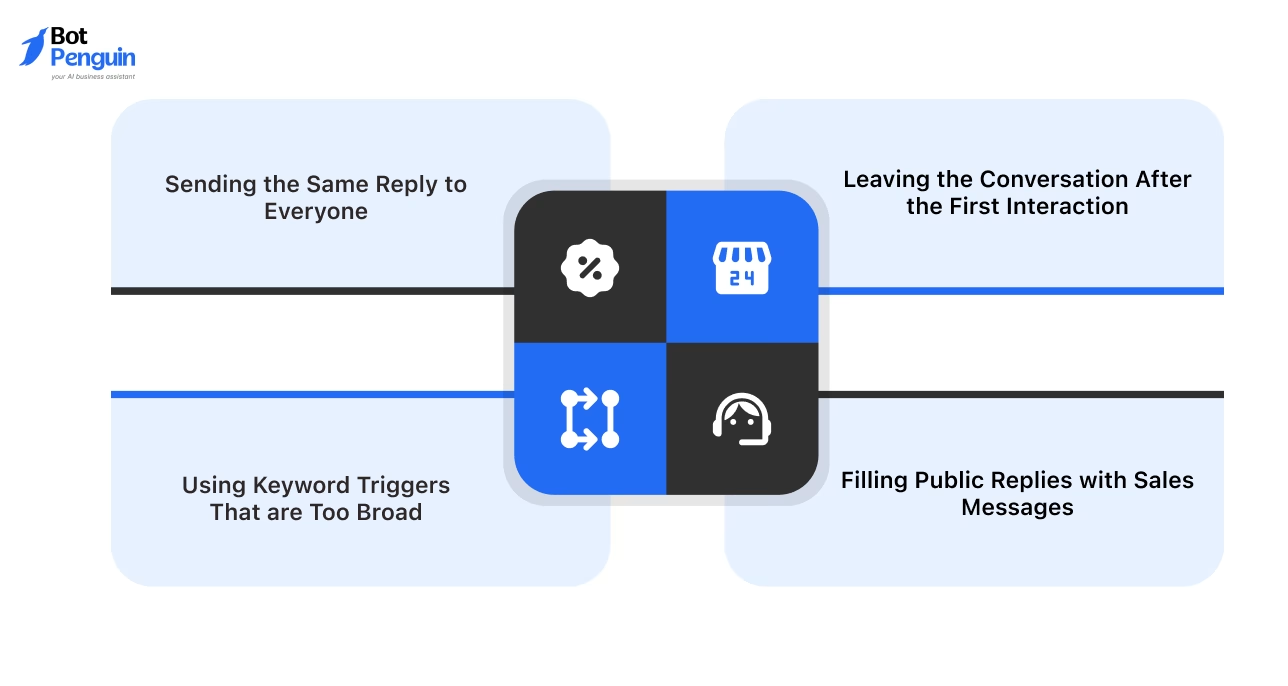
Even well-designed automation can frustrate customers if it's used the wrong way. Watch out for these common mistakes:
Avoiding these mistakes keeps Facebook comment automation relevant, prevents awkward interactions, and creates a smoother path from public comments to meaningful customer conversations.
With BotPenguin, you can create keyword-based workflows, personalize replies, and seamlessly move customers from Facebook comments to Messenger.
Facebook comment automation helps businesses act on customer intent, keep conversations moving, and shift serious inquiries into Messenger before they get buried in busy comment sections.
The best results come from precise keywords, context-aware replies, and a simple route to human support.
Avoid vague matching rules, copy-paste messages, and public replies that sound overly promotional. Review the flow regularly and refine it as customer questions change.
A Facebook comment auto reply should make conversations easier, not robotic.
With the right tool and setup, everyday comments can become qualified leads, support requests, and valuable customer conversations across your Facebook Page.
Facebook comment automation uses preset rules to reply to comments on selected posts. It can respond publicly, open a Messenger conversation, or route the inquiry to a team member based on keywords, phrases, or customer intent.
Connect your Facebook Page to an automation tool, select the post, define the keyword or comment condition, and write the response. You can choose a public reply, a private Messenger message, or both within the same workflow.
Yes. A Facebook comment automation tool can send a private Messenger reply after someone comments on a post. This helps move pricing questions, booking requests, lead inquiries, or support issues away from the public comment section.
An auto reply can start when someone uses a specific keyword, enters a chosen phrase, or leaves any comment on a selected post. The available trigger options depend on the platform and the workflow settings you configure.
Facebook comment automation handles activity under public posts, while Messenger automation manages private conversations. Comment automation starts the interaction, and Messenger automation continues it through qualification, support, booking, follow-ups, or transfer to a live agent.
Facebook comment automation helps businesses acknowledge inquiries, manage busy post activity, answer common questions, and move interested users into Messenger. It also reduces missed comments and gives teams a clearer process for handling leads and support requests.
Yes, Facebook comment automation is allowed for genuine business interactions. Businesses should follow Meta’s current messaging policies, avoid unsolicited promotions, use clear responses, respect customer consent, and provide an easy way to reach a human when needed.
Yes. Facebook comment automation can respond to comments on eligible Facebook advertisements, including unpublished Page posts used in advertising. You can configure keyword-based or general comment triggers, post public acknowledgments, and send private Messenger replies within Meta's messaging limits.
Yes. BotPenguin's Free Forever Baby plan includes one Facebook chatbot. AI-generated comment replies are available starting with the Little plan. Visit the BotPenguin pricing page to compare additional automation features and plan limits.
Automate Facebook Comment Replies With BotPenguin
Turn every Facebook comment into a customer conversation. Auto-reply to comments, start Messenger chats, capture leads, and engage customers around the clock.
Get Started NowCheckout our related blogs you will love.
Updated at Jul 28, 2026
7 min to read
Updated at Jul 28, 2026
7 min to read
Updated at Oct 22, 2026
13 min to read
Updated at Oct 15, 2026
12 min to read
Updated at Oct 10, 2026
18 min to read

Updated at Oct 6, 2026
10 min to read
Table of Contents



