


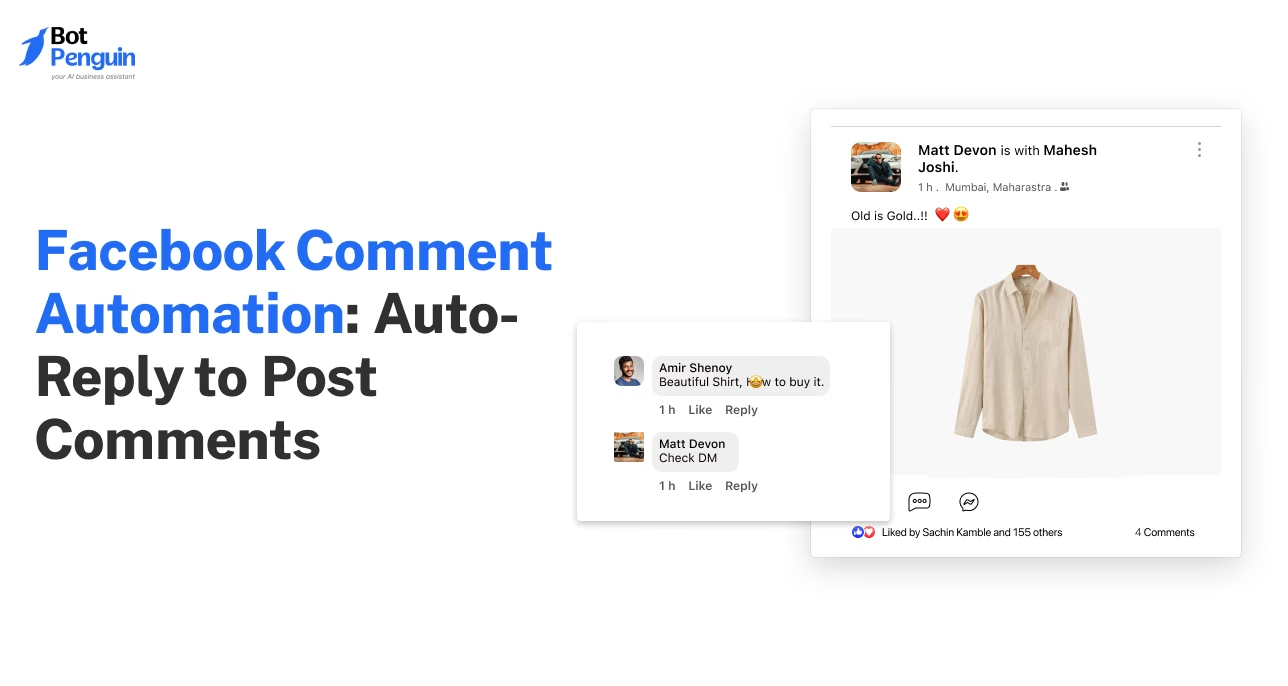
Facebook Comment Automation: How to Auto-Reply to Comments (2026)
Updated at Oct 13, 2026
7 min to read

Updated On Nov 5, 2026
7 min to read

Facebook auto reply lets businesses respond automatically to Messenger conversations using instant replies, away messages, and automated FAQs. You can configure these responses through Meta Business Suite for your Facebook Page. For more advanced workflows, chatbot tools can help manage keyword-based replies, lead inquiries, and customer conversations across Messenger.
Every unanswered Facebook message gives a potential customer another reason to move on.
That makes reliable replies essential for businesses handling inquiries through Messenger and post comments.
A Facebook auto reply sends an immediate response without requiring a team member to stay online. It can acknowledge a question, share basic information, or guide someone toward the next step.
A Facebook Messenger auto-reply keeps private inquiries within Messenger. Comment replies begin with public engagement on Facebook posts.
Both reduce response delays, but their triggers, visibility, and follow-up options differ.
For a broader look at automating posts, messages, comments, and other Page activities, read our Facebook automation guide.
Facebook auto reply comment and Messenger auto-reply respond to different types of customer interactions.
A Facebook auto reply comment begins when someone comments on a post. A Messenger auto-reply begins when someone sends your Page a private message.
The table below compares their triggers, visibility, reply locations, and common uses.
The following sections explain how each reply type works and where it is most useful.
A Messenger auto-reply responds to private messages sent to your Facebook Page. The full interaction remains inside Messenger.
Key uses include:
Messenger auto-replies work best when customers need information that should remain private.
A Facebook auto-reply comment responds to interactions on Page posts, while Messenger auto-replies handle private conversations. Comment automation can acknowledge public comments or initiate supported private follow-ups.
For detailed setup instructions, read our Facebook comment auto-reply guide.
Facebook auto-reply handles simple, repeatable interactions without requiring a team member to respond each time. These Facebook automated messages can acknowledge enquiries, answer predictable questions, and provide continued coverage outside working hours.
The following capabilities show how Facebook auto-reply supports routine customer interactions.
A Facebook auto-reply confirms that a message or comment has been received. This helps customers know their inquiry has not been missed.
The reply can:
For example, a customer may ask about pricing through Messenger. The reply can confirm receipt and request their requirements.
This immediate acknowledgment gives the customer clarity while the team prepares a fuller response.
For ready-to-use greeting ideas, check our Facebook welcome message examples to help you write clearer first responses.
Businesses can use Facebook auto-reply for predictable questions that receive similar answers each time.
Common examples include:
A basic auto-reply usually sends a fixed response or follows a simple rule. It does not understand every variation of a question.
Keyword triggers can improve accuracy. For example, “price” may trigger pricing information, while “book” may share appointment instructions.
More varied questions usually require a full chatbot with branching conversation paths.
Facebook inquiries may arrive after the team has finished work. Auto-replies help the business remain responsive during those hours.
An after-hours reply can:
For example, the reply may share business hours and promise a response the next morning.
This does not replace a complete customer conversation. However, it gives the customer a clear response until someone becomes available.
These capabilities cover common inquiries. The next step is understanding which automated messages Facebook supports and how to configure or disable them.
Facebook automated messages help businesses respond to common inquiries without manually replying to every Messenger conversation. Meta Business Suite provides built-in tools for configuring these responses on a Facebook Page.
Facebook Pages can use different automated responses depending on the conversation:
These options help businesses maintain consistent communication while managing incoming messages.
You can configure supported Messenger responses through Meta Business Suite.
1. Open Meta Business Suite and select your Facebook Page.
2. Go to Inbox and locate the Automations section.
3. Create or select an automation, such as Instant Reply or Away Message.
4. Write your response and choose the supported channel and settings.
5. Save or activate the automation, then test it through Messenger.
Available options and menu labels may vary depending on Meta's interface and your Page settings.
Your Facebook Page may send automated messages because a response was previously enabled in Meta Business Suite.
Instant replies, away messages, and FAQ automations can respond based on their configured triggers.
A connected third-party chatbot may also be responsible for sending messages. Check both Meta Business Suite and any connected automation tools to identify the source.
Facebook Messenger also has messaging rules that can limit when businesses contact customers. An opt-in does not automatically permit unrestricted messages outside Meta's applicable messaging windows.
If you want to stop an automated response, check its settings in Meta Business Suite.
1. Open Meta Business Suite and select the relevant Facebook Page.
2. Navigate to Inbox → Automations, where available.
3. Choose the active automation you want to change.
4. Turn off the automation where supported, or adjust its schedule and settings to stop unwanted replies.
5. Save the changes and send a test message to confirm the result.
If automated messages continue, review connected chatbot tools and other integrations that may be managing Messenger responses.
Facebook auto-reply works well for simple responses, but it cannot manage every type of customer conversation.
The following sections explain its main limitations and when a full chatbot becomes the more suitable option.
A basic auto-reply usually sends one fixed message, a keyword-based response, or a simple acknowledgment.
It generally cannot:
For example, an auto-reply may share a booking link after detecting the word “appointment.” It usually cannot ask for the preferred date, time, service, and contact details within one guided flow.
Its usefulness depends on how predictable the customer request is. More varied conversations require deeper logic and continued interaction.
A full chatbot is useful when a single response is not enough to complete the customer’s request.
Unlike a basic Facebook auto reply, a chatbot can:
Businesses should consider using a chatbot when customers regularly ask a variety of questions or need guided support. You can learn to build a full Facebook chatbot when Facebook conversations support lead generation, bookings, or customer service workflows.
The distinction is straightforward. Auto-reply sends a response, while a chatbot manages the conversation that follows.
The next section explains how to set up Facebook auto-reply based on the level of automation you need.
You can set up Facebook automated messages through Meta Business Suite or a dedicated chatbot tool. The right option depends on how much control your conversations require.
Meta Business Suite supports basic automated responses for straightforward communication needs.
You can configure:
This option works well when you only need to acknowledge messages or share fixed information.
A chatbot tool is more suitable when your replies require deeper logic.
It can support:
Businesses needing these capabilities can set up a Facebook chatbot with BotPenguin.
The no-code FB chatbot can qualify leads, answer FAQs, route conversations, and guide users through bookings or support flows. It can also transfer complex conversations to a human agent while preserving the previous context.
BotPenguin is a no-code platform for building AI agents, chatbots, and voice agents that automate lead generation, sales, marketing, and customer support on WhatsApp, Instagram, Facebook, Telegram, phone, and websites.
BotPenguin is a Meta Business Partner.
You can configure Facebook auto-reply through Meta Business Suite for instant replies, away messages, and basic FAQs. For advanced conditions, keyword triggers, lead capture, or multiple reply paths, use a dedicated chatbot tool that supports Facebook Messenger automation.
No. A Facebook auto-reply usually sends one fixed message or a simple keyword-based response. A chatbot can continue the conversation, ask follow-up questions, use branching logic, qualify leads, complete tasks, and transfer complex inquiries to a human agent when needed.
Yes, you can automate replies for both Messenger messages and Facebook post comments. However, they are usually configured separately because each uses different triggers. Messenger replies handle private conversations, while comment replies begin with public engagement and may continue privately.
Yes. Meta Business Suite offers free instant replies, away messages, and basic FAQ automation. BotPenguin also offers a Free plan with one Facebook chatbot. Its Little plan ($29/month) adds broadcasts, drip campaigns, and AI-generated comment replies. The King plan ($99/month) includes advanced AI Agent capabilities.
Upgrade when customers need more than one fixed response. A full chatbot is better for varied questions, lead qualification, bookings, structured data collection, branching conversations, CRM actions, and human handover. It helps manage longer journeys without relying on manual replies.
Yes. Facebook Page administrators can use Meta Business Suite to configure automated Messenger responses, including instant replies, away messages, and FAQs. For more advanced workflows, businesses can connect compatible chatbot tools.
Open Meta Business Suite, select your Facebook Page, and navigate to Inbox → Automations, where available. Select the active response, disable it, and save your changes. If messages continue, check any connected third-party chatbot tools.
Meta Business Suite's automated response tools are designed for business Pages, not regular personal Messenger accounts. To use built-in business auto replies, you generally need a Facebook Page. Personal Messenger accounts do not offer the same automation controls.
Marketplace messaging is not the same as Facebook Page messaging. Available response features depend on the account and Meta's current Marketplace tools. Standard Meta Business Suite Page automations should not be assumed to work for personal Marketplace conversations.
Facebook auto-reply is the easiest way to start responding faster. It does not require a team member to remain online at all times.
These Facebook automated messages work well for instant acknowledgments, away messages, and predictable questions. These may include questions about hours, pricing, availability, or contact details.
However, a fixed reply becomes less useful when customers need several answers. It also falls short when they must complete a guided process.
Lead qualification, bookings, routing, and support workflows require more than one automatic message.
A complete Facebook chatbot is the next logical step as those needs grow. It can continue conversations, collect details, follow different paths, and hand complex inquiries to a human agent.
Businesses ready for deeper automation can set up auto-reply for free with BotPenguin.
Subscribe to Our Newsletter
Get the latest business insights straight into your inbox.
Checkout our related blogs you will love.
Updated at Oct 13, 2026
7 min to read
Updated at Jul 28, 2026
7 min to read
Updated at Oct 22, 2026
13 min to read
Updated at Oct 15, 2026
12 min to read
Updated at Oct 10, 2026
18 min to read

Updated at Oct 6, 2026
10 min to read
Table of Contents



