


15 Smart Goals For Customer Service Team To Achieve in 2021
Updated at Nov 15, 2026
10 min to read

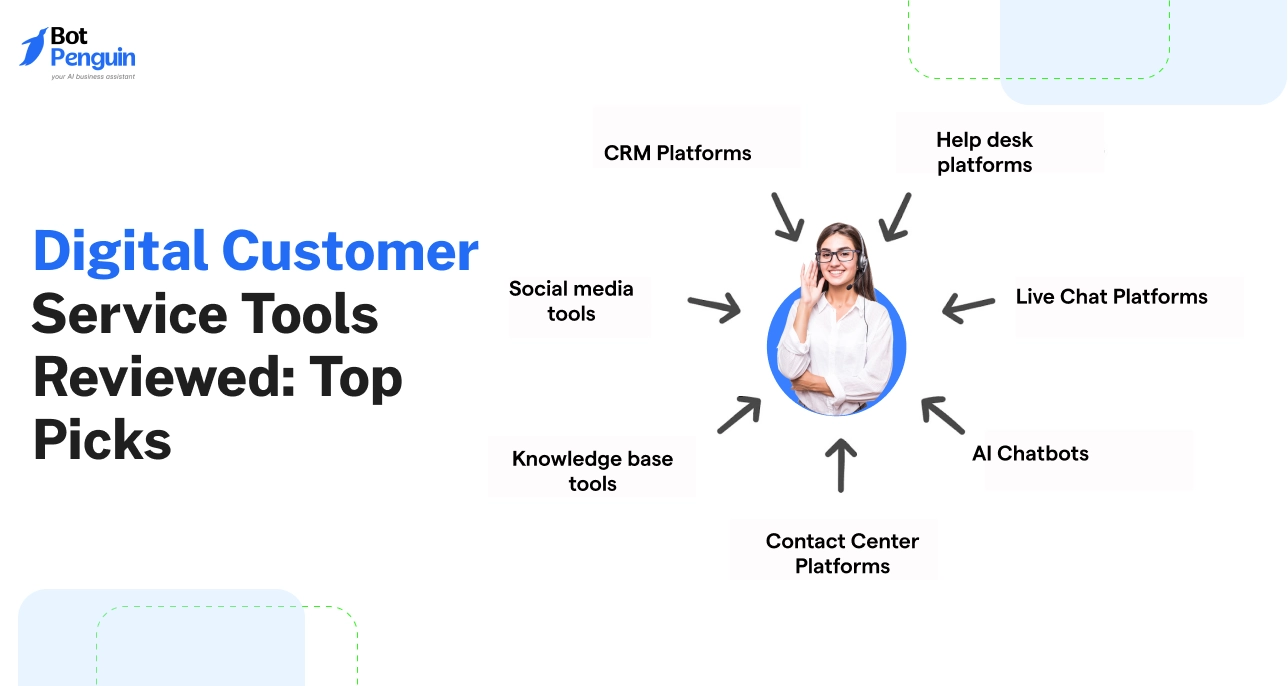
Digital customer service tools help businesses manage inquiries, automate responses, and support customers across channels. They include AI agents, live chat, helpdesk platforms, social media support, voice solutions, and knowledge bases. This comparison covers 12 tools, including BotPenguin, to help businesses choose the right option for their needs.
Customers no longer rely on one support channel. They message businesses on WhatsApp, email support teams, and call about delayed orders.
According to Gartner's July 2025 research, 51% of customer service journeys begin on third-party platforms. This makes managing conversations across channels increasingly important.
Choosing digital customer service tools means comparing AI capabilities, automation, pricing, and human handoff. For the fundamentals, read our guide to digital customer service.
This digital customer service tools list compares 12 options across six categories: AI agents, live chat, helpdesks, social and ecommerce support, voice, and knowledge bases. Each review covers features, pricing, and ideal use cases.
We shortlisted tools that small and mid-sized businesses commonly evaluate. Each tool was assessed against practical support needs, not marketing promises.
Our selection followed six criteria:
We relied on official vendor documentation for features and pricing. Published capabilities were treated as vendor claims, not independently tested performance results.
These tools are grouped by function rather than ranked against unrelated categories. A helpdesk, chatbot, and phone system solve different support problems.
The following comparison highlights their capabilities, starting prices, and ideal use cases.
Compare these 12 digital customer service tools by their primary function. The table highlights suitable businesses, supported channels, AI pricing, and entry-level plans.
Use it to shortlist two or three options before reading detailed reviews.
Disclaimer: Pricing, features, and plan details were checked against official vendor sources in November 2026. These details may change over time. Please visit each provider's official website for the latest information before making a purchase decision.
Start with the channels receiving the most inquiries. Then compare AI usage charges, not just subscription fees.
The best digital customer service tools depend on your support volume, workflows, and budget.
AI agents and chatbots help businesses answer repetitive questions without constant human involvement. They can explain return policies, collect customer details, qualify inquiries, and retrieve answers from knowledge sources.
Unlike basic rule-based bots, AI agents can interpret questions and respond using connected business information. They can also transfer complex conversations to human agents when needed.
According to Salesforce's State of Service report, support teams estimate AI handles 30% of cases today. They expect this to reach 50% by 2027.
Before choosing a tool, evaluate its knowledge sources, supported channels, and handoff process. Also compare AI usage charges against your expected conversation volume.
For more options, compare the best customer service chatbots. You can also understand how an AI customer service agent differs from a rule-based bot.
Best for: Businesses seeking multichannel AI agents, chatbot automation, and human support workflows.
BotPenguin helps businesses build AI agents, chatbots, and voice agents without coding. It supports customer service, lead generation, sales, and automated conversations.
Businesses can deploy agents across WhatsApp, Instagram, Facebook, Telegram, websites, and phone calls.
Its main capabilities include:
BotPenguin is also an official Meta Tech Provider.
Businesses using WhatsApp can configure dedicated conversational workflows. The platform also supports AI voice agents for phone-based customer interactions.
Pricing: BotPenguin offers a free plan. WhatsApp-only Little starts at $15/month, while King costs $50/month. Omnichannel Little starts at $29/month, and King costs $99/month.
See BotPenguin pricing for plan details.
Limitations: HubSpot, Salesforce, Zoho CRM, and Zapier integrations require the King plan. Zendesk ticket synchronization supports website and WhatsApp chatbots only.
BotPenguin suits teams prioritizing messaging automation and connected human support. Businesses requiring advanced ticketing and SLA management may also need a dedicated helpdesk.
Best for: Teams evaluating AI-first customer support and agent-assisted workflows.
Intercom combines its Fin AI Agent with a customer support workspace and messaging tools. It is particularly relevant for SaaS businesses supporting customers inside applications.
Fin answers questions using connected support knowledge and can escalate conversations when human assistance is required.
Key capabilities include:
Pricing: Intercom Essential starts at $19/seat/month for new customers. Advanced costs $85/seat/month, while Expert costs $132/seat/month.
Fin costs an additional $0.99 per outcome. For example, 1,000 billable outcomes would cost $990 before seat charges.
Limitations: Seat subscriptions and AI outcomes create separate costs. Businesses should estimate both before purchasing.
WhatsApp support is not explicitly listed on Fin's referenced product page. Teams depending on WhatsApp should confirm compatibility directly.
Intercom is better suited to businesses prioritizing AI-assisted product support. Its pricing requires closer evaluation as automated support volume increases.
Live chat helps businesses respond while customers browse their websites. It is particularly useful for product questions, order inquiries, and purchase assistance.
According to Gartner's August 2025 research, self-service and live chat are expected to surpass traditional support channels by 2027.
Unlike full helpdesk platforms, live chat tools prioritize immediate conversations. They typically offer website widgets, agent routing, shared inboxes, and basic automation.
However, businesses that need advanced ticketing, SLA tracking, or departmental workflows may need a dedicated helpdesk.
Before choosing, compare conversation limits, AI charges, and supported messaging channels.
Best for: Small businesses looking for website live chat and automation.
Tidio combines website live chat, automated workflows, and its Lyro AI agent. It helps small teams answer inquiries and manage conversations without complex setup.
Its key capabilities include:
Pricing: Tidio offers a free plan with 50 billable conversations monthly. Starter costs $24.17/month, while Growth starts at $49.17/month.
Lyro AI starts at an additional $32.50/month for 50 AI conversations.
Limitations: AI costs increase with conversation volume. Advanced analytics and ticketing automation are unavailable on the free plan.
Tidio works well for smaller teams prioritizing website conversations. Businesses needing more extensive support management should compare dedicated helpdesk platforms.
Helpdesk platforms organize customer inquiries into trackable support tickets. Each ticket records the customer's issue, assigned agent, conversation history, and resolution status.
Unlike basic live chat, helpdesk software supports structured workflows across multiple channels. Teams can assign tickets, set priorities, monitor response times, and prevent missed requests.
Most platforms also offer Service Level Agreements (SLAs). These define response and resolution targets, helping teams manage urgent issues consistently.
Common helpdesk capabilities include:
These features become important when multiple agents handle the same customer. For internal IT workflows, our guide to service desk automation explains how automated ticket routing works.
The following platforms differ mainly in pricing, AI capabilities, and operational complexity.
Best for: Teams requiring structured, scalable ticket management.
Zendesk is a customer service platform designed for managing high-volume support operations. It combines ticketing, automation, reporting, and customer communication in one workspace.
Businesses can manage email, website chat, voice, and social messaging without maintaining separate support queues.
Key features include:
Zendesk is particularly useful when several departments share support responsibilities. Its structured ticketing helps managers maintain visibility across large queues.
Businesses using BotPenguin can also connect supported chatbot conversations through the Zendesk integration. This allows website and WhatsApp chatbot interactions to create tickets with conversation context.
Pricing: Support Team starts at $19/agent/month, billed annually. Suite Team costs $55, while Suite Professional costs $115 per agent/month. The referenced plans include an allowance of automated AI resolutions.
Additional resolutions cost $1.50 each with a commitment or $2.00 on pay-as-you-go billing.
Free plan or trial: Free trial available.
Limitations: Configuration can take time, especially for complex workflows. Voice AI functionality also depends on Zendesk's voice capabilities.
Best for: Businesses seeking helpdesk ticketing and automation.
Freshdesk, developed by Freshworks, provides ticket management for small and growing support teams.
It brings customer inquiries from email, chat, phone, and social channels into a centralized workspace. Agents can track requests without switching between communication tools.
Key features include:
Freshdesk suits businesses moving beyond shared email inboxes. Its automation reduces repetitive ticket administration while maintaining agent oversight.
The platform also provides reporting to identify recurring issues and monitor support performance.
Pricing: Growth starts at $19/agent/month, billed annually. Pro costs $55, and Enterprise costs $89 per agent/month. The referenced pricing includes 500 AI Agent sessions.
Additional sessions cost $49 per 100. Freddy AI Copilot costs an additional $29/agent/month on eligible plans.
Free plan or trial: A 14-day free trial is available. However, a permanent free plan is unavailable.
Limitations: AI Copilot requires an additional subscription. Businesses should calculate session costs before deploying AI across high-volume queues.
Best for: Teams prioritizing shared inboxes and personalized email support.
Help Scout focuses on customer conversations rather than complex ticketing interfaces. Its shared inbox helps teams manage support emails while preserving a personal communication experience.
Customers receive familiar email replies, while agents access collaboration tools behind the scenes.
Key features include:
Help Scout works well for smaller support teams handling relationship-focused conversations. Its interface is particularly suitable for email-heavy workflows.
Businesses can also set spending limits for AI-powered resolutions.
Pricing: Standard starts at $25/user/month. Plus costs $45, while Pro costs $75 per user/month.
AI-powered resolutions cost an additional $0.75 each.
Free plan or trial: The free plan supports five users, one inbox, one Docs site, and 100 contacts monthly.
Limitations: Help Scout primarily serves email and website messaging workflows. Businesses heavily dependent on WhatsApp or Instagram may need an additional messaging platform.
Best for: Organizations already using the Zoho ecosystem.
Zoho Desk is a multichannel helpdesk that connects customer support with other Zoho business applications.
It helps teams manage inquiries, automate assignments, track SLAs, and maintain customer records across support channels.
Key features include:
Zoho Desk is particularly useful for businesses already using Zoho CRM. Support agents can access relevant customer information without maintaining disconnected records.
Its lower-cost plans also make it worth evaluating for budget-conscious teams.
Pricing: Express starts at $7/user/month, billed annually. Standard costs $14, Professional costs $23, and Enterprise costs $40 per user/month.
Free plan or trial: A free plan supports up to three users. Zoho also offers a 15-day trial.
Limitations: More advanced Zia capabilities require Professional or higher. Businesses should verify which AI features their selected plan includes.
Best for: Teams connecting customer support with CRM records.
HubSpot Service Hub combines customer support tools with HubSpot's CRM. It allows agents to manage tickets while accessing customer interactions across sales, marketing, and service.
This makes it useful for businesses that want a connected view of the customer relationship.
Key features include:
HubSpot is particularly relevant when sales and support teams already share customer records. Agents can understand previous interactions before responding to new inquiries.
Its Customer Agent uses HubSpot Credits rather than a simple per-resolution subscription.
Pricing: Starter ranges from $7 to $20/seat/month, depending on the billing arrangement. Professional costs approximately 90–100/seat/month, with a $1,500 onboarding fee. Enterprise starts at $150/seat/month.
The referenced plans include monthly HubSpot Credit allowances, with additional usage potentially increasing costs.
Free plan or trial: Free tools support two users with shared email and live chat.
Limitations: Higher-tier onboarding fees increase initial costs. AI credit consumption also requires monitoring as conversation volume grows.
The right helpdesk depends on your existing systems and support complexity. Zendesk and Freshdesk prioritize structured ticket operations, while Help Scout emphasizes email collaboration.
Zoho Desk and HubSpot Service Hub offer stronger value when teams already use their respective business ecosystems.
However, not every customer inquiry begins with a ticket. Social messages and ecommerce questions often require different support workflows.
Customers increasingly contact businesses through social media comments, direct messages, and shopping platforms. Managing these conversations requires more than a traditional email helpdesk.
Social inbox management tools collect messages, comments, and mentions from connected social accounts. They help teams respond, assign conversations, and monitor customer sentiment.
Ecommerce support tools focus on purchase-related inquiries. They connect customer conversations with order records, shipping information, and store operations.
The distinction depends on what support agents need. Social teams prioritize engagement and brand reputation. Ecommerce teams need order history and tools for resolving purchase issues.
For businesses handling frequent WhatsApp inquiries, a WhatsApp chatbot can automate responses before human intervention.
Best for: Businesses managing customer interactions across social media.
Sprout Social combines social media management with customer engagement tools. It helps teams handle public comments, direct messages, and brand interactions from connected networks.
Its Smart Inbox provides a centralized workspace for managing conversations. Teams can coordinate responses without switching between individual social accounts.
Key features include:
Sprout Social is particularly useful when marketing and customer support teams share responsibility for social accounts.
Pricing: Essentials starts at $79/seat/month with annual billing, but the customer-care-focused Standard plan starts at $199/seat/month. Professional costs $299, while Advanced costs $399 per seat/month, billed annually.
Free plan or trial: A 30-day free trial is available.
Limitations: Its per-seat pricing can become expensive for larger support teams. Advanced sentiment analysis, customer-care reporting, and certain AI capabilities require higher plans.
Best for: Ecommerce teams managing order-related customer service.
Gorgias is an ecommerce-focused helpdesk designed for online retailers. It connects customer conversations with store data, allowing agents to resolve purchase-related inquiries.
Unlike general social management platforms, Gorgias prioritizes order information and support workflows.
Key features include:
Gorgias suits online stores receiving frequent shipping, return, and order-status questions.
Pricing: The Starter plan is listed from $10/month for 50 tickets. Higher plans use monthly ticket allowances rather than per-agent pricing.
AI Agent usage is billed separately for automated resolutions. Voice and SMS also have usage-based charges.
Free plan or trial: A free trial is available.
Limitations: Ticket-based charges can increase during seasonal sales. Businesses should calculate expected ticket volume and AI resolution costs before selecting a plan.
Sprout Social is better suited to social engagement and reputation management. Gorgias is more relevant when agents need ecommerce order information to resolve customer inquiries.
Businesses receiving substantial phone support should also evaluate dedicated voice and call management tools.
Phone support remains important when customers face urgent or complicated issues. Failed payments, missed deliveries, and booking changes often require immediate assistance.
Cloud phone systems help businesses manage these calls without traditional call-center infrastructure. They provide business numbers, call routing, interactive voice response (IVR), recordings, and performance analytics.
Support teams can also connect calls to customer records. This helps agents review previous interactions and follow up without losing context.
Conventional phone software primarily manages calls between customers and human agents. AI voice agents can go further by answering routine inquiries, collecting information, and transferring complex calls.
Best for: Teams requiring cloud-based business calling and call-center integrations.
Aircall is a cloud-based business phone system designed for sales and customer support teams. It combines call management, team collaboration, and CRM integrations.
Its main capabilities include:
Aircall suits businesses that handle frequent phone inquiries and need structured call workflows.
Pricing: Essentials starts at $30/license/month, while Professional costs $50/license/month, billed annually. Both require at least three licenses.
Its AI Voice Agent starts at $0.29/minute with pay-as-you-go billing.
Free plan or trial: A free trial is available.
Limitations: The three-license minimum increases costs for smaller teams. AI voice usage adds separate charges.
Businesses with frequent calls should compare conventional call management with AI-powered voice automation before selecting a platform.
Self-service knowledge bases help customers resolve common questions without contacting support agents.
They organize information into searchable articles, FAQs, troubleshooting guides, and product documentation. Customers can access answers whenever needed, reducing repetitive support inquiries.
Unlike AI chatbot platforms, knowledge-base tools primarily manage and publish information. Their core purpose is to make accurate documentation accessible, searchable, and maintainable.
Some platforms add AI-powered search or chatbot functionality. However, these capabilities support the documentation system rather than replacing its primary purpose.
Businesses should evaluate search accuracy, content organization, version control, and documentation analytics before choosing a platform.
Best for: Businesses needing structured customer-facing documentation.
Document360 is a knowledge-base platform for creating public help centers and internal documentation.
It helps businesses organize product information, maintain support articles, and provide searchable answers to recurring questions.
Its main capabilities include:
Document360 is useful for businesses maintaining extensive product documentation across multiple teams.
Its optional AI Premium Suite also supports screen capture, step-by-step guides, and video-to-document workflows.
Pricing: Document360 uses custom pricing based on team accounts, workspaces, languages, security requirements, and AI usage.
Free plan or trial: No permanent free plan is publicly listed. Businesses can request a demo.
Limitations: Public pricing is unavailable, making direct cost comparisons difficult. Its chatbot functionality is an additional capability rather than the platform's primary focus.
A well-maintained knowledge base also supports other digital customer service tools by providing consistent information for agents and automated responses.
The right digital customer service platform depends on your support channels, ticket volume, and automation needs. Use these four steps to evaluate your options before committing.
Review your last 90 days of customer inquiries. Identify where customers contact you most frequently and which issues require human assistance.
Match your requirements to the appropriate tools:
For example, an ecommerce business handling most inquiries through WhatsApp may benefit more from conversational AI than a traditional helpdesk.
Prioritize your busiest channels instead of paying for features your customers rarely use.
A low subscription price does not always mean lower support costs.
Vendors use different pricing models. Some charge per agent, while others bill for AI conversations, automated resolutions, or usage credits.
When comparing plans, calculate:
Use your actual support volume to estimate monthly expenses.
Then assess whether customer service automation reduces enough manual work to justify the investment.
An AI agent should recognize when a customer needs human assistance.
Test this with a realistic scenario. Ask the chatbot about a delayed order, provide an order number, and request a human agent. Check whether the agent receives the complete conversation history, customer details, and reason for escalation.
The customer should not need to repeat information already collected by the chatbot.
Also evaluate how the platform handles complaints, refunds, and questions outside its knowledge base. A smooth handoff matters as much as the AI's ability to answer routine questions.
Before purchasing, test shortlisted tools using actual customer inquiries.
Week 1: Configure and establish a baseline.
Connect your primary support channels, upload knowledge sources, and configure routing rules. Record existing response times and ticket volumes for comparison.
Week 2: Measure performance.
Evaluate the platform against four practical indicators:
Review failed responses and escalation cases alongside successful resolutions.
Choose the platform that delivers measurable improvements without creating high costs or operational complexity.
BotPenguin helps businesses automate customer conversations across multiple channels while keeping human agents involved when needed.
It works alongside existing helpdesks, CRMs, and support systems rather than replacing every tool in your customer service stack.
BotPenguin lets businesses build AI agents for customer support, lead qualification, appointment booking, and routine inquiries.
These agents can answer questions, collect customer details, and transfer conversations to human support teams when necessary.
Businesses can train agents using website URLs, PDFs, documents, spreadsheets, FAQs, and other supported knowledge sources.
The platform also supports multiple AI models, including GPT, Claude, Gemini, and DeepSeek.
BotPenguin supports customer interactions across websites, WhatsApp, Instagram, Facebook, Telegram, and voice. Its unified inbox allows support teams to manage conversations and access previous messages when taking over from automation.
Businesses can use its WhatsApp chatbot to automate common messaging inquiries while maintaining human support options.
For phone-based interactions, BotPenguin also offers AI voice agents.
BotPenguin connects with supported CRM and business applications, including HubSpot, Salesforce, Zoho CRM, and Zapier. These integrations help businesses transfer customer information and automate follow-up workflows. However, they require the King plan.
Its Zendesk integration supports ticket creation from website and WhatsApp chatbot conversations.
Businesses can also review BotPenguin's platform features to evaluate its automation and support capabilities.
BotPenguin is best suited to teams seeking multichannel conversational automation alongside human support. For advanced ticketing, SLA management, or specialized documentation, businesses can continue using dedicated helpdesk and knowledge-base platforms.
This approach allows AI agents to handle routine conversations while existing systems manage more complex support operations.
Digital customer service tools help businesses manage customer inquiries across online channels. They include AI chatbots, live chat, helpdesks, social inboxes, cloud phone systems, and knowledge bases. Businesses can combine these tools to automate responses and improve customer support.
The best digital customer service platform depends on your primary support channels. BotPenguin suits businesses using WhatsApp, Instagram, and website chat. Help Scout and Freshdesk work well for email support, while Tidio offers website live chat and automation.
Digital customer service software pricing varies by features, users, and AI usage. Some platforms offer free plans, while paid helpdesks start around 7–25 per user monthly. AI conversations, automated resolutions, and add-ons may increase the total cost.
Small businesses can often start with one platform combining chatbots, live chat, and a shared inbox. Growing teams may need a separate helpdesk for ticket management, SLA tracking, and complex inquiries, alongside a chatbot for routine automation.
AI agents can handle repetitive questions, collect customer details, and automate routine requests. However, human agents remain necessary for complex complaints, sensitive situations, and decisions requiring judgment. Combining AI automation with human support provides more comprehensive customer service.
Start by exporting customer records, tickets, and existing workflows. Check the new digital customer service solution for import compatibility. Run both systems in parallel, migrate one channel at a time, and test automation and human handoffs before switching completely.
The best digital customer service tools depend on how your customers contact you, the automation you need, and your available budget.
Businesses handling mostly email inquiries may benefit from a dedicated helpdesk. Those managing social conversations, phone calls, or extensive documentation may need specialized platforms.
Before choosing, consider your existing support systems, AI usage costs, and human handoff requirements. Test shortlisted tools with real customer inquiries to identify the right fit.
For businesses seeking multichannel AI-powered conversations, BotPenguin offers chatbot automation, AI agents, and human support across messaging and voice channels.
Start with BotPenguin's free plan or book a demo to evaluate its capabilities for your support workflows.
Subscribe to Our Newsletter
Get the latest business insights straight into your inbox.
Checkout our related blogs you will love.
Updated at Nov 15, 2026
10 min to read
.webp)
Updated at Nov 14, 2026
12 min to read
Updated at Oct 10, 2026
24 min to read
Updated at Oct 5, 2026
8 min to read
Updated at Oct 1, 2026
10 min to read
Updated at Jul 14, 2026
14 min to read
Table of Contents

