



Best WooCommerce Chatbot Plugins to Enhance Your Store
Updated at Oct 29, 2026
12 min to read

Choosing woocommerce live chat vs chatbot depends on your store’s support volume and customer needs. WooCommerce live chat suits lower-volume conversations requiring human guidance. Chatbots handle repetitive questions about orders, products, and policies more efficiently. For many WooCommerce stores, a hybrid approach works best: automate routine support while keeping agents available for complex issues.
WooCommerce support becomes harder as orders and customer questions increase.
Repeated queries about products, orders, returns, and delivery can quickly consume agent time.
Some stores rely on woocommerce live chat for direct human support. Others automate routine conversations with chatbots. Many combine both to balance speed with personal assistance.
This guide focuses specifically on WooCommerce stores. For a broader comparison across businesses, see chatbot vs live chat.
Both options help WooCommerce stores support shoppers, but they solve different problems. WooCommerce live chat connects customers with human agents, while chatbots automate routine store conversations.
The difference becomes clearer during everyday support. Orders, returns, product questions, staffing, and response volume all affect which option fits better.
WooCommerce live chat gives shoppers direct access to a support agent. It works well for product comparisons, return questions, and purchase guidance.
Its main limitation is agent availability. Someone must be online to respond, manage queues, and maintain service quality.
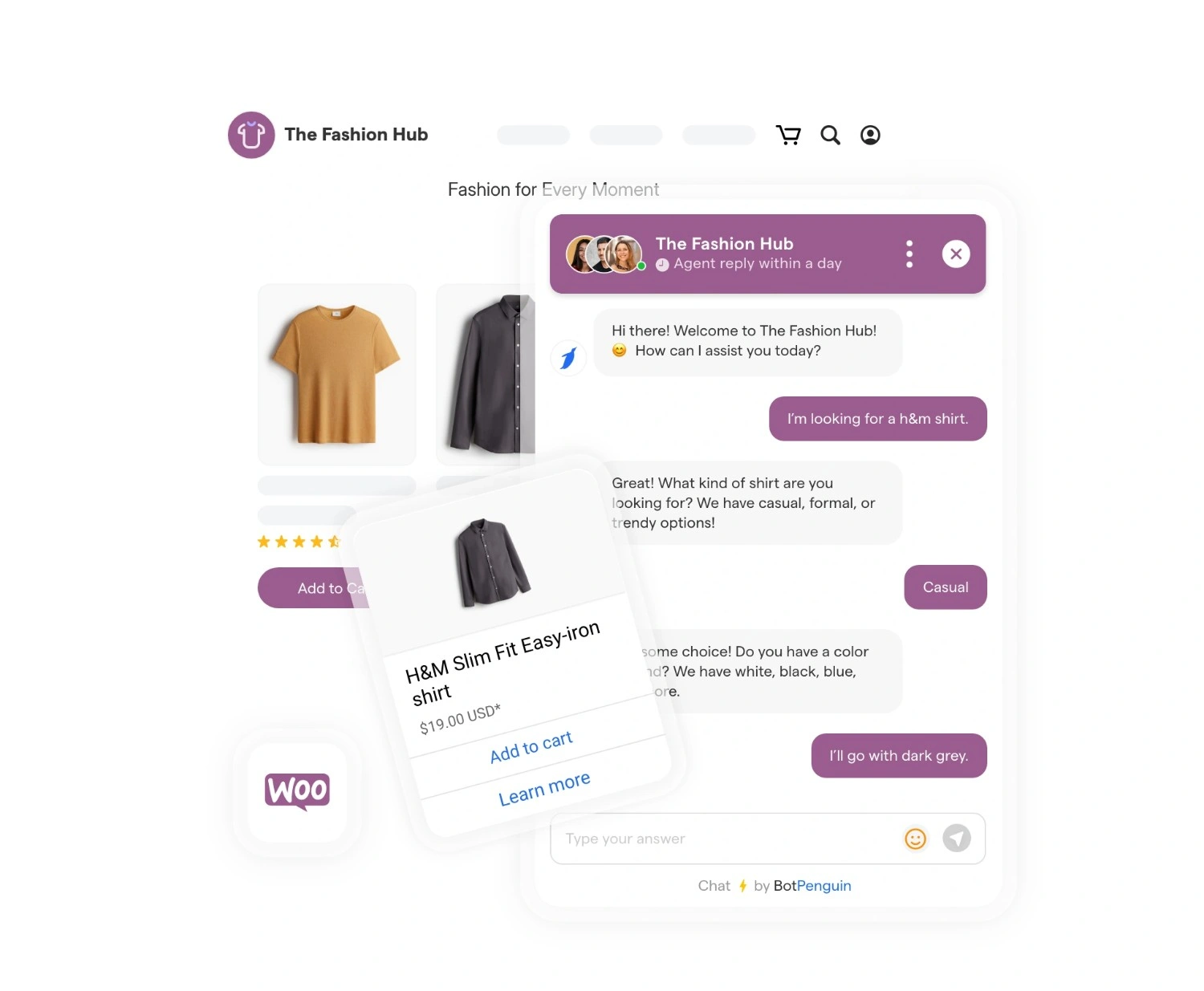
A WooCommerce chatbot handles routine store conversations automatically. It can answer product FAQs, provide order updates, and guide simple support requests.
This reduces repeated manual replies. It also keeps basic support available when agents are offline.
Their daily roles differ across common WooCommerce support tasks:
Agent dependency: Chatbots answer routine store queries automatically. Live chat needs available agents.
Automation: Chatbots handle repeated order and product questions. Live chat relies on manual replies.
Simultaneous conversations: Chatbots support many shoppers at once. Live chat capacity depends on staffing.
Response consistency: Chatbots provide consistent policy answers. Live chat responses may vary by agent.
Support fit: Chatbots suit predictable store questions. Live chat handles complex customer situations better.
These differences matter more as orders and support demand grow. Cost, scalability, and staffing make the trade-offs even clearer.
The right support model depends on how your WooCommerce store handles demand. Orders, product questions, returns, and peak traffic can clearly expose differences between the two options.
The chatbot vs live chat for WooCommerce decision becomes clearer when these factors are compared together.
Chatbots handle repetitive store support more efficiently and scale easily. Live chat remains stronger when shoppers need judgment, reassurance, or personalized help.
Neither option fits every WooCommerce store. Stores with manageable support demand may still benefit more from direct human conversations, so live chat may be worth exploring next.
WooCommerce live chat works best when shoppers need direct human support. It suits stores where purchases or support issues require judgment, reassurance, or personal guidance.
It can be the stronger option when your team can handle support demand consistently.
Consider live chat when:
Support volume stays manageable: Agents can respond without long queues or delays.
Purchases have higher value: Shoppers may want reassurance before placing an order.
Customers need personal guidance: Agents can recommend products based on individual needs.
Product questions are complex: Human agents can clarify specifications, compatibility, or return conditions.
Staffing is reliable: Customers can consistently reach someone during stated support hours.
Live chat keeps human judgment involved from the start. That helps with questions that don't have fixed answers.
The limitation appears as order volume and repetitive queries increase. At that point, automation becomes more useful for routine WooCommerce support.
A chatbot becomes more useful when WooCommerce support demand is repetitive or frequent. It can handle routine store questions without requiring an agent every time.
Automation works best when queries follow predictable patterns and rely on known store information.
A WooCommerce chatbot can support several common store interactions:
Order updates: Shoppers can check routine order information without contacting an agent.
Product FAQs: Common questions about products, policies, and availability get instant answers.
Cart recovery: Chatbots can re-engage shoppers and address simple purchase concerns.
After-hours support: Customers can get basic help when agents are unavailable.
Peak sales periods: Automation handles rising conversation volume without creating long queues.
Pre-purchase questions: Repeated questions can be answered before reaching your team.
Chatbots are less effective when issues involve unusual returns, delivery problems, or complex purchase decisions. Those cases still benefit from human support.
For many WooCommerce stores, the practical approach is clear: automate predictable conversations while keeping live support available for exceptions.
Yes. Many WooCommerce stores combine automation with human support instead of choosing one. Chatbots handle routine store questions, while agents focus on complex customer issues.
A hybrid workflow can work like this:
1. The chatbot answers common questions about products, orders, returns, and policies.
2. It collects customer context before escalation, including the issue and relevant order details.
3. Complex conversations trigger a handoff when automation cannot resolve the request.
4. A live agent takes over for delivery problems, unusual returns, or purchase guidance.
5. Conversation history carries forward so shoppers do not need to repeat themselves.
This setup reduces repetitive work without removing human support. It also helps agents focus on conversations where judgment matters most.
The strongest WooCommerce support model may not require choosing one over the other. For many stores, the better approach is assigning each conversation to the right support method.
WooCommerce live chat connects shoppers with a human agent in real time. A chatbot handles routine store questions automatically. Live chat adds human judgment, while chatbots scale repetitive support across orders, products, and policies.
It can be when support volume stays manageable. Smaller stores may prefer direct human conversations for complex products or higher-value purchases. Automation becomes more useful as order volume and repetitive customer questions increase.
Yes, when connected to the required WooCommerce order data. A chatbot can automatically provide routine order updates. It can still escalate delivery exceptions, missing packages, or unusual order issues to a human agent.
For repetitive support at scale, chatbots can reduce reliance on agent time. Chatbot vs live chat for WooCommerce costs still depend on software, staffing, setup, maintenance, and overall support volume.
Yes. A chatbot can answer routine store questions and collect customer details first. WooCommerce live chat can then handle complex returns, delivery issues, or purchase guidance with the conversation context already available.
The woocommerce live chat vs chatbot choice depends on support demand. Live chat suits complex, high-touch conversations. Chatbots handle predictable store queries efficiently. Many WooCommerce stores benefit most from a hybrid support model.
The right support model depends on your WooCommerce store’s daily workload.
Lower-volume stores needing personal guidance may prefer WooCommerce live chat. Stores handling repetitive order, product, and policy questions benefit more from chatbot automation.
Stores with mixed support needs can combine both for speed and human escalation.
The woocommerce live chat vs chatbot decision comes down to matching each query with the right support method.
If automation fits your store, a WooCommerce chatbot can handle routine support while keeping human help available.
Balance WooCommerce Support Better
Use BotPenguin to automate repetitive WooCommerce questions while keeping live chat available for complex customer conversations and purchase decisions.
Try BotPenguin NowCheckout our related blogs you will love.
Updated at Oct 29, 2026
12 min to read
Updated at Oct 28, 2026
11 min to read
Updated at Oct 24, 2026
12 min to read
Updated at Oct 21, 2026
12 min to read
Updated at Oct 21, 2026
8 min to read
Updated at Oct 21, 2026
8 min to read
Table of Contents



