



How to Choose a WooCommerce Chatbot Builder: 5 Key Checks
Updated at Oct 21, 2026
12 min to read
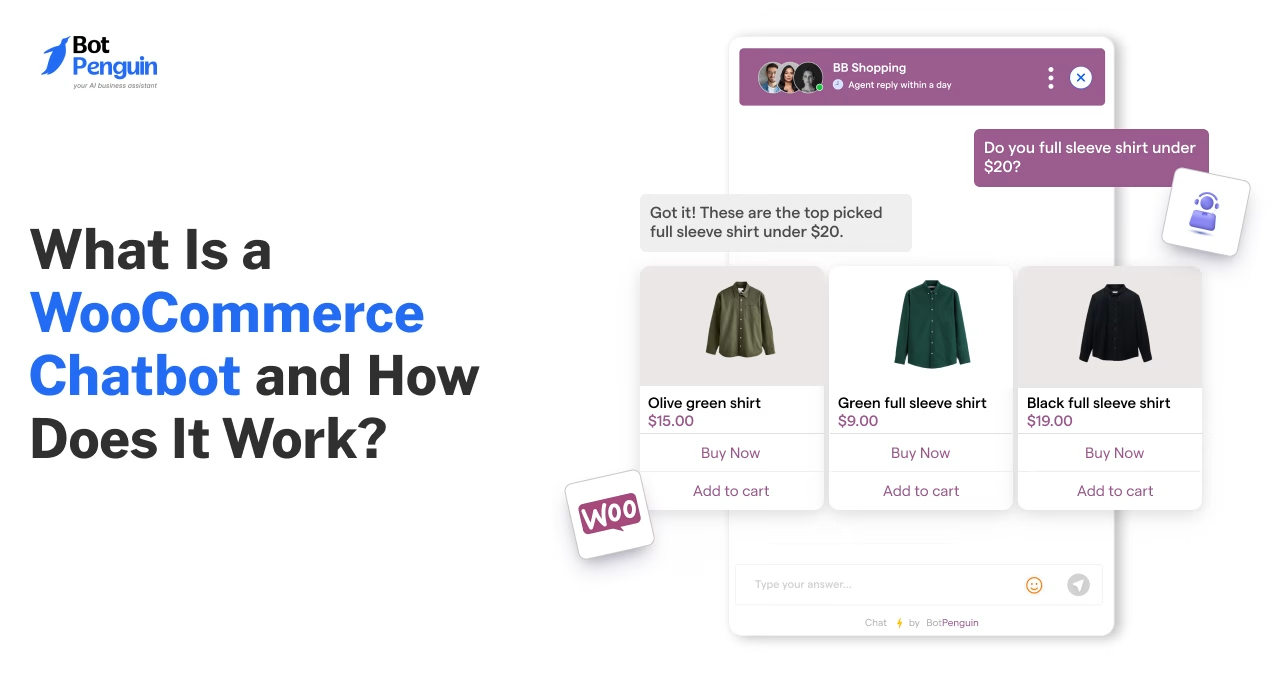
A WooCommerce chatbot is a conversational tool that guides shoppers, surfaces relevant items, provides delivery updates, and follows up on unfinished purchases. It handles routine interactions around the clock, then can route sensitive or unusual cases to support staff with the conversation context intact.
Your ecommerce store grows when customers find exactly what they need. The faster they discover the right product, get their questions answered, and feel confident about buying, the more likely they are to complete a purchase.
For WooCommerce stores, that means going beyond static product pages.
A WooCommerce chatbot bridges that gap, guiding shoppers to the right products, answering questions immediately, sharing order updates, and staying with them through checkout.
This guide breaks down what a WooCommerce chatbot is, how it works, its key benefits and features, real use cases, and how to pick the right one for your store.
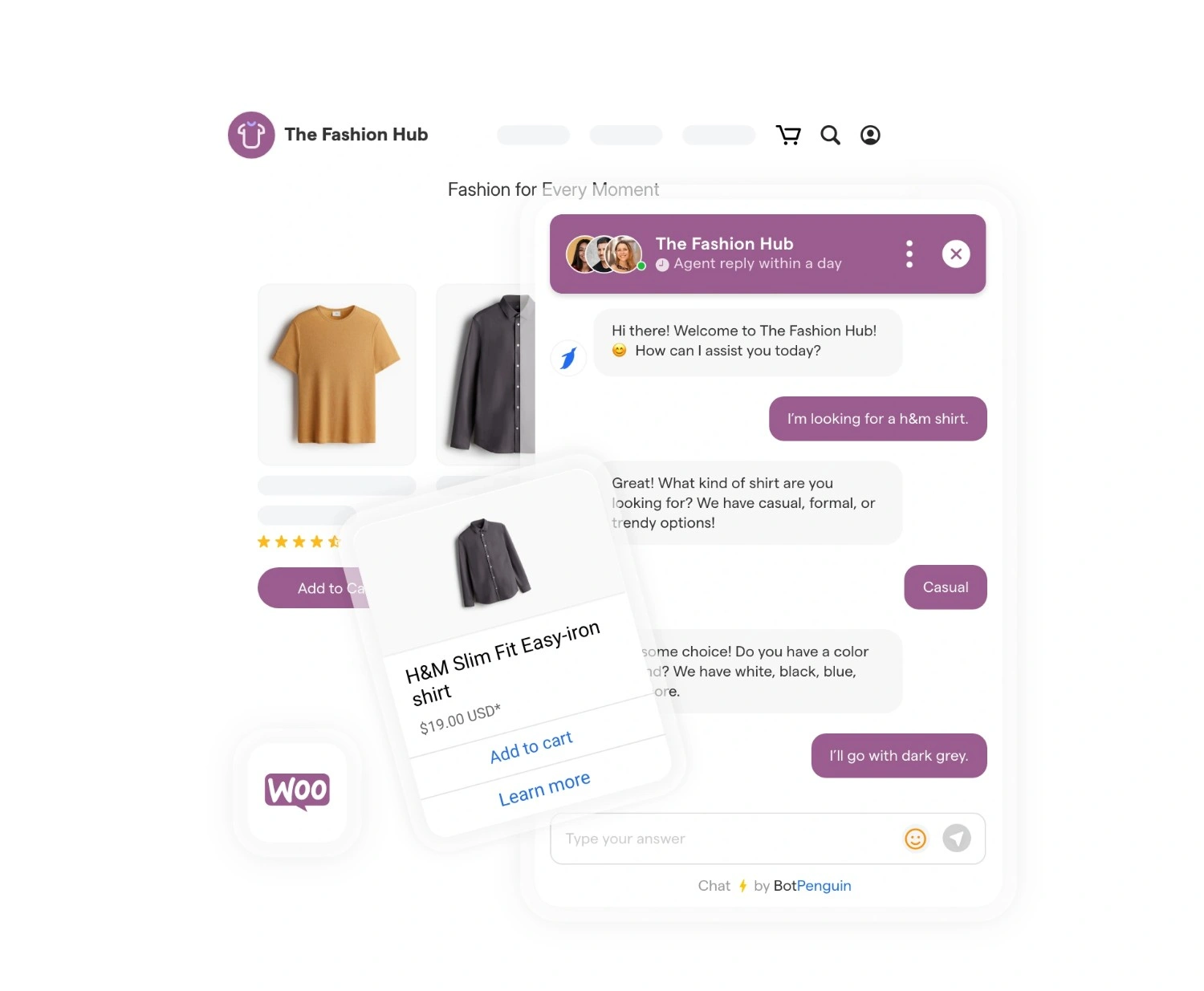
A WooCommerce chatbot is a conversational assistant that connects to your WooCommerce store and helps customers shop through chat.
Instead of searching multiple pages or contacting support, shoppers can ask questions and receive answers based on your store's products, orders, and policies.
Among the top 1 million global ecommerce sites, WooCommerce holds a 31% share, per Store Leads data published on WooCommerce’s own site.
Whether rule-based or AI-powered, a chatbot for WooCommerce makes it easier for customers to find products, get information, and complete common shopping tasks.
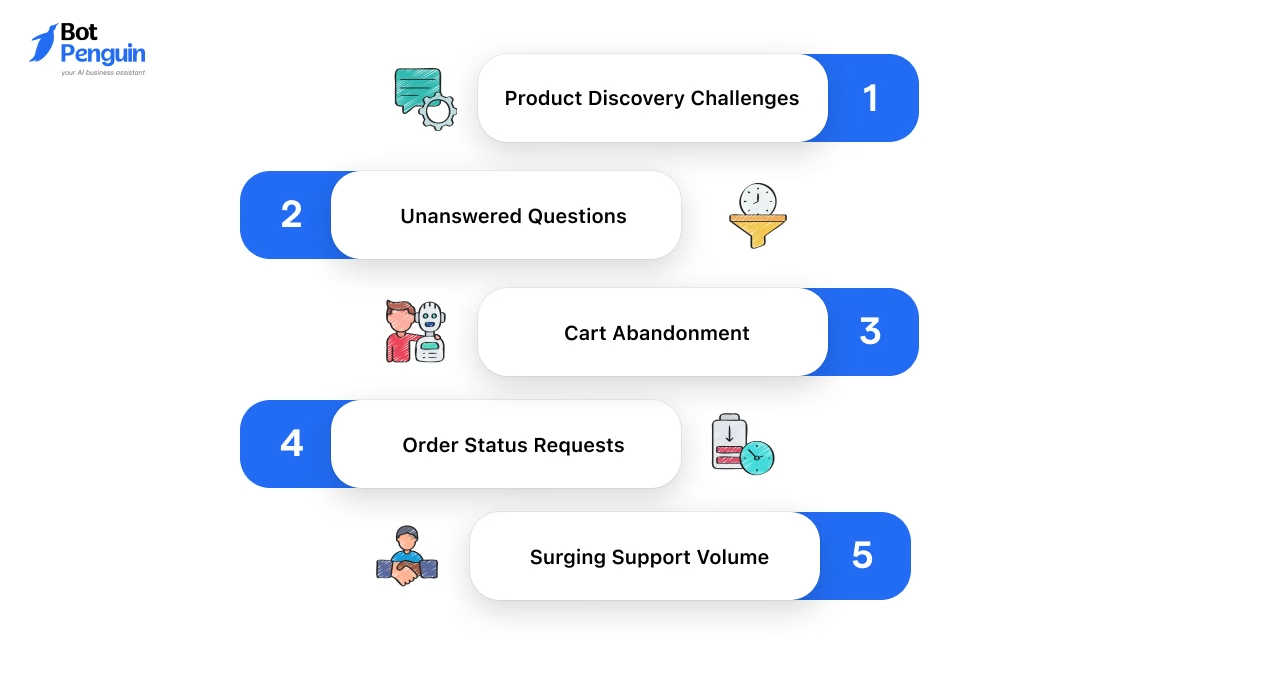
WooCommerce stores often lose customers because buying isn't always as simple as it should be. A WooCommerce chatbot helps solve many of the friction points that affect the shopping experience.
Together, these challenges show why a WooCommerce chatbot matters: it minimizes shopping friction and limits repetitive support work.
AI and traditional chatbots serve different purposes. The main difference lies in how they interpret questions and shape each interaction.
For businesses researching chatbot WooCommerce solutions, the right choice depends on their product catalogue, customer queries, and growth goals.
Stores ready to move beyond basic workflows can set up a WooCommerce chatbot with product, order, and customer data connected.
Platforms like BotPenguin make this easier. BotPenguin connects your WooCommerce store to a WhatsApp chatbot for order updates, cart recovery and customer questions, with customizable workflows and no extensive development.
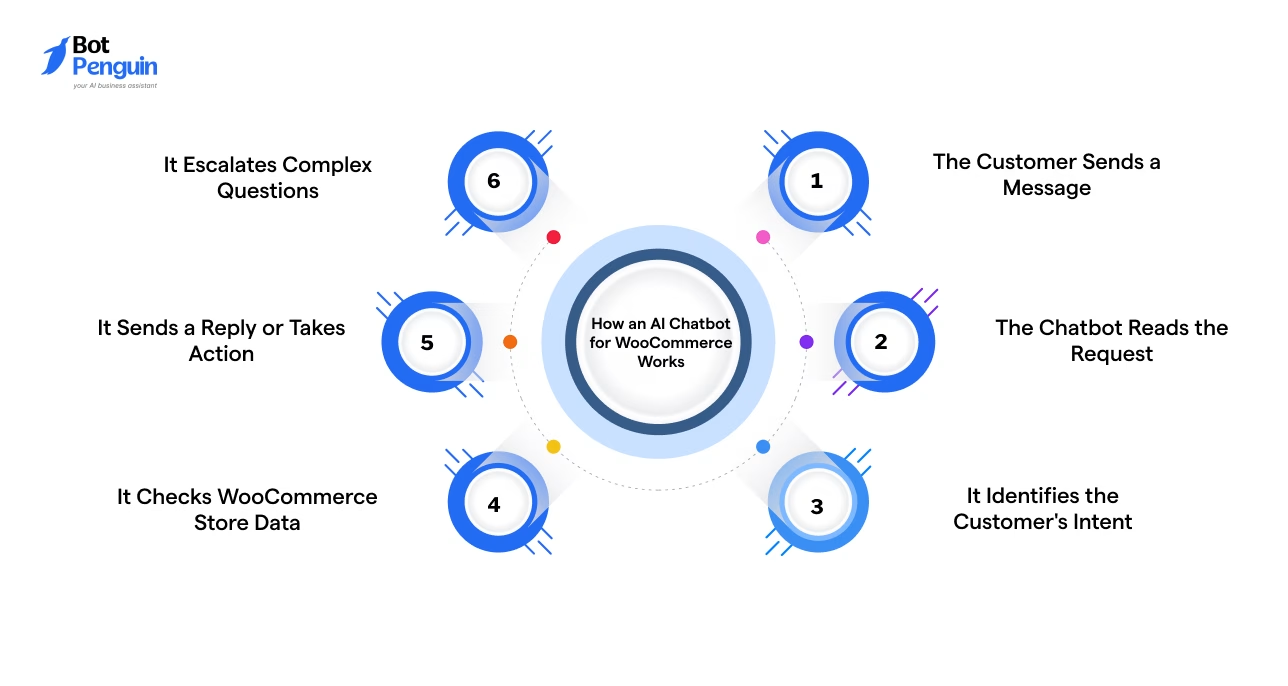
A WooCommerce AI chatbot follows a defined sequence. It reads a customer’s message, works out what they actually need, checks store data, and replies (or hands off) accordingly.
Here’s how the process unfolds, step by step:
The process starts when a shopper sends a message through website chat, WhatsApp, or Messenger.
The message could touch on products, shipping, payments, cart contents, or an order already placed.
The chatbot uses natural language processing (NLP) to break the message down.
NLP helps it understand everyday phrasing, typos, and different ways a customer might ask, “Where’s my package?”
The chatbot runs intent recognition to classify what the shopper is trying to do: find a product, track an order, apply a coupon, or reach a human.
Alongside intent, it pulls out entities: specific details like a product name, size, color, or order number buried in the sentence.
Through the WooCommerce REST API, the chatbot can retrieve product details, stock levels, cart contents, and order information. Webhooks can notify it when events, such as order-status changes, occur.
So when someone asks about their order, the bot is looking up that customer's actual order record and pulling the current status.
Based on what it finds, the chatbot can recommend products, share updates, or guide the shopper toward checkout. Some chatbots can also apply discounts.
Some chatbots retain conversation context, allowing them to understand follow-up questions without restarting the exchange.
When confidence drops (a billing dispute, a return outside policy, a question the bot genuinely can't resolve), the chatbot passes the conversation to a human agent. It can also share the full chat history.
Together, these steps show how a WooCommerce chatbot moves from understanding a message to delivering the right response or action.
Once the process is clear, review these 5 strategies to implement a chatbot in WooCommerce for practical setup guidance.
A WooCommerce chatbot can support customers throughout their shopping journey, from discovering products to post-purchase assistance.
Here are some of the most valuable ways businesses use chatbots in WooCommerce stores:
Each use case is explained below:
The chatbot helps shoppers find products based on their needs instead of making them browse dozens of pages.
Example: A customer asks, “I’m looking for a lightweight laptop under $800,” and the chatbot recommends matching catalog products.
Common customer questions get answered instantly, without requiring a support agent for every inquiry.
Example: A shopper asks, “What is your return policy?” and the chatbot shares the correct policy in seconds.
Shoppers who leave products in their cart before completing checkout can be re-engaged automatically.
Example: The chatbot reminds a customer about an abandoned cart and offers a limited-time discount code to encourage them to return.
Customers can check their order progress without contacting your support team.
Example: A customer enters their order number, and the chatbot shares the latest shipping and delivery status.
When connected to store inventory, the chatbot can check stock levels, sizes, colors, and product variants.
Example: A shopper asks, “Is the blue hoodie available in medium?” and the chatbot checks your WooCommerce inventory before replying.
The chatbot can guide customers through common post-purchase requests without making them search for the correct page.
Example: A customer asks how to exchange a product, and the chatbot explains the return process and shares the relevant link.
Complementary or higher-value products get surfaced based on what customers are viewing or buying.
Example: After a customer adds a camera to their cart, the chatbot suggests a compatible memory card and carrying case.
Shoppers are notified the moment a sold-out item is available again, without needing to check back on their own.
Example: A customer who could not buy a hoodie in their size receives a message when it is restocked.
Together, these use cases show how a WooCommerce store chatbot can improve both the shopping experience and day-to-day store operations, while allowing support teams to focus on more complex customer needs.
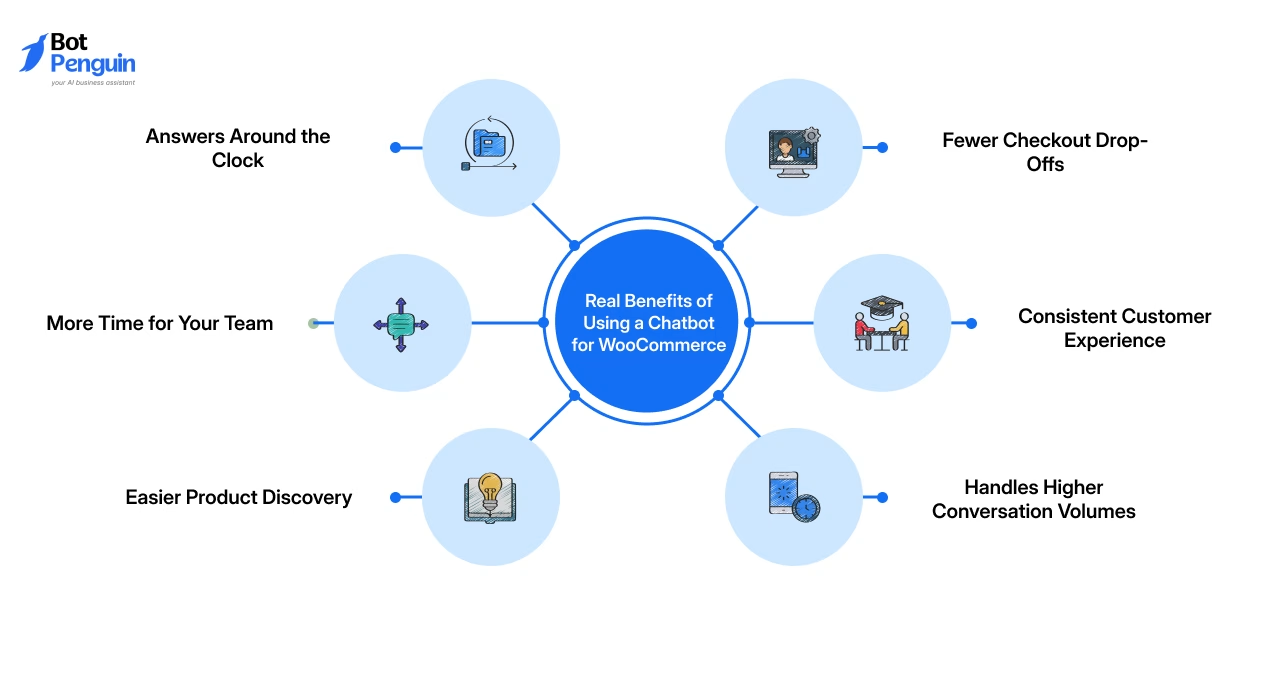
A WooCommerce chatbot simplifies shopping for customers while helping businesses manage everyday interactions more efficiently.
Here are the top advantages it offers businesses and shoppers alike:
Together, these benefits turn everyday store operations into a smoother, more scalable experience, one that keeps customers moving forward instead of waiting.
Both sit in the same chat widget on your store, so it's easy to assume they do the same job. They don't.
While the chatbot handles the predictable stuff in volume; live chat handles the messy, human stuff that needs a real person thinking on their feet.
The table below showcases this difference in practice:
The honest answer isn’t chatbot or live chat; it’s chatbot and live chat, with the bot filtering the routine questions so your agents only step in when a real person actually needs to be there.
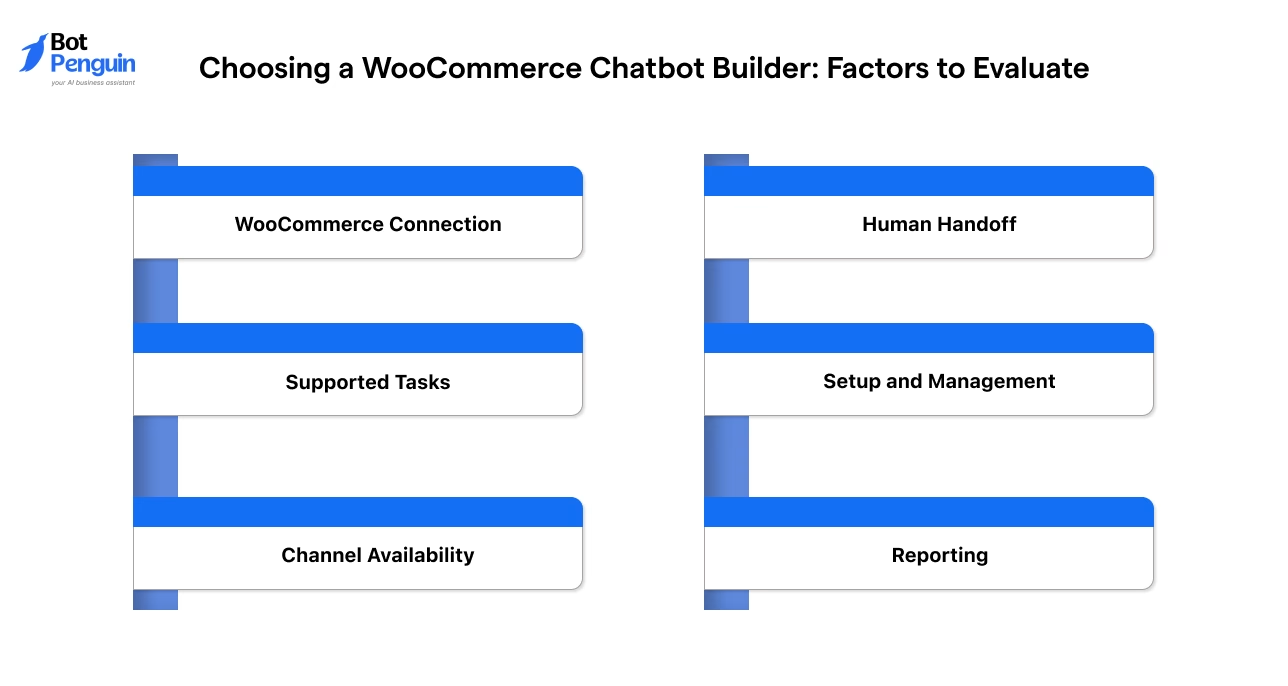
Choose a solution that fits your store’s workflows, customer needs, and existing WooCommerce setup.
Prioritize practical usability over an extensive feature list. Check the following areas before deciding:
Store owners evaluating specific options can also compare WooCommerce chatbot plugins based on their integrations and supported tasks.
For a fuller evaluation checklist, review what to look for in a chatbot builder in a dedicated deep dive.
Even a well-built chatbot can fall short if a few basics get overlooked during setup. Here are the mistakes that show up most often, along with what to do instead.
Some store owners set up a WooCommerce chatbot with a fixed list of question-and-answer pairs and stop there. The moment a customer phrases something differently, the bot goes blank.
Fix: Build the bot around intents rather than exact phrases, so it can hold a real conversation, not just match keywords.
A chatbot that isn't wired into WooCommerce can only offer generic information. It can't check whether a size is in stock or pull up a real order status.
Fix: Connect the chatbot through the WooCommerce REST API so it can pull product, cart, and order details on the spot, not guess at them.
When a chatbot hits a question it can't handle and has no way to hand off, the customer is stuck, and often leaves the conversation frustrated.
Fix: Build a clear handoff point, with full chat context passed along, so the shopper never has to explain the issue twice.
A chatbot that only works with textbook phrasing tends to break down against typos, slang, or the odd way real shoppers ask things.
Fix: Test with actual customer queries pulled from past support chats before launch, and revisit the bot's responses every few months as new questions come in.
Getting these right is less about adding more features and more about making the chatbot actually reliable for the shoppers who talk to it.
Platforms like BotPenguin help avoid many of these issues by combining a WooCommerce integration for WhatsApp, AI you train on your own products and FAQs, customizable workflows, and human handoff.
WooCommerce chatbots are moving beyond basic question answering. Future systems will rely more on store data, customer context, and timely actions.
An AI chatbot for WooCommerce will better understand customer intent across longer conversations. It may connect product views, cart activity, order history, and earlier messages before replying.
This could make product guidance more relevant and reduce repetitive questions.
Future WooCommerce chatbots may respond before customers ask for help. They could flag delivery delays, low-stock items, abandoned carts, or failed payments at the right moment.
This approach shifts the chatbot from a reactive tool to an active shopping assistant.
Gartner projects agentic AI will resolve 80% of common customer service issues autonomously by 2029, cutting operational costs by around 30%.
For support-focused automation, explore how a WooCommerce chatbot for customer service handles common shopper queries.
Chatbots will not remove the need for human support. Instead, they will handle routine requests and pass complex cases with better context.
Agents may receive the customer’s intent, order details, and conversation history before joining.
A WooCommerce chatbot may support more than sales and support. Stores could use it for onboarding, feedback collection, loyalty updates, and repeat-purchase reminders.
The main shift will be toward more connected and context-driven customer interactions.
The stores that get ahead won't be the ones that added a chatbot, but the ones that let it grow into a genuine part of the shopping journey.
A WooCommerce chatbot can make online shopping feel simpler for both customers and store owners. It helps shoppers find the right products, get answers when they need them, and stay informed after placing an order.
At the same time, it takes care of many everyday customer requests that would otherwise require manual attention. As customer expectations continue to rise, conversational shopping is becoming an important part of ecommerce.
Understanding how WooCommerce chatbots work is the first step toward deciding whether they fit your store, your customers, and the experience you want to create.
A WooCommerce chatbot is an automated assistant that talks with shoppers on your store. It can answer questions, recommend products, guide purchases, and help customers with orders without requiring a person to reply every time.
It uses AI and natural language processing to understand a shopper’s message, identify the request, retrieve relevant WooCommerce data, and provide an answer or transfer the conversation to a human agent.
Yes. A chatbot responds automatically using rules or AI, while live chat connects shoppers with human agents. Live chat depends on staff availability, whereas a chatbot can handle routine questions at any time.
No. Many WooCommerce chatbot tools use visual builders and guided setup. Store owners can create responses, connect store data, and publish basic workflows without writing code or relying on a developer.
A WooCommerce chatbot can answer product questions, recommend items, check stock, share order updates, guide returns, recover abandoned carts, and transfer complex conversations to a human support agent when needed.
Yes. A chatbot can remind shoppers about items left in their carts, answer last-minute questions, and guide them back to checkout. Some setups can also send discount codes or follow-up messages automatically.
Yes. When connected to WooCommerce order data, a chatbot can retrieve the latest order status and share it with the customer. This reduces repetitive tracking questions for the support team.
Improve Shopping Experiences With WooCommerce Chatbots
Help shoppers discover products, answer common questions, share order updates, and guide purchases through AI-powered conversations across your WooCommerce store.
Explore NowCheckout our related blogs you will love.
Updated at Oct 21, 2026
12 min to read
Updated at Oct 21, 2026
8 min to read
Updated at Oct 21, 2026
8 min to read
Updated at Oct 12, 2026
12 min to read
Updated at Oct 9, 2026
11 min to read

Updated at Oct 6, 2026
6 min to read
Table of Contents



