


How to Add a WhatsApp Link to Your Instagram Profile
Updated at Oct 8, 2026
14 min to read

Manual WhatsApp management breaks quickly once leads, support chats, campaigns, and follow-ups start to scale.
Sales teams miss replies. Support agents lose context. Managers cannot see ownership, response time, or pipeline movement.
That is where WhatsApp CRM tools become useful.
The best WhatsApp CRM tools help businesses connect WhatsApp with customer records, team inboxes, automation, campaigns, and sales follow-ups.
This guide compares the best WhatsApp CRMs for businesses in 2026 based on WhatsApp strength, CRM depth, automation, sales use cases, and scalability.
Some tools are WhatsApp-first platforms. Others are full CRMs with WhatsApp added through native channels, marketplace apps, or integrations.
WhatsApp CRM tools help teams turn scattered conversations into trackable customer workflows.
Without a CRM layer, WhatsApp becomes hard to manage once multiple agents, leads, campaigns, and support cases are involved.
Here’s why it is gaining traction:
Teams can manage all WhatsApp chats, contacts, and customer history in one shared place.
This reduces dependency on personal phones, spreadsheets, and disconnected CRM notes.
The best WhatsApp Sales CRM helps sales teams assign leads, set reminders, track deal stages, and follow up faster.
This matters when buyers expect quick responses before moving to a competitor.
A shared inbox lets multiple agents manage one WhatsApp number. Useful features include routing, tags, notes, ownership, and conversation history.
By automating broadcasts, drip campaigns, and cart recovery, a WhatsApp CRM allows businesses in ecommerce, healthcare, and SaaS to nurture leads and manage customer relationships directly inside the messaging app.
A WhatsApp CRM provides managers with clear visibility into response times, agent workloads, and conversion metrics, transforming informal chats into a measurable, data-driven sales channel.
To unlock these benefits, however, a platform must offer more than just a basic chat interface. Here is how we evaluated the top solutions on the market.
The best WhatsApp CRM tools were evaluated on how well they support CRM workflows, team ownership, WhatsApp automation, compliant messaging, integrations, and long-term scalability.
Here’s what we looked for while comparing the best WhatsApp CRMs:
We checked whether each tool supports the WhatsApp Business API or official WhatsApp Business Platform connectivity.
This matters because growing teams need more than manual WhatsApp Business App usage.
They need higher conversation capacity, approved templates, multi-user access, and structured business messaging workflows.
We evaluated whether each platform provides teams with a single place to manage customer conversations.
The strongest WhatsApp CRM tools support multi-agent access, chat assignment, internal notes, labels, filters, routing rules, and conversation history.
These features help sales, support, and marketing teams work from the same customer context.
We checked how well each tool connects WhatsApp conversations with sales activity.
For sales teams, this means support for leads, deals, pipeline stages, follow-up tasks, contact records, and activity tracking.
This helped separate basic WhatsApp inbox tools from stronger WhatsApp Sales CRM options.
We reviewed how each platform reduces repetitive manual work while still allowing human handoff.
Useful capabilities include auto replies, chatbots, AI agents, workflow triggers, lead qualification, drip campaigns, and human handoff.
To understand how these automation features work inside business messaging workflows, you can also explore our guide on WhatsApp for Business.
We evaluated whether each WhatsApp CRM supports structured outbound communication, which included segmentation, approved templates, scheduling, personalization, opt-in handling, and performance tracking.
Approved templates matter because WhatsApp communication depends on message type, sender initiation, and whether the conversation is within the active messaging window.
We checked whether each WhatsApp CRM connects with the broader business stack.
Common integrations include HubSpot, Zoho CRM, Salesforce, Shopify, WooCommerce, Google Sheets, helpdesks, calendars, and payment tools.
This helps teams sync customer data rather than manually copying WhatsApp conversations across platforms.
We compared pricing beyond the base subscription.
This included user limits, WhatsApp conversation charges, API fees, automation limits, bot usage limits, onboarding costs, integration costs, and support availability.
Tools ranked better when they could scale without unclear pricing or workflow restrictions.
Once these selection factors are clear, the next step is comparing leading WhatsApp CRM tools side by side for features, fit, and pricing.
The table below compares the top WhatsApp CRM tools by their best use cases, WhatsApp capabilities, CRM strengths, automation, and pricing fit.
*Disclaimer: Pricing plans are subject to change. Please verify current rates on the providers’ official websites before making a final decision.
After this quick view, the detailed comparisons below explain where each WhatsApp CRM tool fits best, what it handles well, and what to check before choosing.
Below are the top WhatsApp CRM tools for businesses in 2026, reviewed by use case, strengths, limitations, and fit.
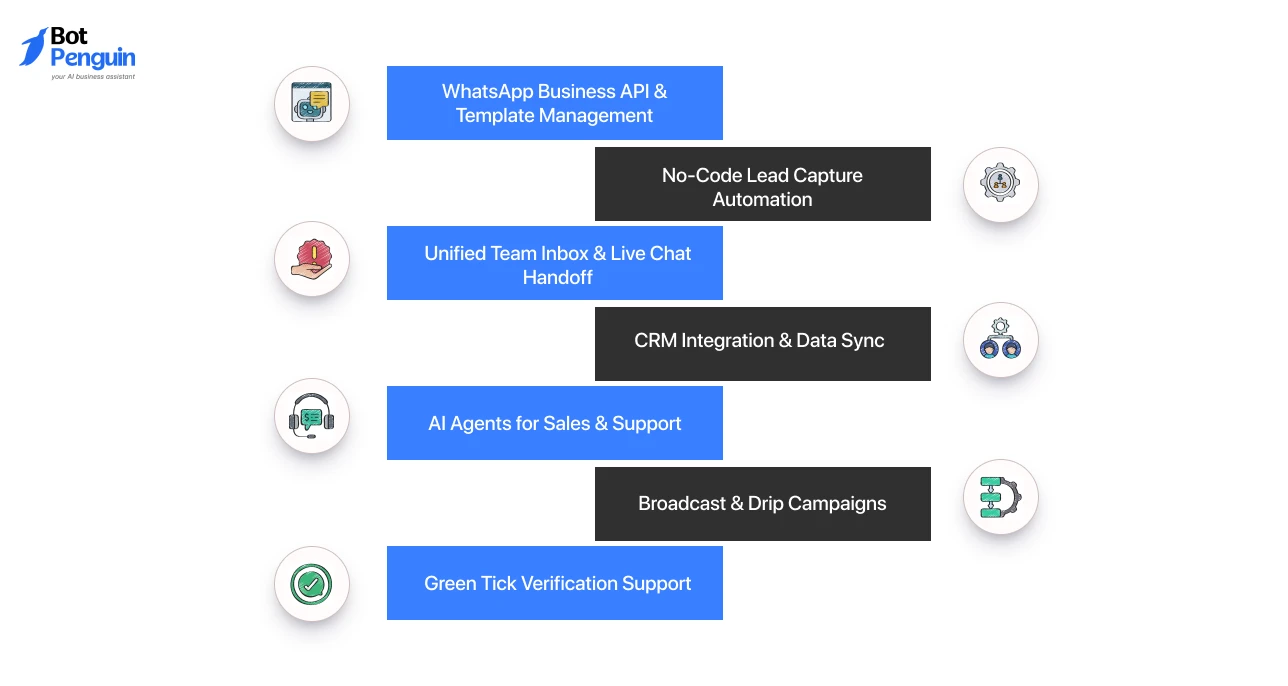
BotPenguin is a WhatsApp chatbot and automation platform that provides CRM-like capabilities for businesses looking to manage campaigns, conversations, and customer journeys without extensive technical setup.
It supports WhatsApp automation, no-code chatbot building, broadcast campaigns, CRM integration, live chat, approved templates, green tick assistance, and a unified inbox.
BotPenguin also supports WhatsApp drip and broadcast campaigns for lead nurturing, as well as chatbot-led sales, support, and engagement workflows.
Key Features
Pros
Limitations
Best for: SMBs, agencies, and teams that need WhatsApp automation, AI agents, broadcasts, live chat, and CRM integrations in one platform
Pricing: Pricing starts with a free Baby plan; the paid Little plan starts at $15/month, with seven-day trials available on paid tiers.
HubSpot is a strong WhatsApp CRM option for teams that want WhatsApp conversations inside a mature customer platform.
It lets businesses connect a WhatsApp Business account to HubSpot’s inbox or help desk, manage conversations from a shared inbox, automate support, and track interactions inside CRM records.
HubSpot also supports WhatsApp templates personalized with CRM data and business-initiated WhatsApp messages through workflows.
Key Features
Pros
Limitations
Best for: Mid-market to enterprise companies already using HubSpot who want to centralize their customer communication and have the budget for advanced omni-channel automation
Pricing: Native WhatsApp integration requires a Marketing Hub Professional or Service Hub Professional plan, which starts at $90 per seat/month when billed annually.
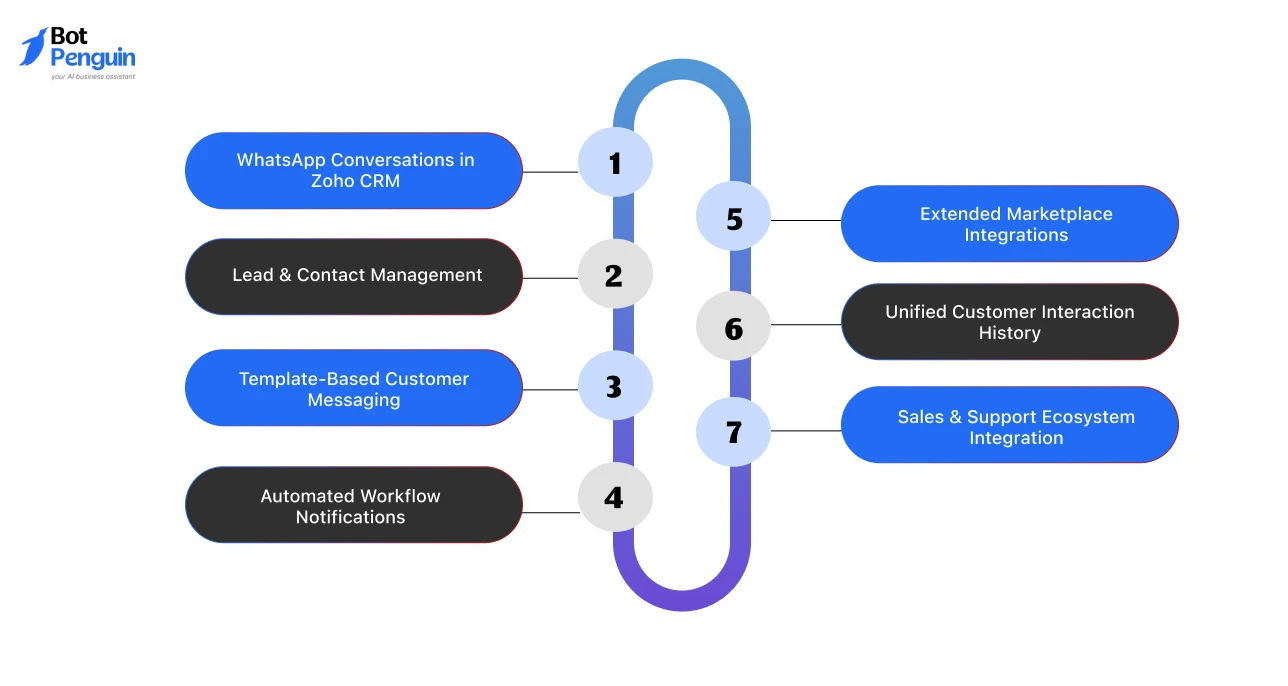
Zoho CRM is a strong WhatsApp CRM option for teams already using Zoho’s sales, support, and business app ecosystem.
It brings WhatsApp conversations into CRM records, helping teams manage customer messaging, sales follow-ups, and engagement inside existing Zoho workflows.
Zoho also supports WhatsApp templates and workflow-based notifications, while marketplace extensions can add extra messaging, media sharing, and connector-specific automation.
Key Features
Pros
Limitations
Best for: Existing Zoho users, sales teams, and businesses that want WhatsApp tied closely to CRM records and Zoho workflows
Pricing: Zoho CRM has a free plan for three users; paid plans start at $14/user/month when billed annually.
Salesforce supports WhatsApp messaging through Marketing Cloud Engagement and Service Cloud workflows.
Salesforce documentation covers WhatsApp setup, message creation, Journey Builder sends, WhatsApp Flows, analytics, reporting, and service messaging use cases.
This makes Salesforce powerful for enterprise-grade WhatsApp CRM operations, but less suitable for small teams that need a fast plug-and-play launch.
Key Features
Pros
Limitations
Best for: Large enterprises, regulated industries, and multi-team organizations that need advanced CRM control, automation, reporting, and implementation flexibility
Pricing: Salesforce offers trials; Starter Suite starts at $25/user/month, while Marketing Cloud and WhatsApp usage can add separate setup-dependent costs later.
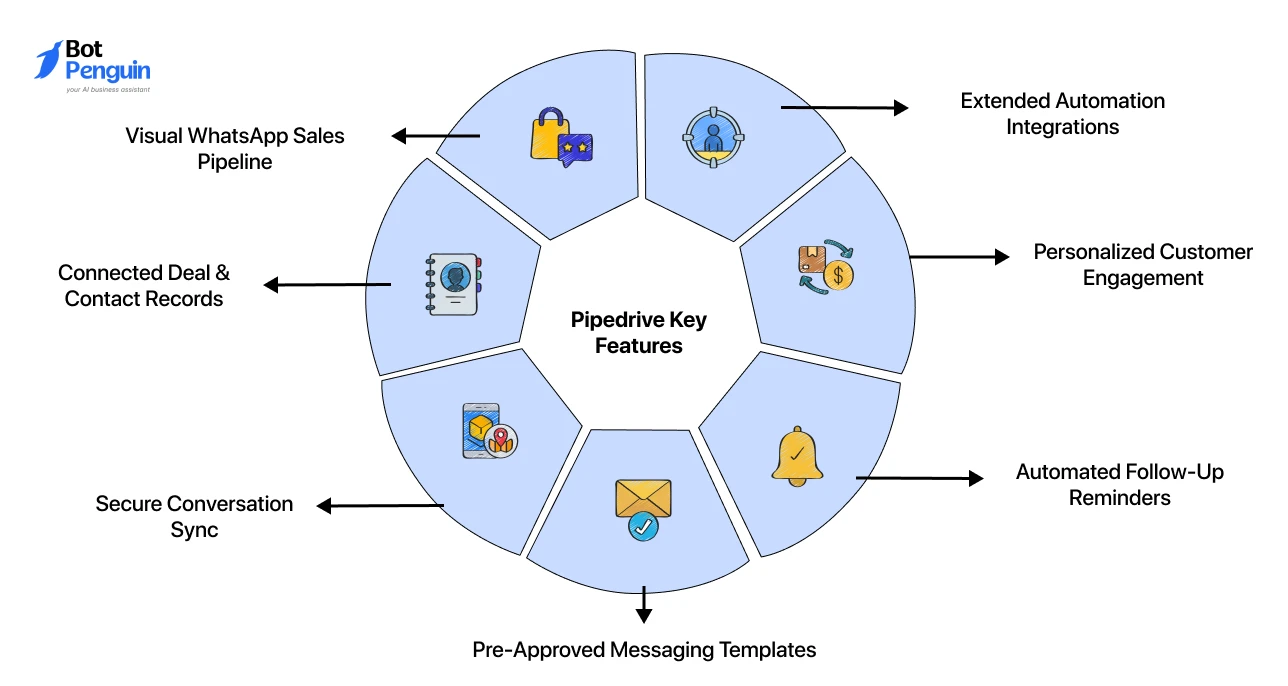
Pipedrive is a sales-focused CRM with WhatsApp integration options for teams that want messaging tied to deal tracking.
It works well when WhatsApp supports sales follow-ups, negotiations, and pipeline movement.
Pipedrive’s WhatsApp CRM positioning focuses on syncing conversations, linking chats to leads and deals, using pre-approved templates, and pulling CRM data into chats for more personalized selling.
Key Features
Pros
Limitations
Best for: Sales teams that use WhatsApp for lead follow-ups, deal conversations, activity tracking, and pipeline discipline
Pricing: Pipedrive offers a 14-day free trial; paid plans start at $14/user/month annually, with WhatsApp available through paid third-party integrations.
WATI stands out among the best WhatsApp CRM tools for its dedicated WhatsApp-first approach, providing growing teams with partial CRM capabilities to manage customer operations.
It handles support and broadcasts perfectly inside a single team inbox, but lacks the deep sales pipeline tracking of a full-scale CRM.
Key Features
Pros
Limitations
Best for: SMBs looking for one of the best WhatsApp CRMs for support, shared inbox management, templates, chatbot automation, and WhatsApp-first customer engagement
Pricing: WATI offers a 14-day free trial; Growth starts at $59/month annually, with Meta messaging charges billed separately.
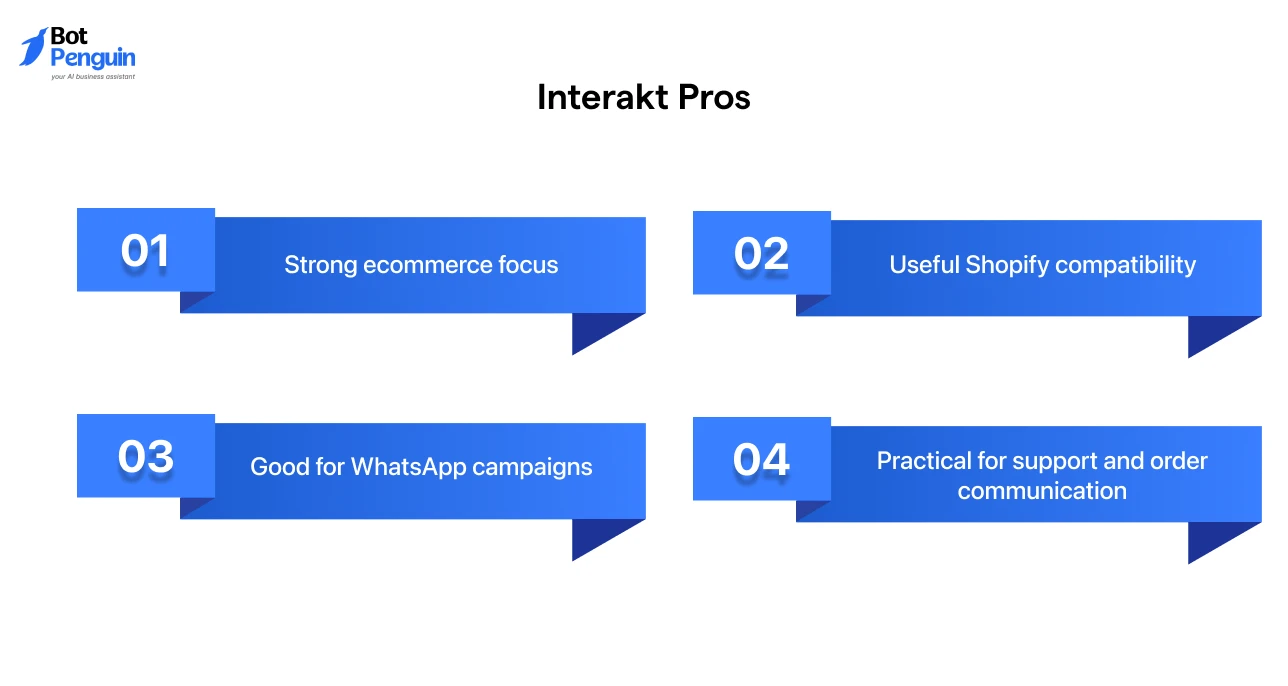
Positioned as a dedicated messaging platform with CRM-like capabilities, Interakt stands out as one of the best WhatsApp CRM tools for D2C brands looking to scale.
Rather than managing complex sales pipelines, it focuses on driving conversational commerce through automated Shopify workflows, cart recovery, and targeted broadcast campaigns.
Key Features
Pros
Limitations
Best for: Ecommerce and D2C brands looking for WhatsApp CRM tools for Shopify sales, cart recovery, campaigns, support, and customer engagement
Pricing: Paid plans start at $12/month + Meta conversation fees.
Respond.io stands out as one of the best WhatsApp CRM tools, offering an omnichannel conversation platform with CRM-like capabilities for growing teams managing multiple messaging apps.
It unifies messages, calls, emails, and CRM context in one workspace, making it useful when WhatsApp is important but not the only channel for daily customer operations workflows.
Key Features
Pros
Limitations
Best for: Growing teams that need WhatsApp CRM tools for omnichannel support, messaging-led sales, routing, automation, and visibility into customer conversations
Pricing: Respond.io offers a 7-day free trial. Starter starts at $79/month, with WhatsApp and channel charges billed separately based on usage.
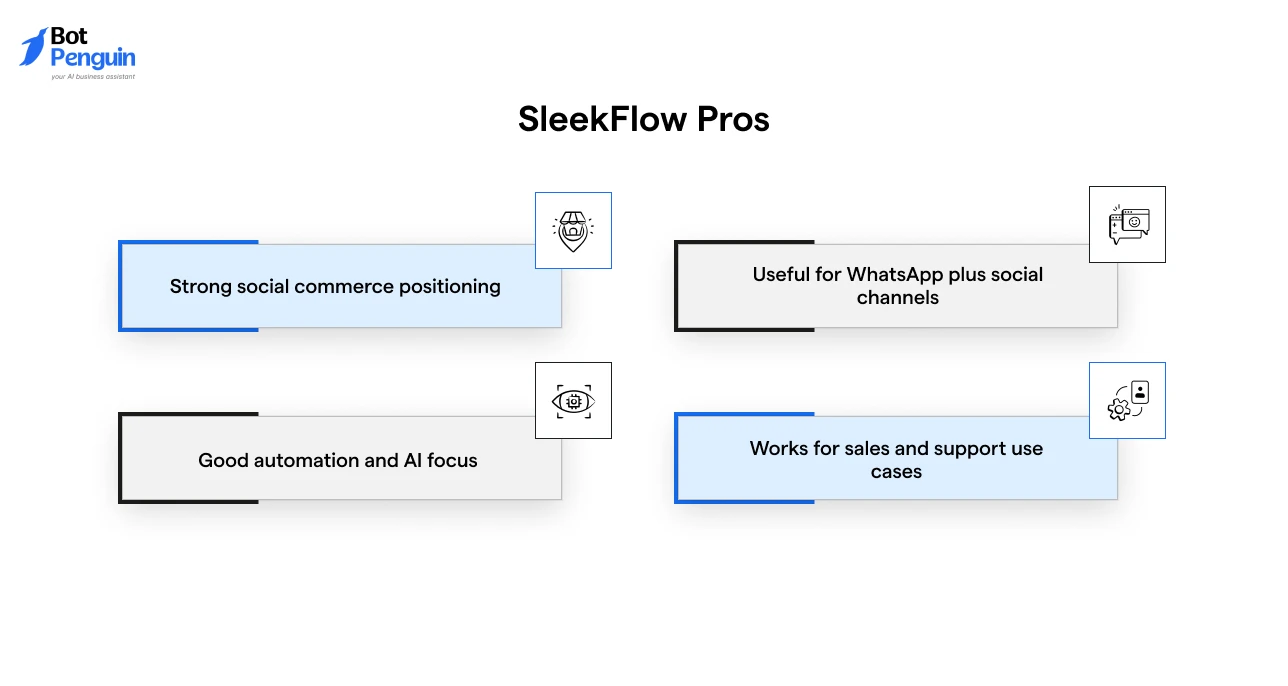
SleekFlow earns its spot among the best WhatsApp CRM tools by offering a dedicated conversational commerce platform with advanced, CRM-like capabilities for retail brands.
Instead of operating as a traditional pipeline CRM, it unifies WhatsApp with social messaging and e-commerce stores to streamline customer engagement and automate AI-assisted conversations.
Key Features
Best For: SleekFlow works well for conversational commerce, retail teams, ecommerce workflows, social selling, multichannel engagement, and AI-assisted sales or support.
Pros
Limitations
Best for: Conversational commerce, retail, ecommerce, and social selling teams that need WhatsApp CRM tools for multichannel sales and support
Pricing: Free limited tier available (excludes WhatsApp); paid Pro AI plans start at $99/month for up to 500 active contacts.
The full-scale CRM features are only available at $299/month.
Note: Official WhatsApp template messages incur separate, usage-based Meta conversation fees.
Bitrix24 stands out as one of the best WhatsApp CRM tools for budget-conscious operations, offering a comprehensive CRM database and native WhatsApp integration.
Rather than functioning as a messaging-first app, it serves as an all-in-one business management ecosystem where user conversations live directly alongside task workflows, sales pipelines, and document management.
Key Features
Pros
Limitations
Best for: Budget-conscious teams that want CRM, tasks, workflows, collaboration, and WhatsApp communication inside one broader business suite
Pricing: Bitrix24 has a free plan for 1-2 users; Basic starts at US $50/organization/month annually, with Twilio costs separate.
At this stage, it’s also worth considering the common mistakes teams make while selecting the right WhatsApp CRM tool for their business.
Let’s explore them in the next section.
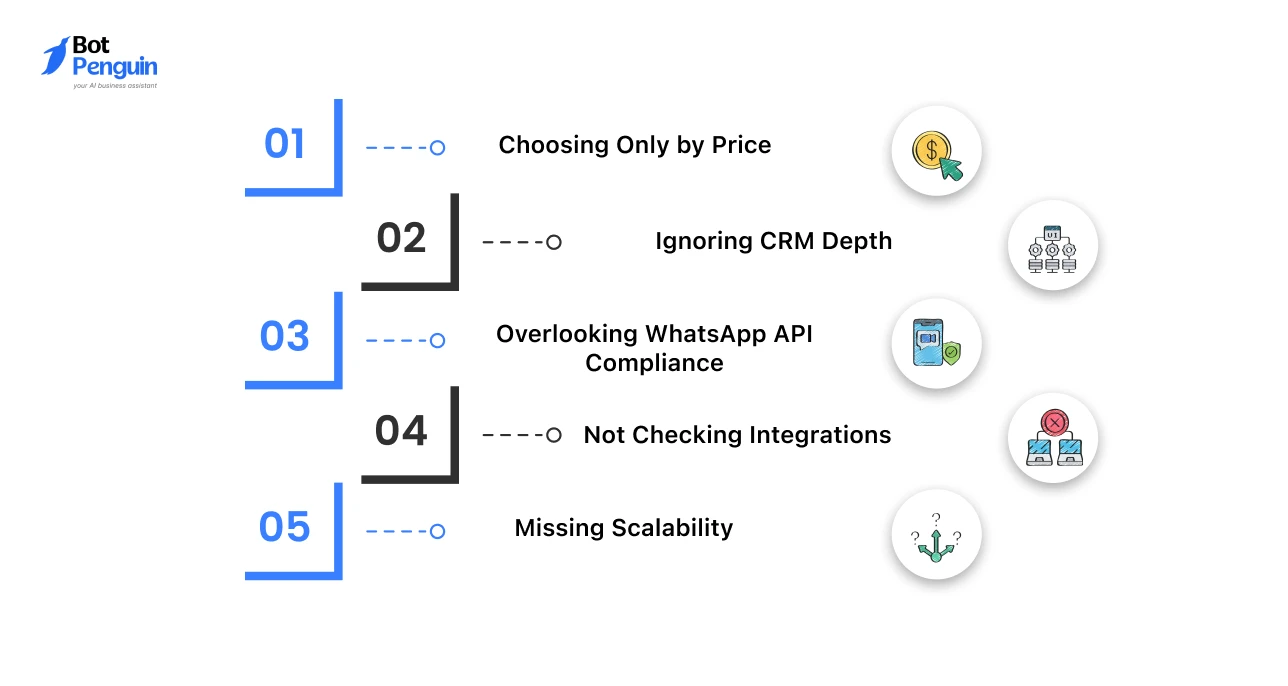
Choosing the wrong WhatsApp CRM can create more operational friction than it solves. Avoid these mistakes before committing to a tool.
Low-cost tools may lack automation, analytics, integrations, API support, or stable support. Compare total cost and feature depth.
How to Fix It: Compare pricing against automation limits, user seats, WhatsApp charges, support quality, and integration costs.
Some WhatsApp tools manage chats well but lack strong lead tracking, deal stages, and customer records. This matters for sales teams.
How to Fix It: Check whether the tool supports contact profiles, lead ownership, follow-up reminders, and CRM activity tracking.
Businesses need opt-ins, approved templates, and compliant campaign workflows.
Meta’s template training covers template basics, categories, management, and approval processes.
How to Fix It: Confirm official WhatsApp API support, template approval workflows, opt-in handling, and compliant outbound messaging.
Your WhatsApp CRM should connect with your sales, support, ecommerce, marketing, and reporting tools. Disconnected tools create manual work.
How to Fix It: List your required CRM, helpdesk, ecommerce, calendar, payment, and reporting tools before comparing platforms.
A tool that works for two agents may fail when your team grows to twenty agents. Check user limits, routing, roles, automation capacity, and reporting.
How to Fix It: Review agent limits, routing rules, role access, automation volume, reporting depth, and upgrade costs.
Avoiding these mistakes helps businesses choose a WhatsApp CRM that supports long-term growth, automation, and customer engagement.
The right platform should match your workflows, integrations, team structure, and scalability needs rather than just short-term pricing.
For teams that want these workflows planned around WhatsApp automation, inbox handling, CRM integrations, broadcasts, and live chat, BotPenguin can support setup without custom development.
The best WhatsApp CRM Tools do more than store chats.
They connect WhatsApp conversations with customer records, campaigns, lead follow-ups, automation, agent ownership, and performance visibility.
For enterprise CRM depth, HubSpot, Salesforce, and Zoho CRM are strong options. For sales pipeline follow-up, Pipedrive is a practical choice.
For WhatsApp-first support and automation, WATI, Interakt, Respond.io, and SleekFlow are strong contenders.
For businesses that want end-to-end WhatsApp automation, AI agents, broadcasts, drip campaigns, live chat, and CRM integrations without heavy technical setup, BotPenguin is a strong option.
The best WhatsApp CRM tools include BotPenguin, HubSpot, Zoho CRM, Salesforce, Pipedrive, WATI, Interakt, Respond.io, SleekFlow, and Bitrix24.
The best WhatsApp Sales CRM depends on your process. Pipedrive is strong for pipeline tracking, while BotPenguin supports WhatsApp automation, follow-ups, campaigns, and live chat.
Yes. Many WhatsApp CRM tools integrate with platforms like HubSpot, Zoho, Salesforce, Pipedrive, and Bitrix24 through native integrations, APIs, marketplace apps, or third-party connectors.
Small businesses should choose tools that are easy to set up, affordable, and include WhatsApp inbox, automation, campaigns, templates, contact management, and live chat.
BotPenguin serves as a partial CRM and AI chatbot platform, offering WhatsApp API, broadcasts, drip campaigns, shared inbox, live chat, and CRM integrations.
Manage WhatsApp Sales With Smart CRM Tools
Track leads, automate follow-ups, manage team inboxes, and run WhatsApp campaigns from one place.
Get StartedCheckout our related blogs you will love.
Updated at Oct 8, 2026
14 min to read
Updated at Oct 7, 2026
12 min to read
Updated at Oct 6, 2026
13 min to read
Updated at Oct 6, 2026
10 min to read
Updated at Oct 5, 2026
11 min to read
Updated at Oct 1, 2026
9 min to read
Table of Contents



