


WhatsApp Chatbot for Insurance: Use Cases, Benefits, and Automation Workflows
Updated at Sep 21, 2026
11 min to read

Automating customer service on WhatsApp means using a chatbot for common questions, order updates, and ticket creation. The bot can also send complex requests to a human agent. Customers get help faster. Your team stays free for issues that need judgment or investigation.
Every unanswered WhatsApp message adds to your support team’s to-do list. Order updates, return questions, delivery delays, and billing requests can pile up fast.
To automate customer service with WhatsApp chatbot, start with the most common requests. The chatbot can provide approved answers, collect issue details, create tickets, and route complex cases to an agent.
Adobe found that 78% of organizations expect agentic AI to handle at least half of customer-support interactions within 18 months. The aim is not to automate every interaction. It is to give customers a faster path for routine help.
WhatsApp customer service automation handles the repeatable parts of support.
This is more focused than a general chatbot. General bots help with leads, campaigns, bookings, or product discovery. A WhatsApp support chatbot steps in when a customer needs help. It is there when your customer needs a real answer.
For a wider overview of bot types and capabilities, read our guide to WhatsApp chatbots. This article focuses on the customer-support workflow itself.
A useful automation should do three things well:
That third point is essential.
A 2026 Pega and YouGov study found that 66% of consumers prefer human-led support.
Your automation flow must follow WhatsApp’s business messaging rules. Replies in an active conversation are different from business-initiated messages. Always check the right message type and template before sending updates.
Start with a simple workflow. Pick one frequent request and solve it well. Always offer a clear way to reach a human. Record what happened so you can improve.
Build your workflow using real evidence from your support queue. Do not guess what customers ask. Review recent WhatsApp chats, helpdesk tickets, and agent notes. Let the data show you where to start.
Look for questions that meet these criteria:
Start with topics like business hours, delivery info, return rules, appointment changes, or basic account help. Order status is also a good choice if your system connects. Keep it simple at first.
Group recent conversations into clear themes. Count how often each theme appears. Then note the usual agent response and any information required before resolution.
For example, an ecommerce team may find that most WhatsApp conversations involve:
Do not try to automate everything at once. Start with your most common questions that rarely change. This keeps your testing simple and manageable. You can always add more later, one step at a time.
Also identify topics that must always go to a person. Payment disputes, medical concerns, legal requests, etc. may need immediate agent review.
A chatbot should never invent policy. Write short, customer-friendly answers using the same info your agents use. Always confirm each answer with your support lead before you publish. Consistency is fundamental for trust.
Each answer should include:
For a delivery question, the flow could say: “Standard delivery takes three to five business days after dispatch. Would you like to track an order or speak with our support team?”
Keep your messages short. WhatsApp works best when customers can scan choices and tap to continue. No one likes a wall of text.
Buttons reduce ambiguity. They also make reporting easier because each click identifies customer intent.
A simple support menu might include:
Use short labels for your buttons. Keep each menu focused on one decision. Too many choices at once can make customers leave the chat. Less is more.
Free-text input is helpful when you need an order number, issue details, or appointment time. Only ask for information your workflow truly needs.
Some workflows need a written answer. Others need data from your CRM, helpdesk, order system, calendar, or shipping tool.
For instance, an order-status flow may need to:
1. Ask for an order number or registered contact details.
2. Locate the relevant order record.
3. Return the current fulfillment or tracking status.
4. Escalate if the data is missing or indicates an exception.
List every system your support agents use today. Then decide which data your chatbot needs to read, create, or update.
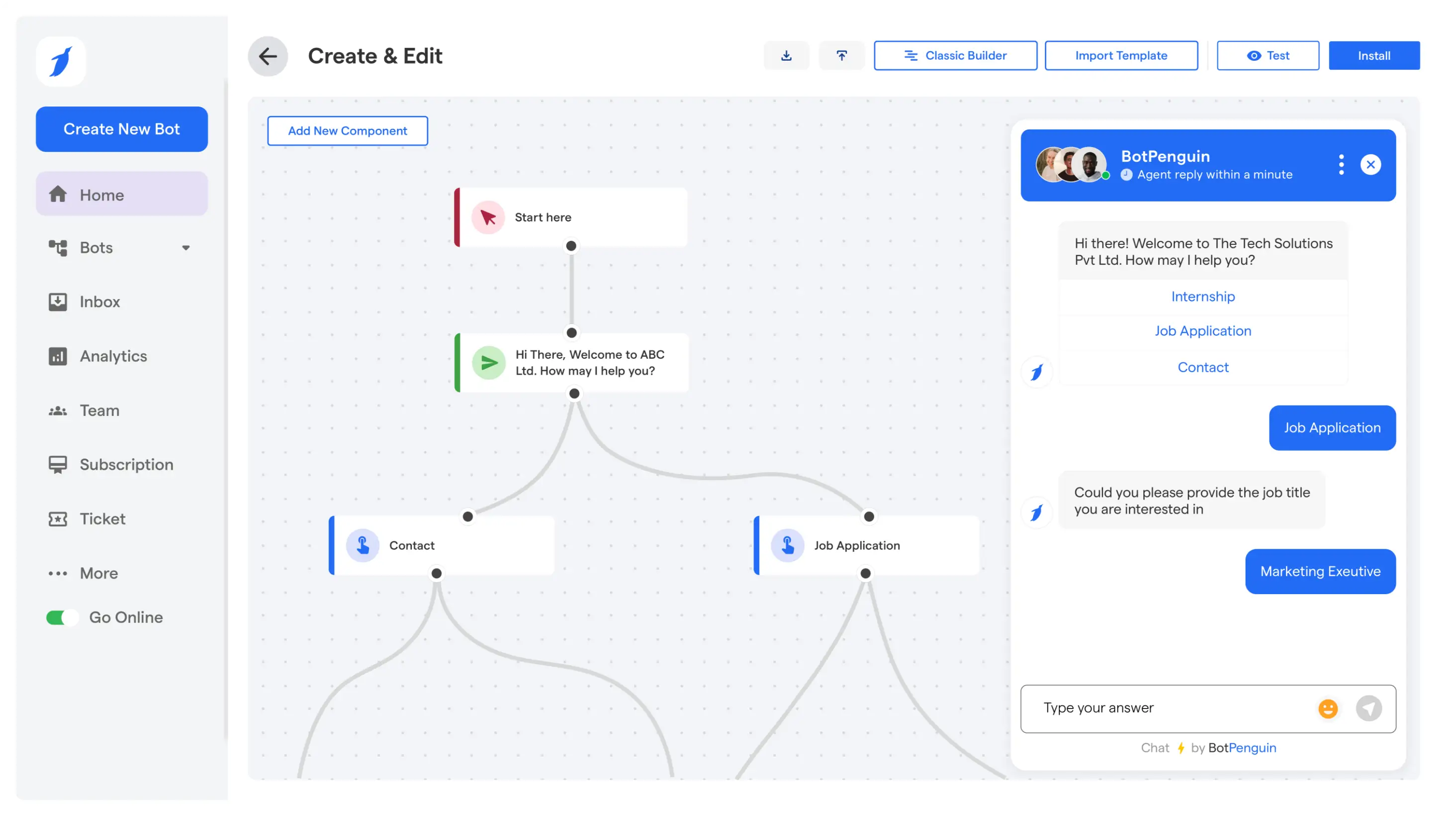
BotPenguin supports chatbot integrations for CRM, scheduling, ticketing, automation, and other business tools. This helps teams turn a WhatsApp conversation into an action inside their system.
Do not connect data sources just because you can. Every connection should help your customer. If it does not help, skip it. Simpler is better.
Human handoff is part of your workflow, not just a backup plan. Decide exactly when your chatbot should stop and an agent should take over.
Common escalation triggers include:
When you escalate, send the agent the chat history and all collected details. This way, your customer does not have to repeat their issue. No one likes starting over.
BotPenguin’s customer-support features include human-bot handover, a unified inbox, ticketing, and support analytics. These functions help teams retain context when an automated flow needs an agent.
Before you launch, test your flow with real examples from past chats. Do not just test the button path you expect.
Include situations such as:
Write down what should happen in each case. If your flow only works under perfect conditions, your agents will have more work later. Real life is rarely perfect.
Ask agents to test the handoff itself. They should be able to see the customer’s request, selections, and captured details quickly.
Start with a small set of topics. Watch customer replies, agent feedback, escalation reasons, and missed intents in the first weeks. Small steps lead to big results.
Look for repeated failures. If customers often pick “Other,” your menu might be missing something important. If one policy question keeps reaching an agent, your answer may need more clarity.
Support automation gets better with small, evidence-based changes. Review your flow often, especially when policies, products, delivery times, or processes change. Improvement is a journey. Take it one step at a time.
The best use cases are repetitive, structured, and easy to check. Here are some useful ways to use a WhatsApp support chatbot. Start with the basics. Build from there.
Business hours, locations, delivery areas, pricing, return periods, and appointment rules are often the easiest questions to automate. The answers are usually fixed, and customers need them quickly.
Create a separate response for each topic. Review them whenever your policy changes. Always add a human option at the end of every answer.
This saves your team from sending the same info all day. It also gives customers a consistent answer, no matter when they message. Consistency creates trust.
Order-related requests are high volume for many e-commerce and delivery businesses. A chatbot can ask for the order number, check the relevant system, and show the next available status.
Your flow should spot exceptions. If a package is delayed, returned, canceled, or missing, send it to an agent. Do not make customers go through generic tracking steps when their order needs a closer look.
Use plain language for order status. For example, “Your order is packed and will leave today.” is clear and easy to understand.
Many WhatsApp conversations begin with incomplete information. A customer may write, “My product is not working,” without sharing the order number, device, purchase date, or exact issue.
A chatbot can collect those details in sequence, then create a ticket with a clear category. This gives agents a useful starting point and helps teams route work correctly.
A ticket-creation flow may collect:
Only ask questions that matter for the issue. Asking for extra info adds friction and can make customers give up. Keep it simple. Respect your customer’s time.
Not every support conversation belongs with the same person. Billing, technical support, returns, delivery, and account access may have different owners.
Use the customer’s selection and answers to assign the request correctly. The bot can attach labels such as “billing,” “delivery delay,” or “technical issue” before an agent receives the conversation.
A better route means less back-and-forth inside your team. It also helps agents get ready before they reply. Everyone gets answers faster.
Some requests should never be fully automated. Your chatbot should spot these quickly and hand them to an agent with all the details.
Examples include:
Your escalation message should set clear expectations. For example, say, “I am connecting you with our support team. They will get the details you have already shared.” This reassures your customer that they are being looked after.
This small detail matters.
In G2’s 2026 support report, none of the surveyed vendors described a fully autonomous support model. It highlighted hybrid support, where automation handles bounded tasks and people manage exceptions.
Measure your workflow after launch. Do not just rely on a gut feeling that your bot is helping. Let the data guide your next steps.
Start with a baseline before automation. Record how many WhatsApp chats your agents handled, how long first replies took, and which topics took the most time.
Then track the following metrics.
This measures how quickly a customer receives an initial response. Automation can improve this metric because routine questions receive an immediate, approved reply.
But a fast, irrelevant answer is not a win. Always check first response time along with how well the issue was resolved. Speed is good. Accuracy matters more.
This shows what percentage of chats are resolved without an agent. A high rate only matters if customers get the right outcome.
Review conversations that the bot marked resolved. Check whether customers returned with the same question, requested an agent, or gave poor feedback.
Escalation is not always bad. It can mean your bot knows its limits and asks for help at the right time.
Look at why escalations happen. If most come from one topic, improve that flow or let agents handle it from the start. Escalations are feedback. They are not failures.
Measure each workflow on its own. Your business-hours flow might solve most requests, but delivery exceptions may need human help.
This approach stops one strong workflow from hiding weak spots elsewhere. It also shows where you should invest more effort. Every workflow deserves attention.
Ask for feedback after you resolve the issue. Keep it simple, like a one-to-five rating and an optional comment.
Review negative feedback along with the chat transcript. Look for missed questions, unclear wording, failed data, or poor handoff. Every bit of feedback is a chance to get better.
Customer conversations may include personal or sensitive information. Review BotPenguin’s security and compliance information before collecting customer data.
For examples of business outcomes and customer implementations, visit BotPenguin’s case studies and customer reviews.
Customer service automation focuses on support tasks after a customer needs help. It handles questions, order updates, ticket creation, and escalation. A general WhatsApp chatbot may also support lead generation, campaigns, bookings, or sales conversations. This setup is designed specifically to help support teams handle customer requests.
A WhatsApp chatbot can answer policy questions, share delivery information, check order status, collect details, create tickets, and route requests. It can also request feedback after a conversation. It should transfer complex, sensitive, or uncertain cases to a trained human agent.
No. It handles repetitive and well-defined requests, while agents manage exceptions and complex cases. Human support remains important for situations requiring empathy, investigation, account decisions, etc. The chatbot should make it easy for customers to reach an agent whenever automated support cannot resolve the issue.
A basic workflow can be built quickly when your policies and help questions are documented. More advanced flows take longer. They require system connections, data checks, testing, routing rules, and approval. Start with one high-volume support topic, then add more workflows after reviewing real customer conversations.
Yes. Track first response time, automated resolution rate, escalation rate, customer satisfaction, and pending topics. Review actual conversations regularly to identify gaps in answers or routing. This helps you improve existing workflows and decide which new support requests are suitable for automation.
To automate customer service with a WhatsApp chatbot, start with your most repetitive questions. Build short paths to approved answers. Connect only the systems each workflow needs. Make it easy for customers to reach a human when needed. Keep it clear and useful.
BotPenguin helps businesses build WhatsApp support workflows free of code. You get automation, ticketing, integrations, and easy agent escalation. Visit the BotPenguin homepage to see how these tools can support your customer service.
Automate WhatsApp Support Today
Answer common questions, create tickets, share order updates, and send difficult customer requests to the right human support agent.
Build Support FlowsCheckout our related blogs you will love.
Updated at Sep 21, 2026
11 min to read

Updated at Sep 11, 2026
15 min to read
Updated at Sep 9, 2026
8 min to read
Updated at Sep 5, 2026
14 min to read
Updated at Sep 3, 2026
8 min to read

Updated at Oct 29, 2026
12 min to read
Table of Contents




