
Chatbot for Telegram That Wins Trust and Brings Customers Back
Answer customer questions instantly, capture leads, and keep conversations moving with AI-powered replies and human handoffs. Free to start.
- Free Forever Plan
- No Credit Card Required

What Is an AI-Powered Chatbot for Telegram?
A chatbot for Telegram uses AI to answer customer questions, capture leads, automate conversations, and connect users with human agents.
Your AI, Your Choice
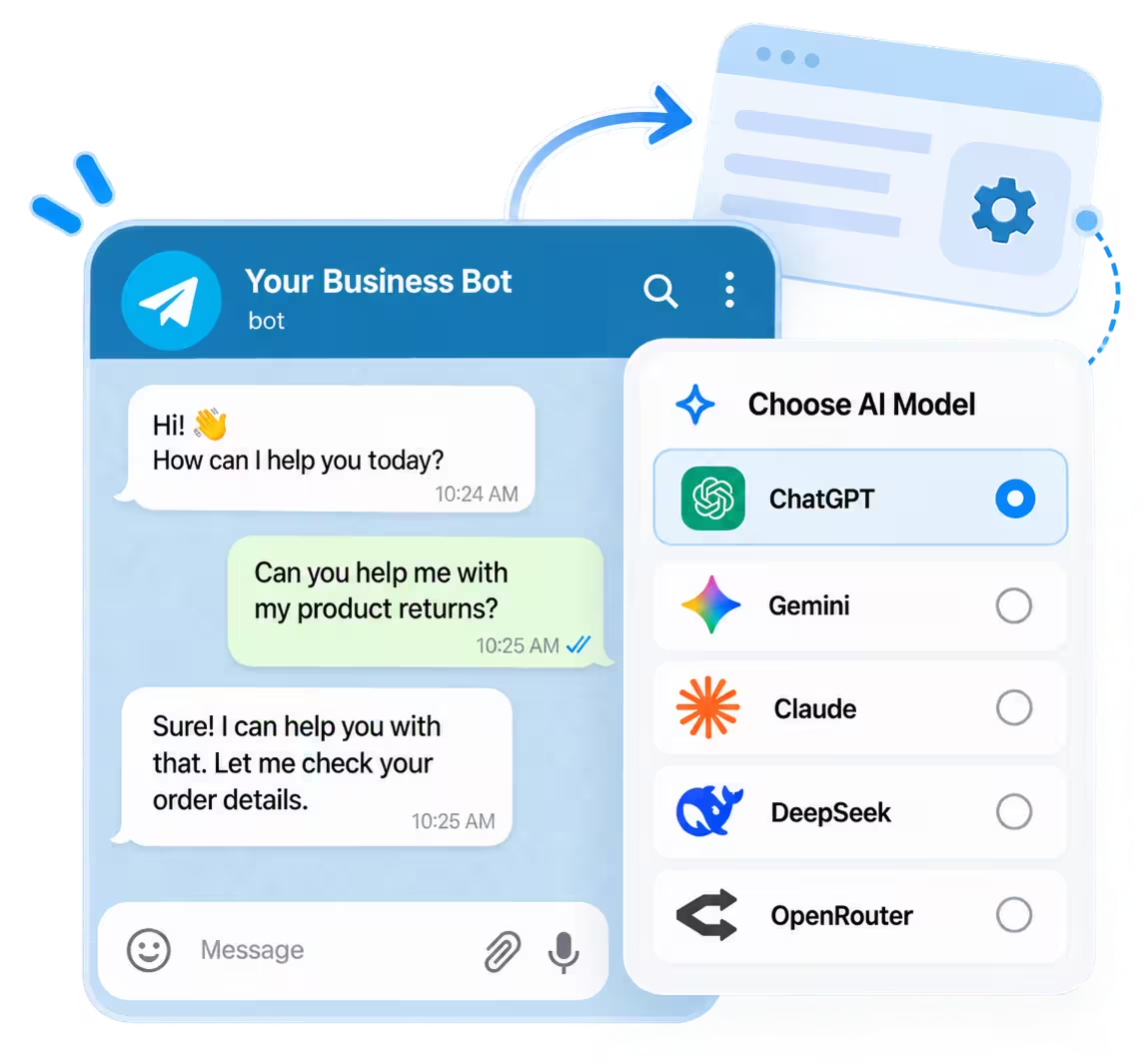
Choose ChatGPT, Gemini, Claude, or DeepSeek.
Simpler Setup
Connect through BotFather or Telegram phone login.
Beyond Conversations
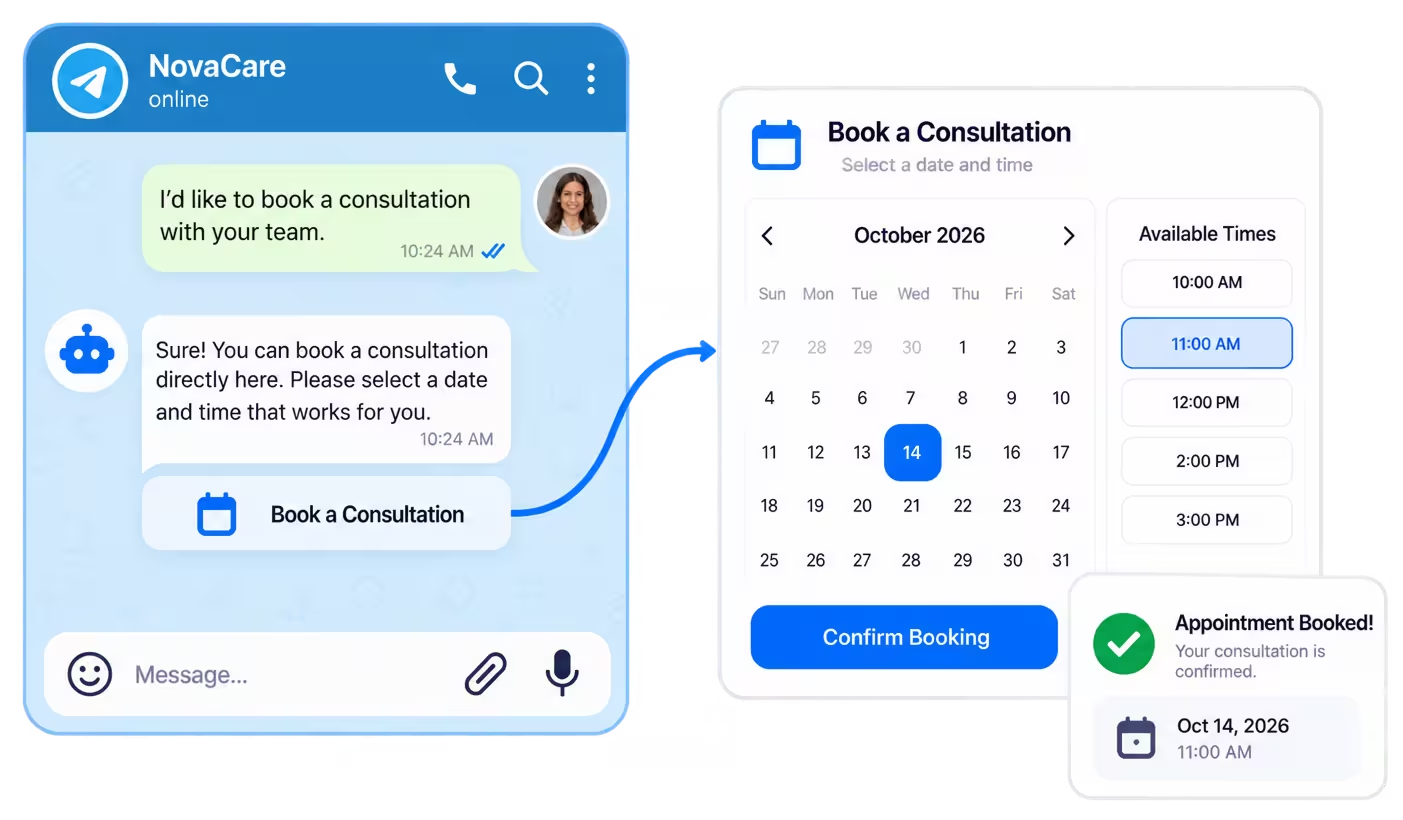
Book appointments through SimplyBook and send leads to connected tools.
Discover the Capabilities That Make Telegram Work Smarter
Go beyond basic replies with a Telegram chatbot that captures leads, engages subscribers, books appointments, and keeps customer conversations moving.
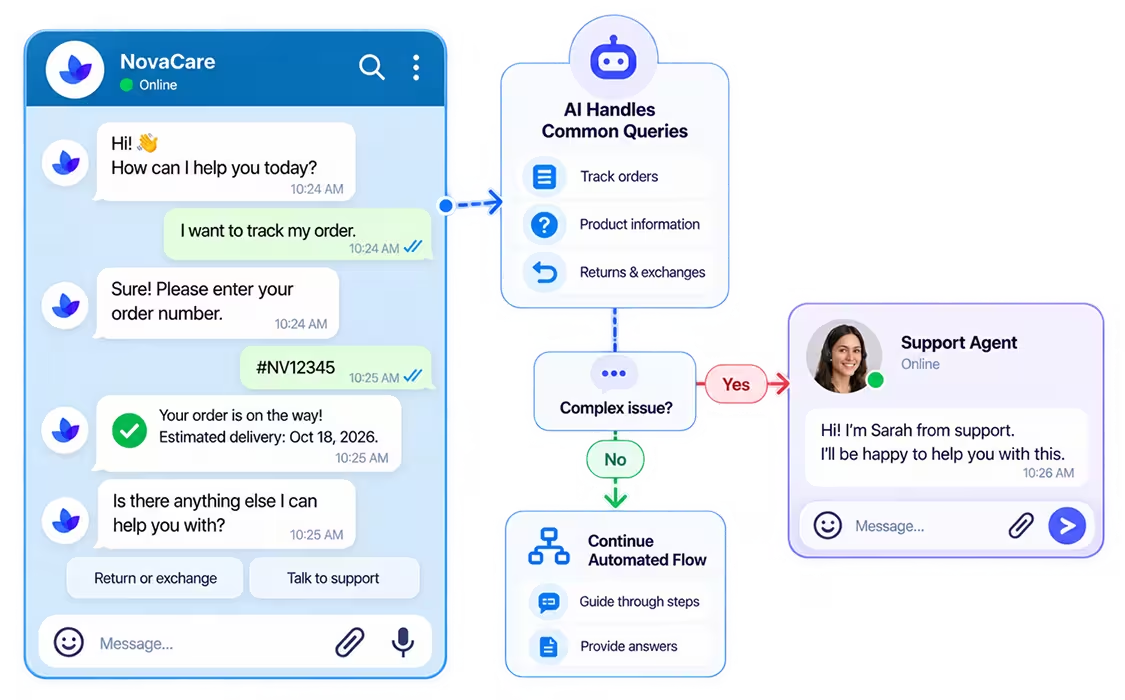
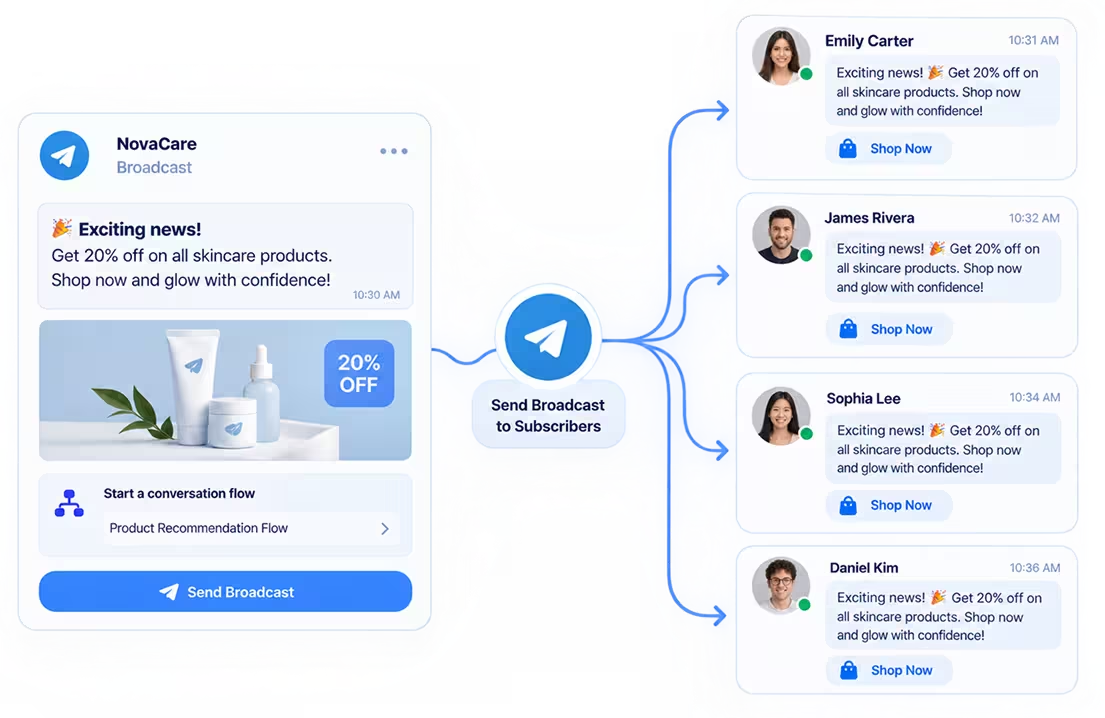
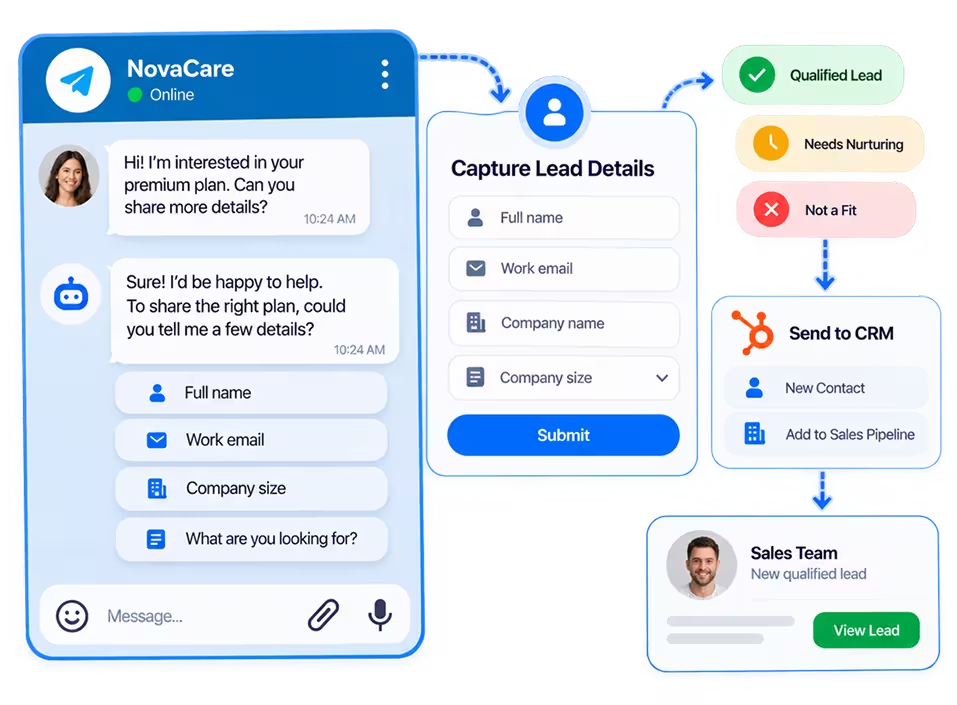
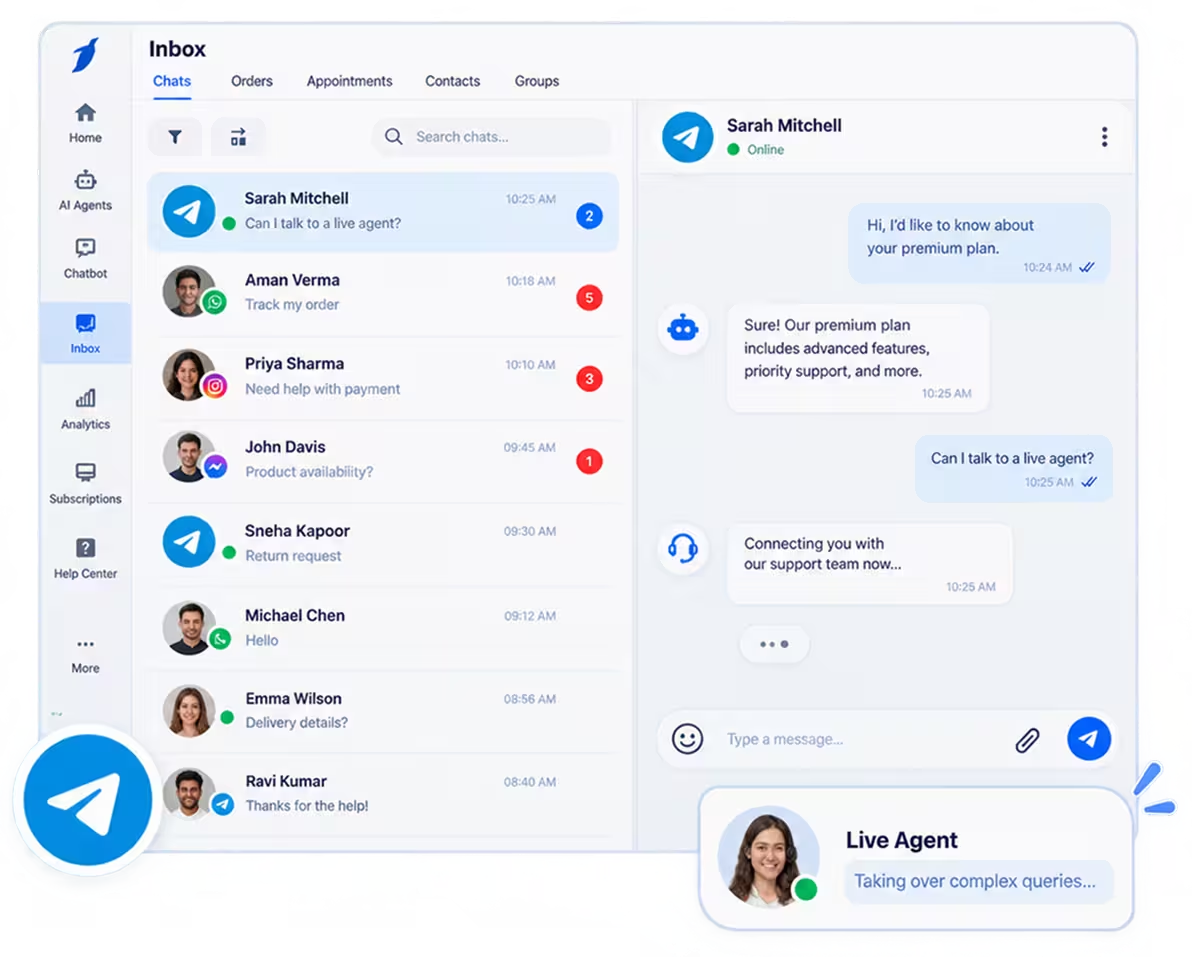
Customer Support Automation
Handle common customer queries, guide users through predefined conversation flows, and transfer complex requests to your support team through live chat. Learn how to improve customer support with a Telegram chatbot.
Built to Connect Businesses Across Borders
193
Countries
30+
Languages
100+
Integrations
From BotFather to BotPenguin: Launch Your Telegram AI Chatbot
Bring your Telegram bot to life with BotPenguin's AI Telegram bot maker. Choose your AI model, design customer journeys, and launch without coding.
- 1
Connect Your Telegram Bot
Step 1 - 2
Customize AI and Conversation Flows
Step 2 - 3
Activate and Manage Your Bot
Step 3
Learn how to create a Telegram bot without coding with our step-by-step guide.
More Intelligence, Less Scripting: Give Your Telegram Bot an AI Brain
Equip your Telegram bot with leading AI models, business-specific knowledge, and intelligent workflows that answer questions, qualify leads, and connect customers with your team.
Power your Telegram bot with ChatGPT, Gemini, Claude, or DeepSeek. Explore additional AI models through OpenRouter.
Add FAQs, policies, product details, and pricing information to help your AI agent deliver relevant, business-specific answers.
Collect customer details and ask qualifying questions about budgets, requirements, or timelines. Identify promising leads before involving your sales team.
Pair AI-generated responses with predefined flows for lead capture, customer support, and appointment booking through SimplyBook.
Transfer complex conversations to live agents through BotPenguin's unified inbox. Keep customers engaged within the same Telegram conversation.
Send leads and chat data to connected systems through Zapier (King plan) or Pabbly (Little plan and above).
Explore the difference between an AI Telegram chatbot vs a rule-based bot to choose the right approach.
Big Possibilities for Every Industry on Telegram
From qualifying property buyers to managing patient enquiries, see how BotPenguin helps businesses turn Telegram conversations into meaningful customer interactions.
Help Shoppers Choose With Confidence
Assist customers before purchase with useful product information, timely announcements, and personalized conversations. Compare WhatsApp bot vs Telegram bot to find the right fit for your ecommerce business.
Product Discovery
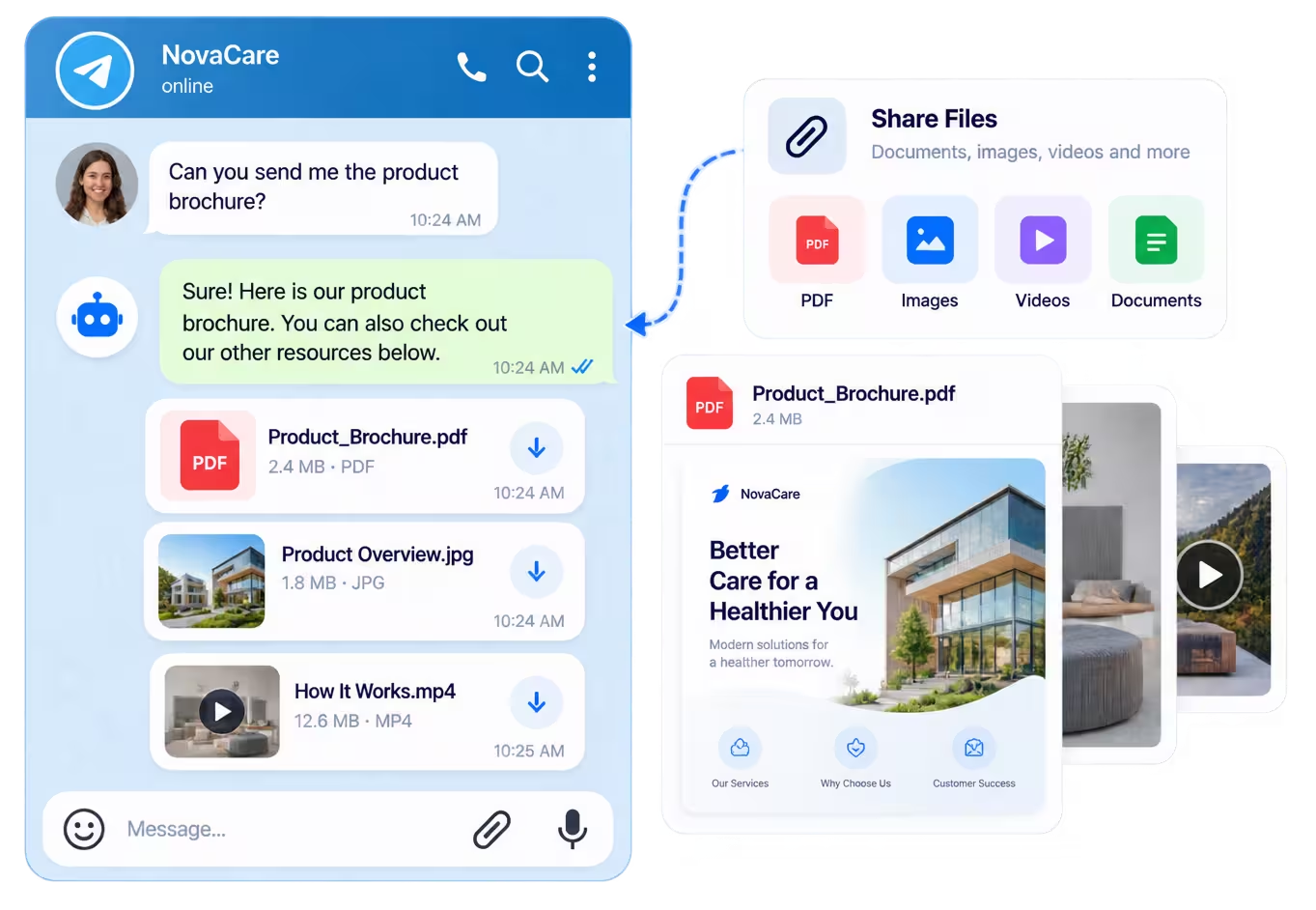
Present product details, prices, and images inside Telegram conversations to help shoppers explore available options.
Pre-Sale Enquiries
Answer questions about sizing, materials, and shipping policies using the business information you provide.
Restock Announcements
Manually broadcast product availability updates when popular items return to stock.
Explore BotPenguin's free Telegram chatbot builder to create industry-specific conversation flows without coding.
10 Integrations That Make Your Telegram Bot More Powerful
Connect your Telegram bot with 10 supported integrations across AI, scheduling, productivity, and workflow automation.
- AI Models
ChatGPT
Generate natural, conversational responses to customer questions using OpenAI models.
- AI Models
Gemini
Power Telegram conversations with Google's Gemini AI models.
- AI Models
Claude
Understand customer questions and generate relevant replies using Claude AI models.
- AI Models
DeepSeek
Handle customer enquiries with AI-generated responses powered by DeepSeek.
- AI Models
OpenRouter
Access additional AI models to power your Telegram chatbot conversations.





- AI Models: ChatGPT. Generate natural, conversational responses to customer questions using OpenAI models.
- AI Models: Gemini. Power Telegram conversations with Google's Gemini AI models.
- AI Models: Claude. Understand customer questions and generate relevant replies using Claude AI models.
- AI Models: DeepSeek. Handle customer enquiries with AI-generated responses powered by DeepSeek.
- AI Models: OpenRouter. Access additional AI models to power your Telegram chatbot conversations.
- Scheduling & Productivity: SimplyBook. Let customers book appointments and consultations through Telegram chats.
- Scheduling & Productivity: Notion. Connect your Telegram chatbot with Notion to support your business workflows.
- Scheduling & Productivity: Dropbox. Connect your Telegram chatbot with Dropbox to support your business workflows.
- Workflow Automation: Zapier. Send Telegram leads and chat data to connected tools through automated workflows. Available on the King plan.
- Workflow Automation: Pabbly. Transfer captured leads and conversation data into other business applications. Available on the Little plan and above.
The BotPenguin Edge: Smarter Tools for Telegram
Build, manage, and optimize Telegram conversations with BotPenguin's no-code tools, flexible integrations, and customer insights.
Explore real-world Telegram chatbot examples for inspiration.
Behind Every Great Conversation Is Strong Security
Protect your business conversations with BotPenguin's compliance standards, encrypted data transmission, and controlled team access.
Security & Compliance Standards
BotPenguin is GDPR, HIPAA, and CCPA compliant, ISO certified, SOC 2 attested, and VAPT-assessed by a CERT-In empanelled auditor.
Role-Based Access Control
Assign permissions to team members and control who can access, manage, or modify customer conversations and information.
Encrypted Data Transmission
Protect information exchanged through BotPenguin with SSL/TLS encryption, helping secure data while it's in transit.
From First Message to Repeat Customer: Success Stories
Discover how businesses use BotPenguin to improve customer engagement, streamline conversations, and simplify everyday operations.
 Galaxy Toyota
800+qualified leads
Galaxy Toyota: 800+ Leads with Automotive Chatbot Automation
Galaxy Toyota unified Instagram, Facebook, WhatsApp & website with BotPenguin, generated 800+ qualified leads, and auto-transferred every lead into Bitrix CRM across 7 Delhi NCR showrooms.
 Omni-Channel
 AI Chatbots🇮🇳 Read story
  Hans Hyundai
70%+faster response time
Hans Hyundai Reduces Response Time by 70% and Automates 40% Service Bookings with BotPenguin
Discover how Hans Hyundai improved lead qualification, reduced response time by over 70%, and automated 40% of service bookings using BotPenguin’s AI chatbot with CRM and appointment system integration, delivering 24/7 customer support across web and social channels.
Omni-ChannelAI Chatbots🇮🇳 Read story  BreakBag
3Xincrease in qualified travel leads
AI Chatbot for Travel Agency: BreakBag Case Study Results
See how BreakBag used BotPenguin's AI chatbot on Instagram & website to 3x qualified leads, cut response time 60%, and reduce sales workload by 40%.
 Instagram
 WhatsAppAI Chatbots🇮🇳 Read story
 Frequently Asked Questions
What is an AI Telegram chatbot?

How do I create a chatbot for Telegram without coding?
Can I use ChatGPT on Telegram?
Is there a free Telegram AI chatbot builder?
What's the difference between a Telegram AI agent and a chatbot?
How do I connect my Telegram bot to BotPenguin?
Do I need an OpenAI API key to create a Telegram AI bot?
Can I integrate a Telegram chatbot with my CRM?