




Are Telegram Bots Safe? Risks, Privacy Issues & How to Stay Secure
Updated at Aug 11, 2026
10 min to read

Over 25 million public groups, 2 million+ channels, and thousands of active bots.
That’s the approximate content base of Telegram, most of which stays out of reach. Why?
Because Telegram doesn’t have a built-in search that actually works well.
Finding the right groups, channels, or even bots often becomes a guessing game, especially when you rely only on Telegram’s native search. This is exactly why Telegram search bots exist.
Businesses looking to go beyond search and automate conversations often use an AI chatbot for Telegram to engage users, answer questions, and manage interactions directly within Telegram.
These bots help you search, discover, and explore public groups, niche channels, and even old messages in private chats. Some can even dig through group conversations or list trending topics.
In this guide, you’ll learn what these bots are, how they work, and which ones are best for your specific needs.
Telegram search bots are simple tools that help you find content on Telegram faster and more precisely.
Unlike Telegram’s standard search, these bots dig deeper into public groups, channels, and messages to bring relevant results directly to you. You can chat with these bots or add them to groups for quick searches.
Using a search bot in Telegram saves time and uncovers communities or content that’s often hard to find. They act like specialized search engines built specifically for Telegram.
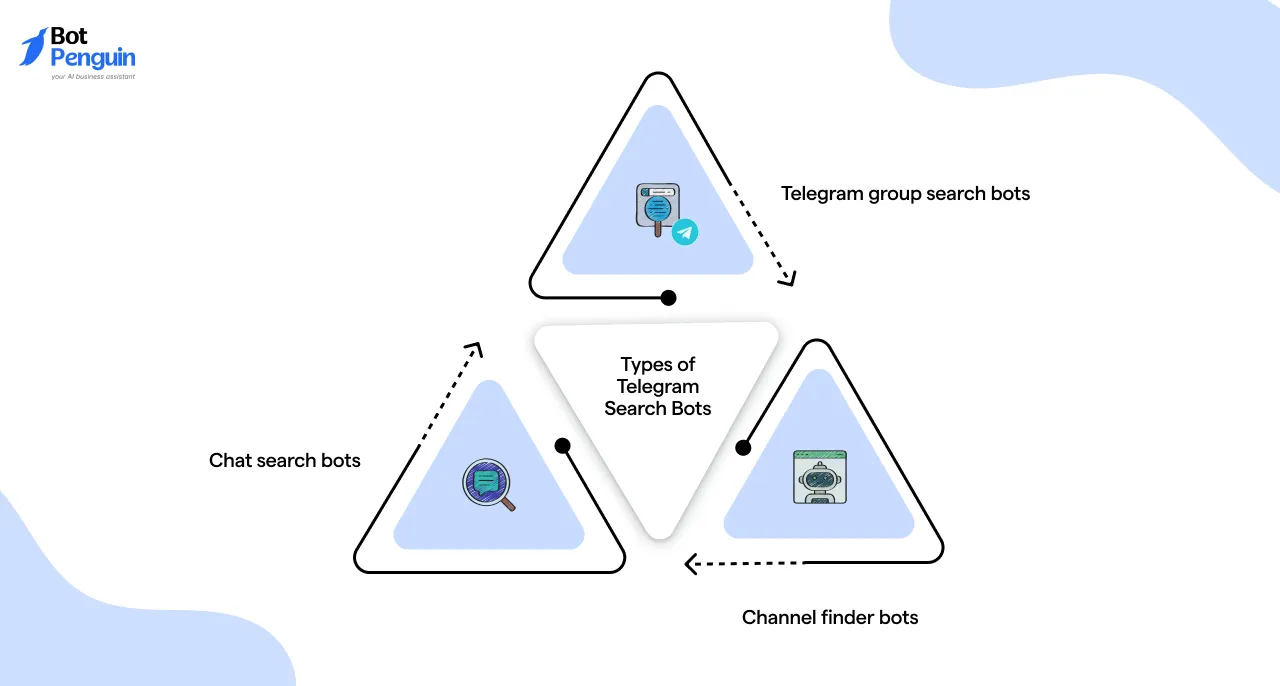
There are three main types of Telegram search bots, each built for a specific search need.
Together, these Telegram search bots make navigating Telegram’s massive network more structured and efficient.
Telegram search bots work mainly in two ways: as inline bots or as bots added directly to groups and chats.
An inline search bot Telegram allows you to search instantly by typing the bot’s username and your query inside any chat. This is useful for quick searches across public groups or channels without having to join them.
Bots added to groups or channels scan messages and content within those spaces to find relevant results. These bots often require admin permissions to function properly.
By connecting to Telegram’s API or public databases, these bots retrieve information beyond Telegram’s built-in search, enabling faster, more accurate content discovery.
Once you understand how Telegram search bots work, the next step is knowing how to find and choose the right ones.
Telegram does not offer a dedicated bot directory, so bot discovery happens manually. Here are the key steps to search for bots on Telegram:
Before using any Telegram search bot regularly, take a moment to test it with a simple query. This helps you assess the accuracy, freshness, and overall usefulness of the results.
Avoid bots that request unnecessary permissions, and make sure the bot aligns with your specific search needs before adding it to groups or relying on it long term.
Following these steps helps you perform an effective Telegram bot search and use search bots safely and efficiently. And, once you know how to find and test Telegram search bots, using them becomes straightforward.
However, the real value lies in how much time and effort these bots save while navigating Telegram’s massive content ecosystem. Let’s look at the advantages of using Telegram search bots and why they matter.
Using a Telegram search bot makes it easier to find groups, channels, and content without relying on Telegram’s limited native search. This is why many users actively seek out the best Telegram search bot rather than scroll endlessly through chats and channels.
Let’s look at the key benefits that make these bots so useful.
In short, the best Telegram search bots make navigating Telegram faster, smarter, and more targeted.
They are especially valuable when your goal is to find the right public groups quickly, which is exactly what we’ll explore next.
Not every Telegram search bot works the same way.
Different Telegram search bots are built for different purposes, from discovering public groups and channels to searching messages or files. This is why users often look for the best bot based on their specific needs, rather than relying on a single option for everything.
The sections below break down the best Telegram search bots by category, so you can quickly find the option that fits what you want to search.
There are millions of public Telegram groups. Many cover every possible interest. But manually searching can take forever.
This is where a Telegram group search bot helps narrow down the options. They make it fast and simple to discover active, relevant communities.
Below are some of the best Telegram groups search bots designed to help you find public groups effortlessly.
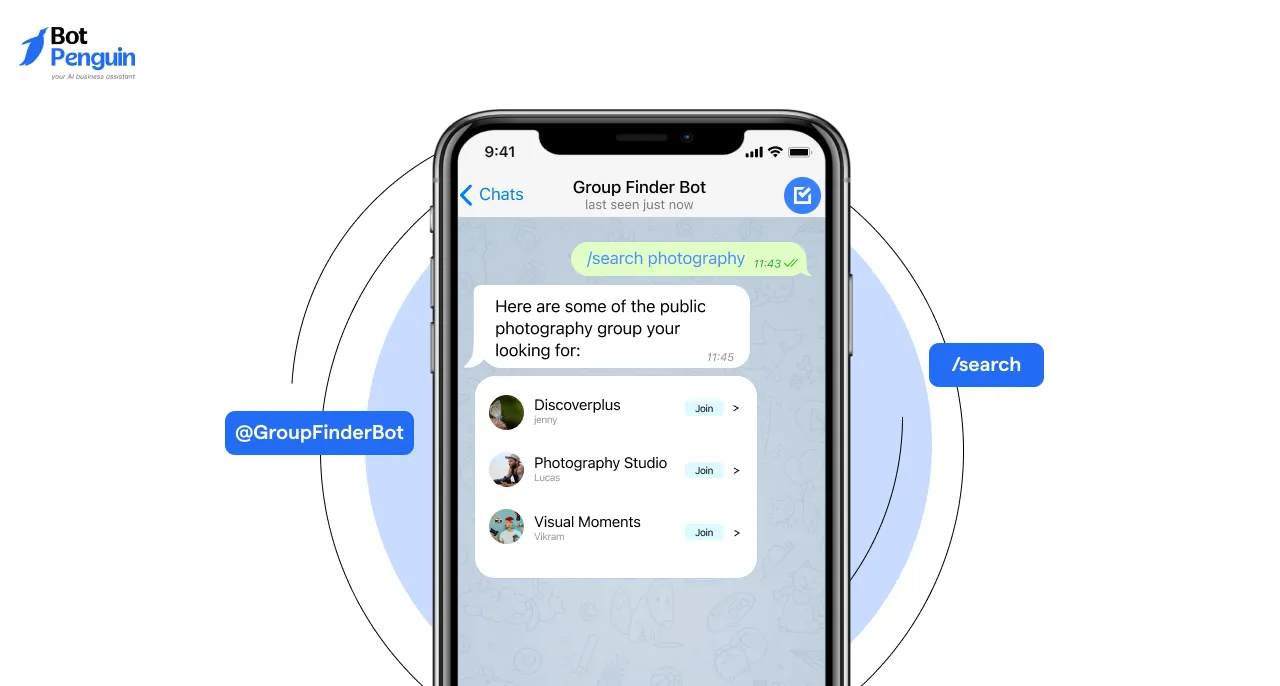
Telegram Group Finder Bot is a third-party tool that helps users discover public Telegram groups based on specific keywords and categories.
While the exact launch date and creator details are not publicly documented, it has been instrumental in connecting users with groups that match their interests.
What It Does:
This bot allows users to search for public Telegram groups by entering relevant keywords and selecting categories.
It streamlines the process of finding communities that align with users' hobbies, professions, or other interests.
Best For:
Individuals seeking to join new communities, such as hobbyists, professionals, or those looking to expand their network within specific interest areas.
Common Commands:
Example
To find photography groups, you’d type: /search photography
This command returns a list of public photography groups.
Groupler Bot is a Telegram bot that automatically matches users with public groups related to their interests and location.
Specific details about its creation date and developer are not publicly available.
What It Does:
By analyzing user-provided interests and location data, Groupler Bot suggests relevant public groups, making community discovery easier without manual searching.
Best For:
Users looking to connect with local communities or groups that share specific interests, such as event organizers, local businesses, or hobby enthusiasts.
Common Commands:
Example
If you’re interested in fitness and live in New York, you might send:
/setinterests fitness
/setlocation New York
Then type: /findgroups
The bot will suggest fitness-related groups near New York.
Group4u Bot offers categorized group listings, trending group updates, and keyword-based search functionalities.
While the exact launch date and creator are not specified, it serves as a comprehensive directory for Telegram groups.
What It Does:
Users can browse through various categories, view trending groups, and perform keyword searches to find groups that match their interests or needs.
Best For:
Individuals seeking to explore a wide range of Telegram groups, including marketers, researchers, or anyone looking to join active communities.
Common Commands:
Example:
To find trending cooking groups, you could type: /search cooking
The bot will show popular cooking-related groups.

Group Search Bot enables users to search a wide range of public Telegram groups using simple commands. Details about its inception and developer are not publicly documented.
What It Does:
By entering specific keywords, users can retrieve a list of public groups that match their search criteria, simplifying the group discovery process.
Best For:
Users aiming to find niche or specific interest groups without browsing through extensive directories, such as researchers or enthusiasts.
Common Commands:
Example:
To find groups about cryptocurrencies, type: /find cryptocurrencies
The bot will list public Telegram groups focused on cryptocurrency discussions.
TGGroupBot provides curated lists of active public groups across different topics and regions.
While specific details about its creation are not publicly available, it serves as a valuable resource for group discovery.
What It Does:
Users can access organized lists of public groups categorized by topic or region, facilitating targeted group joining.
Best For:
Individuals looking to join region-specific or topic-focused groups, such as travelers, expatriates, or professionals seeking local networks.
Common Commands:
Example:
If you like tech groups and live in Europe, you might enter:
/setinterest technology
/setregion Europe
Then request: /suggest
The bot will suggest active tech groups popular in Europe.
Each of these Telegram group search bots makes finding the right public groups easier and faster. They save you time by filtering the noise and focusing on what matters most—your interests.
Next, we’ll look at the group search bot Telegram to search within groups, a tool for digging deep into group content itself.
When you're part of an active Telegram group, important messages often get buried under waves of new content.
From project updates to shared resources, finding past discussions can be frustrating — unless you’re using a bot designed to search within the group itself.
So, let’s look at bots that make it easier to pull up older messages without scrolling endlessly.
Combot is one of the most widely adopted Telegram bots for community management, particularly in large-scale groups with thousands of members.
Developed by the team at Combot.org, this bot focuses on moderation, community insights, and structured group engagement.
What It Does:
Besides helping admins monitor spam and abusive content, Combot allows for keyword-based message search.
You can search the entire group chat history for past conversations, polls, or mentions using simple commands.
Best For:
Public or private groups with heavy message volume — like crypto discussion hubs, tech Q&A forums, or niche learning communities.
Admins benefit from analytics, while users can retrieve valuable discussions in seconds.
Common Commands:
Example:
Let’s say you remember a group poll about switching to a new tool last month.
Just enter: /search productivity tool poll
Combot returns matching messages instantly — no endless scrolling needed.
TeleMe is a lesser-known but powerful bot that bridges the gap between member engagement tracking and efficient group message searching.
It’s developed by the TeleMe.io team and is especially popular among Telegram communities focused on learning and collaboration.
What It Does:
This bot collects interaction data and lets users search for messages by keyword or context. A
dmins can also review group analytics to track active members and the health of conversations.
Best For:
Communities that thrive on discussion and need to reference past threads regularly — like online courses, bootcamp groups, or mentorship chats.
Common Commands:
Example:
Imagine you’re trying to find a past book recommendation in a book club group. You’d enter: /find science fiction reading list
TeleMe pulls up relevant messages, even if they’re weeks old.
Originally built for moderation, Rose has evolved into a versatile bot that includes search, spam protection, and custom filters.
It's created by the team behind @MissRose_bot and is trusted in thousands of groups.
What It Does:
In addition to banning spam and auto-moderating chats, Rose allows group members (especially admins) to search through messages using keywords or partial matches.
Filters can also be set to automatically block or warn about repeated links or terms.
Best For:
Groups concerned with both quality moderation and easy message retrieval — for example, local community groups or buying/selling communities.
Common Commands:
Example:
In a local buy/sell group, if someone is looking for previous laptop listings, they can type: /search MacBook Pro
Rose pulls up all recent posts matching that keyword.
Unlike traditional bots, Searchee works inline. You don’t need to add it to a group — it can search across multiple public groups from any chat window.
Built by a third-party Telegram developer, this bot acts like a mini Google for Telegram groups.
What It Does:
You just type its handle followed by your search term — and it returns messages from indexed public groups matching that keyword.
Best For:
People who want to research public conversations or dig into popular groups without even joining them. Ideal for tracking niche conversations or trending discussions.
Common Commands:
Example:
If you're looking for recent conversations about budget travel, type: @searchee_bot cheap flights Europe
Searchee shows recent messages from public groups that contain those terms.
This bot brings the power of Yandex, the Russian search engine, to Telegram group searches.
It uses indexed message data to help you retrieve older or buried posts across public groups.
What It Does:
It operates inline, pulling archived messages from indexed public channels and groups, offering near-instant retrieval via search logic similar to web search.
Best For:
Users who prefer a more sophisticated search experience — like journalists, researchers, or enthusiasts trying to pull chat history across different communities.
Common Commands:
Example:
Looking for the AI tools discussed last month in public tech groups?
Type: @yasearchbot new AI design tools
It fetches matching messages indexed from related groups.
If you’re spending too much time digging through long Telegram threads, these bots can change how you navigate group conversations.
They don't just retrieve content — they surface context and keep your discussions searchable.
Telegram isn’t just about groups. It’s also home to thousands of public channels sharing news, updates, memes, and niche content.
Finding the right ones, however, isn’t always easy using Telegram’s native search.
That’s where Telegram search bots for channels help. These bots are designed to surface public channels based on keywords or topics.
When it comes to private channels, results are limited. Bots can only show private channels if an invite link is publicly available or access already exists, due to Telegram’s privacy restrictions.
Understanding this helps you choose the right Telegram bot to search channels with realistic expectations.
Channel Finder Bot is built to help users quickly locate public Telegram channels by scanning a vast database of channels.
It allows filtering results by keyword, country, and language, making it easier to find exactly what you want in a sea of options.
What It Does:
The bot performs targeted searches across public channels and narrows results based on your filters, delivering relevant channels directly in chat.
Best For:
Ideal for content creators, researchers, and social media enthusiasts who want to find niche channels by topic or region. Also helpful for marketers targeting specific demographics or languages.
Common Commands:
Example:
Say you want to discover English-speaking finance channels in the US.
Use:
This will return a refined list of finance-related Telegram channels relevant to your preference.
Feed Reader Bot combines the power of Telegram channels and RSS feeds in one easy-to-use interface.
It lets users find and subscribe to multiple channels or external feeds, streamlining content consumption without switching apps.
What It Does:
It helps users discover channels and RSS feeds by topic and manage subscriptions from a single dashboard, ensuring they never miss updates.
Best For:
Perfect for journalists, bloggers, and knowledge workers who follow multiple sources. Also useful for anyone who prefers consolidating updates from channels and RSS feeds in one place.
Common Commands:
Example:
Looking for tech startup content? Use: /discover startups
Then subscribe to the channels or feeds listed using /subscribe [link].
TChannels Bot curates lists of the most active and popular Telegram channels across different niches.
It continuously updates rankings based on user engagement, making it a go-to for discovering trending communities.
What It Does:
By interacting with the bot, users can explore charts of trending channels, rate them, and receive updates on new or popular content. This facilitates the discovery of channels that align with users' interests.
Best For:
Users seeking to find and engage with popular Telegram channels across different niches, such as content enthusiasts, marketers, or community managers.
Common Commands:
Example:
Want the best productivity channels? Use: /category productivity
TChannels Bot will list the top Telegram channels in that category with brief descriptions.
TGStat Bot is powered by TGStat’s analytics platform, offering deep insights into Telegram channel performance.
It’s designed to help users evaluate channels beyond just subscriber numbers.
What It Does:
The bot lets users search for channels by keywords and instantly access metrics such as engagement rates, post frequency, and audience reach.
Best For:
Channel owners, marketers, and analysts are looking to monitor and evaluate the performance of Telegram channels and their content to support strategic decision-making.
Common Commands:
Example:
If you're scouting AI channels for a brand collab, try:
You’ll see engagement stats, reach, and growth trends before reaching out.
Channel Directory Bot is a Telegram bot that provides users with a categorized listing of public Telegram channels.
While specific details about its creation are not publicly available, it serves as a directory that helps users discover channels based on various interests.
What It Does:
By interacting with the bot, users can browse through different categories and search for channels that match their interests. The bot simplifies finding and joining channels relevant to specific topics or communities.
Best For:
Individuals seeking to explore and join Telegram channels aligned with their hobbies, professions, or areas of interest, including enthusiasts, professionals, and community members.
Common Commands:
Example:
Want to explore art channels?
Use: /browse → Select “Art & Design”
Discovering the right Telegram channel isn’t about luck — it’s about using the right tools.
Each of these Telegram search bots helps cut through the noise, whether you're after trends, niche content, or data-rich insights.
Next up, we’ll dive into how you can search inside private chats with Telegram bots — an overlooked but powerful feature.
Managing private chats with thousands of messages can get overwhelming. Finding specific files, media, or conversations quickly becomes a challenge.
Telegram search bots designed for private chats act like personal assistants.
While they are often mistaken for a Telegram private channel search bot, these tools are actually built to search your own private chats, saved messages, or groups you are part of, helping you organize and retrieve content faster.
Here are five powerful bots that simplify searching within your private Telegram chats.
Unlike most bots, Saved Messages is a built-in Telegram feature — not a third-party bot. It acts as your personal cloud-based notebook inside Telegram.
You can forward messages, links, files, and media to one chat that you can search anytime.
What It Does:
Users can save messages, links, files, and media by forwarding them to the Saved Messages chat, creating a personal archive that's easily searchable.
Best For:
Anyone saving useful content — freelancers organizing project notes, students collecting study material, or social media managers bookmarking ideas.
Common Commands:
No special commands. Just forward messages or files to “Saved Messages” and use Telegram’s search in that chat.
Example:
If you forwarded a meeting agenda weeks ago, open Saved Messages, type “agenda,” and instantly find the file — no scrolling through chats.
File Search Bot is a tool that searches your Telegram files across chats by file name or type. Details about its creation date and developer are not publicly available.
What It Does:
The bot scans and catalogs files shared in your chats, allowing you to search for specific documents or media by name or file type.
Best For:
Users who frequently exchange files on Telegram and need a quick way to locate specific documents or media.
Common Commands:
Example:
Typing /search contract shows all contracts shared in your chats, saving time scrolling.
AnyDownload Bot helps users find and download media shared with them or saved from other sources on Telegram.
Specific details about its launch and developer are not publicly documented.
What It Does:
The bot indexes downloadable media shared in your chats, enabling you to search and download files like photos, videos, and audio easily.
Best For:
Content creators and social media managers who handle large volumes of multimedia files and need quick access for reposting or editing.
Common Commands:
Example:
Using /find promo lists all promotional videos shared in your chats, ready for download.
File Extract Bot allows users to search and extract files or documents from messages within Telegram chats. Details about its creation date and developer are not publicly available.
What It Does:
The bot scans messages and extracts relevant files based on your search criteria, making them easy to access without manually sifting through conversations.
Best For:
Researchers, lawyers, and admins managing document-heavy chats who need to find specific contracts, reports, or forms quickly.
Common Commands:
Example:
Typing /extract invoice pulls all invoice documents from your private chats for fast review.
Media Downloader Bot specializes in searching and extracting media files and links from private chats. Specific details about its launch and developer are not publicly documented.
What It Does:
It locates videos, photos, and media links, making it easier to find and download important media content from your chat history.
Best For:
Video editors, marketers, and social media enthusiasts who collect large amounts of media on Telegram need a simple way to manage downloads.
Common Commands:
Example:
Using /search tutorial shows all tutorial videos or links shared in your chats, ready to download.
Private chat search bots bring order to the chaos of saved files, links, and messages. Whether you're managing client files, archiving research, or digging up old notes, these tools make retrieval effortless and fast.
But with so many bots out there, choosing the right one isn’t always obvious. So, let’s see how you can match the right tool to your specific goals.
Choosing the right bot at this stage is about fit, not discovery.
The best Telegram search bot is the one that matches how you actually use Telegram. Focus on these key factors when making your choice:
Evaluating these points together helps you choose a Telegram search bot that fits your needs, usage pattern, and comfort level.
Once you've shortlisted a bot, the next step is setting it up correctly. Up next, we’ll walk you through how to add Telegram search bots and start using them right away.
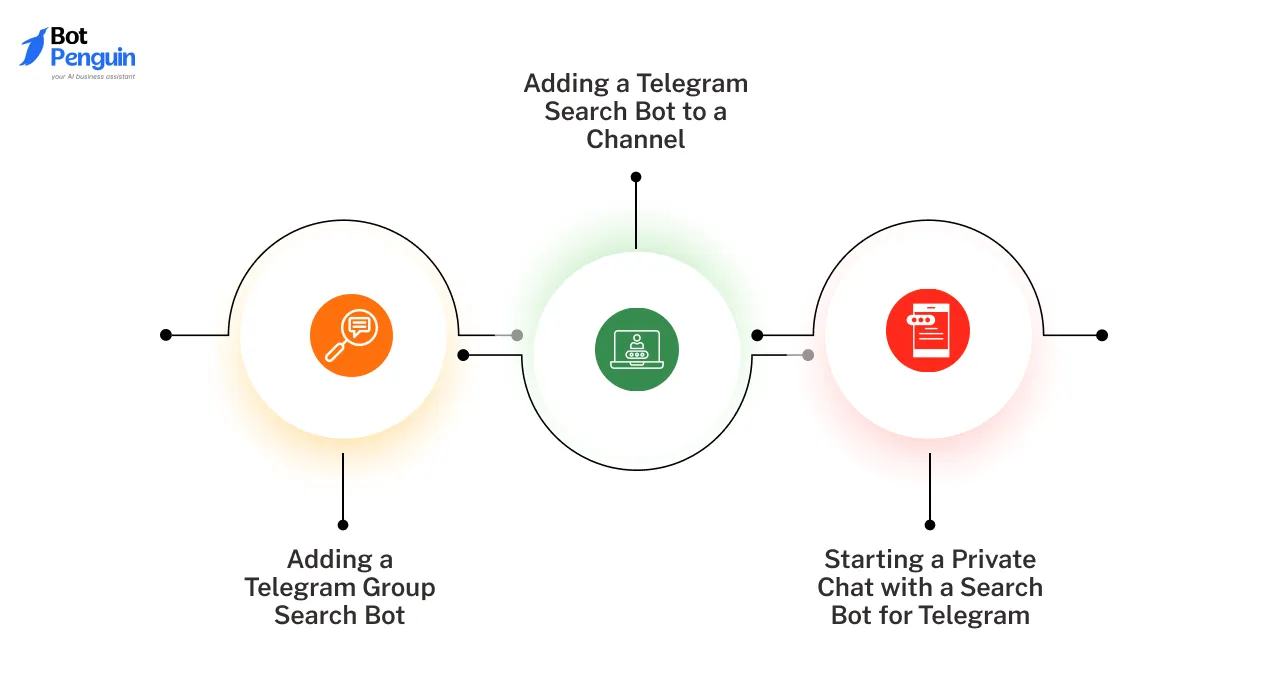
Whether you're integrating a Telegram search bot into a group, assigning it to a channel, or simply starting a private session, Telegram makes the process straightforward on both mobile and desktop.
This section breaks down how to get started with Telegram bots based on where you plan to use them.
To add a bot to a group:
This is especially useful for bots like Rose Bot or Combot, which need permission to manage messages or moderate content.
To connect a bot to a Telegram channel:
For example, bots like TGStat Bot work best when allowed to read and track engagement metrics.
For bots designed for personal use:
Private bots don’t require any permissions and start working right away once you initiate a chat.
Once you’ve added and started using Telegram search bots, their value becomes clear in everyday searches.
However, it’s equally important to understand what these bots can and cannot do, especially if you rely on them frequently or expect broader access. The next section outlines the key limitations you should be aware of before going further.
Many users look for a Telegram unfiltered search bot, expecting unrestricted access to all content on the platform. In reality, Telegram’s privacy and access controls limit what any search bot can index or retrieve.
Most Telegram search bots can only surface public groups and channels, or content that is already accessible.
Private groups, private channels, and one-on-one chats remain inaccessible unless you are already a member or have a valid invite link. This is a platform-level restriction, not a limitation of a specific bot.
Search results can also vary between bots due to differences in indexing frequency, data sources, and filtering rules. Some bots prioritize relevance, others popularity, and some restrict results to avoid spam or misuse.
This is why “unfiltered” usually means broader visibility across public content, not unlimited access.
Understanding these limitations helps set realistic expectations and explains why some users eventually choose to move beyond public search bots and explore more controlled or custom solutions.
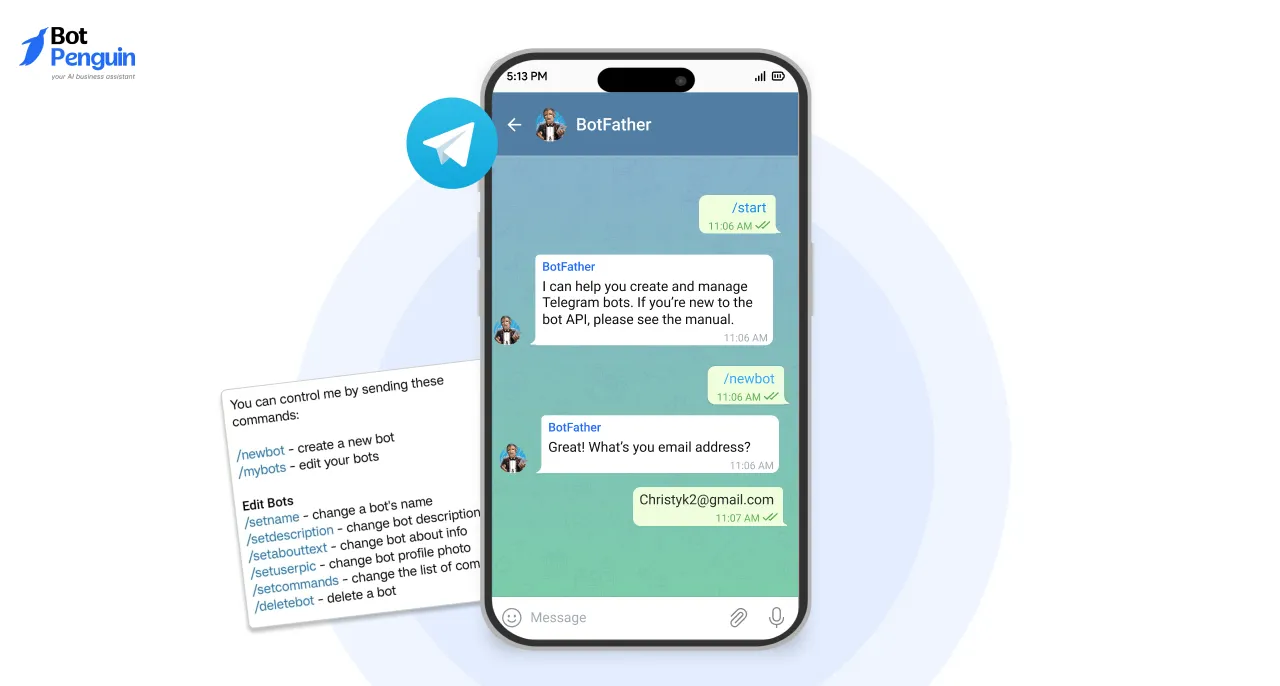
When public or free Telegram search bots no longer meet your needs, creating your own bot becomes the logical next step. A custom Telegram bot gives you more control, consistency, and flexibility than off-the-shelf search bots.
Whether you need advanced message search, automation, or tailored interactions, building your own Telegram bot helps you manage groups or channels more effectively without relying on third-party limitations.
There are two main ways to create a Telegram bot:
If you’re looking for a quicker and simpler way to build Telegram bots, no-code builders are often the better choice.
These platforms streamline bot creation through visual tools and pre-built workflows. One such option is BotPenguin, which lets you easily design and deploy Telegram chatbots, as explained in the next section.
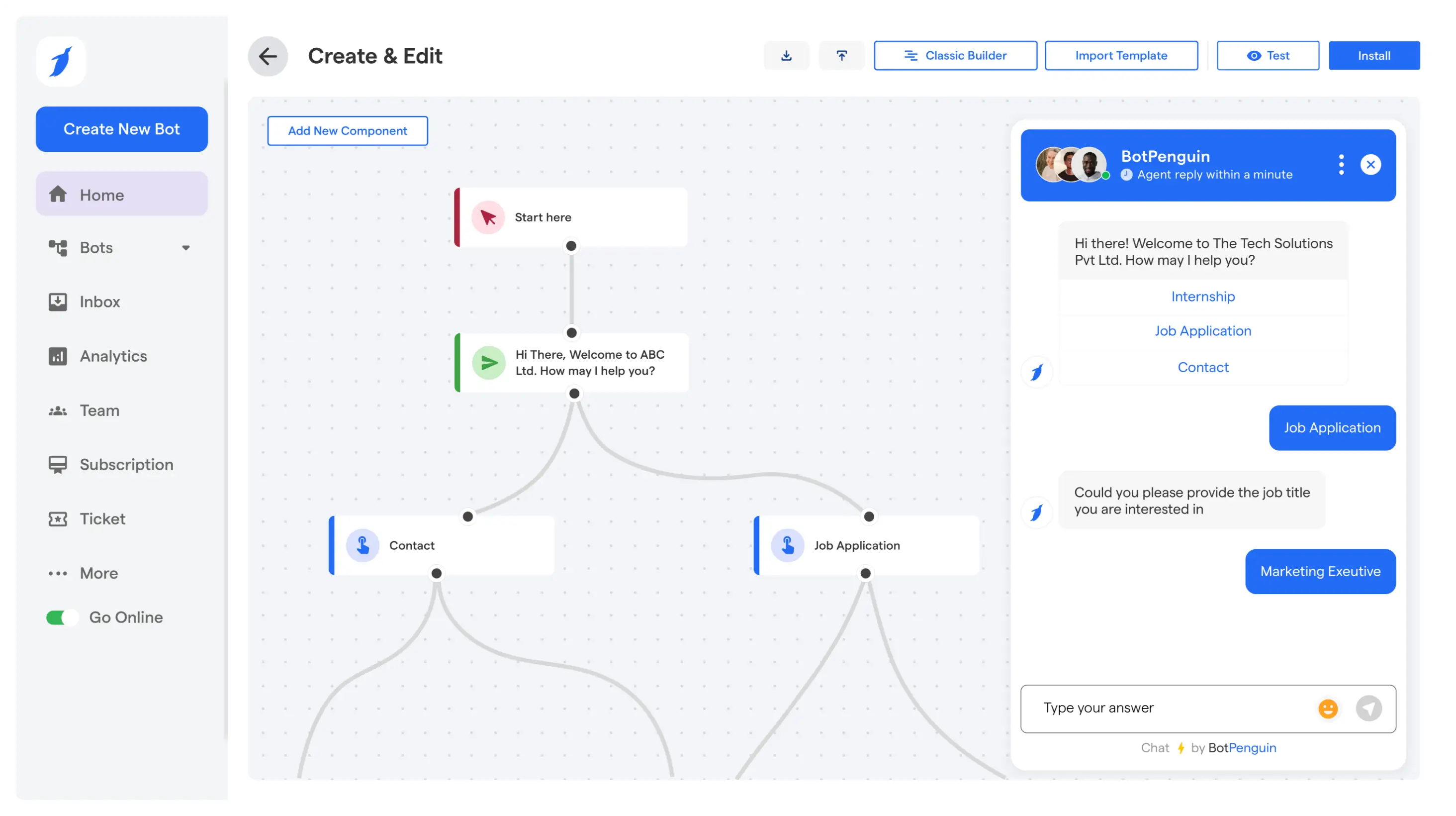
BotPenguin’s Telegram chatbot builder is designed to make bot creation simple and accessible.
It works best for one-on-one conversations or business-focused Telegram channels, helping you automate responses, guide user queries, manage leads, and more.
This beginner-friendly tool gives you full control with zero technical skills required, whether you're building it for your clients, customer service, or internal queries.
Here’s how BotPenguin makes the process effortless:
Whether you're automating responses in your Telegram channel or handling customer chats one-on-one, BotPenguin helps you build a smarter business chatbot that fits your private Telegram communication needs.
And best of all, it’s a FREE to use tool, no credit card needed. Try today!
Most popular Telegram search bots are safe, but you should always check bot reviews, permissions, and avoid sharing sensitive data. Stick to verified or well-reviewed bots.
No installation is needed. Just search the bot’s username (e.g., @searchee_bot), start a chat, or add it to your group/channel as required.
Yes, inline bots like @searchee_bot can pull results from multiple public groups simultaneously—without needing to join or add the bot to each group.
Inline bots let you search from any chat by typing the bot’s handle, while group-added bots work only inside the group they're invited to and often require admin rights.
Multilingual bots like TChannels Bot and TGStat Bot support language filters, allowing users to search channels or groups in specific regional or native languages.
When a bot goes offline or is banned, it stops responding to commands. Always have alternative bots saved or consider creating your own for reliability.
The best Telegram search bot for channels depends on what you're looking for. Some bots specialize in discovering public channels by topic, while others focus on updates, trends, or language-based filtering.
Choosing the right one depends on how frequently you search and how specific your needs are.
Many Telegram search bots are free and suitable for basic searches. However, free bots often have limitations on results, filters, or speed. Paid or premium bots usually offer deeper search, better accuracy, and more consistent performance.
Turn Telegram Conversations into Conversions
Automate replies, broadcast messages, and manage Telegram chats at scale using BotPenguin’s no-code AI chatbot platform.
Get Started NowCheckout our related blogs you will love.
Updated at Aug 11, 2026
10 min to read

Updated at Aug 10, 2026
10 min to read

Updated at Jun 27, 2026
9 min to read

Updated at Jun 2, 2026
11 min to read

Updated at Jun 2, 2026
12 min to read

Updated at Jun 2, 2026
6 min to read
Table of Contents

