



ManyChat Pricing 2026: Plans, Real Costs & Hidden Fees
Updated at Aug 25, 2026
8 min to read
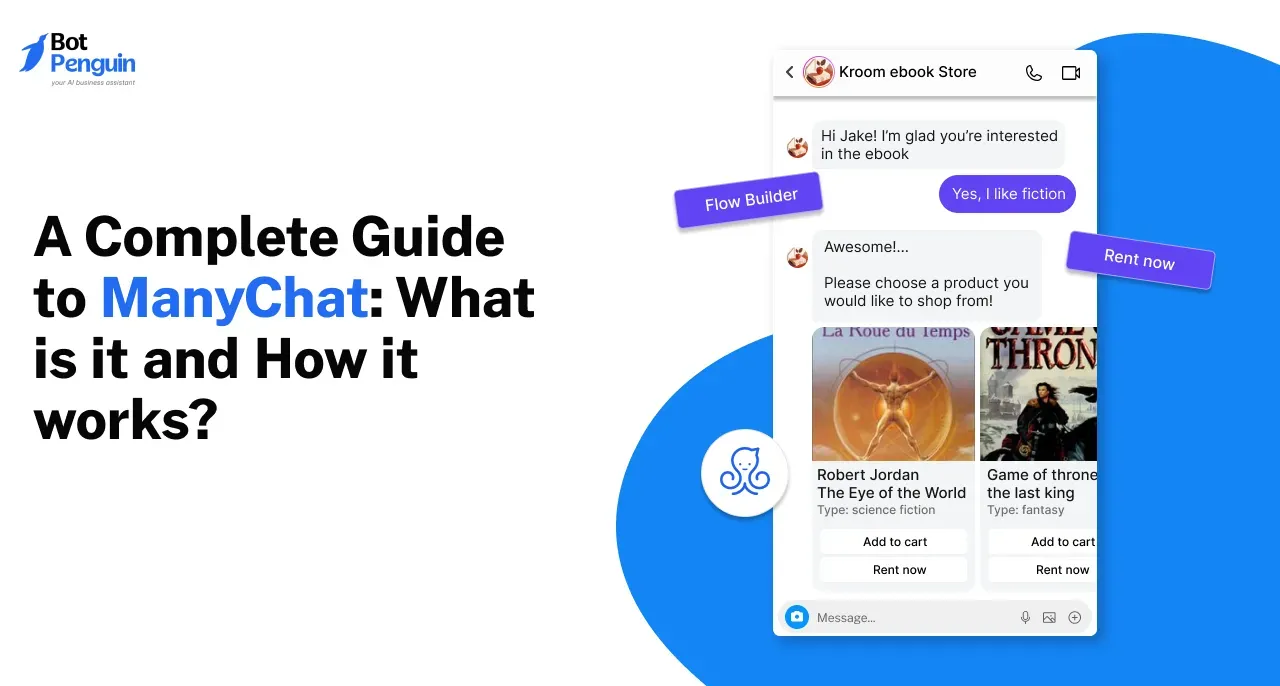
ManyChat is a no-code messaging automation platform for Instagram, WhatsApp, and Facebook Messenger. It helps businesses automate replies, lead capture, marketing, and customer conversations. Automations start with triggers, then follow predefined actions, conditions, and visual flows. These flows decide what happens next based on user behavior, responses, or specific events.
Businesses use messaging automation to respond faster and manage more conversations. It reduces repetitive work while keeping customer interactions consistent across channels.
ManyChat is built around social and messaging automation. It helps businesses create automated conversations for Instagram, WhatsApp, and Facebook Messenger without coding.
This guide explains what ManyChat is, how ManyChat works, and which ManyChat features matter most. It also covers common use cases, setup steps, ManyChat AI, pricing, alternatives, and overall suitability.
The goal is to show how ManyChat automation works in practice and where it fits.
ManyChat is a no-code platform for automating customer conversations across messaging channels. It supports Instagram, WhatsApp, Facebook Messenger, TikTok, Telegram, SMS, and email.
Businesses, creators, marketers, and ecommerce teams use it to manage repetitive conversations. They can automate replies, collect lead details, segment contacts, and trigger follow-ups.
The platform uses visual automations instead of traditional coding. Users connect a channel, define triggers, and build flows with actions and conditions. This makes ManyChat automation useful across several customer-facing tasks.
Teams can capture leads, run marketing conversations, answer common questions, and move users through predefined journeys.
At its core, ManyChat combines messaging automation with lead capture and customer communication. Understanding how those elements connect makes it easier to see how the platform works in practice.
How does ManyChat work? The platform connects messaging channels to automated workflows built around triggers, actions, and conditions. Each workflow controls what happens after a user performs a specific action.
Start by connecting the channel you want to automate. ManyChat can then manage supported conversations from that connected account.
The setup depends on the channel, but the goal stays the same. You authorize access so automations can respond to incoming activity.
A trigger starts the automation.
Common triggers include comments, keywords, direct messages, ads, and other user actions. The selected trigger determines when the workflow begins.
Next, create the conversation inside the visual Flow Builder.
You can arrange messages and steps in sequence. This makes ManyChat automation easier to map without writing code.
Actions control what happens after each step.
You can send messages, add delays, apply tags, collect data, or branch the conversation. Conditions help route users differently based on their responses or stored information.
Test the workflow before making it live.
Once published, monitor performance and adjust weak points. Reviewing user behavior helps improve flows, responses, and conversion paths over time.
This workflow model forms the platform's foundation. Next, understand the main ManyChat features that make these automations possible.
The core ManyChat features focus on building, managing, and improving messaging automations. They cover workflow creation, channel automation, audience management, human support, and performance tracking.
The Flow Builder provides a visual workspace for creating automated conversations. Users connect triggers, messages, actions, and conditions without traditional coding.
This makes complex ManyChat automation easier to map and adjust.
Instagram automation handles DMs, story replies, and comment-driven conversations. Businesses can also trigger private messages from post or Reel comments.
ManyChat connects with Facebook business pages for Messenger automation. Businesses can automate responses, manage direct messages, and create structured conversation flows.
WhatsApp automation supports customer conversations, notifications, and automated workflows. Businesses can also use approved message templates for eligible proactive messages.
Comment triggers turn social engagement into automated conversations. For example, an Instagram comment can trigger a public reply and private DM.
This helps move interested users from comments into structured messaging flows.
Custom and system fields store useful contact information. Teams can combine these with tags, filters, and segments for targeted communication.
This data can also personalize later steps within a flow.
The ManyChat Inbox lets team members take over conversations when automation is insufficient. It brings supported channel conversations into one interface for human handling.
Teams can also assign conversations and organize them for follow-up.
Integrations connect ManyChat with external business tools and workflows. Supported actions can exchange data with connected apps or external systems.
This extends automation beyond the messaging platform itself.
ManyChat Analytics can track active automations, message sends, and captured contacts. Its current Analytics experience is rolling out in beta for eligible paid accounts.
Together, these features provide the building blocks for different customer journeys. Their value becomes clearer when applied to specific business use cases.
Businesses use ManyChat to automate repetitive conversations across social and messaging channels. The strongest use cases involve clear triggers, predictable responses, and defined next steps.
ManyChat can collect names, contact details, preferences, and intent signals.
Teams can then:
Tag leads by interest.
Segment contacts by responses.
Route qualified prospects to the right next step.
This helps prioritize stronger opportunities without manual sorting.
Instagram automations can respond to recurring inbound questions and keyword messages.
They work well for FAQs, product queries, offers, and lead capture. This reduces repetitive replies while keeping response times consistent.
Public comments can become private conversations.
For example, a comment on a post or Reel can trigger a DM. That message can then share information, collect details, or continue the conversation.
ManyChat automation can support promotional conversations across connected channels.
Businesses can use flows to:
Share offers.
Promote launches.
Collect campaign interest.
Guide users toward specific actions.
Conditions can also change the flow based on responses.
Simple support requests can be handled automatically.
This works best for predictable questions about products, services, policies, or basic next steps. More complex cases can move to a human agent.
Automated sequences help continue conversations after the first interaction.
Follow-ups can include reminders, useful information, or next-step prompts. The sequence can also change based on earlier responses.
Ecommerce teams can use ManyChat for product discovery, promotions, and order-related messaging.
Automations can guide shoppers toward relevant products and handle common follow-up questions. Once these use cases are clear, the next step is learning how to use ManyChat and build the first workflow.
Learning ManyChat starts with one simple workflow. Start with one channel, then expand after you test the setup.
Once the workflow basics are clear, the next step is understanding how ManyChat AI adds intelligence to these automated conversations.
Yes. ManyChat AI adds AI-powered capabilities to the platform’s existing automation system. These include AI Steps, intention recognition, AI Replies, Text Improver, and Flow Builder assistance.
Traditional ManyChat automation follows predefined triggers, conditions, and actions. AI features can interpret intent, generate responses, or handle less predictable conversations.
For example, intent recognition can identify what a user means without exact keywords. AI Steps can also manage more complex interactions using defined goals and instructions.
AI can improve workflows by helping teams:
Answer common questions using business knowledge.
Recognize user intent more flexibly.
Collect information through adaptive conversations.
Improve message tone and phrasing.
Guide users toward defined goals.
However, AI availability varies by feature, channel, and plan. Some newer capabilities are still limited to Instagram and remain in beta.
So, AI extends ManyChat beyond fixed flows rather than replacing them. That distinction also helps explain the practical benefits businesses can gain from the platform.
ManyChat's main benefits come from reducing repetitive work and improving how businesses manage messaging conversations.
Businesses can automate common replies, lead responses, and follow-ups.
This reduces wait times for customers. Teams can then focus on conversations that need human attention.
ManyChat automation can capture, tag, and route leads using the same process every time.
This reduces missed follow-ups and makes lead handling more consistent across busy periods.
Businesses often answer the same questions repeatedly.
Automating those conversations reduces manual effort across marketing, sales, and basic support. It also helps teams manage higher message volumes without handling every interaction individually.
Businesses can connect triggers, follow-ups, and user data within one workflow.
This makes it easier to continue conversations based on earlier actions or responses. As a result, customer journeys feel more connected instead of fragmented.
These benefits explain why businesses use ManyChat for routine messaging workflows. The next consideration is how much the platform costs.
ManyChat offers Free, Essential, Pro, Business, and Advanced plans. Pricing depends on the plan level, contacts, channels, and billing cycle. Availability can also vary by region.
For a detailed breakdown of current plans, limits, and billing, see our blog on ManyChat pricing.
Besides, pricing is only one consideration. Businesses may also want to compare other platforms before choosing a tool.
ManyChat alternatives differ based on what a business needs most, including:
Channel coverage
Automation depth
AI capabilities
Integrations and scalability
Explore the best ManyChat alternatives for broader options. For a direct BotPenguin comparison, see this ManyChat alternative.
Beyond alternatives, consider whether ManyChat fits your requirements.
Whether ManyChat is worth using depends on the business need.
It can fit teams that rely heavily on social and messaging channels. Suitability also depends on workflow complexity, required integrations, pricing, and how much automation is needed.
Businesses should also consider whether they need simple rule-based flows or more advanced AI-supported workflows.
For a fuller evaluation of strengths, limitations, and overall fit, read our detailed ManyChat review. That context makes it easier to decide where ManyChat fits before wrapping up the guide.
ManyChat automates messaging, lead capture, follow-ups, and customer conversations. Businesses commonly use it across Instagram, WhatsApp, Facebook Messenger, and other supported channels.
ManyChat uses triggers, actions, conditions, and visual flows. A user action starts the automation, then the workflow sends messages, collects data, branches conversations, or performs other configured actions.
Yes. ManyChat AI can support intent recognition, AI-generated replies, message improvement, and more flexible conversations. These capabilities extend traditional rule-based automation rather than replacing it entirely.
Yes. ManyChat can automate Instagram DMs, comment replies, story interactions, and other supported workflows. Businesses can use these automations for lead capture, engagement, follow-ups, and common customer questions.
Yes. ManyChat supports WhatsApp automation for customer conversations and workflows. Businesses can use it for replies, notifications, lead handling, and other messaging processes within supported WhatsApp requirements.
No. ManyChat uses a visual automation builder designed for no-code setup. Users can create triggers, messages, conditions, and workflows without writing traditional code.
Yes. ManyChat automation can handle repetitive questions and basic support requests. More complex conversations can move to human agents, helping businesses combine automation with live assistance.
ManyChat is best known for automating conversations across social and messaging channels. Its strengths center on visual workflows, lead capture, follow-ups, and customer communication.
For businesses that rely heavily on Instagram, WhatsApp, and Facebook Messenger, it can simplify repetitive messaging tasks. The right fit still depends on channel needs, workflow complexity, pricing, and how much control a team wants over automation.
Businesses comparing broader automation options can also compare ManyChat with BotPenguin.
Ultimately, ManyChat works best when its messaging-first approach aligns with the customer journeys a business actually needs to automate.
Compare Beyond ManyChat
See how BotPenguin compares with ManyChat across messaging channels, AI capabilities, automation workflows, integrations, and broader business communication needs.
Compare PlatformsCheckout our related blogs you will love.
Updated at Aug 25, 2026
8 min to read
Updated at Aug 17, 2026
8 min to read
Updated at Aug 17, 2026
9 min to read
Updated at Aug 21, 2026
10 min to read

Updated at Jul 13, 2026
7 min to read
Updated at Jun 2, 2026
5 min to read
Table of Contents

