


Facebook Ads Automation in 2026: Rules, Advantage+ and What Happens After the Click
Updated at Oct 21, 2026
23 min to read

Facebook chatbot marketing automation for insurance turns ad engagement into guided Messenger conversations that identify intent, collect essential prospect details, and direct each inquiry toward the right next action. It helps agencies respond faster while keeping underwriting decisions and policy outcomes outside the automated journey.
Insurance leads aren’t just website leads anymore. They're on Facebook, asking questions and comparing policies, often while agents are offline.
The challenge is turning those interactions into real opportunities before messages go unanswered for hours.
Facebook chatbot marketing automation for insurance changes that. The chatbot can handle standard questions, collect basic lead details, and quickly guide prospects to the right next step.
For insurance agencies, this means a structured way to manage Facebook interactions while keeping privacy and regulatory requirements in mind. This guide breaks down how it works and how to put it into practice.
For existing policyholders asking about claims, policies, renewals, or documents, see the Facebook chatbot for insurance customer support.
Facebook chatbot marketing automation for insurance uses Messenger chatbots to engage, screen, and nurture prospects in real time, turning social ad clicks and messages into booked appointments on an agent's calendar, 24/7. For broader automation across claims, renewals, customer service, and lead management, explore BotPenguin's insurance chatbot platform.
See the marketing automation definition for the broader principles behind automated customer journeys.
Meta-commissioned research found that 69% of consumers consider time spent waiting on hold a waste of time, underlining the demand for faster responses.
For prospects arriving through Facebook insurance ads, these challenges show where a chatbot can improve qualification, follow-up, and operational efficiency.
Done well, Facebook marketing automation turns ad engagement into a more controlled process for qualification, follow-up, and prospect handling.
Explore how a Facebook chatbot for insurance leads supports broader inquiry qualification.
If you're looking to streamline follow-up from Facebook insurance ads, BotPenguin helps agencies build no-code chatbot flows for qualification, data collection, and continued engagement.
Use this workflow to connect each Facebook ad click with the right chatbot flow, qualification logic, and follow-up path.
A clear handoff across marketing, chatbot administration, operations, and sales keeps the campaign responsive without losing prospect context.
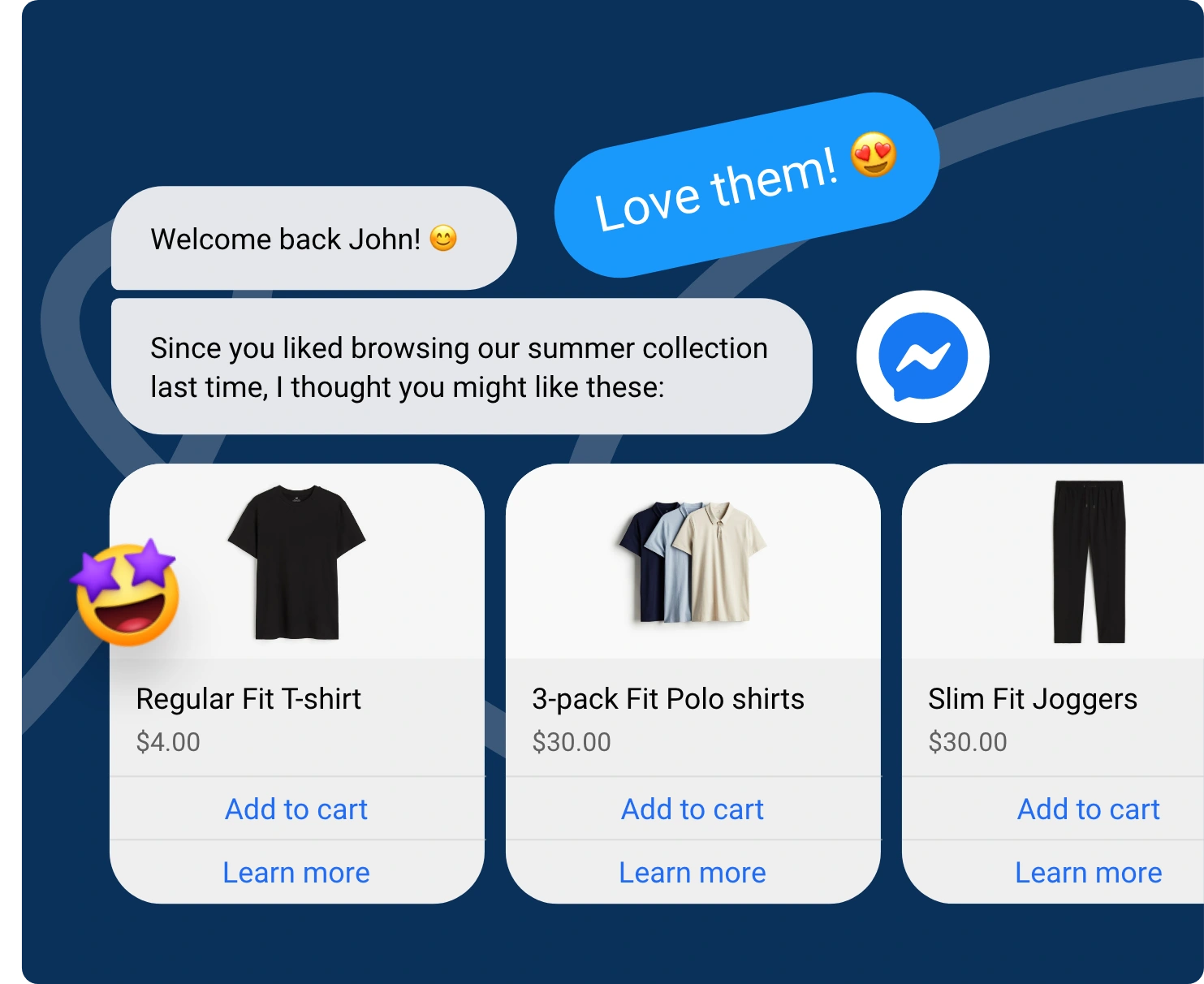
Set up a targeted Facebook ad using the Click-to-Messenger feature. Design clear ad images focusing on specific policies like home, auto, or life insurance.
When people click your ad button, they skip clunky website forms and instantly start a private, direct conversation with your agency inside Facebook Messenger.
Use a chatbot platform like BotPenguin to match the opening flow with the specific ad a prospect clicked. If someone clicked an ad for business insurance, show them business coverage questions immediately.
Connecting your bot's conversation directly to their specific interest builds instant trust, keeps buyers engaged, and stops them from dropping off.
Set up simple questions with quick-click buttons to gather key details automatically. Ask prospects about their zip code, current insurance company, policy start dates, or past claims.
This friendly chat screens potential clients instantly, making sure your agents spend their energy speaking only with serious, qualified buyers.
Connect your chatbot directly to your agency's CRM system so lead details flow in automatically.
The bot creates new contact files, tags the specific insurance type, and labels high-value prospects. Your sales pipeline stays neat and organized without anyone having to type in data by hand.
Set up smart alerts so high-value leads notify your sales team instantly via text or internal chat. Your agents can take over the live chat immediately with full context.
For general inquiries, the chatbot sends a booking link so prospects can schedule calls whenever it suits them.
Check your dashboard numbers regularly to see how well your ad campaigns are converting. Track your cost per chat, where people drop off, and how many calls get booked.
Tweak confusing questions or low-performing ads to smooth the process and get more clients.
This workflow turns each ad interaction into a structured path from initial interest to qualified follow-up and agent handoff.
Not every prospect is ready to speak with an agent immediately. Marketing automation can segment leads based on policy interest, timing, location, or conversation responses and move them into an appropriate follow-up sequence.
These workflows can continue approved prospect engagement, remind leads about next steps, and reconnect interested users before handing high-intent conversations to an agent. Follow-up timing should remain within Meta's messaging permissions and applicable consent requirements.
A few common mistakes can undermine a Facebook chatbot for insurance, especially when lead capture, customer trust, and compliance are involved.
Here’s what you need to know to avoid them.
The Mistake: Inundating prospects with long, detailed forms (like SSNs, exact driving records, or full medical histories) right when the chat opens. This causes high drop-off rates because buyers feel overwhelmed.
The Fix: Stick to 3-4 light pre-qualification questions (zip code, current carrier, policy type) inside Messenger. Collect the deeper underwriting details only after an agent connects or through a secure quote page.
Avoiding these mistakes helps insurance agencies build Facebook chatbot workflows that capture leads without compromising trust or compliance. The right approach keeps qualification simple, protects sensitive information, and makes human assistance easy to access.
Insurance marketing automation should qualify interest without suggesting guaranteed coverage, eligibility, pricing, or approval.
Chatbots support marketing conversations, while underwriting decisions remain separate.
Clear guardrails help agencies automate follow-up without creating misleading policy expectations.
Never tell prospects they are approved, eligible, or guaranteed coverage.
A chatbot can collect information and identify potential needs. Final coverage decisions should remain within the agency's established underwriting process.
Qualification questions should also avoid sounding like formal underwriting decisions.
Only share information that reflects the agency's current insurance offerings.
Coverage features, exclusions, conditions, and pricing language should use approved information. Avoid generic claims that may not apply to the promoted policy.
Review these responses whenever products, campaigns, or policy information changes.
Insurance conversations can involve personal information about prospects and their needs.
Collect only the details necessary for qualification and follow-up. Explain why information is being requested when appropriate.
Access to collected information should also follow the agency's data handling policies.
Privacy and insurance requirements depend on where an agency operates and markets.
European campaigns may need to account for GDPR requirements. California businesses subject to CCPA must follow applicable consumer privacy obligations.
For India, insurance advertising may fall under applicable IRDAI requirements. Personal data handling should also account for India's Digital Personal Data Protection framework.
Salesforce research found that 64% of customers view companies as careless with their data, and 72% want to know when they're talking to an AI agent.
Agencies should configure consent, privacy notices, data use, and opt-out processes according to applicable regulations.
Review the chatbot conversation alongside the Facebook ad that triggers it.
Both should communicate consistent policy information without unsupported promises. Avoid introducing new coverage or pricing claims after the prospect enters Messenger.
Compliance teams should review significant campaign or chatbot copy changes before launch.
Keep appropriate records of chatbot conversations, consent, and prospect interactions according to applicable requirements and internal policies.
These records can help teams review what information was communicated and when. They also provide context when a conversation moves from automation to an agent.
Strong compliance controls allow Facebook chatbot marketing automation for insurance to support faster follow-up without turning marketing automation into underwriting.
BotPenguin gives insurance agencies the tools to build controlled Facebook conversations without creating a complicated automation stack.
Its features support the full journey from initial engagement and qualification to human follow-up and performance tracking.
BotPenguin provides a no-code chatflow builder for creating structured Messenger journeys.
Agencies can build separate qualification paths around auto, home, life, or business insurance inquiries without relying on developers.
Chatflow components can collect details such as a prospect's name, phone number, and email.
This keeps lead capture inside the conversation, reducing extra form steps and preserving engagement.
BotPenguin supports integrations with CRM systems and other business tools, including HubSpot, Salesforce, Zoho CRM, and GoHighLevel.
This helps teams move captured prospects into existing follow-up workflows with less manual data handling.
Keyword- and time-based triggers can restart relevant chat flows automatically.
This gives agencies more control over when prospects enter specific conversations and reduces dependence on manual responses.
Built-in Live Chat lets an agent take over when a conversation requires personal attention.
Producers can step into complex policy discussions instead of forcing every inquiry through automation.
BotPenguin supports drip and messaging campaigns for continued engagement.
Agencies can use these capabilities for appropriate follow-up while observing Meta messaging permissions, consent requirements, and applicable insurance marketing rules.
BotPenguin analytics covers messages, leads, engagement, and conversations.
Agencies can use this visibility to identify weaker chatbot steps and understand how prospects move through their Facebook marketing journey.
For insurance agencies, the value lies in combining automation with control, giving teams a practical way to manage more Facebook inquiries without removing human oversight from sensitive policy conversations.
Facebook can do more than bring attention to your insurance agency. With the right chatbot, it can help you manage what happens after a prospect clicks an ad, sends a message, or asks about a policy.
Facebook chatbot marketing automation for insurance can help agencies answer common questions, collect basic details, qualify leads, and guide prospects toward the right next step.
But the chatbot should not try to handle everything. Keep questions simple, protect sensitive information, and make it easy for prospects to reach a licensed agent.
Done right, it gives your agency a practical way to turn Facebook conversations into better-managed insurance leads.
It connects Facebook ad engagement with automated Messenger conversations that capture prospect details, qualify policy interest, route inquiries, and support timely follow-up without requiring agents to manage every interaction manually.
Yes. A Facebook chatbot can continue conversations from insurance ads, ask relevant qualifying questions, collect lead details, segment inquiries, and route prospects to suitable follow-up flows or human agents.
The chatbot can open a relevant Messenger flow, reference the promoted policy type, collect prospect information, ask qualifying questions, and trigger the next follow-up step based on the prospect’s responses.
Yes. Chatbots can use ad context and prospect responses to separate inquiries for auto, home, life, business, or other insurance categories and direct each lead into a more relevant conversation flow.
No. Chatbot automation can qualify interest, collect information, and organize inquiries, but coverage approval, eligibility, pricing, and underwriting decisions must remain separate and follow the agency’s established review process.
It can collect contact details, policy interests, timelines, location, current coverage information, and other approved qualification details needed to understand the inquiry and route the prospect to appropriate follow-up.
It can support compliant workflows when configured correctly. Agencies remain responsible for privacy, consent, insurance marketing, Meta messaging, data handling, and any regional regulatory requirements that apply to their campaigns.
Turn Facebook Leads Into Insurance Opportunities
Capture leads, qualify prospects, answer common questions, and guide them toward the right next step with Facebook chatbot marketing automation.
Explore Now!Checkout our related blogs you will love.
Updated at Oct 21, 2026
23 min to read
Updated at Oct 13, 2026
11 min to read

Updated at Oct 10, 2026
12 min to read
Updated at Oct 10, 2026
19 min to read
Updated at Oct 9, 2026
8 min to read
Updated at Oct 7, 2026
12 min to read
Table of Contents


