


Facebook Ads Automation in 2026: Rules, Advantage+ and What Happens After the Click
Updated at Oct 21, 2026
23 min to read

Facebook chatbot appointment booking for healthcare helps practices manage patient scheduling through Messenger. It can guide users through booking steps, identify new or returning patients, show available times, and pass clinical or sensitive requests to staff instead of making medical decisions.
For patients, a quick message can feel simpler than searching for a phone number, filling out a form, or waiting for a callback.
That makes platforms like Facebook an important part of the patient journey. With the right chatbot, healthcare practices can turn those casual DMs into appointment booking journeys, while routing sensitive steps appropriately.
Facebook chatbot appointment booking for healthcare helps practices meet patients where they already are, and guide them smoothly from a simple message to their next visit.
In this guide, you'll learn how Facebook chatbot appointment booking works for healthcare practices, how to build safe scheduling flows, and what to consider when choosing the right platform for your clinic.
A Facebook chatbot appointment booking for healthcare workflow uses Messenger to help patients schedule appointments through an automated conversation.
It can collect booking details, distinguish new and returning patients, and connect users with available appointment slots without making clinical decisions.
For broader mechanics, explore Facebook chatbot appointment booking across industries.
A recent Zippia analysis found that 67% of patients now choose online scheduling over phone calls when booking appointments, per its 2026 Appointment Scheduling Statistics.
These core components show how healthcare chatbots can streamline appointment booking and create a smoother scheduling experience for patients.
Chatbots capture and convert after-hours social media traffic instantly, replacing static link-in-bio forms with interactive conversations that match patient preferences to live scheduling slots without staff intervention.
By integrating directly with electronic health records (EHR) and practice management software through secure middleware, these bots eliminate double-bookings and minimize manual administrative overhead for front-desk teams.
To safeguard electronic protected health information (ePHI), compliant implementations use Messenger for initial engagement before seamlessly redirecting patients to encrypted, BAA-backed portals for sensitive intake and identity verification.
Integrated messaging protocols send real-time confirmation notifications and interactive SMS or Messenger reminders, allowing patients to easily confirm, cancel, or reschedule appointments in just a few taps.
Bots immediately answer routine inquiries regarding clinic hours, insurance accepted, location directions, and service offerings, ensuring only qualified, intent-driven prospects progress to the actual booking step.
Ultimately, integrating a Facebook chatbot transforms passive social media traffic into booked appointments, lowering overhead while enhancing patient access.
Platforms like BotPenguin help healthcare practices build Facebook chatbot appointment booking workflows without coding. Connect patient conversations with booking tools, guide scheduling, and route sensitive information through secure systems.
Deploying Facebook chatbot appointment booking for healthcare creates a frictionless, automated bridge between social media discovery and your clinic's scheduling software.
The process follows a structured, HIPAA-conscious workflow:
This structured flow keeps appointment booking efficient while ensuring decisions that require clinical judgment remain with qualified healthcare staff.
A first-time visitor typically needs to share more details, verify insurance, and get oriented to the practice, while a returning patient usually just wants a fast way to grab the next open time.
A well-built Facebook chatbot appointment booking for healthcare workflow should recognize the difference early and branch the conversation accordingly, so neither group gets stuck answering questions that do not apply to them.
To see how these principles work in practice, here is a side-by-side look at how a Facebook chatbot guides both new and returning patients through a frictionless booking sequence.
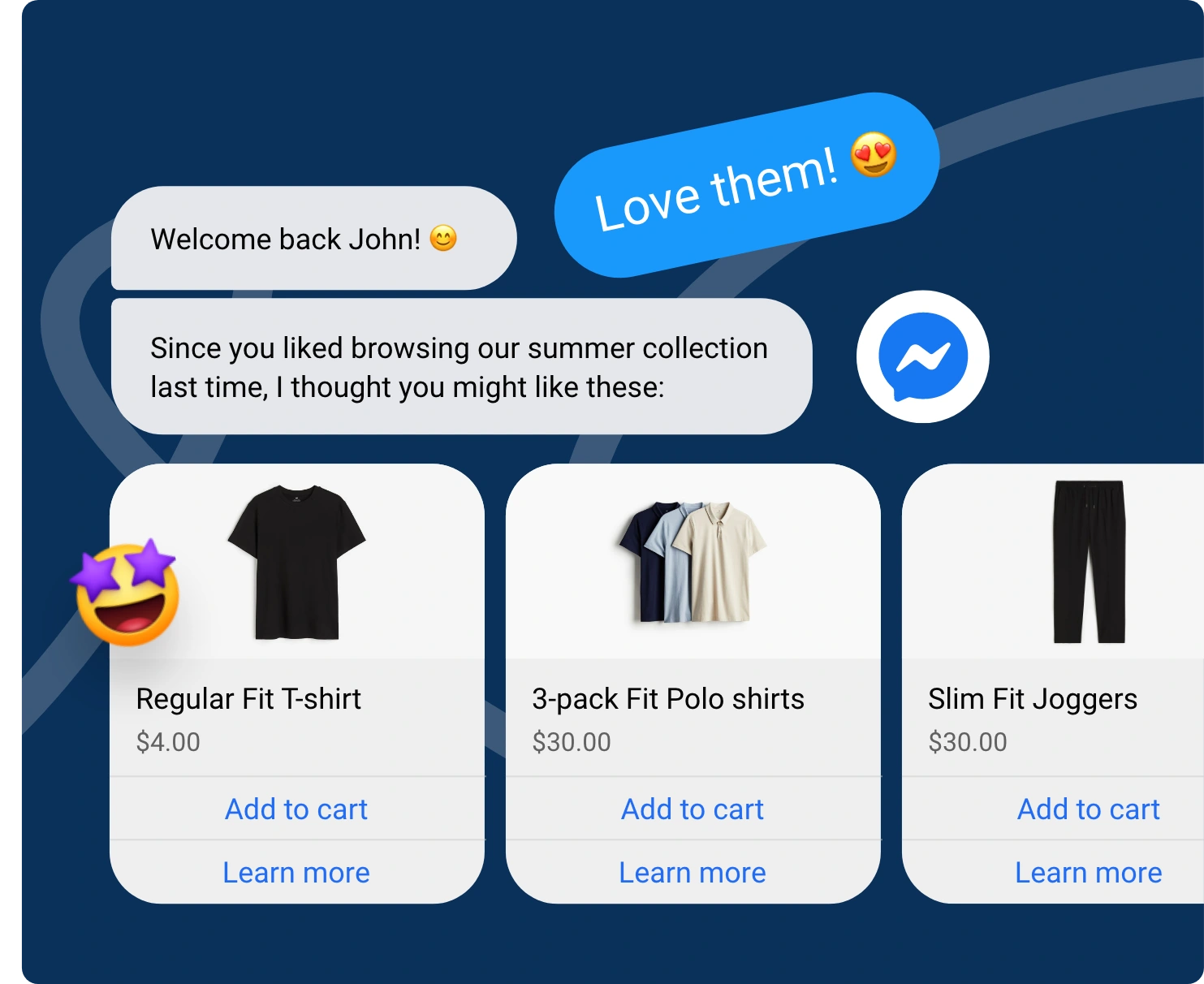
Bot: “Hi! Thanks for reaching out. Have you visited our clinic before?”
Patient: “No, first time.”
Bot: “Welcome! Let’s get your appointment started. Could you share your name and preferred contact method?”
Patient: “Sarah Lin, email please.”
Bot: "Thanks, Sarah! What's the reason for your visit today?"
Patient: “Just a general checkup.”
Bot: “Got it. If insurance details are needed, we’ll send you a secure form to complete before your appointment.”
Bot: “You're all set. Here are our next available slots with Dr. Mehta: pick one that works for you."
Bot: “Hi! Thanks for reaching out. Have you visited our clinic before?”
Patient: “Yes, I've been in a few times.”
Bot: "Great, welcome back! Can you confirm your name and phone number on file?"
Patient: “Raj Patel, 555-0192”
Bot: "Thanks, found you. Would you like to book with the same provider as last time, or someone else?"
Patient: “Same one, please.”
Bot: "Here are the next available slots with Dr. Mehta; pick one that works for you."
By tailoring the conversation to patient status, practices drastically minimize friction, speed up bookings, and keep front-desk workloads light.
A booking chatbot’s job is to make scheduling easier, not to practice medicine or gamble with patient data. Getting these boundaries right matters because poor implementation can increase compliance risks and weaken patient trust.
Here are the core guardrails and compliance requirements to consider:
The chatbot’s role stops at scheduling, not diagnosing. It should never interpret symptoms, suggest a diagnosis, or advise whether a condition is urgent.
Where HIPAA applies, follow applicable data-minimization requirements and collect only the information needed for the booking workflow. Collecting extra data “just in case” only expands compliance risk without adding booking value.
Patients should know they’re talking to an automated system, and how their data will be used, before any collection begins.
If a chatbot vendor will create, receive, maintain, or transmit PHI on behalf of a covered entity, confirm whether HIPAA requirements and a Business Associate Agreement apply before deployment.
HIPAA covers US health information, but patients outside the US or in California trigger additional rules on top of it, not instead of it.
Automation should widen access, not create a black hole where urgent needs go unanswered.
Clear guardrails keep healthcare booking automation focused on scheduling rather than clinical decision-making.
The safest setup limits data collection, defines human escalation points, and applies the right privacy and compliance controls before the chatbot goes live.
If you’re looking to build a controlled Facebook booking workflow, platforms like BotPenguin can help. Create defined scheduling flows, add human handoffs, and route sensitive requests through secure channels.
Choosing a Facebook chatbot for healthcare is not the same as choosing one for retail or e-commerce.
The stakes are higher, the compliance bar is stricter, and the workflows need to account for patient sensitivity from the first message.
Here's what makes BotPenguin a fit for Facebook chatbot appointment booking for healthcare practices specifically:
BotPenguin lets practices configure structured conversation flows, so the bot can stay focused on scheduling and route clinical or sensitive questions to staff.
Consent prompts, disclosure messages, and escalation paths can also be added to the flow, helping practices follow the guardrails covered earlier in this guide.
Practices do not need a developer to set up the kind of branching flows discussed above.
BotPenguin's visual flow builder lets teams configure different patient paths, including new-patient and returning-patient booking journeys, without extra engineering work.
Most healthcare practices do not run booking on Facebook alone.
BotPenguin consolidates conversations from Facebook Messenger, Instagram, and WhatsApp into a unified inbox, so staff can manage patient conversations without switching between channels.
Since clinical questions and sensitive requests should reach a real person, BotPenguin supports human handoff during the conversation.
Staff can review the existing chat context before continuing, making the transition from chatbot to human support smoother.
Review BotPenguin's security and data practices before configuring healthcare workflows.
BotPenguin supports appointment booking workflows, including scheduling, rescheduling, cancellations, and reminders.
Practices can also connect supported scheduling tools to help patients move from conversation to available appointment slots.
BotPenguin is GDPR, HIPAA, and CCPA compliant, ISO certified, SOC 2 attested, and VAPT assessed by a CERT-In empanelled auditor.
With compliance-focused controls, visual flow builders, and multi-channel support, BotPenguin simplifies patient scheduling while keeping staff focused on care.
Still weighing your options? You can explore BotPenguin's full feature set for more capabilities or see what customers say about BotPenguin before choosing your solution.
Booking an appointment should feel simple, not like another task patients have to figure out. When people can start that process on Facebook, getting care can feel a little easier.
A Facebook chatbot for healthcare can guide patients through basic booking steps, collect the details needed, and help them find the right appointment path. But convenience should never come at the cost of trust.
Keep clinical questions with your staff, limit the data you collect, and build privacy and secure routing into the workflow.
Done well, Facebook chatbot appointment booking for healthcare can remove small barriers and give patients a smoother way to take the next step.
Yes. A Facebook chatbot can collect booking details, identify new or returning patients, show available slots through a connected scheduling system, and confirm appointments without making clinical decisions.
No. Symptom-based scheduling can require clinical judgment. The chatbot should not determine urgency, diagnosis, or visit type from symptoms and should route clinical concerns to qualified staff.
It can support basic insurance-related intake or plan information through suitable integrations. Final coverage, eligibility, and service-specific benefit confirmation should remain with staff or approved verification systems.
It can be configured within a HIPAA-conscious workflow, but compliance depends on data handling, integrations, agreements, and implementation. Sensitive health information should follow the practice’s approved privacy and security processes.
Yes. Healthcare booking workflows can send appointment confirmations and reminders, helping patients confirm, cancel, or reschedule. Practices should configure messaging according to applicable consent, privacy, and communication requirements.
A booking chatbot should collect only the administrative information needed for scheduling. Sensitive medical histories, diagnosis details, medications, or information requiring clinical interpretation should stay outside the basic booking flow.
The chatbot should transfer conversations when patients raise clinical questions, potentially urgent concerns, complex insurance issues, or requests outside the approved booking workflow. Human escalation keeps scheduling automation within defined boundaries.
Simplify Healthcare Appointment Booking on Facebook
Help patients book appointments, share basic details, and find the right scheduling path through Facebook Messenger. Create smoother booking journeys while keeping privacy and patient data in mind.
Explore Now!Checkout our related blogs you will love.
Updated at Oct 21, 2026
23 min to read
Updated at Oct 13, 2026
11 min to read
Updated at Oct 10, 2026
12 min to read
Updated at Oct 10, 2026
19 min to read
Updated at Oct 9, 2026
8 min to read
Updated at Oct 7, 2026
12 min to read
Table of Contents


