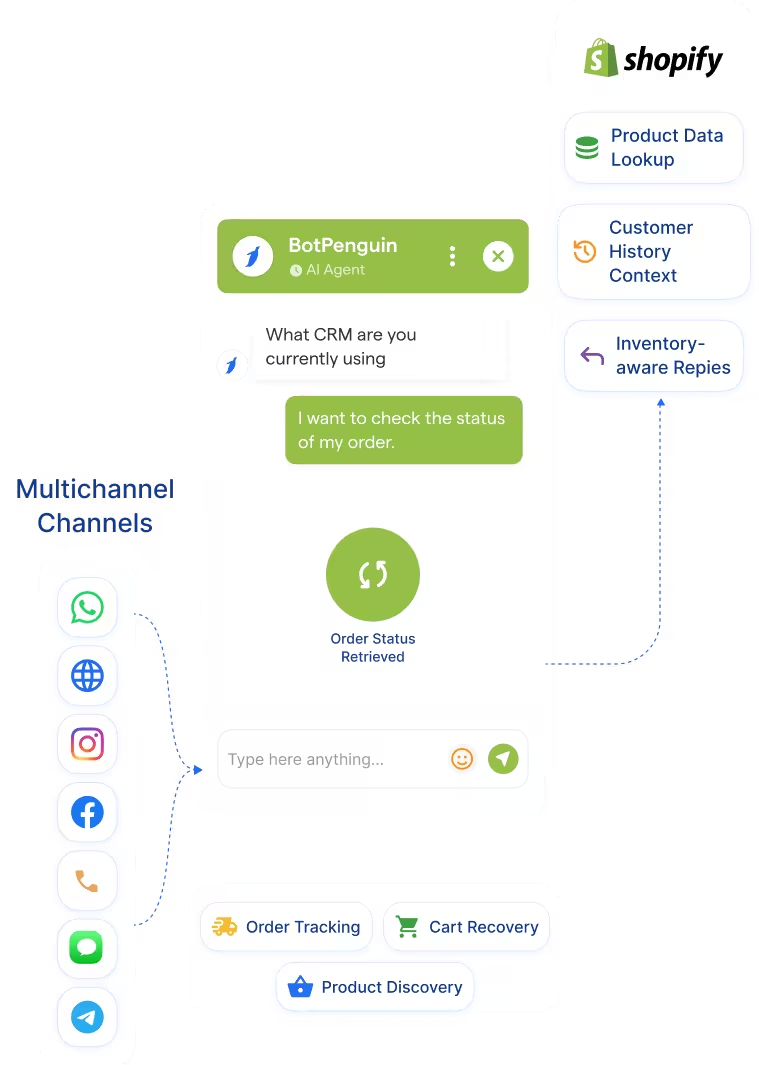
AI Chatbot → Shopify
Pull mapped Shopify product, order, customer, and inventory data into chatbot flows where configured.
See AI ChatbotsConnect your Shopify store to BotPenguin so chatbot conversations can use order, product, inventory, and customer data where configured.
This Shopify BotPenguin integration connects your Shopify store data with BotPenguin conversations. It helps chatbot flows reference products, orders, customers, and inventory where your setup supports it. Shopify helps merchants manage products, inventory, orders, customers, and store operations. It works as the store system of record for many eCommerce teams.
BotPenguin adds the conversational layer around that store data. It helps answer product questions, order queries, and post-purchase requests through connected chatbot flows. This page explains the store connection mechanics. For the broader set of product capabilities, see BotPenguin's Shopify chatbot platform.
Pull mapped Shopify product, order, customer, and inventory data into chatbot flows where configured.
See AI ChatbotsLet an AI agent answer product or order questions using Shopify data where your setup supports it.
See AI AgentsTrigger Shopify automation from store events. Cart abandoned, order placed, order fulfilled, or customer updated can start the right chatbot workflow.
View IntegrationsShopify is built to run online stores. It manages products, orders, customers, inventory, checkout, and store operations. It works best as the commerce system of record. Your store data stays organized inside Shopify.
Customers do not always search the store manually. They ask about orders, products, stock, returns, or delivery inside chat. Those conversations happen on WhatsApp, website chat, Instagram, and other channels. Without integration, teams may answer from static scripts or manual lookups.
BotPenguin connects customer conversations with Shopify store data. It helps chatbot flows answer from mapped store information. This keeps chatbot responses closer to your live store context. It also reduces manual lookups for products and orders.

No developer needed from the BotPenguin side. Three steps connect your Shopify store with BotPenguin chatbot workflows.
Log in to BotPenguin and open your bot settings. Connect your Shopify store or Shopify app integration chatbot setup where supported.
Step 1Choose which chatbot flows use Shopify data. Map product, order, customer, inventory, cart, or event fields where configured.
Step 2Send a test product or order query through your chatbot. Confirm the correct Shopify data appears, then enable it for live customers.
Step 39,000–11,000
support queries are deflected monthly, while Shopify order data can help resolve recurring order and delivery questions in chat.
15–25%
AOV uplift through personalized recommendations, while Shopify product and inventory data can support more relevant product discovery.
3–5x
higher query spikes handled automatically, while Shopify-connected order and post-purchase workflows support heavier customer demand.
Sync Shopify orders, products, and customers to support store-aware chatbot workflows.
Support Shopify-based health, wellness, pharmacy, or diagnostic product stores.
Not a primary fit unless the brand also sells physical products through Shopify.
Support Shopify stores selling course materials, books, merchandise, or kits.
Support Shopify storefronts selling travel gear, merchandise, or physical vouchers.
Use when SaaS teams sell hardware, kits, merchandise, or physical add-ons through Shopify.
Not a primary fit unless the business sells physical products or policy kits through Shopify.
Use Shopify product, inventory, and order data to support sizing, availability, and delivery conversations.
Connect BotPenguin's conversational AI to your CRM, payment gateway, calendar and eCommerce platform in minutes. No-code, no disruption. Your existing tech stack stays exactly as it is.
Free to start. No credit card required. Live in under 10 minutes.
Is the Shopify BotPenguin integration free?
The Shopify integration is included on paid BotPenguin plans. You can also start with a free BotPenguin plan and test the chatbot before upgrading. View BotPenguin pricing
Do I need to code to connect Shopify to BotPenguin?
No. The integration is no-code from the BotPenguin side. You can connect Shopify, map store data, test one query, and go live.
Does the Shopify integration work with WhatsApp?
Yes. Shopify data can support WhatsApp chatbot workflows when configured. Customers can ask about products, orders, delivery, and post-purchase support directly through WhatsApp.
Can the chatbot recommend products based on Shopify stock?
BotPenguin can support product recommendations using Shopify data where configured. Exact recommendation logic depends on your catalog, inventory setup, and chatbot configuration.
What Shopify data does BotPenguin use?
Only the data you enable and map. This may include products, orders, customers, inventory, cart events, and selected customer context.
Can BotPenguin AI agents use Shopify data?
Yes. BotPenguin AI agents can use Shopify data where configured to support product, order, and post-purchase conversations.
How is this different from BotPenguin’s Shopify product page?
This page covers how the Shopify store connection works. For product features, templates, and use cases, see BotPenguin's Shopify chatbot platform.
Where can I learn what a Shopify chatbot means?
For a definition-focused explanation, see what a Shopify chatbot is. This page focuses on the Shopify store connection.