


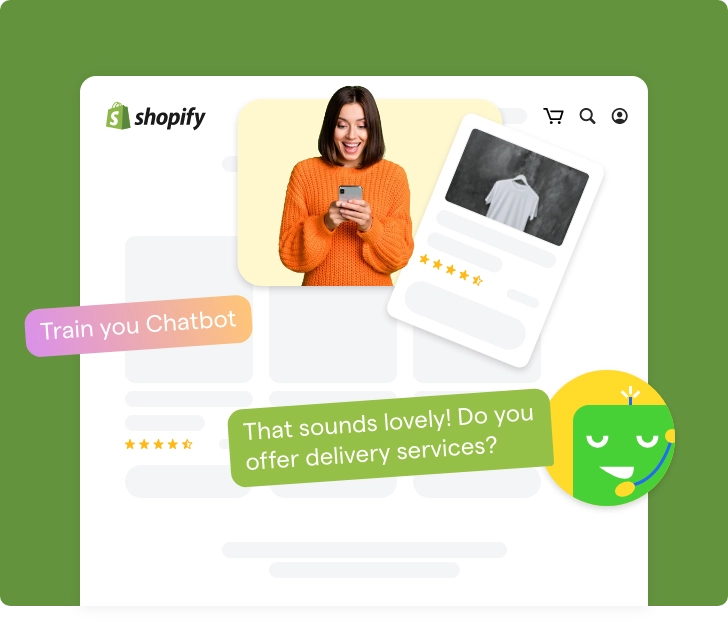

How Shopify Chatbots Recommend Products That Actually Sell
Updated at Oct 13, 2026
10 min to read
Updated On Aug 11, 2026
12 min to read

Most of us need a little guidance when we shop.
Whether it’s a store assistant pointing you to the right aisle or someone answering a quick question, the right help often turns hesitation into a purchase.
Online shopping is no different, and shoppers still want product details or quick answers before they decide.
A Shopify AI chatbot brings that same guidance into your online store, answering questions, recommending products, tracking orders, and guiding customers through their buying journey with natural conversations.
But how does it actually work, and is it just another chatbot? This guide covers what it is, how it works, its benefits, and what to check before adding one to your store.
A Shopify AI chatbot is an AI-powered virtual assistant that integrates with your Shopify store to interact with shoppers in real time.
It understands customer questions, retrieves information from your store, and helps with tasks such as product discovery, order tracking, and purchase guidance through natural conversations.
Peter Sheppard Footwear added chatbot support after moving to Shopify Plus, contributing to a 30% season-on-season revenue increase.
Every Shopify store hits a ceiling where growth starts working against customer experience.
More traffic means more shoppers who need a nudge to find the right product, and more moments where a support team simply can't be everywhere at once.
A Shopify AI chatbot addresses the following everyday challenges:
The exact capabilities depend on the chatbot's integrations and AI depth, but a Shopify chatbot typically can:
The following sections explore these use cases in greater detail.
A chatbot for Shopify or a Shopify chatbot app thus delivers its value by connecting real-time conversations with store data, customer intent, and human support when required.
Platforms like BotPenguin bring these capabilities together in one place, helping Shopify businesses answer customer questions, share order updates, and assist shoppers across multiple channels.
A generic website chatbot answers questions using fixed website content. A Shopify AI chatbot connects those conversations with store data and commerce workflows.
This integration changes what the chatbot can understand, recommend, and complete.
A Shopify AI chatbot may feel like it's simply chatting with customers, but several systems work together behind every reply.
It combines AI, your Shopify store data, and predefined workflows to understand questions, retrieve information, and complete tasks in real time. Here's what typically happens once a conversation starts:
Everything begins when a shopper sends a message through your Shopify store or a connected channel like WhatsApp, Instagram, or Facebook Messenger.
The chatbot picks up the request and identifies intent, whether that’s finding a product, checking an order, or asking about shipping, rather than matching only exact keywords.
Once it understands the request, the chatbot pulls relevant details from your product catalog, inventory, help articles, shipping policies, and order data, depending on its integrations.
Salesforce reports that 84% of data and analytics leaders say AI is only as reliable as the data feeding it.
Before deciding how to respond, the chatbot factors in what it already knows about the conversation, such as items in the cart, past questions asked, or products recently viewed.
This context turns a one-off answer into a connected experience, so shoppers don't have to repeat themselves mid-conversation.
Behind every chatbot is a workflow that determines the next action.
Product questions trigger recommendations, order queries pull shipping updates, and more advanced workflows can collect details, apply conditional logic, or trigger actions like creating a support ticket or notifying your sales team.
Finally, the chatbot delivers an answer based on what it found. Straightforward requests get resolved immediately.
Questions needing human judgment, like a complaint or a complex return, get handed to a support agent along with the full conversation history, so shoppers don't repeat themselves.
Together, these five steps turn a chatbot from a script-follower into a store-aware assistant, one that reads intent, pulls real data, remembers context, and guides shoppers all the way to checkout.
Ready to connect these capabilities with your store? Follow this guide to set up chatbot integration on Shopify.
Shopify chatbots do more than answer questions; they shape the entire buying journey.
Here's where they create the most impact, covered in detail below:
Each of these use cases has been detailed below.
A chatbot filters routine questions from the ones that truly need a human touch.
During sales events or new launches, this keeps support teams focused on complex cases instead of getting buried under the same handful of questions about sizing, returns, or delivery windows.
The value here isn't just speed; it's protecting your support team's bandwidth for the conversations that actually need a human's judgment, like a damaged item or a billing dispute.
Instead of directing customers to a separate tracking page, the chatbot pulls shipment status directly into the conversation.
This works well during high-order periods like sales or holidays, when “where is my order” questions spike and customers expect faster answers than a support ticket allows.
For stores with large catalogs, a chatbot narrows choices faster than search filters alone.
By asking a few quick questions about size, budget, or use case, it points shoppers toward products that match, cutting the back-and-forth browsing that often ends without a purchase.
Cart abandonment is one of the costliest gaps in e-commerce, and chatbots address it directly by following up with shoppers who leave without buying.
BotPenguin’s own data shows chatbot-driven follow-ups recovering 35% of abandoned carts for ecommerce brands, well above generic email reminders alone.
Timing is what separates a helpful upsell from an annoying one.
A chatbot can suggest a complementary product or upgrade right when a shopper is deciding, using cart contents and past behavior, rather than showing the same generic add-on to everyone at checkout.
Want to extend these use cases beyond support? See how chatbots can automate your Shopify marketing.
A Shopify chatbot can support shoppers throughout their buying journey while alleviating pressure on your team.
Here’s a breakdown of the top advantages it offers:
Whether you're a small business or an enterprise brand, these benefits can help create a more seamless shopping experience at every stage.
Smaller stores usually have two concerns: will the chatbot feel impersonal, and does the business really need one at its current stage?
Here's an honest answer to both:
It can, if it's set up poorly, but it doesn't have to.
Not necessarily, but it depends on your current question volume.
Be honest with yourself here before adding another tool:
If either applies, a chatbot won't hurt, but it also won't move the needle much yet. Revisit the decision once order volume or support requests start climbing.
For a broader overview, see best Shopify chatbots ranked and compared alongside how Shopify chatbots work.
A Shopify AI chatbot’s effectiveness depends on how well it's configured. Most challenges aren't caused by AI itself; they stem from poor data, limited integrations, or unrealistic expectations.
Here's what businesses should watch for.
A chatbot can only provide information it has access to. If your product catalog, inventory, FAQs, or store policies are outdated, customers may receive incorrect answers.
Fix: Keep your Shopify data, FAQs, and knowledge base up to date, and choose a chatbot that syncs with your store regularly.
Some chatbots suggest products using simple keywords instead of understanding what shoppers actually need, leading to irrelevant suggestions.
Fix: Use an AI chatbot that considers customer intent, product attributes, and your Shopify catalog when making recommendations.
See how a Shopify chatbot handles product recommendations based on shopper intent.
Not every question has a straightforward answer. Requests involving refunds, complaints, or unique order issues often require human judgment.
Fix: Configure the chatbot to transfer complex conversations to a support agent with the full chat history.
A chatbot that isn't connected to Shopify, your order system, or other business tools can only answer basic questions.
Fix: Select a solution that integrates with your Shopify store and the tools your team already uses.
A chatbot is designed to assist customers, not replace every human interaction. Relying on AI alone can create poor experiences for situations that need empathy or business decisions.
Fix: Treat AI as the first point of assistance while keeping human support available whenever it's needed.
The goal here is not to automate every conversation, but to resolve routine questions quickly and route complex issues to the right person. With the right setup, businesses can improve customer support without sacrificing accuracy, context, or human assistance.
For a balanced evaluation, review the real pros and cons of Shopify chatbots before choosing an approach.
A well-designed platform can eliminate many of these challenges from the start. Solutions like BotPenguin provide the integrations, workflows, and AI capabilities needed to build a Shopify chatbot that works reliably in real-world scenarios.
Picking a Shopify chatbot gets easier once you know exactly what to ask.
These six questions cut through marketing claims and get to what actually matters for your store, use case, and growth plans.
See how to pick the right platform for your store and why BotPenguin is the right one for businesses seeking AI support, product guidance, and scalable automation.
A Shopify AI chatbot is no longer just an add-on for online stores.
It has become a practical way to help shoppers find products, get answers, and complete purchases with fewer obstacles.
For businesses, it means spending less time on repetitive questions while delivering a smoother shopping experience at every stage.
The value, however, depends on choosing a solution that fits your store, integrates with your existing tools, and grows with your business.
The right chatbot doesn't simply answer questions; it becomes a meaningful part of how customers discover, evaluate, and buy from your store.
A Shopify AI chatbot is an automated assistant connected to a Shopify store. It answers customer questions, recommends products, shares order information, captures leads, and supports shoppers using store data, predefined workflows, and AI-generated responses.
Yes. Shopify Inbox is mainly a live chat tool for manual conversations, while a dedicated Shopify chatbot adds broader automation. It can recommend products, answer common questions, check orders, and support shoppers even when no team member is online.
No. Most Shopify chatbot platforms use visual, no-code builders. You can create flows, add questions and answers, set conditions, and connect store data without programming. A basic chatbot can usually be configured and launched within a few hours.
Yes. A Shopify chatbot can follow up with shoppers who leave items in their carts, answer questions, resolve objections, and share relevant offers. Its effectiveness depends on consent rules, channel availability, timing, and how well the recovery flow is configured.
Shopify chatbot pricing varies by provider, features, integrations, and monthly conversation volume. Many platforms offer free or entry-level plans for smaller stores, with paid tiers for advanced automation, higher usage, more channels, and deeper Shopify or customer-support integrations.
No. A chatbot is best used for repetitive, predictable requests such as order status, shipping policies, and product questions. Human agents should remain available for complaints, unusual orders, sensitive situations, and decisions that require judgment or empathy.
A Shopify chatbot can answer FAQs, recommend products, provide order updates, collect leads, support cart recovery, and route complex conversations to an agent. The exact capabilities depend on the platform, connected data, integrations, and workflows you configure.
Yes, when repetitive questions or after-hours inquiries are slowing the store down. Small businesses can start with a focused chatbot for FAQs, product guidance, and order support, then add more automation only when customer volume and needs increase.
Power Your Shopify Store With an AI Chatbot
Answer customer questions, recommend products, track orders, and guide shoppers to checkout with AI-powered conversations that improve every stage of the shopping journey.
Build Your Shopify AI Chatbot TodayCheckout our related blogs you will love.
Updated at Oct 13, 2026
10 min to read
Updated at Jul 21, 2026
8 min to read
Table of Contents
