


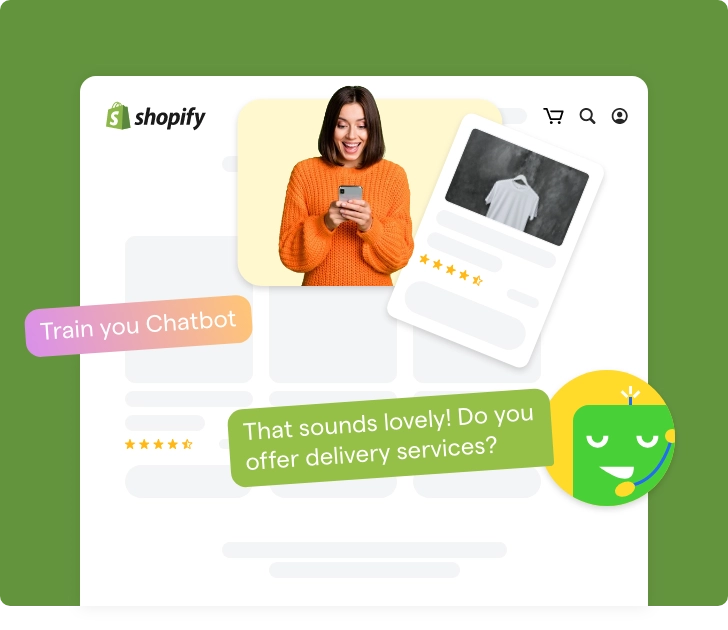

What Is a Shopify AI Chatbot and How Does It Actually Work?
Updated at Aug 11, 2026
12 min to read
Updated On Oct 13, 2026
10 min to read

The hardest sale isn’t convincing customers to buy. It’s helping them decide what to buy.
Most shoppers don’t leave because they dislike your products. They leave because they’re stuck comparing, torn between five tabs and no clear winner. The longer that indecision drags on, the faster carts get abandoned.
A Shopify chatbot for product recommendations removes that noise. Instead of making customers dig through endless collections, it asks a few quick questions and points them straight to the right product.
In this guide, you’ll see how these recommendations actually work, why they lift conversions, and what to look for in an AI chatbot for Shopify.
Yes, a Shopify chatbot for product recommendations can suggest relevant products using customer questions, browsing behavior, cart activity, order history, and store catalog data.
Here’s how it helps Shopify businesses solve common product-discovery and conversion problems:
Recommendation quality ultimately depends on accurate product data, clear configuration, and proper Shopify integration.
For a broader look at its capabilities beyond recommendations, read what a Shopify chatbot actually does across the customer journey.
An AI chatbot for Shopify reads behavior in sequence, pulling from three data trails your store already generates: what a shopper's looking at now, what's in their cart, and what they've bought before. Not every chatbot reads all three. Some, including BotPenguin, recommend using the conversation and your synced catalog instead, so check which signals a tool actually supports before you buy.
Here's how that plays out step by step inside your storefront:
With storefront tracking enabled, the bot can read signals such as which collection a shopper opened, how long they stayed, and which products they explored closely.
Shopify's collection structure gives it a ready-made map, so it reads clicks against your actual catalog, not in a vacuum.
Once something lands in the cart, the story shifts from interest to intent. A shopper with a dress but no shoes is showing the bot exactly what's missing.
It pulls from your product tags to suggest the belt or shoes that complete the look.
Pro Tip: Tag products by outfit role (top, bottom, footwear, accessory) instead of just category. That's what lets the bot spot a genuine gap in the cart, not just guess at “related items” from a generic collection.
For returning customers, Shopify’s order history becomes the bot's memory.
It checks what someone bought last season and flags when they’re due for a refill or upgrade, using customer profile data your store already holds.
Skincare and supplements are classic examples.
Salesforce research found 25% of shoppers have made an AI-assisted purchase, with 86% completing it by clicking straight through to the product.
None of these signals means much on its own. A shopper browsing shoes with an empty cart differs from one with the same browsing history and a treadmill in past orders.
Real accuracy comes from weighing all three together, using data already in Shopify admin.
With a compatible Shopify checkout extension, the chatbot platform can surface another prompt on the Thank You or Order Status page after payment.
Using the same tracked signals, it suggests a matching accessory or subscribe-and-save option while the shopper's card is still out.
Pro Tip: Keep post-purchase prompts to one, maybe two. Anything more starts to feel like a checkout that won't let go.
Put together, this sequence is what separates a genuine Shopify recommendation engine from a chatbot that just throws products at people and hopes something sticks.
BotPenguin takes the conversation-led route: it syncs your Shopify catalog and shows matching products as cards in chat, based on what the shopper tells it.
BotPenguin's Shopify chatbot recommends products through conversation. Instead of tracking what a shopper browsed or bought before, the chatbot asks a few quick questions and shows products from your Shopify catalog that match the answers.
1. Connect your store. In your bot, go to Integrations, choose Shopify, enter your store name, and approve the BotPenguin app. Your product catalog syncs to BotPenguin.
2. Build a short question flow. Ask what matters for your products: budget, size, skin type, use case, or occasion.
3. Show matching products as cards. The chatbot shows products from your catalog as cards in the chat.
4. Answer follow-up questions. Train the AI on your product pages and FAQs so it can answer questions about materials, sizing or delivery, and hand the chat to your team when needed.
This works in your Shopify storefront chat and on WhatsApp. It suits small-to-mid catalogs and products that need a little guidance, such as skincare, gifts, apparel, or anything with compatibility questions.
The Shopify integration is on the Little and King plans, and the WhatsApp plans, with a 7-day free trial and no credit card needed.
A chatbot isn't the only way to run product recommendations on Shopify. Dedicated personalization engines do the same job, without the conversation.
The real difference isn't which one is “better”; it's what kind of shopping experience your store needs:
Chatbot recommendations perform best when shoppers need guidance, not another product carousel.
They're especially useful where buying decisions depend on preferences, compatibility, timing, or a few clarifying questions.
Focused catalogs benefit most, since a chatbot can narrow the range fast without overwhelming the shopper.
A skincare store can ask about skin type, concerns, and budget before presenting 2 or 3 products, creating a more deliberate path to purchase than filters alone.
Chatbots work well when the next best product depends on what the shopper has already chosen.
A camera buyer can get a compatible lens or case; a fashion buyer gets matching accessories by color and size. These feel more relevant because they follow the shopper’s stated need.
Salesforce found free shipping (75%), easy returns (60%), and loyalty programs (56%) as the incentives that most increase a shopper’s likelihood to buy.
A chatbot can use these incentives in its recommendations, such as suggesting a bundle that unlocks free shipping or earns additional loyalty points.
Product questions often signal purchase intent. A chatbot can turn support conversations into sales without forcing customers to restart their search.
Questions about sizing, delivery, or stock availability can move directly into a recommendation, while complex cases pass to a human agent with context intact.
This is where the wrong choice creates returns and support tickets.
Electronics, replacement parts, and technical equipment carry the same risk, and a guided conversation can catch mismatches before checkout.
Some shoppers need reassurance before committing, even in a small catalog.
Furniture, fitness equipment, premium beauty products, and specialist tools often involve real trade-offs.
A chatbot can compare options, explain differences, and point to the strongest fit based on the buyer's stated priorities.
A chatbot can use past purchases or browsing to suggest refills, upgrades, or complementary products.
This works especially well for consumables like skincare, pet food, and coffee, where usage cycles are predictable enough that the bot can time its nudge before the shopper even realizes they're running low.
Across these use cases, the chatbot works best when it can turn a shopper’s uncertainty into a confident, relevant purchase decision.
Most Shopify chatbot platforms let you connect your store, define recommendation rules, and train AI on your catalog through a no-code interface.
Here’s a quick overview of the setup process before we walk through each step:
*Note: Timelines are illustrative and may vary by platform, catalog size, product-data quality, and recommendation complexity.
Each of these steps has been detailed below.
First, connect your Shopify store to a no-code chatbot platform.
Most Shopify chatbot apps use Shopify’s APIs to sync permitted store data, such as products, inventory, and collections.
Some can also access customer or order information when you grant the required permissions.
Once connected, your chatbot can access the information it needs to recommend products without manual uploads.
Your chatbot needs an up-to-date view of your catalog to make useful recommendations. Sync products, collections, tags, pricing, availability, and product images.
If you frequently add new products or update inventory, enable automatic syncing so recommendations always reflect what's currently available.
Next, decide how to recommend products. You can create simple rules, such as recommending matching accessories or complementary products.
Many AI chatbots also let you set conditions based on product categories, collections, customer preferences, or cart contents, so shoppers get more relevant suggestions.
AI recommendations become more useful when the chatbot understands your products.
Provide product descriptions, specifications, FAQs, and category information so the chatbot can answer questions and recommend suitable products instead of relying only on product tags.
Before going live, test different shopping journeys.
Try browsing different collections, adding products to the cart, asking product questions, and checking whether recommendations remain relevant throughout the conversation.
This helps identify incorrect suggestions before customers see them.
Once everything works as expected, publish the chatbot. Keep monitoring customer interactions, clicks, and recommended products.
Small improvements to recommendation rules, product information, and AI responses can steadily improve recommendation quality over time.
A Shopify chatbot for product recommendations can improve discovery and conversion, but it is not the right recommendation layer for every store.
Its effectiveness depends on various factors such as catalog size, product data, or integration quality.
Challenge: Stores with tens of thousands of SKUs may require deeper behavioral segmentation, automated merchandising, and large-scale ranking than most chatbot flows can provide.
Solution: Use a dedicated personalization engine for broad catalog discovery, then let the chatbot handle guided conversations, comparison questions, and high-intent product selection.
Challenge: Missing attributes, inconsistent tags, vague descriptions, or outdated inventory can cause irrelevant or unavailable recommendations.
Solution: Standardize product titles, variants, specifications, compatibility fields, and stock data before relying on automated suggestions.
Challenge: Products involving health claims, technical compatibility, sizing, or regulated decisions cannot depend on broad AI interpretation alone.
Solution: Add qualification questions, approved recommendation rules, exclusion logic, and human escalation for high-risk cases where an incorrect suggestion could cause harm.
Challenge: A chatbot may understand what a shopper says during one visit but lack enough long-term behavioral data to predict preferences across every channel.
Solution: Connect it with Shopify customer profiles, order history, CRM records, and consented browsing data where appropriate.
Challenge: Aggressive pop-ups or repeated recommendation messages can feel intrusive and interrupt shoppers who already know what they want.
Solution: Trigger conversations based on signals such as prolonged browsing, repeated comparison, cart inactivity, or a direct product question.
For complex, high-volume merchandising, a dedicated engine is usually the stronger core system. A chatbot adds the most value as the conversational layer that captures intent and turns uncertainty into a clearer purchase decision.
A structured setup gives your chatbot the product context, rules, and feedback needed to deliver more relevant recommendations over time.
For a wider evaluation, review the broader Shopify chatbot pros and cons beyond product recommendations.
Platforms like BotPenguin combine these best practices into ready-to-use Shopify chatbots, making it easier to deliver AI-powered product recommendations without building the entire recommendation flow from scratch.
Product recommendations work best when they feel helpful, not random. A Shopify chatbot for product recommendations does exactly that by understanding what shoppers want and suggesting products that make sense in the moment.
For most Shopify stores, this is an easy way to improve product discovery and help customers buy with more confidence.
You don't need a complex recommendation engine to get started.
The right AI chatbot for Shopify can deliver personalized recommendations using your existing store data, making shopping easier and increasing the chances customers'll find the right product.
Yes. A Shopify chatbot can use product questions, cart contents, browsing behavior, purchase history, and catalog data to suggest relevant items. It works much like a digital sales assistant that narrows choices through conversation. Which of these signals a chatbot uses depends on the tool.
It matches shopper signals against your product catalog. These signals may include stated preferences, viewed products, cart items, previous purchases, budget, size, compatibility needs, and product availability.
It can be for straightforward, conversation-led recommendations. Dedicated personalization engines are usually stronger for very large catalogs, advanced behavioral segmentation, automated merchandising, and detailed A/B testing across multiple storefront placements.
Not always. Many stores begin with chatbot recommendations and add a dedicated engine later. Larger merchants may use both, with the engine managing storefront merchandising and the chatbot handling guided product discovery.
They can, but performance depends on catalog structure and recommendation complexity. Stores with thousands of SKUs may benefit from a dedicated engine for large-scale ranking, while chatbots remain useful for guided comparisons.
Yes. When the integration allows it, the chatbot can use cart contents to suggest compatible accessories, bundles, refills, alternatives, or upgrades. Recommendations should also consider inventory, pricing, and product compatibility. BotPenguin doesn't read cart contents; it recommends from the shopper's answers and your synced catalog.
Usually not. With BotPenguin, you connect your store, sync your catalog, build a question flow, and train the AI on your product pages and FAQs, all without writing code.
Boost Product Discovery With Shopify AI Chatbots
Recommend relevant products through personalized conversations. Help shoppers find what they need, improve their buying experience, and increase conversions with AI-powered product recommendations.
Explore Now!Checkout our related blogs you will love.
Updated at Aug 11, 2026
12 min to read
Updated at Jul 21, 2026
8 min to read
Table of Contents
