



AI Instagram Chatbot vs Rule-Based Bot: Which One Fits Your Business?
Updated at Oct 21, 2026
9 min to read
Updated On Oct 8, 2026
12 min to read
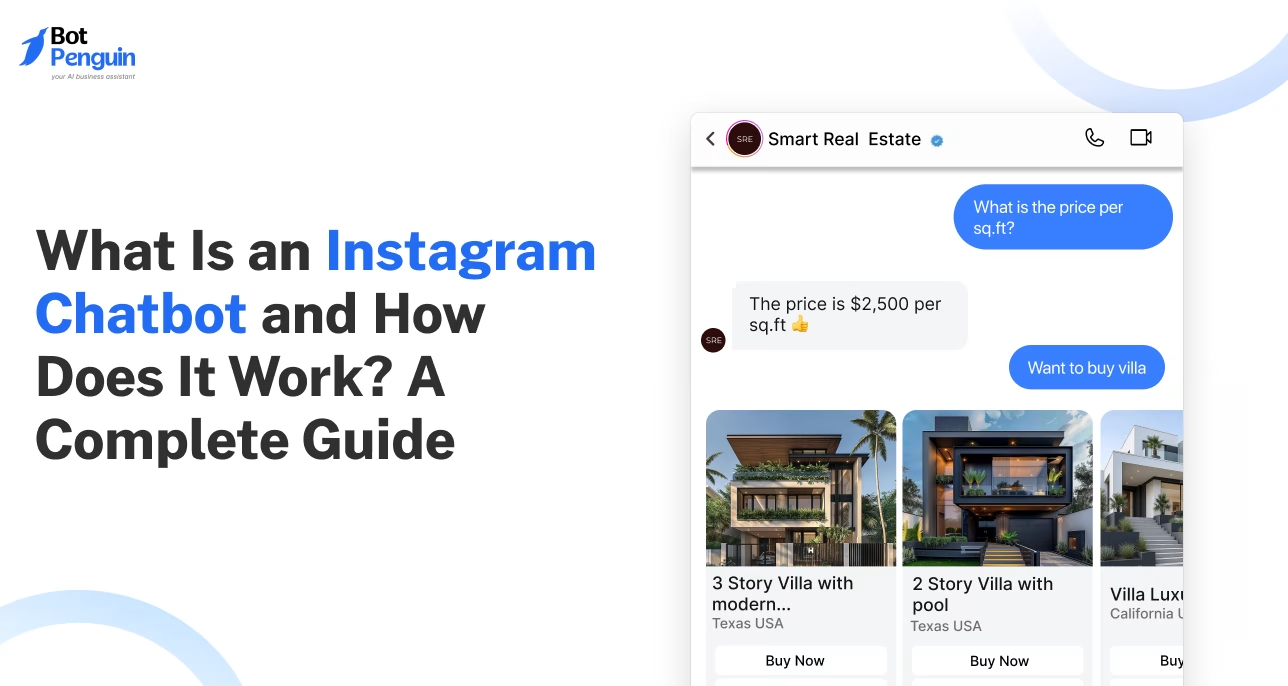
For brands worldwide, Instagram has become the place to be.
It's where people discover products, ask questions, compare options, and decide what to buy. But customers are ready to chat around the clock, and no team can reply to every message instantly.
That's where an Instagram chatbot steps in.
It keeps the conversation going by answering questions, capturing leads, sharing recommendations, and supporting customers across time zones, so replies get faster without adding more work for your team.
In this guide, you'll learn what an Instagram chatbot is, how it works, its key benefits, common use cases, and how to get started.
An Instagram chatbot is a software application that talks to people on Instagram through direct messages (DMs).
It can answer common questions or reply to messages after someone has seen your Reel, Story, ad, or profile. It can also suggest products, qualify leads, schedule appointments, and collect customer information.
In fact, modern Instagram AI chatbots go beyond simple keyword replies. They understand natural language, remember conversation context, and provide personalized responses using your business information.
Meta reports over 1 billion daily conversation threads between businesses and customers across WhatsApp, Messenger, and Instagram.
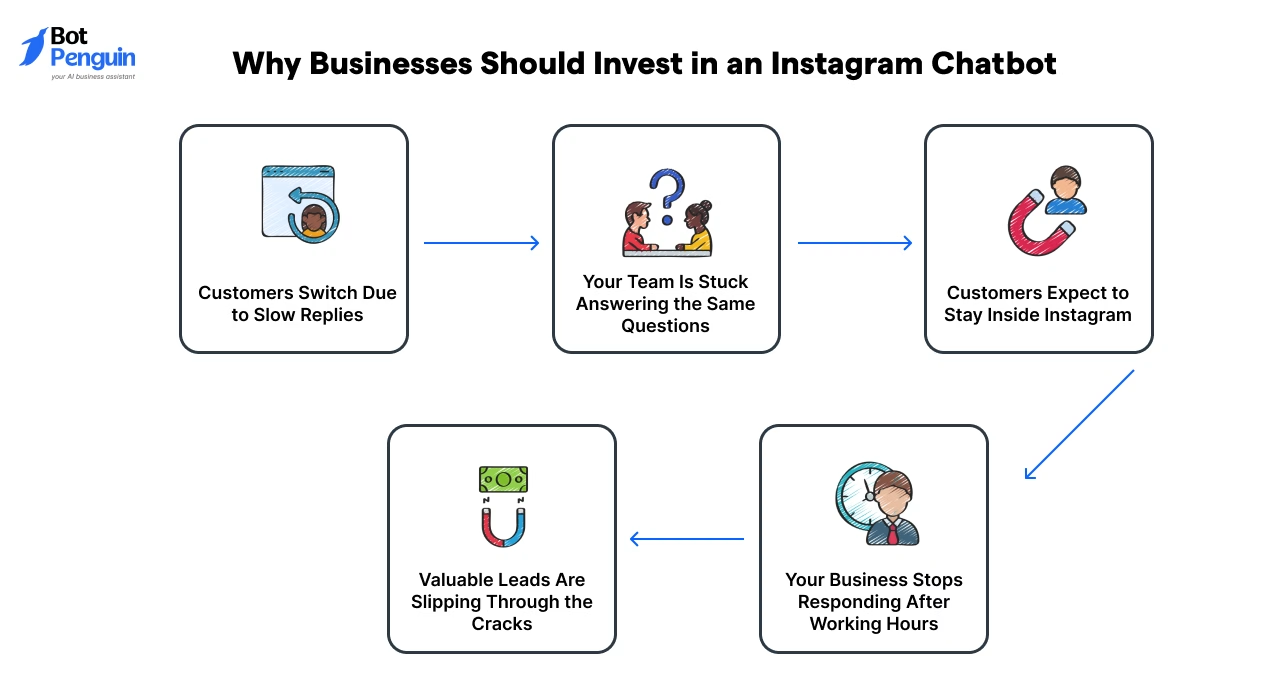
Here's why more businesses are investing in Instagram chatbots:
As customer expectations continue to rise, your business should be able to capitalize on those opportunities and turn conversations into conversions.
Fortunately, you don't need a large support team to stay responsive. Modern chatbot platforms such as BotPenguin help businesses automate Instagram conversations while maintaining a personalized customer experience.
BotPenguin is a Meta Business Partner.
Most Instagram chatbots fall into one of two categories: rule-based chatbots and AI chatbots.
The right choice depends on the type of conversations your business handles. Here’s how to visualize that difference:
In general, rule-based chatbots work well for recurring tasks where every customer follows a similar path.
AI chatbots are better suited for businesses that receive varied questions and want more human-like interactions. However, many businesses use a combination of both.
For a deeper comparison, see how AI Instagram chatbots differ from rule based bots in capabilities and use cases.
An Instagram chatbot works by connecting your professional Instagram account (Business or Creator) to a chatbot platform.
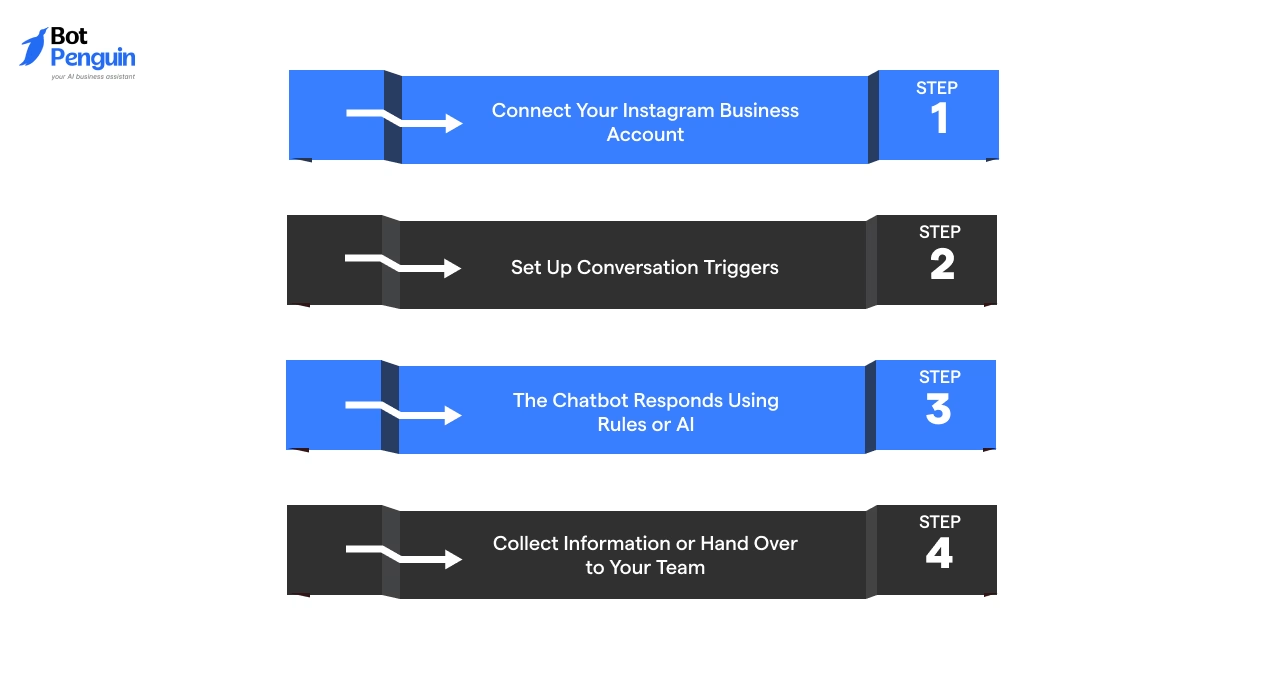
Once connected, it automatically responds to customer messages based on predefined rules, AI, or a combination of both. Here’s how the process works:
The first step is to connect your professional Instagram account (Business or Creator) to a chatbot platform. Your Instagram account must also be linked to a Facebook Page, as required for the BotPenguin integration.
After you authorize the connection, the chatbot platform gets permission to send and receive messages on your behalf through Meta’s official APIs.
This allows the chatbot to respond to customers while staying compliant with Meta's messaging policies.
Next, you decide when the chatbot should start a conversation. A trigger is simply an event that tells the chatbot to respond.
For example, someone might send your business a direct message, reply to your Story, message you after clicking an Instagram ad, or use a specific keyword in chat.
Each of these actions can automatically start a conversation. You can also create different flows for different triggers, such as product inquiries or appointment bookings.
Once a conversation starts, the chatbot decides how to reply.
For simple questions, it can follow predefined conversation flows. For example, a customer DMs asking about business hours or delivery timelines, and the chatbot instantly sends the correct answer.
For more complex conversations, instead of matching exact keywords, an Instagram AI chatbot can understand what a customer is really asking, like “Which plan fits a beginner with knee pain?”, and reply with context, not a script.
Learn how an Instagram direct message link sends users straight to DMs →
As the conversation continues, the chatbot can collect useful information such as the customer's name, email address, phone number, preferred product, or appointment request.
It can also qualify leads by asking a few simple questions before passing them to your sales team.
If the chatbot cannot answer a question or the customer requests a human, the conversation can be transferred to a team member without losing the chat history.
This combination of automation and human support helps businesses respond faster, stay compliant with Meta's platform requirements, and deliver a better customer experience.
Instagram engagement looks effortless. Turning it into consistent business outcomes is not.
The table below shows where an Instagram AI chatbot creates the most practical value:
Try these on BotPenguin: comment-to-DM and story-poll-vote DM replies are free (no AI needed). Paid plans start at $29/month with a 7-day free trial, no credit card needed.
Start Instagram Chatbots Free
Each of these use cases has been detailed below:
This is the entry point most people picture when they hear “Instagram chatbot”. A message lands, and instead of sitting for hours, it gets picked up right away.
Essentially, it’s a mix of keyword triggers for FAQs and natural language handling for anything that doesn't fit a script, so simple and complex questions get routed differently without the customer noticing the switch.
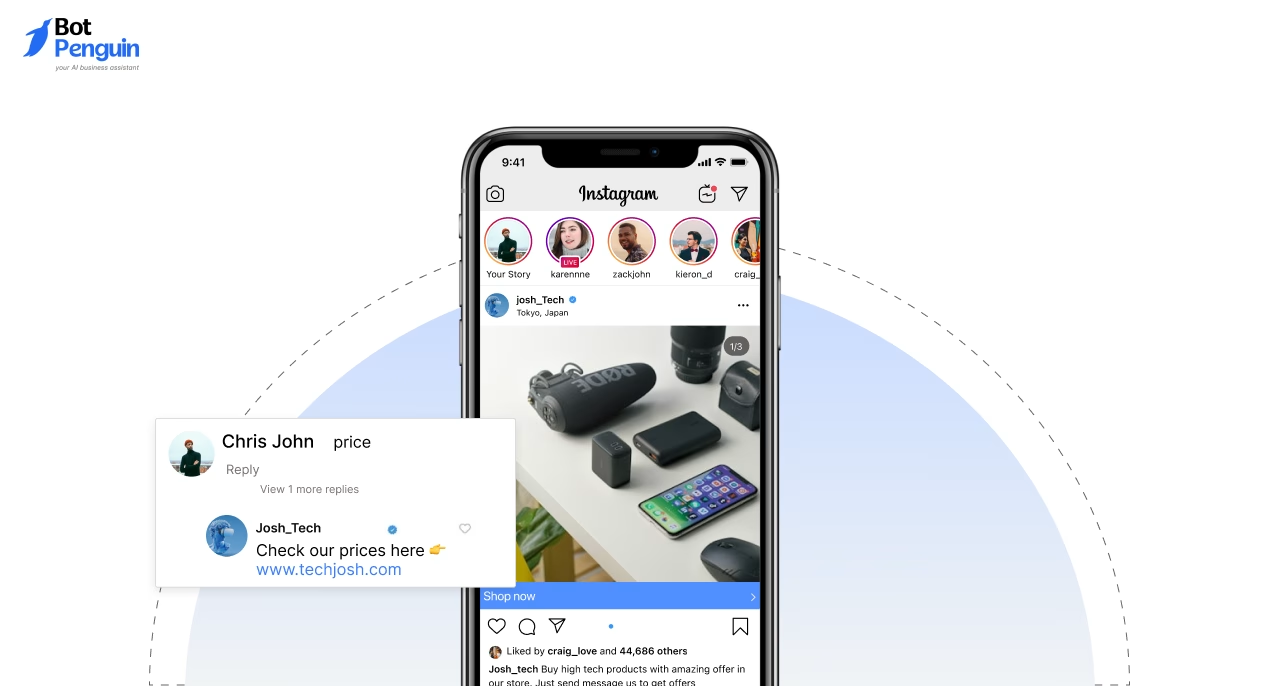
Every comment on a Reel or post is a small, public signal of interest, and most brands let it evaporate.
This automation catches that moment and moves it into a private thread, where the actual conversation can happen.
It runs through Meta’s Private Reply API, so the DM only goes out in response to genuine engagement, not to people who haven't interacted with the content.
Click-to-Instagram ads bring interested users directly into a DM conversation instead of sending them to a separate landing page.
An Instagram chatbot can respond immediately, ask what the user is looking for, share relevant information, and qualify the lead before handing the conversation to your sales team.
This works especially well for campaigns where response speed matters.
Not every DM deserves the same attention. A chatbot can ask a short sequence of qualifying questions (budget, timeline, use case) before a lead reaches a sales rep, so the team spends time on conversations closer to converting.
This matters most for businesses with longer sales cycles, where sorting warm leads from window-shoppers manually eats hours every week.
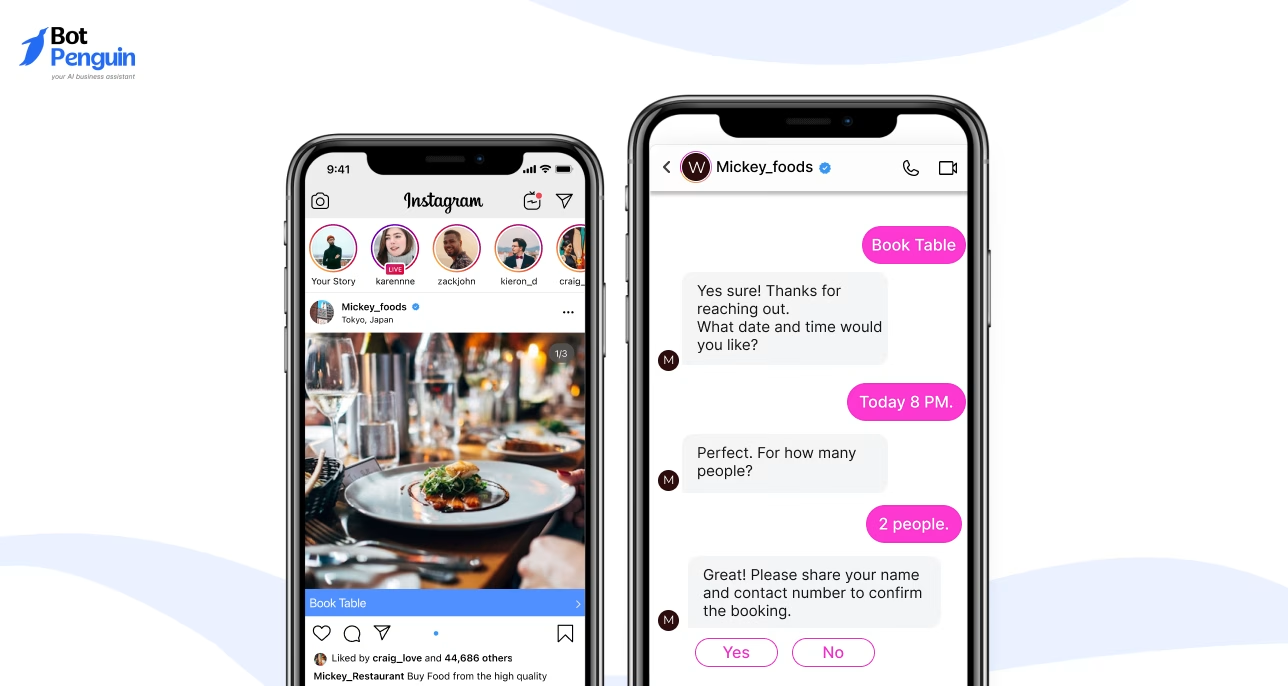
For service businesses, this removes a whole round of back-and-forth that usually happens over email or phone.
A bot can check calendar availability, confirm a slot, and send a reminder, all inside the same thread where the customer first reached out, with no need to leave Instagram to finish the job.
Meta has been steadily building shopping directly into chat, letting customers browse and ask about sizing or customization without leaving the DM thread.
A chatbot extends this by suggesting relevant products based on what a customer describes wanting, working more like a store associate who already knows the inventory than a static catalog link.
Meta reported a jump in click-to-message ad revenue, with U.S. growth topping 50% year over year, driven largely by ads that let people visit a business website before starting a chat.
Story replies carry a different intent than comments or DMs.
Someone reacting to a Story is usually responding to a specific, timely moment, a product drop, an Instagram poll, a behind-the-scenes clip, and a chatbot can catch that reply before it disappears into the inbox unanswered.
This works especially well for time-bound campaigns, where speed matters more than a polished response.
Together, these use cases show how an Instagram AI chatbot turns routine engagement into faster, more purposeful business conversations.
For many businesses, Instagram has become more than a marketing channel. It's where you find products, ask questions, and compare options.
An Instagram chatbot helps teams keep up with those conversations without someone monitoring DMs around the clock.
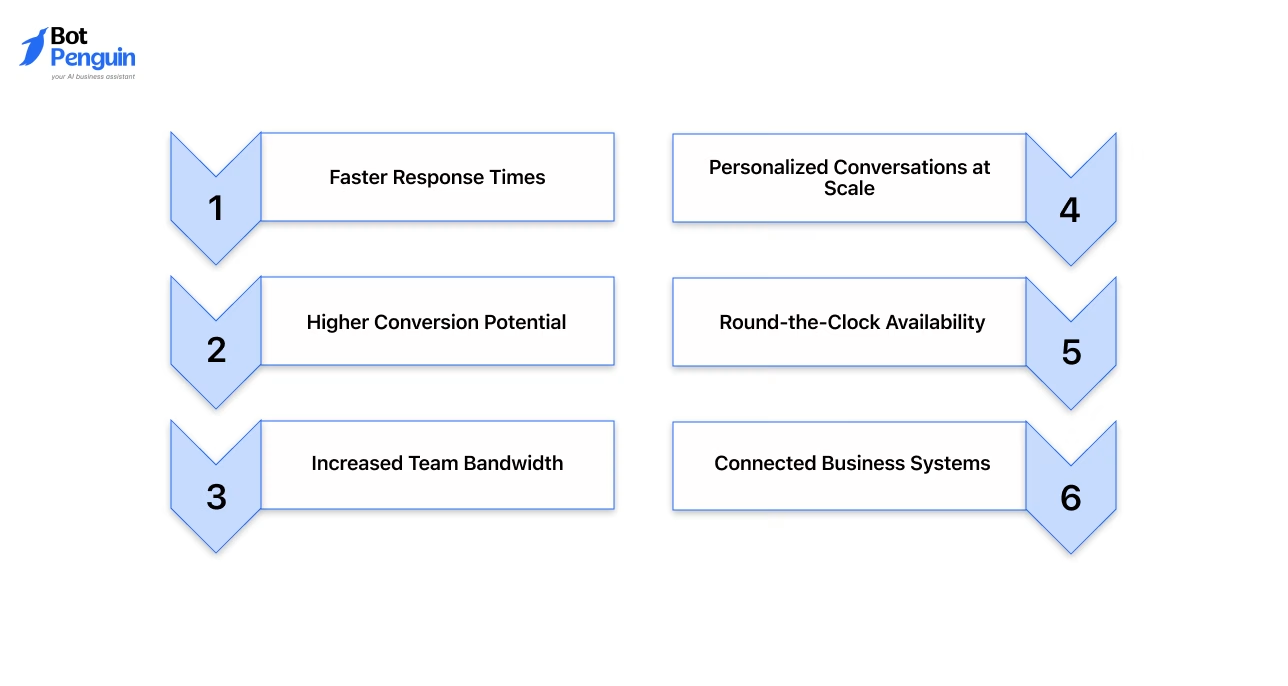
Here’s why an Instagram chatbot proves worthwhile for brands:
Connected Business Systems: Most chatbot platforms integrate with CRMs, help desks, calendars, and payment tools, so information from Instagram flows into other business systems instead of being typed in manually.
With BotPenguin, Instagram leads reach your CRM through Zapier or Make (King plan).
Explore how Instagram chatbot CRM integration connects conversations with customer data and follow ups →
Want to automate comment replies too? Explore our guide to the best Instagram comment bots.
The real value comes from moving customers smoothly through the buying journey while minimizing the time your team spends on routine conversations.
In most cases, Instagram bot and Instagram chatbot refer to the same technology that automates conversations through Instagram DMs.
The difference is mainly in usage.
Instagram bot is a broader term for automation on Instagram, while Instagram chatbot specifically refers to tools that engage customers, answer questions, capture leads, and provide support.
It’s worth knowing that “Instagram bot” carries some older baggage.
Years ago, the term was closely tied to growth tools that auto-followed and auto-unfollowed accounts to farm engagement, tactics Instagram actively restricts today.
A modern Instagram chatbot has nothing to do with that. It operates through Meta’s official Messaging API, works only within a customer’s own conversation, and never touches accounts it hasn't been invited into.
The table below highlights the subtle differences between the two terms and when each is commonly used:
In practice, if you’re looking to automate customer conversations on Instagram, you’ll almost always be looking for an Instagram chatbot, even if you search for an Instagram bot.
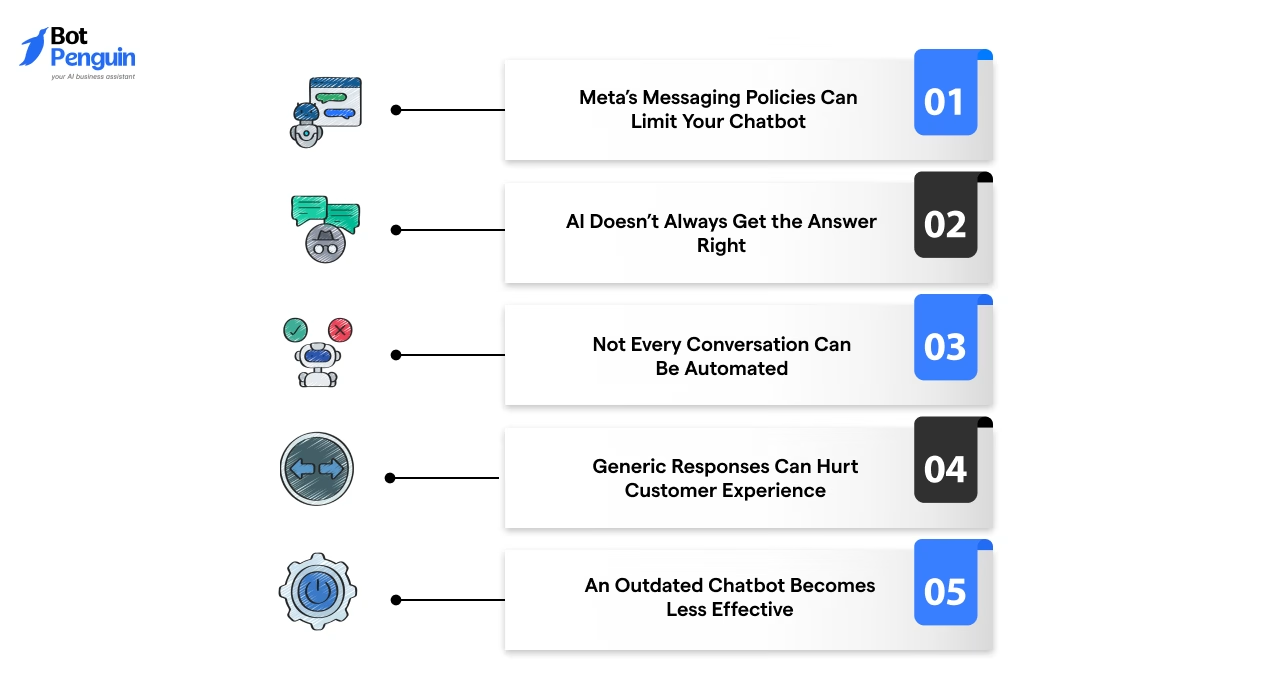
Like any business tool, Instagram chatbots also come with a few challenges. The good news is that most of these can be addressed with the right setup and ongoing maintenance.
Instagram messaging is governed by Meta’s platform rules and API requirements. If your chatbot isn't built on Meta’s official APIs or doesn’t follow these policies, some messaging features may not work as expected.
Solution: Choose a chatbot platform that integrates through Meta’s official APIs and regularly updates its platform to stay compliant with policy changes.
AI chatbots can occasionally provide incorrect or irrelevant responses, especially if they’re trained on outdated or incomplete business information.
Solution: Keep your knowledge base up to date, set clear AI guardrails, and allow the chatbot to transfer complex conversations to a human agent.
Some customer interactions, such as complaints, refunds, or unique requests, require empathy and human judgment that automation can't replace.
Solution: Configure your chatbot to recognize these situations and hand the conversation over to your support or sales team.
Customers quickly lose interest if every reply feels scripted or mundane. Generic conversations can reduce engagement and lower trust in your brand.
Solution: Personalize responses using customer intent, previous interactions, and business information instead of relying on universal replies.
Your products, services, pricing, and policies change over time. If your chatbot isn't updated, it may start sharing inaccurate information and create a poor customer experience.
Solution: Regularly review chatbot conversations, update your content, and optimize conversation flows based on customer feedback and new business requirements.
With the right platform, regular updates, and a balance between AI and human support, these challenges are easy to overcome. The result is an Instagram chatbot that delivers fast, accurate, and reliable customer conversations.
Getting started with an Instagram chatbot is easier than it sounds. While the exact setup depends on the platform you choose, the overall process usually looks like this:
Define Your Goal: Decide what you want your chatbot to achieve, such as customer support, lead generation, appointment booking, or product recommendations.
Choose an Instagram Chatbot Platform: Select a platform that supports Instagram, connects through Meta's official APIs, and offers the features your business needs, including AI, live chat handoff, and integrations.
Connect Your Professional Instagram Account: Link your professional Instagram account (Business or Creator) to a Facebook Page, connect it to the chatbot platform, and authorize the required messaging permissions.
Add Your Business Information: Upload FAQs, product details, pricing, policies, and other business information so your chatbot can provide accurate responses.
Build and Test Your Chatbot: Create conversation flows, configure AI responses, and test different customer scenarios before making the chatbot live.
Launch and Keep Improving: Monitor conversations, review chatbot performance, and regularly update its knowledge as your business evolves.
BotPenguin's Free plan includes comment-to-DM and story-poll-vote DM triggers without AI, helping you automate basic Instagram interactions at no cost.
The Little plan starts at $29/month and supports broadcasts that send complete conversation flows rather than single messages.
The King plan costs $99/month and includes AI-written comment replies and CRM connections through Zapier or Make.
Paid plans include a 7-day free trial, no credit card needed. Explore BotPenguin pricing to compare your options.
Every chatbot platform follows these core steps, though the setup experience may vary.
Want a detailed walkthrough? Read our guide on How to Build an Instagram Chatbot for a step-by-step tutorial.
Ready to get started? Explore BotPenguin’s Instagram Chatbot to build an AI-powered chatbot with official Meta integration, no-code setup, and omnichannel support.
Instagram has changed how businesses connect with customers. A single Reel, Story, or post can spark dozens of conversations within minutes.
The real challenge isn't attracting attention; it's keeping the conversation going while interest is still high.
An Instagram chatbot helps you do exactly that. It replies instantly, answers questions, captures leads, and keeps your business available long after your team signs off.
The best results come from combining automation with thoughtful human support.
Set it up well, keep it updated, and every DM becomes another chance to build trust, create a great customer experience, and grow your business.
Ready to take the next step? Learn how to choose the right Instagram chatbot platform before you build your first chatbot.
An Instagram chatbot is an automated tool that replies to direct messages, comments, and story responses using predefined rules, workflows, or artificial intelligence, helping businesses manage conversations without replying manually every time.
It connects with a professional Instagram account (Business or Creator) and responds when specific keywords, triggers, comments, or user actions occur. AI-powered versions can also understand intent and generate more natural, contextual replies.
Yes, especially when messages and comments take too much time to manage manually. It can improve response speed, reduce missed leads, and help small teams handle more conversations efficiently.
The terms are often used interchangeably. However, an Instagram bot can refer to broader automation, while an Instagram chatbot specifically focuses on managing conversations through DMs, comments, and story interactions.
Yes. An Instagram AI chatbot can understand different question formats, generate contextual responses, recommend products, qualify leads, and transfer complex or sensitive conversations to a human agent when needed.
Connect your professional Instagram account (Business or Creator), linked to a Facebook Page, to a chatbot platform. Choose automation triggers, build conversation flows, test the experience, and publish the chatbot once everything works correctly.
Yes. It can answer direct messages, trigger private replies from post or Reel comments, respond to story interactions, and continue conversations based on keywords, user actions, or predefined workflows.
Yes. BotPenguin's Free plan includes comment-to-DM and story-poll-vote DM triggers without AI. AI replies and broadcasts need a paid plan, which comes with a 7-day free trial, no credit card needed.
Automate Instagram Conversations With AI Chatbots
Reply to DMs right away, qualify leads, answer customer questions, and turn more Instagram conversations into sales with AI-powered automation.
Explore Now!Checkout our related blogs you will love.
Updated at Oct 21, 2026
9 min to read
Updated at Oct 21, 2026
10 min to read
Updated at Oct 21, 2026
9 min to read

Updated at Oct 21, 2026
9 min to read
Updated at Oct 8, 2026
10 min to read
Updated at Jul 28, 2026
12 min to read
Table of Contents


