AI Chatbot → Zoho Projects
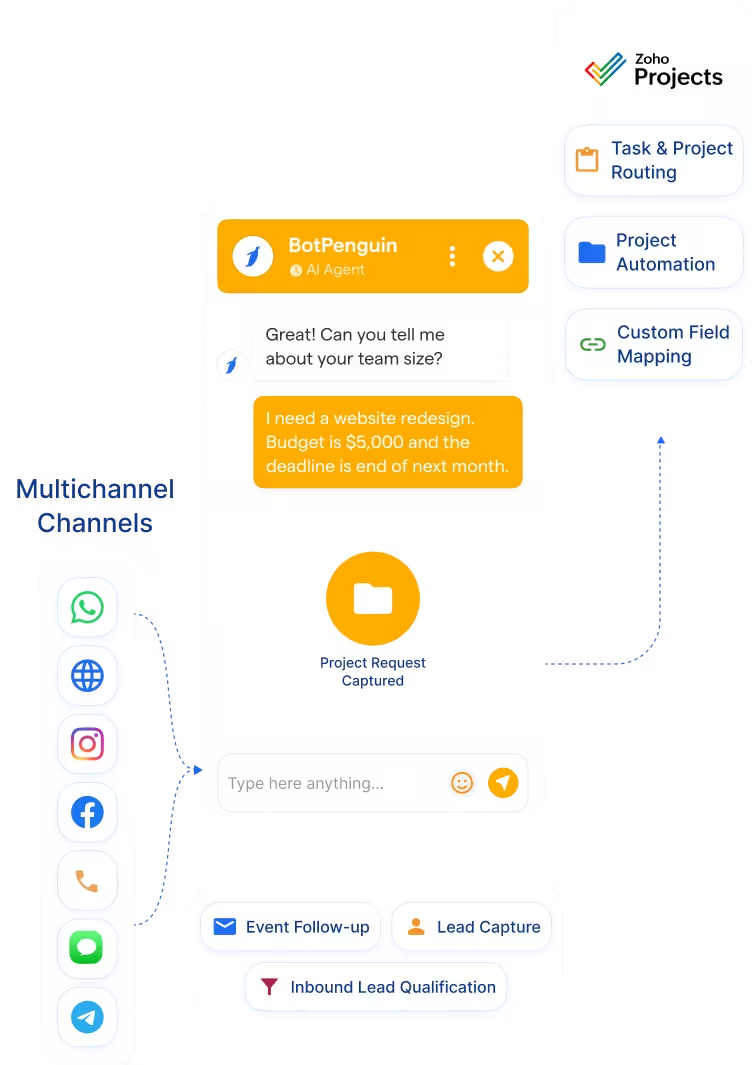
Capture project inquiries, requirements, and client details through chatbot conversations. Send structured intake data into Zoho Projects.
See AI ChatbotsCapture project inquiries, client briefs, and update requests through WhatsApp, website chat, Instagram, and more. Then route structured details into Zoho Projects.
Zoho Projects helps teams manage tasks, milestones, timesheets, collaboration, reporting, and project workflows. It works best once project details are already structured.
The BotPenguin Zoho Projects integration closes the intake gap. Add a no-code chatbot to collect project requirements before routing them into Zoho Projects. Your team gets cleaner briefs and faster project starts. Every qualified inquiry can reach Zoho Projects with key details attached.
Capture project inquiries, requirements, and client details through chatbot conversations. Send structured intake data into Zoho Projects.
See AI ChatbotsLet an AI agent collect project requirements in natural conversation. Then route the captured brief into Zoho Projects for team action.
See AI AgentsTrigger project actions from chatbot events. A new inquiry, change request, milestone update, or client response can start the appropriate workflow.
View IntegrationsZoho Projects is built to manage work after projects are created. It helps teams track tasks, milestones, time, reports, issues, and collaboration. It gives project teams a shared workspace for execution. Once the project exists, teams can manage delivery more clearly.
Project intake often starts outside the project management system. A client may message on WhatsApp, submit a website inquiry, or ask for updates through chat. Those messages may need manual review before becoming tasks or projects. That creates delays and incomplete project briefs.
BotPenguin becomes the conversational intake layer for Zoho Projects. It captures project requirements across channels before project work starts. Every chatbot-qualified inquiry can carry structured details into Zoho Projects. Your team receives a clearer brief instead of a raw message thread.

No developer needed. Three steps connect your BotPenguin chatbot to Zoho Projects with mapped project intake data.
Log in to BotPenguin and open your bot settings. Connect your Zoho Projects account and allow the required permissions.
Step 1Choose which chatbot answers map to Zoho Projects fields. Map name, email, phone, project type, deadline, budget, and requirements.
Step 2Send a test project inquiry through your chatbot. Confirm the data appears correctly in Zoho Projects. Then switch the workflow on.
Step 3Up to 35 %
of abandoned carts recovered via WhatsApp AI chatbot automation, with every project-related inquiry logged in Zoho Projects and actioned within minutes.
30%
reduction in appointment no-shows after deploying AI-powered WhatsApp reminders, with every operational project inquiry synced to Zoho Projects automatically.
40%+
more qualified leads logged in Zoho Projects per month after deploying BotPenguin AI chatbots to qualify buyers on WhatsApp and sync project requests automatically.
Capture client briefs through WhatsApp and route structured project intake into Zoho Projects.
Capture onboarding and implementation requests through chatbot conversations.
Collect project scope, budget, timeline, and contact details before team review.
Capture site visits, contracts, and property project requests via WhatsApp.
Log curriculum, event, or administrative project requests from website chat.
Capture facility, workflow, and coordination requests through structured chatbot intake.
Automate campaign, product, and operations project intake from client or team conversations.
Capture site requests, project updates, and change orders through WhatsApp, then route structured details into Zoho Projects.
Connect BotPenguin's conversational AI to your CRM, payment gateway, calendar and eCommerce platform in minutes. No-code, no disruption. Your existing tech stack stays exactly as it is.
Free to start. No credit card required. Live under 10 minutes.
Is the Zoho Projects integration free?
The Zoho Projects integration is included on paid BotPenguin plans. You can also start with a free BotPenguin plan and test the chatbot before upgrading. View BotPenguin pricing
Do I need to code to connect Zoho Projects to BotPenguin?
No. The integration is no-code from the BotPenguin side. You can connect Zoho Projects, map chatbot responses, test a single inquiry, and go live.
Does the Zoho Projects integration work with WhatsApp?
Yes. Project inquiries captured on WhatsApp can be routed toward Zoho Projects with structured details attached. The same setup can support website, Instagram, Facebook, Telegram, SMS, and Teams channels.
Can BotPenguin create Zoho Projects tasks?
BotPenguin can help route chatbot-captured data into Zoho Projects workflows. Exact task or project creation behavior depends on your integration setup.
Can BotPenguin send WhatsApp updates when Zoho Projects milestones change?
BotPenguin can support WhatsApp update workflows where your Zoho Projects and BotPenguin setup allows it. Exact bidirectional behavior depends on your configuration.
What chatbot data gets sent to Zoho Projects?
Only the data you map. Project type, deadline, budget, contact details, requirements, and change requests can be mapped into your workflow.
Can BotPenguin work as an AI agent with Zoho Projects?
Yes. BotPenguin AI agents can collect deeper project briefs before routing data into Zoho Projects.