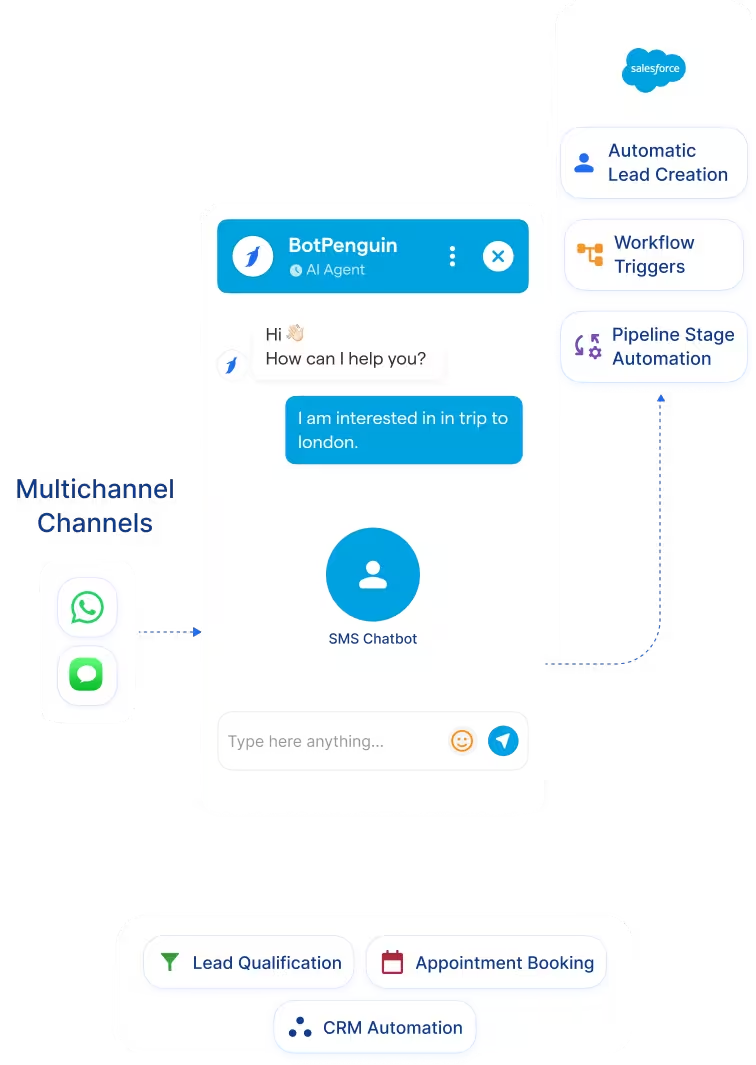
Salesforce Chatbot Integration That Sends Qualified Leads Straight to Your CRM
Salesforce
Salesforce is a cloud CRM platform for managing leads, opportunities, customer data, sales processes, service, marketing, and automation. Its ecosystem also includes Agentforce, which supports AI-driven tasks such as lead qualification, opportunity updates, customer service, and CRM workflow execution.
BotPenguin adds a conversational qualification layer before prospects move into Salesforce. Leads can engage through BotPenguin chatbots and AI agents, ask questions, share contact details, and complete qualification steps. BotPenguin can then sync captured information into Salesforce, update records, and trigger workflows while sales teams continue managing opportunities inside Salesforce.
Three Ways BotPenguin Connects Conversations With Salesforce
AI Agent to Salesforce
Automation to Salesforce
What BotPenguin Adds to Salesforce
Understand what Salesforce is designed to do, where gaps can exist, and how BotPenguin helps create a more connected, automated customer journey.
What Salesforce Is Built For
The Gap
What BotPenguin Adds
Everything the Salesforce Chatbot Integration Handles for You

- Real-Time Lead Transfer: Send qualified leads from BotPenguin into Salesforce as soon as they are captured, helping sales teams begin follow-up sooner.
- Salesforce Field Mapping: Map chatbot questions and collected customer information to the corresponding Salesforce parameters during integration setup.
- Contact Updates: Keep Salesforce customer records current by updating contact information collected during chatbot conversations.
- Workflow Triggers: Use chatbot interactions to trigger Salesforce workflows for lead assignment, record updates, campaigns, and other configured sales actions.
- Customer Segmentation: Send qualification data into Salesforce so customer records contain more useful context for sales, service, and marketing follow-up.
- Connected CRM Data: BotPenguin AI Agents can push and pull information from connected CRM systems and use external data during automated conversations.
- Inbound Lead Qualification: Ask prospects about their requirements, budget, timeline, product interest, and contact details before the lead reaches Salesforce.
- Sales Lead Routing: Send qualified lead information into Salesforce so the appropriate CRM workflow can handle assignment and follow-up.
- Demo and Consultation Requests: Capture customer details and requirements conversationally before the sales team begins the scheduled discussion.
- Campaign Lead Capture: Collect information from prospects who arrive through conversational campaigns and transfer the resulting lead data into Salesforce.
- CRM Record Enrichment: Add chatbot-collected qualification details to Salesforce customer data so reps have more context before contacting the prospect.
- WhatsApp: Qualify WhatsApp leads conversationally before sending their captured information into Salesforce. See WhatsApp Chatbots
- Website Chatbot: Capture website visitors, ask qualification questions, and connect the resulting customer information with Salesforce. See Website Chatbots
- Instagram DMs: Use BotPenguin to engage Instagram prospects and collect structured lead information for connected sales workflows. See Instagram Chatbots
- Facebook Messenger: Capture customer enquiries through automated Messenger conversations and connect qualified information with downstream CRM processes. See Facebook Chatbots
- Telegram: Collect lead information through automated Telegram conversations and use connected integrations for downstream sales workflows. See Telegram Chatbots
- SMS: Use conversational SMS workflows to collect customer information that can support connected sales and CRM processes.
- Microsoft Teams: Use BotPenguin conversational workflows for internal enquiries, sales handoffs, and business requests. See Microsoft Teams Chatbots
How Do You Connect a Chatbot to Salesforce?
Create your Salesforce connection, authenticate through OAuth, map the required chatbot data, and test your first lead.
- 1
Connect Salesforce
Step 1 - 2
Authenticate and Map Your Data
Step 2 - 3
Test and Go Live
Step 3
What Businesses Achieve With BotPenguin
5x
70%+
800+
Salesforce Chatbot Integration Examples by Industry
Ways businesses can combine BotPenguin conversational qualification with Salesforce CRM workflows
Ecommerce
SaaS
Healthcare
Real Estate
Education
Travel
Connect Your AI Agents, Chatbots & Voice Agents to 80+ Tools With Zero Switching Costs
Connect BotPenguin's conversational AI to your CRM, payment gateway, calendar and eCommerce platform in minutes. No-code, no disruption. Your existing tech stack stays exactly as it is.
Turn Every Qualified Conversation Into Salesforce-Ready Lead Data
Connect BotPenguin with Salesforce and move qualified customer information into the CRM your sales team already uses.
Frequently Asked Questions About the Salesforce Chatbot Integration
What is a Salesforce chatbot?
Do I need technical skills to connect Salesforce to BotPenguin?
What can BotPenguin do with Salesforce?
Can I connect multiple BotPenguin bots to Salesforce?
Can BotPenguin AI agents work with Salesforce?
How Is BotPenguin different from Salesforce Agentforce?
Does the BotPenguin Salesforce chatbot work on WhatsApp?
Is the Salesforce chatbot integration free?