AI Chatbot to NetHunt CRM
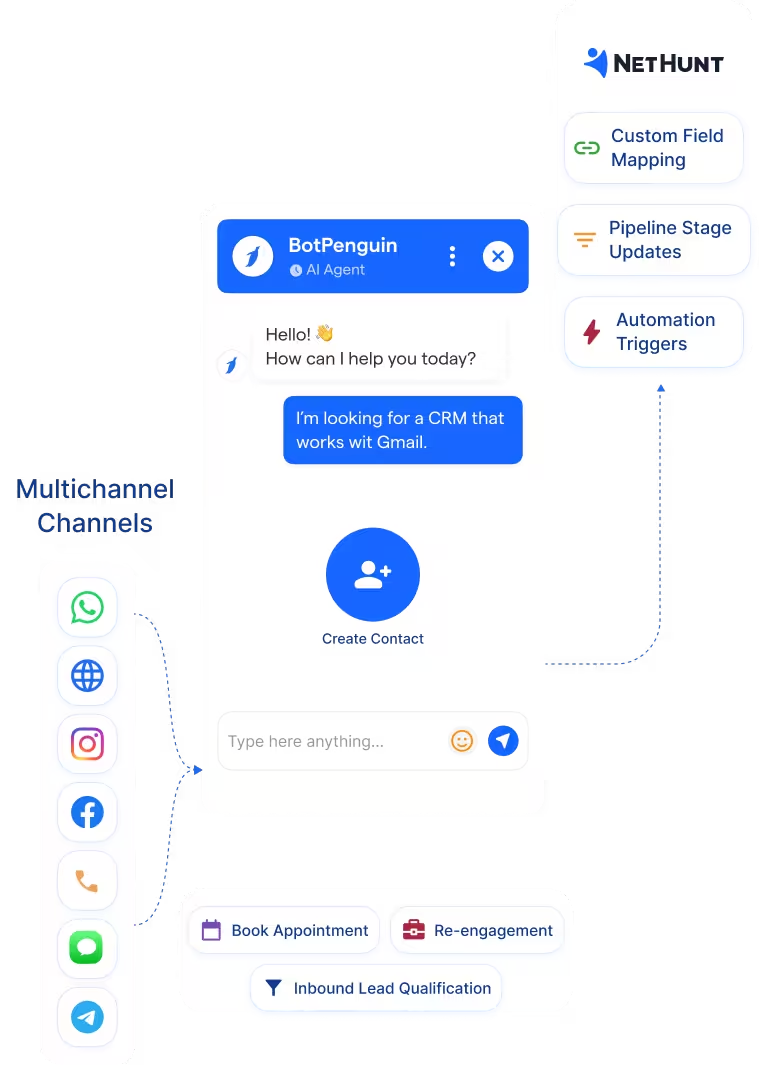
Capture leads through chatbot conversations and send mapped responses into NetHunt CRM. Names, contact information, qualification answers, and other captured details can be mapped to CRM fields.
See WhatsApp ChatbotsNetHunt runs your sales operation inside Gmail. BotPenguin adds a no-code AI chatbot on WhatsApp, your website, and Instagram to qualify inbound leads before they reach NetHunt, with customer details mapped automatically.
NetHunt CRM is a Gmail-native sales CRM built for teams that run their business from Google Workspace. Instead of making sales reps constantly switch tools, NetHunt puts contacts, deals, pipelines, tasks, workflows, and customer communication alongside Gmail. The CRM also supports communication and integration options across tools such as WhatsApp, Instagram, Facebook, Telegram, and other sales applications.
NetHunt manages leads once they enter the CRM. BotPenguin adds an automated conversational layer before that stage. A prospect can start a conversation through WhatsApp, website chat, Instagram, or another supported channel. BotPenguin can collect the required details, qualify the inquiry, and send mapped customer information into NetHunt. The BotPenguin NetHunt CRM integration therefore reduces the manual work between first contact and CRM entry. Your sales team receives structured lead information within the CRM they already use.
Capture leads through chatbot conversations and send mapped responses into NetHunt CRM. Names, contact information, qualification answers, and other captured details can be mapped to CRM fields.
See WhatsApp ChatbotsBotPenguin's AI agent can qualify a lead through a natural multi-step conversation before sending structured information into connected sales systems. It gives the sales team more context before human follow-up begins.
See AI AgentsUse chatbot events and connected APIs to automate the steps that occur after a lead shares information. Captured customer data can be passed into NetHunt CRM and used as part of the team's existing CRM and follow-up workflow.
View IntegrationsNetHunt CRM is built for teams that want to manage leads, contacts, deals, tasks, and sales processes alongside Gmail. Teams using Google Workspace can keep CRM information close to the inbox where much of their daily sales activity already happens.
A CRM record still needs information before a salesperson can use it. Prospects increasingly begin conversations through WhatsApp, website chat, Instagram, Facebook, and other customer-facing channels. Those conversations first need to be captured and converted into structured lead information.
BotPenguin becomes the conversational capture layer before NetHunt CRM. The chatbot can ask qualification questions, collect contact information, and map responses into NetHunt CRM fields. Your team receives more useful lead information without manually copying every answer from the original conversation into the CRM.
Follow the integration process from connecting NetHunt CRM to mapping fields and sending your first test lead.
Connect your accounts, map chatbot responses, and send a test lead without building the integration from scratch.
Log in to BotPenguin and select the bot you want to connect. Open the Integrate tab, select All Integrations, find NetHunt, and click Connect. Enter the email address registered with NetHunt and the API key generated from your NetHunt account.
Step 1Choose which BotPenguin questions correspond with NetHunt CRM fields. BotPenguin automatically fetches questions from the configured chatbot flow. Add the required parameters and select the Lead ID as part of the mapping. Save the configuration once the required fields are mapped.
Step 2Create a dummy lead through the chatbot after the connection and mapping are complete. Check NetHunt CRM to confirm that the test lead and mapped responses arrived correctly. Once the test works, the integration is ready for live conversations.
Step 3+20–25
New qualified sales leads per month through automation and pipeline tracking.
2 Hours
saved per person each week through automated sequences and integrations with its existing tools.
300%
increase in lead processing speed after using NetHunt CRM automations.
See how different teams can combine conversational lead capture with a Gmail-based CRM workflow.
Capture wholesale, product, vendor, and partnership inquiries through WhatsApp or website conversations before CRM follow-up.
Qualify trial and demo requests while capturing company size, requirements, contact details, and buying intent.
Capture service, partnership, procurement, and business inquiries before routing the details into the sales workflow.
Qualify buyers and tenants using budget, location, property type, and timeline before agent follow-up.
Capture admissions, course, institutional, and partnership inquiries from website and messaging channels.
Capture booking and group-travel inquiries with dates, destinations, group size, contact information, and budget.
Capture policy, broker, and coverage inquiries before sales or advisor follow-up.
Capture inbound client leads and move qualification data into a centralized CRM workflow for agency sales teams.
Connect BotPenguin's conversational AI to your CRM, payment gateway, calendar and eCommerce platform in minutes. No-code, no disruption. Your existing tech stack stays exactly as it is.
Start free. No credit card required. Connect your CRM without writing code.
Is the NetHunt CRM chatbot integration free?
The NetHunt integration is available on paid BotPenguin plans. You can start using BotPenguin before upgrading and choose the plan that best supports your integrations.
Do I need a developer to connect NetHunt CRM to BotPenguin?
No. BotPenguin provides a native NetHunt integration. You enter your registered NetHunt email and API key, connect the account, map chatbot responses to NetHunt fields, and send a test lead.
Does the NetHunt CRM integration work with WhatsApp?
Yes. A WhatsApp chatbot can collect lead information that is then mapped into the connected NetHunt CRM setup. The same conversational capture approach can be used across other supported BotPenguin channels.
What NetHunt information can BotPenguin map?
BotPenguin lets you map responses from chatbot questions to corresponding NetHunt CRM parameters. The exact fields depend on the NetHunt structure and chatbot flow configured for your business.
How does the NetHunt API work with BotPenguin?
The native connection uses the email address registered with NetHunt and a NetHunt API key for authentication. NetHunt's API also supports creating, searching for, and updating CRM records to meet broader custom integration requirements.
Can BotPenguin connect an AI agent with NetHunt CRM?
Yes. BotPenguin's AI agents can work with external applications through integrations and APIs. They can collect information in a conversational way, send data to connected systems, fetch information via APIs, and trigger business actions.
Where can I find NetHunt CRM integration documentation?
BotPenguin maintains a step-by-step Help Center guide covering account connection, API key authentication, parameter mapping, Lead ID selection, and testing.



