GitBook → AI Agent Knowledge
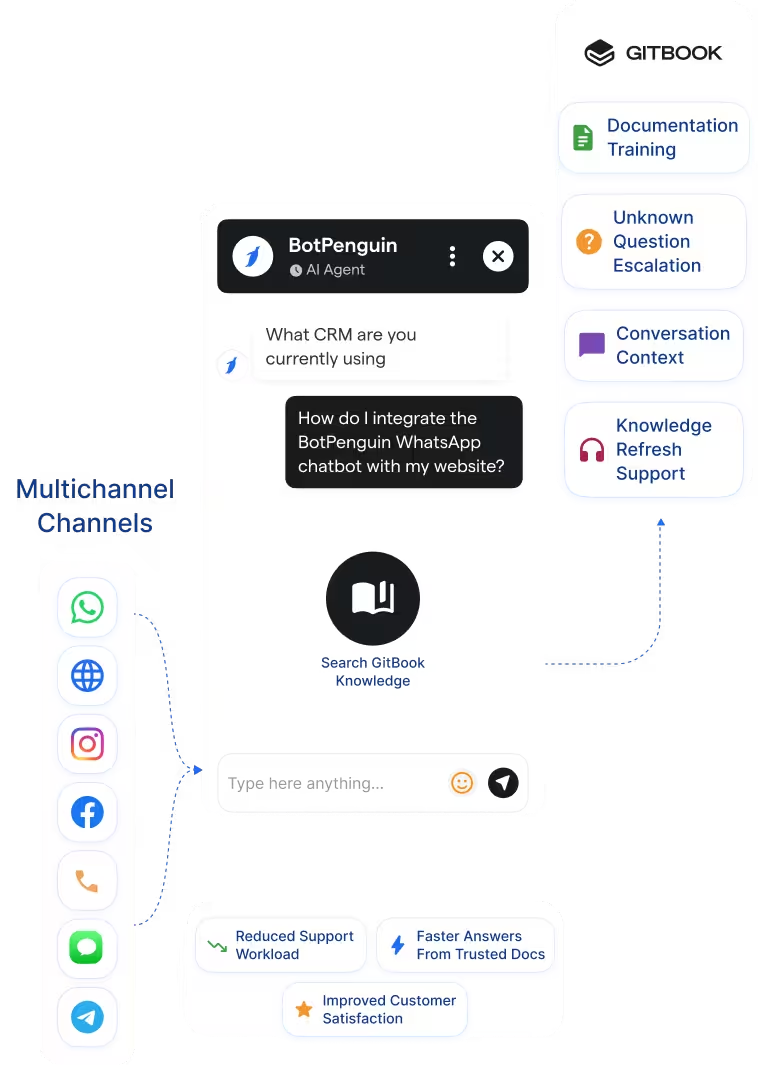
Use GitBook content as a knowledge source for BotPenguin AI agents. Product docs, developer guides, and help articles can guide chatbot answers.
See AI ChatbotsConnect GitBook to BotPenguin and let your AI agent answer customer questions from your product documentation across WhatsApp, website chat, Instagram, and more.
GitBook helps technical teams create, manage, and publish product documentation. It supports product guides, API references, developer docs, internal knowledge bases, and AI-native documentation workflows.
The BotPenguin GitBook integration turns your documentation into a customer-facing AI knowledge source. Train a BotPenguin AI agent on GitBook content so it can answer product and support questions from your actual docs.
Your support team gets fewer repetitive questions and better escalations. The chatbot answers from your documentation first, then hands off when human help is needed.
Use GitBook content as a knowledge source for BotPenguin AI agents. Product docs, developer guides, and help articles can guide chatbot answers.
See AI ChatbotsLet the AI agent answer customer questions using GitBook documentation across WhatsApp, website chat, Instagram, and more.
See AI AgentsRefresh or route documentation-based workflows where your setup supports it. New docs, unanswered questions, or escalations can guide follow-up actions.
View IntegrationsGitBook is built for creating and publishing structured documentation. Teams use it for product docs, developer guides, API references, and internal knowledge. GitBook also supports AI-native documentation experiences. These help users discover and understand published documentation more easily.
Documentation is only useful when customers can quickly access the right answer. Many customers do not search docs before asking support questions. They may ask on WhatsApp, website chat, Instagram, or Facebook. Those channels still need a conversational layer connected to your documentation.
BotPenguin becomes the omnichannel AI agent layer for GitBook content. It brings your documentation into live customer conversations. A chatbot trained on GitBook can answer product questions from your actual docs. It can also escalate unanswered questions with context attached.

No developer needed. Three steps connect your GitBook documentation to a BotPenguin AI agent.
Log in to BotPenguin and open your bot settings. Connect your GitBook documentation source and allow the required access.
Step 1Choose which docs, spaces, or documentation areas the AI agent should use. Define fallback, escalation, and handoff behavior.
Step 2Ask sample product and support questions. Confirm the chatbot answers are correct in GitBook, then publish them across your channels.
Step 3Up to 40%
of Tier-1 product questions handled through documentation-backed AI chatbot answers before agent escalation.
Up to 30%
fewer repetitive setup questions after connecting product documentation to a chatbot trained on GitBook.
Up to 35%
faster first response time when customers receive instant documentation-backed answers across WhatsApp and website chat.
Train AI agents on product docs to answer onboarding, billing, and support questions.
Answer API, SDK, and setup questions from GitBook developer documentation.
Use documentation-backed AI agents to explain product flows before human handoff.
Guide patient or provider support using approved product and process documentation.
Answer admissions, course, and platform questions from structured documentation.
Answer product, return, and policy questions using GitBook knowledge base content.
Train AI agents on methodology, onboarding, and client process documentation.
Train AI agents on security documentation to answer questions about setup, access, compliance, and troubleshooting.
Connect BotPenguin's conversational AI to your CRM, payment gateway, calendar and eCommerce platform in minutes. No-code, no disruption. Your existing tech stack stays exactly as it is.
Free to start. No credit card required. Live in under 10 minutes.
Is the GitBook chatbot integration free?
The GitBook integration is included on paid BotPenguin plans. You can also start with a free BotPenguin plan and test the chatbot before upgrading. View BotPenguin pricing
How does BotPenguin train on my GitBook content?
BotPenguin can use your GitBook documentation as a knowledge source for AI agent answers. Exact ingestion, refresh, and sync behavior depends on your integration setup.
Does the GitBook AI agent work on WhatsApp?
Yes. A GitBook-trained AI agent can answer documentation-based questions on WhatsApp through BotPenguin. The same setup can support website, Instagram, Facebook, Telegram, SMS, and Teams channels.
Can the AI agent reference specific GitBook pages?
BotPenguin can support documentation-backed answers using connected GitBook content. Exact source-link or citation behavior depends on your configured setup.
What happens when a customer asks something not covered in GitBook?
The AI agent can be configured to escalate unanswered questions to a human agent. This helps avoid unsupported answers when your documentation does not cover the query.
Is this the same as GitBook Assistant or GitBook Agent?
No. GitBook Assistant and GitBook Agent are GitBook-native AI features. BotPenguin AI agents use GitBook content to answer customer questions across external channels.
What chatbot data gets sent to or used from GitBook?
Only the documentation or content access you configure is used. Your AI agent can answer from selected GitBook docs, spaces, or knowledge areas based on your setup.